 ▶Watch on YouTube
Continuing my 007 First Light coverage, this time on the MSI Claw 8 AI+, and I'm really impressed with how well it runs on the Intel chip. I've played it on all the AMD devices as well, and the Claw is doing great, especially when it comes to frame times and frame drops. Depending on where you are, you'll see anywhere from about 35 to 70 or 80 FPS if you don't lock it down, but it never feels clunky or stuttery.
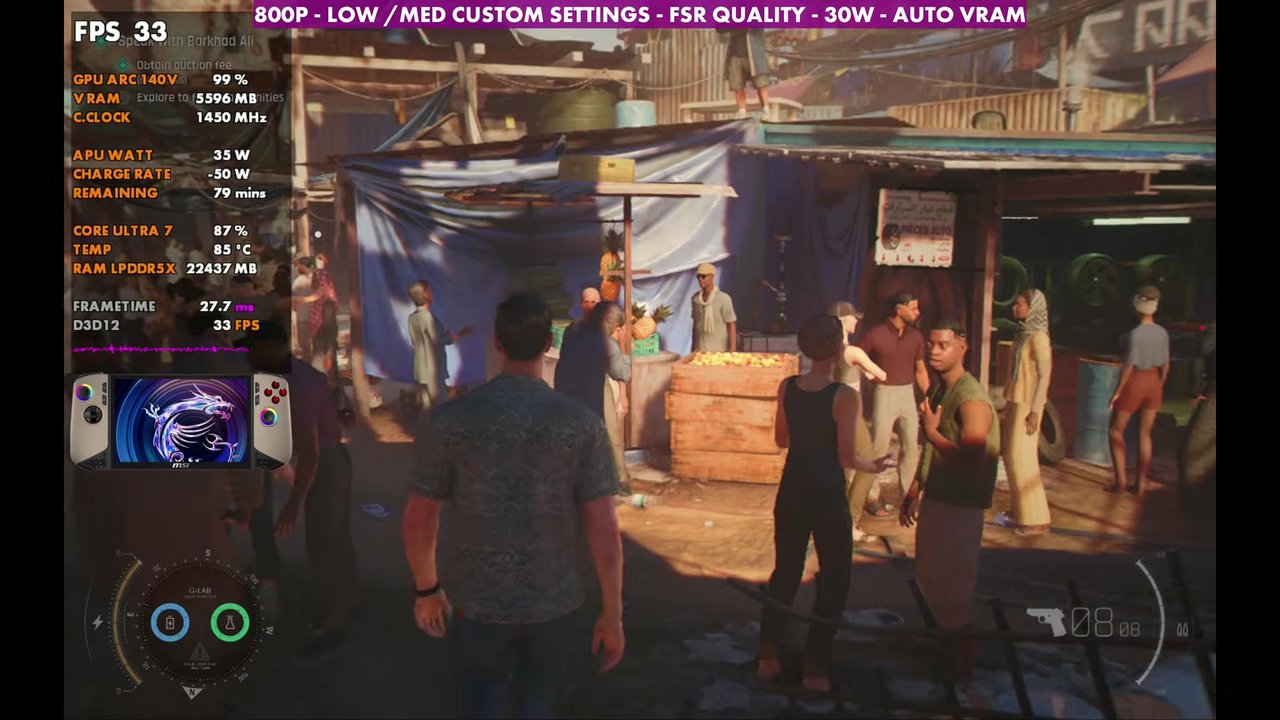
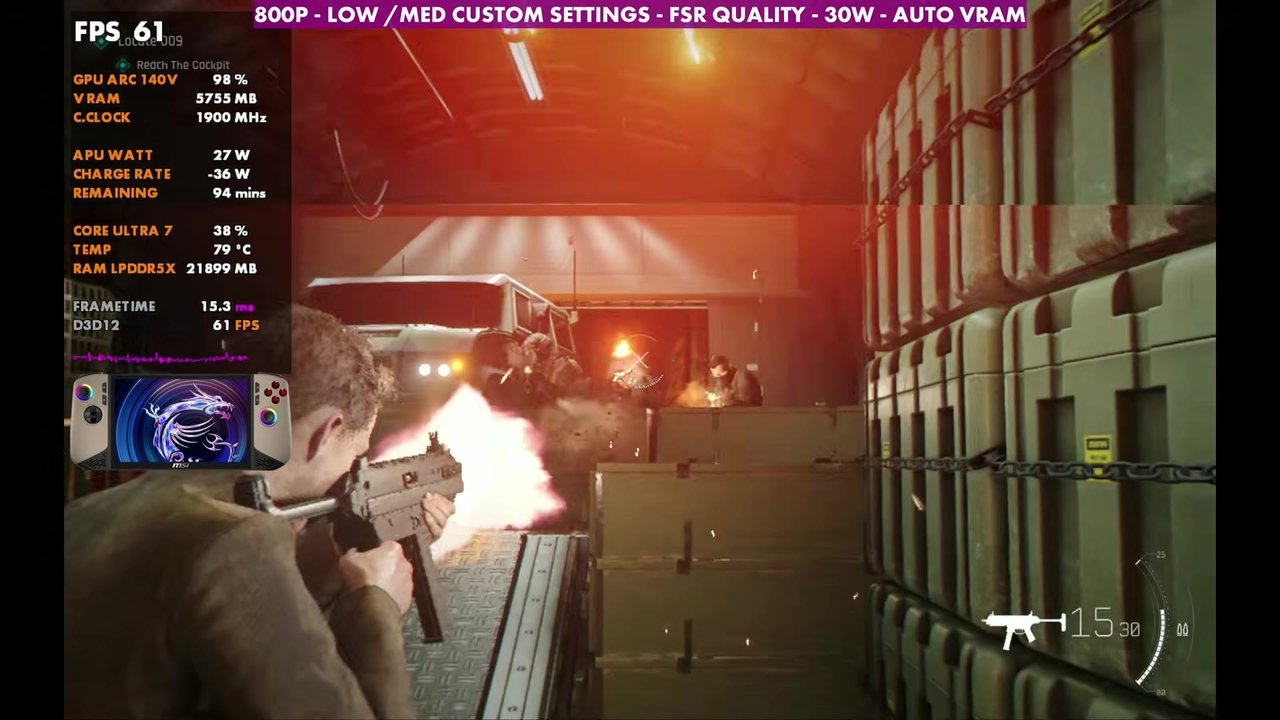
- Tested in Xbox mode (Xbox full screen experience) at 800p with FSR Quality, low/medium custom settings, with the Claw allowed to run up to its 30W manual max.
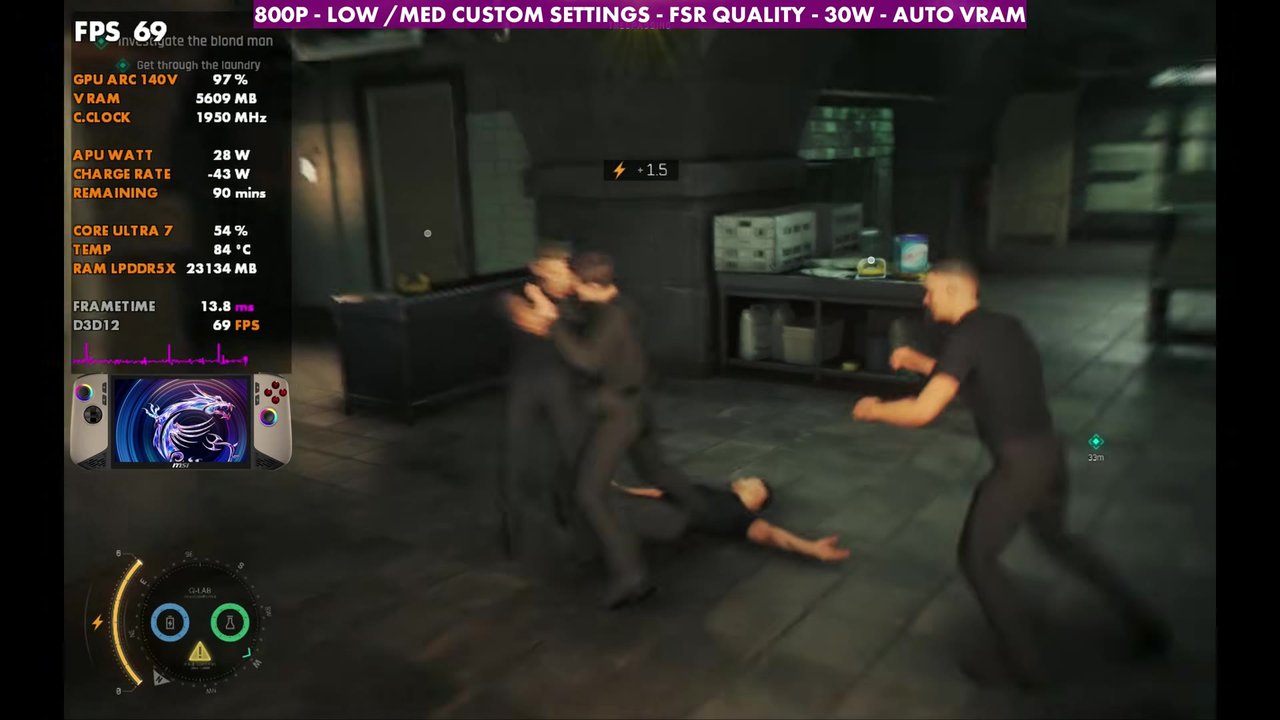
- Through a full mission in the video, the overlay mostly read the 40s to 60s, about 33 at the lowest in the crowded market and one big firefight, and into the 70s and 80s in lighter spots.
- 800p native costs about 5 to 10 FPS compared to FSR Quality, since the game is typically GPU heavy.
- Frame times stayed really good, and the frame rate was even a little better than some of my AMD devices with similar settings.
Test setup
I don't like to call anything "best settings", since everybody has their own preferences. This is what's been working really well for me on the Claw 8 AI+, and you can scale it up or down from here.
- Device: MSI Claw 8 AI+, Windows and drivers fully updated at the time of the video, including Intel's new certified GPU driver for May 2026. I stayed on the certified driver rather than the newer 007-specific driver, since those can have little issues and it's running so well as is.
- Mode: Xbox mode (Xbox full screen experience)
- TDP: letting it run up to 30W manual, and with this game it definitely wants to. You could use AI Engine or drop to 20 to 25 watts, but it'll cost you some performance.
- Resolution: 800p with FSR Quality. There's no XeSS in the game. Native 800p is an option, but it costs about 5 to 10 FPS. You could even go up to 1200p with more upscaling and lose some FPS. V-Sync and VRR are off for the video, so you'll see tearing that won't be there on the device.
- Settings: texture quality medium, 16x texture filtering, terrain quality medium, shadows low, fog low, effects low, reflections medium and all post effects off. VRAM is on auto.
- FPS numbers are what the on-screen overlay read in the video, checked every two seconds.
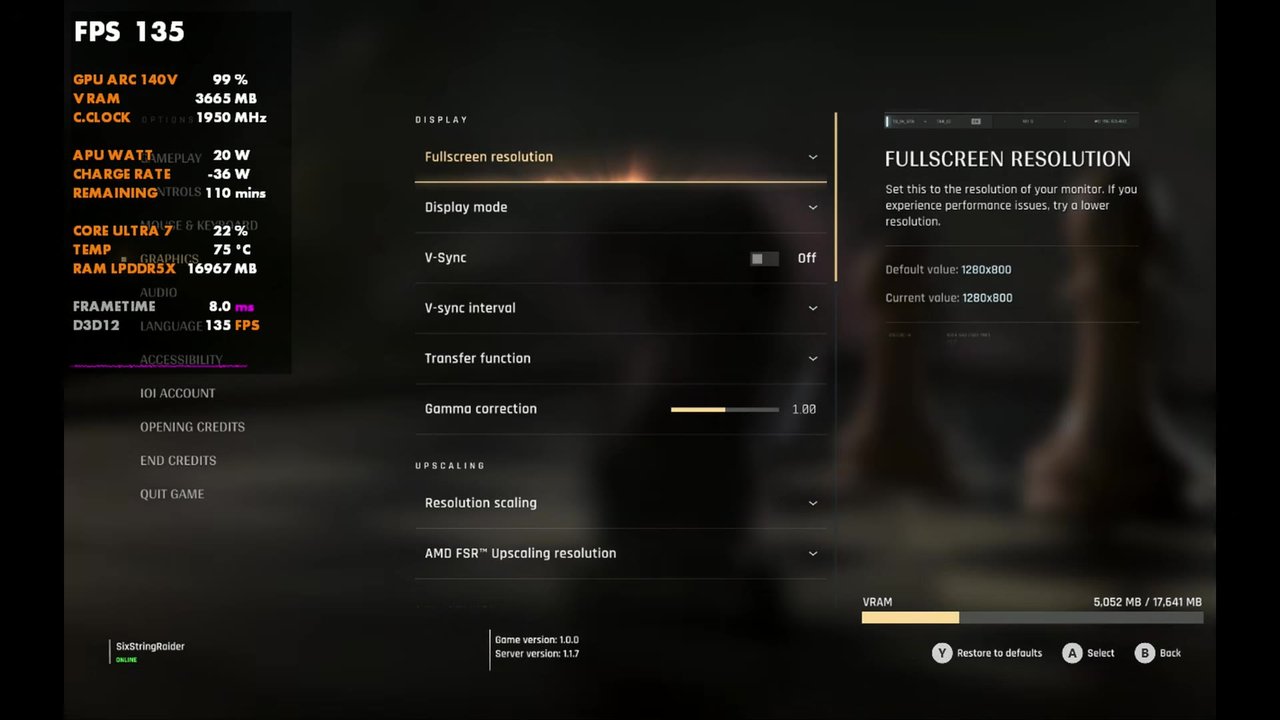
Gameplay at 800p, FSR Quality, 30W
The gameplay in the video is from a mission I've been using in a lot of these videos, since it covers combat, interiors, driving and more. Every mission has those different kinds of areas, and they all seem to perform similarly. About 5 or 6 hours in, almost halfway through the game, I haven't run into an area that ran worse than what's shown here or gave me any major issues.
In the crowded market, the overlay read about 33 to 37, and one of the bigger explosive firefights dipped to about 33 to 35. Most of the mission sat in the 40s to 60s, with indoor fights and some interiors in the high 60s and 70s, and the end of the plane sequence ran into the 80s, briefly over 100 once it was just sky.
Verdict
Intel's been doing a really good job of getting new drivers out, and it shows here. 800p with FSR Quality at up to 30W was a nice sweet spot for me on the Claw 8 AI+, with steady frame times and frame rates a little better than some of my AMD handhelds at similar settings. For how the Legion Go devices handle it, see my Legion Go Z1E vs Legion Go 2 Z2E head to head in 007 First Light.
FAQ
Does 007 First Light have XeSS on the MSI Claw 8 AI+?
No. There's no XeSS in the game, so I used FSR at Quality. 800p native is an option, but it costs about 5 to 10 FPS.
What TDP did you use for 007 First Light on the Claw 8 AI+?
I let it run up to its 30W manual max. AI Engine or 20 to 25 watts will work, but you'll lose some performance.
Want more handheld tests?
New Steam Deck, ROG Ally, Legion Go and Steam Machine performance videos every week.