 ▶Watch on YouTube
- At 1200p, FSR Performance, 30W with the Handheld preset plus high textures: 35 to 60 FPS depending on the area.
- I went with 30W instead of my usual 25W because this game is tough to run at launch. 35W only added about 4 FPS.
- FSR Quality costs about 8 to 10 FPS. Balanced lands around 47.
- Frame gen works OK at launch, with some input latency and stutter.
Control Resonant is a pretty tough game to run on the Z2 Extreme handhelds at launch, so on the Legion Go 2 I bumped up to 30W instead of the 25W I typically use. I mostly focused on 1200p with FSR Performance and the Handheld preset with high textures, but I checked a few other settings first to see how the game scales.
What I tested
- Xbox mode (sometimes helps a little with resources, and it's convenient)
- 1200p fullscreen, V-Sync off
- Upscaling: FSR Performance (Quality and Balanced checked)
- Handheld preset, later with high textures
- Ray tracing off, post-processing off (no motion blur for me)
- 25W, 30W and 35W, 10GB VRAM
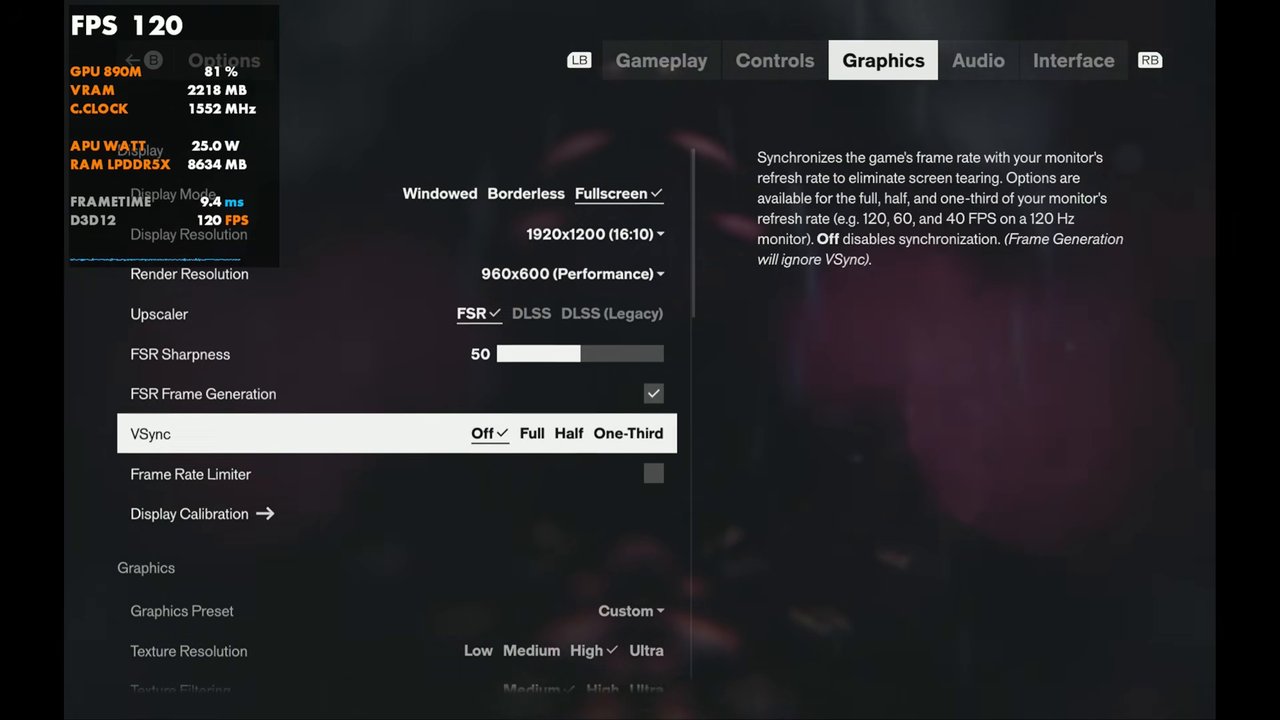
Performance
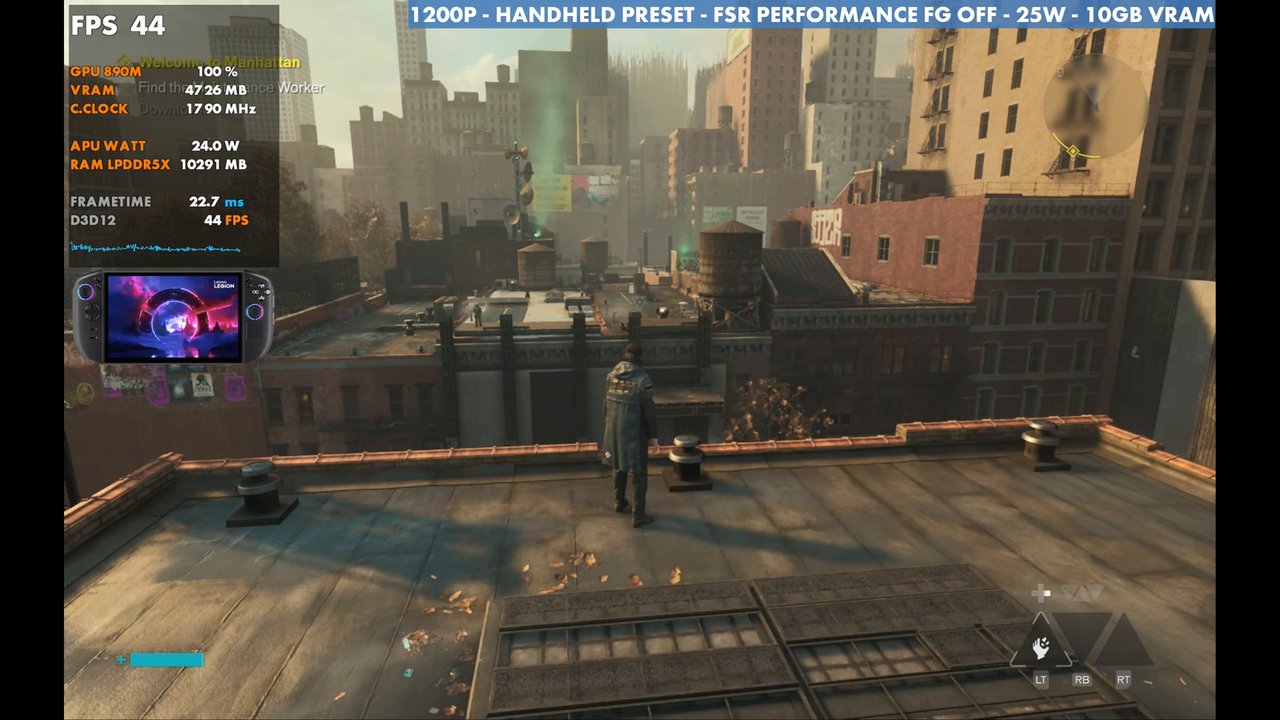
Even with these settings, performance depends a lot on where you're at. I've seen anywhere from 35 up to 60 FPS, inside, outside and so on. In my test spot the overlay was in the mid 40s at 25W with frame gen off.
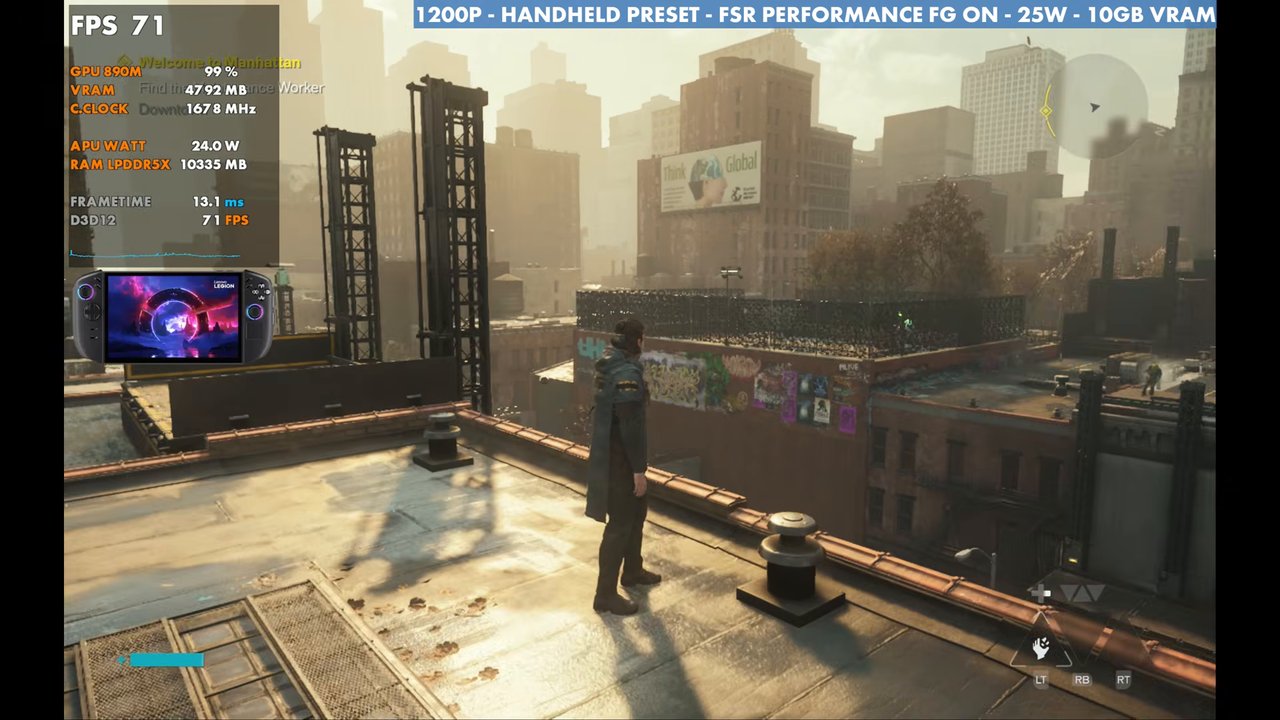
Turning frame gen on, even at 25W, does pretty well (the overlay read 71 here). It could use some updates: there's some input latency and some stuttering, but it can help smooth out the frame times.
Switching to 35W doesn't change performance a whole lot, about 4 FPS here, though I'd imagine it helps hold the frame rate in heavy battles with a lot of effects on screen. I settled on 30W for the video.
Upscaling and presets
At 30W, standing still in the same area:
- FSR Quality: about 8 to 10 FPS lower than Performance
- FSR Balanced: around 47 FPS
- Medium preset (FSR Performance): around 46 to 47 FPS
- High preset (FSR Performance): around 39 FPS
If you care more about FPS than visual quality, 800p with FSR Quality or Balanced is another way to go. You could also raise some settings, but things really dip once you get into combat.
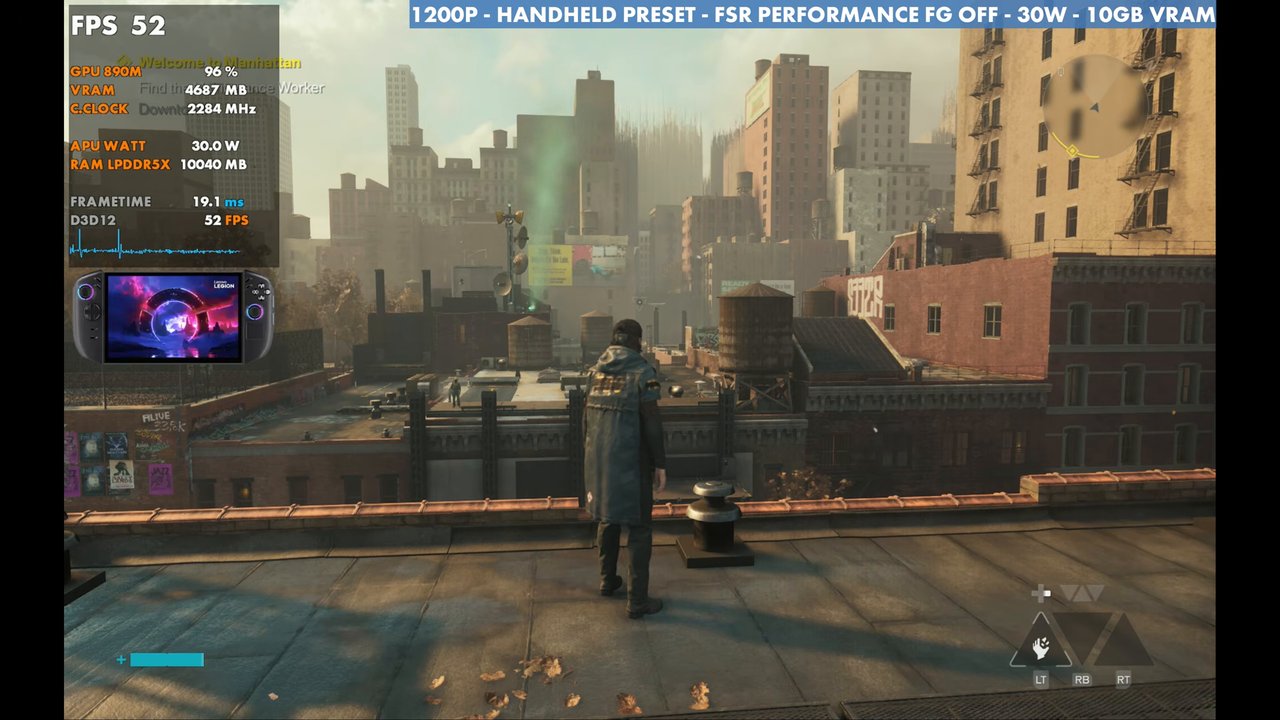
Since I wanted to stay at 1200p with FSR Performance, I went with the Handheld preset and switched to high textures, since there's plenty of RAM on this system. Ray tracing and post-processing stay off. That's what the gameplay in the video uses, inside and outside, in combat, with and without frame gen at 30W.
Verdict
Control Resonant on the Legion Go 2 is a little messy at launch, but it's definitely playable. 1200p with FSR Performance, the Handheld preset with high textures and 30W gives you 35 to 60 FPS depending on the area, and from there you can trade resolution or upscaling for more frame rate or better visuals.
Want more handheld tests?
New Steam Deck, ROG Ally, Legion Go and Steam Machine performance videos every week.