 ▶Watch on YouTube
Until about a week before this test, Crimson Desert wouldn't even launch on Intel devices, and that included the MSI Claw 8 AI+ with the Core Ultra 200. With Intel's new GPU driver it now launches and plays, but there are still bugs and caveats, and it isn't officially supported yet. Here's how I got it running and how it plays for now.
- Needs Intel's April 7, 2026 GPU driver, downloaded straight from Intel's site.
- If it still crashes, delete the game's user engine option save file so FSR isn't engaged. Your game save isn't touched.
- FSR still crashes the game, so no upscaling for now: 800p, low preset, no V-sync, 30W.
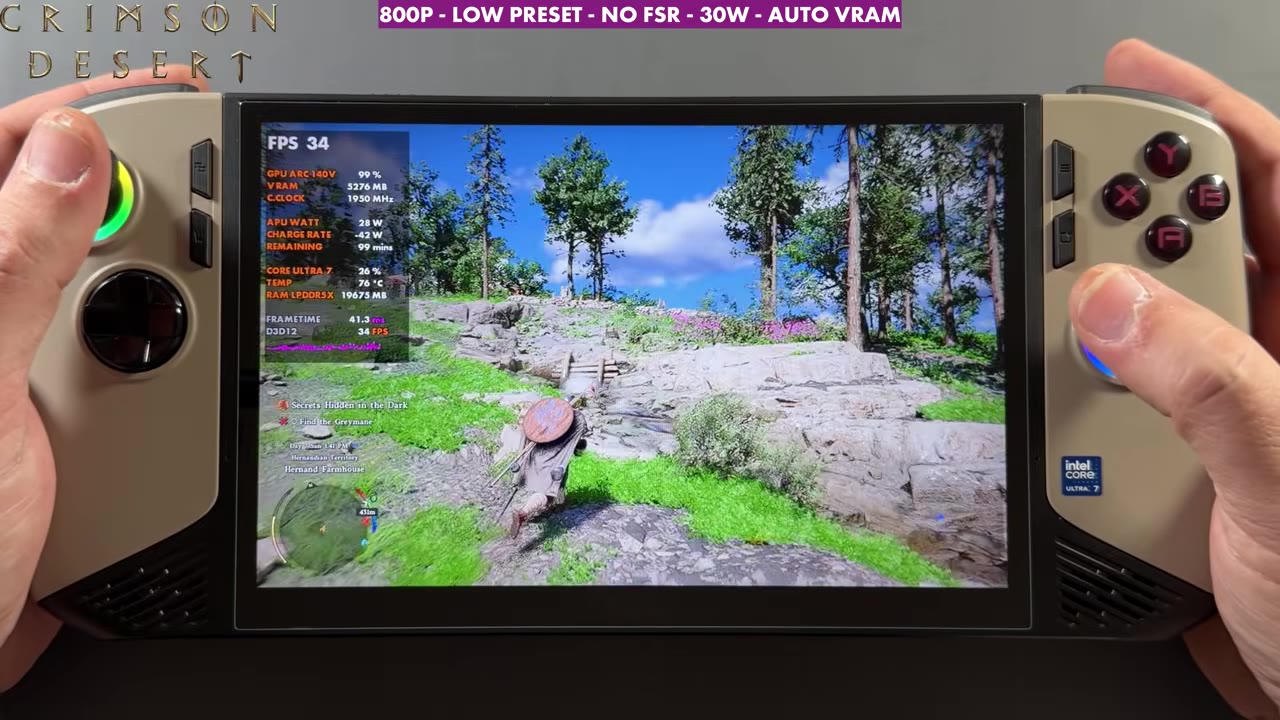
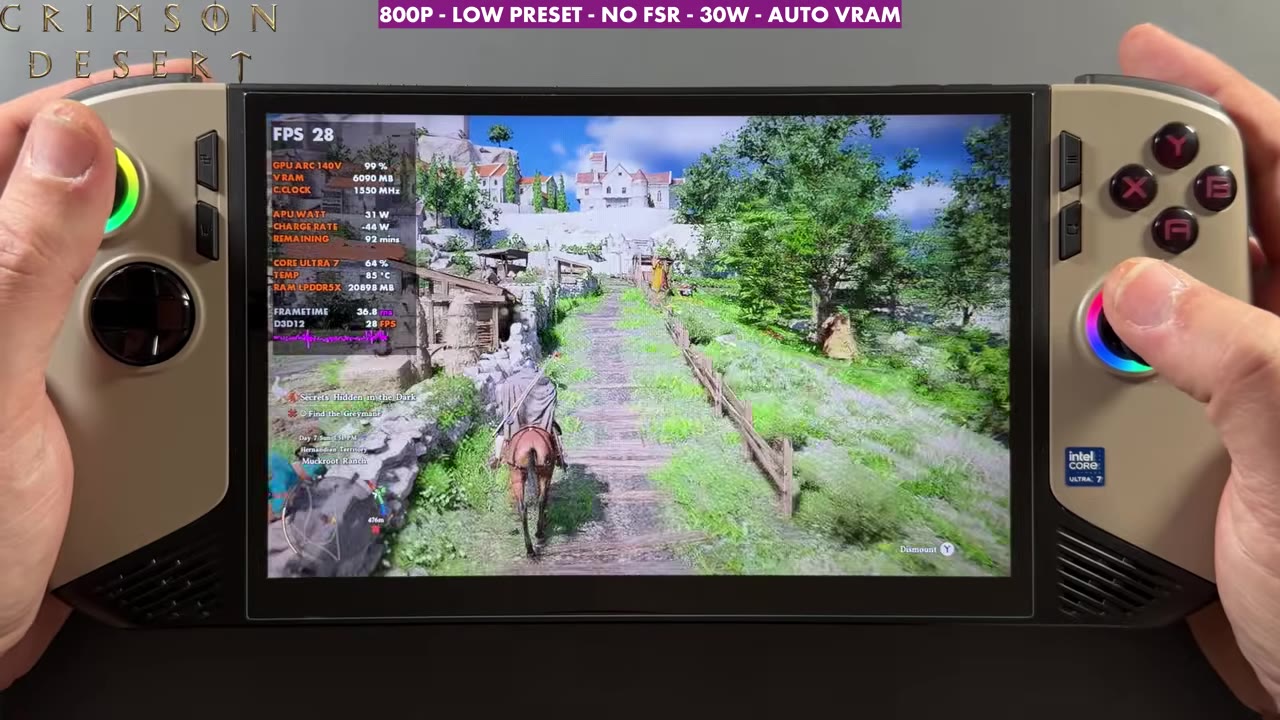
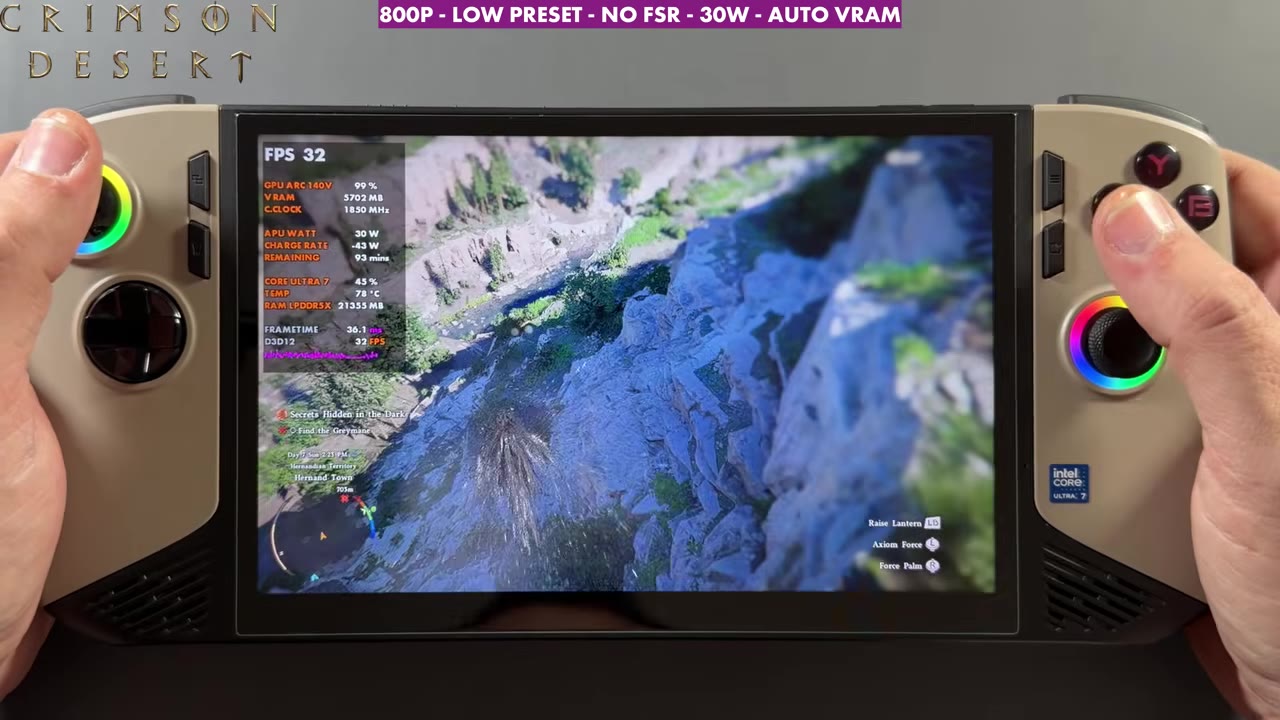
- The GPU runs at a full 1950 MHz and 99% usage. The overlay mostly read the high 20s to high 30s, with drops into the 20s even in the early areas.
- Since then, a game patch added official Intel support and XeSS: see Crimson Desert on the MSI Claw 8 AI+ with the XeSS 3.0 update.
How I got it running
There were articles going around about Crimson Desert starting to run on some Intel Arc graphics, with a warning that FSR can still crash the game, and that's definitely the case. A lot of people are at least getting it to launch on different Intel devices now, including the Claw 8 AI+.
- Install the April 7, 2026 Intel GPU driver. I always download these directly from Intel's site and install them on the device. It's not a side load or a workaround, it's the official supported way, and it's super easy.
- Show hidden files. I had tried the game before and it was still crashing for me. In File Explorer, open the three dots, Options, the View tab, select "show hidden files and folders", then Apply and OK so you can see the AppData folder.
- Delete the settings file. Go to This PC, Users, your username, AppData, Local, then the Pearl Abyss folder, CD, and save. Inside you'll see the user engine option save file. Delete it, and the game resets its settings like a first boot. It doesn't touch your game save.
- Launch the game. You might still get a pop-up saying your driver needs to be updated. Click OK; we always got that before too. I was able to recompile shaders and get in without getting stuck on the black screen and crashing.
I haven't had any problems or crashes since going this way: new driver, settings file deleted, and no upscaler for now.
What I tested
- MSI Claw 8 AI+ on Intel's April 7, 2026 GPU driver, 30W to let it run how it wants
- 800p, low preset, no upscaling (FSR crashes the game for now), V-sync off, auto VRAM
I was surprised I could even get 800p without upscaling. If I start changing too many settings, I run into too much trouble, so this is basically the low preset. We still need a proper GPU driver update and a game update to get this working better and test it properly.
Performance
The GPU is fully used, at the full 1950 MHz clock and 99% usage. Considering there's no upscaling and the game still has a lot of issues on Intel, it runs decently enough. The problem is it drops into the 20s even in the beginning areas, and I'm sure some of the late-game stuff would be hard to run this way until we get updates, upscaling and more room to play with settings. Across the gameplay the overlay mostly read the high 20s to the high 30s.
Verdict
For anyone with this device or another Intel device, this shows a lot of hope that Crimson Desert is going to become pretty playable. I think it can look pretty decent, too, and even 800p native on the low preset isn't too bad on this screen. If they fix the frame rate drops and get FSR and XeSS in here, especially with Intel's multi frame gen, I think this game can run really, really well on Intel and on this device. I'll be testing it a lot more once those game and driver updates land, so I can use upscaling, try more settings and push textures.
FAQ
Why does Crimson Desert crash on the MSI Claw 8 AI+?
Before official Intel support, it needed Intel's April 7, 2026 GPU driver, and FSR could still crash it. Deleting the game's user engine option save file resets the settings so FSR isn't engaged.
Does deleting that file delete my save?
No. It only resets the game's settings, like a first boot. Your save file isn't touched.
What FPS did Crimson Desert get on the Claw 8 AI+ with this fix?
At 800p on the low preset with no upscaling at 30W, the overlay mostly read the high 20s to high 30s, with drops into the 20s.
Want more handheld tests?
New Steam Deck, ROG Ally, Legion Go and Steam Machine performance videos every week.