 ▶Watch on YouTube
- The newest GPU driver froze the game within a minute for me. Rolling back to the older October-dated driver fixed the crashing.
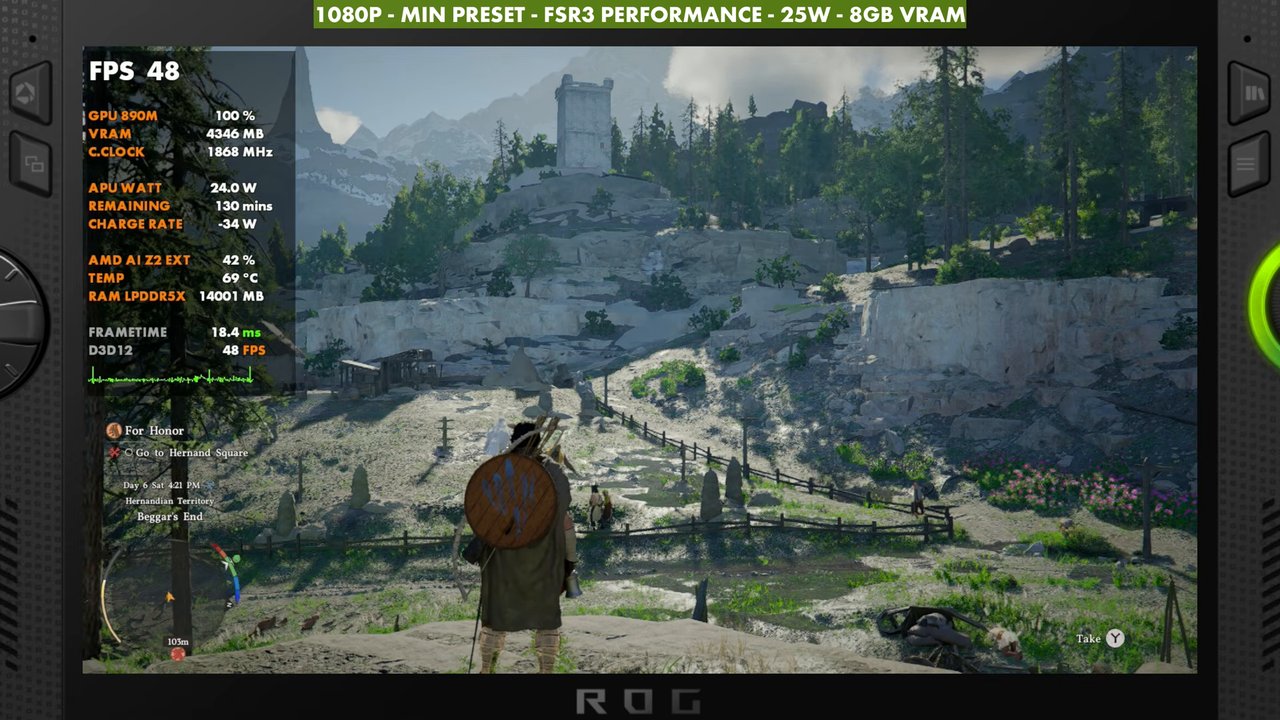
- At 1080p, FSR3 Performance, 25W: Low sits around 40 to 43 FPS standing still, and the Minimum preset around 48 to 49.
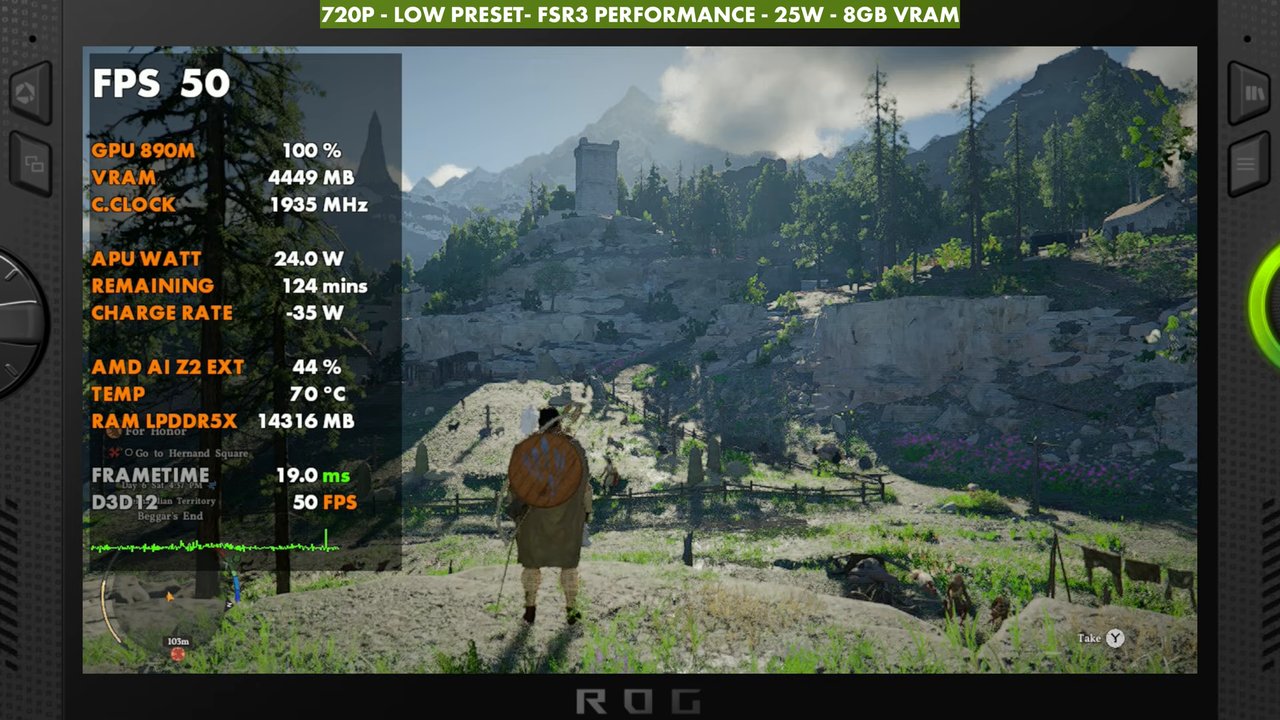
- Medium with ray tracing takes a big hit, down to around 30. Dropping to 720p Low gets you about 50.
- In-game frame gen works OK, especially at 720p, but it can get janky.
Performance in Crimson Desert on the ROG Xbox Ally X is a bit iffy, and before I could even test it I had to deal with a driver problem. On the newest GPU driver, the game froze on me within a minute or less almost every time, especially once I started moving around. I got about 30 seconds of running around before it locked up again, and that kept happening.
The driver problem
The new driver on the website is listed as March 18th, but it's actually a February-dated driver, and it crashes the game. Some people were also saying it remapped their buttons, so keep that in mind. Reluctantly, I rolled back: I ran DDU to uninstall the driver, then did a fresh install of the older October-dated driver. DDU is easy to use, there are plenty of tutorials out there, and my older Legion Go driver sideloading videos walk through it too. On the older driver, performance still wasn't where I'd like to see it, but the game didn't crash at all.
What I tested
- Older October-dated GPU driver (see above)
- 1080p and 720p
- Upscaling: FSR3 Performance (Quality at 720p as well)
- 25W, 8GB VRAM
- Minimum, Low and Medium presets, with and without ray tracing
- In-game frame gen on and off
1080p presets
On the Low preset at 1080p, depending on where I'm at, it's anywhere from 30 to 50 FPS. Standing still in my test spot, it was around 40 to 42 (43 on the overlay). Performance gets worse later on when you're flying around or have a lot of NPCs on screen, no matter what you do with the settings, which is why you'll probably end up dropping the resolution later.
- Minimum: about 49 FPS, up from the low 40s on Low
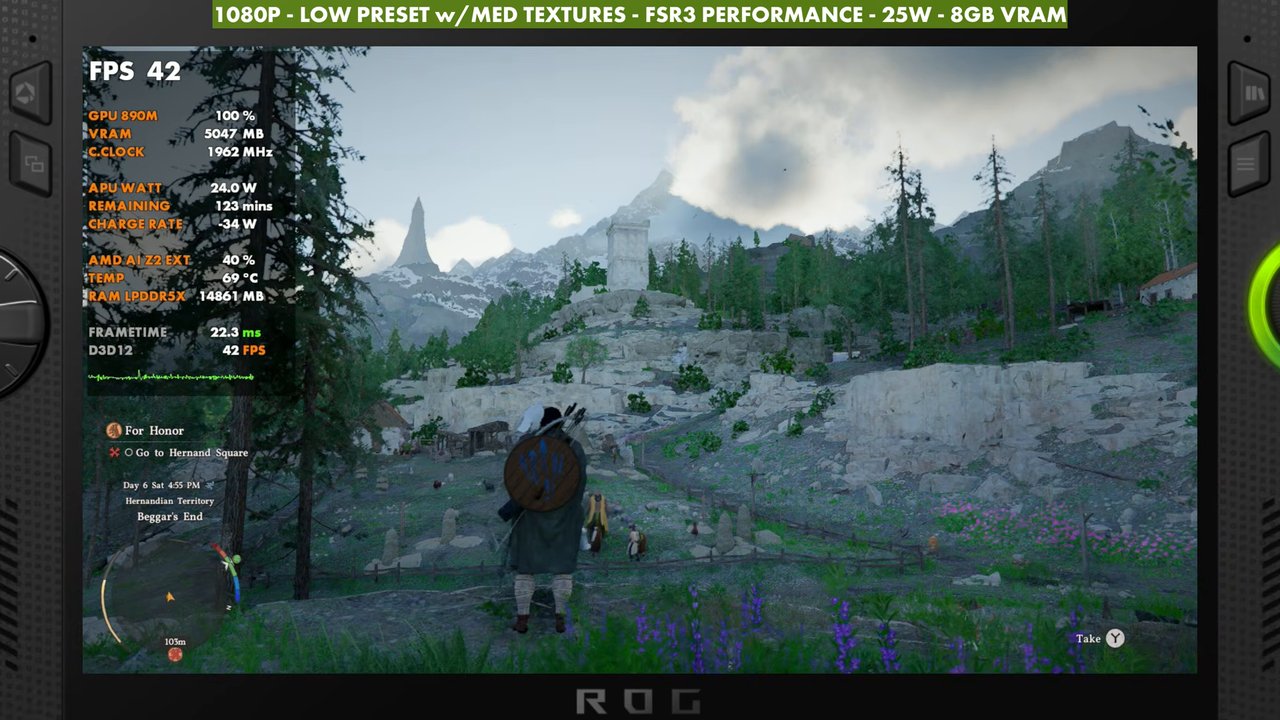
- Low: around 40 to 43 FPS standing still
- Medium with ray tracing: a big hit, around 29 to 32 on the overlay, and it won't hold up later even with a frame cap or frame gen
- Medium with RT off: still pretty low, around 33 on the overlay
720p
720p Medium with RT off gets around 40 FPS in this area. In most of the areas I've played so far, that means 25 to 45. Taking it to the Low preset, which I used a lot, bumps it up to about 50. 720p with FSR3 Quality looks a little nicer while keeping a lot of those gains (around 44 on the overlay), so keep that in mind when you're deciding between 720p, 900p and 1080p.
Frame generation
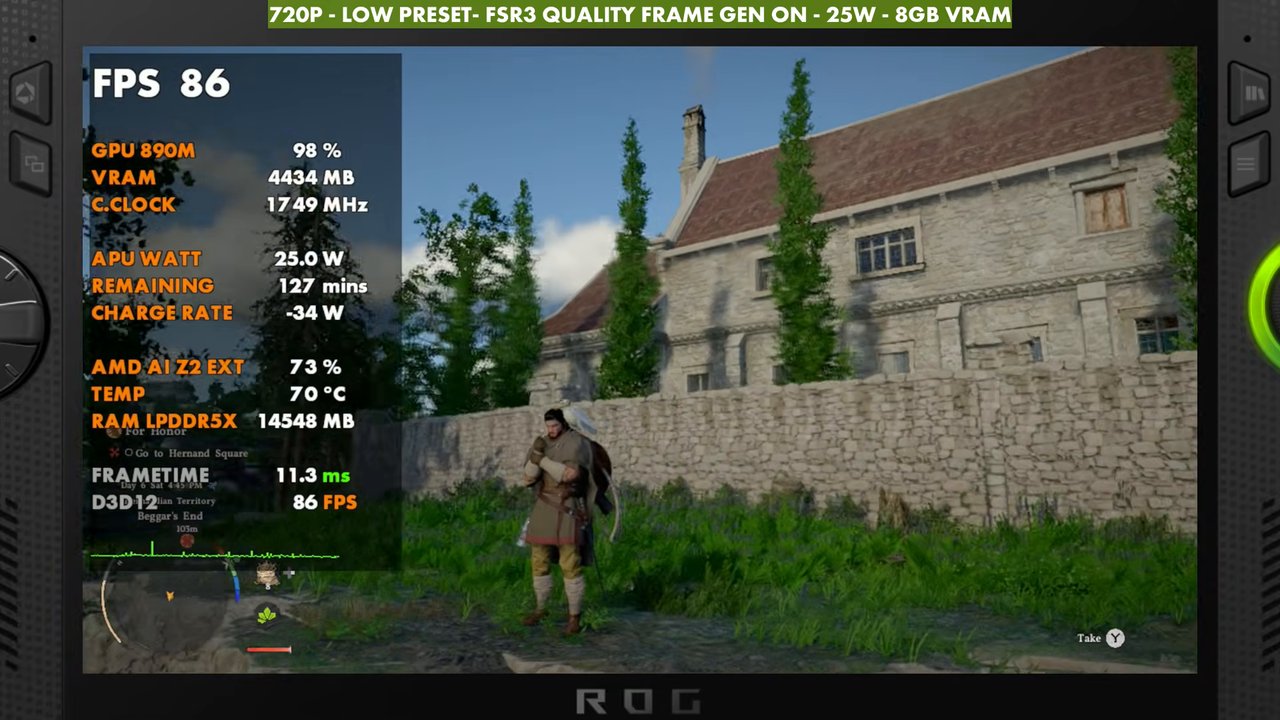
The in-game frame gen works pretty well for the most part, especially at 720p. It can get janky in certain areas, and I left some skips and stutters in the video so you can see them. At 1080p it has a few more issues, but you can pull it off. In my test spot, 720p Low with FSR3 Quality and frame gen read in the high 60s to mid 80s. If you like Lossless Scaling, you could also cap the game at 30 FPS and double it to 60, which runs pretty smoothly. I don't love frame gen in a game like this once combat gets sticky, though.
Where I landed at 1080p
1080p Low preset with medium textures, FSR3 Performance, 25W and 8GB VRAM is about the most decent-looking setup I could get at this resolution while staying playable. It still dips and has its own issues. The gameplay in the video covers 1080p and 720p, with and without frame gen.
Verdict
Crimson Desert feels a little rough and unoptimized on the Xbox Ally X right now. It has good and bad areas, and I expect it to get rougher later on. 720p gives you the most headroom, while 1080p Low with medium textures looks better and dips more. Patches should help, and hopefully the graphics driver issue gets figured out too.
Want more handheld tests?
New Steam Deck, ROG Ally, Legion Go and Steam Machine performance videos every week.