 ▶Watch on YouTube
When I tested Crimson Desert on the ROG Xbox Ally X at launch, I ended up rolling the GPU driver back to the October 2025 one to stop the crashing, which is now what the developers recommend too, at least for now. That kept me off the newer driver, though. There's another fix that works, one I'd used before and forgot about, and with it the game runs really well on the new driver at 900p.
- On the newer February 25, 2026 GPU driver, the game kept freezing on me: the screen turns white and you have to close the program, over and over, even with the latest game updates as of April 2, 2026.
- The fix: turn off hardware-accelerated GPU scheduling in Windows graphics settings and restart.
- After that, no crashes in two to three hours of playing.
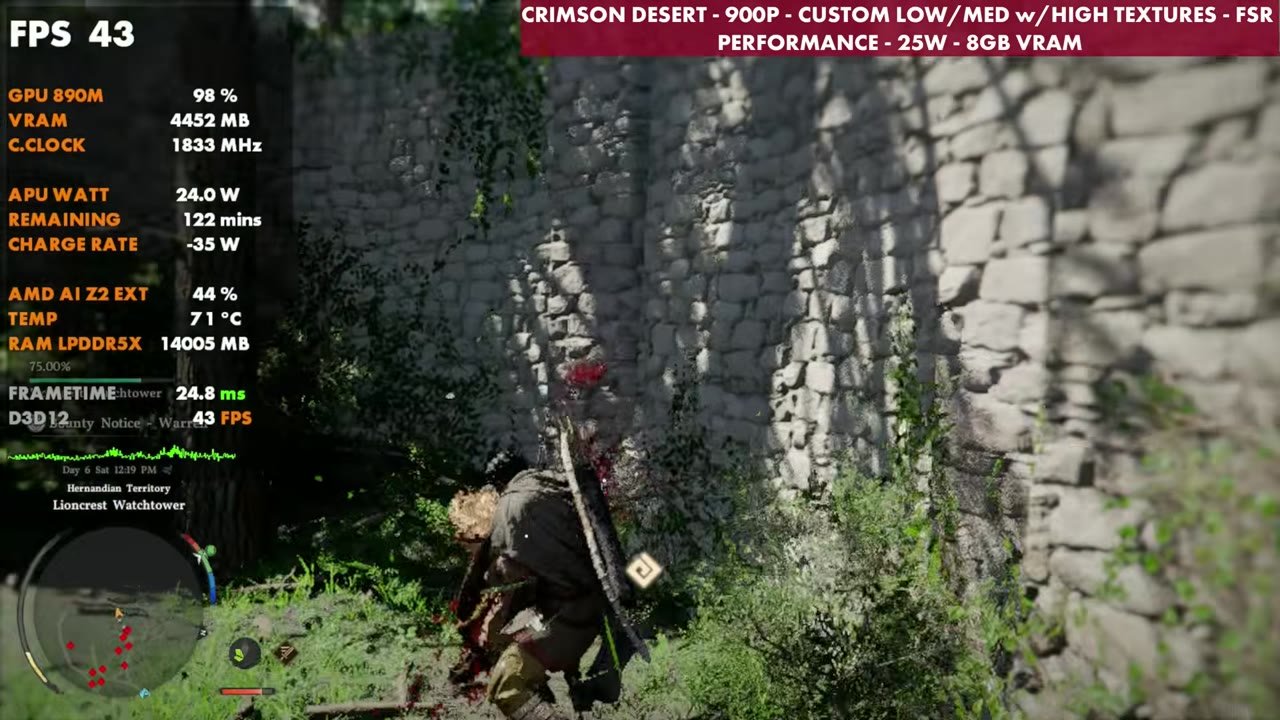
- Tested at 900p, FSR Performance, custom low/medium settings with high textures, ray tracing off, 25W, 8GB VRAM.
- In gameplay the overlay mostly read the high 30s to mid 40s. Standing at one cliff view it read about 52–53 at 900p, 56–59 at 720p and 43–44 at 1080p.
The fix: turn off hardware-accelerated GPU scheduling
It's pretty easy, and it works whether you're on the desktop or in Xbox mode.
- Open the Game Bar, go to More settings, scroll to the bottom and choose Open Windows settings.
- Go to the System tab and scroll down to Graphics.
- Under "Optimizations for windowed games" at the top, open Advanced graphics settings.
- Toggle Hardware-accelerated GPU scheduling off. It's probably on.
- Restart the ROG Xbox Ally X.
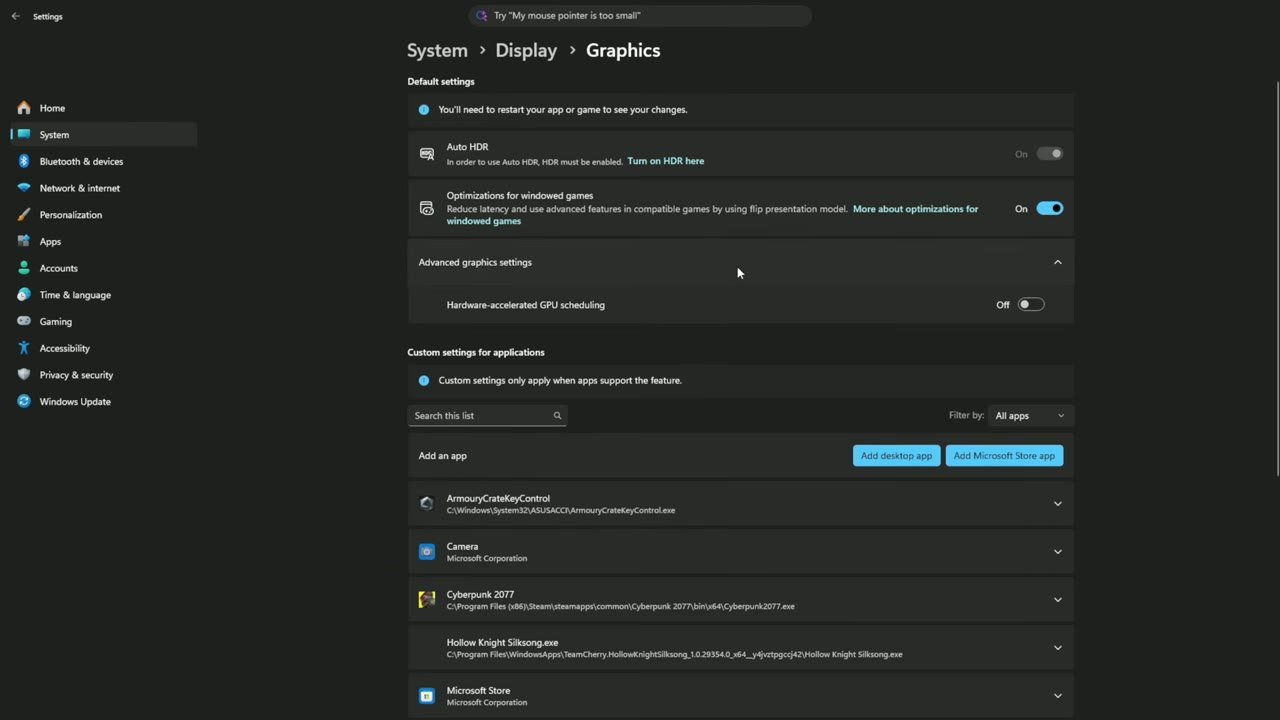
Hardware-accelerated GPU scheduling has been around since about 2020. It takes some load off the CPU and puts more jobs on the GPU, which is supposed to make games run a bit smoother, especially CPU-heavy ones. Some games have had trouble with it in the past, though, and I forgot to check it on Crimson Desert until I saw some recent posts about it. With it off, the new driver and everything fully updated, the game has been running fine for me with no crashes in two to three hours of running around on April 2.
What I tested
- ROG Xbox Ally X on the February 25, 2026 GPU driver, hardware-accelerated GPU scheduling off
- 900p with FSR Performance upscaling
- Custom settings: high textures with a mix of medium and low for the rest, ray tracing off
- 25W, 8GB VRAM
At launch on the older driver I was running 1080p with Performance upscaling and pretty much all low settings. Now I'm at 900p with some aggressive upscaling and high textures, and I think it works fine. You can adjust all of this however you want: go 720p to get more out of it, change your upscaling, or move up to 1080p and adjust from there. There's plenty of room to play with the settings.
Performance
Performance was pretty decent, especially at 900p upscaled on the newer driver. I did a quick check standing at the same cliff view with each resolution. The readings below are from the on-screen overlay.
- 900p, FSR Performance: about 52–53 FPS
- 720p, FSR Performance: about 56–59 FPS
- 1080p, FSR Performance: about 43–44 FPS
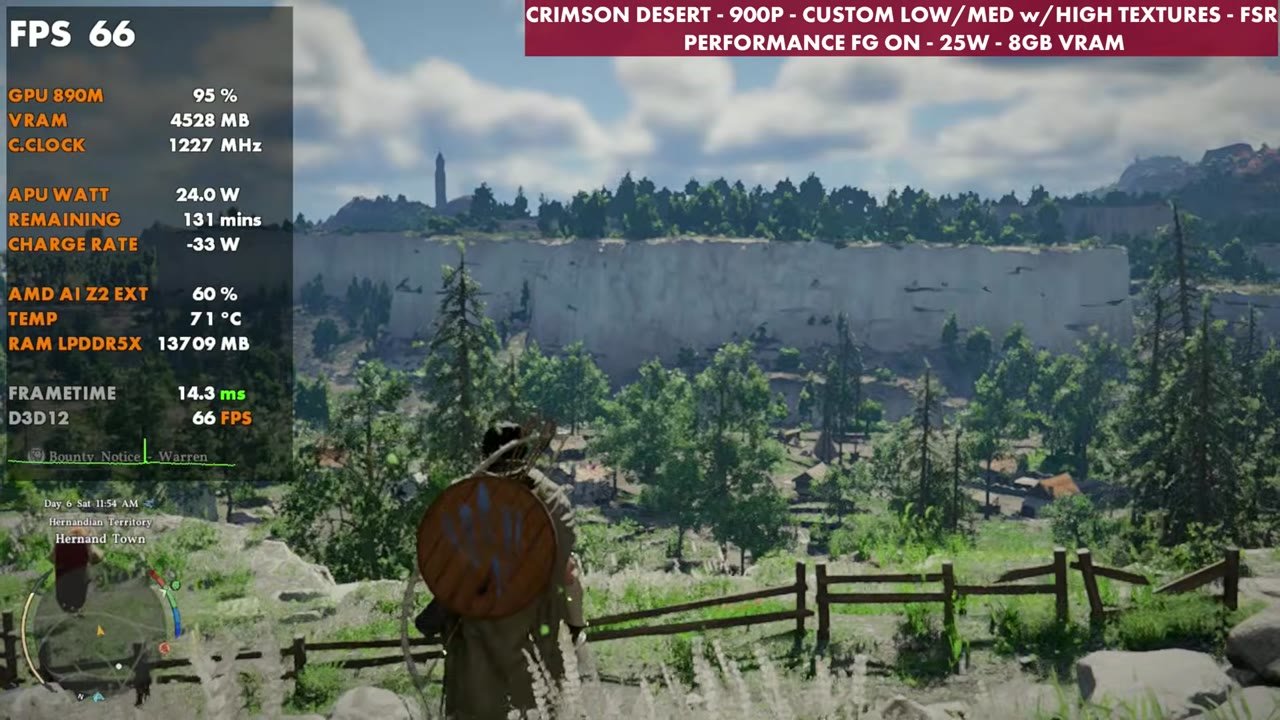
- 900p with frame gen on: about 62–72 FPS
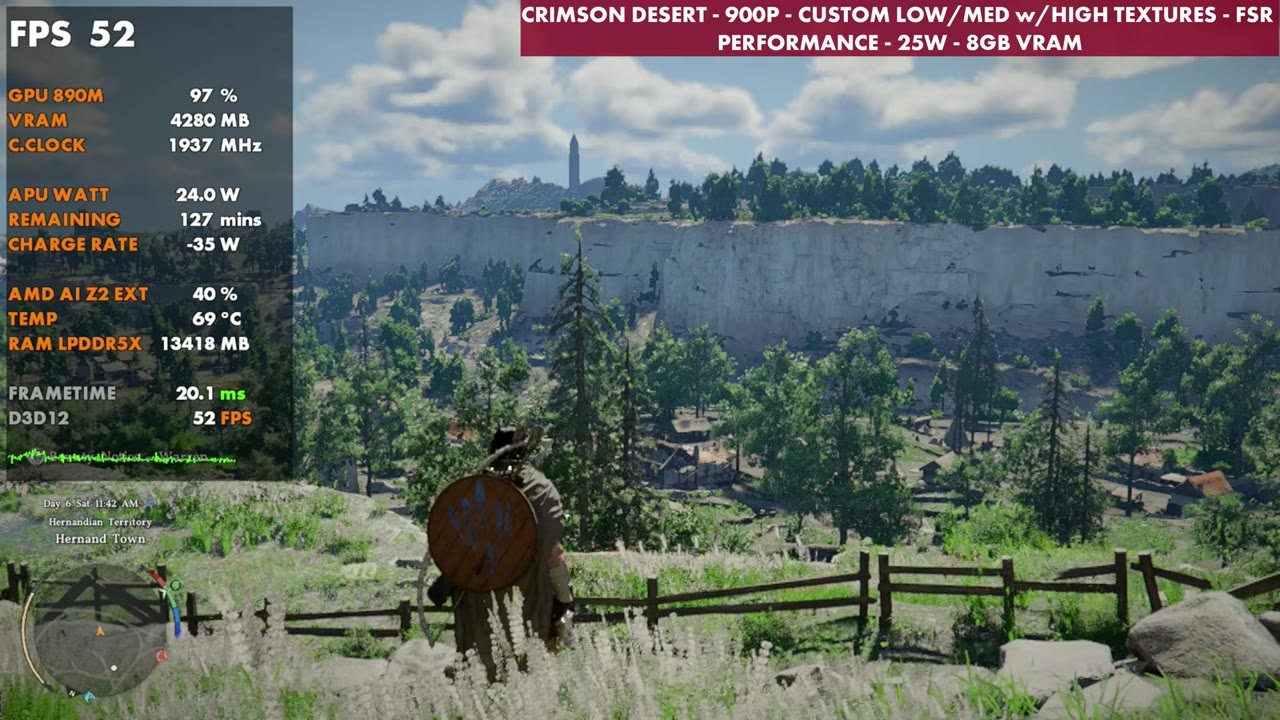
Crimson Desert has in-game frame gen, and it's okay, but I don't think it's implemented that well here. It feels a bit floaty and can be a bit messy. It's there if you want to try it, or you could try something like Lossless Scaling or AMD's AFMF 2. For the most part I wanted to concentrate on base performance.
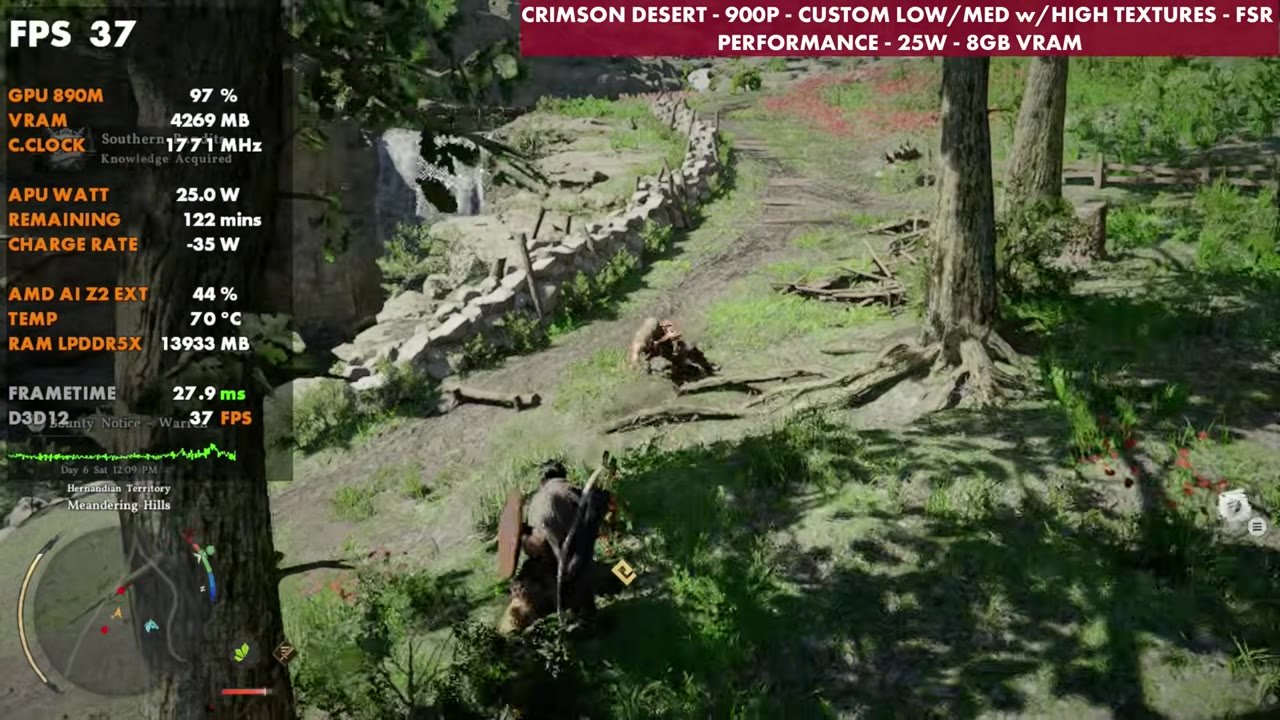
Out in gameplay at 900p with frame gen off, the overlay mostly read the high 30s to mid 40s, with readings from 33 up to 50 across different areas.
Verdict
I'm happy that with just that one toggle off, the game isn't crashing anymore on the new driver, at least for me, in the past two or three hours of playing. It's been great to be back on the newer driver at 900p with these settings, and I'm going to keep playing to see how it holds up.
FAQ
How do you stop Crimson Desert crashing on the ROG Xbox Ally X?
On the newer February 25, 2026 GPU driver, turning off hardware-accelerated GPU scheduling (Windows Settings, System, Graphics, Advanced graphics settings) and restarting stopped the freezes for me.
Do you still need to roll back to the October GPU driver?
Not in my testing. With hardware-accelerated GPU scheduling off, the game ran for two to three hours on the newer driver without crashing.
What FPS does Crimson Desert get on the Xbox Ally X at 900p?
At 900p with FSR Performance, custom low/medium settings with high textures at 25W, the overlay mostly read the high 30s to mid 40s in gameplay.
Want more handheld tests?
New Steam Deck, ROG Ally, Legion Go and Steam Machine performance videos every week.