 ▶Watch on YouTube
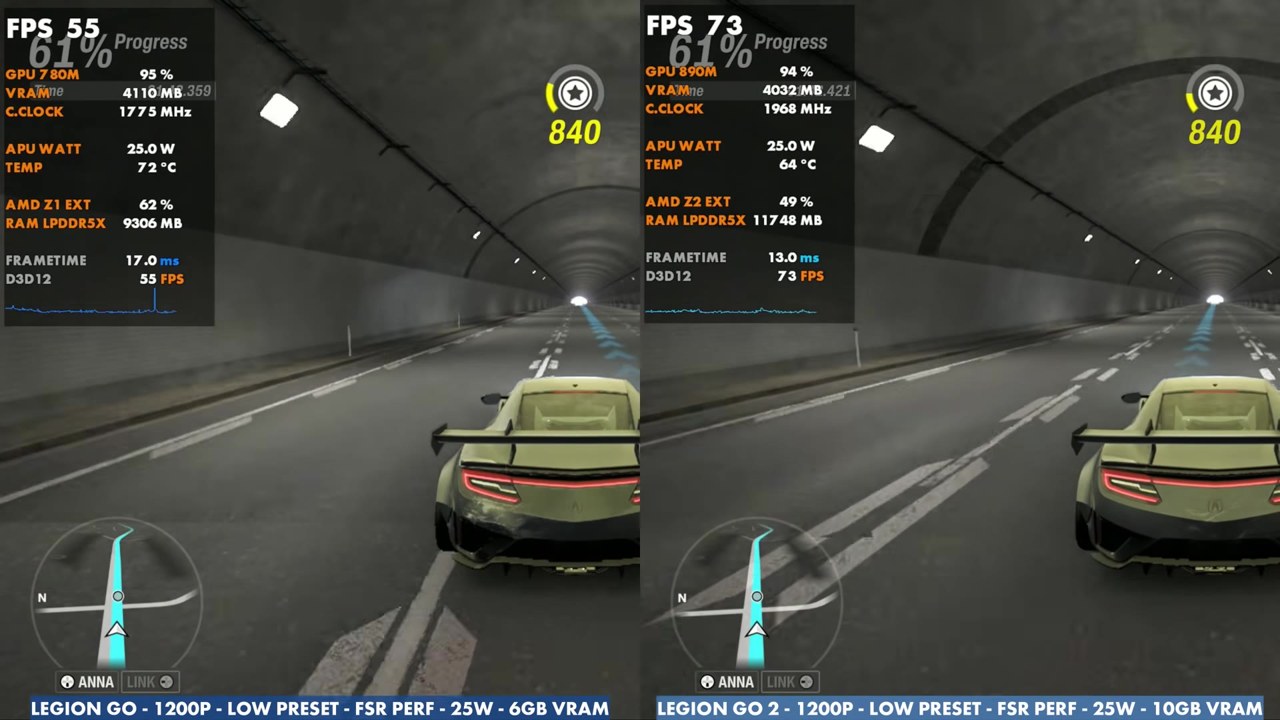
I've been playing a good bit of Forza Horizon 6, so here's the original Legion Go with the Z1 Extreme against the new Legion Go 2 with the Z2 Extreme. That's 16GB of RAM against 32GB, which doesn't really come into play much in this game. Even on high settings on my Legion Go, it doesn't use 5GB of VRAM, and resources aren't too bad. Sometimes the Go 2 pulls far ahead in games and sometimes it doesn't, and this happens to be one where it comes out pretty far ahead, with quite a difference at both 17W and 25W.
- Same settings on both: the low and medium presets at 17W and 25W, with 1200p (FSR Performance) and 800p (FSR Balanced) in the built-in benchmark.
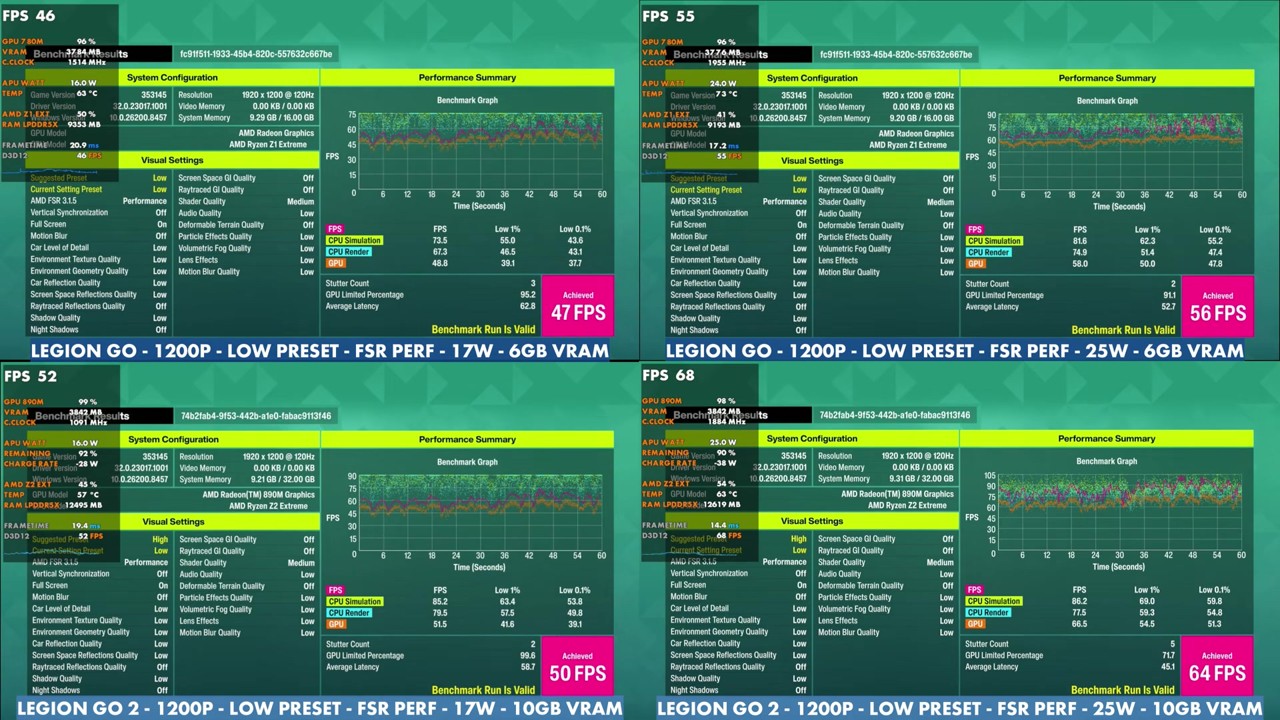
- In every benchmark run the Legion Go 2 was ahead, by 2 to 10 FPS. At 1200p, low, 25W it was 64 vs 56 FPS, and at 800p, low, 25W, 76 vs 68.
- In real-world gameplay at 1200p, the overlay mostly read the high 30s to 40s on the Go 1 and the 40s to 50s on the Go 2 at 17W on the low preset, and about 50s against 60s at 25W.
Test setup
These are matched settings for a fair comparison, not recommended settings. I mostly focused on 1200p with the low and medium presets at 17W and 25W, which is enough to show how the game runs on both devices with the same settings and what the difference is.
- Legion Go 2: Z2 Extreme (Radeon 890M), 32GB RAM, 10GB VRAM
- Legion Go (original): Z1 Extreme (Radeon 780M), 16GB RAM, 6GB VRAM
- TDP: 17W and 25W on both
- Presets: the in-game low and medium presets
- Resolution: 1200p with FSR Performance, and 800p with FSR Balanced (benchmark only)
- Benchmark numbers are the "Achieved" result on the built-in benchmark's results screen. Gameplay numbers are what the on-screen overlay read in the video, checked every two seconds. The two sides play the same section, but moments don't always line up exactly.
Built-in benchmark
| Settings | TDP | Legion Go (Z1E) | Legion Go 2 (Z2E) |
|---|---|---|---|
| 1200p, medium, FSR Performance | 17W | 38 FPS | 42 FPS |
| 1200p, medium, FSR Performance | 25W | 46 FPS | 56 FPS |
| 1200p, low, FSR Performance | 17W | 47 FPS | 50 FPS |
| 1200p, low, FSR Performance | 25W | 56 FPS | 64 FPS |
| 800p, medium, FSR Balanced | 17W | 47 FPS | 49 FPS |
| 800p, medium, FSR Balanced | 25W | 54 FPS | 63 FPS |
| 800p, low, FSR Balanced | 17W | 59 FPS | 61 FPS |
| 800p, low, FSR Balanced | 25W | 68 FPS | 76 FPS |
The gap grows at 25W. At 17W the Go 2 led by 2 to 4 FPS, and at 25W by 8 to 10 FPS.
Gameplay at 1200p, medium preset
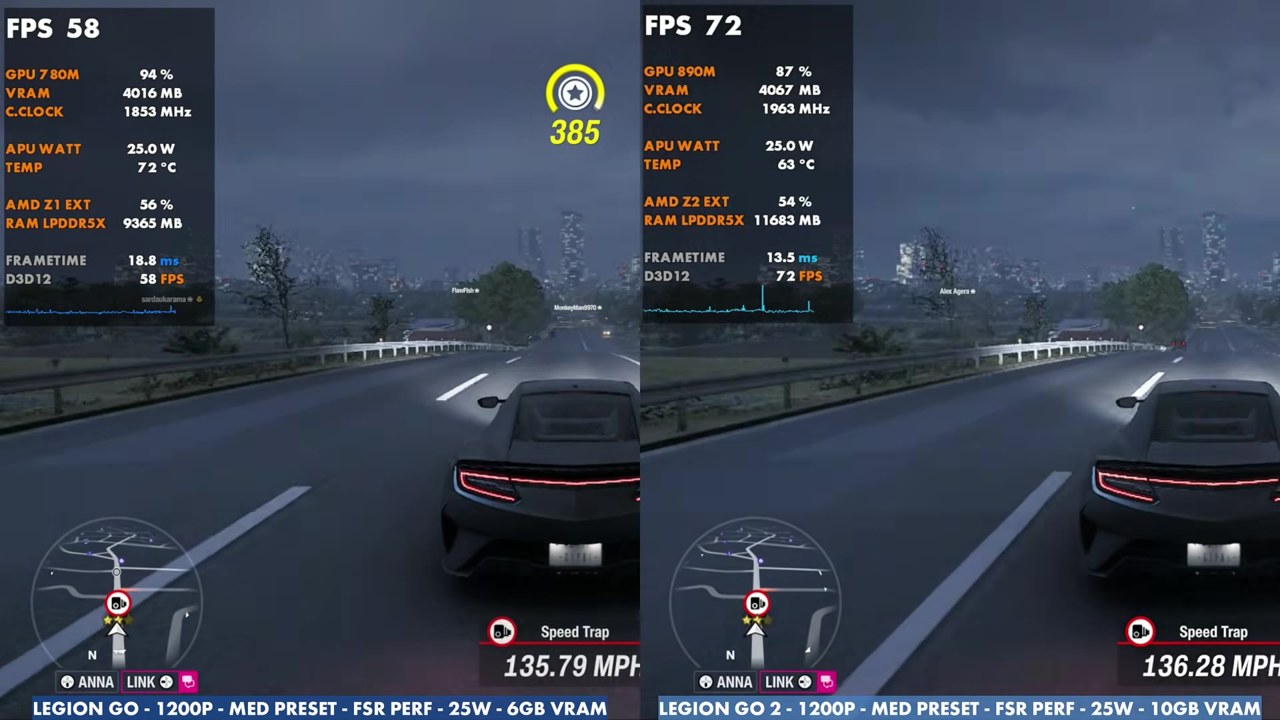
At 25W, out on the highway in the gameplay section, the Go 1's overlay mostly read the high 40s to around 60 (with one dip to 28), and the Go 2 mostly the 50s to low 70s. At 17W, the Go 1 mostly read the mid 30s to high 40s, and the Go 2 about 39 to 55.
Gameplay at 1200p, low preset
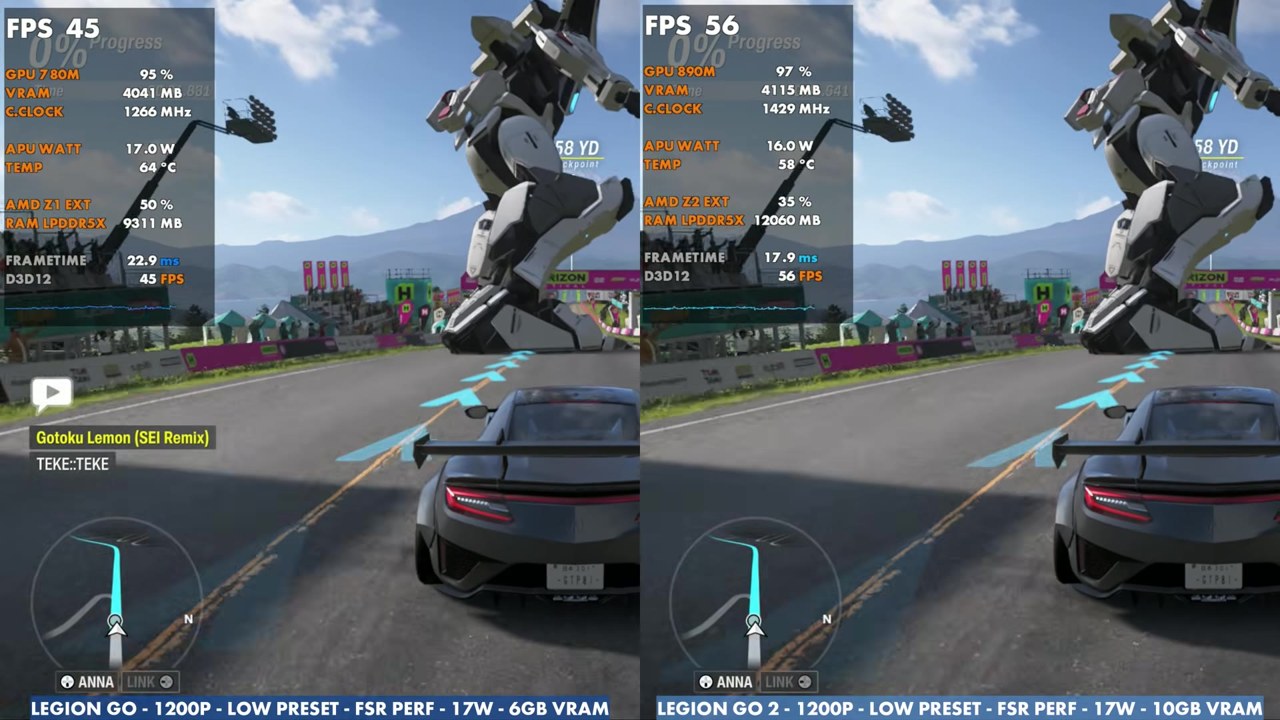
Most of the gameplay, including the mech racing event, is on the low preset. At 17W, the Go 1's overlay mostly read the high 30s to 40s (about 29 at the lowest), and the Go 2 mostly the 40s to 50s, up to about 61. At 25W, the Go 1 mostly read around 50 (about 40 to 59), and the Go 2 mostly the 60s (about 49 to 75).
Verdict
Forza Horizon 6 is one of the games where the Legion Go 2 comes out pretty far ahead of the original Legion Go with the same settings, especially at 25W. RAM and VRAM aren't the reason here, since the game doesn't use much VRAM even on high settings on the original Go.
FAQ
How much faster is the Legion Go 2 than the Legion Go in Forza Horizon 6?
In the built-in benchmark with the same settings, the Go 2 led by 2 to 4 FPS at 17W and 8 to 10 FPS at 25W, for example 64 vs 56 FPS at 1200p, low preset, FSR Performance and 25W.
Does VRAM matter for Forza Horizon 6 on the Legion Go?
Not really. Even on high settings on the original Legion Go, the game doesn't use 5GB of VRAM.
Want more handheld tests?
New Steam Deck, ROG Ally, Legion Go and Steam Machine performance videos every week.