 ▶Watch on YouTube
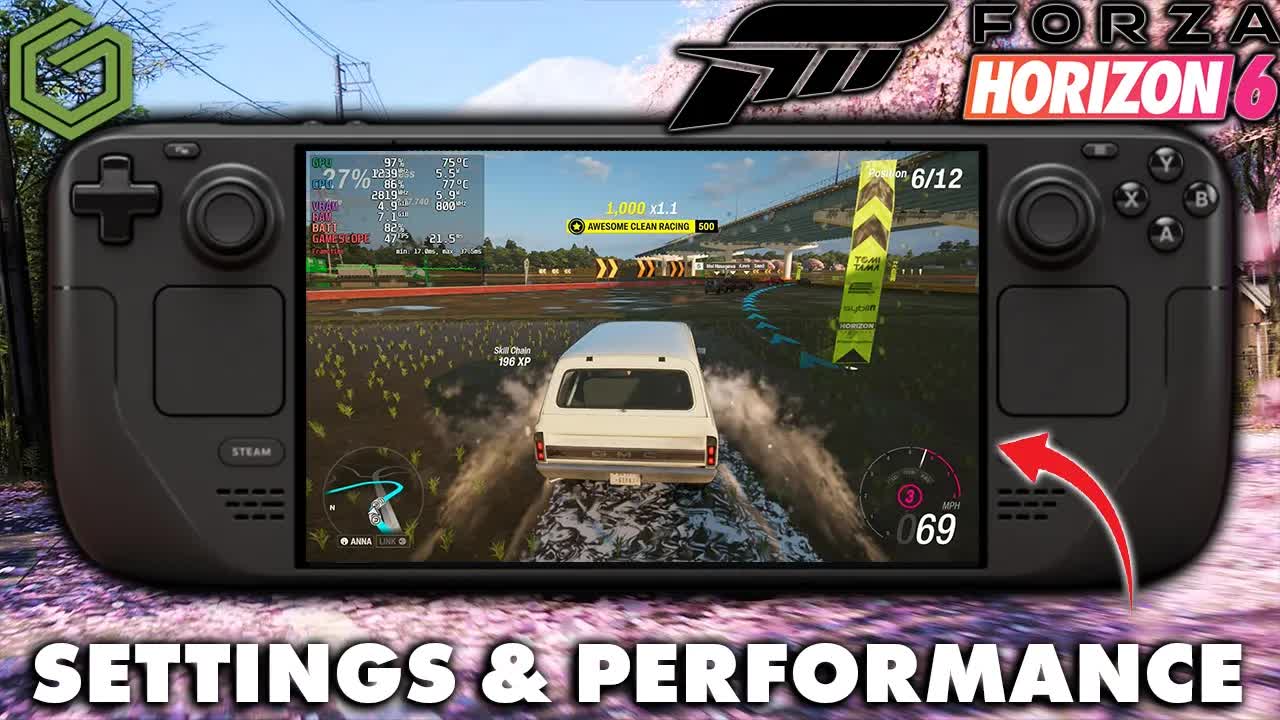
Besides maybe 007 First Light and LEGO Batman, Forza Horizon 6 is one of the most anticipated games of May for me, so I wanted to see how it runs on the Steam Deck OLED before moving on to the other handhelds. It's hit or miss, and as far as I can tell it's a pretty CPU-bound game most of the time. This is early access, so I'm sure a lot of updates are coming, and it's already Steam Deck Verified from day one.
Disclosure: the early access game code was provided by Xbox, through Keymailer.
- Tested at 800p (1280x800), V-sync off and an unlocked frame rate, from the very low to high presets, with FSR3 or TAA.
- In the built-in benchmark: 48 FPS on very low and 38 on low with FSR3 Quality, 30 on medium, and 38 on low with TAA. The game tends to run better in real gameplay than the benchmark shows.
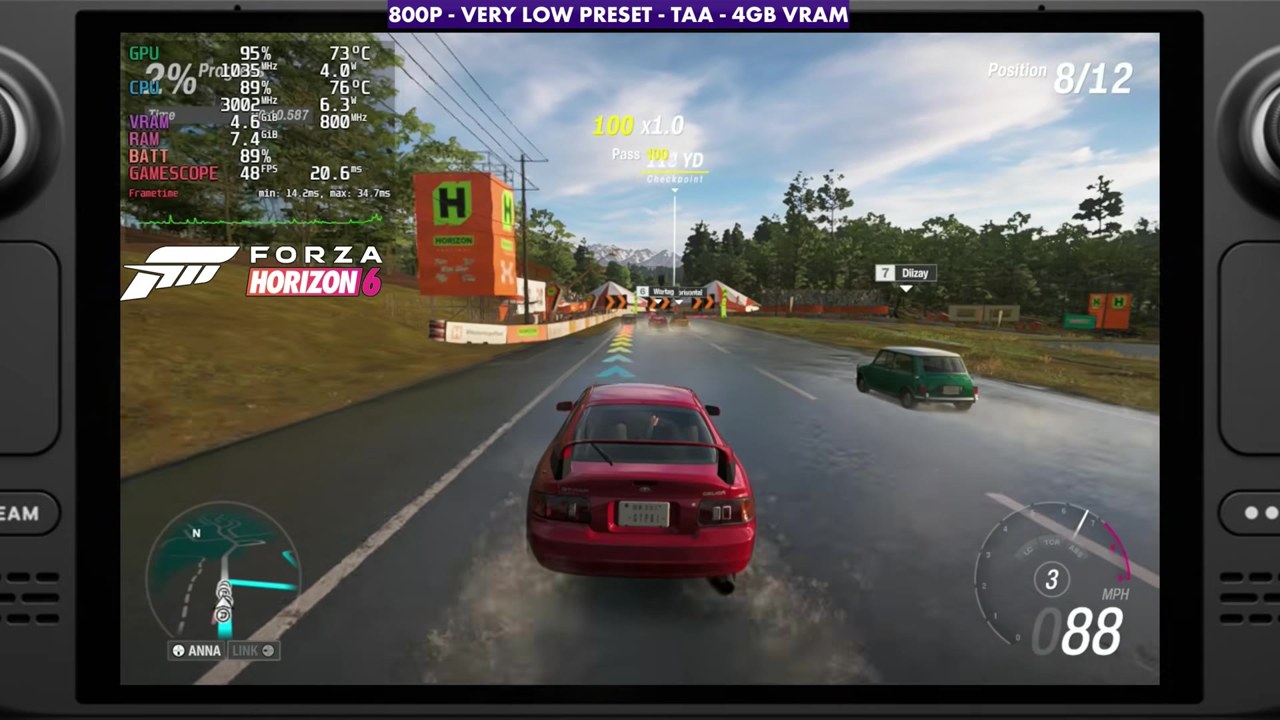
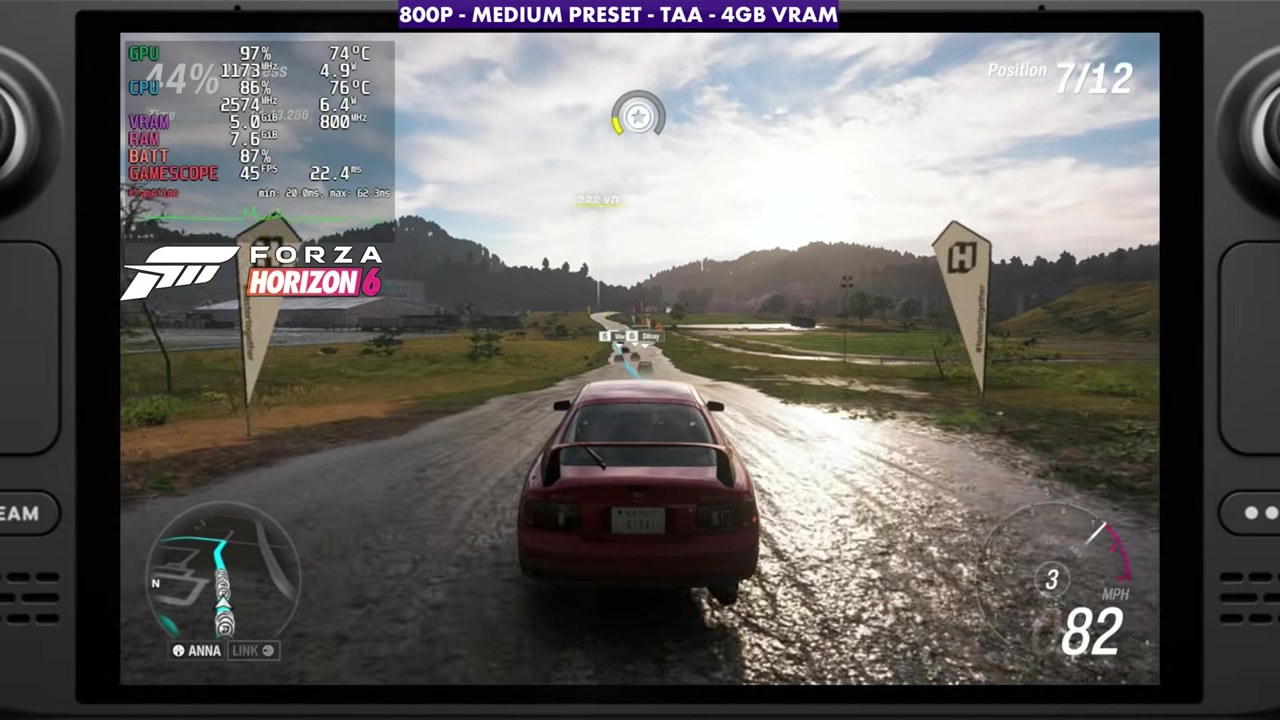
- In races with TAA, the overlay mostly read the 40s to 50s on low, the 50s on very low and the mid to high 30s on medium.
- Most of the time, TAA looks and runs a bit better than FSR on the Deck right now.
Test setup
These aren't best settings. I messed with the presets to show how it runs and looks on the Deck. I think most people will land somewhere between low and medium depending on the frame rate they want, and a lot of people will probably lock 30 or 40 FPS and adjust settings to hit that target. There's room for everybody to do that.
- Device: Steam Deck OLED, docked for capture, played with the new Steam Controller
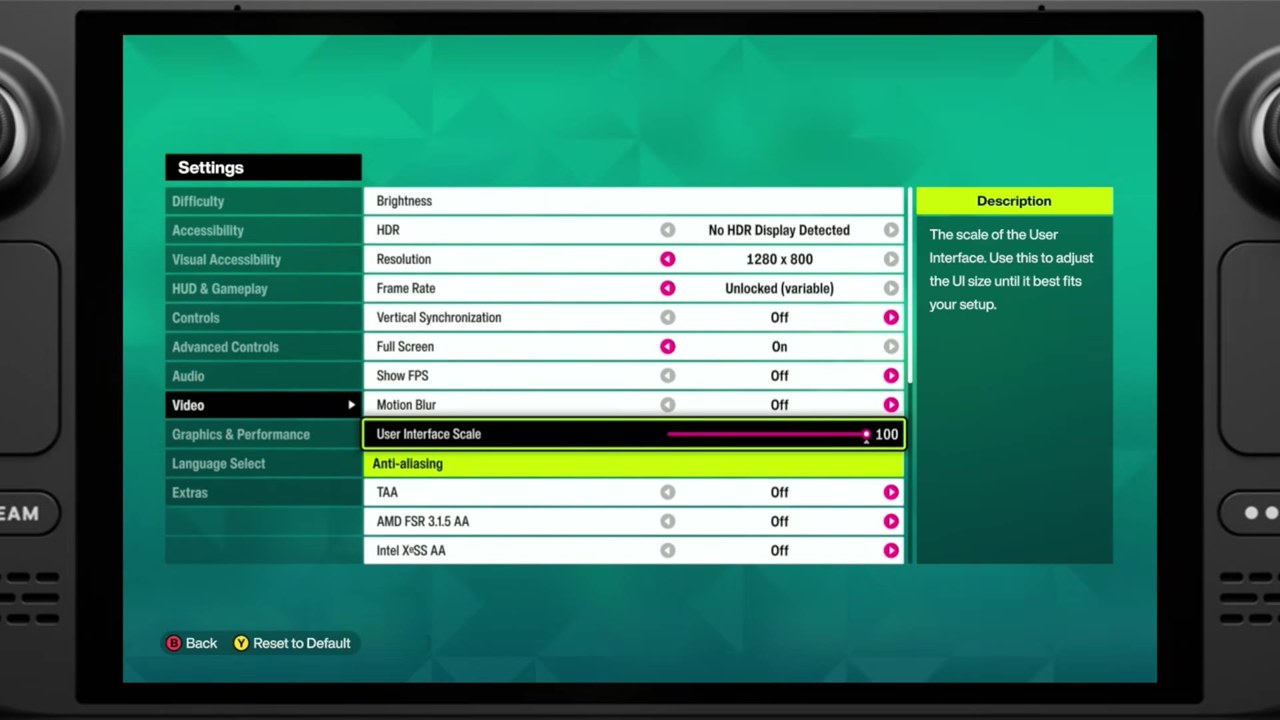
- Display: 1280x800, no HDR, V-sync off, unlocked (variable) frame rate
- Presets: very low, low, medium and high
- Anti-aliasing / upscaling: FSR3 (Quality in the benchmark, Balanced on medium and high in gameplay) or TAA
- VRAM: the on-screen label says 4GB VRAM.
- Gameplay FPS numbers are what the on-screen overlay read in the video, checked every two seconds. Benchmark numbers are the "Achieved" result on the built-in benchmark's results screen.
Built-in benchmark
The benchmark has the same kind of layout as Forza Horizon 5's, but it's a bit harder to run in general and isn't really indicative of real-world gameplay. The game tends to run better than this in races. It's a consistent spot to compare settings, though.
| 800p settings | Benchmark result |
|---|---|
| Very low preset, FSR3 Quality | 48 FPS |
| Low preset, FSR3 Quality | 38 FPS |
| Medium preset, FSR3 Quality | 30 FPS |
| Low preset, TAA | 38 FPS |
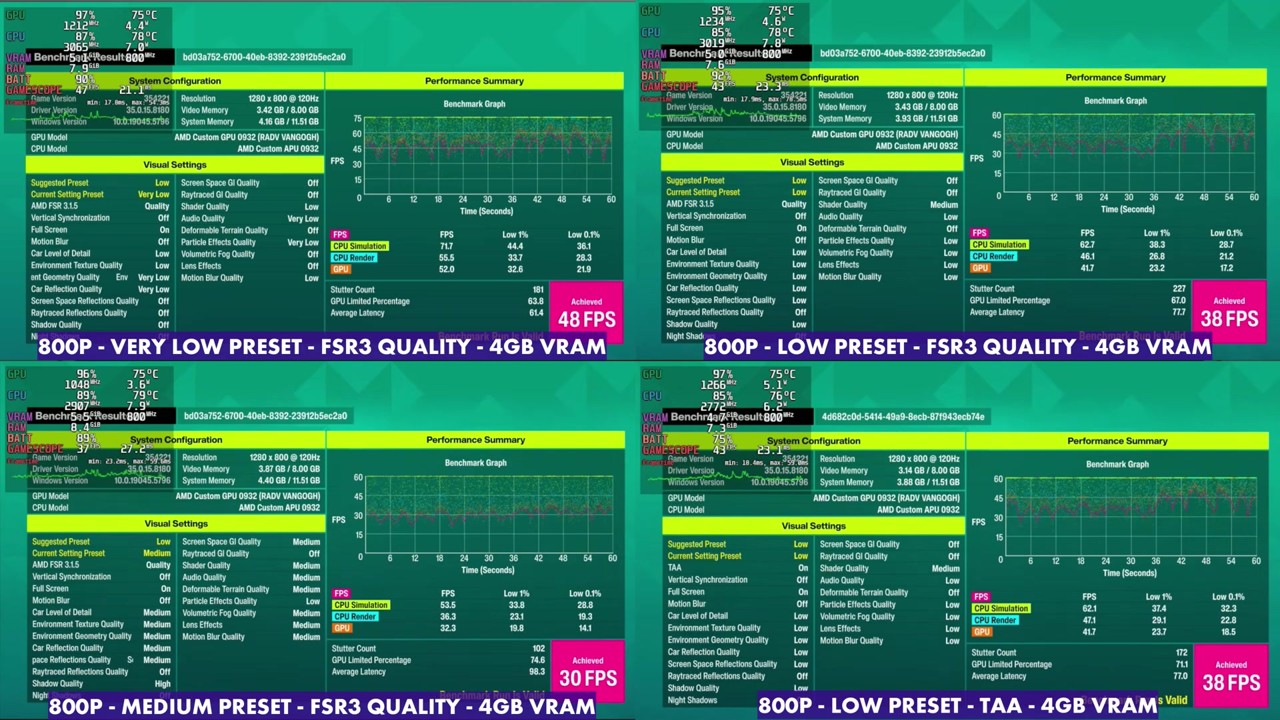
Unless you start running more into medium settings and get into the open world, where FSR might help from time to time, TAA just looks and runs a bit better for me in early access on the Deck.
Race gameplay
The game ends up fairly CPU-bound in most areas, and that causes a lot of the skips, stutters, frame time issues and load-in problems I'm not seeing on other handhelds, like the ROG Xbox Ally X I'm also testing it on. It hits the CPU side pretty hard here and just can't keep up and feed the GPU to keep things as smooth as you'd want.
Across a couple of different races at 800p, here's what the overlay read:
- Very low, TAA: mostly the 50s, about 45 to 64.
- Low, TAA: mostly the 40s to 50s, about 31 at the lowest and up to about 61.
- Medium, TAA: mostly the mid to high 30s, about 33 to 45.
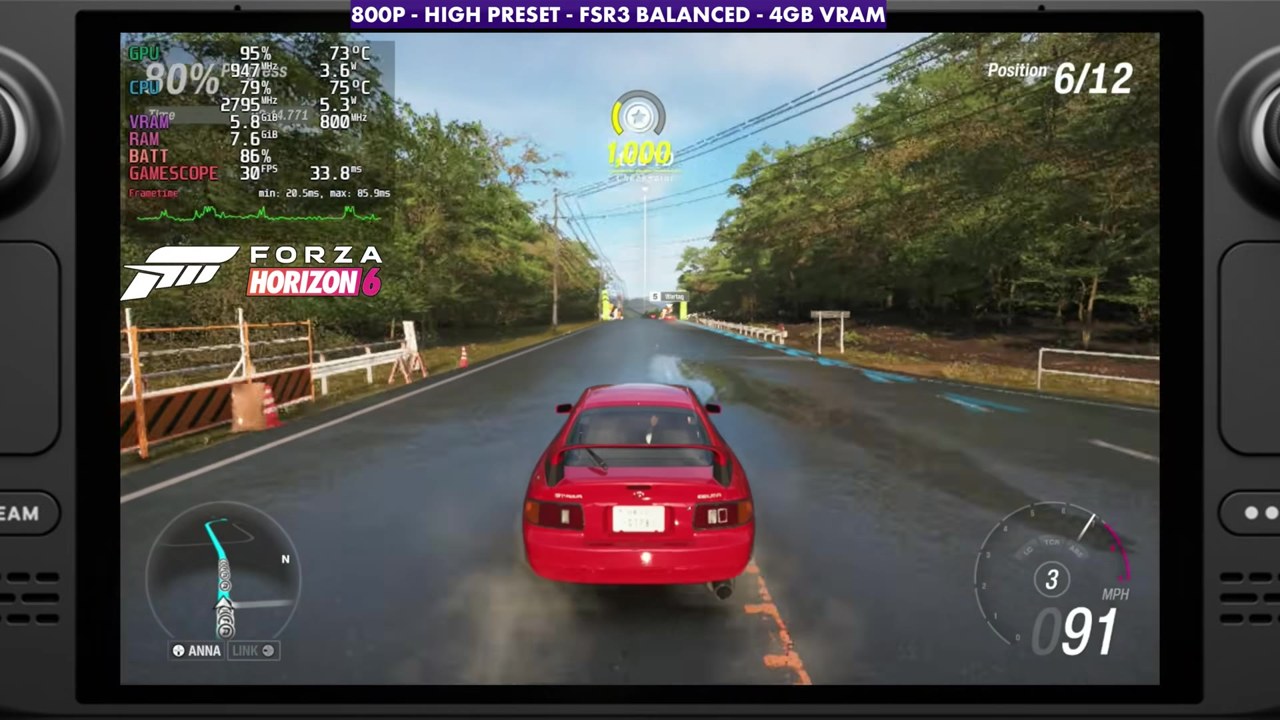
- Medium, FSR3 Balanced: about 37 to 45.
- High, FSR3 Balanced: mostly the 30s, about 30 to 39.
Verdict
Even with its issues, Forza Horizon 6 is verified on the Deck, and with early access I'm hoping for plenty of updates to smooth things out, especially on lower-end hardware like the Steam Deck. For now, this should give you enough of an idea of how it runs on the Deck and whether it's something you want to play here.
FAQ
Is Forza Horizon 6 playable on the Steam Deck OLED?
Yes, and it's Steam Deck Verified, but it's hit or miss. At 800p with TAA on the low preset, the overlay mostly read the 40s to 50s in races, with stutters and frame time issues because the game is fairly CPU-bound.
Should I use FSR or TAA in Forza Horizon 6 on the Steam Deck?
Most of the time TAA looks and runs a bit better on the Deck right now. FSR might help from time to time on medium settings in the open world.
Want more handheld tests?
New Steam Deck, ROG Ally, Legion Go and Steam Machine performance videos every week.