 ▶Watch on YouTube
- Definitely playable on Intel's G3 Extreme, something I couldn't say on the Steam Deck.
- At 1200p, XeSS Performance and 30W: about 65 FPS on Low, mid 50s on Medium, about 49 on High and 37 on Ultra, standing still in Act 2.
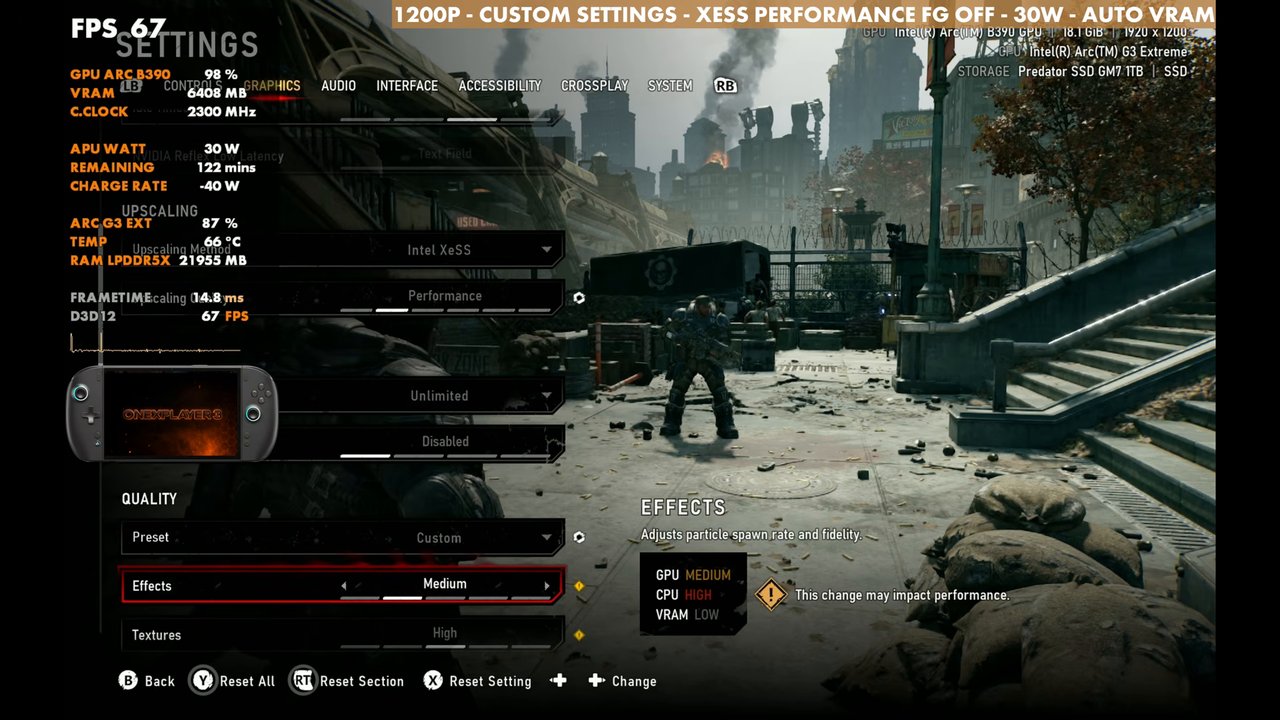
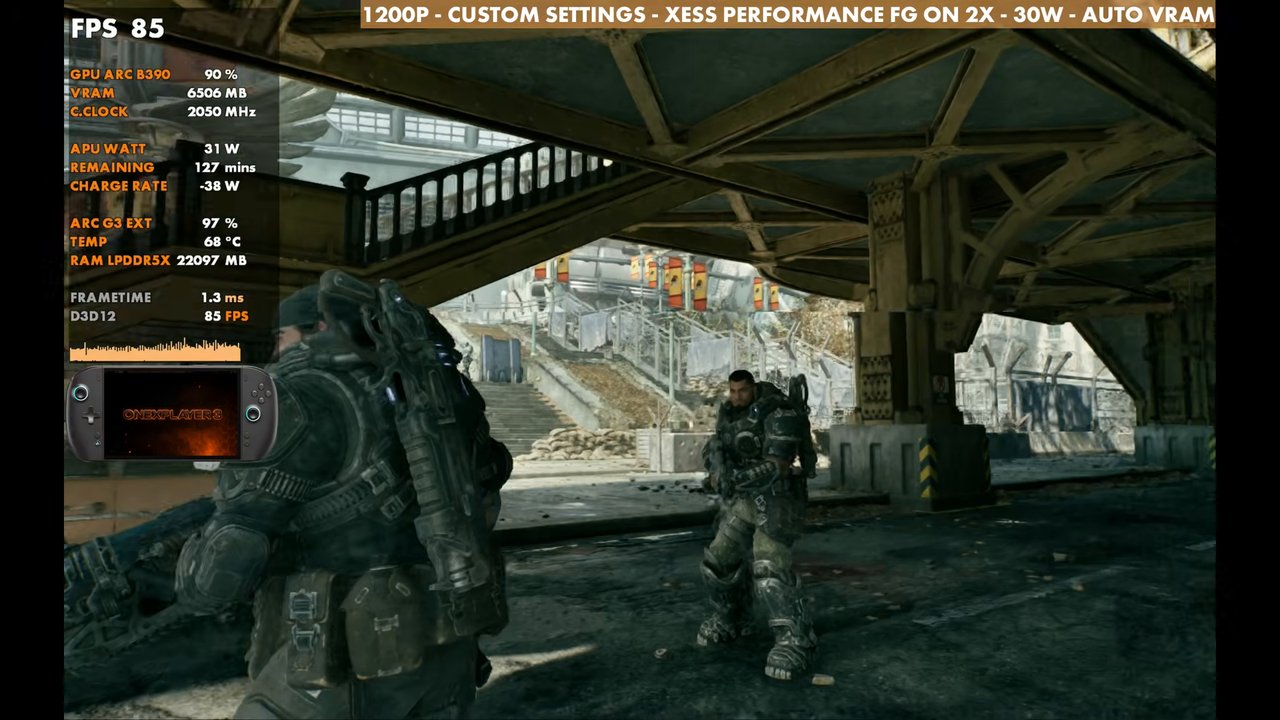
- My custom medium/low mix with the ray tracing settings turned down keeps it around 50–60 FPS before frame gen.
- Intel's multi frame gen works well here. 3x on the 144Hz VRR screen feels good for the campaign.
The OneXPlayer 3 with Intel's G3 Extreme has been outperforming pretty much everything else I have, from the Steam Deck to the Xbox Ally X and Legion Go 2. Gears of War: E-Day makes things harder with forced ray tracing features, but on this handheld it's definitely playable, and that's something we couldn't say on the Steam Deck. You do catch some hiccups, hitches and stutter here and there, but overall it runs pretty well.
What I tested
- Xbox mode (what I use on all my Windows handhelds)
- Steam version (premium edition with early access)
- Borderless fullscreen, needed for Intel's multi frame gen
- 1200p, XeSS Performance
- 30W for most of the testing, Auto VRAM
- Frame gen off unless noted (2x, 3x and 4x tested)
To show how the presets scale, I sat in one spot at the start of Act 2 with no combat going on:
- Low: 60 to 68 FPS depending on where I'm at, about 65 standing still
- Medium: 56 to 57 FPS, almost 10 lower
- High: about 49 FPS
- Ultra: about 37 FPS
Those are standing-still numbers. Once you're actually in combat or in heavier areas, the higher presets will get down below 30 FPS.
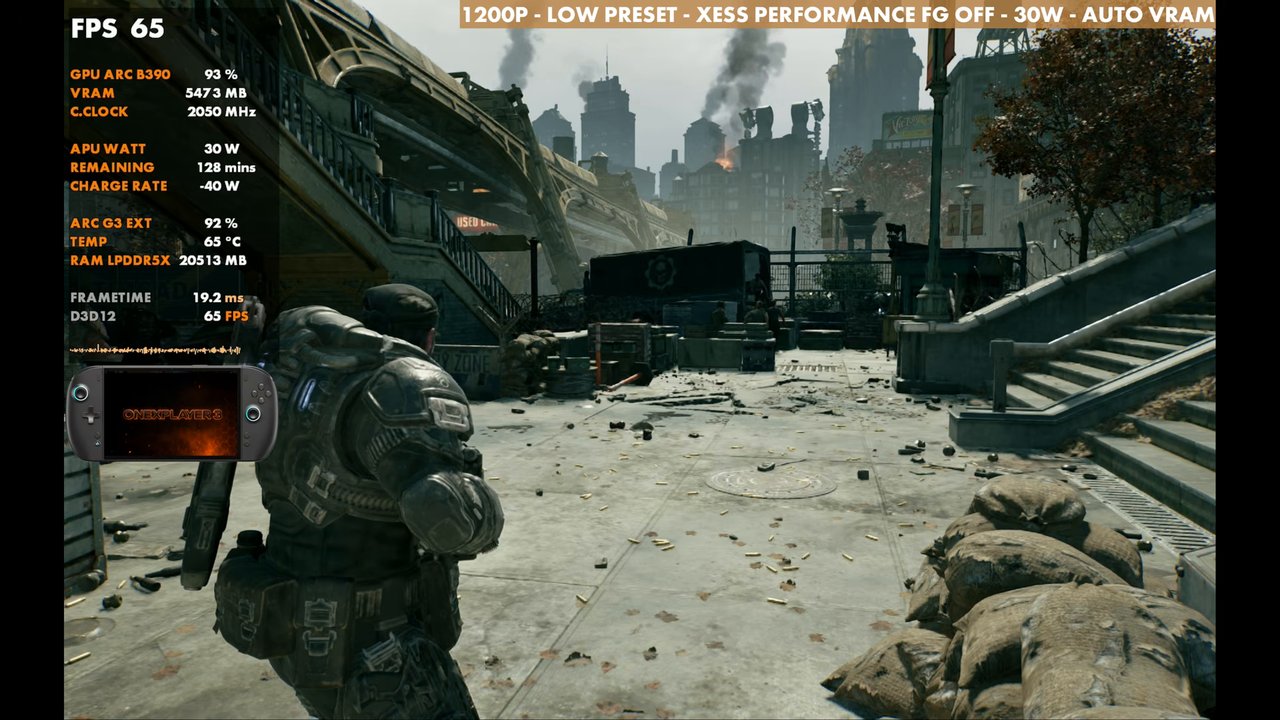
My custom settings
Where I landed is a mix of medium and low, mostly turning down the ray tracing settings to get a decent looking game with respectable FPS:
- Effects, geometry, post processing, depth of field, global illumination: Medium
- Textures: High
- Reflections, ray traced geometry, ray traced shadows, volumetric fog: Low
- Sunlight shadows and subsurface scattering: Medium
- Motion blur, hair strands and film grain off, variable rate shading on
- Everything else on Medium
Ray traced geometry on Low helps a lot. Here I was trying to stay at 50 to 60 FPS most of the time before frame gen. You can push the settings higher if you're OK with dropping into the 30s and 40s.
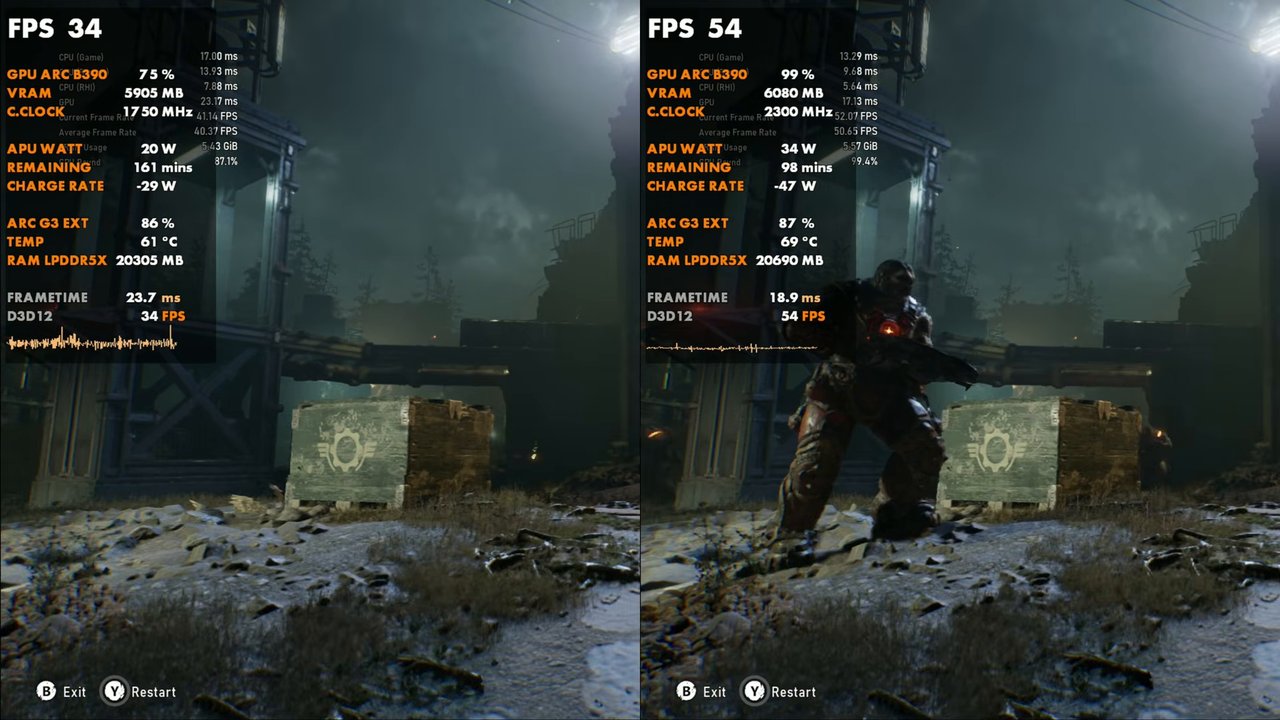
20W vs 35W
I ran the benchmark at 20W and 35W side by side, and there's a good bit of difference in clocks and overall performance between the two. During the parts I sampled, the 35W side was often 10 to 20 FPS ahead (readings from the on-screen overlay, the benchmark doesn't give a summary screen in the video). This chip is really efficient, so you can go lower, but you'll probably need to tick down more settings. If you want a higher frame rate without frame gen, 800p with XeSS Quality or Balanced is worth a try.
Frame generation
Intel's multi frame gen and upscaling work extremely well, especially on Intel hardware like this. In an area where I'm at about 60 FPS, 2x takes it to around 106 to 110, depending on what's going on. Each step from 2x to 3x to 4x adds more input latency, and some people will be more sensitive to that than others. In this game it's not too bad. I actually kind of like 3x on the 144Hz VRR display, and it looks a lot better on the device than it does in the screen capture. For a single-player campaign the latency is fine. I probably wouldn't do it in multiplayer, and 4x isn't something I'd necessarily use, but it's there if you want an even higher frame rate.
Verdict
The G3 Extreme handles the forced ray tracing in Gears of War: E-Day much better than the other handhelds I've tested it on. At 1200p, XeSS Performance and 30W with my custom settings, you get 50 to 60 FPS most of the time before frame gen, and Intel's multi frame gen gives you plenty more on top if you're OK with a little extra latency. From there you can scale it toward more FPS or better visuals with resolution, XeSS mode and TDP.
Want more handheld tests?
New Steam Deck, ROG Ally, Legion Go and Steam Machine performance videos every week.