 ▶Watch on YouTube
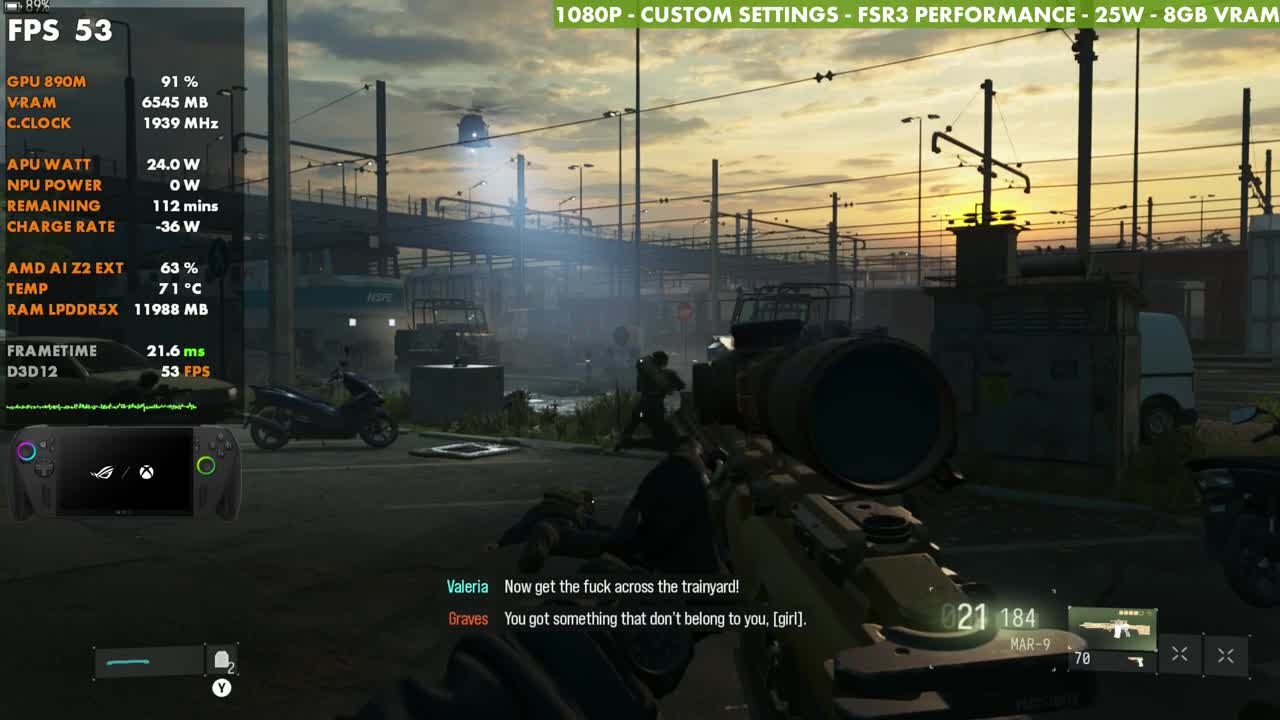
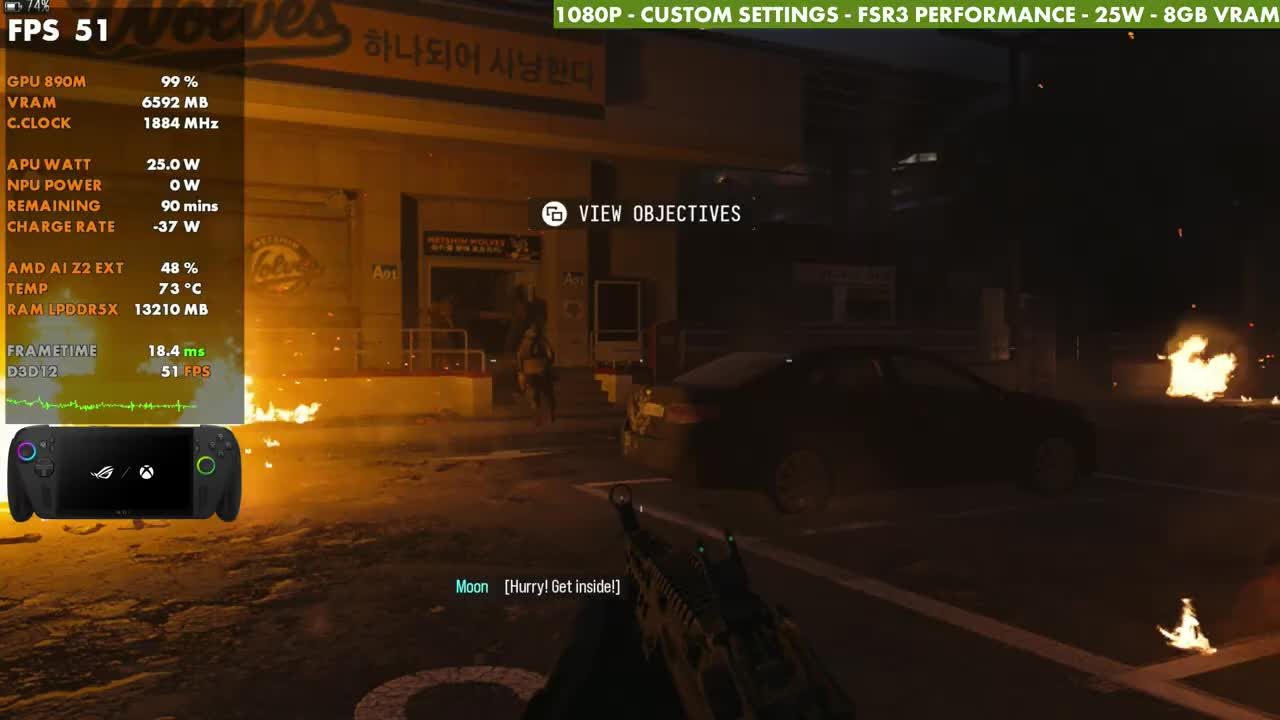
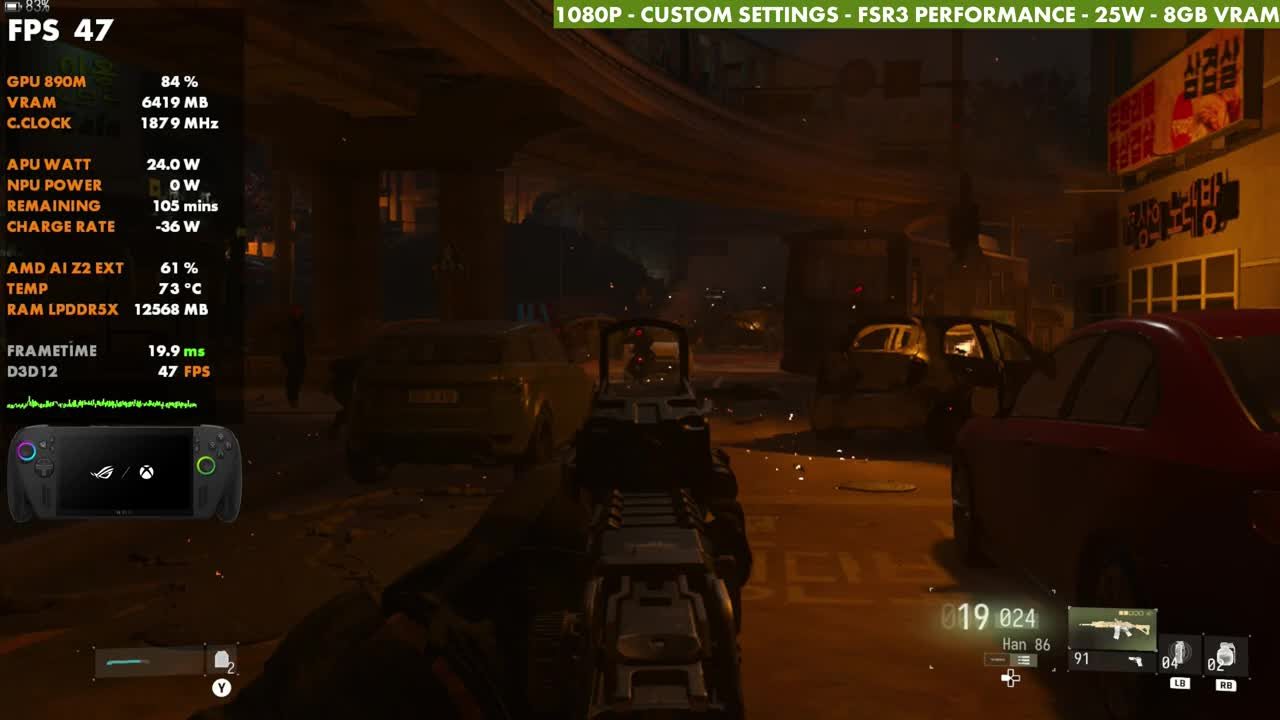
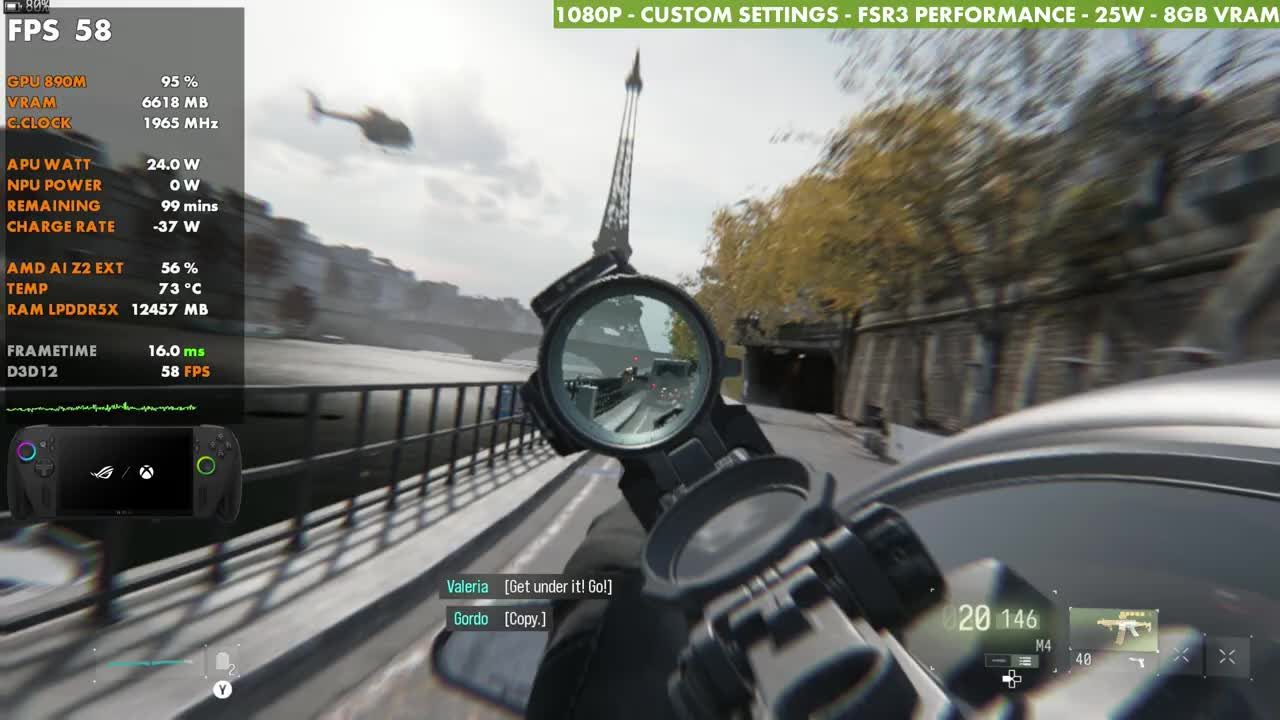
- At 1080p, custom settings, FSR3 Performance, 25W, my test spot sits at about 53 to 55 FPS, and gameplay stays in the 50s most of the time, sometimes the 60s or upper 40s.
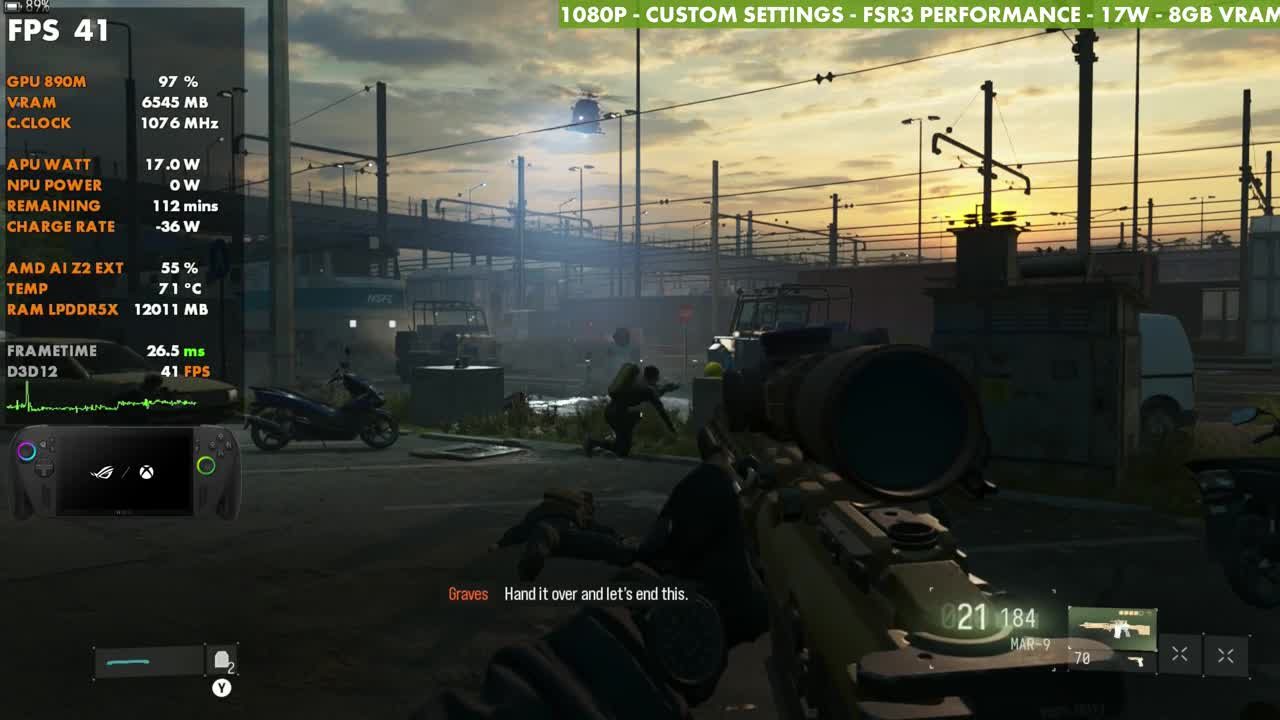
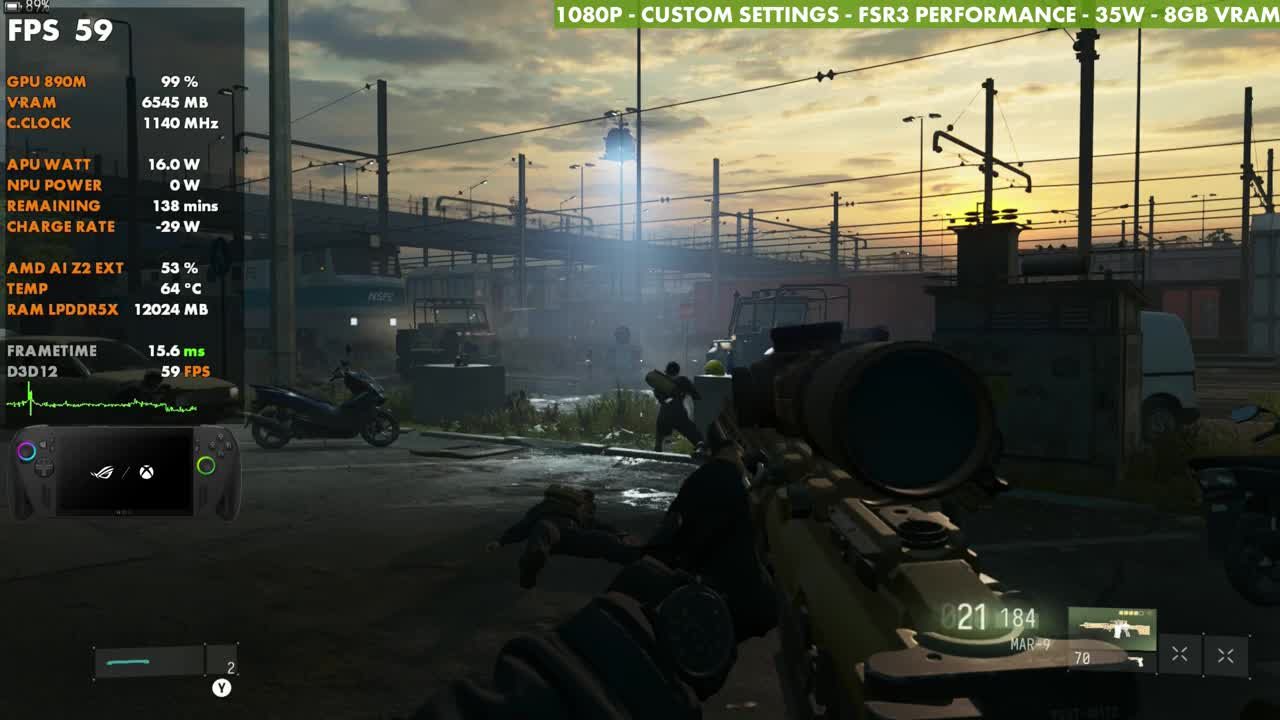
- 17W costs about 12 to 15 FPS (41 on the overlay). 35W only adds a few FPS (59 on the overlay).
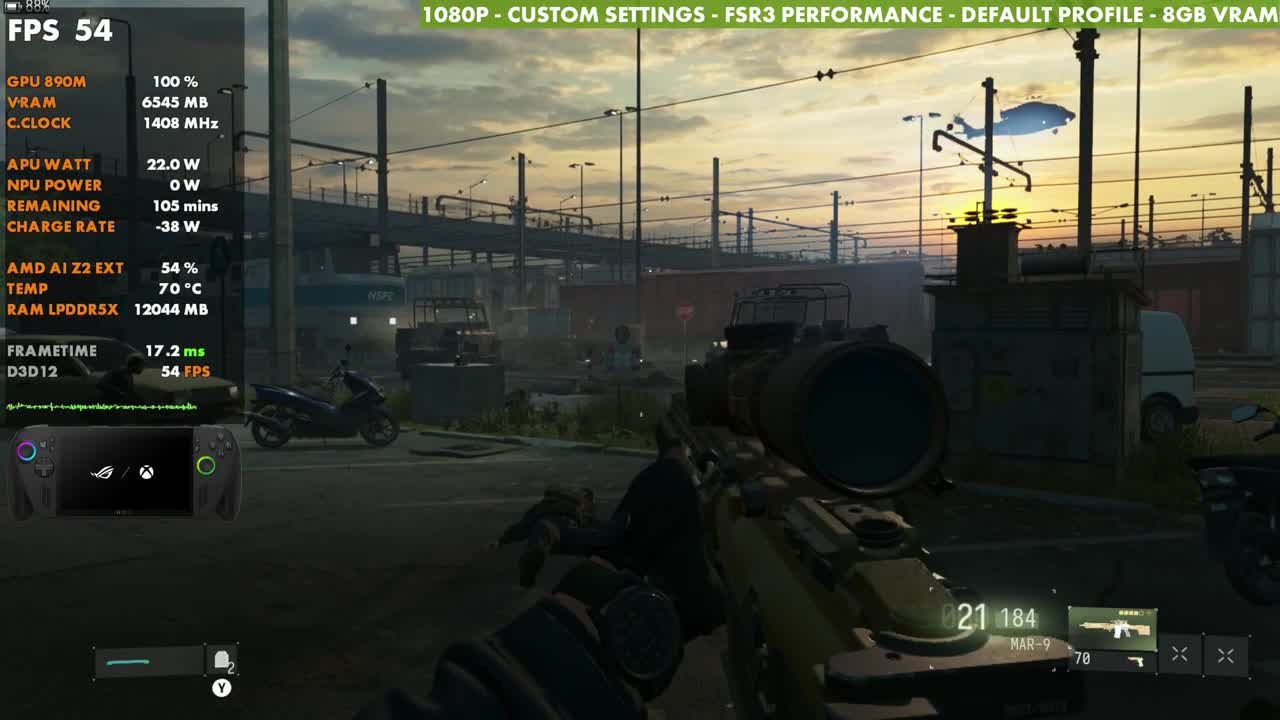
- Xbox's default game profile uses 22W and performs about the same as my 25W setup.
- Frame gen works fine, but I left it off for gameplay.
The Modern Warfare 4 campaign runs pretty well on the ROG Xbox Ally X. I've been playing it a good bit during the early access period, and I haven't had any major complaints. This test uses 1080p with custom settings and FSR3 Performance at 25W, which is about where I've landed in the middle, and it covers 17W, the 22W default profile and 35W too, so you can adjust from there. It isn't a best-settings list, just what's been working well for me.
Test setup
- ROG Xbox Ally X in Xbox mode, game installed through the Xbox app (I pre-ordered and paid for it)
- 1080p, full screen exclusive, V-Sync off (captured through a capture card, so there's no VRR and you may see tearing in the video)
- Upscaling: AMD FSR3 Performance, frame gen off for the gameplay
- Custom graphics preset, 8GB VRAM
- TDP: 25W as the main focus, plus 17W, 35W (manual) and the 22W default profile
One setting to watch: Auto-Activate Low Battery Mode defaults to 100, which caps your FPS to 30. I set it to 10.
Custom graphics settings
These are the custom settings from the Quality tab and Advanced Quality Settings, in the order the game's menu groups them. You can adjust any of them, or start from one of the presets instead.
| Setting | Value |
|---|---|
| Global quality | |
| Graphic Preset | Custom |
| Frame Generation | Off |
| Ray Tracing | Off |
| Upscaling & anti-aliasing | |
| Resolution Scaling Technique | AMD FSR |
| AMD FSR Mode | AMD FSR 3 |
| AMD FSR Preset | Performance |
| Sharpness | 50 |
| Post processing effects | |
| World Motion Blur | Cutscenes Only |
| Weapon Motion Blur | Off |
| World Depth of Field | Cutscenes Only |
| Weapon Depth of Field | Off |
| Details & textures | |
| VRAM Scale Target | 75 |
| Texture Resolution | Normal |
| Texture Filter Anisotropic | Normal |
| Detail Quality | Low |
| Particle Resolution | Low |
| Bullet Impacts | On |
| Persistent Effects | On |
| Shader Quality | Low |
| Shading Quality | Low |
| On-Demand Texture Streaming | Optimized |
| Local Texture Streaming Quality | Default |
| In-Game Video Quality | High |
| Shadow & lighting | |
| Shadow Quality | Normal |
| Shadow Filtering Quality | Normal |
| Screen Space Shadows | Off |
| Occlusion and Screen Space Lighting | Low |
| Screen Space Reflections | Off |
| Static Reflection Quality | High |
| Environment | |
| Terrain Quality | Low |
| Volumetric Quality | Low |
| Deferred Physics Quality | Off |
| Weather Grid Volumes Quality | Low |
| Water Quality | Off |
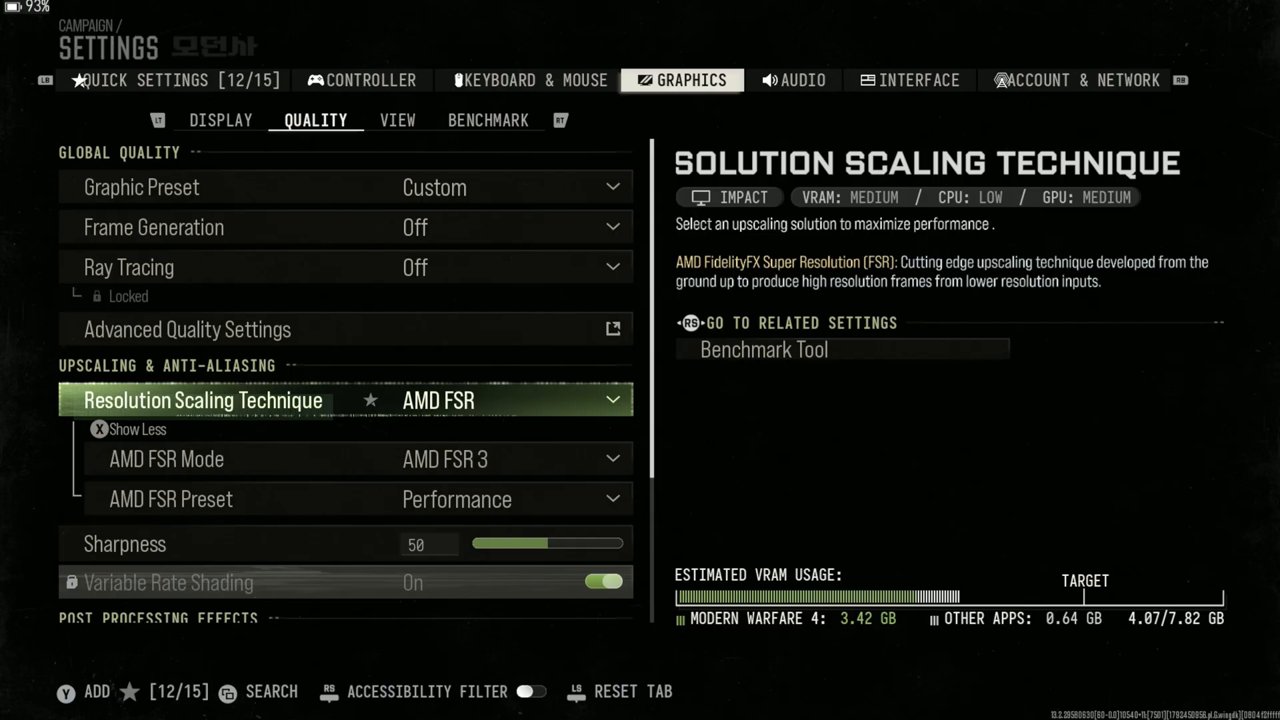
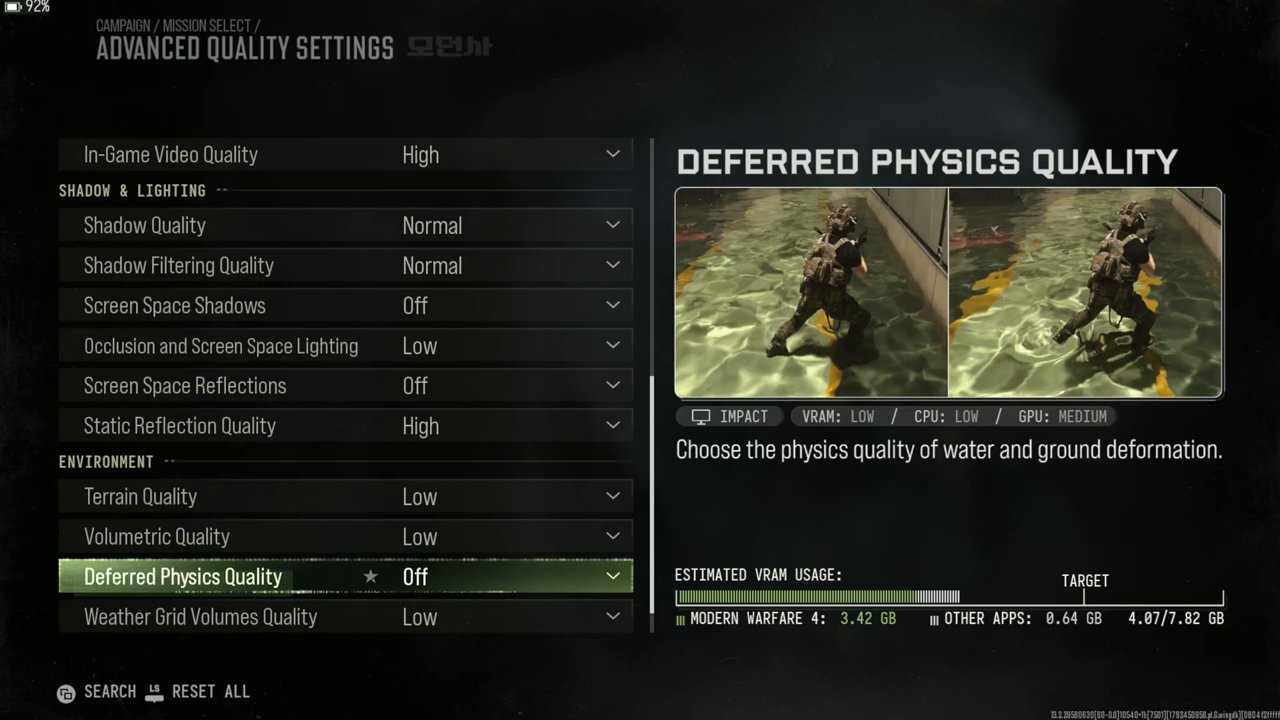
If you'd rather go for more FPS or a sharper image, you can drop to 900p or 720p, or switch FSR to Balanced, Quality or native.
TDP scaling
At 25W, my test spot sat at 53 to 55 FPS. Dropping to 17W loses about 12 to 15 FPS, with the overlay at 41. The game really likes 20W and up. Under 20W is when you start dipping more into the 40s and 30s in gameplay, and in the 30s when things get busy, though you can still do it, or lower the resolution or settings.
Going up to my manual 35W doesn't gain a lot. The Z2 Extreme often doesn't scale that well above 25W, and here it's a few FPS better, maybe with a little less stutter here or there, but not a lot different from 25W. The overlay read 59 in the same spot.
Xbox's default game profile for Modern Warfare 4 uses 22W, and for the most part it sticks to that and gives similar performance to my 25W setup. The overlay read 54 there.
Gameplay at 25W
With these settings it kept me in the 50s most of the time, sometimes the 60s and sometimes the upper 40s. The gameplay in the video runs through several missions at 1080p, FSR3 Performance and 25W.
Frame generation
Frame gen is available and working fine. I tested it in a couple of different areas and it didn't give me any trouble. I really like frame gen in a lot of games, but I don't prefer it in Call of Duty if I can help it, so it stays off for the gameplay. If you like it, it's there to turn on.
Verdict
Modern Warfare 4's campaign is running pretty well on the ROG Xbox Ally X. 25W at 1080p with FSR3 Performance keeps it mostly in the 50s, the 22W default profile lands in about the same place, and 35W isn't worth much extra. Anything under 20W is where it starts to struggle a bit, so that's where I'd drop resolution or settings.
Want more handheld tests?
New Steam Deck, ROG Ally, Legion Go and Steam Machine performance videos every week.