 ▶Watch on YouTube
- Onimusha runs really well on the ROG Xbox Ally X (Z2 Extreme) at 1080p upscaled and 25W.
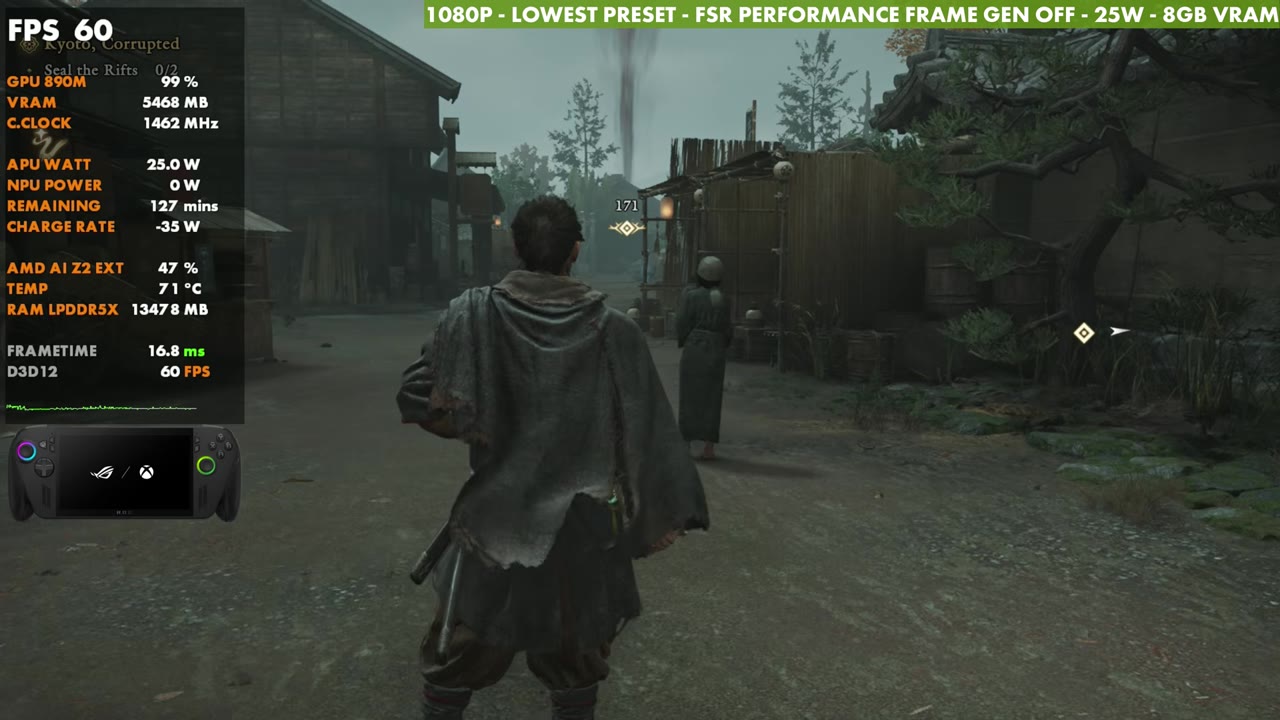
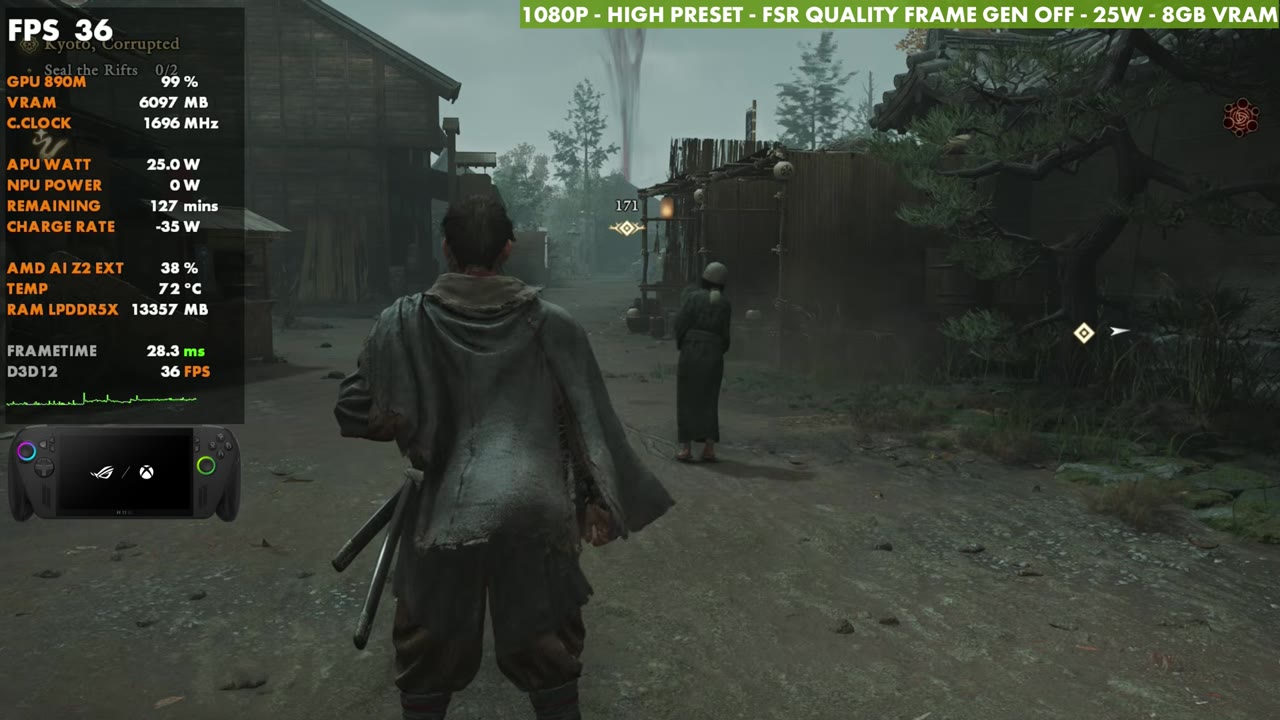
- In the same spot: about 60 FPS on Lowest, 48 on Low, 43 on Medium and 37–38 on High.
- My custom setup with FSR Performance lands between Lowest and Low, around 57 FPS on the overlay.
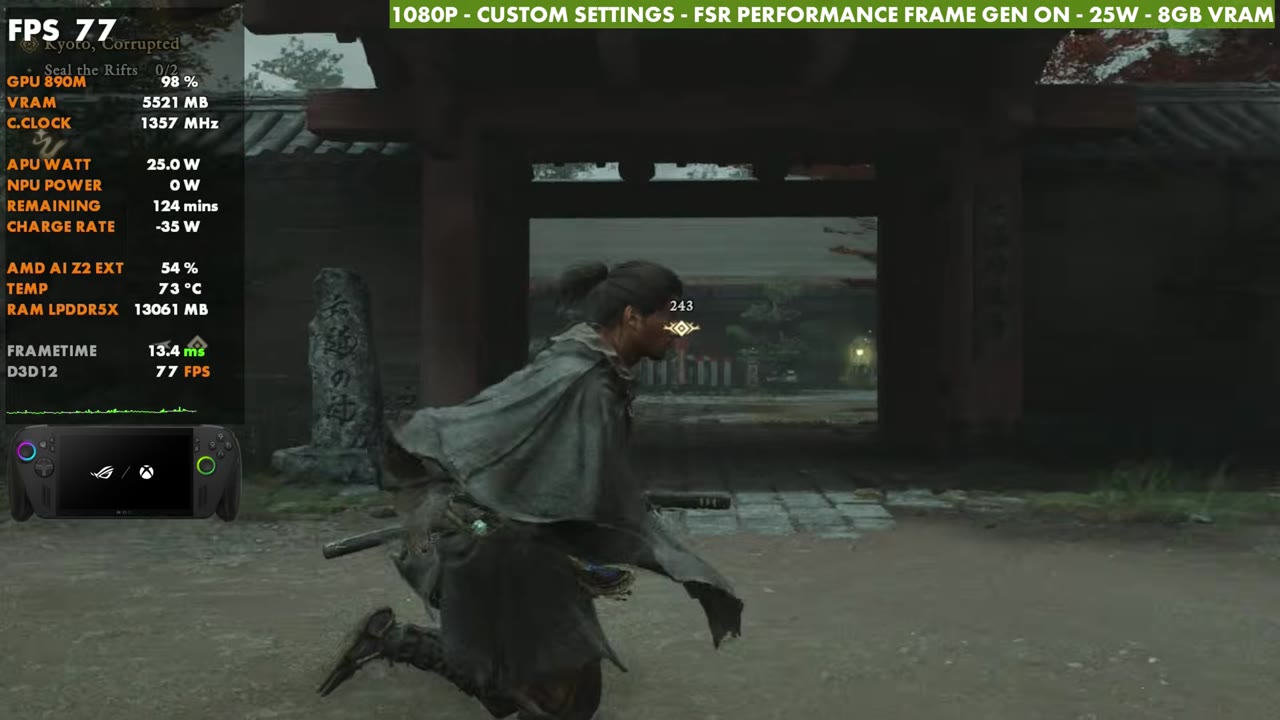
- Frame gen is a solid option here. Input latency isn't too bad.
Onimusha: Way of the Sword has been a lot of fun so far. I've been trying it on a lot of different systems, and it runs really well on the ROG Xbox Ally X with the Z2 Extreme. Everything here is at 1080p upscaled with FSR at 25 watts, with frame generation on or off, whichever you prefer.
The first town area, where most of this testing happened, runs a little lower than the opening areas of the game. Even there, on the lowest settings at 25W, I'm more in the 50s. On the Steam Deck I was in the 30s or so in that area. It can certainly drop in other parts of the game, or run even better.
What I tested
- 1080p, borderless window, aspect ratio on Auto
- V-Sync off, frame rate uncapped, no HDR
- CPU Performance left on Prioritize Performance
- Upscaling: AMD FSR 3.1.4 (mode changes with each preset)
- 25W, 8GB VRAM
- The four presets from Lowest to High, then my custom settings with frame gen off and on
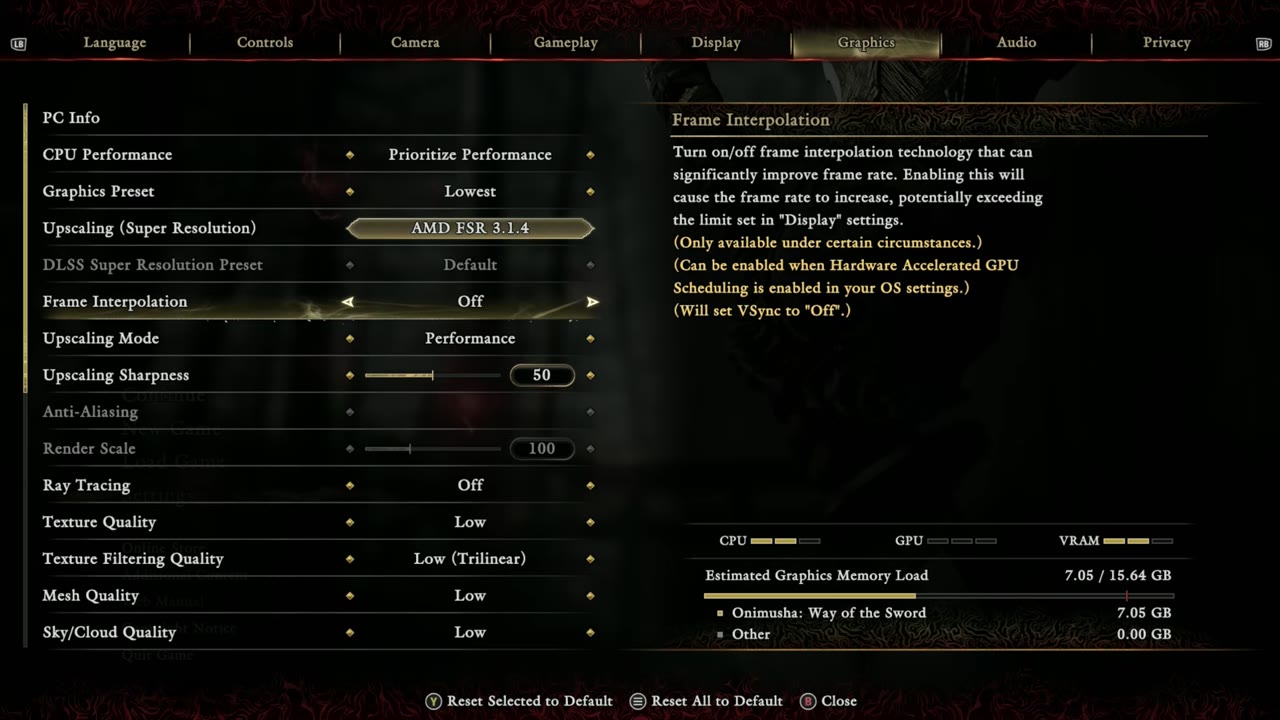
Presets at 25W
Standing still in the same spot, here's how each preset ran. Each one also changes the FSR mode, and I think FSR accounts for more of the difference than the actual settings do.
- Lowest (FSR Performance): about 60 FPS
- Low (FSR Balanced): about 48 FPS
- Medium (FSR Quality): around 43 FPS
- High (FSR Quality): around 37–38 FPS
My custom settings
This is what I've stuck with for now. It's close to somewhere between the Low and Lowest presets, but I'm more aggressive with FSR on Performance.
- Upscaling: FSR Performance, frame gen on or off
- Ray tracing off
- Textures Medium, texture filtering High (Aniso x8)
- Mesh Low, sky/cloud Low
- Foliage quality Medium, foliage movement on
- Ground quality High
- Cull distance Low, shadow quality Low, contact shadows on
- Ambient occlusion Medium
- Bloom, motion blur and vignette off
- Screen space reflections High
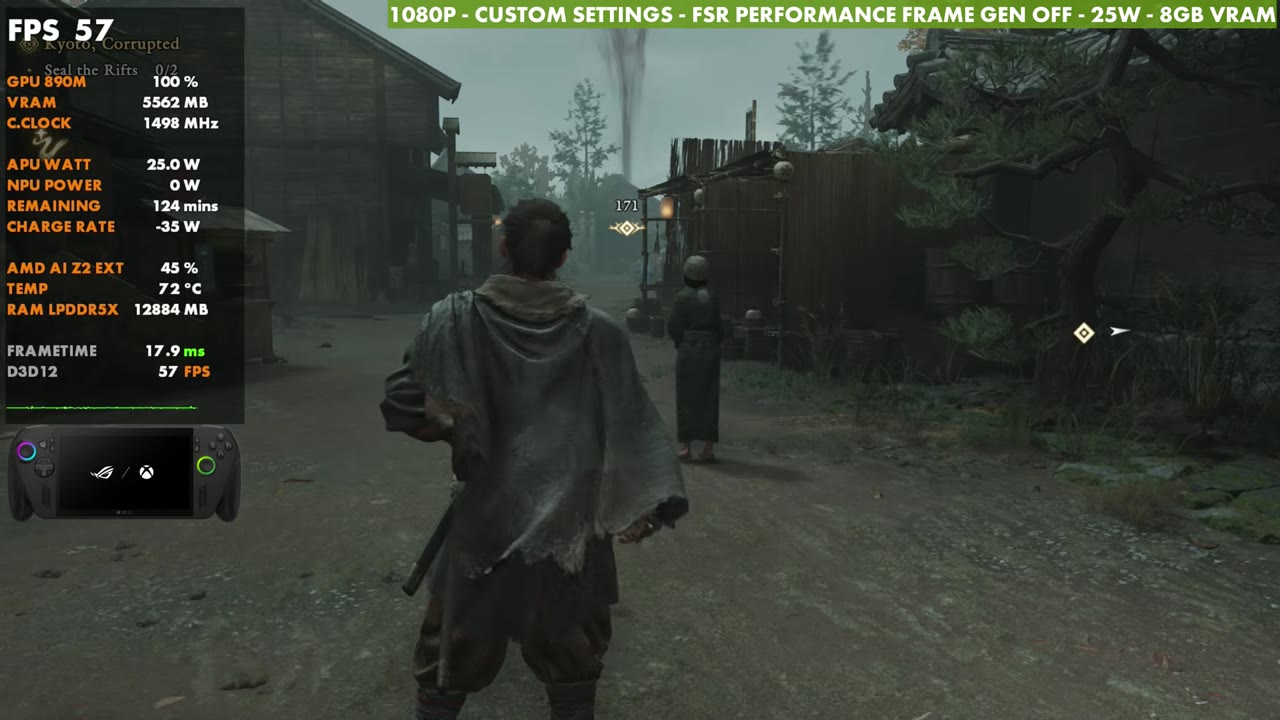
These aren't the best or recommended settings. For me, in my time playing so far, they've been working pretty well, and they're a good baseline to start from, depending on whether you want more or less FPS, more or less upscaling, and frame gen or not.
Frame generation
You can also turn frame generation on. Input latency isn't too bad in this game. They did an okay job with the frame gen implementation, and I didn't have any problems with it. It's always your personal choice, but it does work well here.
Verdict
With this game I really want to stay around 45 FPS and above if I can. My custom settings at 1080p with FSR Performance and 25W have been working pretty well for that, with frame gen there if you want it. If you want to lower the wattage, keep your settings and resolution on the low side. If you're okay with more like 30 to 40 FPS, you can get more aggressive with the settings and use less upscaling. Either way, Onimusha runs really well on the Xbox Ally X.
Want more handheld tests?
New Steam Deck, ROG Ally, Legion Go and Steam Machine performance videos every week.