 ▶Watch on YouTube
- Playable on the Steam Machine. I've seen anywhere from 40 to 70 FPS at 1440p, depending on where I'm at and what's going on on screen.
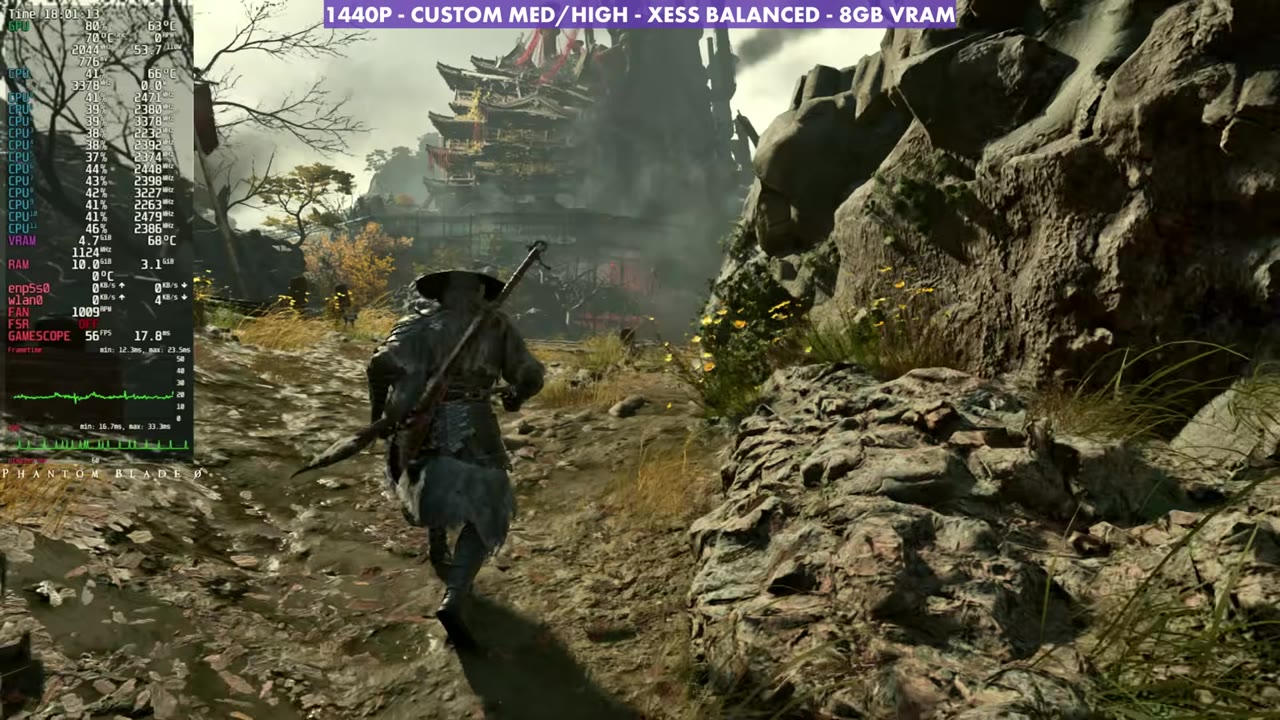
- Tested at 1440p with a custom medium/high mix, SteamOS with Proton Experimental, and ended up on XeSS Balanced.
- The game isn't using the GPU the way it should on SteamOS, so it's not running as well as it could.
- XeSS Balanced looked cleaner and felt smoother than FSR for me. TSR gave decent FPS at times but felt rough, even on input latency.
After testing Phantom Blade Zero on the Steam Deck OLED, the Steam Machine was next. I ran it at 1440p on my 4K TV with a custom mix of medium and high settings and upscaling, and it's playable, but it isn't running the way it could yet.
On SteamOS there are some hiccups where the hardware isn't being utilized properly, I would assume somewhere between the Proton layers, drivers and patches for the game. It's the same thing on the Steam Deck, and some other recent launches are doing it too. With or without upscaling, a game like this at medium to high should be using 90, 95 to 99% of the GPU if nothing else is bottlenecking it. Hopefully that gets figured out. Other handhelds like the OneXPlayer 3 and the Xbox Ally are coming as well.
What I tested
A couple of people told me to try Proton Experimental, which was helping with some cutscene issues. I switched to it, but I didn't notice any difference in actual performance or smoothness in gameplay or when panning around.
| Setting | What I used |
|---|---|
| Compatibility | Proton Experimental |
| Window mode | Fullscreen |
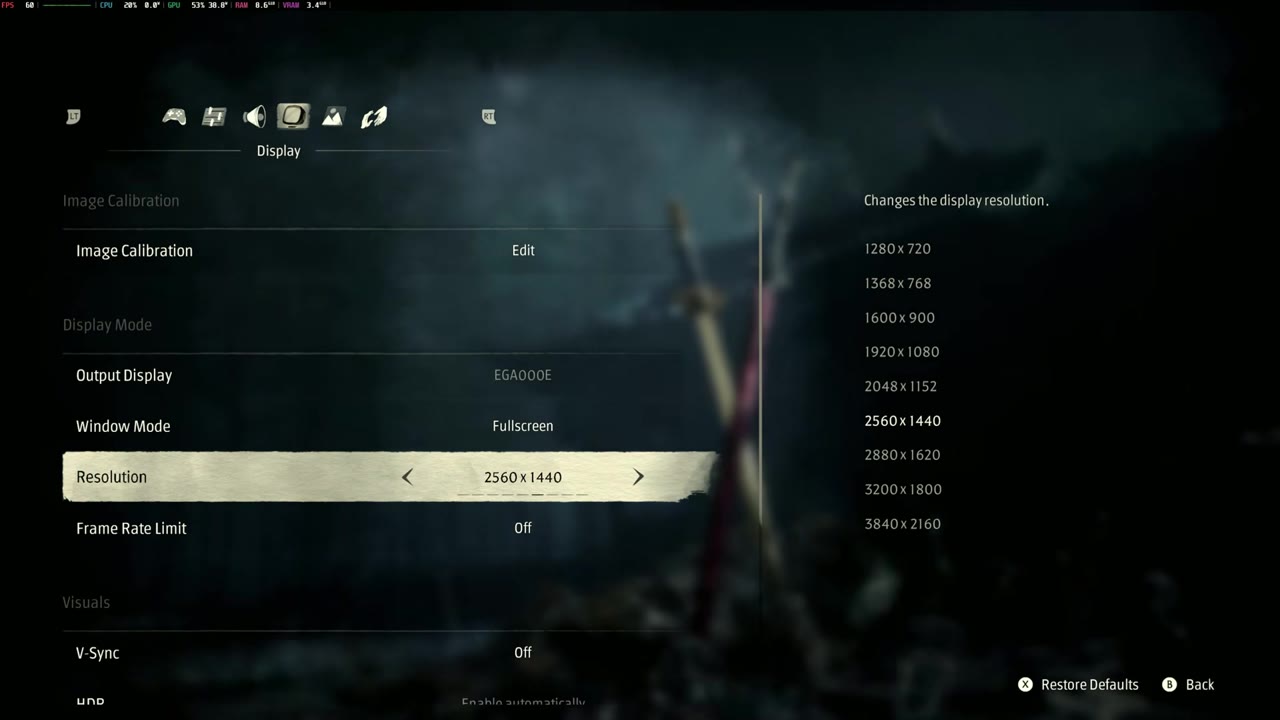
| Resolution | 2560 x 1440 (1440p) |
| Frame rate limit | Off |
| V-Sync / HDR | Off / Off |
| Film grain | Off |
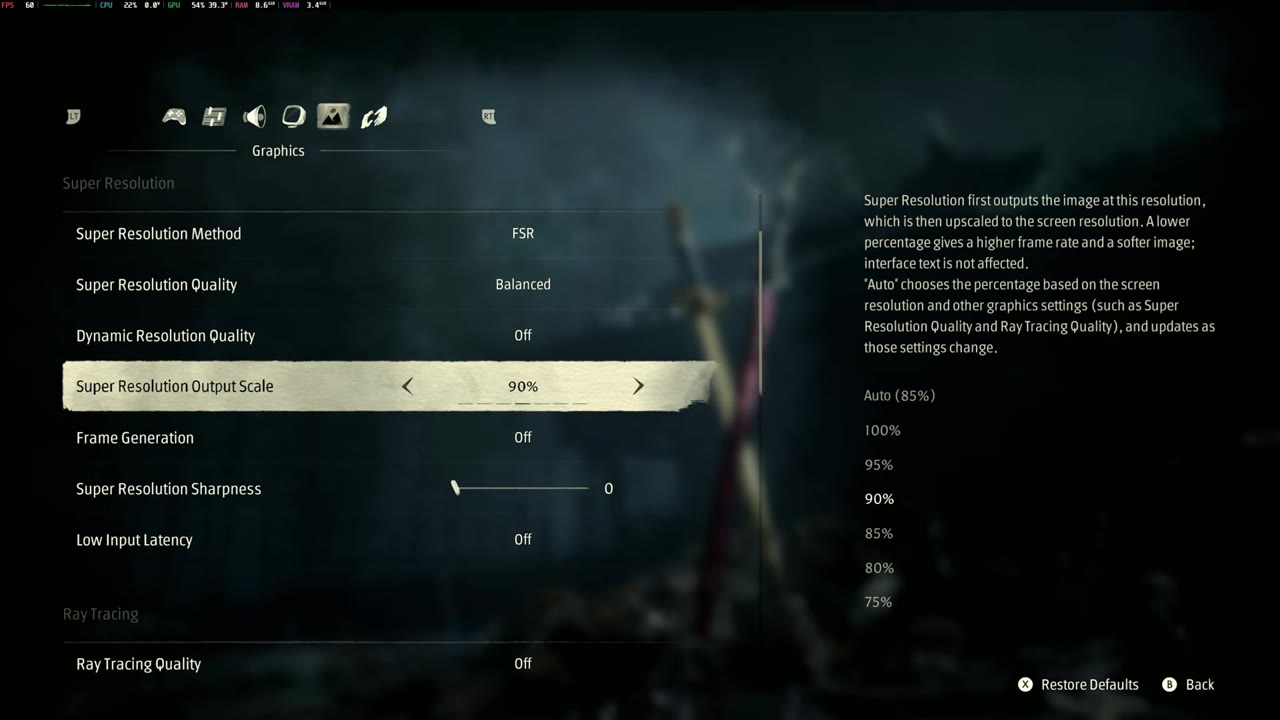
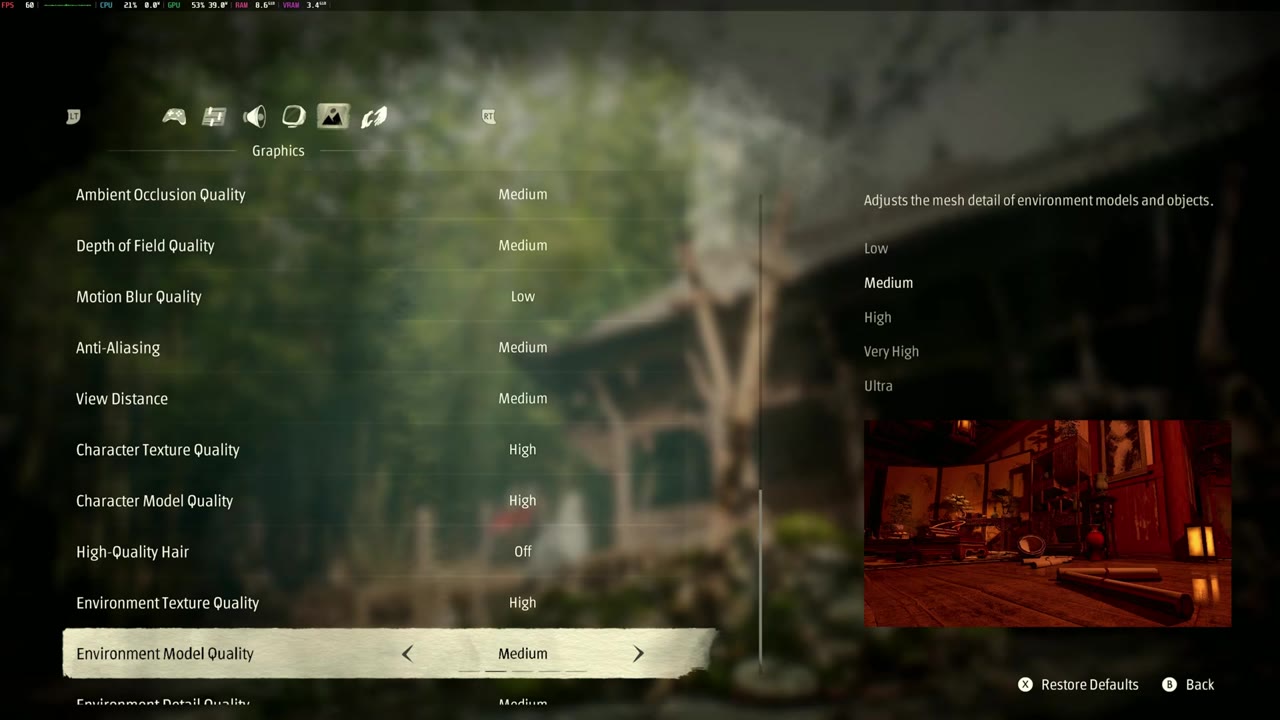
| Super resolution | Started on FSR Balanced, settled on XeSS Balanced (also tried FSR Performance, TSR Balanced and TSR Quality) |
| Super resolution output scale | 90% |
| Frame generation | Off |
| Ray tracing quality | Off |
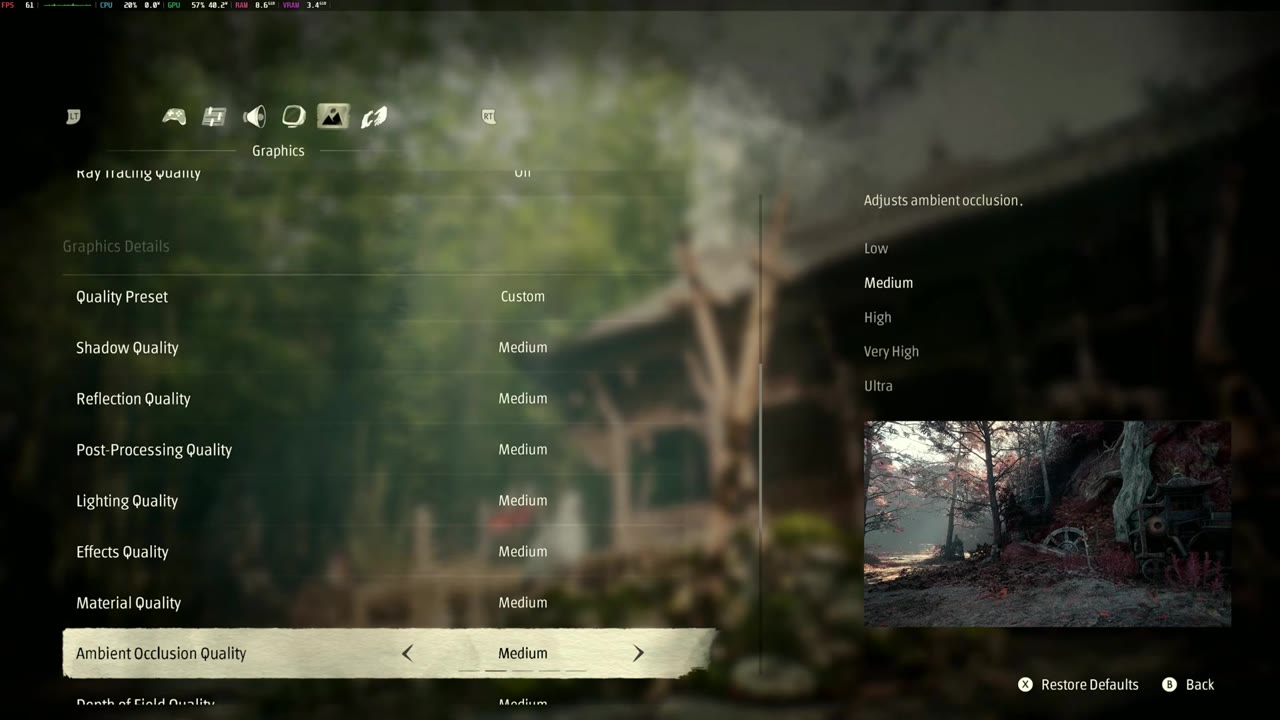
| Quality preset | Custom |
| Shadow, reflection, post-processing, lighting, effects, material quality | Medium |
| Ambient occlusion, depth of field, anti-aliasing, view distance | Medium |
| Motion blur quality | Low |
| Character texture / character model quality | High / High |
| High quality hair | Off |
| Environment texture quality | High |
| Environment model / environment detail quality | Medium / Medium |
I stuck with 1440p because it looks good on the 4K TV. Dropping to 1080p with less aggressive upscaling will most likely fare a little better. For the output scale, rather than 100% or Auto, I left it around 90%; anywhere between 80 and 90 was helping a little. You could turn a couple more things down, but since the GPU isn't being fully used anyway, I didn't notice much difference from cranking things down. You could probably turn a couple of things up and still get similar FPS.
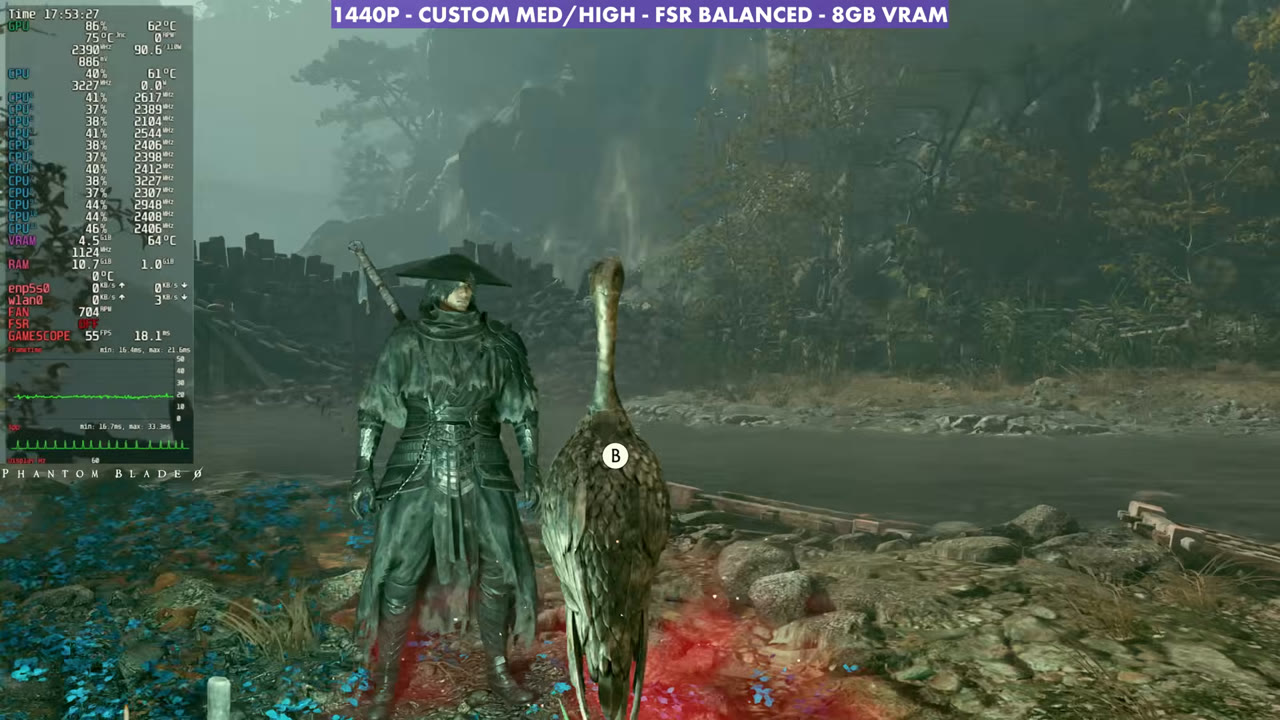
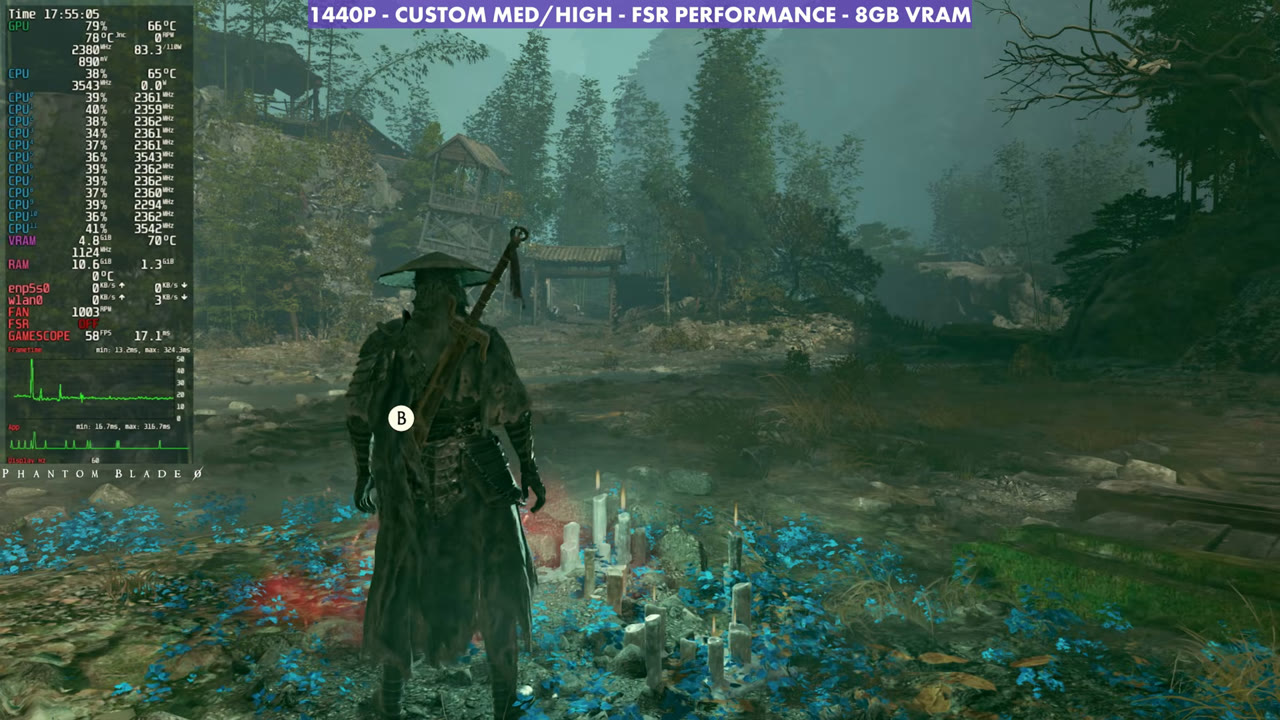
FSR, XeSS and TSR in the same spot
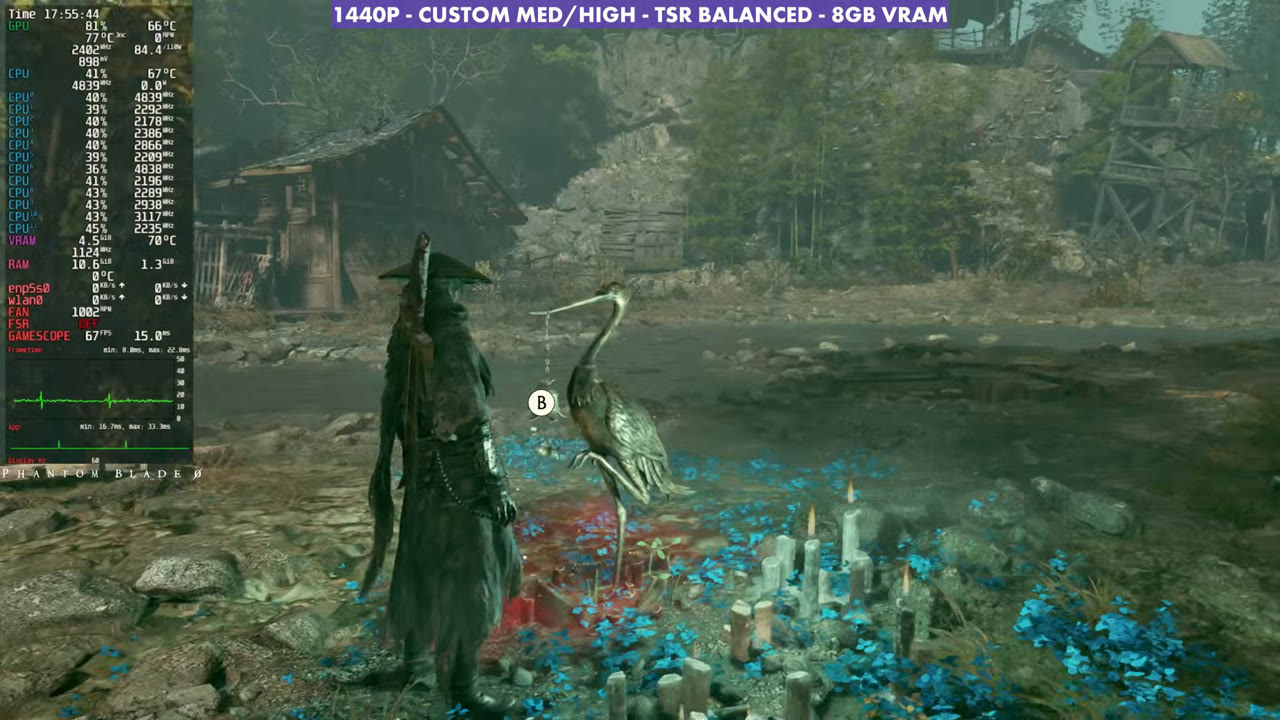
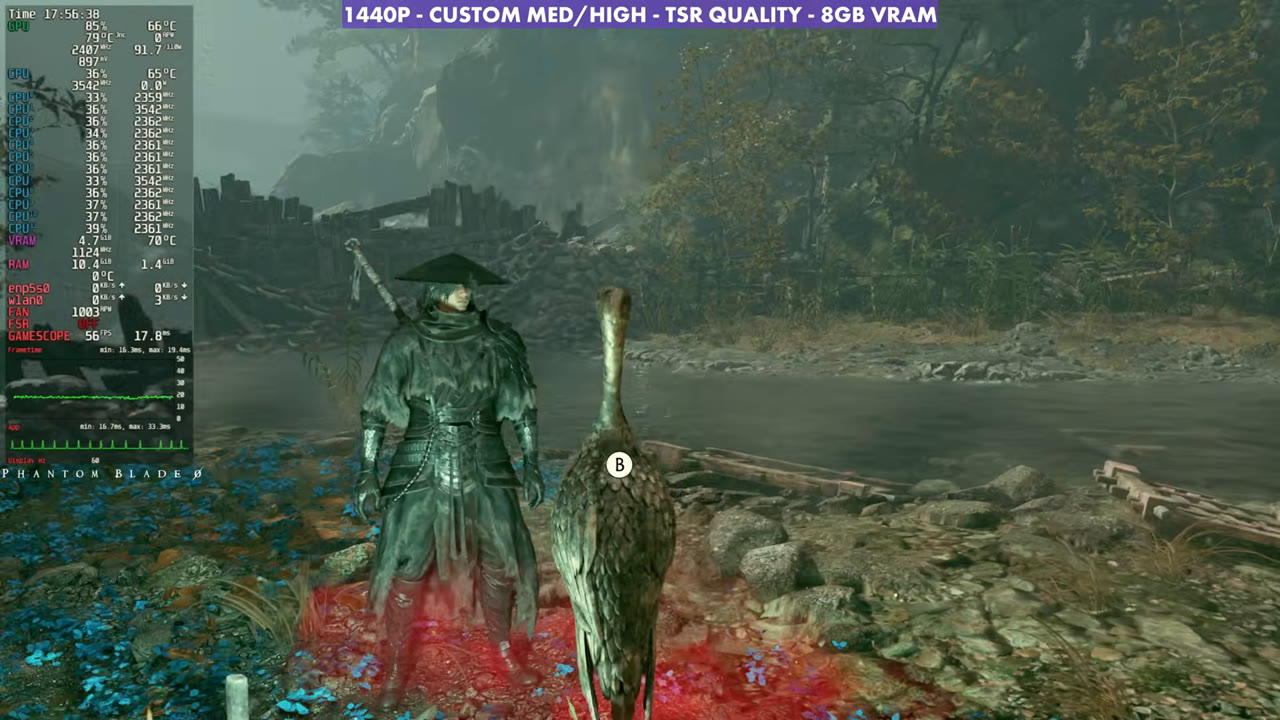
FSR is a bit janky and rough here, whether I use Balanced or Performance. Switching to XeSS Balanced gets a little more performance, since XeSS Balanced is the same 50% scale as FSR Performance. As usual, XeSS was a bit cleaner too, and I got a little better smoothness out of the gameplay, although it's still a good bit janky and could use some work.
FSR Performance gives similar FPS to XeSS Balanced, but the image quality goes down a good bit and it's a little darker, with no other settings changed. TSR Balanced gave decent FPS at times, but it really felt rough to me, even on input latency. TSR Quality lands at similar FPS to FSR Balanced, but it also didn't feel very good, even though I often like TSR. So I went with XeSS Balanced. Pick the upscaler you want to deal with; at 1440p you're going to get similar results.
Overlay readings in the same spot, standing still, with the 1440p custom medium/high settings:
- FSR Balanced: 54–56 FPS (overlay)
- XeSS Balanced: 59–60 FPS (overlay)
- FSR Performance: 58–59 FPS (overlay)
- TSR Balanced: 67–69 FPS (overlay)
- TSR Quality: 55–56 FPS (overlay)
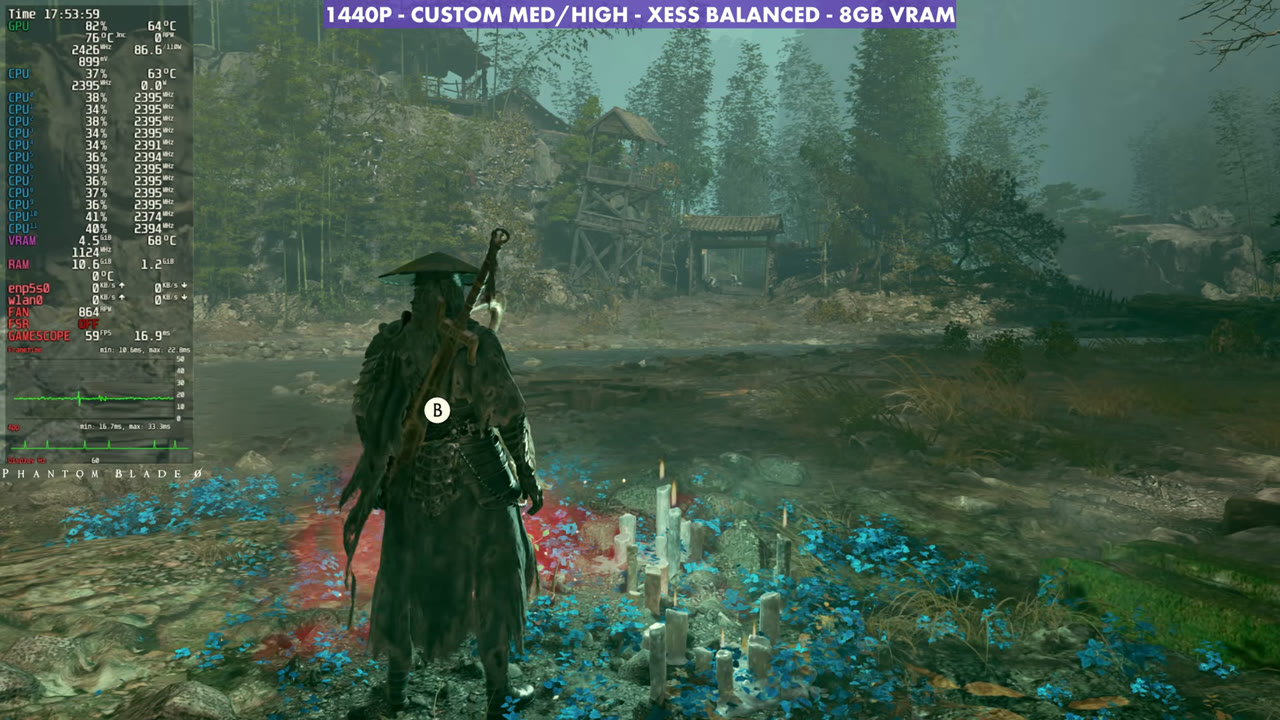
Gameplay
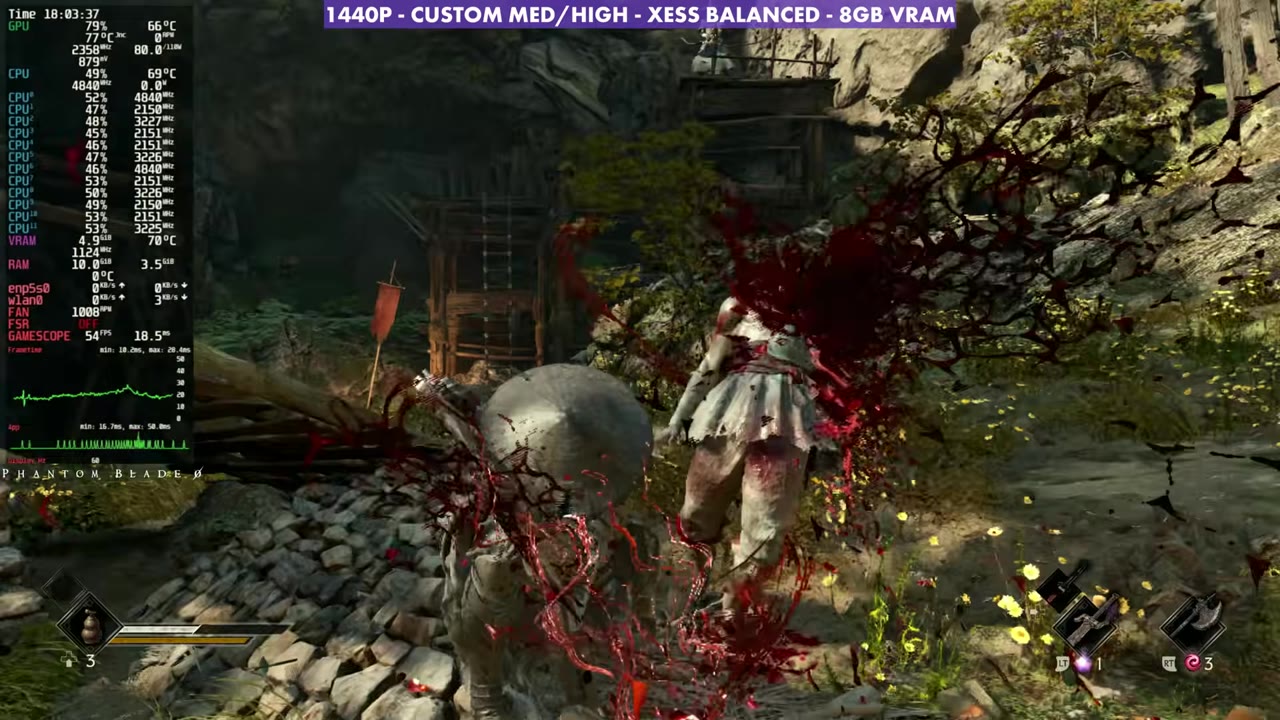
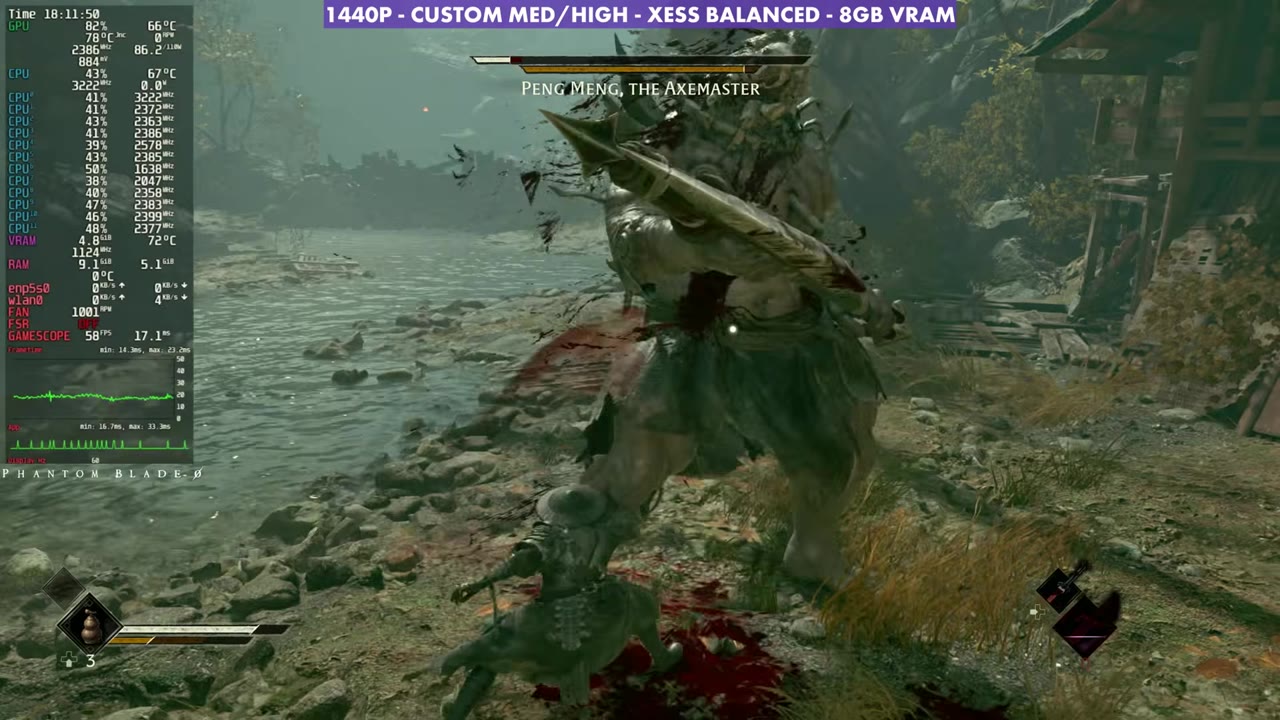
These aren't best settings, but they've been working out okay for me on the 4K TV. Certain areas look and play better than others, and I've seen anywhere from 40 to 70 FPS this way. In the gameplay with XeSS Balanced, the overlay mostly reads in the mid 50s to low 60s, including combat and the Peng Meng, the Axemaster fight.
Verdict
At least I can easily play this on the TV from my Steam Machine and enjoy it, and I'll jump over to something like the OneXPlayer 3 when I want to play portably for now. It's a lot better than the rough time on the Steam Deck OLED. Hopefully patches and fixes come, because the Steam Machine, even with its current hardware, could run this game better and more consistently and make better use of that GPU.
FAQ
Is Phantom Blade Zero playable on the Steam Machine?
Yes. At 1440p with custom medium/high settings and XeSS Balanced, I've seen anywhere from 40 to 70 FPS depending on the area.
Which upscaler did I settle on?
XeSS Balanced. It looked cleaner than FSR and felt smoother, while TSR felt rough, even on input latency.
Does Proton Experimental help?
It was helping with some cutscene issues, but I didn't notice any difference in actual performance or smoothness.
Want more handheld tests?
New Steam Deck, ROG Ally, Legion Go and Steam Machine performance videos every week.