 ▶Watch on YouTube
This is Capcom's Pragmata on my Steam Deck OLED on launch day, pretty much out of the box: no Proton changes, tweaks or workarounds, other than the 4GB of VRAM I always run. Keep in mind the game uses Denuvo, so if you keep swapping Proton versions it counts as a new machine and you'll eventually get locked out. Pragmata launched Steam Deck Verified, and I'd say it typically runs well enough to be that.
- There's no 16:10 support, so everything here is 720p, V-sync off, variable frame rate, 4GB VRAM.
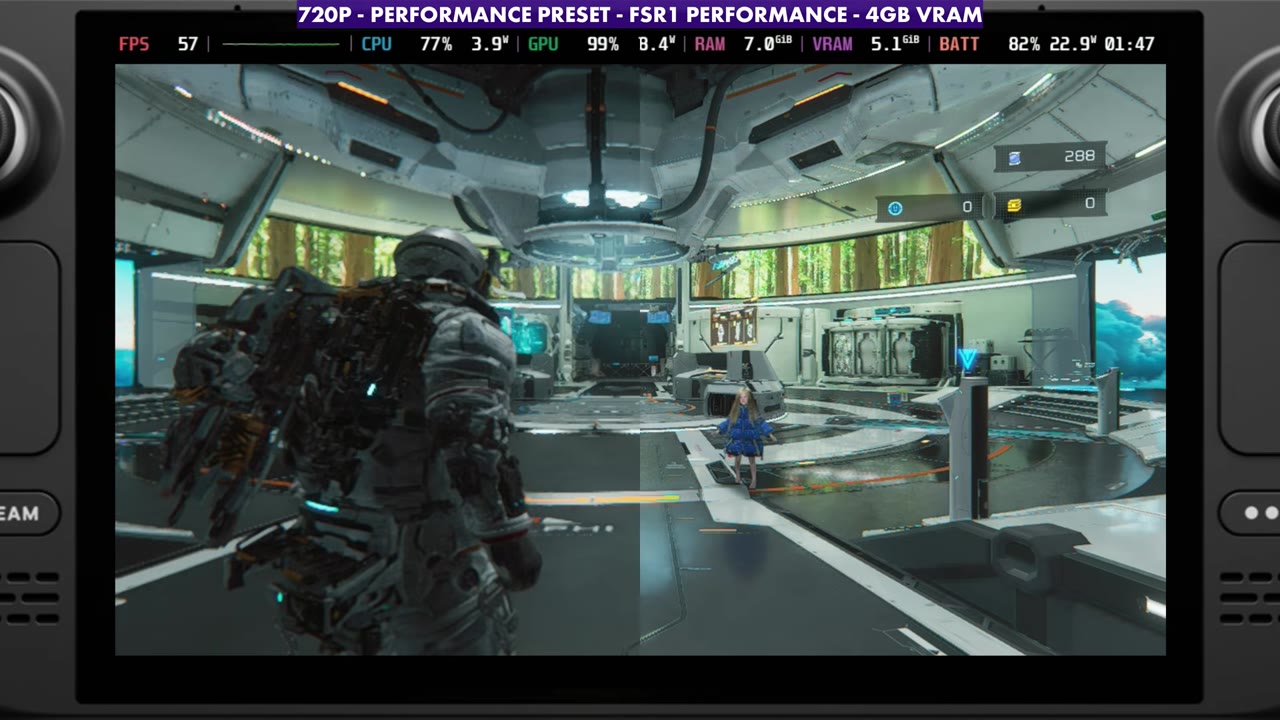
- Presets in the base: Quality and Balanced use no upscaling and sat at about 30 FPS. Performance (FSR1 Performance) about doubled that to the high 50s, and Minimum (FSR1 Balanced) read about 64–66.
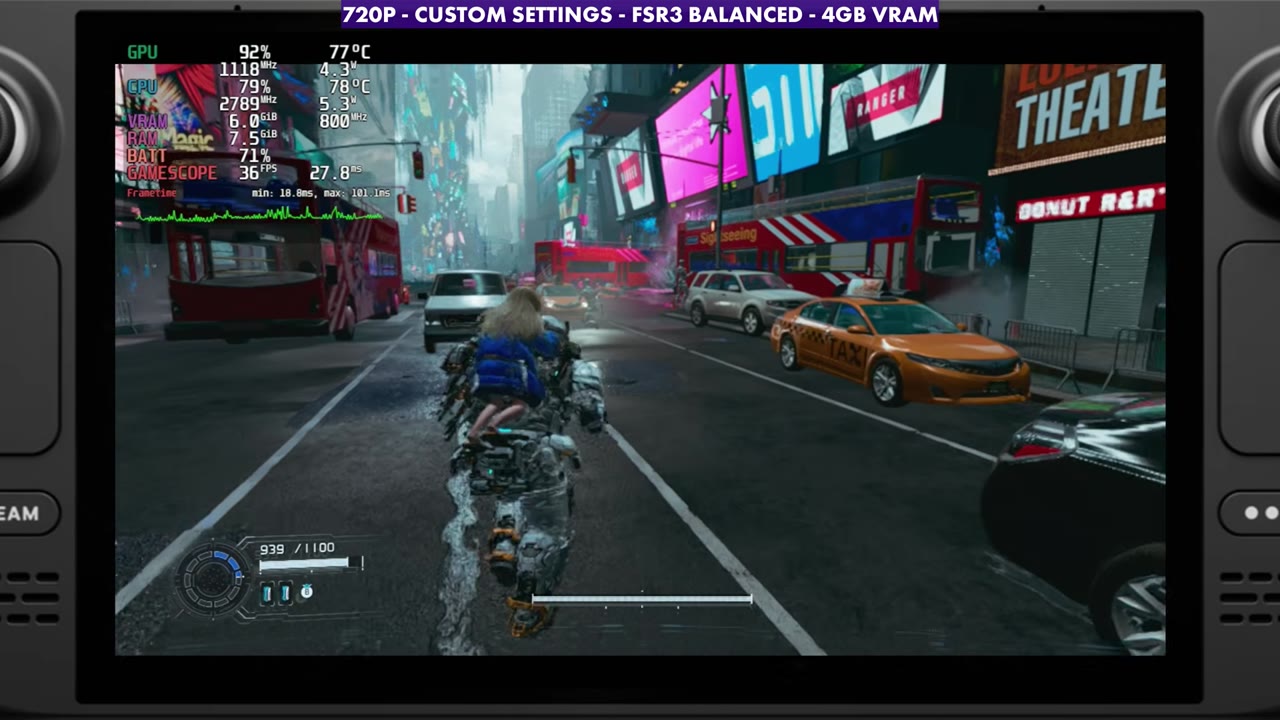
- My 720p custom setup with FSR3 Balanced runs about 10 FPS below the Performance preset but cleans things up a good bit. In the city gameplay it mostly read the mid-30s to low 40s on the overlay, with a stretch in the 40s and low 50s.
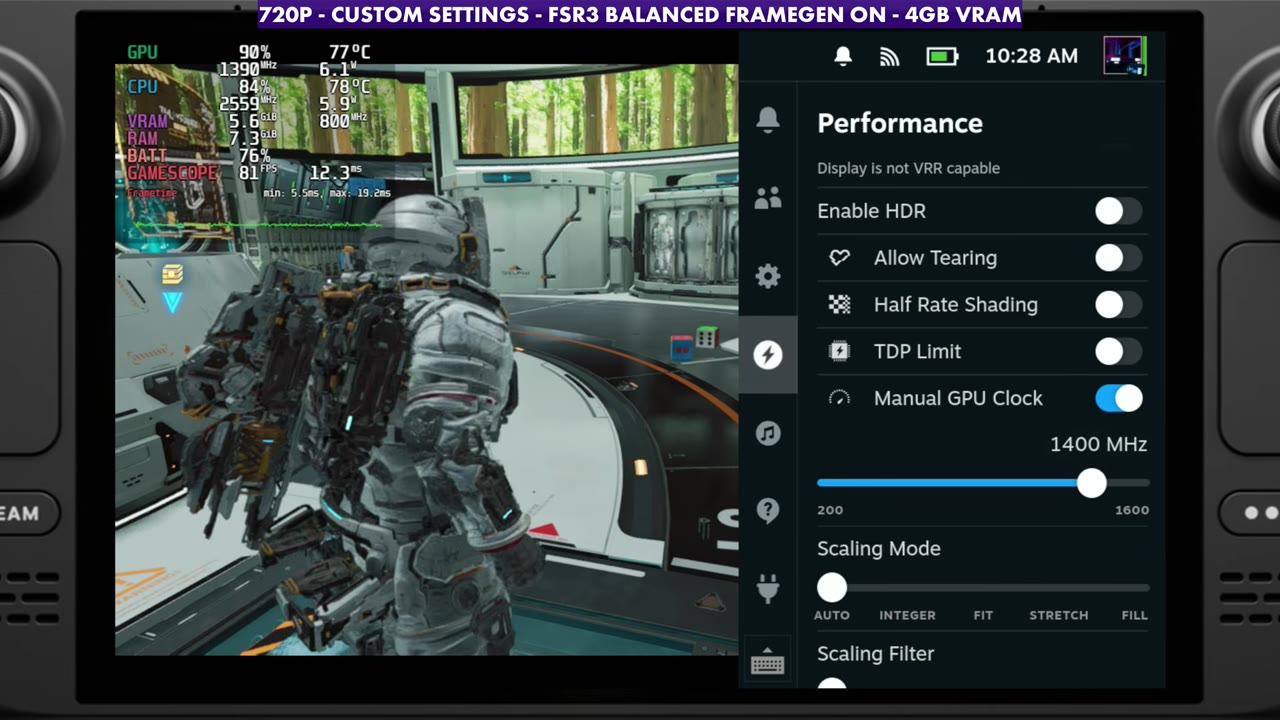
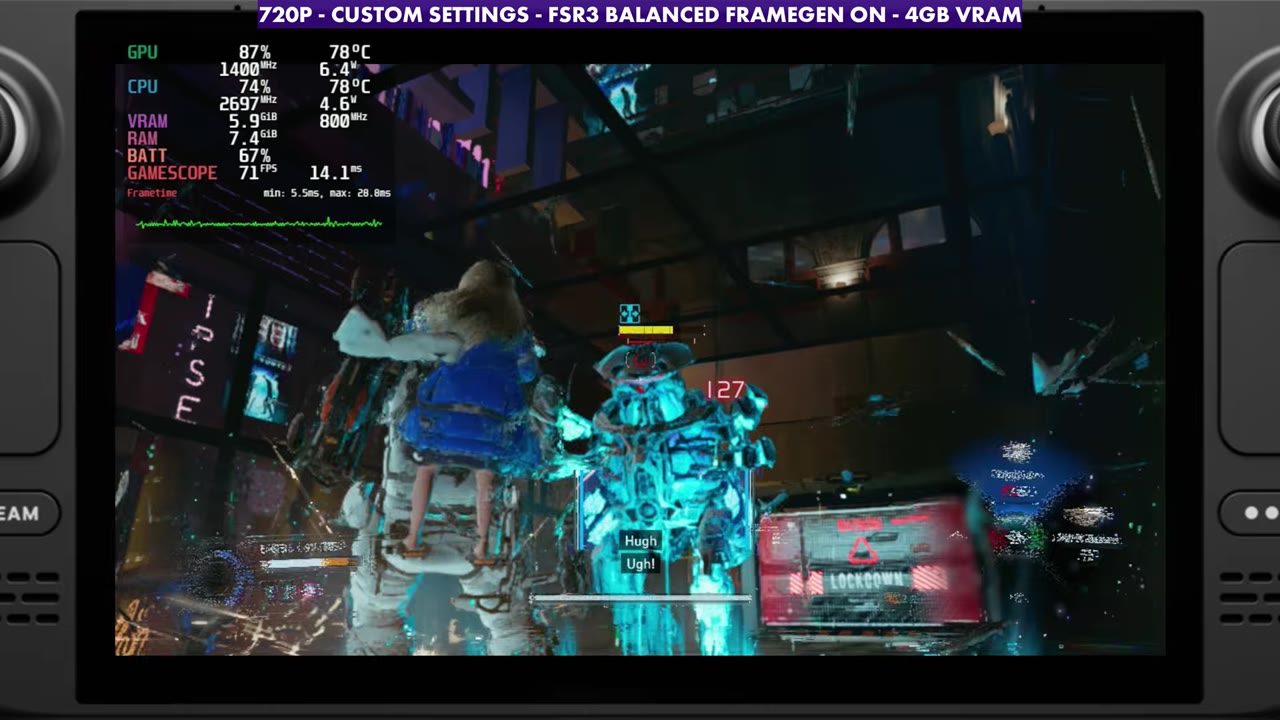
- FSR frame generation works pretty well. With a manual GPU clock around 1400 MHz, gameplay mostly read the 70s.
- There are big frame rate spikes, drops and stutters all over the game right now. A 30 or 40 FPS cap will help a lot of that.
What I tested
- Device: Steam Deck OLED, launch day, default Proton, 4GB VRAM
- Display: 720p (no 16:10 support), V-sync off, variable frame rate
- Presets: Quality, Balanced, Performance and Minimum, checked in the base
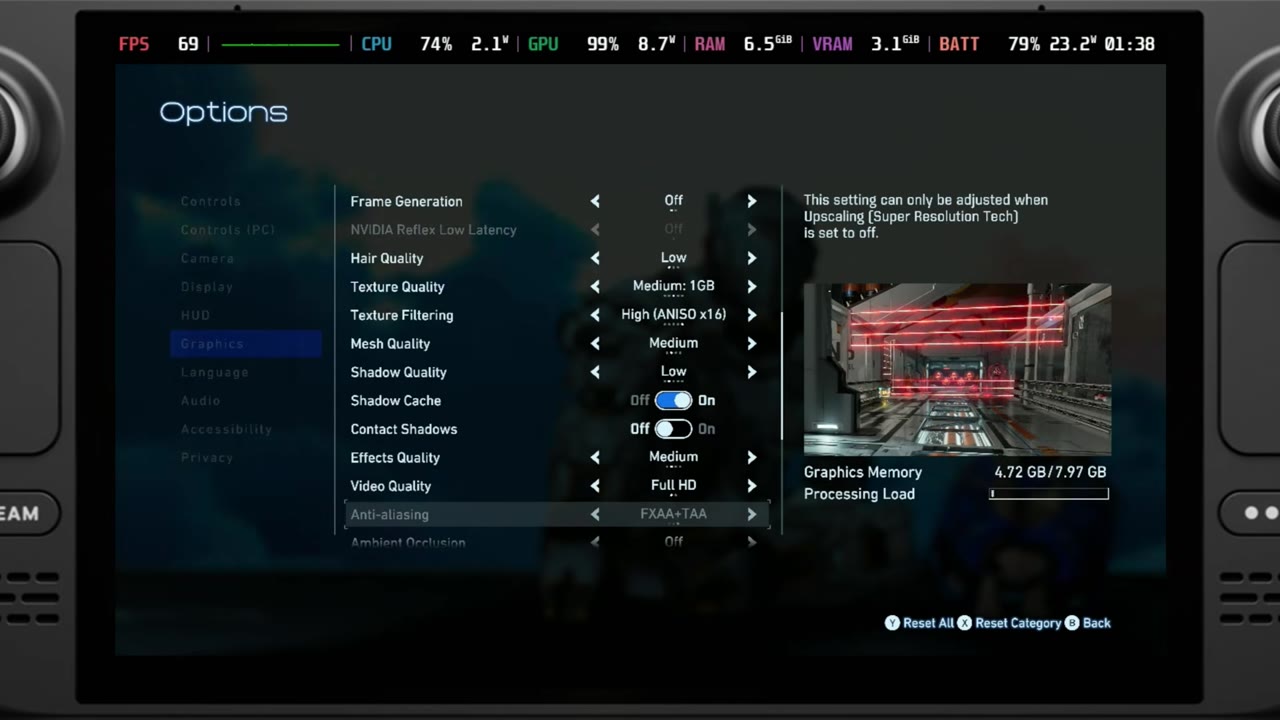
- My custom settings: global illumination Medium, FSR3 Balanced, hair Low, textures Medium (1GB, you could drop it one), texture filtering High, mesh Medium (you could drop it one), shadows Low with shadow cache on, volumetric lighting Lowest, lens flare and motion blur off
- Frame generation: AMD FSR frame gen, off and on, with a manual GPU clock (1400 MHz in the gameplay)
- FPS numbers are what the on-screen overlay read, checked every two seconds against the settings label on screen, unless I say otherwise.
The presets
The base, where you work on upgrades, typically runs a little better than most of the levels I've been in so far, and it still has stutters and dropped frames from time to time. The Quality preset uses no upscaling and runs not maxed out but much higher, at around 30 FPS. The Balanced preset also uses no upscaling, so even though it lowers a few things, it's still at 30 FPS, and you'd never be able to play that way outside of the base.
The Performance preset uses FSR1 Performance, which I certainly don't prefer in this game, but it doubles the frame rate, to about 57–59 on the overlay. The Minimum preset uses FSR1 Balanced with some other settings lowered, and sat around 65–66 FPS in the same spot (64–66 on the overlay). If you don't want to think about it too much, you could just set Performance or Minimum and go, or adjust a few settings from there.
Custom settings and frame generation
My custom setup runs about 10 FPS lower than the Performance preset but gets things cleaned up a good bit more. In the base, it read about 47 to 54 FPS on the overlay at first, and mostly the 50s and 60s later on. Again, it really depends on where you are in the game.
AMD's FSR frame generation works pretty well here. I'm not getting into Lossless Scaling or anything else in this one, especially with Denuvo and not being able to swap Proton versions. You'll probably want a manual GPU clock, similar to Death Stranding, where something around 1300 MHz works fine. The higher you set it, the less power goes to the CPU, and there are CPU-heavy areas with a lot of stutter, so find a balance between the two. In the gameplay I stuck with around 1400 MHz. With frame gen on in the base, the overlay mostly read the high 70s to mid-80s.
Gameplay
In the mission gameplay out in the city, my 720p custom setup with FSR3 Balanced and frame gen off mostly read the mid-30s to low 40s on the overlay (about 29 to 44), with one stretch in the mid-40s to low 50s. With frame gen on, the overlay mostly read the 70s (about 62 to 90). You'll see the big frame rate spikes and dips in the gameplay, and that happens all over the game right now, even if I lower more settings or drop the textures a little. They'll probably fix some of that up, but a 30 or 40 FPS cap will help a lot too.
Verdict
On launch day, this gives a good idea of how Pragmata runs on the Deck. It earns the Verified badge, and you can get the settings where you need them depending on whether you want to run 30 or 40 FPS or let it run above that, but expect stutters and big swings for now. I'll do update videos if necessary once patches land and I get to experiment with more settings. For the same game on Windows handhelds, see my tests on the ROG Xbox Ally X, Legion Go 2, original Legion Go and MSI Claw 8 AI+, plus Switch 2.
FAQ
Is Pragmata Steam Deck Verified?
Yes, it launched Steam Deck Verified, and it typically runs well enough to be that, though there are stutters and frame rate swings.
Does Pragmata support 16:10 on the Steam Deck?
No. There's no 16:10 support, so I ran 720p.
Should you swap Proton versions for Pragmata on the Deck?
Be careful. The game uses Denuvo, and changing Proton versions counts as a new machine, so you can eventually get locked out.
Want more handheld tests?
New Steam Deck, ROG Ally, Legion Go and Steam Machine performance videos every week.