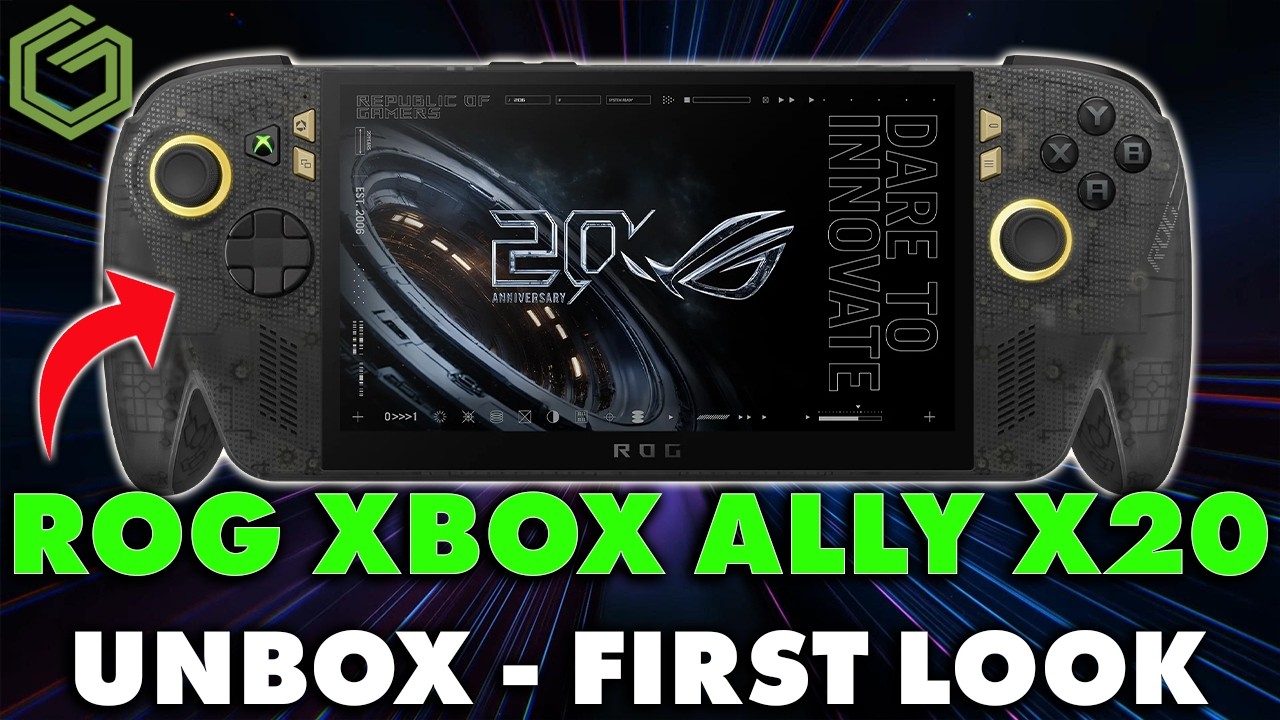
 ▶Watch on YouTube
This is my unboxing and first look at the ROG Xbox Ally X20, not the full review. I've only had it for a couple of days. The full review, with performance testing and comparisons against a bunch more devices, is coming in another week or two. I always like doing first impressions first and then seeing how they hold up in the actual review.
Quick note: I bought this X20 myself at Best Buy on launch day, and nobody sent it to me.
- Same Ryzen AI Z2 Extreme, 24 GB RAM, 1 TB SSD and 80 Wh battery as the original Xbox Ally X, for $1,299, which is $300 more.
- The big change is a 7.4" 1080p 120 Hz OLED with VRR, in almost the same size body as the old 7" IPS-level model.
- At 25 W, performance has been about the same as my original Xbox Ally X so far, but it runs noticeably cooler.
- The buttons, grips and overall feel are a nice step up. I still lean toward my OneXPlayer 3 with the Intel G3 Extreme for performance.
What's in the box
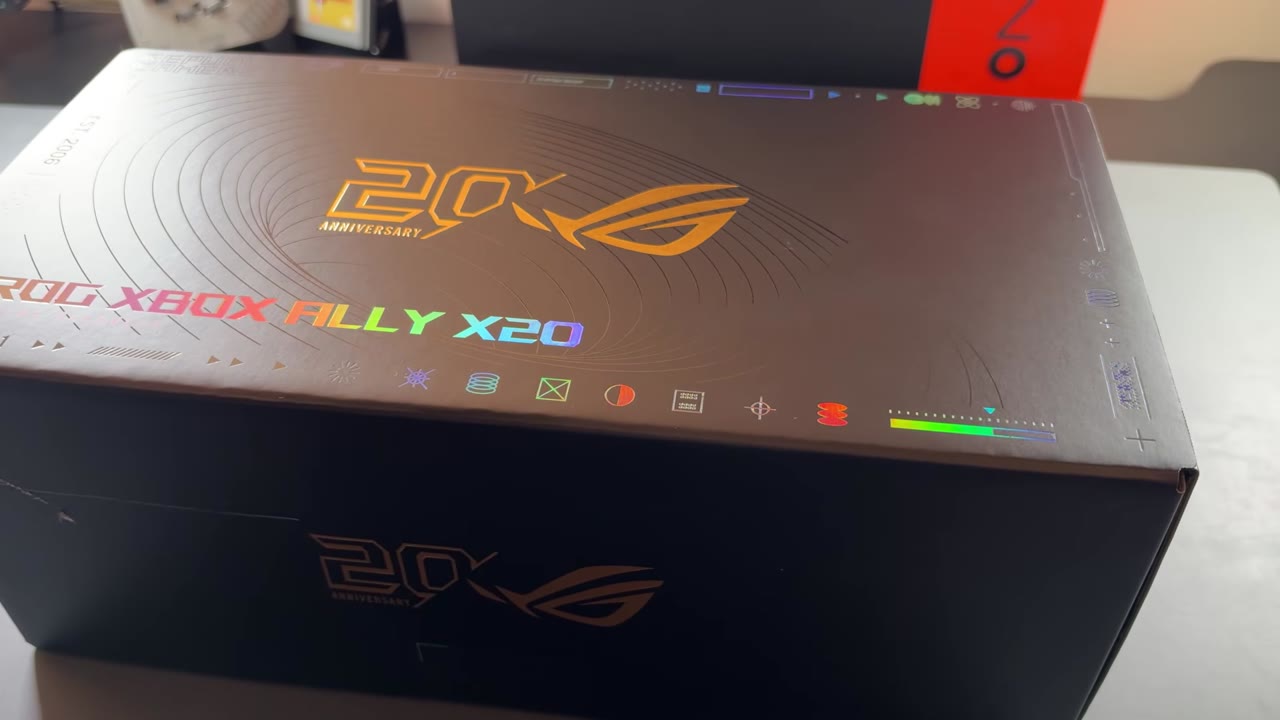
The box is all black and gold for ROG's 20th anniversary, with the usual rainbow-colored ROG Xbox Ally lettering. Opening it up will feel familiar if you've had one of these before:
- The ROG Xbox Ally X20
- The cardboard stand in the lid, like on the previous models
- Paperwork on charging, the buttons and a few QR codes
- The power adapter
I wasn't sure on the adapter during the unboxing. I thought it was 65 W, but I've seen reports of 68 W and even 100 W. ASUS's spec sheet lists a 68 W adapter for the X20, though it also says whether a charger is included varies by region and model.
Design and feel
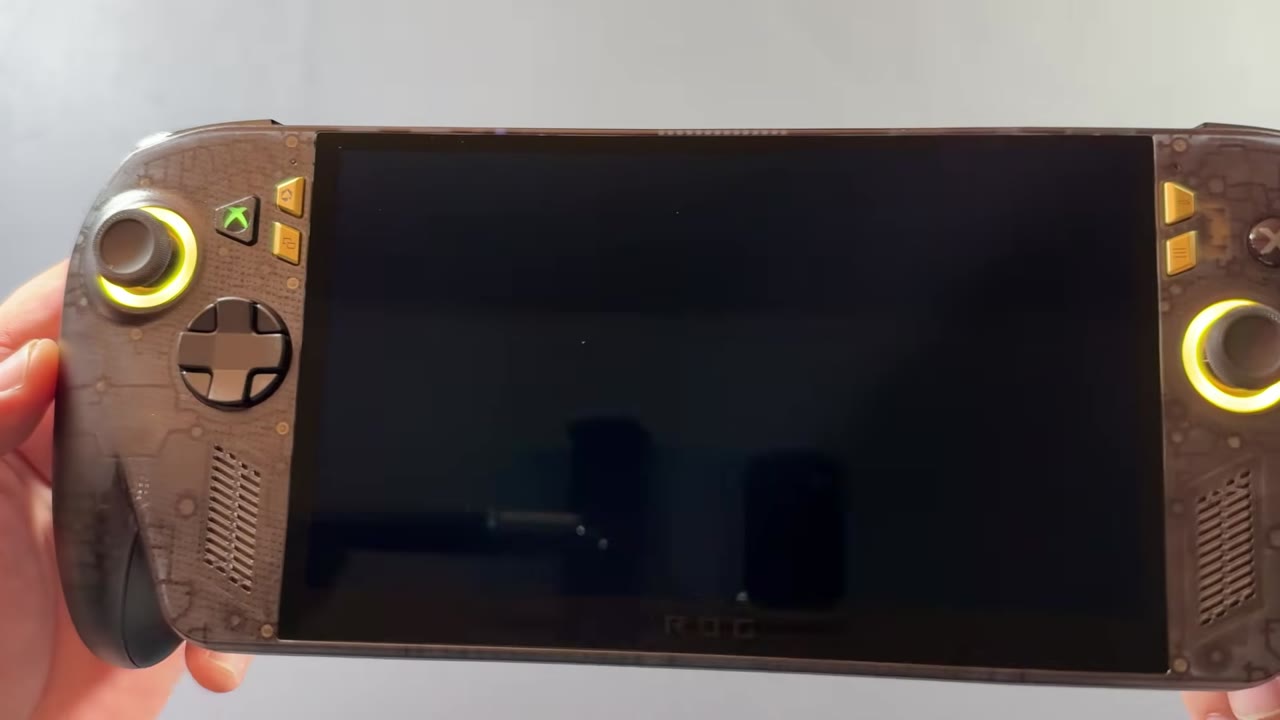
It instantly felt better in the hands than the original. There are rubberized grips now, and the face buttons feel and sound better. My B button was sticking on my original Xbox Ally X, and nothing like that has happened here. The sticks feel great, and the D-pad definitely feels different. ASUS says the triggers are different too, with impulse trigger haptics, and I'll get into those more in the review.
Overall it's the same design and build, and almost exactly the same size as the original, even with the much larger OLED screen. The anniversary touches are nice as well:
- A green light-up Xbox button
- Gold menu buttons
- A custom 20th anniversary startup animation every time you boot it
- A full custom gold animation when it goes to sleep
From there it was the normal Windows setup. I got some games downloaded, set up my overlay, cleaned up Windows, and ran everything in the Xbox mode.
Specs and price
- Processor: AMD Ryzen AI Z2 Extreme
- Memory and storage: 24 GB LPDDR5X, 1 TB SSD
- Display: 7.4" 1080p OLED, 120 Hz with VRR, up to 1,400 nits in HDR
- Battery: 80 Wh, the same as before
- Controls: TMR sticks, a transforming (4-way/8-way) D-pad and Hall effect triggers
- Price: $1,299, which is $300 more than the original ROG Xbox Ally X
If you're a stickler for OLED and want some quality-of-life improvements, that might be well worth it to you. I think for a lot of people, it might not be.
Next to the original Xbox Ally X and the OneXPlayer 3
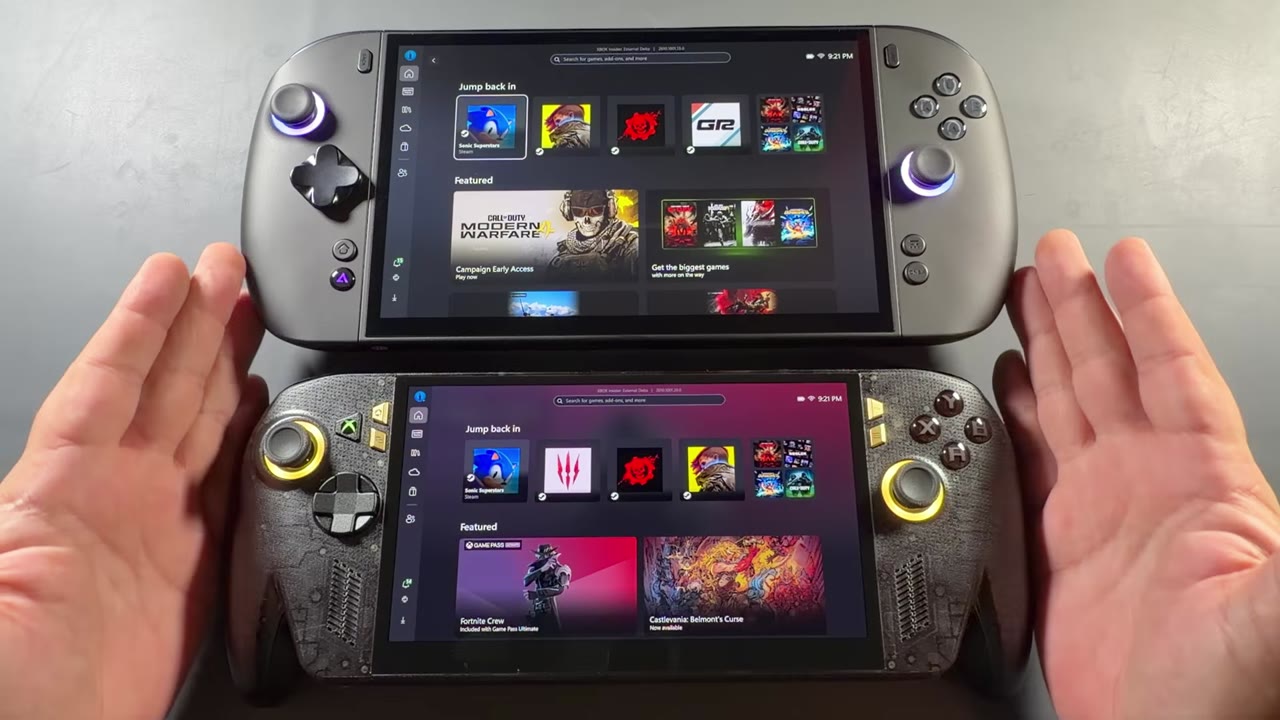
Side by side with the original ROG Xbox Ally X, it's more than just slimmer bezels. The screen itself has been pushed out, and the sticks sit a little farther over on the new model to make room. In the end, it's a larger 7.4" OLED against the 7" IPS-level screen on the original.
I've never liked the screen on the original, both the size and the quality. I've loved the device itself, though, so I was always kind of torn, and I still gamed on it quite a bit. The X20 solves a lot of the problems I had with the original, from the buttons and build quality to the display, which is the biggest part for me. Some of you would probably pay the extra $300 for the display alone, and some of you won't care.
Next to my OneXPlayer 3 with its 8.8" OLED, the difference in size is there, but it isn't as big as you'd think. We talk about the Go 2 and the OneXPlayer 3 being so big, but side by side they don't always look that much bigger than something like the X20. Both are very nice OLED displays.
Right now I prefer the OneXPlayer 3, because the Intel G3 Extreme does such a great job with performance. If I didn't have it, the X20 would probably become my new go-to for a lot of my gaming. For easier-to-run games and for comfort, I may even be tempted to keep it. I'll get into a lot more of these comparisons in the review.
A quick look at gaming
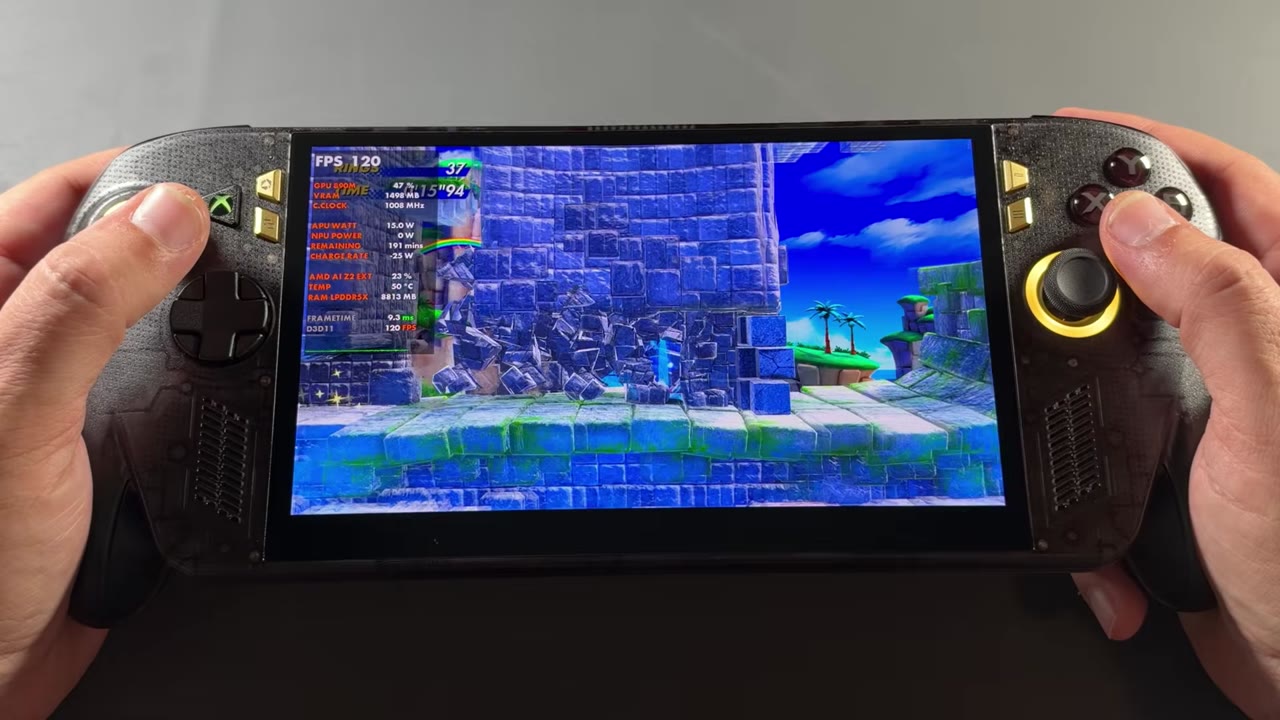
This was only a quick look at a few games, not the performance testing that's coming in the full review. The temperatures and wattages below are read from my on-screen overlay. FPS numbers are what I called out in the video, matched against the overlay where noted.
- Gears of War: E-Day at 25 W: about the same on both. I saw 43–45 FPS on each, both standing still in the loading spot and once the mission started. The difference was thermals: in the shots below, the overlay reads 63 °C on the X20 and 72 °C on the original Ally X, at 44 FPS on both.
- The Witcher 3: both on the same brand-new ASUS GPU driver that fixes the Witcher 3 issues we had. Standing still, it ran about 60–61 FPS on both, maybe up to 62 on the X20. The overlay showed 62 FPS on the X20 and 60 FPS on the original, both at about 24 W.
- Sonic (VRR): a colorful, easy-to-run game, holding 120 FPS on the overlay.
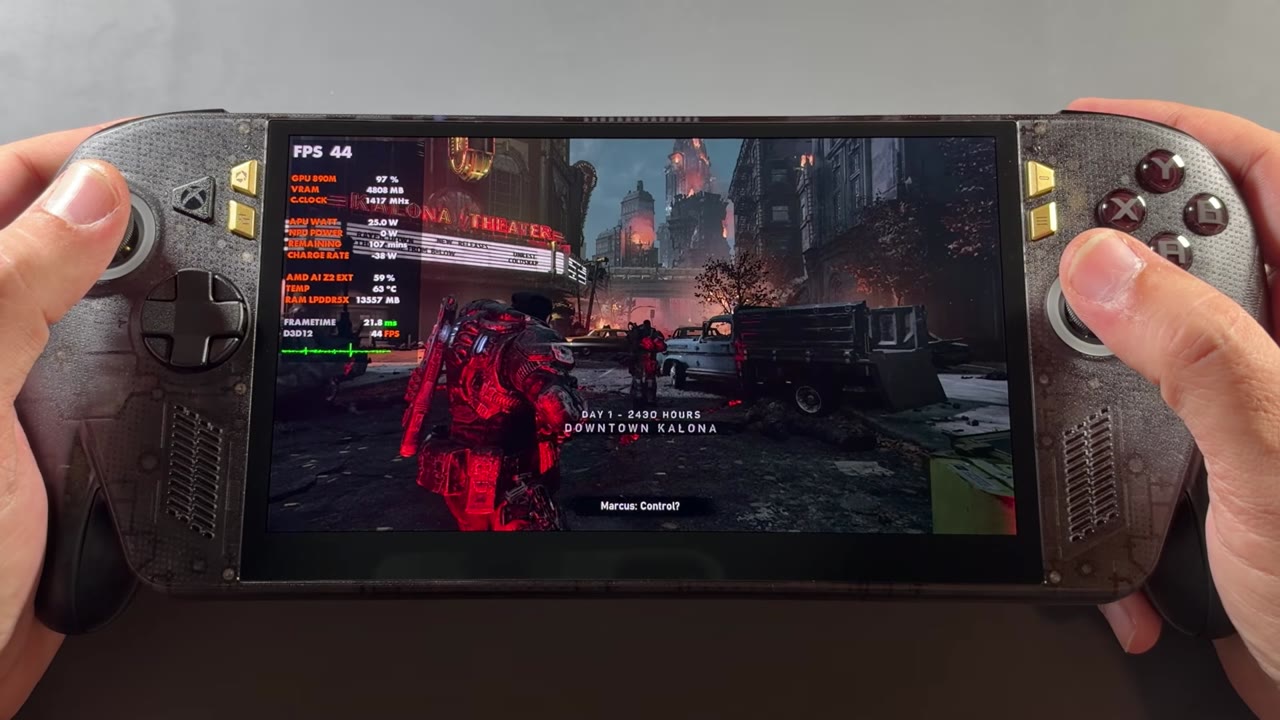
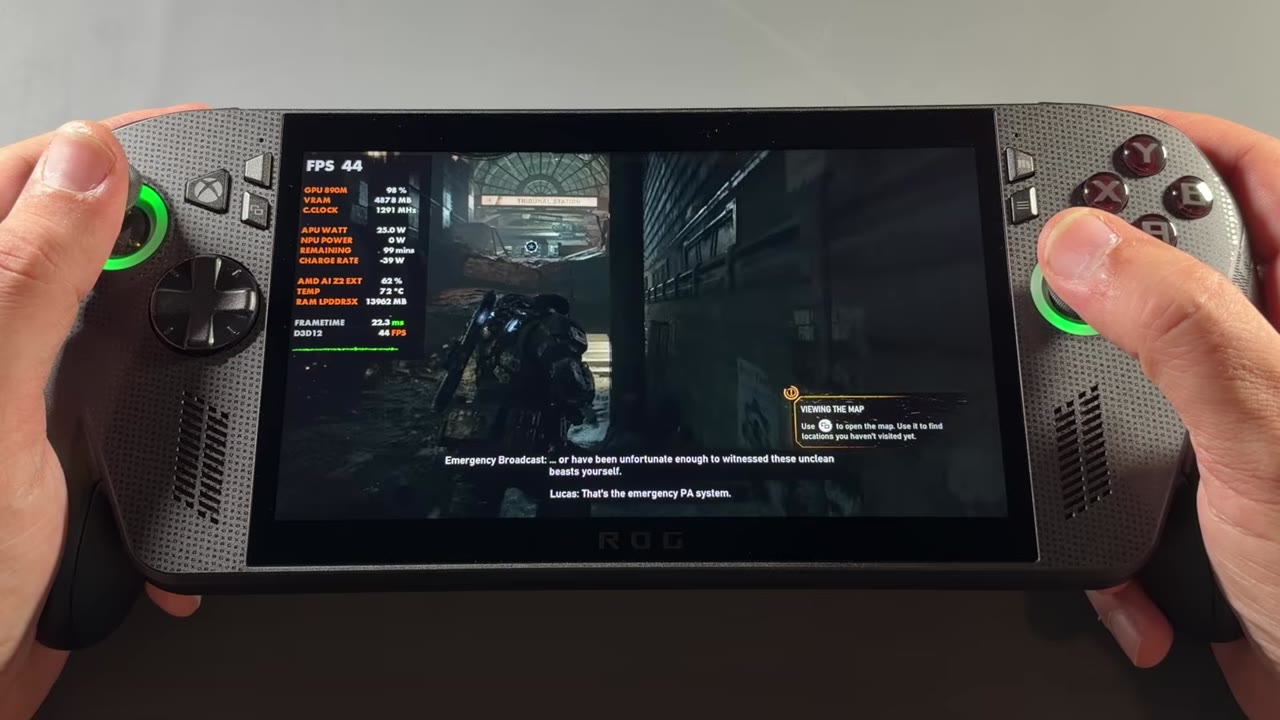
From what I've seen so far, once you're at about 25 W and up, the two have pretty much the same performance. The X20 runs much cooler, though, and I've heard it does a lot better at lower TDPs. I haven't tested that yet, but it would make sense with the better thermals. There may be better battery life too. These are all things I'll show more numbers and information on in the full review.
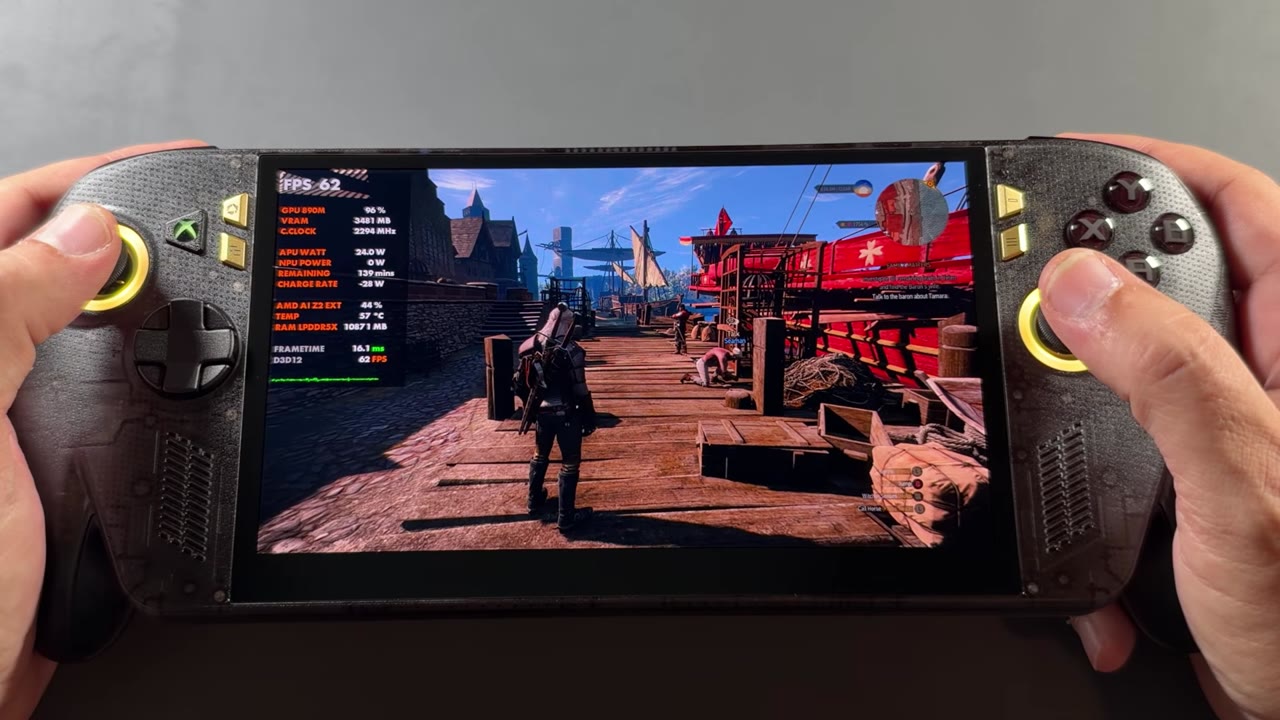
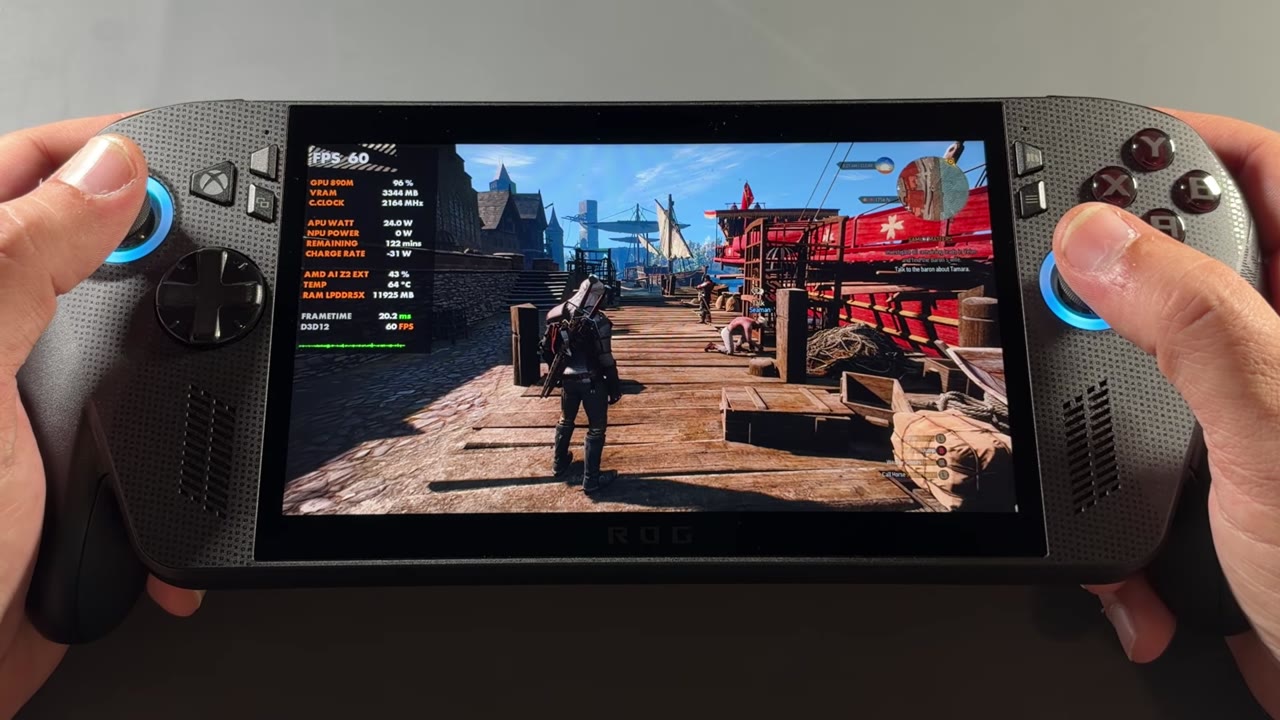
The Witcher 3 is a gorgeous game to jump into on this OLED, and that's without HDR turned on. It really is a gorgeous display. In today's market, maybe that $1,299 isn't so bad, but that's something I'll talk about more in the review.
I haven't seen any issues with the display yet, and no flickering. We had some of that with the original IPS-level displays, and I still get it every now and then on my original Xbox Ally X. HDR looked pretty good too, though I only started messing around with it the night before making the video and didn't record any of it.
First look verdict
- Likes: the 7.4" OLED, the better face buttons and grips, the sticks, the lower temperatures, and the 20th anniversary touches
- Not so much: performance is about the same as the original at 25 W and up, and it's $300 more
It's only been a couple of days, but it's been a lot of fun. So far it's a more refined, more comfortable device with a much better screen. Performance-wise it's pretty much the same, so right now I'll probably keep leaning toward my G3 Extreme. Still, it's a very nice upgrade to the device. Pricing, a lot more comparisons and lower-TDP testing are coming in the full review in a week or two, followed by game tests and comparison videos.
Want more handheld tests?
New Steam Deck, ROG Ally, Legion Go and Steam Machine performance videos every week.