 ▶Watch on YouTube
- Playable: it pretty much stays over 30 FPS at 800p on the Low settings, and you can play every mode.
- Campaign races ran around 30–45 FPS. Raising settings dropped some courses below 30.
- We're relying on FSR Balanced, so visual quality isn't the best.
- Frame gen needs a manual GPU clock of 1300–1600 MHz to work properly, and it adds input latency.
Star Wars: Galactic Racer is finally out, and the Steam Deck OLED is first up as I test it across my handhelds. It's playable. You can pretty much maintain over 30 FPS, but you can't raise the settings very much, and since we're leaning on FSR, visual quality isn't the best. Still, it gets to a playable point, and you can play all the modes on the Deck.
At launch the game isn't Verified, but that doesn't always mean a lot. Plenty of unverified games run really well, and some Verified games don't. I wouldn't be surprised if it gets that green check mark at some point, because it runs well enough and pretty much stays over 30.
What I tested
- Fullscreen, 16:10, 1280x800
- Uncapped frame rate, V-Sync off (for the video)
- Motion blur and camera shake off
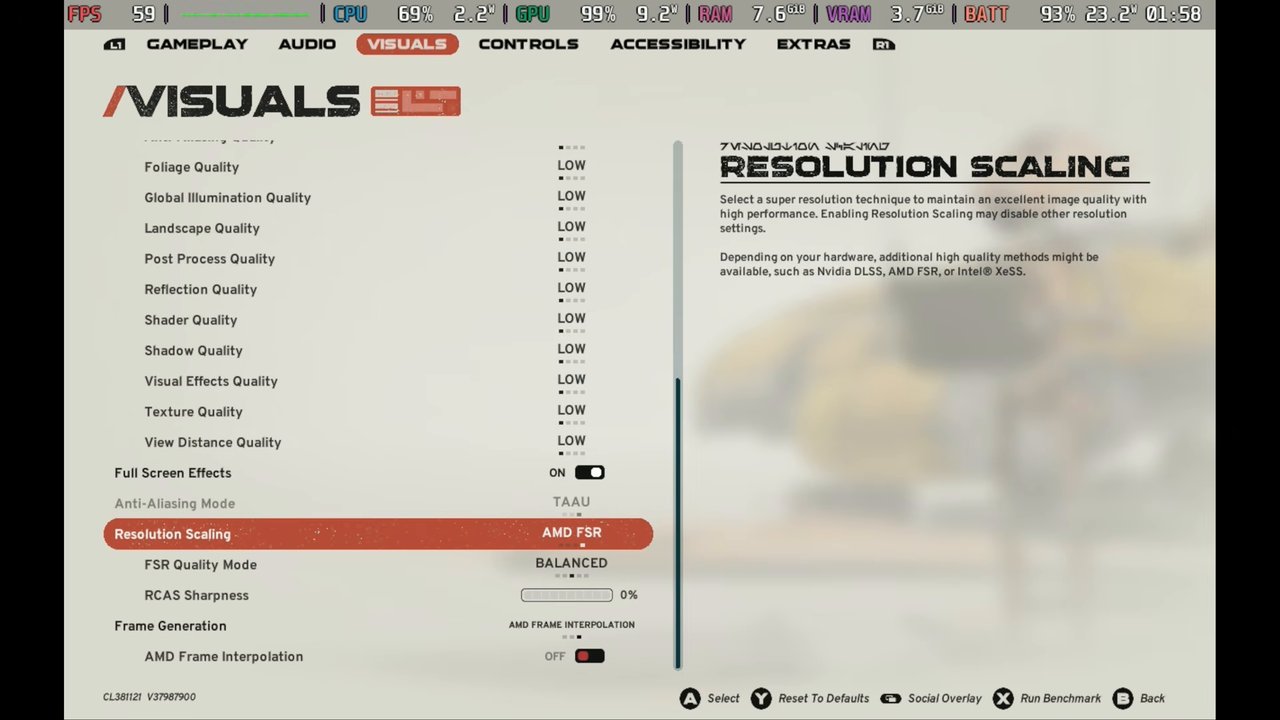
- Low on every quality setting
- Resolution scaling: AMD FSR, Balanced (Quality or Performance work too, but Balanced was fine for me)
- Frame generation (AMD Frame Interpolation) off, except where noted below
A lot of people will probably opt to cap it at 30 FPS. If you do, you could raise anti-aliasing quality to Medium, and maybe one or two other things, but that's about the most you'll get out of it. Since I'm running uncapped to see what it does, I stuck with Low. Treat it as a baseline: scale up toward visuals if you cap at 30, or stay here for the most FPS.
Performance
There's a base area between the planets where you pick your race events. You won't spend much time there, so performance isn't super important, and while there was some stutter, it was never a big deal. You can do what you need to before your races without much trouble.
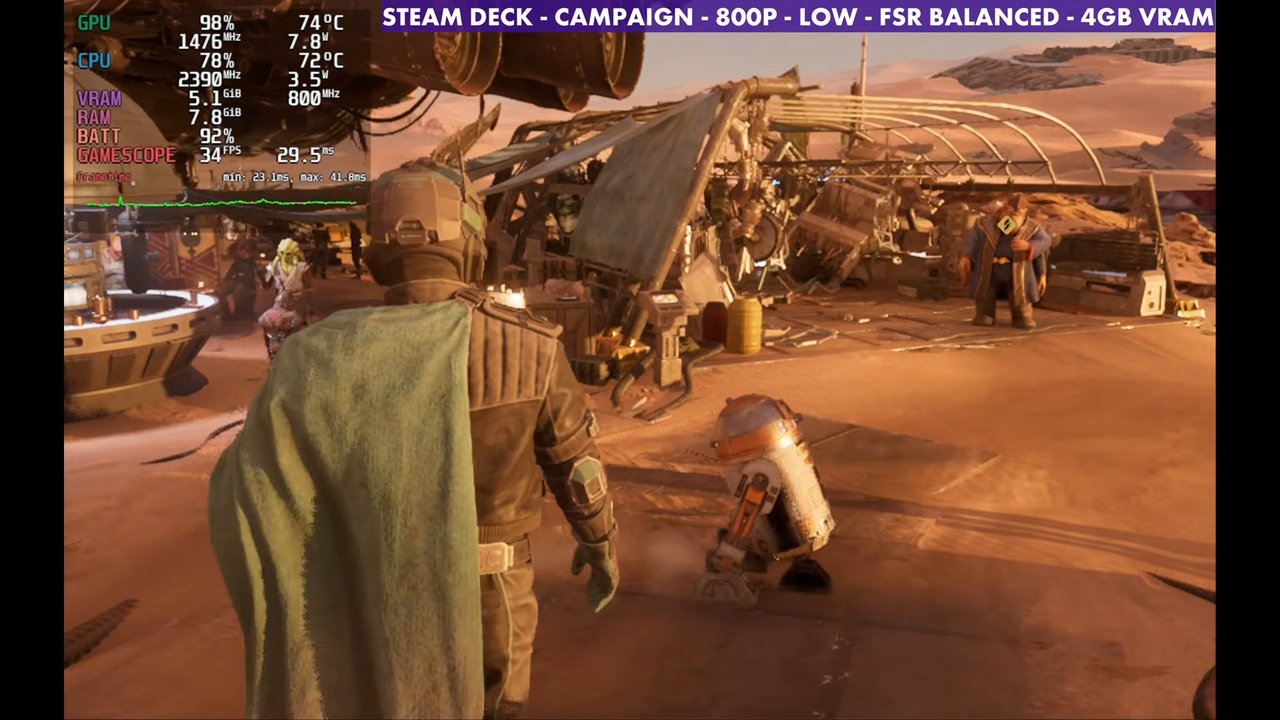
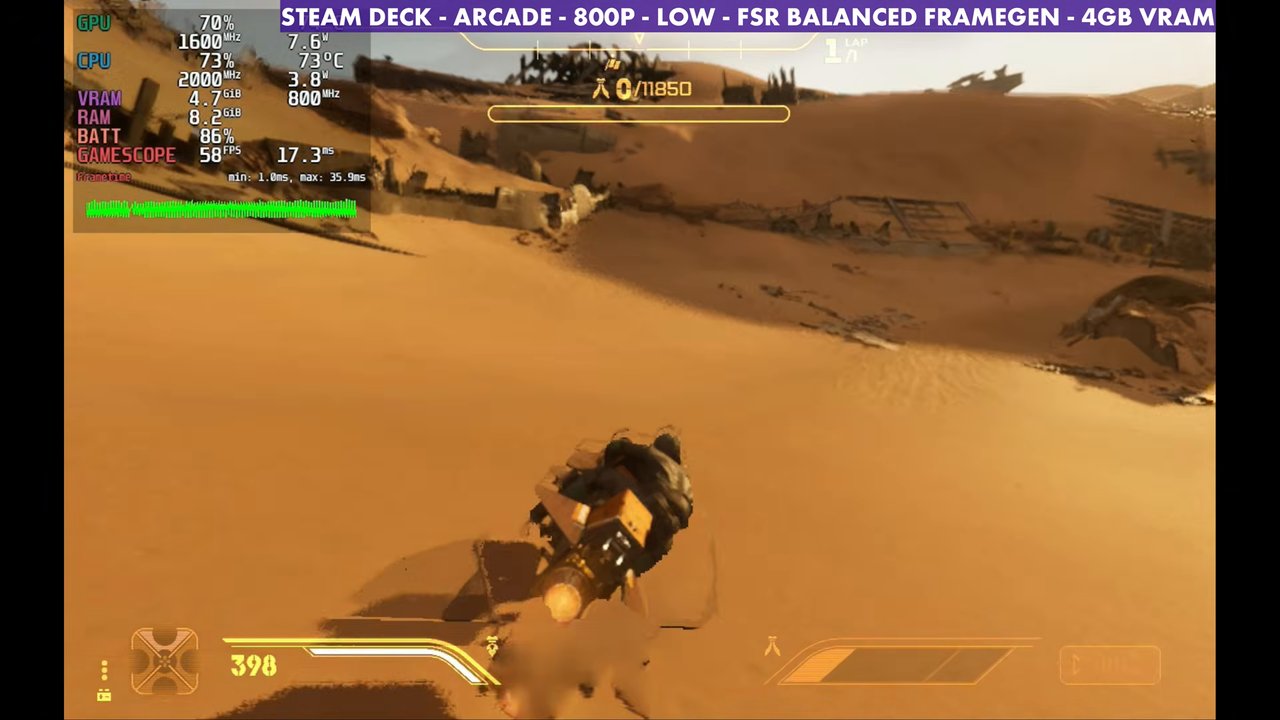
In the campaign, racing against everybody, I saw roughly 30 to 45 FPS depending on where I was. I was a little afraid to raise much, because every time I tried, some matches and race courses dropped below 30. So I left it on Low.
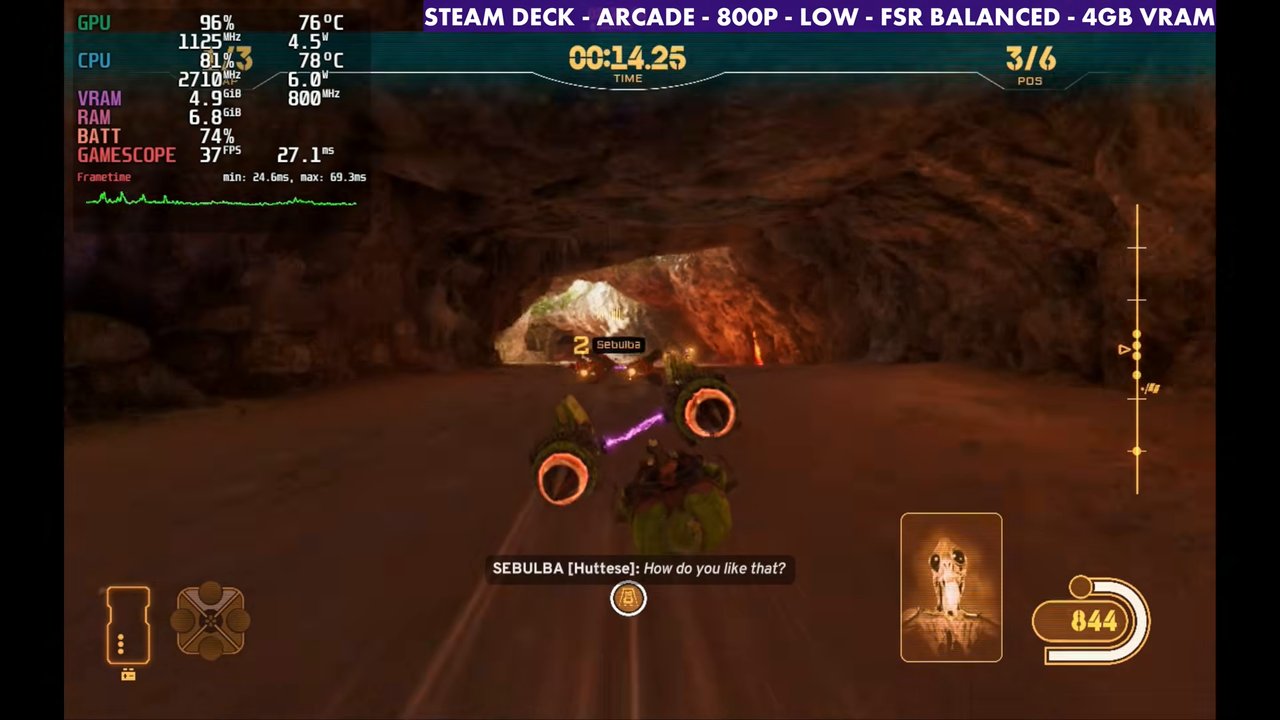
Arcade mode performs very similar to the campaign. One arcade course is where I dipped to 29 FPS before raising anything, and with settings raised I was seeing 25 to 26 at times. If you lock to 30, you might get away with a few higher settings without dipping as much on your lows.
Online multiplayer ran about the same. Performance may have been slightly lower in the matches I tried than in campaign or arcade, which isn't a big surprise, but it ran fine and I didn't have any real problems.
A few readings from the overlay at 800p Low, FSR Balanced:
- Campaign: 34 to 44 FPS
- Arcade: 30 to 37 FPS
- Online multiplayer: 31 to 37 FPS
Frame gen
Frame generation is in the game, but without a manual GPU clock it's a little messy. You'll gain 10 FPS or so, but it doesn't run the way it should. This game really prefers a manual GPU clock between 1300 and 1600 MHz. Setting 1600 straightens it out, with a lot more FPS, and it runs the way frame gen is intended. In my run that took arcade from around 44 FPS to the 50s.
The catch is input latency. I didn't like it in online matches especially, or even in some of the campaign, and as fast and twitchy as the game can be, I probably wouldn't use it here. Lossless Scaling is another option, but I noticed some input latency with that too, so I didn't prefer it.
Verdict
Star Wars: Galactic Racer is playable on the Steam Deck OLED at 800p Low with FSR Balanced, holding 30 or better in most races across campaign, arcade and online. There's not much headroom to raise settings, and frame gen isn't something I'd use in a game this fast, but it gets the job done on the Deck.
Want more handheld tests?
New Steam Deck, ROG Ally, Legion Go and Steam Machine performance videos every week.