 ▶Watch on YouTube
- Verified on the Steam Machine now, and it runs really well.
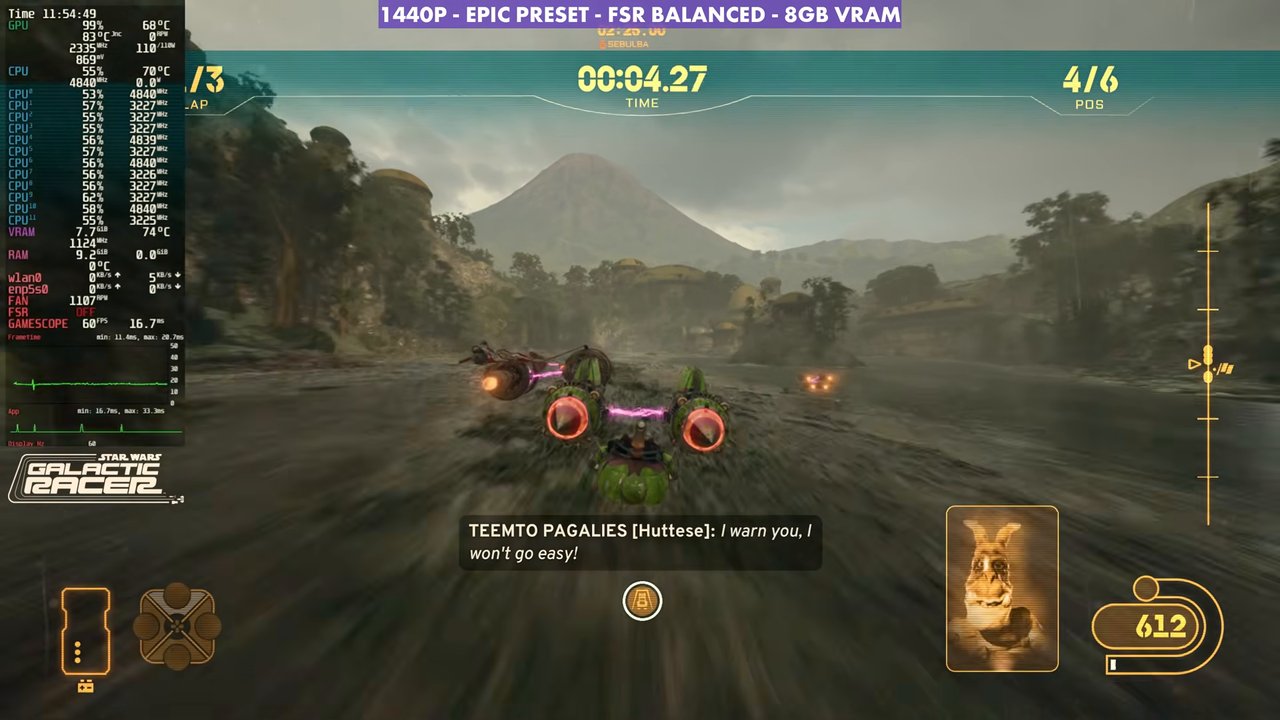
- At 1440p with a custom high/medium mix and FSR Balanced: 60 to 85 FPS in campaign, arcade and multiplayer.
- The Epic preset with the same upscaling still holds about 50 to 65 FPS.
- I skip frame gen here: too much input latency and stutter for a fast racer.
After struggling so much with Gears of War: E-Day, it's really nice to have something running this well on the Steam Machine. I have about 5 or 6 hours in Star Wars: Galactic Racer, and I'm having a blast. It's a great arcade racer wrapped in the Star Wars universe, and it's verified on the Steam Machine now. I don't believe it was at launch; I think Steam Deck and Steam Machine compatibility came a few hours after.
What I tested
- Fullscreen 16:9, 2560x1440
- Motion blur and camera shake off
- Upscaling: FSR Balanced (Performance or Quality also work if you want to adjust frame rate without touching settings)
- Played on a 120Hz LG OLED TV
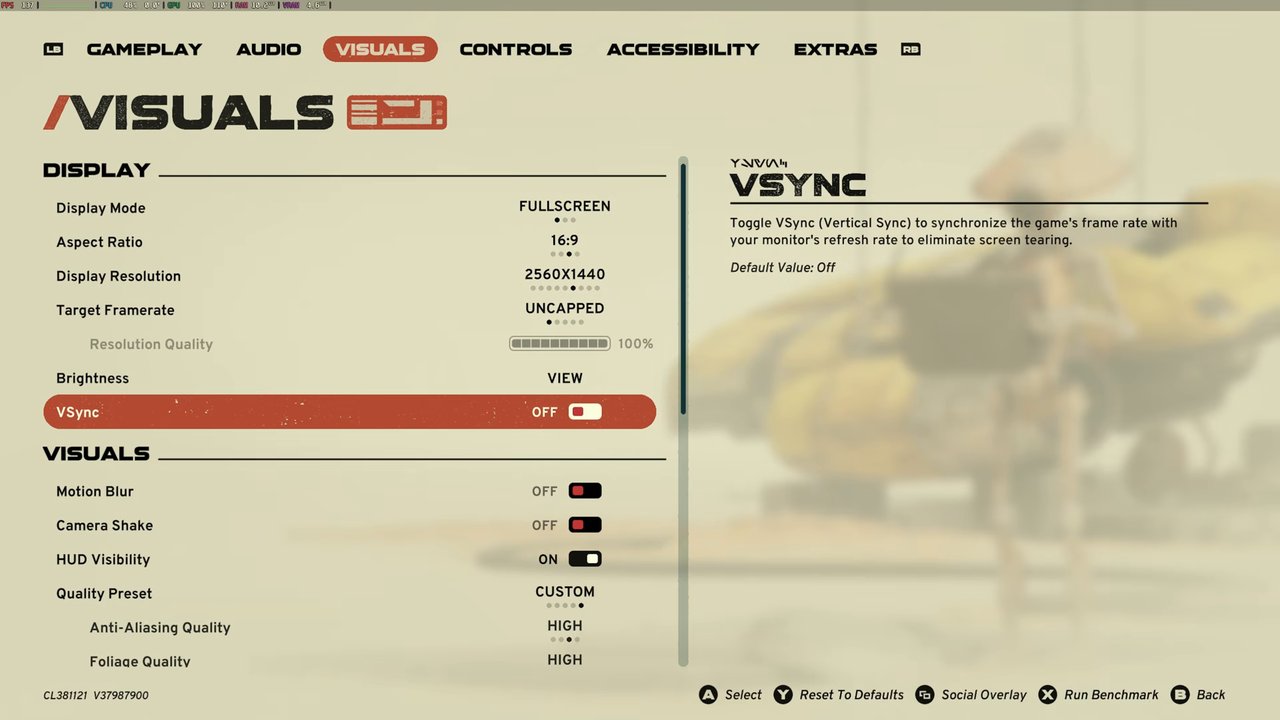
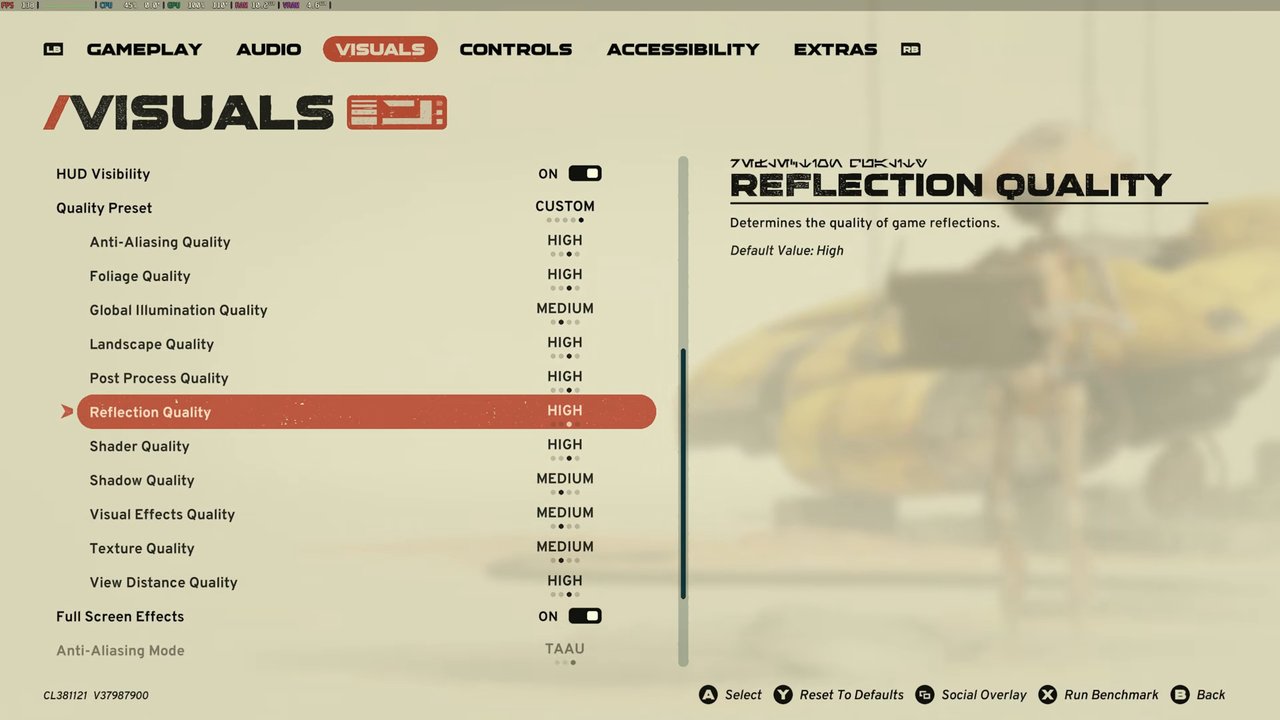
Custom settings
- Foliage and anti-aliasing: High
- Global illumination: Medium
- Everything else down to shadow quality: High
- Shadow quality, visual effects and textures: Medium
That's a good in-between point: not maxed out, but not lowering settings to where the visuals take a hit. Everything looks just fine. You could also do 4K with more aggressive upscaling and target around 60 FPS, or drop to 1080p native.
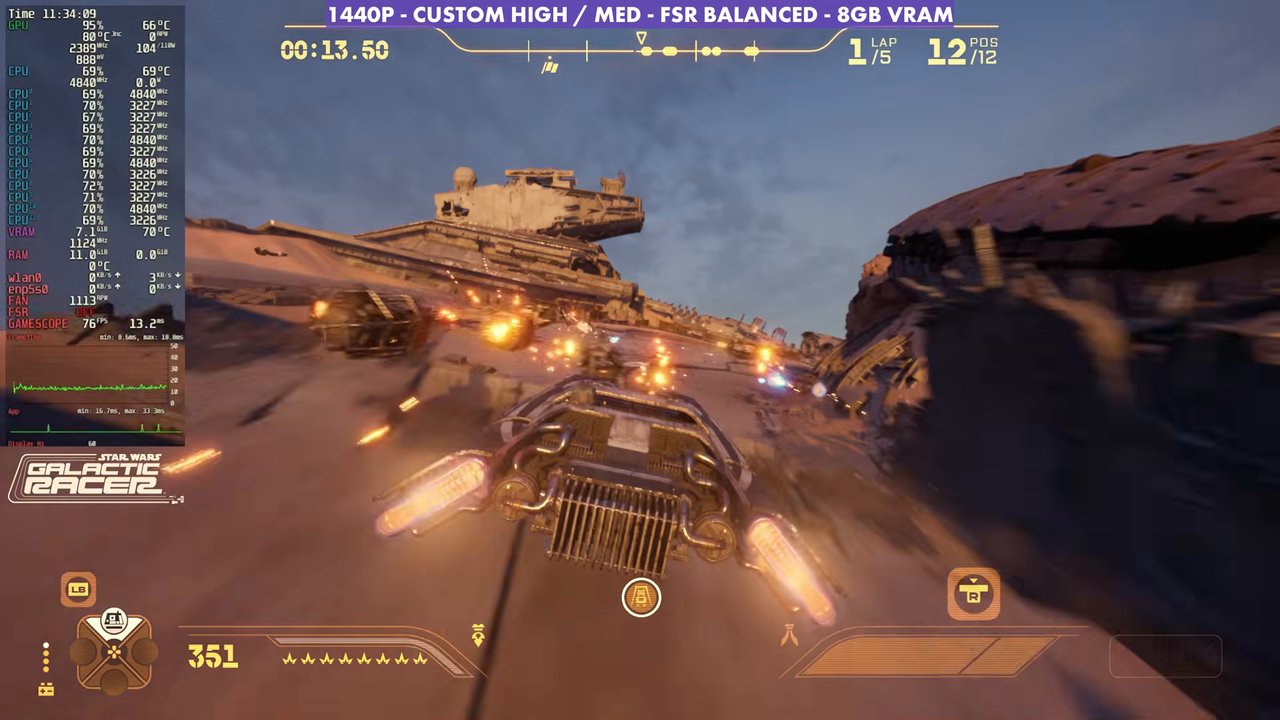
Performance
In all the races I checked, from campaign to arcade to multiplayer, this ran anywhere from 60 to 85 FPS. That's the overhead I want on a 120Hz TV, so being over 60 is a pretty nice sweet spot. Lower the settings and you can get 90 to 100 FPS or more. I blew up the overlay on the left side because it's so small on the Steam Machine, so the picture might look a little odd there.
If you just want to max it out, leaving FSR Balanced and switching to the Epic preset still runs extremely well considering it's upscaling to 1440p. You can pretty much stay at 50 to 60, or 50 to 65 FPS, depending on where you're at. I just didn't want to go below 60 to 65 on my TV setup.
Frame generation is something I really want to stay away from in this game. There's too much input latency for me, and it feels a little laggy and stuttery compared to having it off, especially in a racer this fast.
Verdict
Unlike Gears of War: E-Day, which is so CPU heavy and needs more optimization, Star Wars: Galactic Racer runs really well on the Steam Machine. For a fast-paced arcade racer you want it smooth, and that's basically what you get. The custom high/medium setup at 1440p was a sweet spot for my TV, and there's room to go up or down in resolution or settings depending on the frame rate you want.
Want more handheld tests?
New Steam Deck, ROG Ally, Legion Go and Steam Machine performance videos every week.