 ▶Watch on YouTube
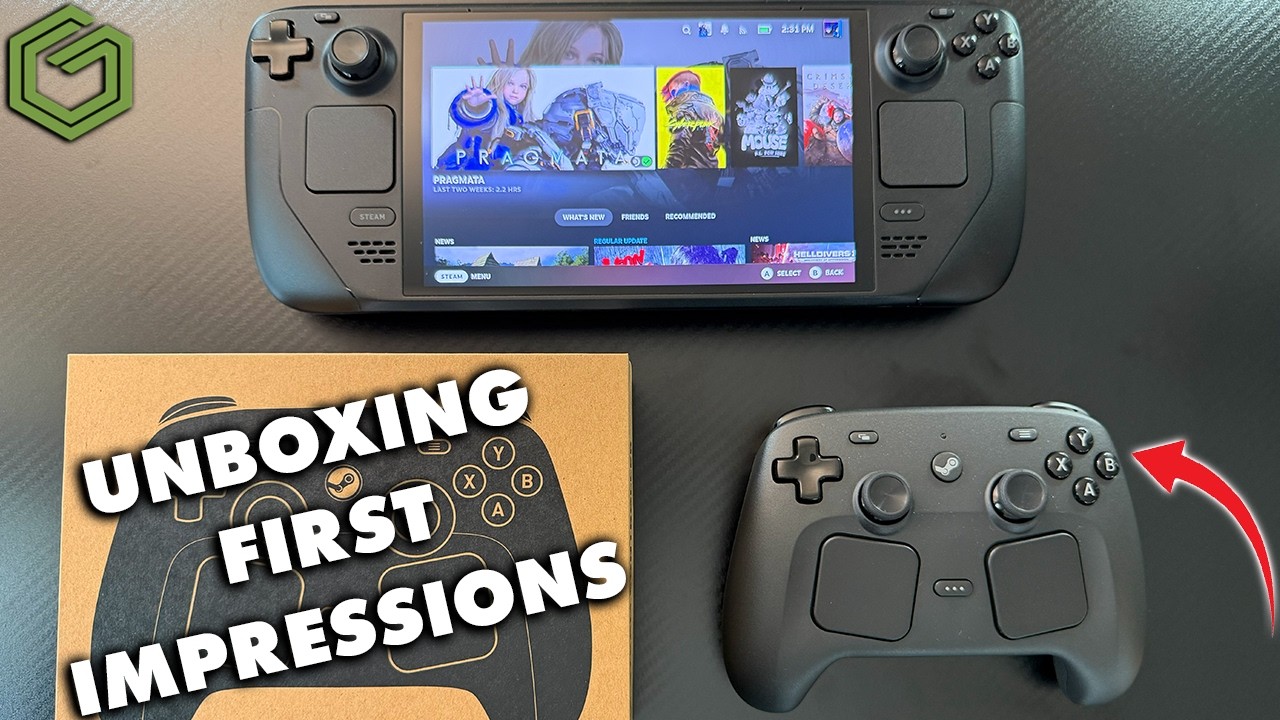
I got my order in for Valve's new Steam Controller on Monday, May 4th, about 13 minutes after it went live, even with all the crashing going on. It showed up Saturday, May 9th, and I'd had it for about five or six hours when I recorded. This is an initial unboxing and first impressions, not a full review or a deep dive.
Quick note: I ordered this controller myself, and nobody sent it to me.
- In the box: the controller, the magnetic charging puck, a USB to USB-C cable and the instruction manual.
- Much more comfortable than I expected. It's like holding the Steam Deck's controls without the Steam Deck.
- Works great on the Steam Deck and in Steam Big Picture mode on Windows. On its own in Windows, it shows up as a mouse and keyboard.
- I wasn't sold on it at first, but after a few hours I'm glad I got one, mostly for the Steam Machine.
What's in the box
The packaging from Valve is fairly simple. Inside:
- The Steam Controller
- The puck, which is the charger and also the wireless receiver for your PC, Steam Deck or whatever you're connecting to
- A regular USB to USB-C cable, under some simple instructions
- The instruction manual, with notes on the controller, maintenance and battery
The puck
The puck's magnet connects a lot stronger than I anticipated. It's really snug, it won't fall off easily while you're plugged in and gaming, and you can slide the controller across your desk and it snaps right on. Once it's on, it's connected to your PC or Steam Deck and charging. When it's not on the puck, the puck works as the controller's wireless receiver. You can also charge and connect over USB-C, and you'll need USB-C for the firmware update.
Layout and feel
It's Valve, so it looks like the Steam Deck: R4, R5, L4 and L5 back buttons, the standard triggers, shoulder and face buttons, and the touchpads on the front. Those touchpads are going to be really useful, especially on the Steam Machine for getting around the desktop, and there's a lot of customizing to do.
When it was announced, I didn't think it would be the most comfortable controller. In the hand, it's actually really comfortable to hold and use. It's all plastic with a little bit of matte and not much grip, about what you're used to on the Steam Deck itself. The thumbsticks are far enough apart that you won't hit your thumbs together unless you're really sliding off, which is nice since I have that issue on some controllers. I usually prefer offset Xbox-style sticks over side-by-side, but I didn't have any problem using this one.
Setup and firmware on the Steam Deck
- Make sure your Steam Deck is fully up to date on whatever channel you're on.
- I connected the puck first. The Steam Deck recognized it quickly and popped up a firmware update. I believe that update is needed for some of the Bluetooth connectivity, and it may fix other puck issues, but I'm not certain.
- For the controller's update, I had to unplug the puck and plug into the USB-C port on the controller. Once it finished, it told me I could plug the puck back in.
- It only took a minute or so. After that, turning the controller on connected it right to the puck. It does turn itself off pretty quickly.
Using it on the Steam Deck and SteamOS
What I really like is how it mimics the Steam Deck controls. It feels very native to SteamOS. Whether you're on the Steam Deck, other SteamOS devices or the upcoming Steam Machine, this is the native Valve controller experience. It's responsive and comfortable, and you get full customization of the trackpads, back buttons and everything else, because it's Steam.
Using it on Windows
On Windows by itself, it still doesn't work very well, including in Xbox mode. Connected over Bluetooth, even after another firmware update from Windows, it always showed up as a mouse and keyboard and never as a proper input for games. I could navigate and do a few things, and use Steam to get around or add non-Steam games.
In Steam, and especially Big Picture mode, it works just like on the Steam Deck: the same functionality, customization, templates and games all working properly. Make sure Steam is fully updated. There are probably other workarounds I haven't tried, but if you're not on SteamOS, Steam Big Picture mode works the best.
First impressions
I wasn't completely sold on this controller at first, and if it weren't for the Steam Machine on the way, I probably wouldn't have been as interested. After my first five or six hours, though, I'm glad I grabbed one. I'll probably use it a good bit on the Steam Deck when capturing footage, since it mimics the Deck's controls so easily. Mostly, I'm looking forward to having it ready for the Steam Machine. Hopefully that's sold as a standalone console so I can grab one, and this will be the perfect controller for it. I'll get more into the controller once the Steam Machine is out and I'm using it more.