 ▶Watch on YouTube
- Runs pretty rough on the Steam Deck once you get past the opening area.
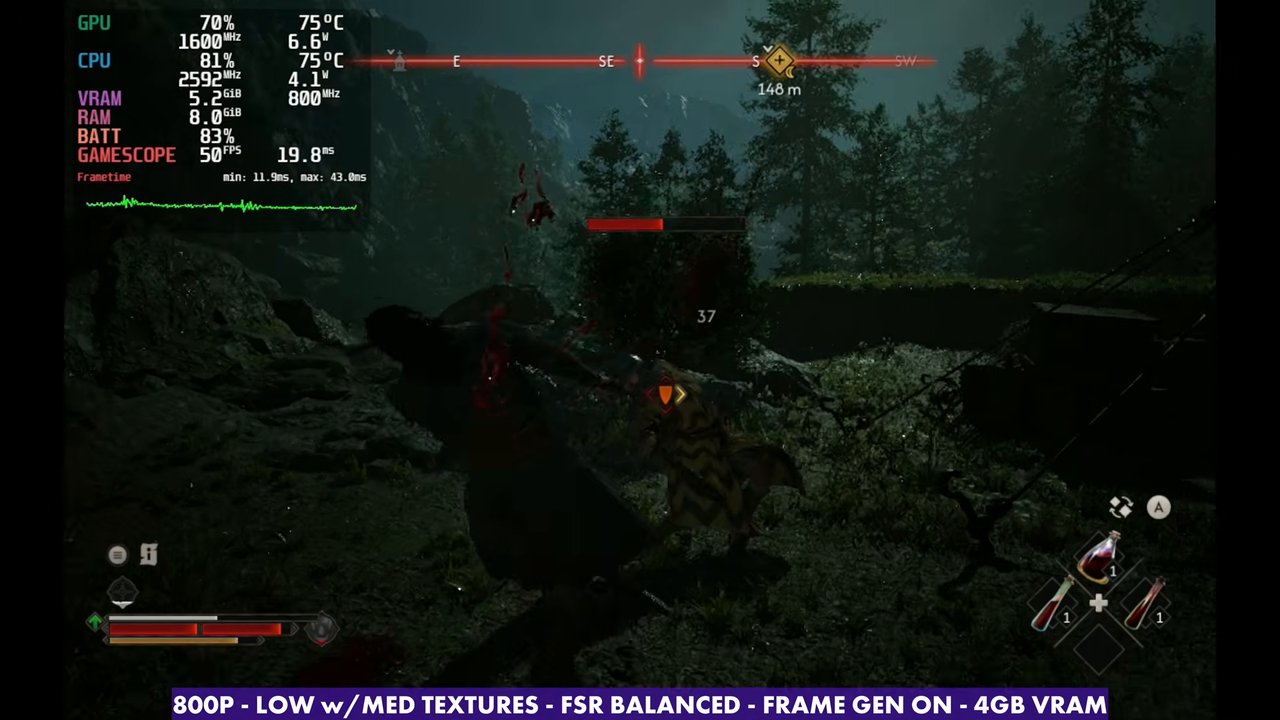
- At 800p, everything Low except medium textures, FSR Balanced: about 25 to 35 FPS in the open world, and the teens and 20s in loading areas.
- Frame gen takes it to about 35 to 55, with more latency and some crashes for me.
- Labelled unsupported on Steam Deck. Playable if you really want to, but not ideal.
The Blood of Dawnwalker runs pretty rough on the Steam Deck OLED. There's a first area at the beginning where performance almost looks promising, but that doesn't last. As soon as you get into other areas of the game, whether it's still the beginning or the open world, it pretty much falls apart. I'm sure patches and updates will help on a lot of hardware, not just the Deck. The game is labelled unsupported on Steam Deck, but those labels aren't always accurate, so I always like to check for myself.
What I tested
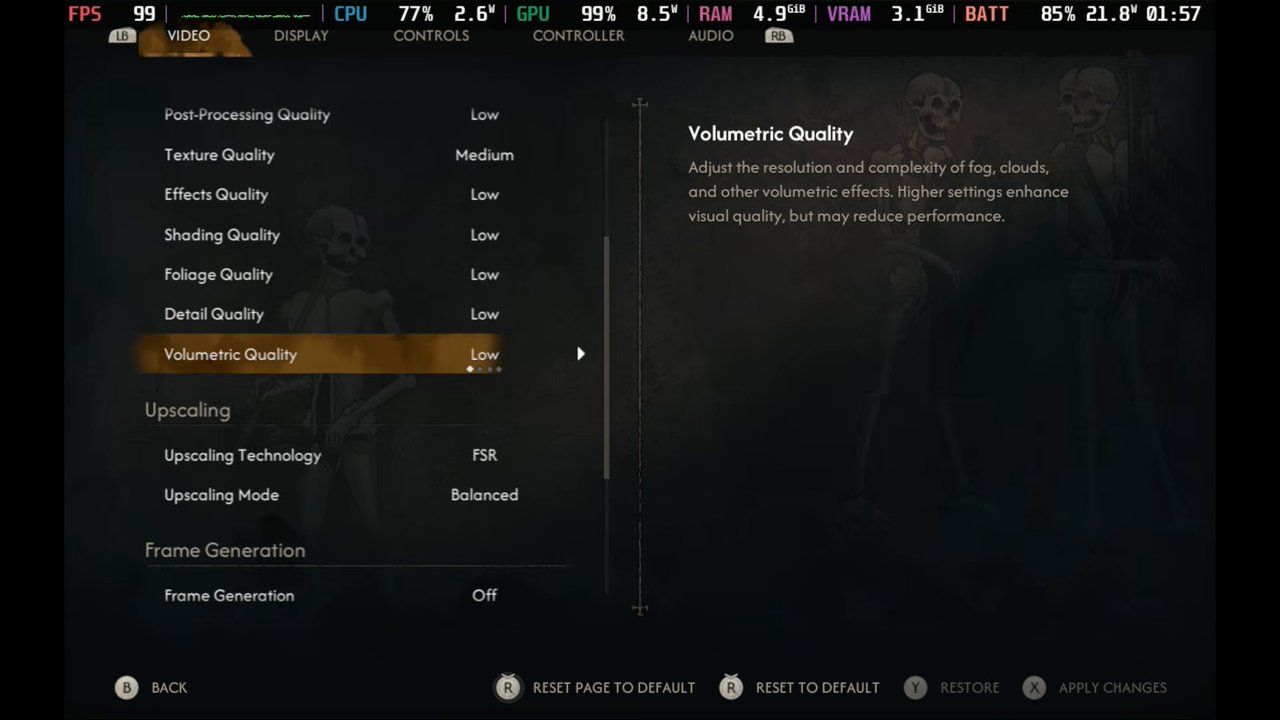
- 800p fullscreen, V-Sync off
- Everything on Low except textures on Medium (you can drop them to Low)
- Upscaling: FSR Balanced (Quality, Performance and XeSS are there too)
- Frame gen off and on
- 4GB VRAM
You might need borderless for frame gen and XeSS. I can't quite remember, so check that if you try it.
Performance
I've played the first two and a half to three hours. In loading areas it's in the teens and 20s. In more stable areas, especially out in the open world, it's anywhere from about 25 to 35 FPS. Switching FSR to Performance only gains a couple of FPS, depending on where you are. I prefer leaving FSR on Balanced and switching frame gen on and off.
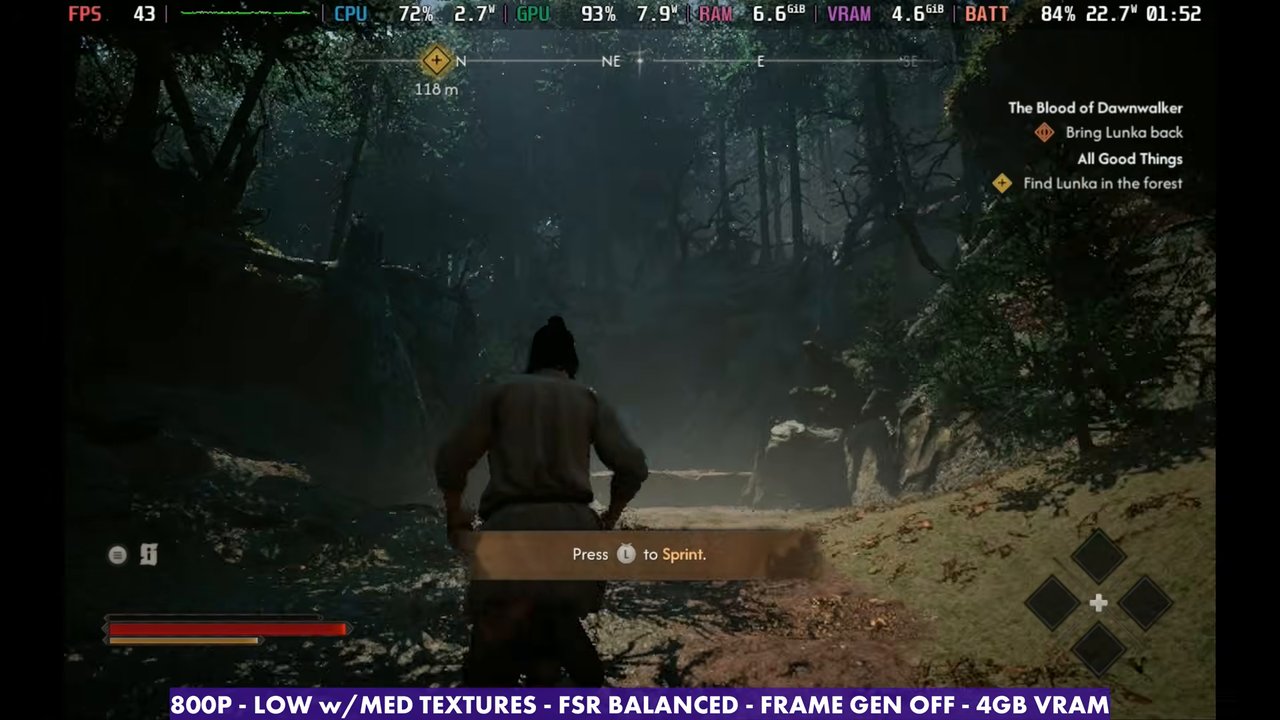
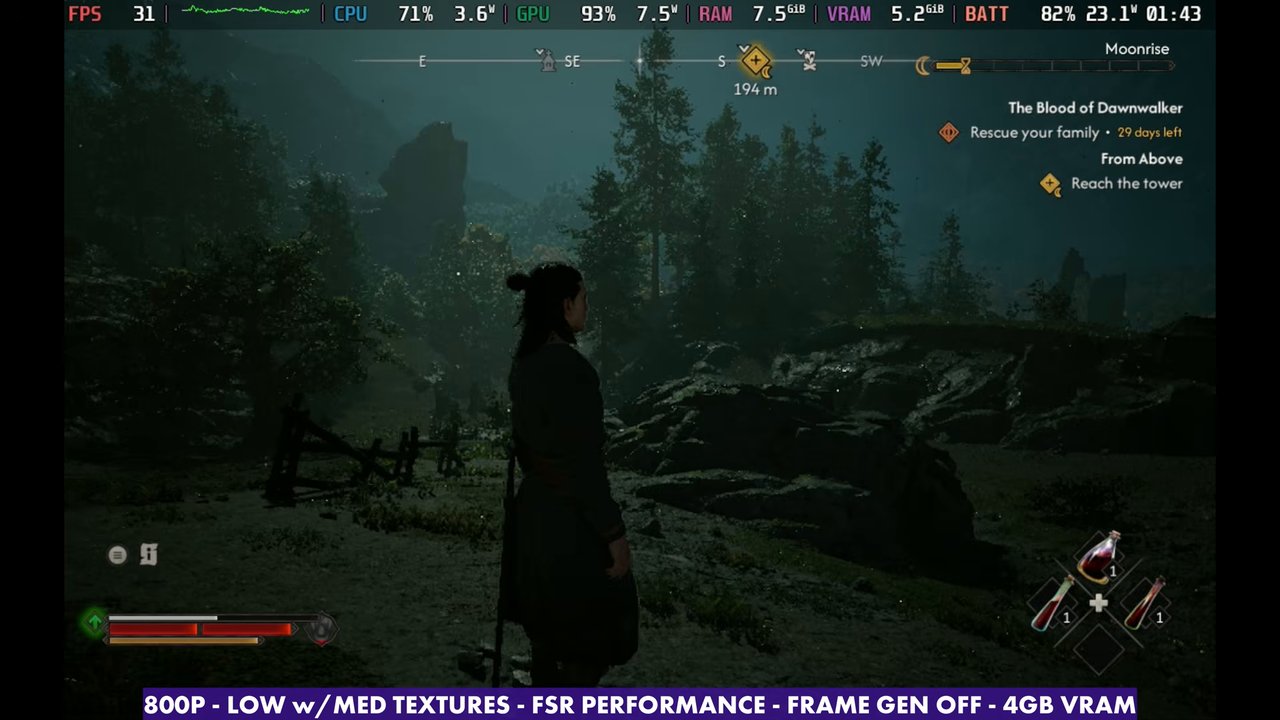
Combat mostly holds up at 30 FPS or a little higher. It doesn't look great and the FPS is all over the place, but I was able to dodge, parry and fight with everything I'd learned so far.
Frame generation
With frame gen on, it's a good bit higher, about 35 to 55 FPS depending on what you're doing. A manual GPU clock helps it run right, and you get quite a boost when you push the clocks yourself, which is common in games like this. If the CPU gets hit too hard, you can drop the clock a bit lower to balance it out (around 1,400 to 1,500 MHz). In combat there's more latency and I had to adapt, but it didn't feel that bad. The base frame rate is just so low that frame gen only gains you so much.
Sometimes when I enable frame gen, with XeSS or FSR, fullscreen or borderless, the game crashes. I tried different Proton versions: the newest GE-Proton has done the best for me, and Experimental has been fine as well. Maybe nobody else has this issue, but you might have to play around with it.
Verdict
You can get away with playing The Blood of Dawnwalker on the Steam Deck OLED, either with or without frame gen, but it's definitely not what you'd want ideally. Expect the 20s and low 30s once you leave the opening area, until patches improve things.
Want more handheld tests?
New Steam Deck, ROG Ally, Legion Go and Steam Machine performance videos every week.