 ▶Watch on YouTube
- The game needs optimization and patches, but it's playable on the ROG Xbox Ally X (Z2 Extreme).
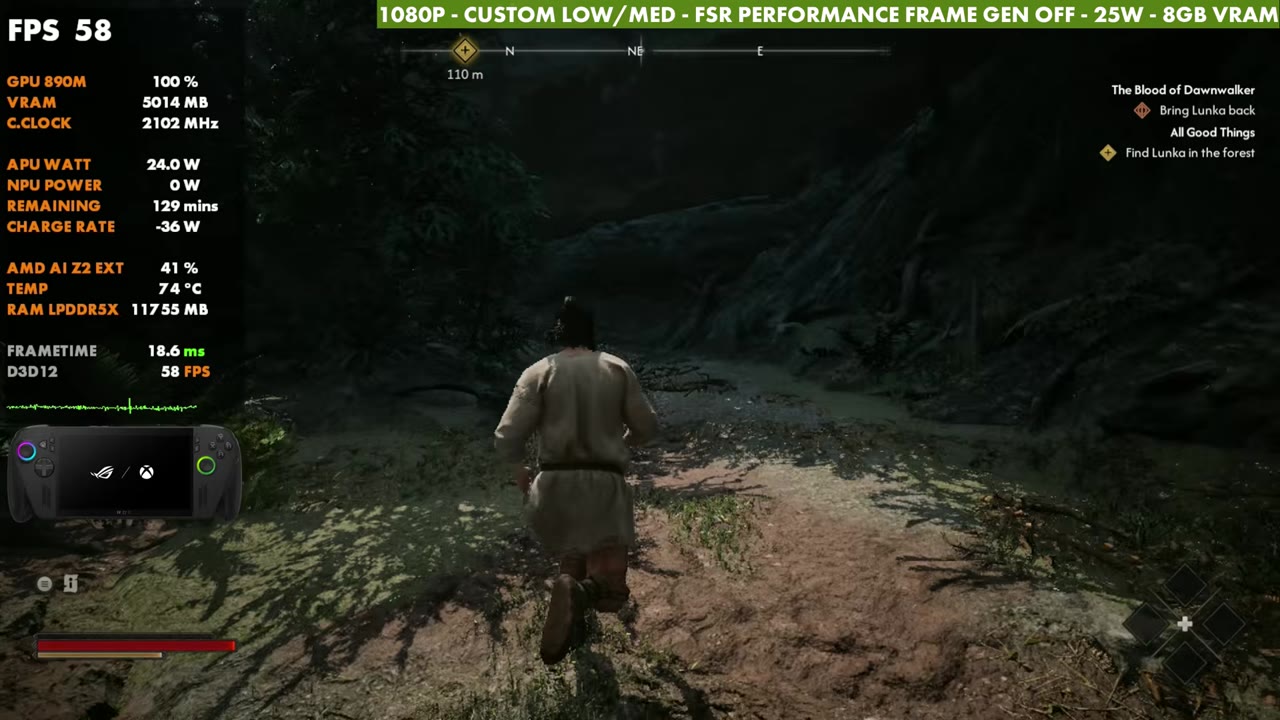
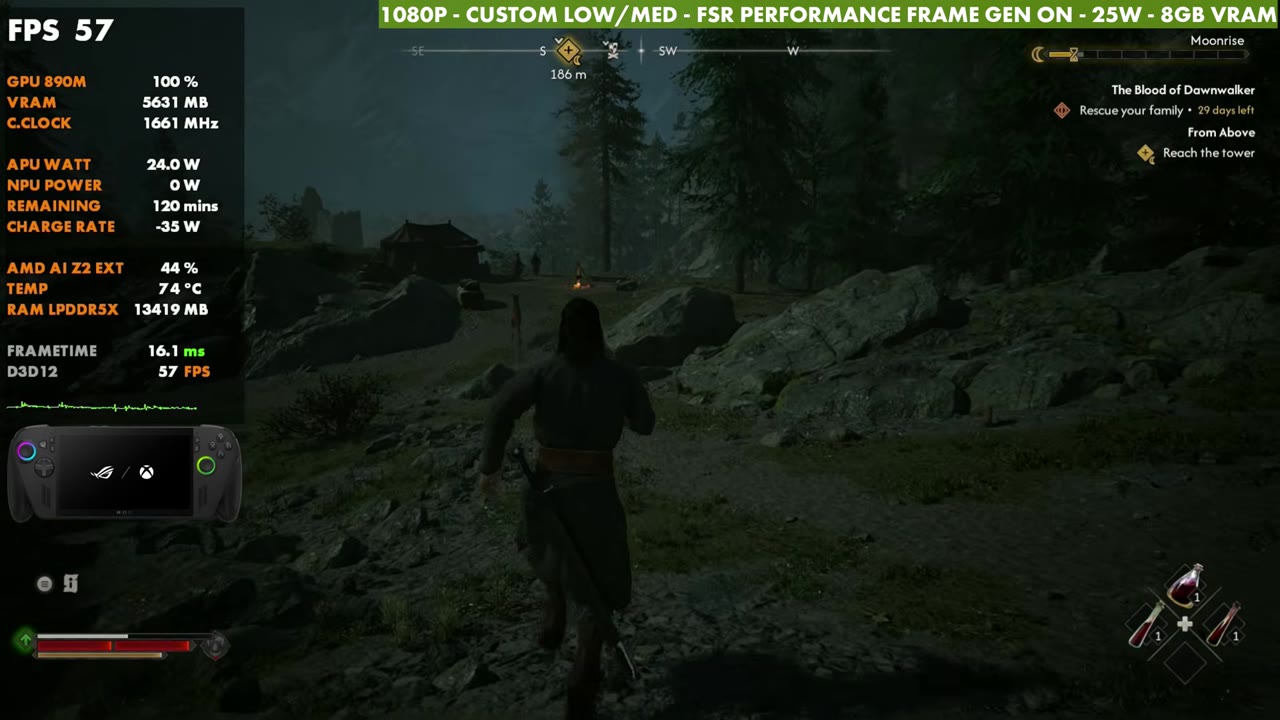
- Custom low/medium settings, 1080p FSR Performance, 25W: in the 50s in the opening area, about 30 to 50 FPS in the open world.
- Busy NPC areas can dip into the 20s before recovering, though not that often for me.
- Frame gen is implemented pretty well, and combat felt fine with or without it.
The Blood of Dawnwalker needs some optimization and patches. It doesn't run that great on a lot of different hardware, and it can especially suffer on handhelds. It was playable on the Steam Deck, and it's playable on the ROG Xbox Ally X with the Z2 Extreme too. You'll have to tweak the settings to your liking and decide whether to use frame gen. I mostly focused on 1080p with FSR Performance at 25 watts.
What I tested
- 1080p fullscreen, V-Sync off, no frame rate limit
- Also tried 720p at 17W and 25W (900p is available too)
- Upscaling: FSR Performance at 1080p. Balanced or Quality are options if you run 720p or 900p
- Frame gen off and on
- Motion blur and the other effects off, except bloom
- 25W, 8GB VRAM
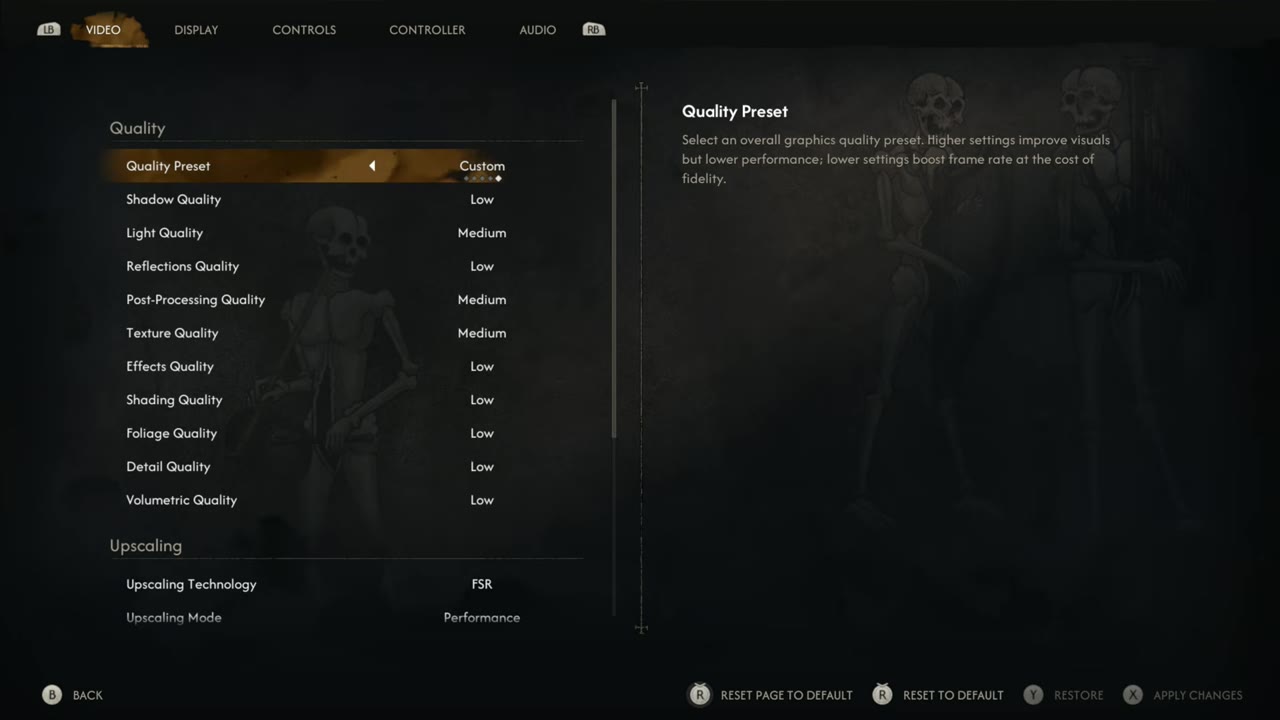
Custom settings
- Shadow quality: Low
- Light quality: Medium
- Reflections: Low
- Post-processing: Medium
- Textures: Medium
- Everything else: Low
Adjust these however you want, but I wouldn't start going above medium. It's a pretty tough game to run.
Performance at 1080p, 25W
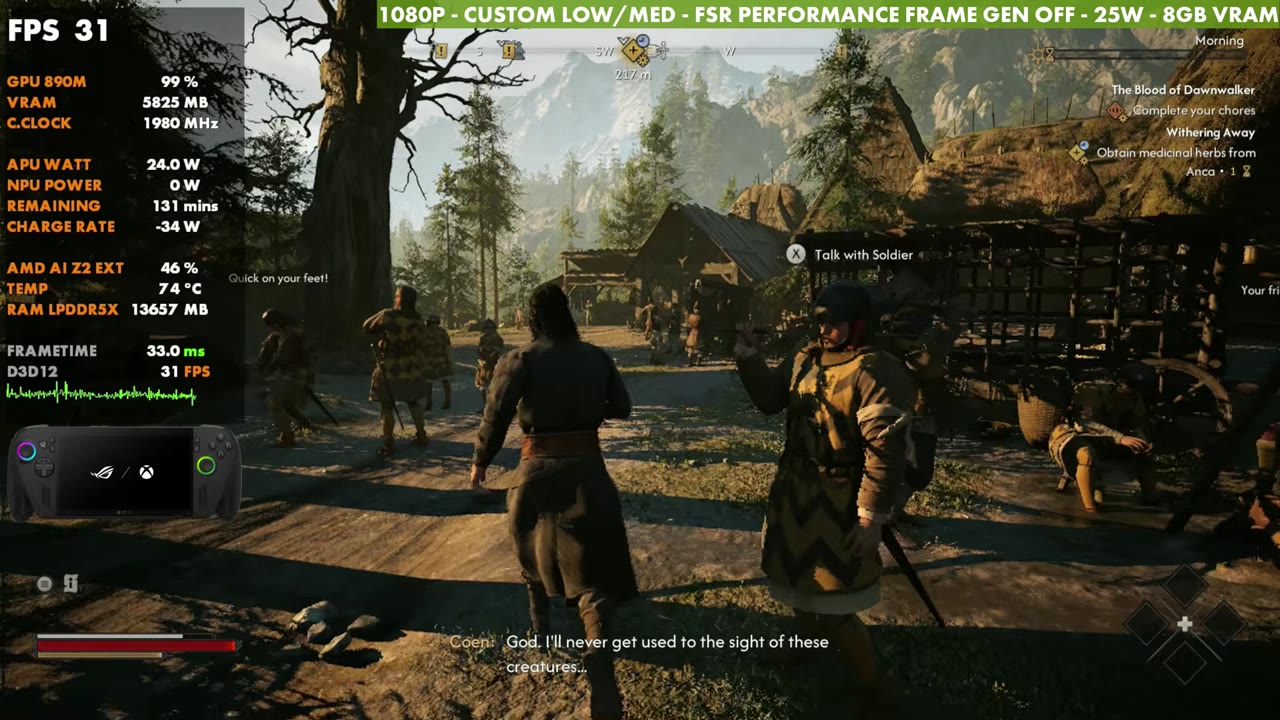
The beginning of the game is pretty easy to run. It's in the 50s most of the time, and it seems like it'll run really well. That's tricky, because once you get past that part and into the open world, you're usually around 30 to 50 FPS, depending on where you are. In some busier NPC areas, with things loading in, I've seen it dip into the 20s and then recover. That hasn't happened often once I got past the beginning, but I'm only about three or four hours in, so that could change as other areas open up.
720p at 17W and 25W
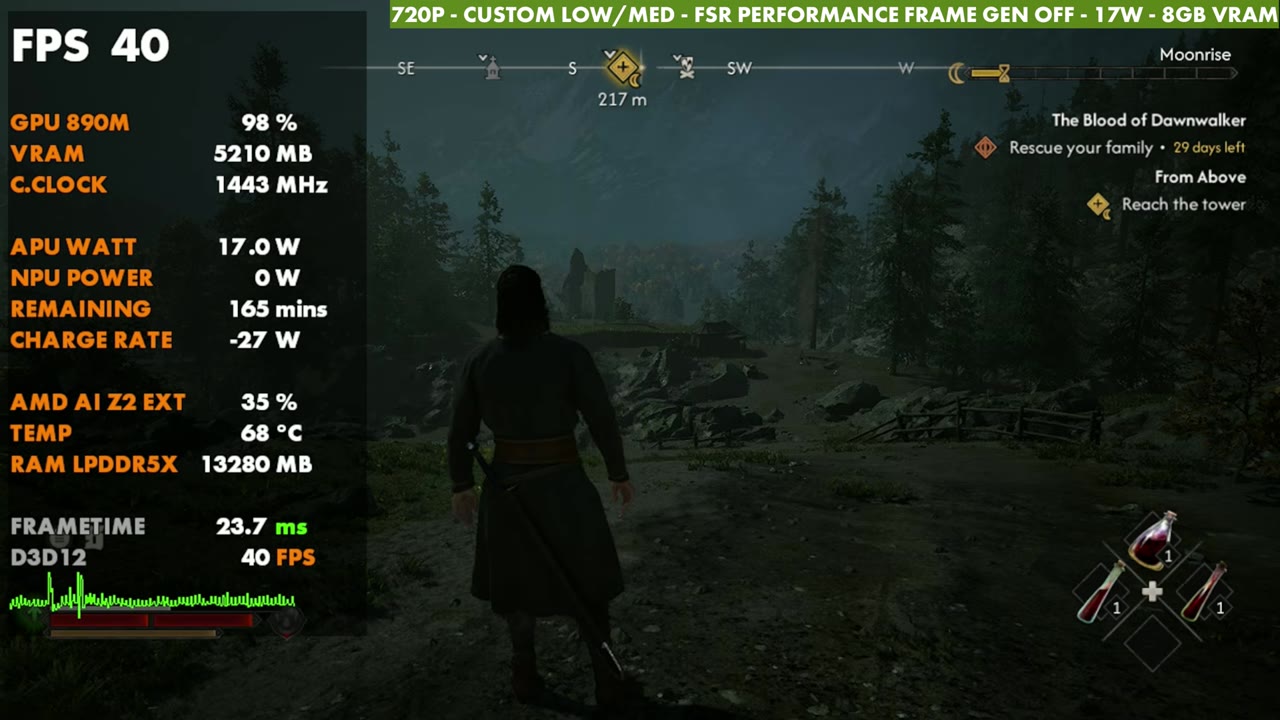
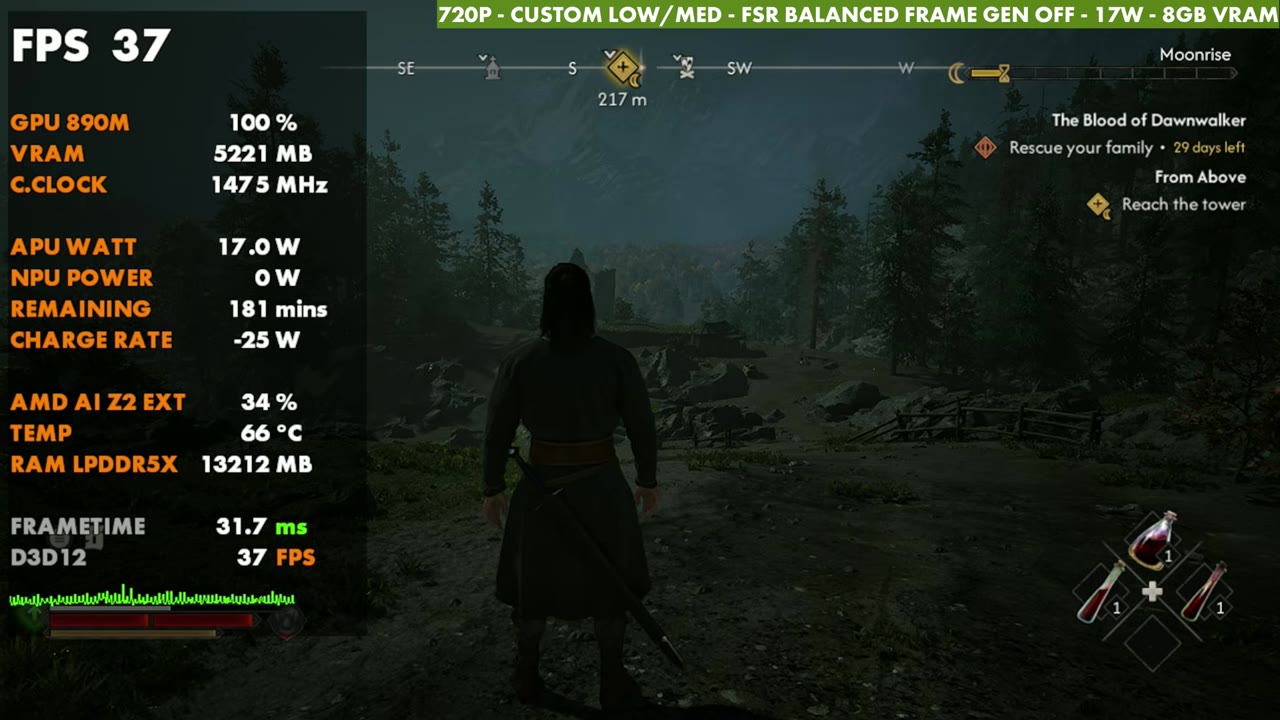
To give you an idea of the lower settings, in the same open-world spot:
- 720p, FSR Performance, 17W: only about 40 FPS, and it will dip
- 720p, FSR Balanced, 17W: about 37 FPS
- 720p, FSR Performance, 25W: about 45 FPS
- 1080p, FSR Performance, 25W: in the 30s here, though a lot of areas get into the 40s or higher
900p falls in between 720p and 1080p.
Combat and frame gen
I've put a couple of hours into combat so far. Whether I'm using frame gen or not, and whether it's at 30, 40 or 50 FPS, I've been able to do everything just fine. It may not look its best with that much upscaling or with frame gen on, and there's a little more input latency, but on a seven-inch screen I found it pretty playable. Frame gen is implemented pretty well, even though the game needs work in general, so a lot of you who like frame generation will do just fine with it. If you're playing on harder modes, that extra input latency might affect you more.
Verdict
The Blood of Dawnwalker could definitely use some work, but it's playable on the Xbox Ally X. Depending on what you want, you can run 720p or 900p with FSR Quality or Balanced, with or without frame gen, at 25 watts, or higher if you're docked. If you want 1080p like I ran it, FSR Performance works too, especially with some frame generation.
Want more handheld tests?
New Steam Deck, ROG Ally, Legion Go and Steam Machine performance videos every week.