Quick answer: Valve now shows the average frame rate opted-in Steam Deck players get in thousands of games, plus a histogram of frame rate samples, under Steam Deck Compatibility on each game's store page.
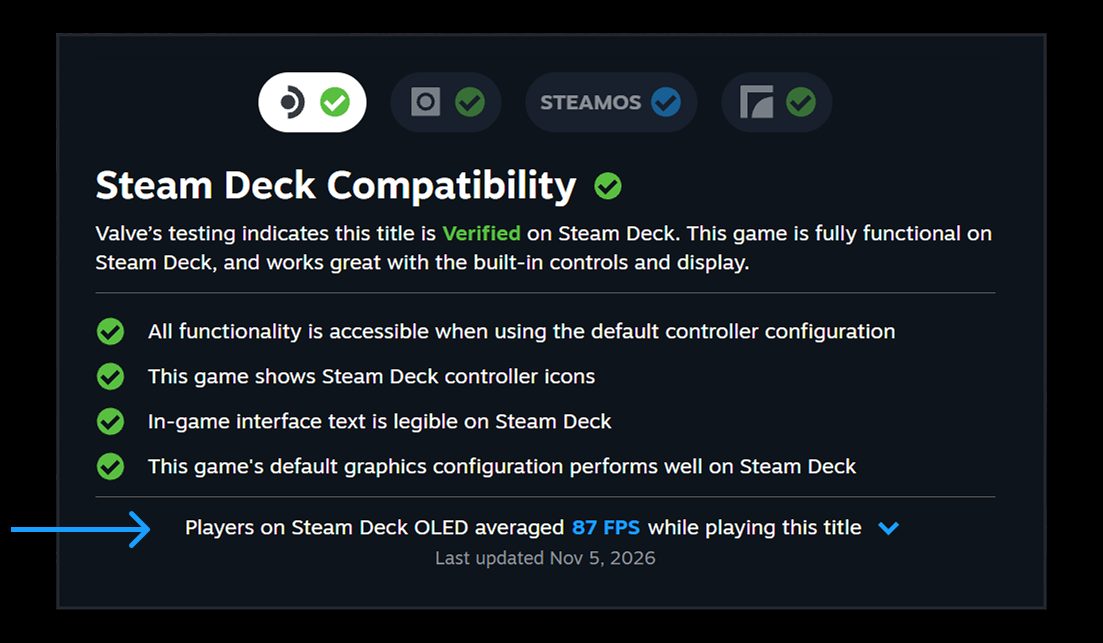
You can now check how well a game actually runs on Steam Deck before you buy it. Valve's latest Steam update adds the average frame rate players get on the Deck to game store pages.
The numbers come from Steam Deck players who opted in to sharing anonymized frame rate data, and Valve says a majority of Deck owners have. It covers games that have been tested for Deck compatibility, so Verified, Playable and Unsupported titles all count. Valve says thousands of games already have data. To see it, open a game's store page and go to Steam Deck Compatibility, then Learn more. The data also shows up in the Steam Library on the Steam Client Beta.
There's also an expandable view with a histogram that breaks down the percentage of samples at each frame rate. Valve says hitches and stuttering show up as small columns at the lower frame rates. When PC Gamer checked Elden Ring, it found an average of 42 fps on the Steam Deck OLED and 38 fps on the LCD model.
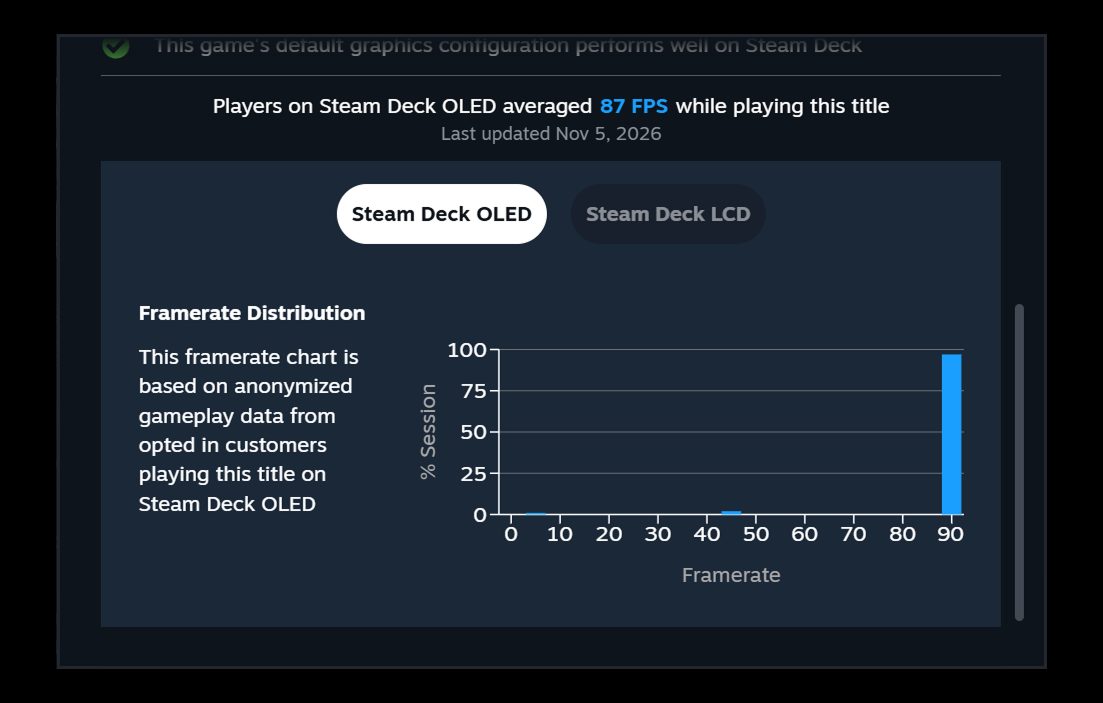
Valve only uses data from Decks set to the default frame limit, which is 90 FPS on the OLED and 60 FPS on the LCD, and it doesn't account for custom in-game settings. A game also needs a minimum number of data points before anything is shown. You can change the opt-in under Steam Account Settings, Data and Browsing, Anonymous Game Framerate Data.
Valve says its Verified rating uses standardized test criteria that may not match every player's bar for performance. It calls the feature a stepping stone toward frame rate data for more devices. The Steam Client Beta is already asking desktop users to opt in, and that prompt will come to everyone later.