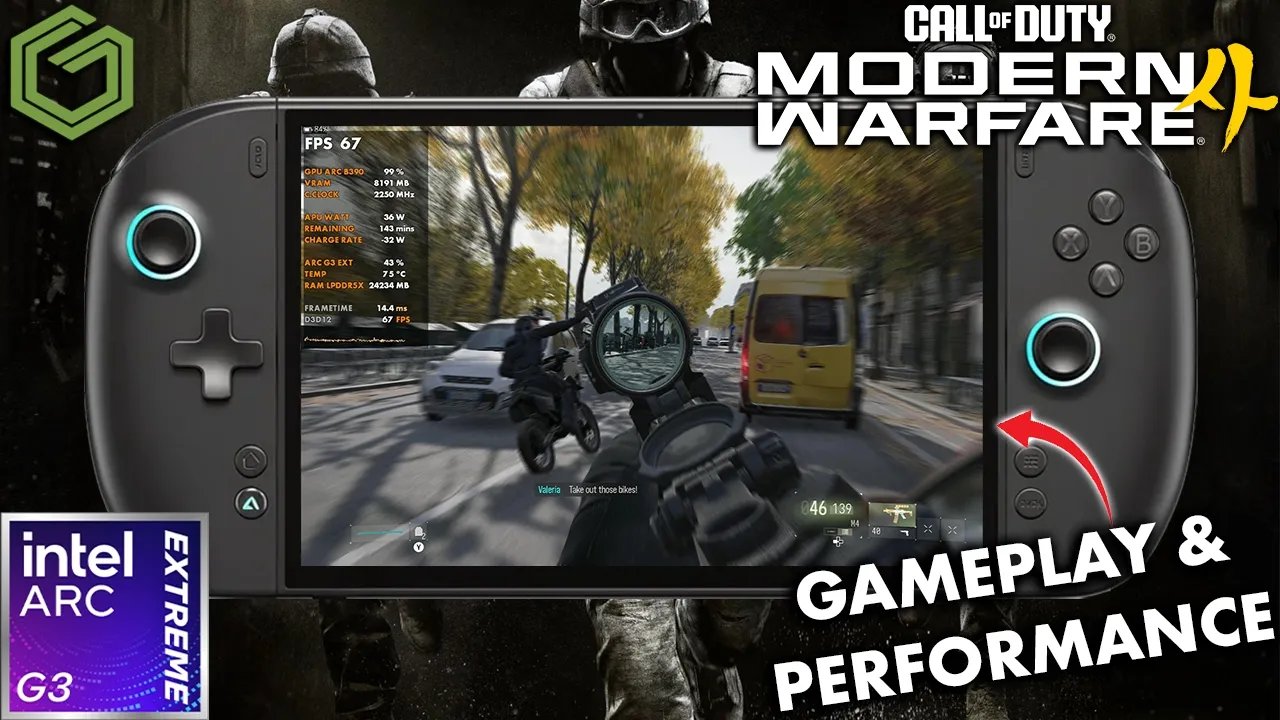
 ▶Watch on YouTube
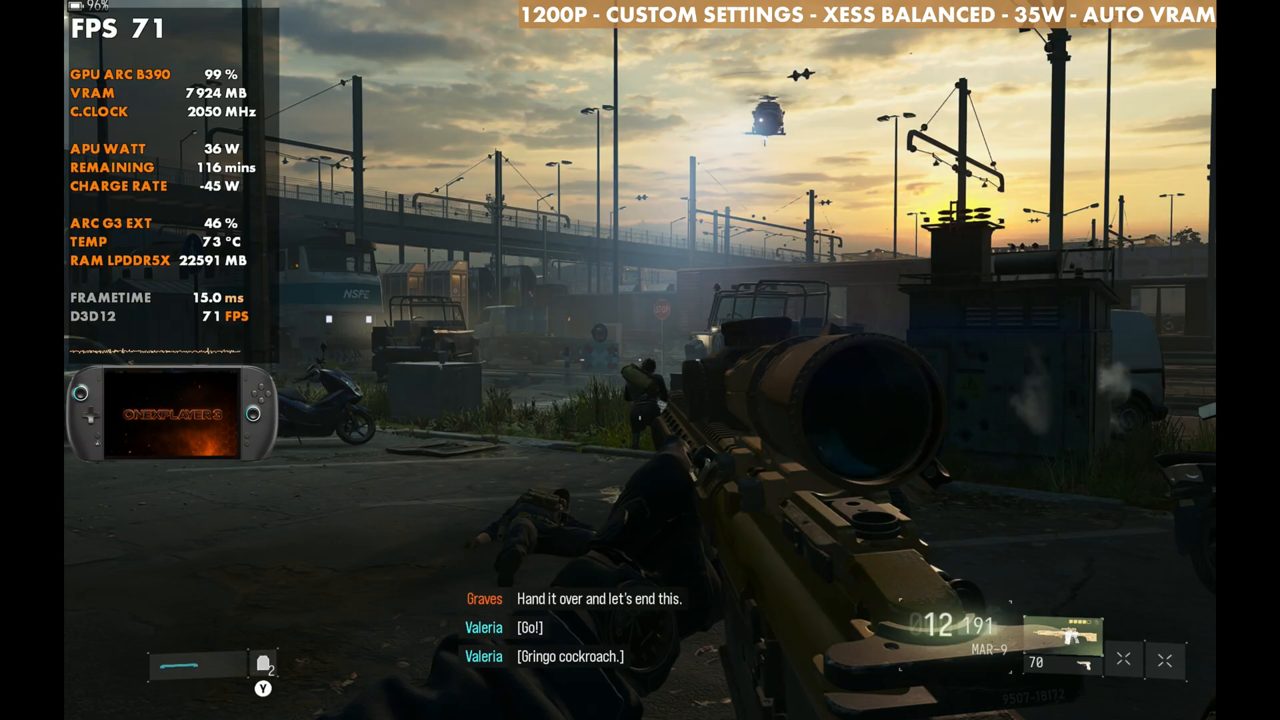
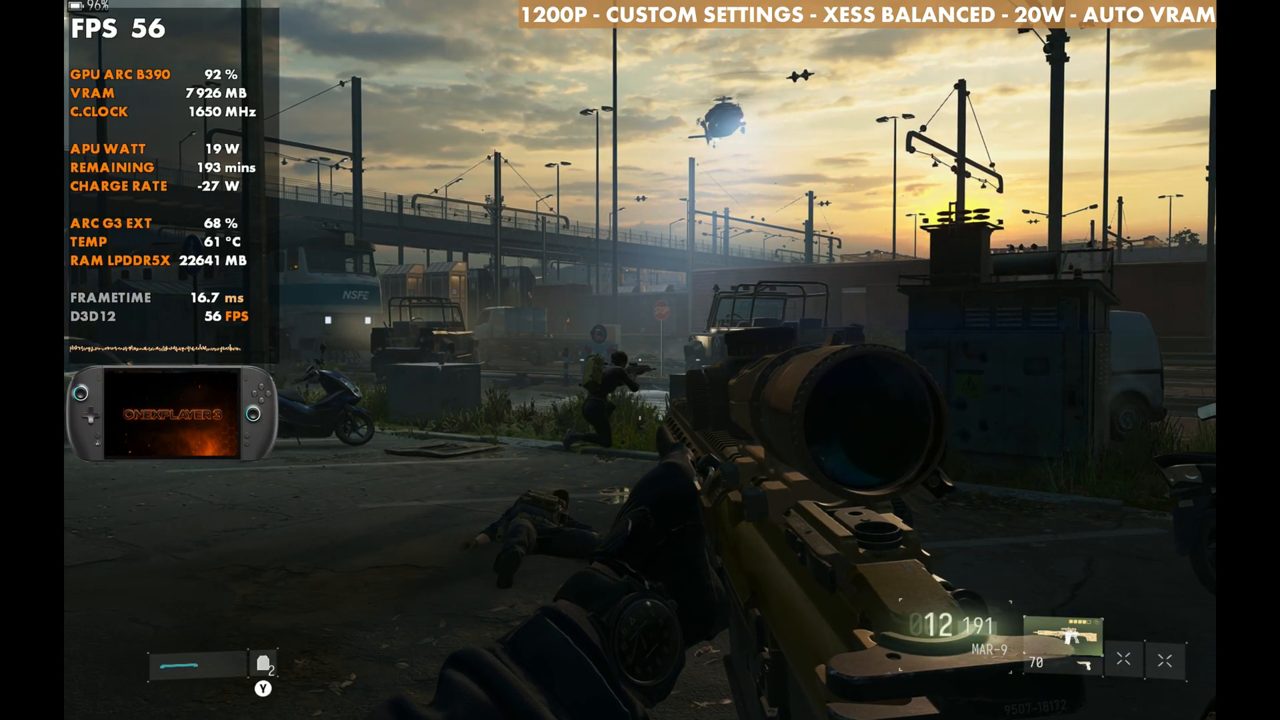
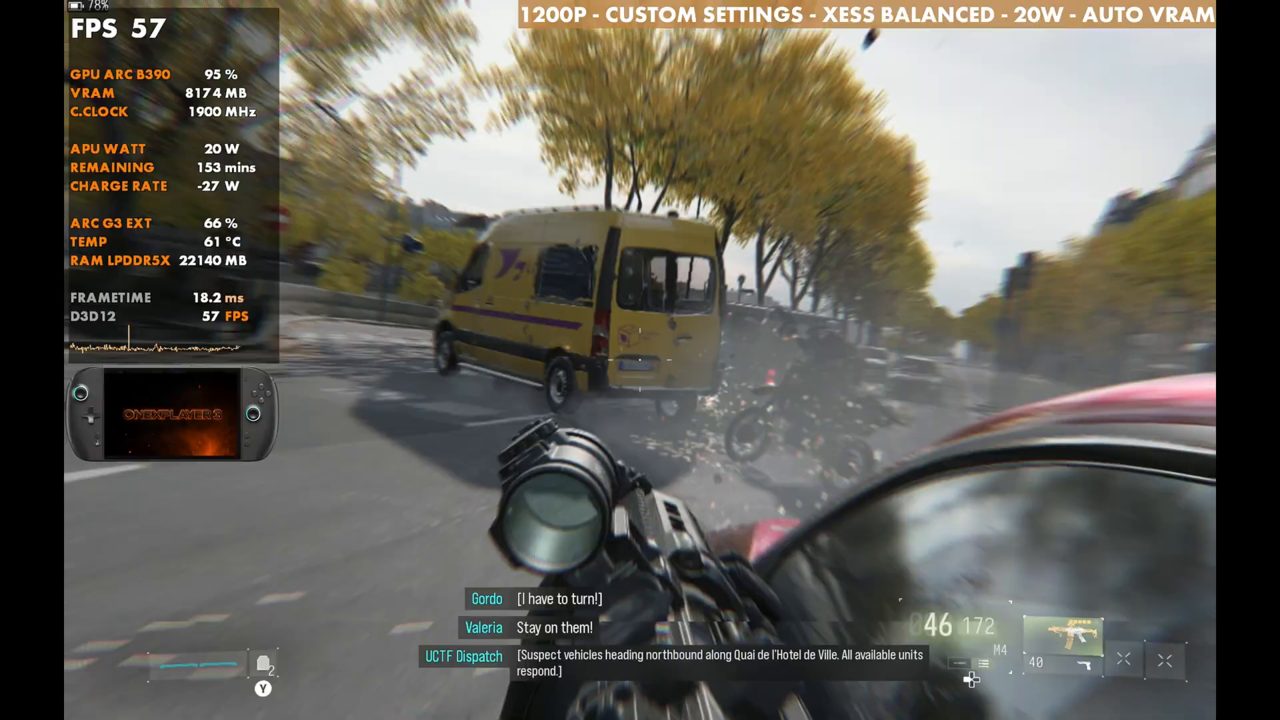
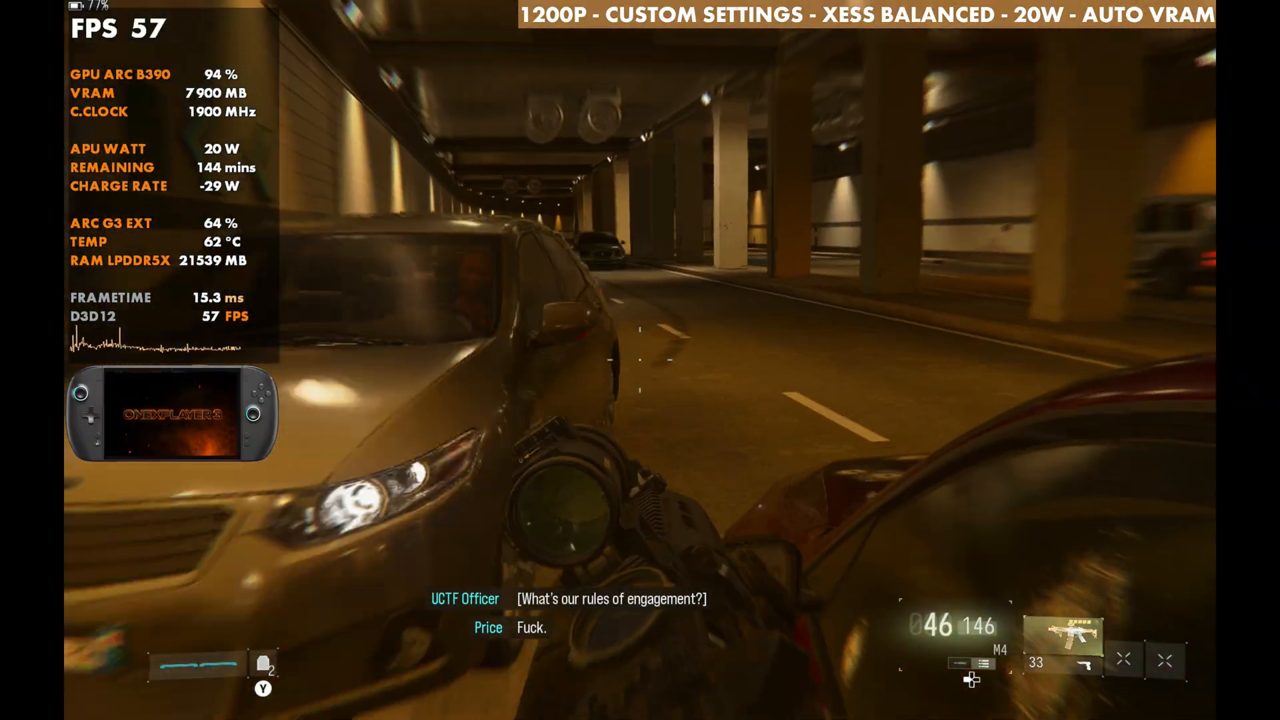
- At 1200p, custom settings, XeSS Balanced, my test spot reads 71 FPS at 35W and 56 at 20W on the overlay, standing still.
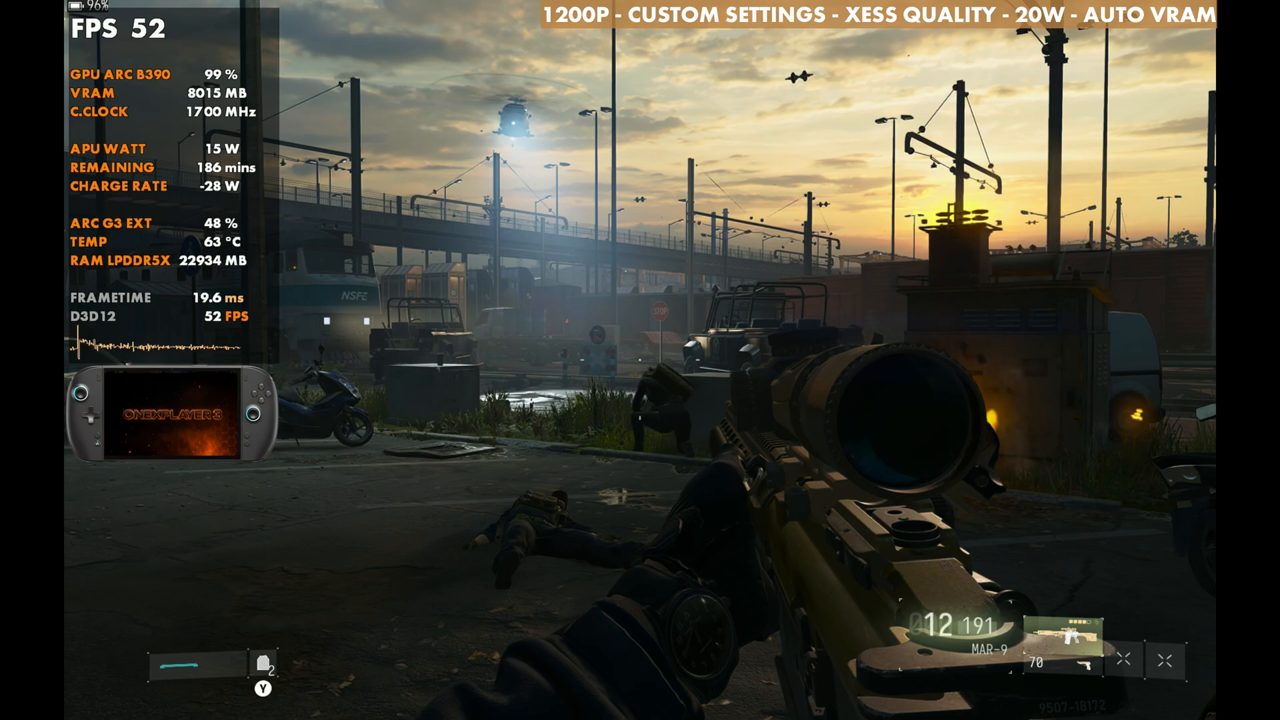
- The game is very playable at 20W. In busy combat at 20W with XeSS Quality, expect the high 30s to low 40s.
- XeSS Performance brings 20W back into the 60s (64 on the overlay) and pushes 35W to about 85 (83 on the overlay).
- No frame gen used, and I didn't see Intel frame gen in this one.
The Intel Arc G3 Extreme in the OneXPlayer 3 keeps impressing me, and it's been great on pretty much every game I've tried on it. Call of Duty: Modern Warfare 4's campaign is no exception: at 1200p with custom settings and XeSS Balanced it runs great at 35W, and it's still very playable at 20W. I've been playing it in the early access period and working through the roughly 6-hour campaign. Multiplayer isn't out yet, so this is campaign only. For the same game on Z2 Extreme, see my Modern Warfare 4 campaign test on the ROG Xbox Ally X.
Test setup
- OneXPlayer 3 with the Intel Arc G3 Extreme, newest Intel driver
- Xbox mode, game launched from the Xbox app (not the Steam version)
- 1200p output, matching the native display (the game says 1600p because of the capture card)
- V-Sync off, no frame gen
- Upscaling: XeSS Balanced for gameplay, with Quality and Performance also tested
- TDP: 35W and 20W
One setting to check: Auto-Activate Low Battery Mode can default to 100, which locks you to 30 FPS when you're not plugged in. I have it set to 10.
Custom graphics settings
These are the custom settings from the Quality tab and Advanced Quality Settings, grouped the way the game's menu groups them. It isn't a best-settings list, just a middle-of-the-road setup to show performance, and you can scale TDP, resolution and settings up or down from here.
| Setting | Value |
|---|---|
| Global quality | |
| Graphic Preset | Custom |
| Frame Generation | Off |
| Ray Tracing | Off |
| Upscaling & anti-aliasing | |
| Resolution Scaling Technique | Intel XeSS |
| Intel XeSS | Balanced (Quality and Performance also tested) |
| Sharpness | 50 |
| Post processing effects | |
| World Motion Blur | Off |
| Weapon Motion Blur | Off |
| World Depth of Field | Cutscenes Only |
| Weapon Depth of Field | Off |
| Film Grain | 0.00 |
| Details & textures | |
| VRAM Scale Target | 70 |
| Texture Resolution | High |
| Texture Filter Anisotropic | Normal |
| Detail Quality | Normal |
| Particle Resolution | Low |
| Bullet Impacts | On |
| Persistent Effects | On |
| Shader Quality | Medium |
| Shading Quality | Low |
| On-Demand Texture Streaming | Optimized |
| Local Texture Streaming Quality | Default |
| In-Game Video Quality | High |
| Shadow & lighting | |
| Shadow Quality | Low |
| Shadow Filtering Quality | Low |
| Screen Space Shadows | Low |
| Occlusion and Screen Space Lighting | Medium |
| Screen Space Reflections | Normal |
| Static Reflection Quality | High |
| Environment | |
| All environment settings | Low |
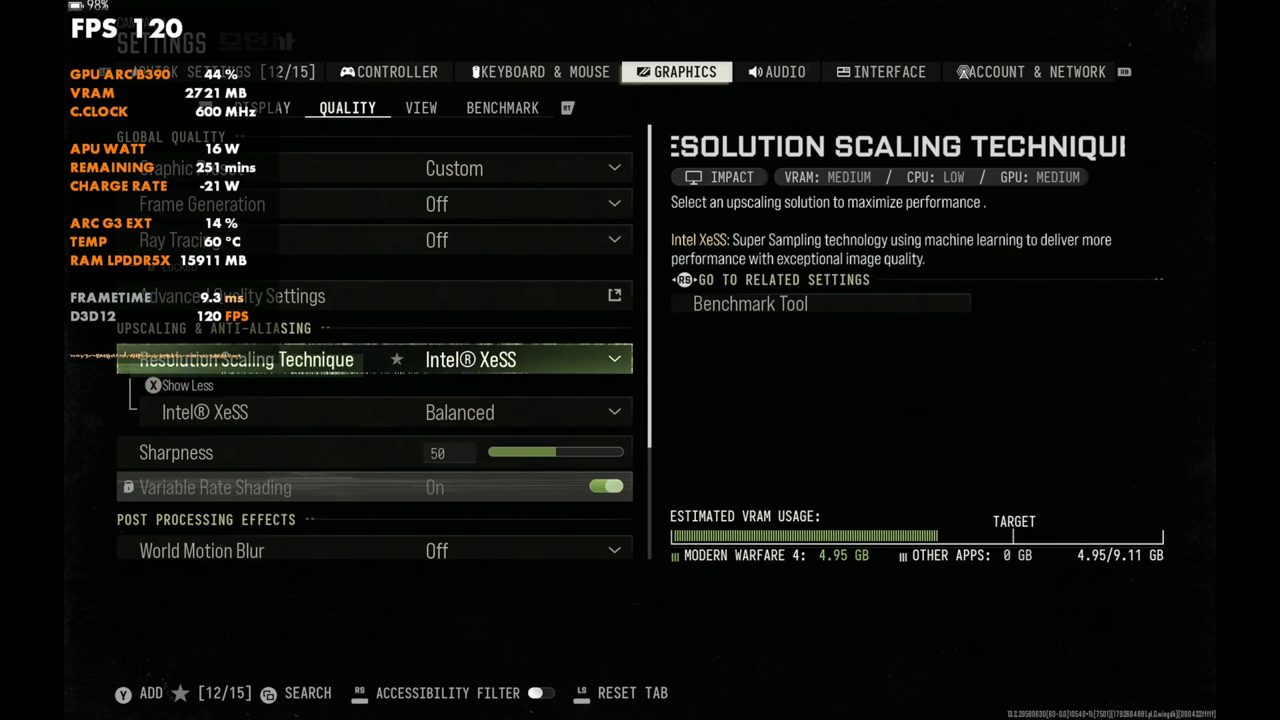
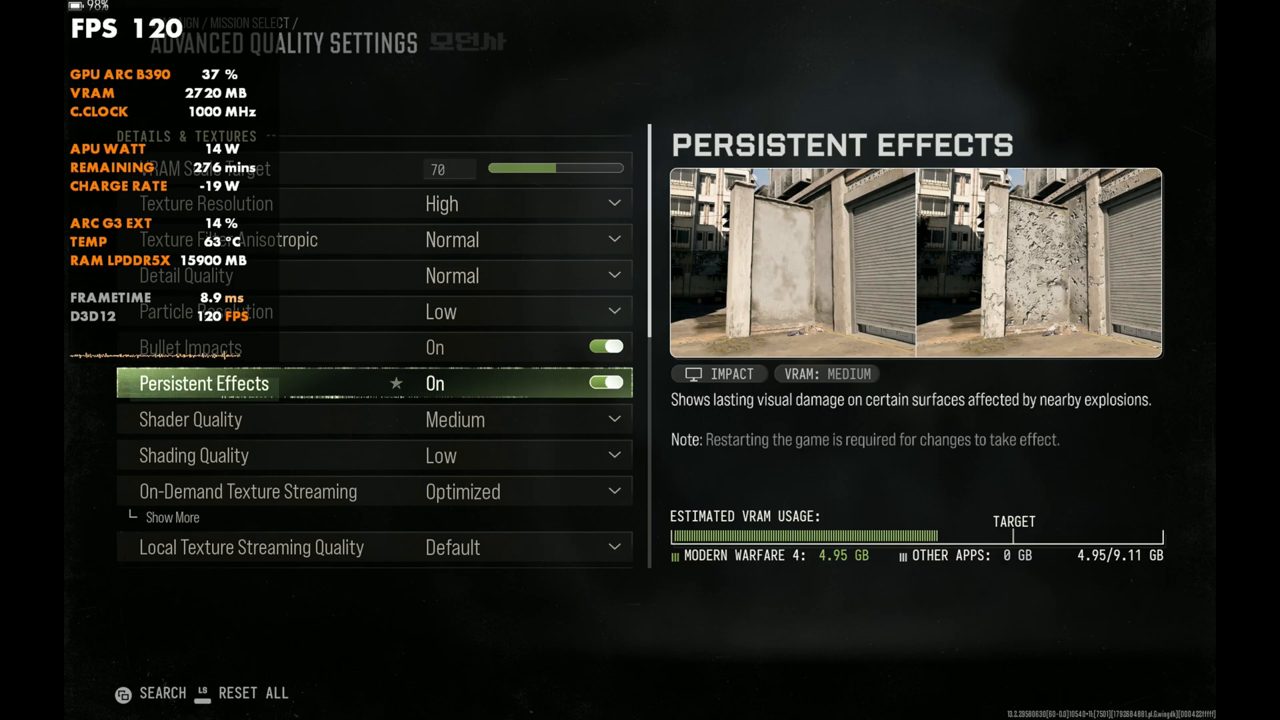
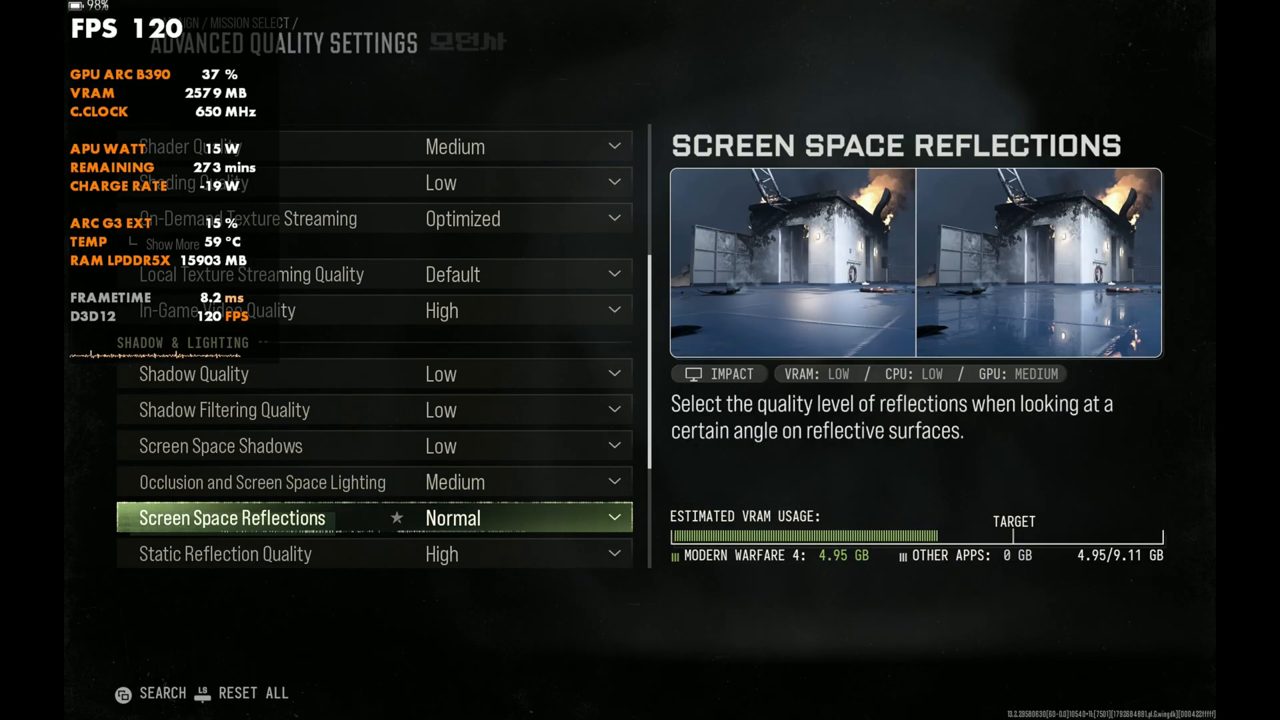
35W vs 20W with XeSS Balanced
At 35W with XeSS Balanced, my test spot read around 69 to 71 FPS on the overlay. Switching to 20W drops it a bit, to 56 on the overlay, but the game is very playable at 20W. It's not just this game: the G3 Extreme has been fantastic and very efficient at 20W or even lower.
XeSS Quality and Performance
At 20W, XeSS Quality comes down a little more, to 52 on the overlay standing still. In combat you could see the high 30s to low 40s pretty easily when things get really busy. XeSS Performance at 20W brings it back up into the 60s (64 on the overlay), though busier areas will come down from there.
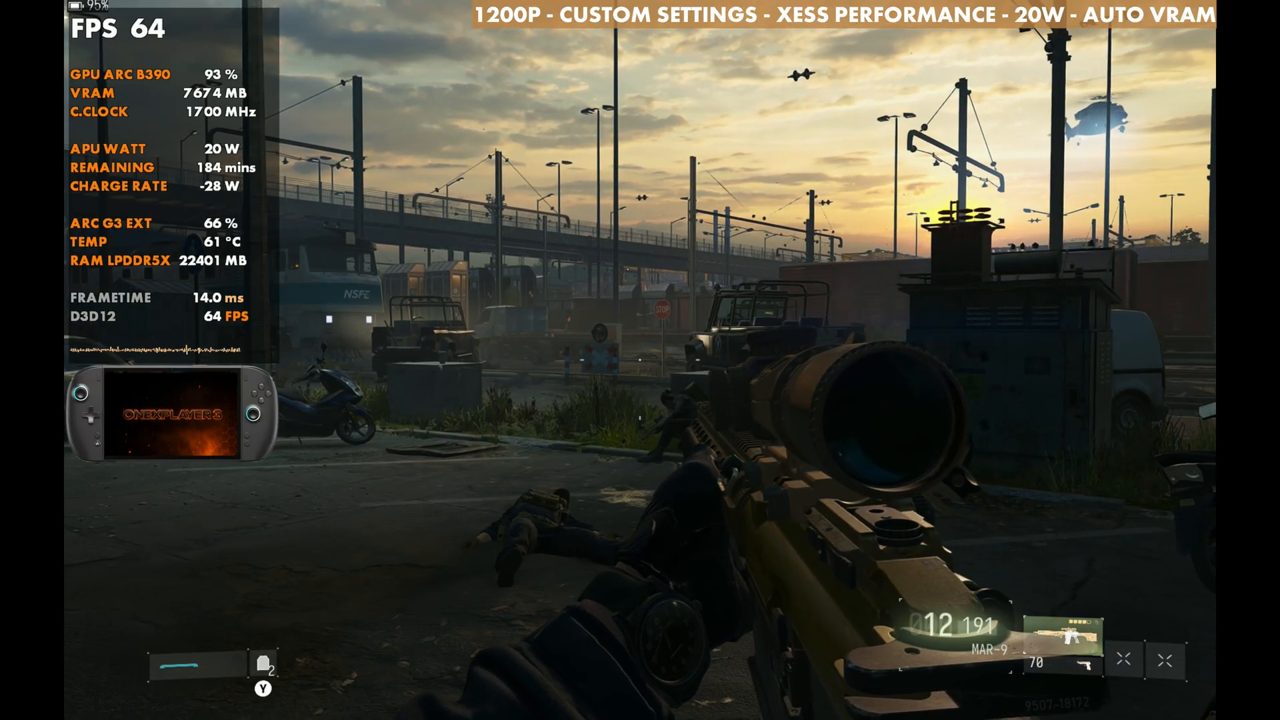
Back at 35W, XeSS Performance boosts it all the way up to about 85 FPS sitting in this spot (83 on the overlay), and XeSS Quality comes down to about 66 to 67 (68 on the overlay). I'd go with Quality or Balanced. The gameplay is in Balanced, which is what I've mostly been playing, but Quality is fine as well.
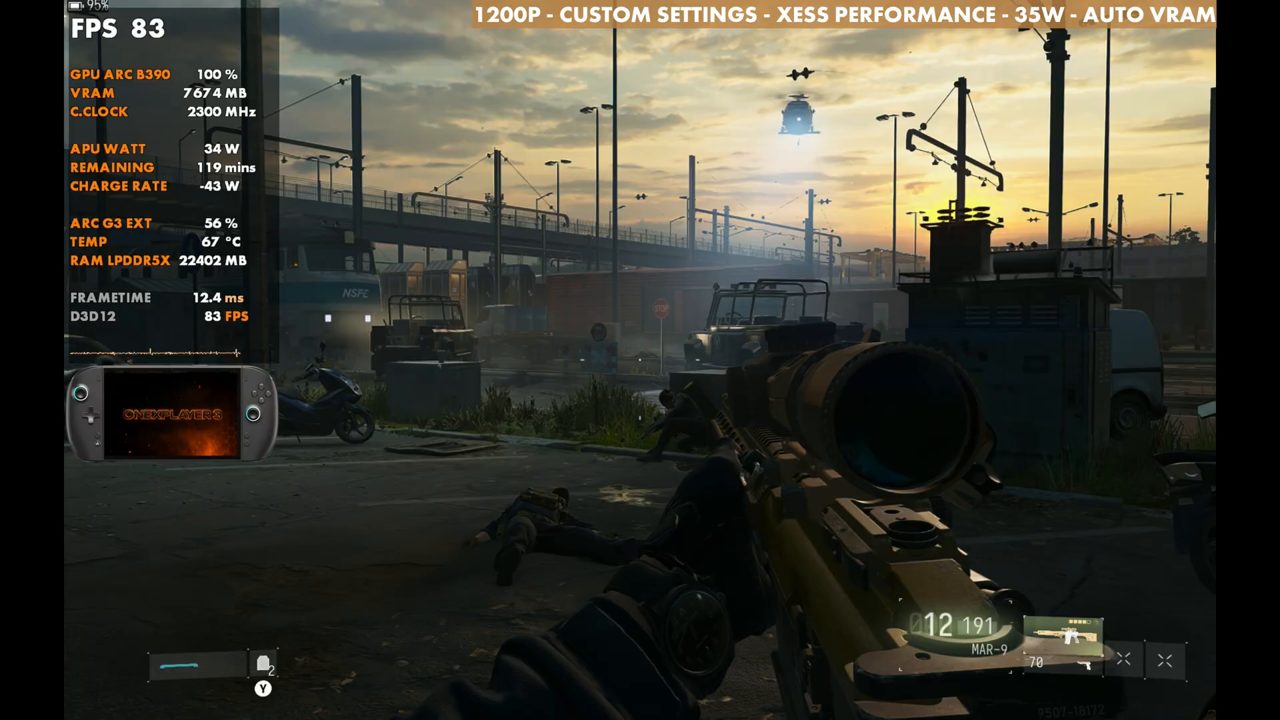
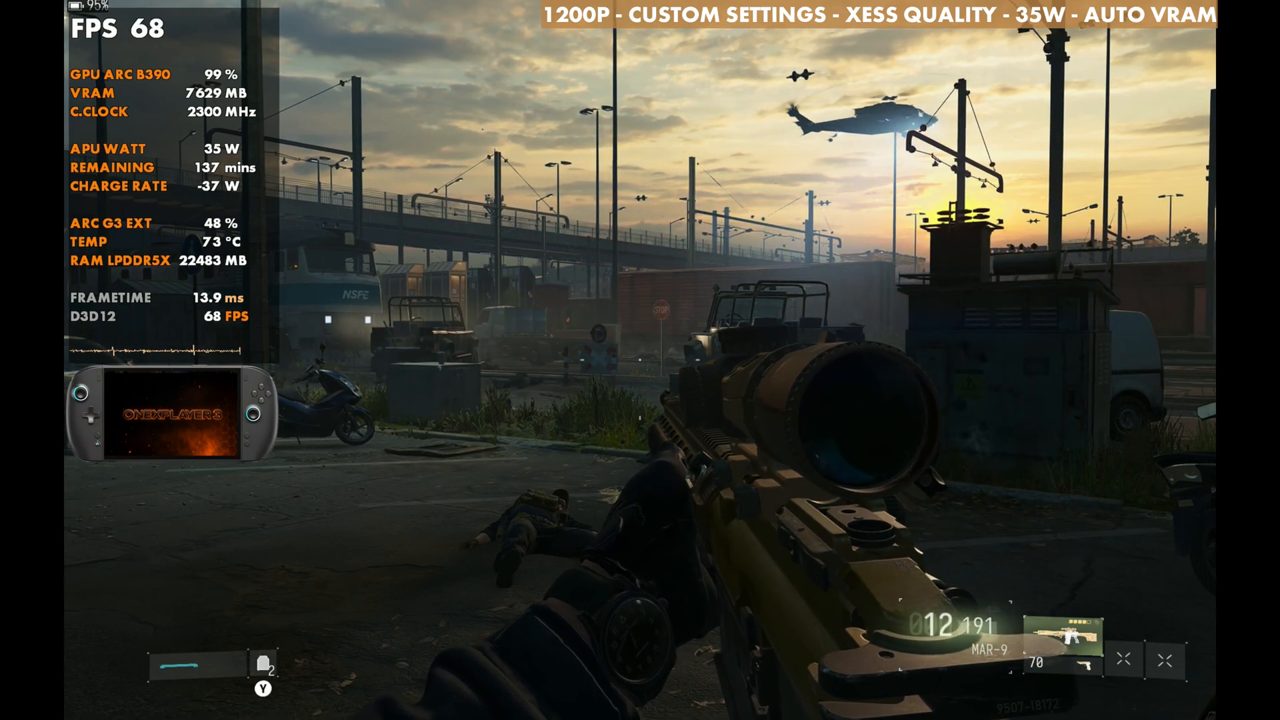
Gameplay at 35W and 20W
The rest of the video is gameplay from different missions with XeSS Balanced, first at 35W and then at 20W.
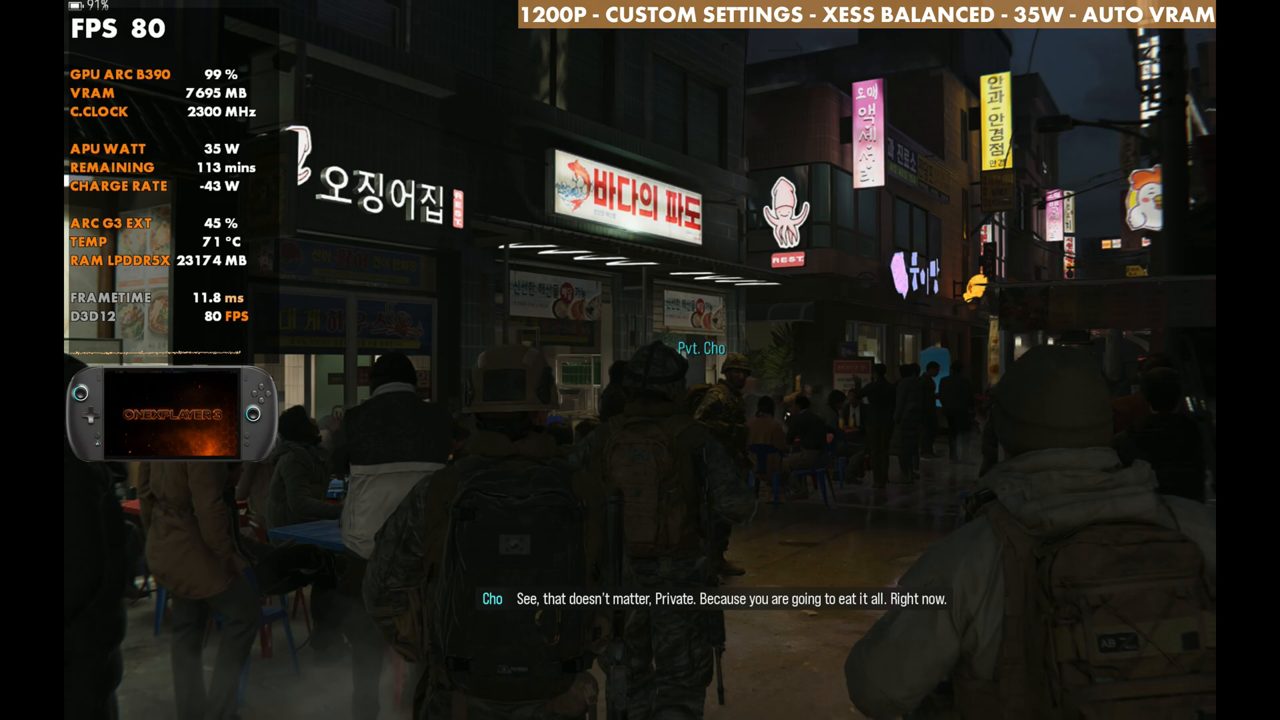
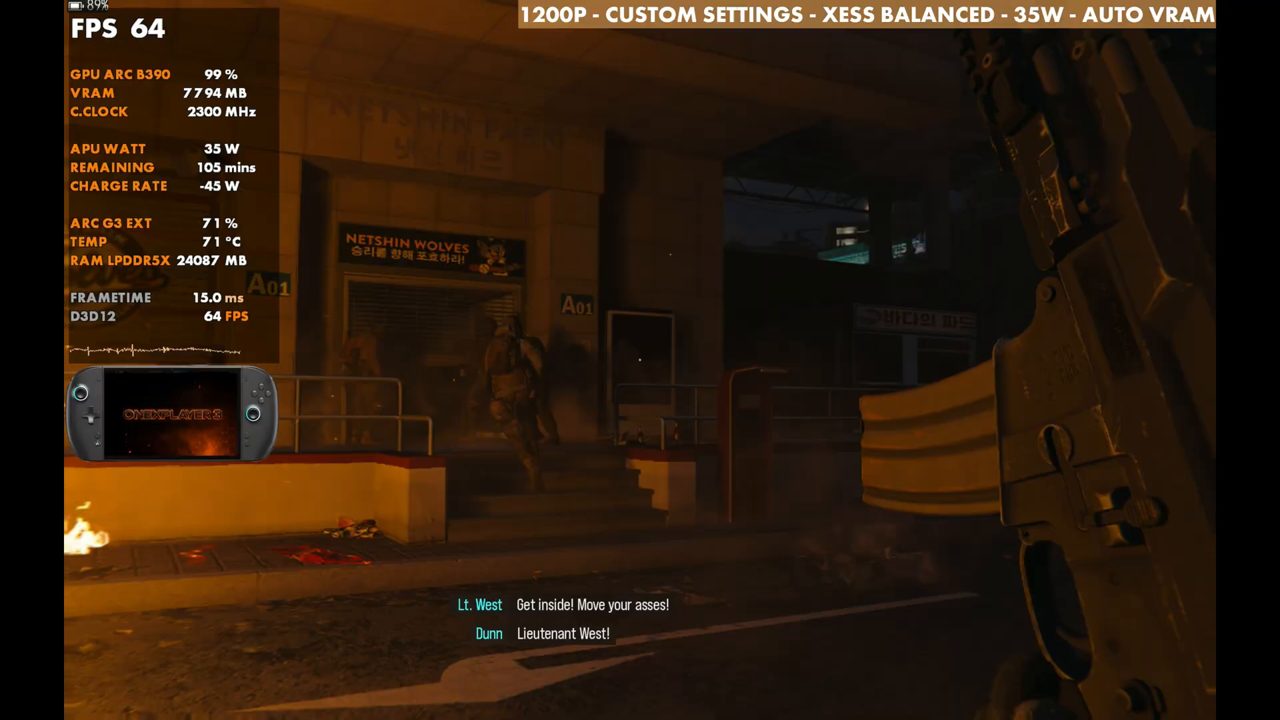
Verdict
Modern Warfare 4's campaign is running really great on the OneXPlayer 3 G3 Extreme. 35W gives plenty of headroom, and 20W is still very playable, which says a lot about how efficient this chip is. The campaign has been fantastic, and XeSS Balanced or Quality is where I'd keep it, adjusting TDP, resolution and settings to taste.
FAQ
How well does the Modern Warfare 4 campaign run on the OneXPlayer 3 G3 Extreme?
At 1200p with custom settings and XeSS Balanced, the test spot reads 71 FPS at 35W and 56 at 20W on the overlay, standing still.
Is Modern Warfare 4 playable at 20W on the OneXPlayer 3?
Yes, it's very playable at 20W. In busy combat at 20W with XeSS Quality, expect the high 30s to low 40s, and XeSS Performance brings it back into the 60s (64 on the overlay).
Does Modern Warfare 4 have Intel frame gen on the OneXPlayer 3?
No frame gen was used in this test, and I didn't see Intel frame gen in this one.
Why does Modern Warfare 4 lock to 30 FPS when unplugged?
Auto-Activate Low Battery Mode can default to 100, which locks you to 30 FPS when you're not plugged in. I have it set to 10.
Want more handheld tests?
New Steam Deck, ROG Ally, Legion Go and Steam Machine performance videos every week.