 ▶Watch on YouTube
- Intel's 32.0.101.8509 WHQL graphics driver (dated 2/13/2026) extends XeSS 3 multi frame generation to Core Ultra Series 2 chips (Lunar Lake and Arrow Lake H). That includes the MSI Claw 8 AI+.
- I downloaded it straight from Intel's website and did a clean install. It only takes a couple of minutes plus a reboot.
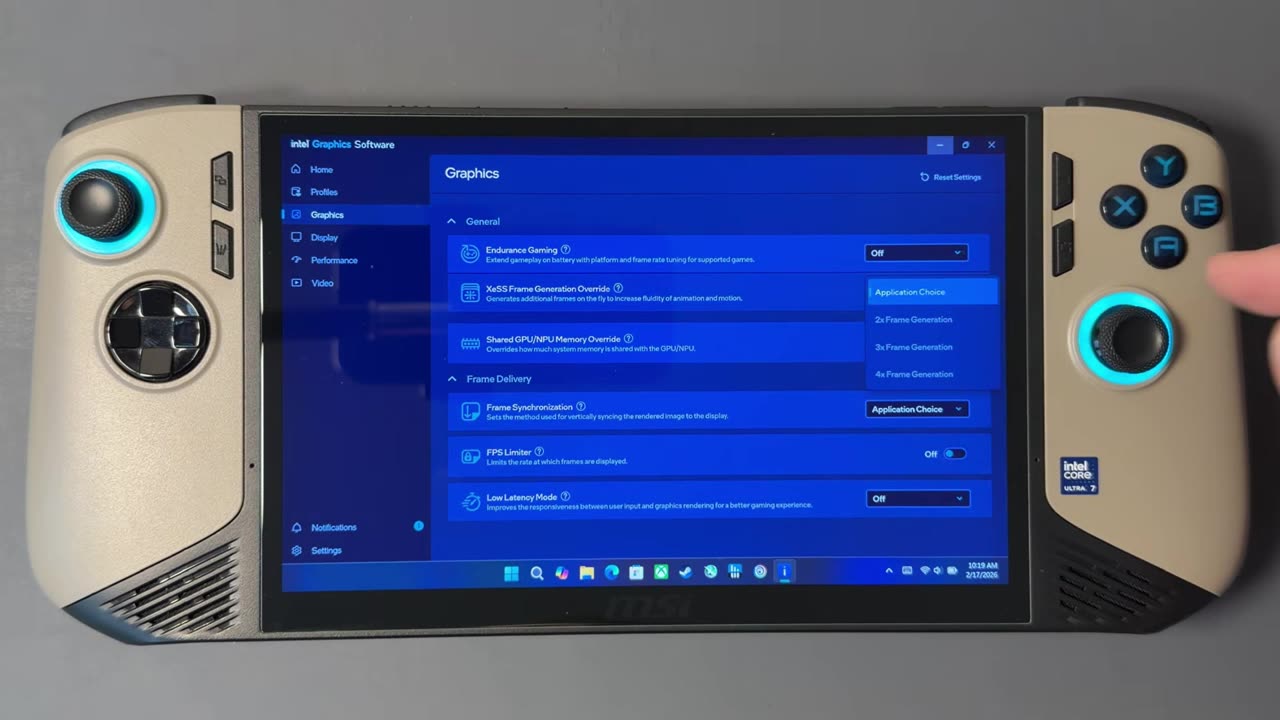
- Intel Graphics Software now has a XeSS Frame Generation Override: Application Choice, 2x, 3x or 4x. It works in games that already have XeSS frame gen.
- Pick the override before you launch the game. Changing it mid-game doesn't apply until you restart the game.
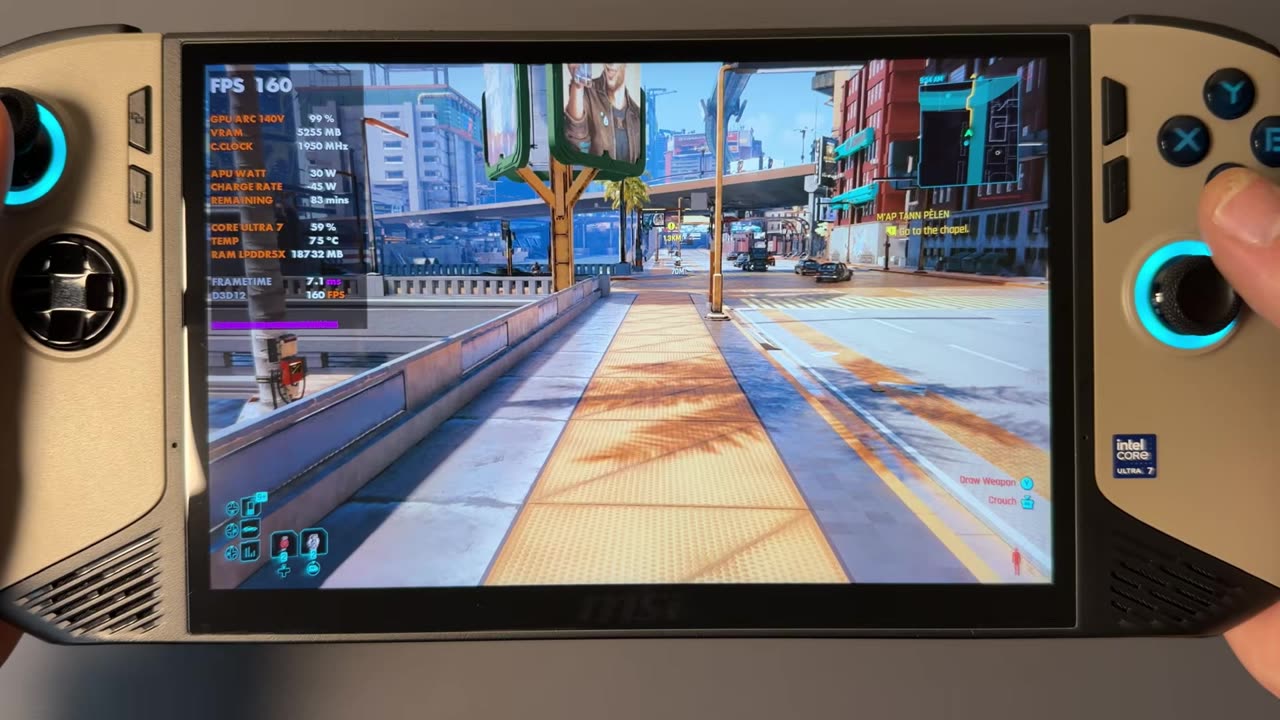
- Cyberpunk 2077 with 4x: around 140 to 160 FPS, and it felt pretty fluid. Hogwarts Legacy: about 33 FPS without frame gen, 57 with 2x and 80 to 100 with 4x.
Intel talked a lot about XeSS 3 at CES 2026, including multi frame generation up to 4x built into its app at the driver level, and said it would come to older hardware like the Core Ultra 200 chips. A few days before I made this, Intel released the driver that brings it to Lunar Lake and Arrow Lake. Here's how I installed it on my MSI Claw 8 AI+, a handheld I still really enjoy, and how 2x, 3x and 4x frame gen worked in Cyberpunk 2077 and Hogwarts Legacy.
What you need
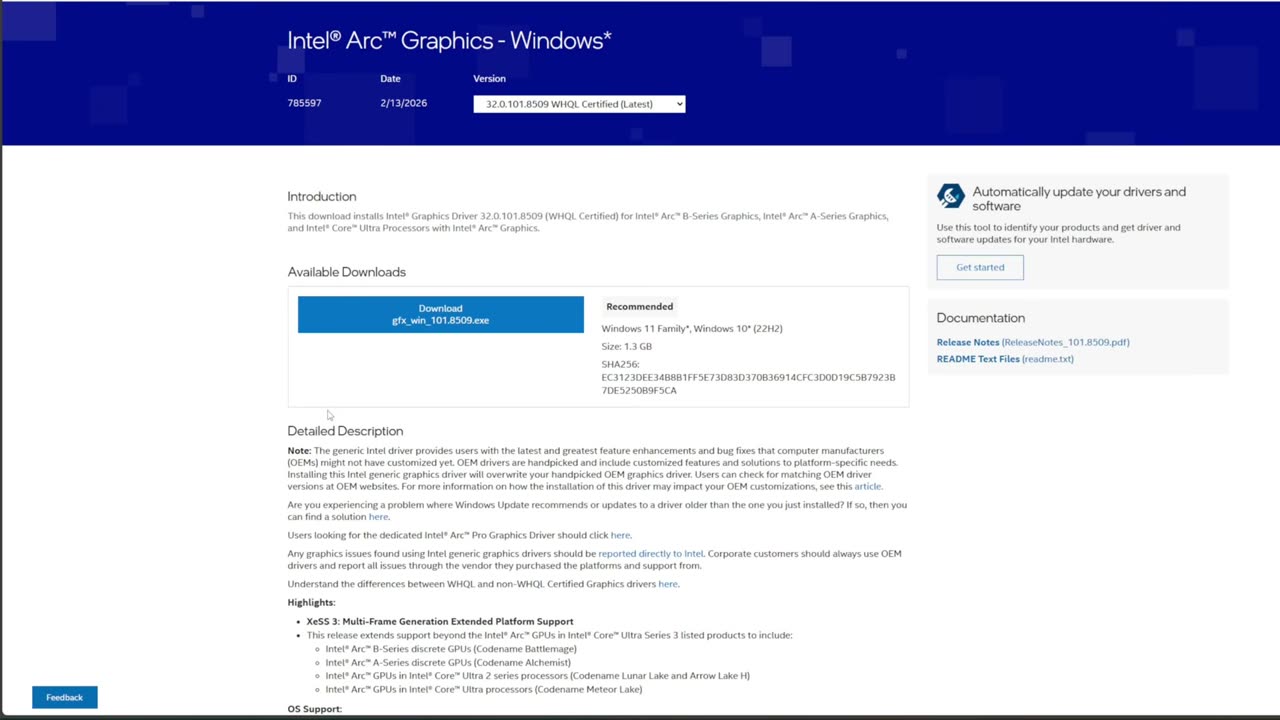
The driver is Intel Arc Graphics for Windows, version 32.0.101.8509 WHQL Certified, dated 2/13/2026 (file gfx_win_101.8509.exe, 1.3 GB). Its highlights list XeSS 3: Multi-Frame Generation Extended Platform Support, which now includes Intel Arc GPUs in Intel Core Ultra 2 series processors (codename Lunar Lake and Arrow Lake H). Before this, multi frame gen had come to Panther Lake in the previous driver.
⬇ Download the Intel Arc Graphics driver (Intel)
intel.com/content/www/us/en/download/785597/intel-arc-graphics-windows.html
That page always shows Intel's latest driver, which is newer than 8509 now. Older versions are listed under Previous Versions on the same page.
Before you start
- Intel Graphics Software will show the update is available, and you can update from there. That doesn't always work for me. Sometimes it does, sometimes it doesn't.
- MSI Center M sometimes gets graphics driver updates too, but they usually lag behind quite a bit. I don't typically grab drivers from there.
- I usually go right to Intel's website and download the newest driver myself.
How to install the driver
- Download the driver from Intel's website (link above).
- Open File Explorer, go to Downloads and double-click the driver file.
- The Intel Graphics Driver Installer gets ready. Click Begin installation, then go through the prompts and agree to the terms.
- Choose how to install. I usually just do Start and upgrade, but this time I chose Execute a clean installation, since it had been a few drivers for me and this one introduces XeSS 3. You don't have to do it that way.
- Under Customize, I unchecked the improvement program (I always opt out of that) and left everything else to install.
- Click Start. It removes the old driver and installs the new one.
- When it finishes, allow it to launch the graphics software, since you'll need it for frame generation. Then reboot.
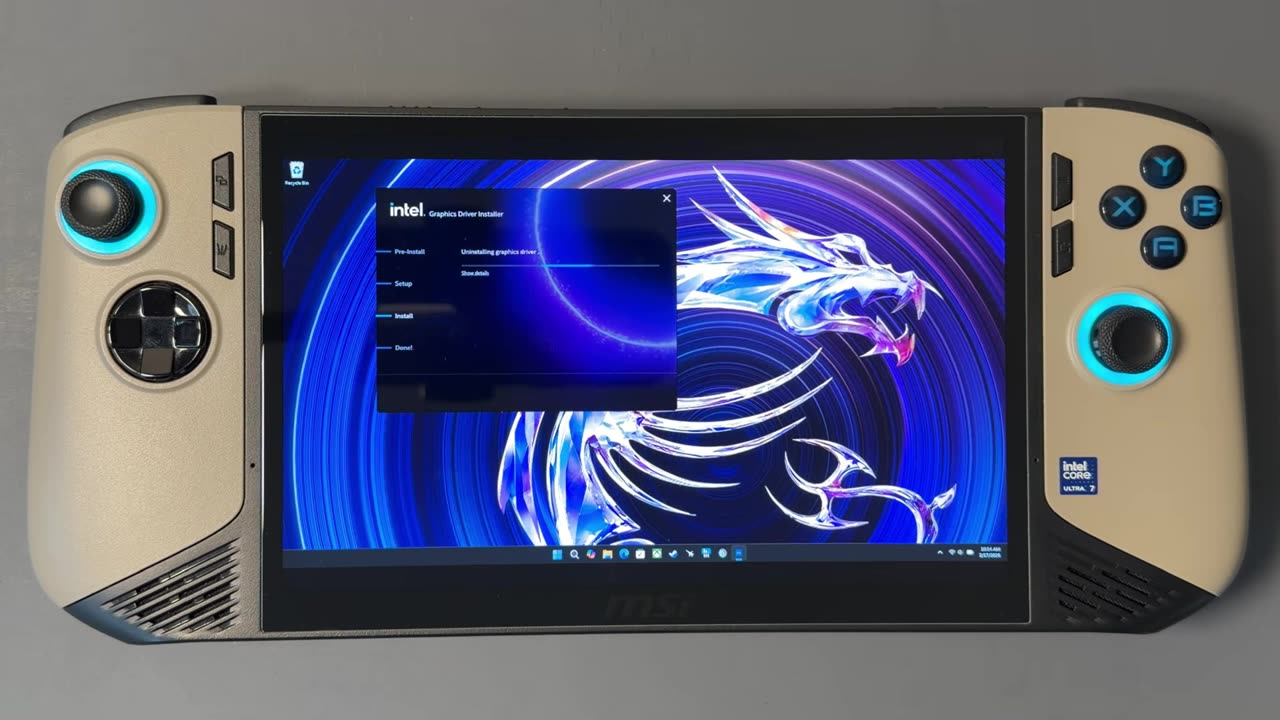
The whole process only takes a couple of minutes. It's something I've really liked about Intel and its direct driver support.
How to use XeSS 2x, 3x and 4x frame gen
- Open Intel Graphics Software and go to Graphics. At the top there's a new XeSS Frame Generation Override option.
- Pick 2x Frame Generation, 3x or 4x instead of Application Choice. Do this before you launch the game.
- Launch the game and turn on Intel XeSS frame generation in its graphics settings. Games like Cyberpunk and Hogwarts Legacy don't have a drop-down for 2x, 3x or 4x yet, so you just turn frame gen on and the override sets the multiplier.
- To change the multiplier, exit the game, change the override and relaunch. Switching it in the app while the game is running doesn't change anything.
Cyberpunk 2077 with 4x frame gen
In Cyberpunk, I used a custom preset with Intel XeSS Super Resolution 2.0 on Performance, Intel XeSS frame generation on, medium textures and ray tracing off. The overlay showed the APU at about 30W while plugged in.
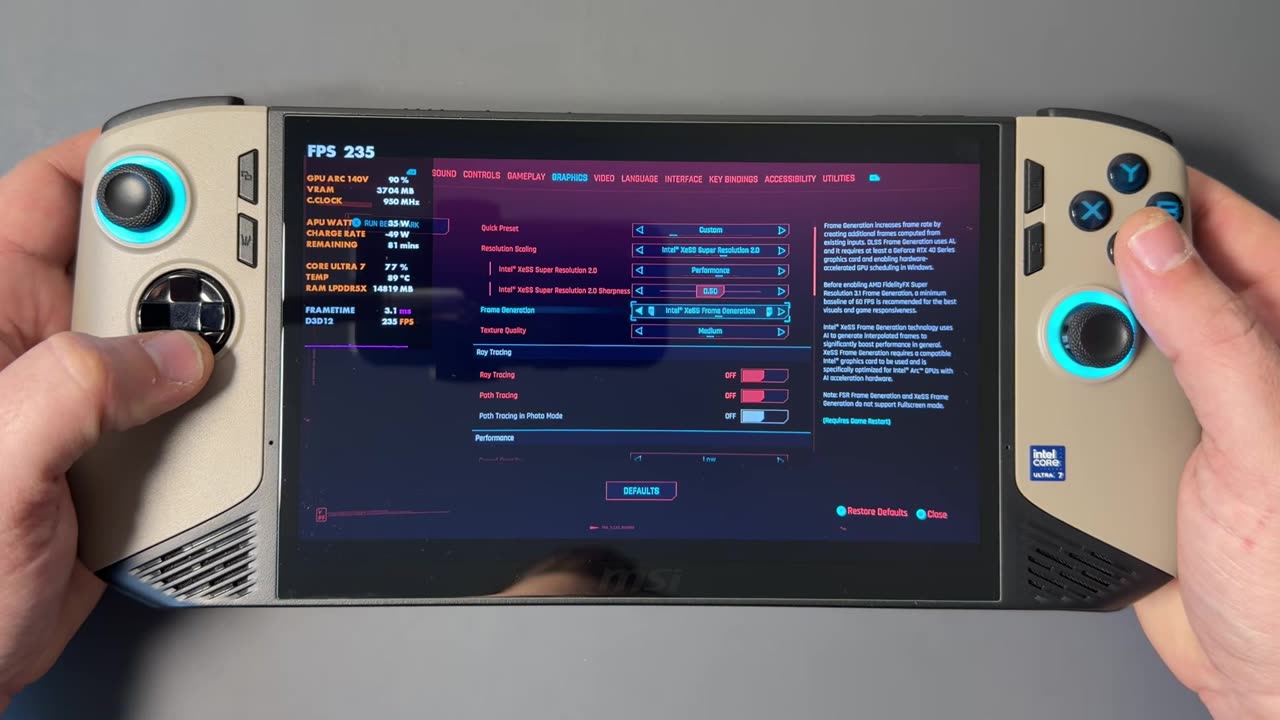
With the override on 4x and Cyberpunk relaunched, I got around 150, 140, 160 FPS in the same spot. I do feel some input latency, but it's not nearly as bad as I thought it would be. It's hard to show in a 60 FPS camera recording, but in person it's pretty fluid, without a ton of the artifacting and skipping you'd usually see with frame gen, especially at 4x.
Hogwarts Legacy with 2x and 4x
Hogwarts Legacy doesn't work quite as well, but it does work, and pretty well. I ran it at 1920x1200 with a 960x600 (50%) render resolution, XeSS Performance, Intel XeSS Frame Generation x2 and Intel Xe Low Latency on. I had the settings a bit higher to bring the frame rate down, so you could definitely pull a lot more out of this game.
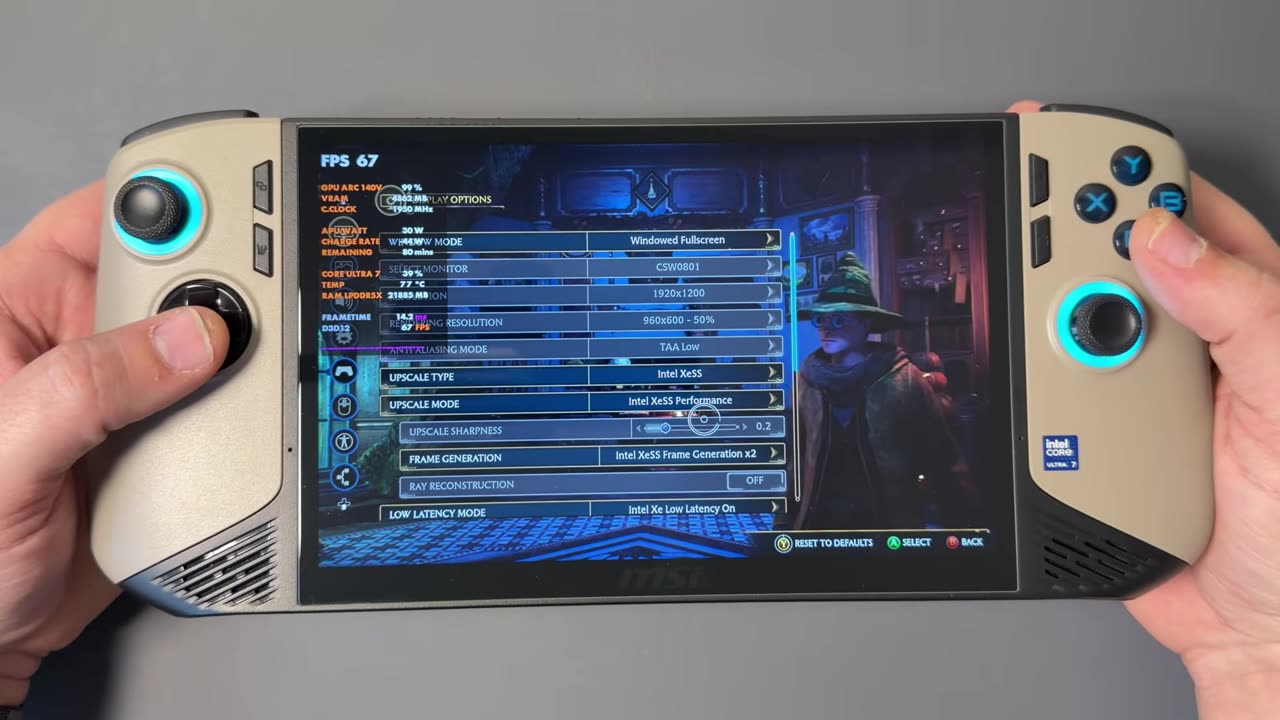
| Frame gen | FPS in this spot |
|---|---|
| Off | About 33 |
| 2x | About 57 (overlay 57) |
| 4x | About 80–100 (overlay 98) |
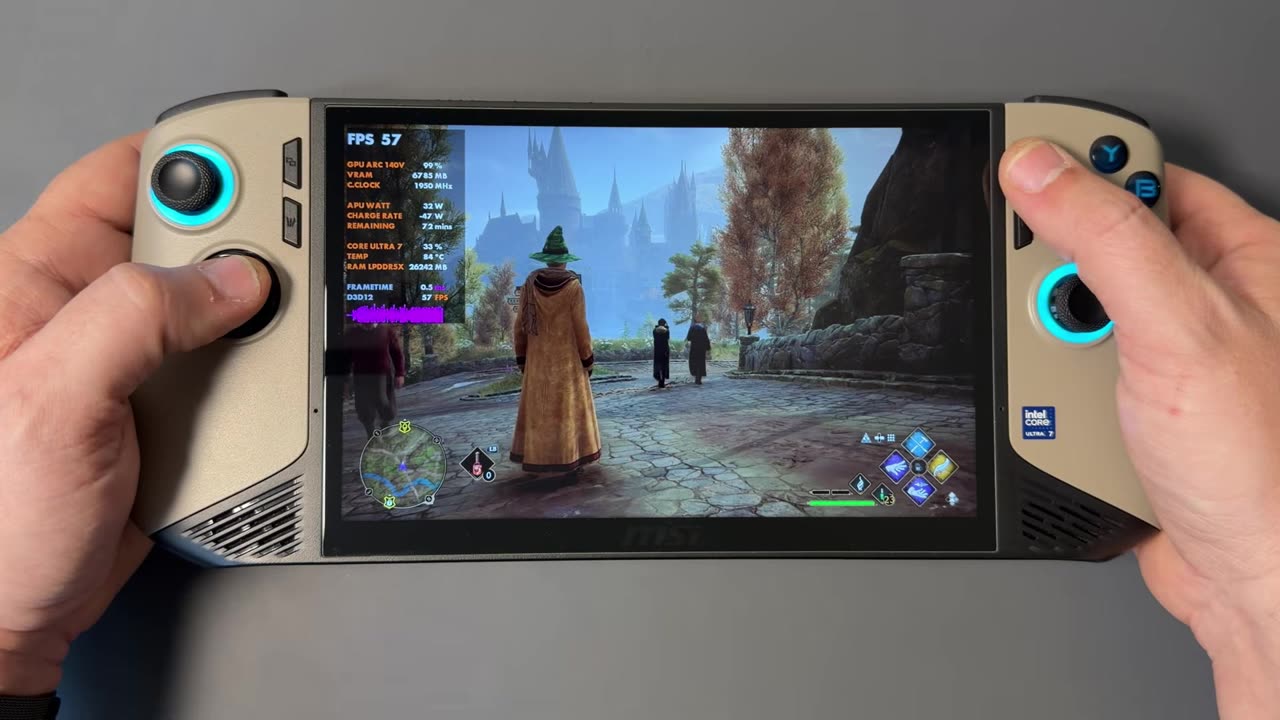
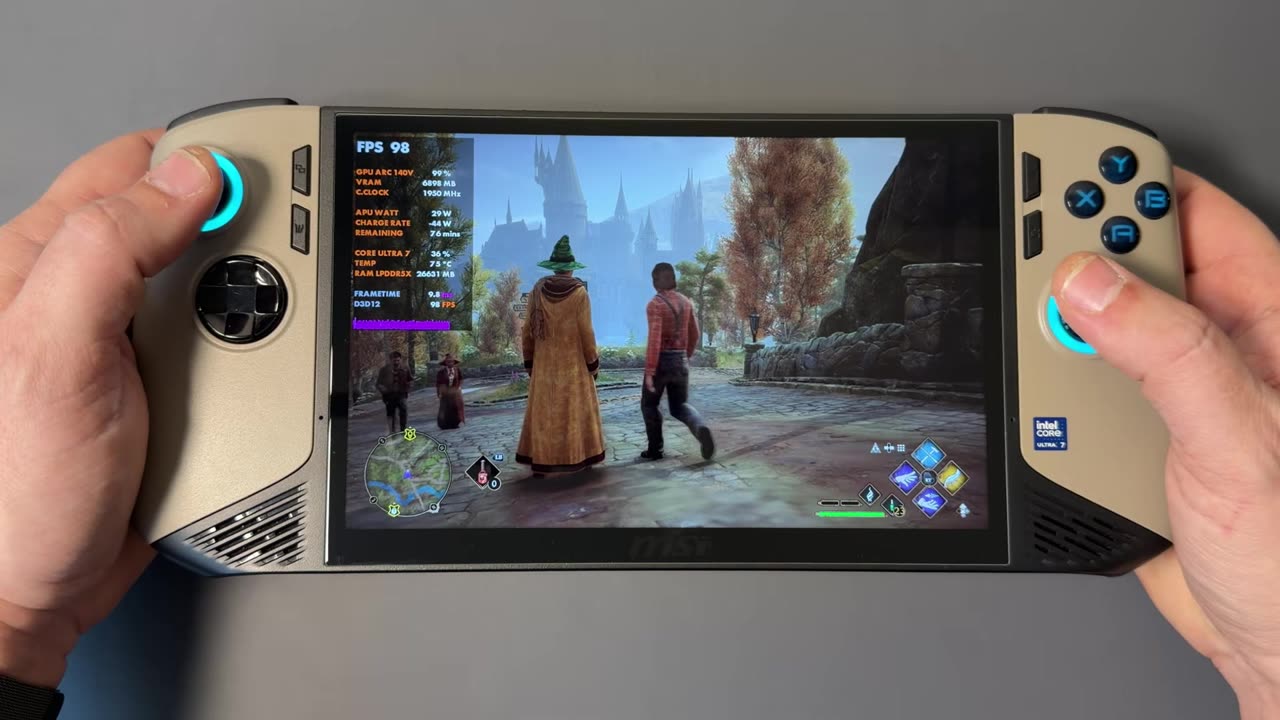
Lowering some settings or the resolution would get a bunch more frames out of this one too.
What to watch out for
- The override only works in games that already have XeSS frame generation.
- Set 2x, 3x or 4x before launching the game, and restart the game every time you want to change it.
- Frame gen adds some input latency, more so at 4x, and you'll feel it.
- Updating from Intel Graphics Software doesn't always work, and MSI Center M usually lags behind on drivers.
My take
I was really surprised by how well this works on hardware like this. I'm used to Lossless Scaling, AMD's frame generation and Intel's 2x, and I've always been impressed with Intel's upscaling and frame generation. It keeps getting better, and it's working really, really well on the Core Ultra 200. Games weren't crashing and I had no problems with the install in the two or three hours I'd been playing with it. Cyberpunk is one of the best examples so far and feels the best of the games I've tried. I'll be looking at more games as they get updated with this in their own settings.
FAQ
Which Intel driver adds XeSS 3 multi frame gen to the MSI Claw 8 AI+?
Intel Arc Graphics driver 32.0.101.8509 WHQL, dated 2/13/2026. It extends XeSS 3 multi-frame generation to Core Ultra Series 2 chips (Lunar Lake and Arrow Lake H).
How do I turn on 3x or 4x frame gen on the Claw?
In Intel Graphics Software, go to Graphics and set XeSS Frame Generation Override to 2x, 3x or 4x before launching the game. Then turn on Intel XeSS frame generation in the game's settings.
Can I change the frame gen multiplier while playing?
No. Changing it in the app mid-game didn't do anything for me. Exit the game, change it and relaunch.
How much FPS does 4x frame gen give in Cyberpunk on the Claw 8 AI+?
About 140 to 160 FPS in my test spot with XeSS Super Resolution 2.0 Performance and medium textures, with the APU at about 30W.
Want more handheld tests?
New Steam Deck, ROG Ally, Legion Go and Steam Machine performance videos every week.