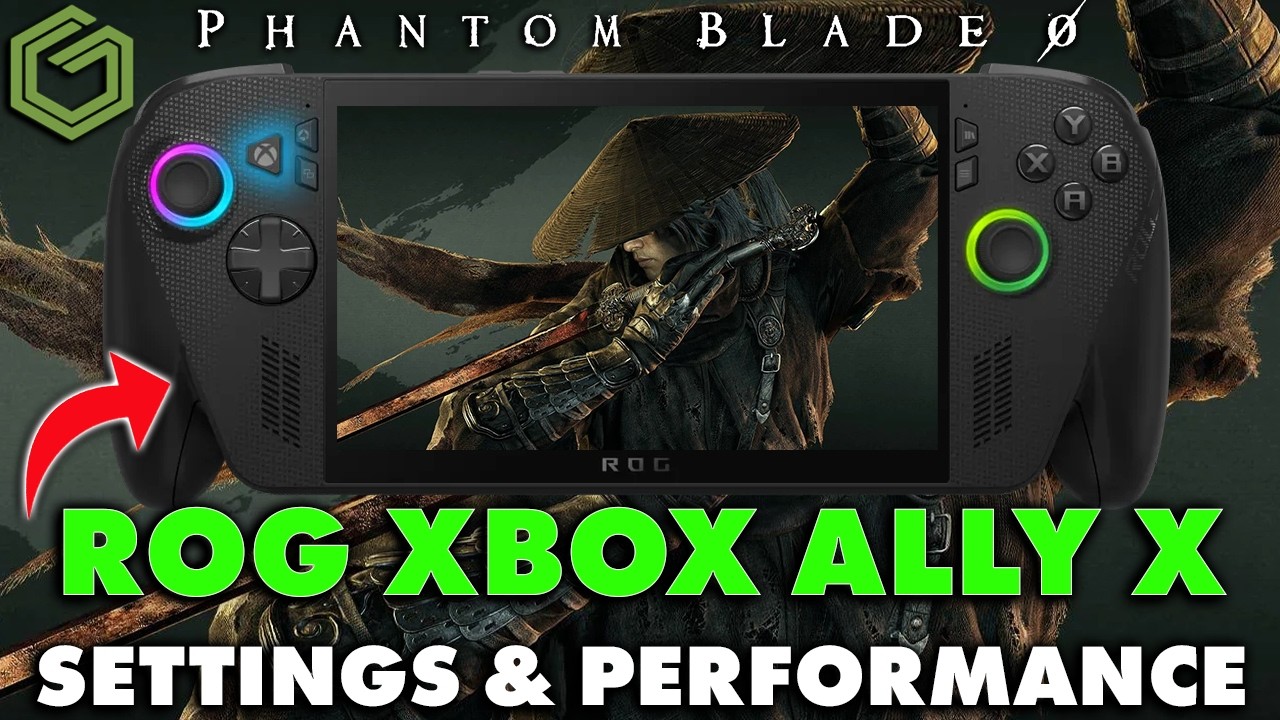
 ▶Watch on YouTube
- Plays just fine on the Xbox Ally X (Z2 Extreme). At 1080p with custom settings I've seen anywhere from 40 to 70 FPS, depending on the area.
- Tested in full Xbox mode with the Steam version, mostly at 25W, using FSR 4 Balanced through AMD's preview GPU driver.
- Much better than the Steam Deck OLED, and about as good as my OneXPlayer 3.
- Frame gen works, but it adds input latency in a game built on parries and dodges, so I leave it off.
Phantom Blade Zero is a game that still needs some optimization, patches and maybe driver updates, but on the ROG Xbox Ally X it runs just fine. I ran the Steam version in full Xbox mode on the Z2 Extreme, at 1080p with custom settings and FSR 4 Balanced, mostly at 25 watts, with some 17W and 35W testing to show the differences.
It's a much better experience than the Steam Deck OLED test, and about as good as my OneXPlayer 3, which has its own video coming up. If you're playing on the TV, I also tested it on the Steam Machine.
What I tested
For upscaling, I'm focused on AMD FSR 4 from the preview GPU driver, which I covered in my FSR 4.1 preview driver guide. It replaces the FSR 3 built into the game. Mode for mode, that usually means better image quality for a couple fewer FPS.
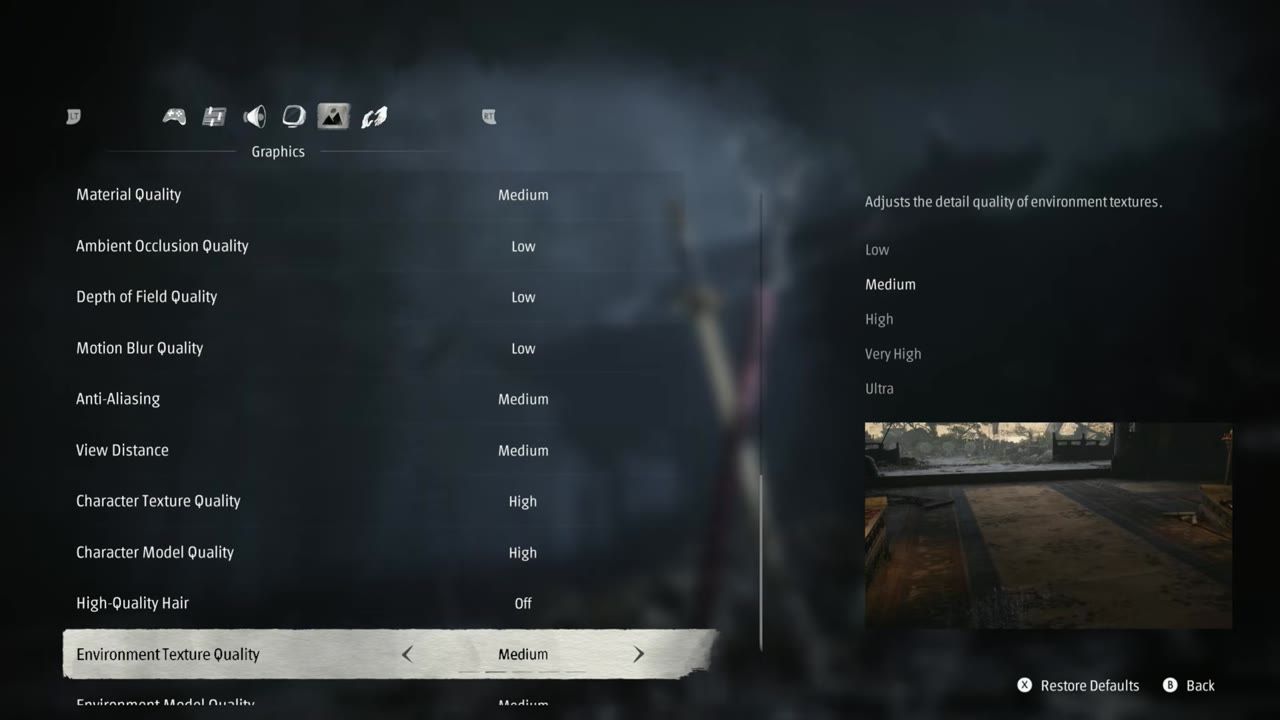
| Setting | What I used |
|---|---|
| Mode / version | Full Xbox mode, Steam version |
| TDP | 25W (also tested 17W and 35W) |
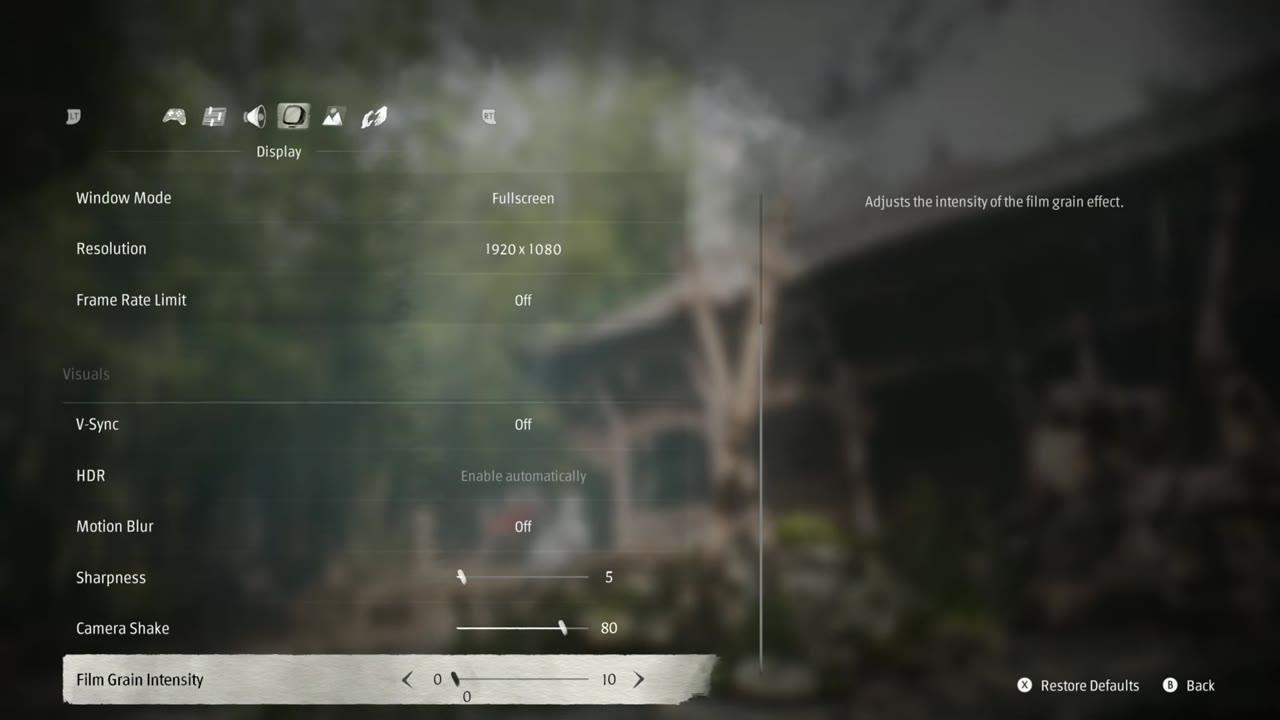
| Window mode | Fullscreen |
| Resolution | 1920 x 1080 (1080p) |
| Frame rate limit | Off |
| V-Sync / HDR | Off / Off |
| Film grain intensity | Turned down (0) |
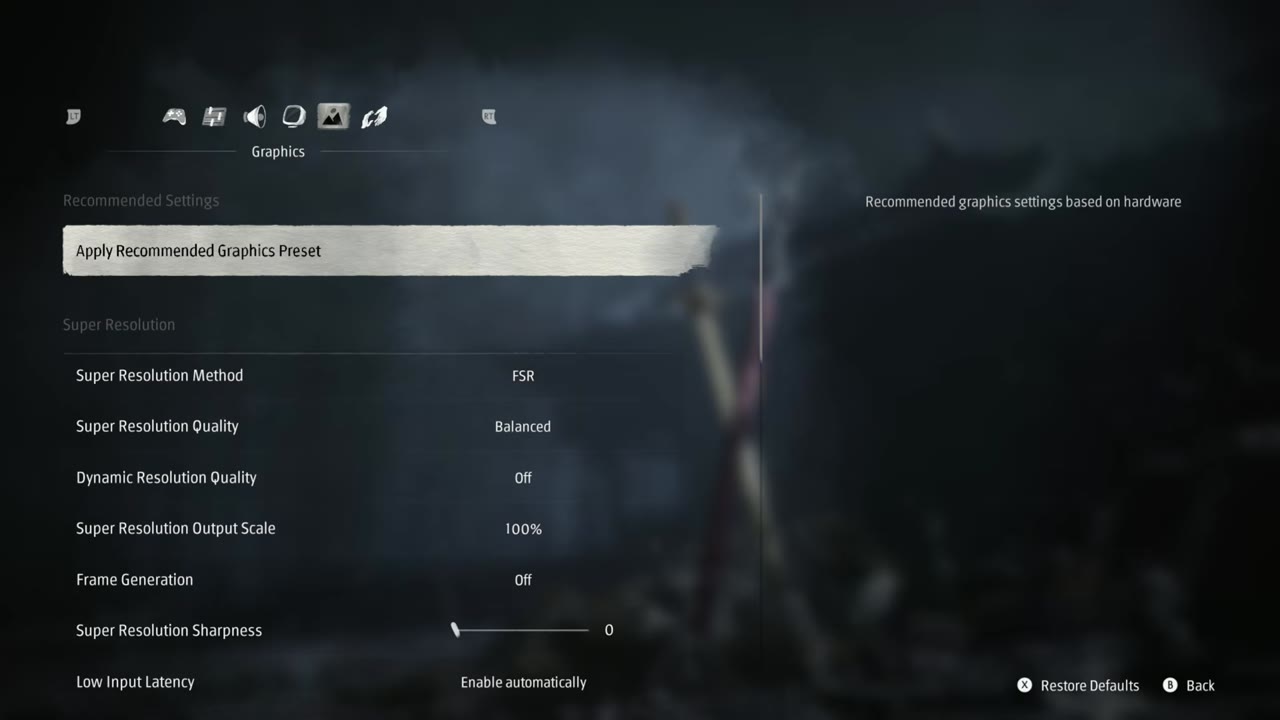
| Super resolution | FSR (replaced by FSR 4 through the preview driver), Balanced; output scale 100% |
| Frame generation | Off |
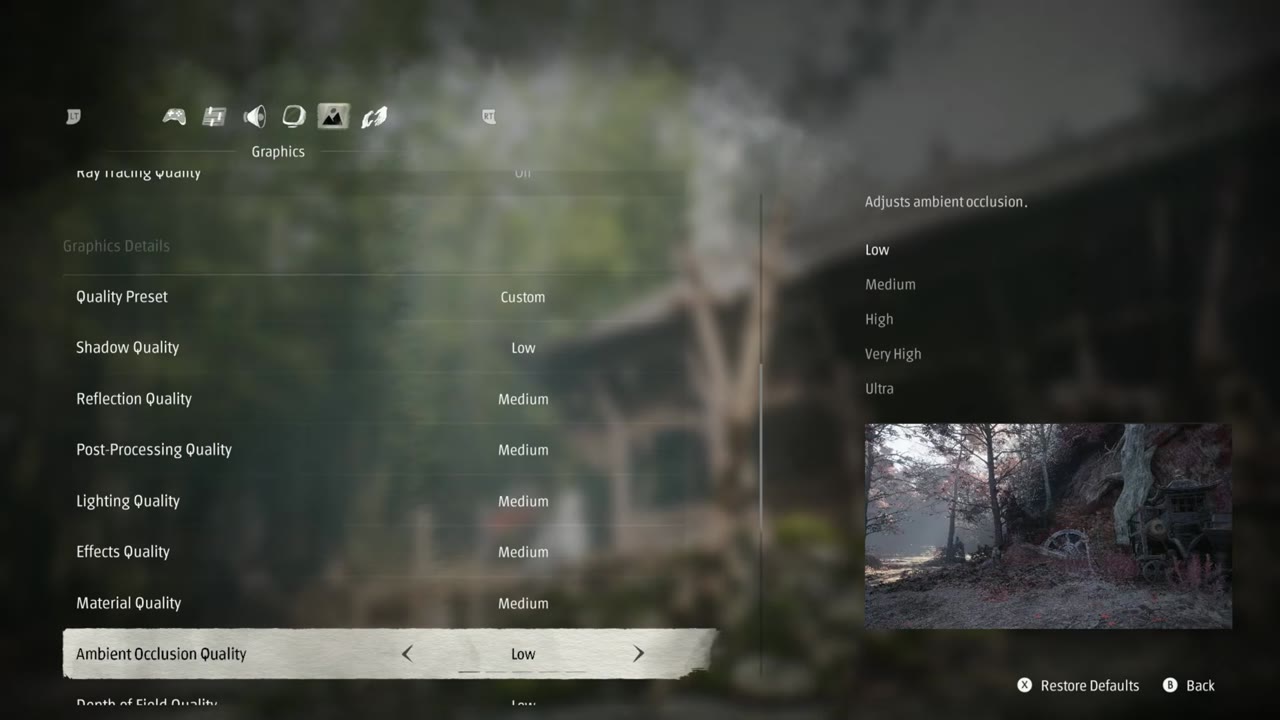
| Quality preset | Custom |
| Shadow quality | Low |
| Reflection, post-processing, lighting, effects, material quality | Medium |
| Ambient occlusion | Low (medium was fine too) |
| Depth of field / motion blur quality | Low / Low |
| Anti-aliasing | Medium (you could do high) |
| View distance | Medium |
| Character texture / character model quality | High / High |
| High quality hair | Off |
| Environment texture, model and detail quality | Medium |
I'd call this a middle-of-the-road setup. You can move these up or down depending on what you're going for. On the display side, everything else was left alone.
FSR 4 modes and resolution
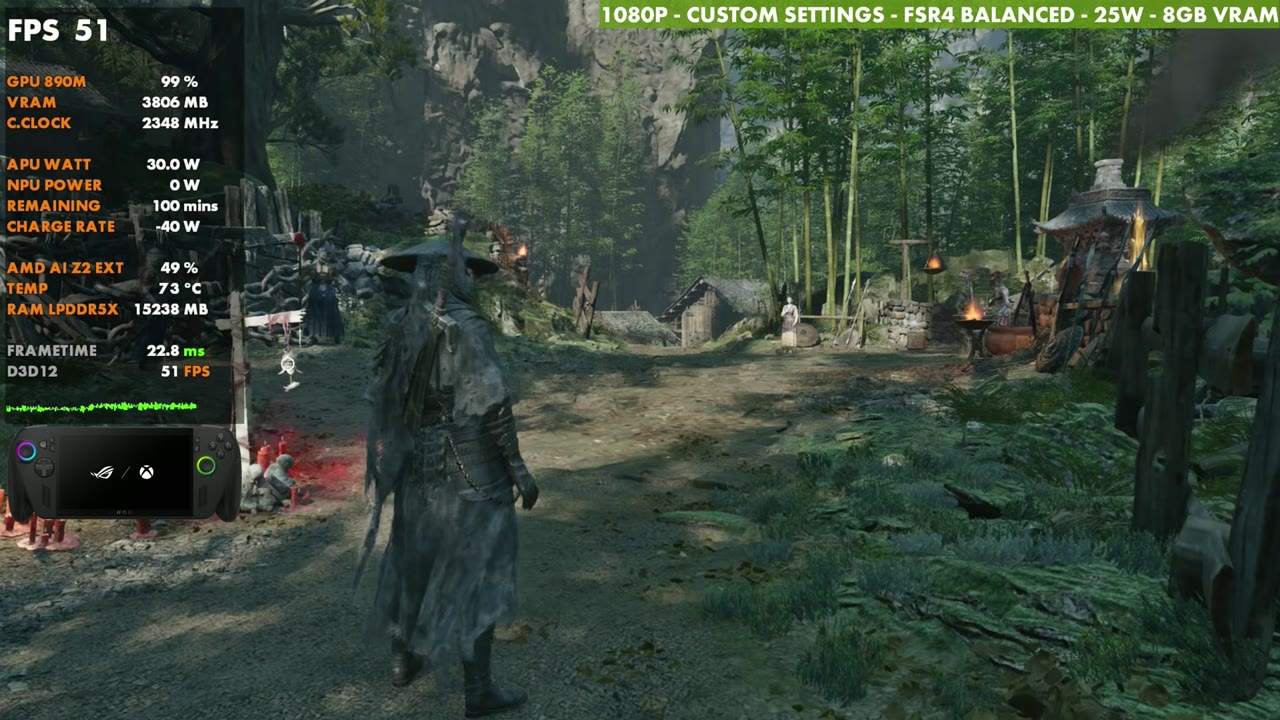
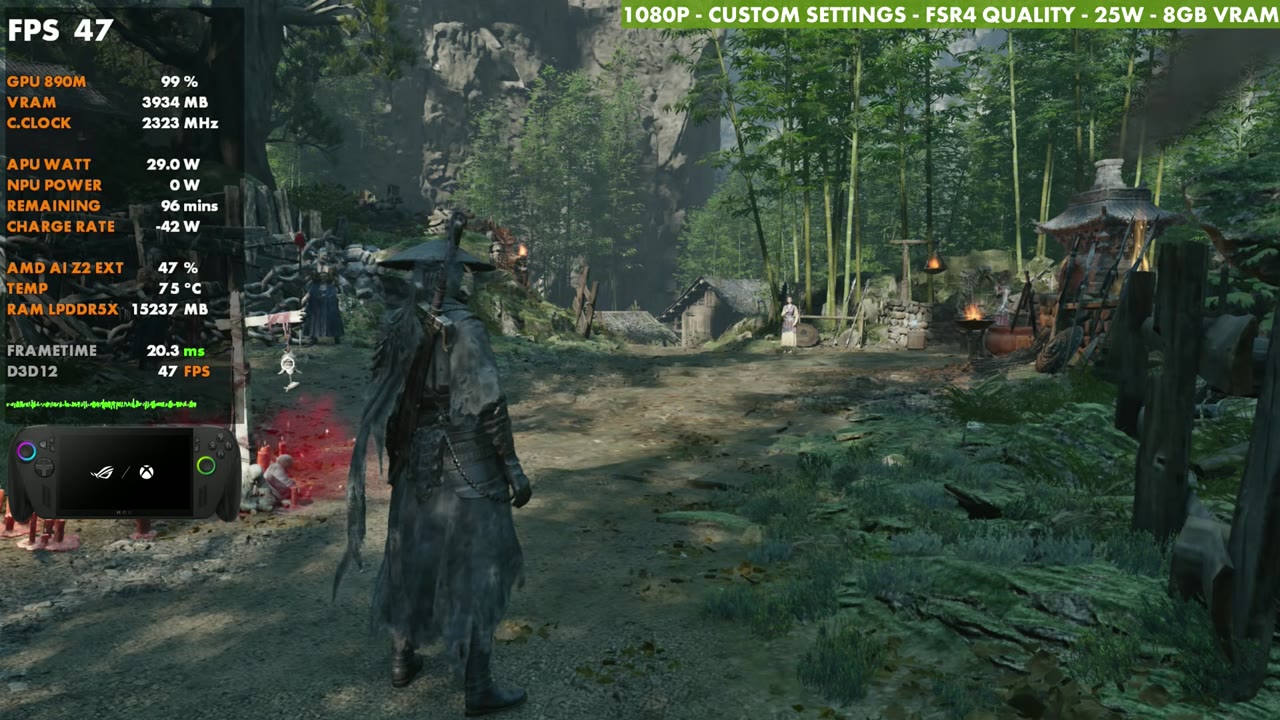
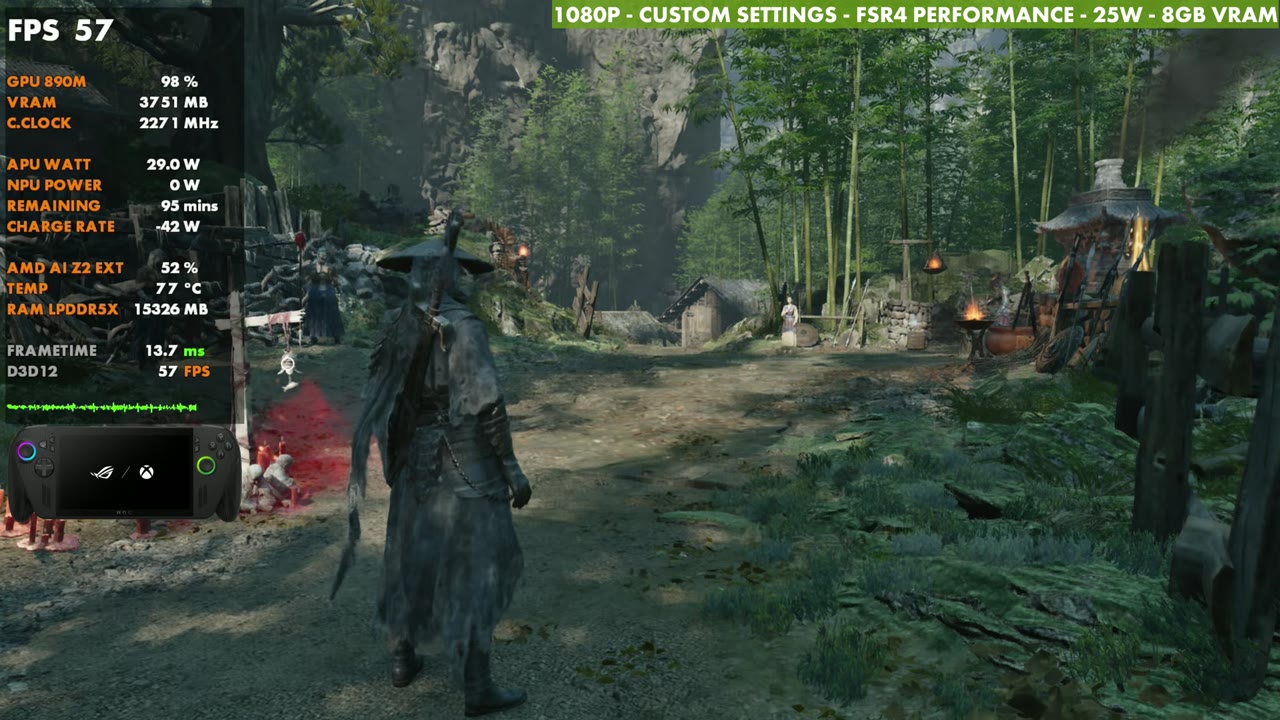
Standing still in my test spot at 25W, switching from Balanced to FSR 4 Quality drops it to about 47 FPS. Performance mode came out about the same as Balanced for me. There is a difference, but I didn't notice a big one, and I've seen other people say Balanced and Performance might be a little messed up at launch. I'll keep an eye on that.
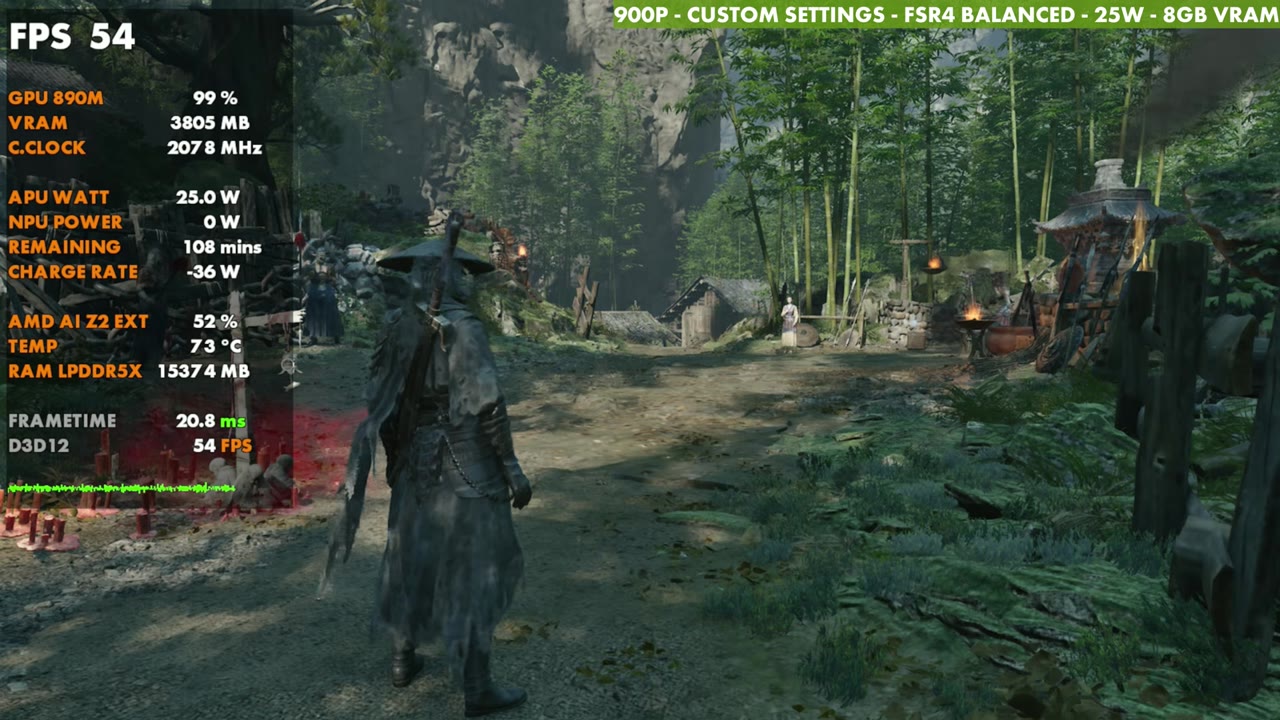
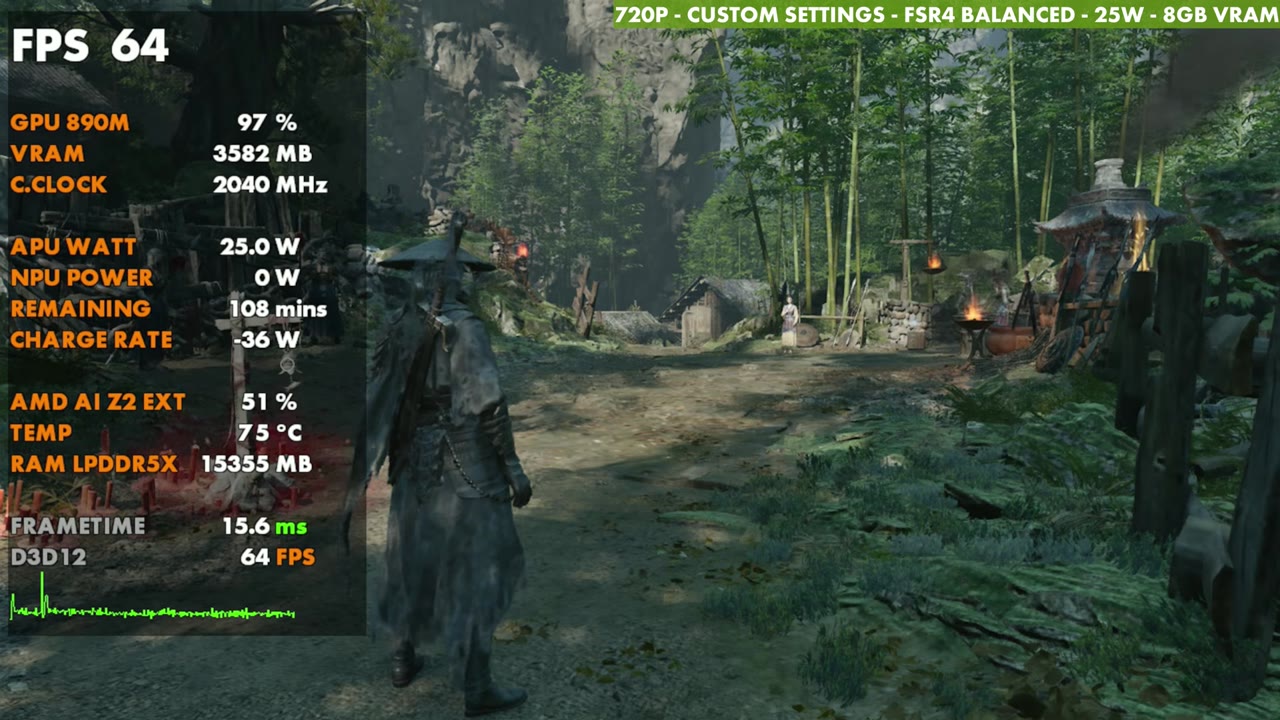
Dropping to 900p with FSR 4 Balanced didn't gain a lot either. Going to 720p with the same upscaling bumped it up a bit more in the same spot, so that's an option if you really want more out of it, maybe even with FSR Quality. It wasn't a huge difference, though, and 1080p upscaled was fine for me.
- 1080p FSR 4 Balanced: 51–52 FPS (overlay)
- 1080p FSR 4 Quality: 47 FPS (overlay)
- 1080p FSR 4 Performance: 57 FPS (overlay)
- 900p FSR 4 Balanced: 54 FPS (overlay)
- 720p FSR 4 Balanced: 64 FPS (overlay)
All of those are in the same spot at 25W with the custom settings above.
Frame generation
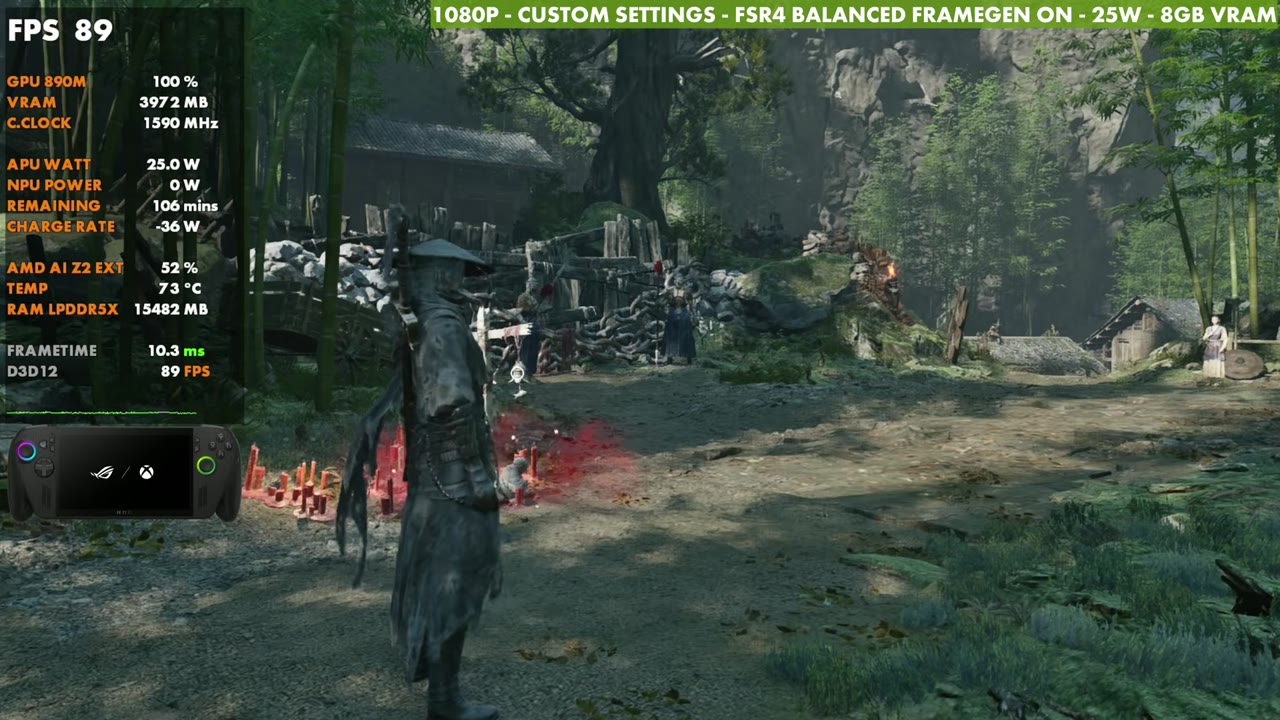
Frame gen is fine in this game, and I don't have a major issue with it. It's a little clunky, though, and I can tell there's some input latency. It's not as clean as in some other launches where I've used it. This game relies so much on timing, parries and dodges that I'd rather play at the lower frame rate with quicker response time, at least for me.
17W vs 25W vs 35W
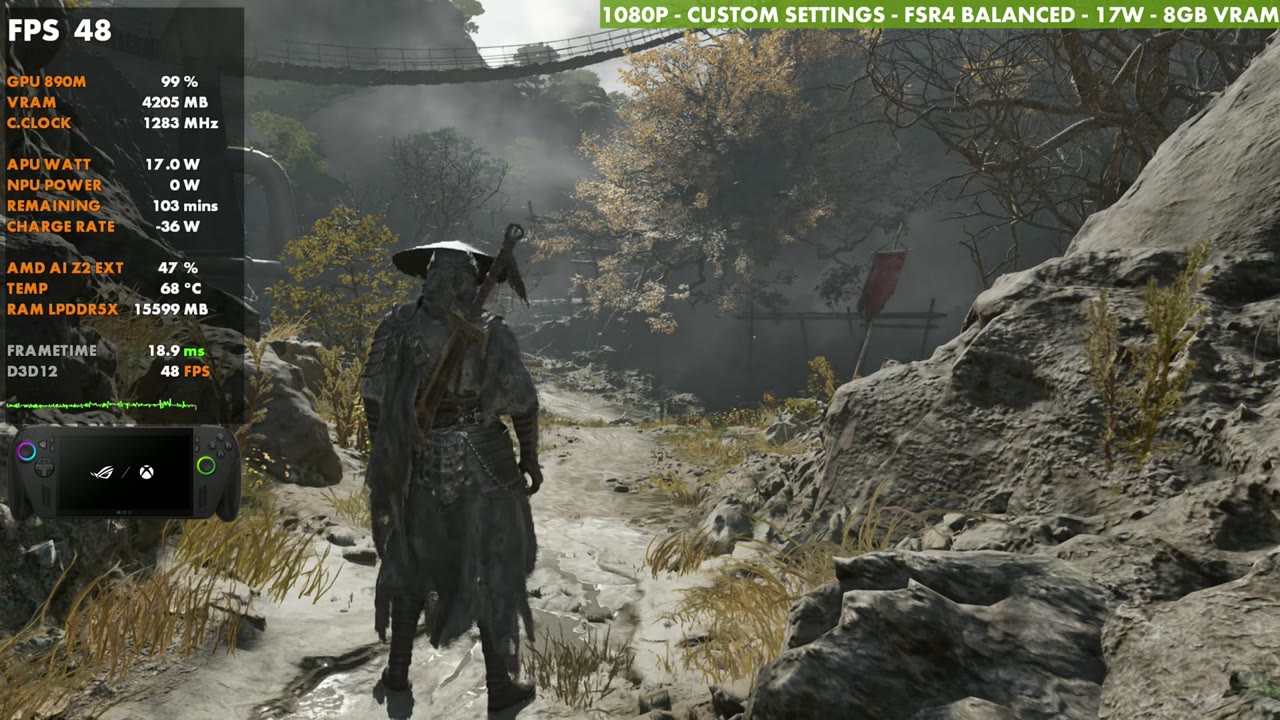
25 watts is a good middle ground for me. It works in a lot of games and it works fine for this one. You can come down to something like 15 or 17W to save some battery, and I saw anywhere from a 10 FPS loss down to two or three, depending on where I was and how hard the game was hitting. At 35W in the same spot, it comes up to around 59 to 60 standing still, and that extra headroom helps once you get into combat.
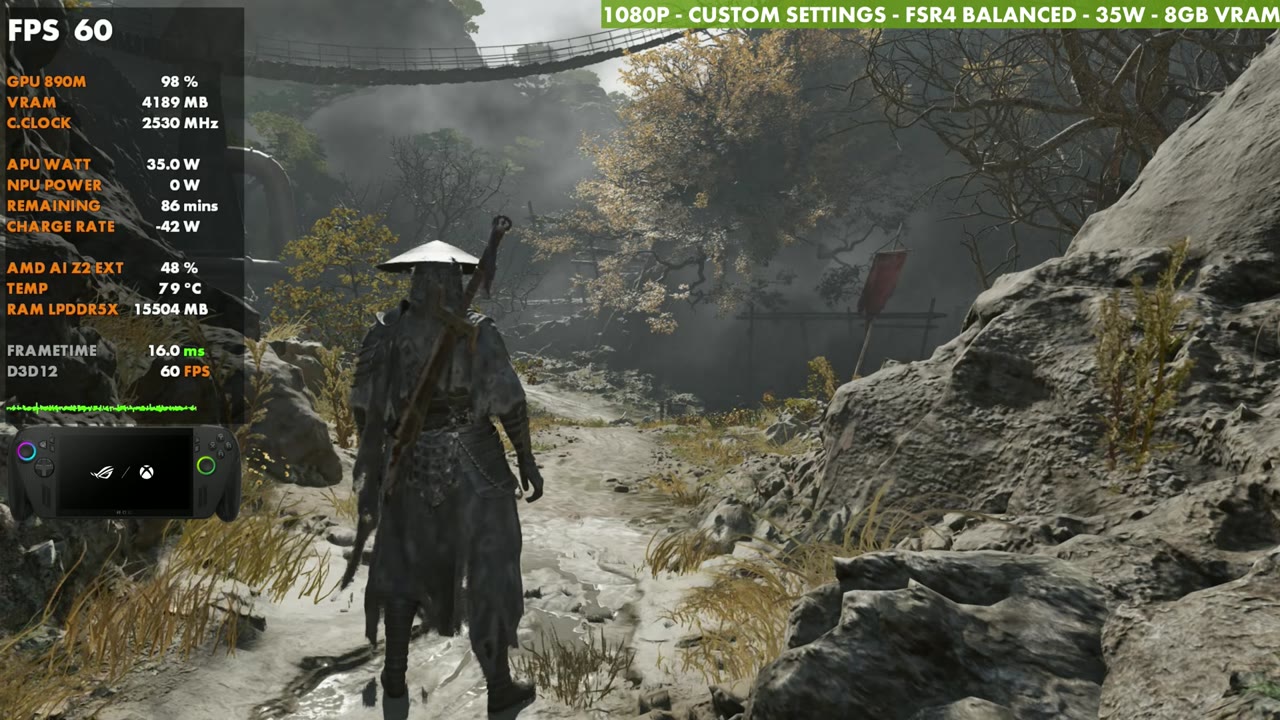
Gameplay
For the gameplay, I stuck with 25W, 1080p and FSR 4 Balanced with frame gen off. The overlay mostly sits in the mid 50s through combat in the footage, with dips into the 40s.
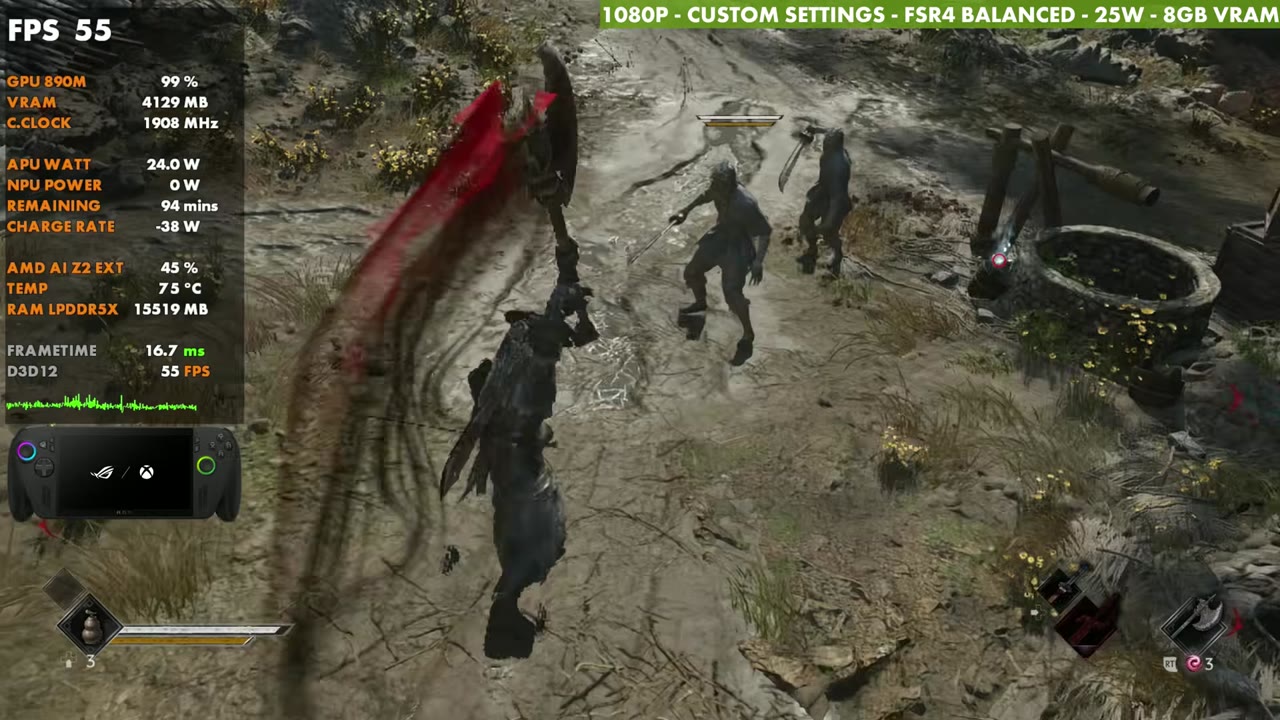
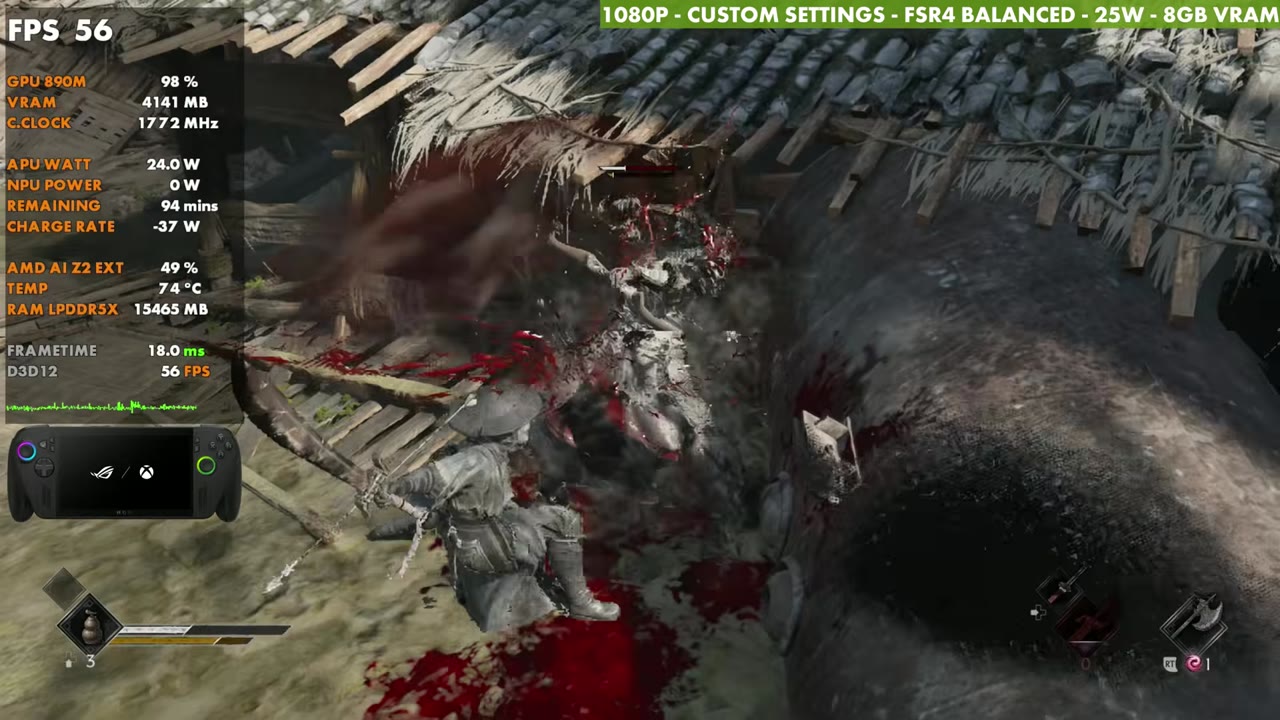
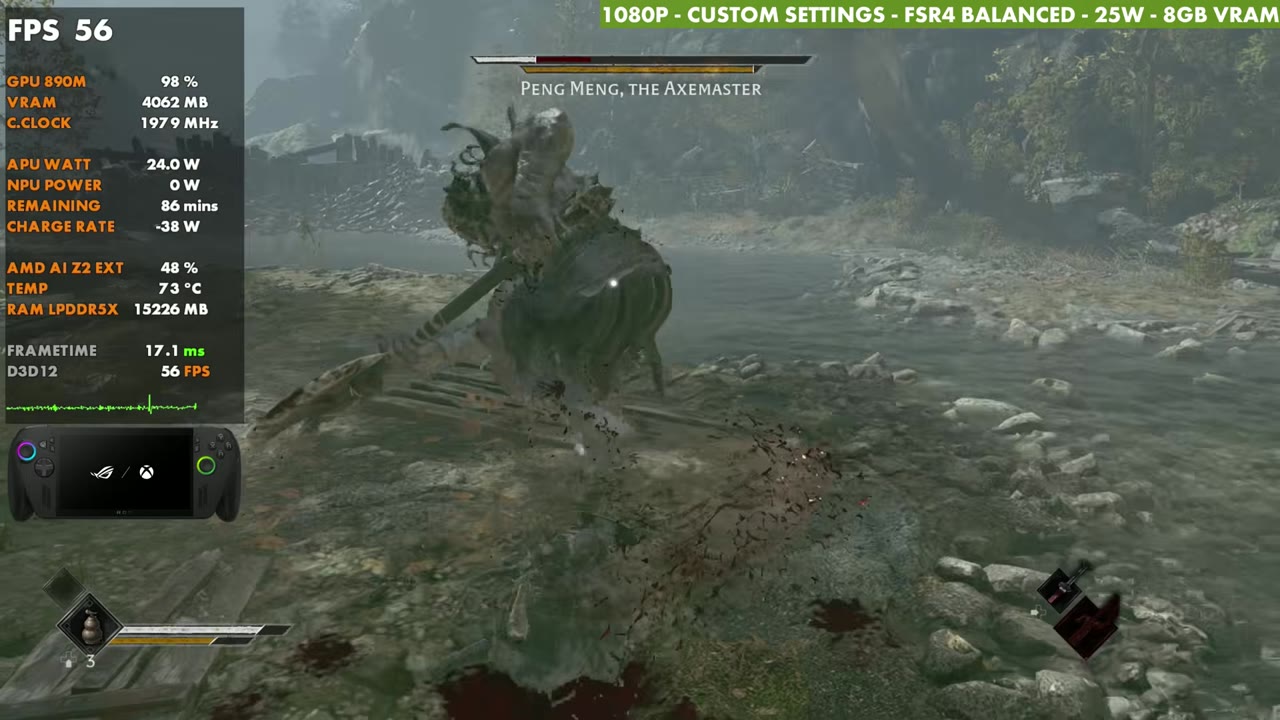
Verdict
Whether it's a driver update or patches for the game, Phantom Blade Zero needs some work. I'm noticing weird stutters and oddities on other systems too, like getting stuck on things in the environment and numerous performance hiccups, even on much more powerful desktop systems. I think there's a lot more potential for it to run better. Still, I'm enjoying the combat and the story, and it's been running just fine on the Xbox Ally X.
FAQ
Is Phantom Blade Zero playable on the ROG Xbox Ally X?
Yes. At 1080p with custom settings, FSR 4 Balanced and 25W, I've seen anywhere from 40 to 70 FPS depending on the area.
Does 35W help?
In my test spot it came up to around 59 to 60 FPS standing still, and the extra headroom helps in combat. 25W is still where I played.
Should frame gen be on?
It works, but it's a little clunky with some input latency. In a game this focused on parries and dodges, I leave it off.
Want more handheld tests?
New Steam Deck, ROG Ally, Legion Go and Steam Machine performance videos every week.