 ▶Watch on YouTube
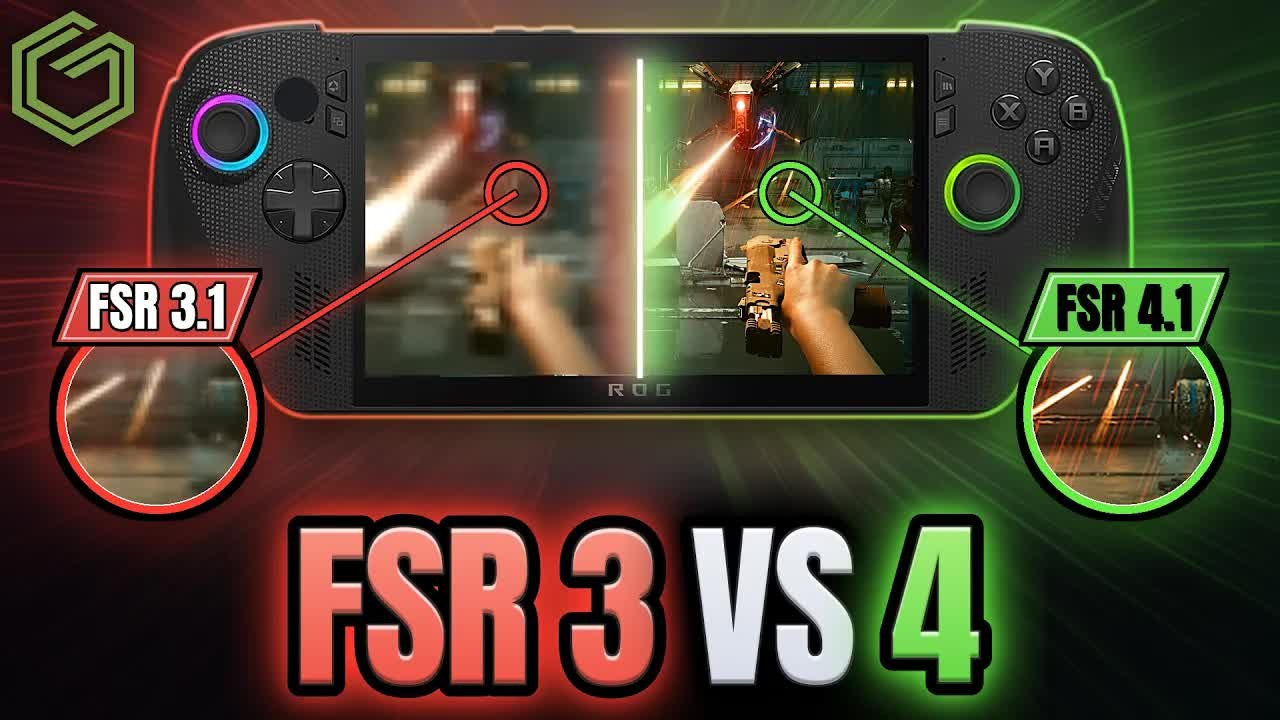
- FSR 3 (FSR 2.1 in Cyberpunk) against FSR 4 side by side on the ROG Xbox Ally X, using the FSR 4.1 preview driver, in four games at 1080p.
- At the same mode, FSR 4 usually reads a few FPS lower on the overlay. It's a heavier model, even the lighter handheld version.
- The image is much cleaner with FSR 4, with less flickering and shimmering, so you can drop a mode (Quality to Performance) and still be happy with it.
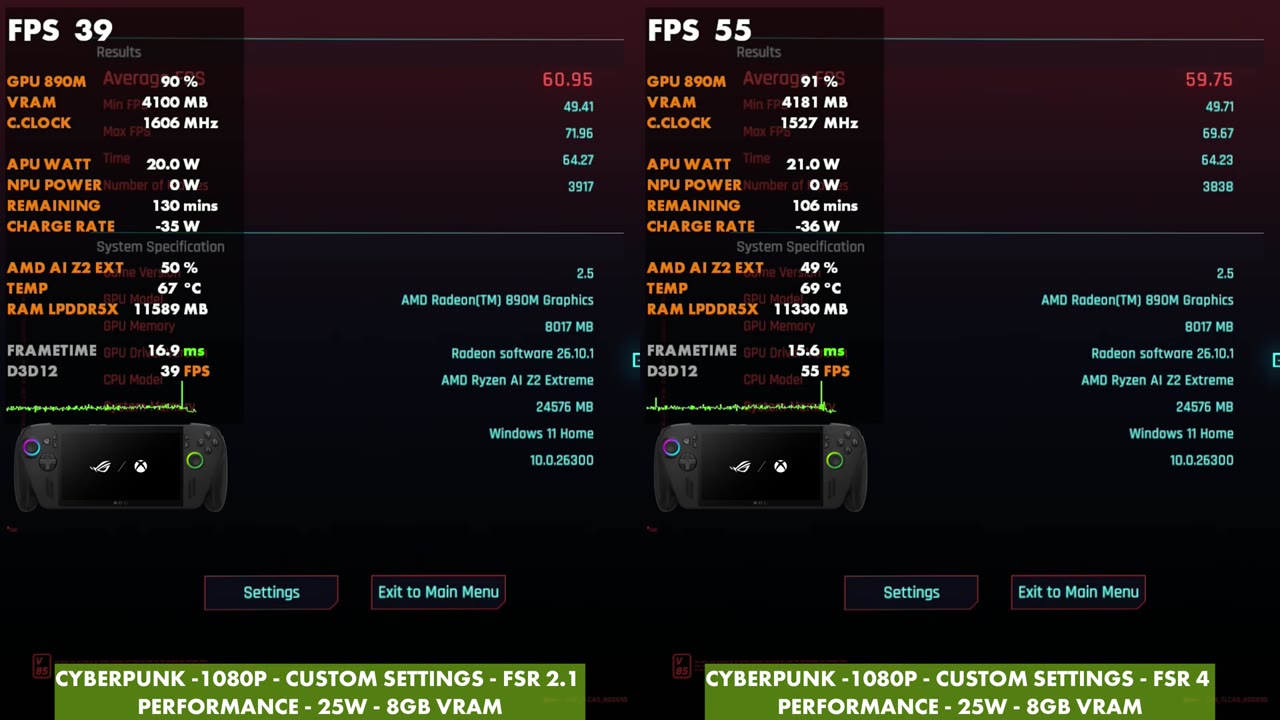
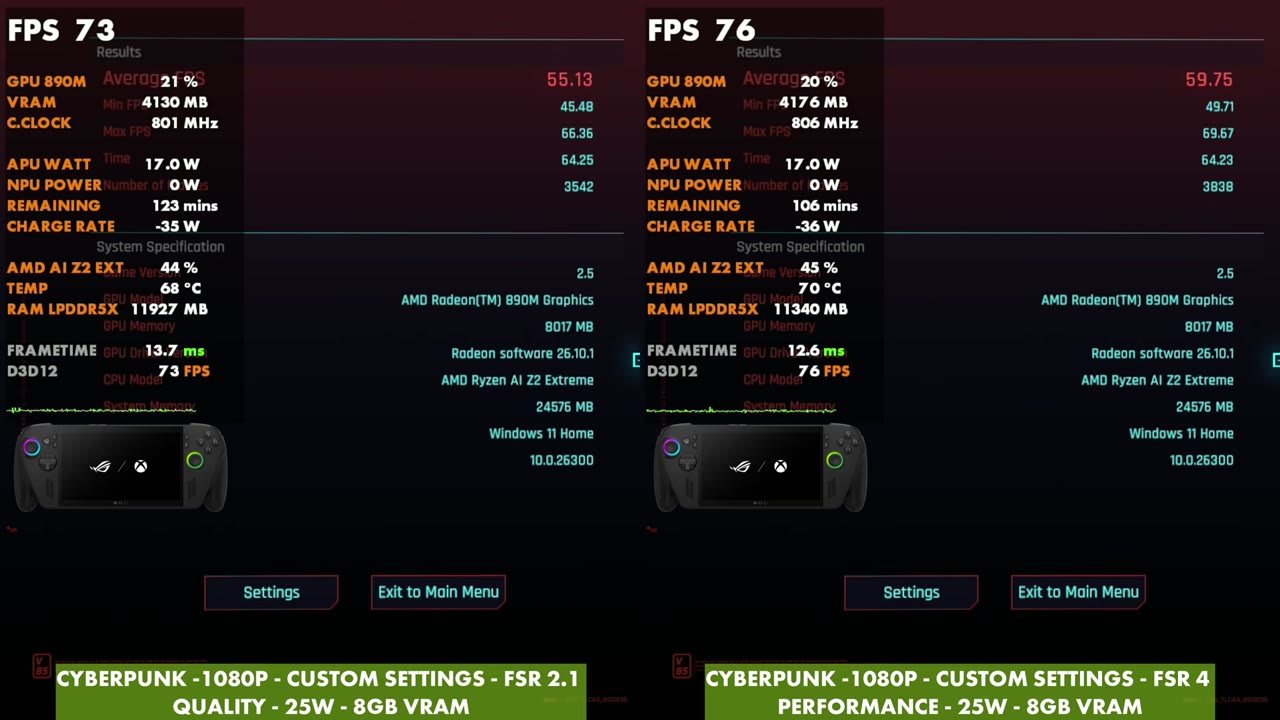
- In the Cyberpunk 2077 benchmark, FSR 4 Performance averaged 59.75 FPS, against 60.95 for FSR 2.1 Performance and 55.13 for FSR 2.1 Quality.
FSR 4 is a trade: a much cleaner image for a little less FPS. That's what showed up across Gears of War: E-Day, Stellar Blade, Space Marine 2 and Cyberpunk 2077 on the ROG Xbox Ally X, and it's why I think a lot of the FSR 4 comparisons out there are a bit odd.
The FSR 4.1 preview driver landed on Friday, October 23. It's easy to install from the preview updates in Armoury Crate, and then you turn it on with the FSR Upscaling tile in Command Center. The more interesting part for me is that every game with FSR 3.1 or newer can now use the FSR 4 model, not just FSR 4 games. My last article covers the install and setup, and I had a lot of comments and questions about FSR 4 after it, so this one is all about how it compares.
Same mode vs dropping a mode
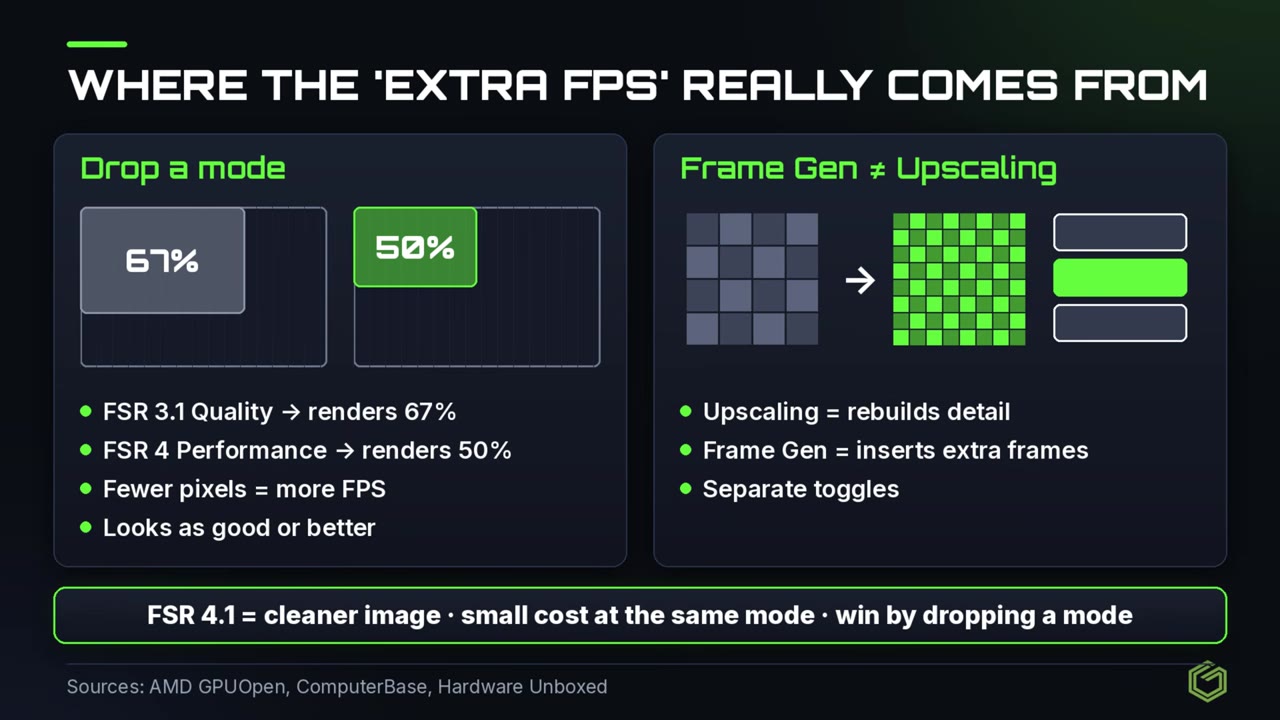
You do lose a little performance with FSR 4, whether it's the handheld model or the full model on a desktop PC. That's just the way it works. Put Quality, Balanced and Performance side by side, and FSR 4 will almost always be a little lower on FPS, but the image quality is worth it.
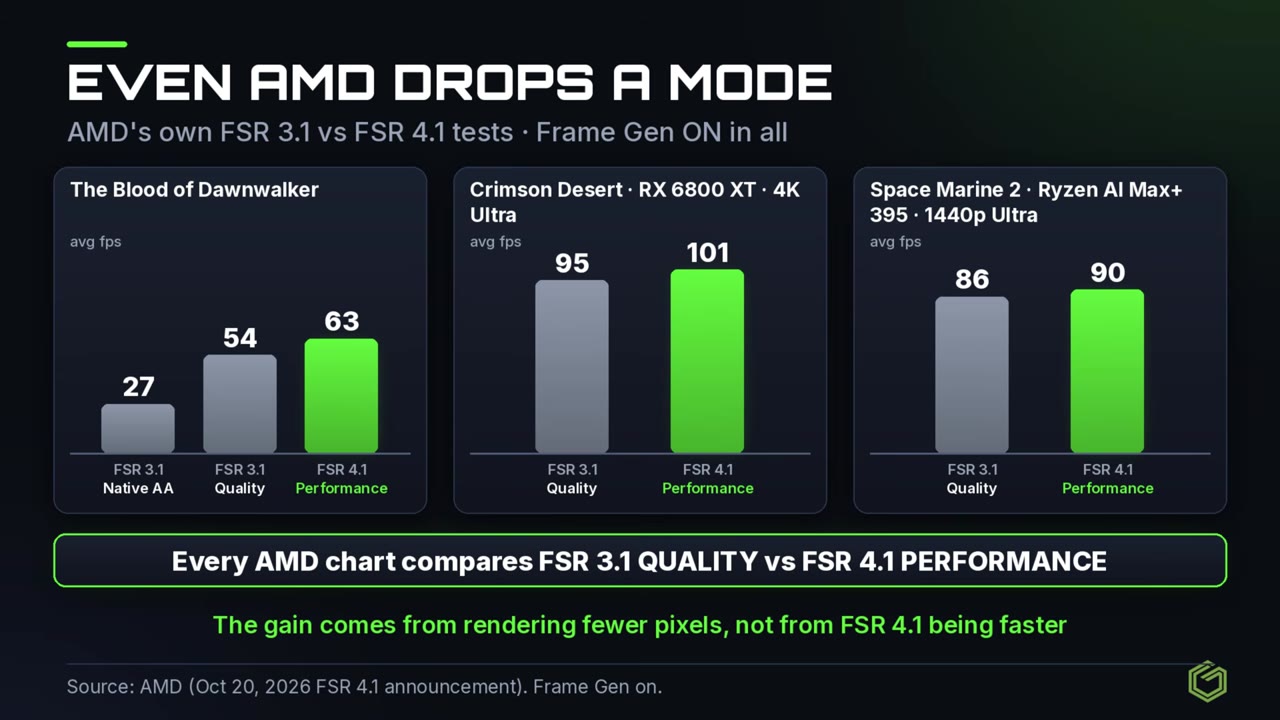
What a lot of people are doing, including AMD themselves, is comparing FSR 4 Performance against FSR 3 Quality. You're not getting more performance that way. You're getting a cleaner image at each level, and that lets you push the upscaling further and still be happy with it. If you never used Performance mode because you didn't like how it looked, now you can, and that might feel like you're getting more FPS. I'm sure future versions of FSR will bring the performance back up along with these models, but right now there isn't really a way around it.
Test setup
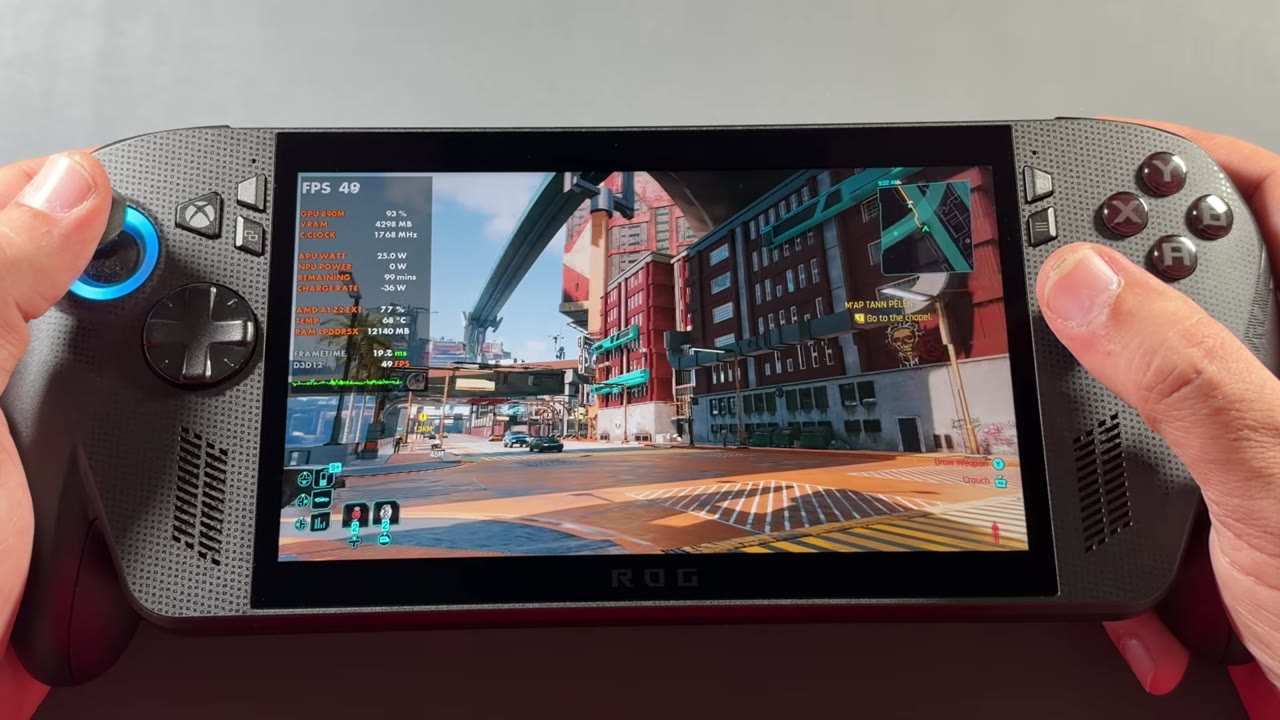
Everything ran on the ROG Xbox Ally X at 1080p with 8GB of VRAM. Each game is split side by side, with the left and right labels in the video showing the upscaler, mode and TDP for that clip:
| Game | Settings | Left side | Right side | TDP |
|---|---|---|---|---|
| Gears of War: E-Day | Low / medium | Stable driver, FSR 3.1 | Preview driver, FSR 4.1 | 25W |
| Stellar Blade | Custom | FSR 3 | FSR 4 | 25W |
| Space Marine 2 | Custom | FSR 3 | FSR 4 | 35W and 25W |
| Cyberpunk 2077 | Custom | FSR 2.1 | FSR 4 | 25W, one clip at 17W |
The modes (Quality, Balanced, Performance) are listed with each result below. The video doesn't show the in-game settings menus, so I can't list the custom settings line by line. All FPS numbers below are overlay readings I took every 10 seconds from the side-by-side clips, not benchmark averages, except for the Cyberpunk benchmark results.
Gears of War: E-Day
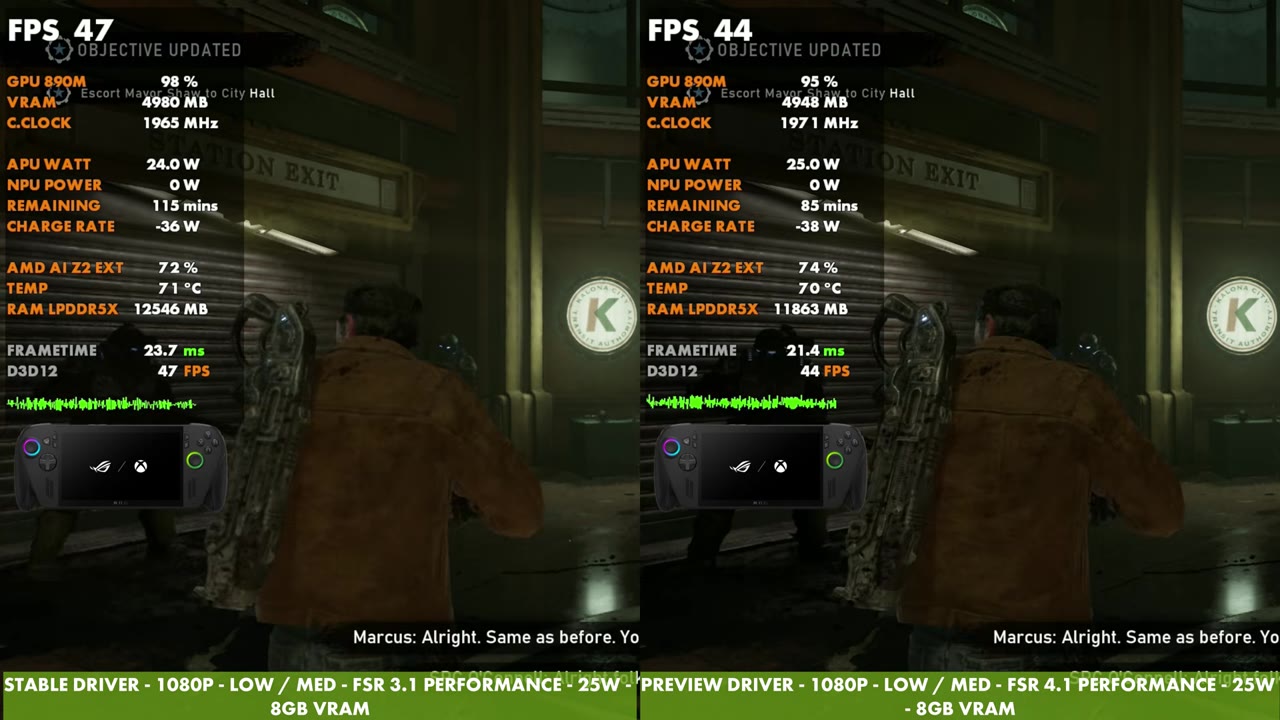
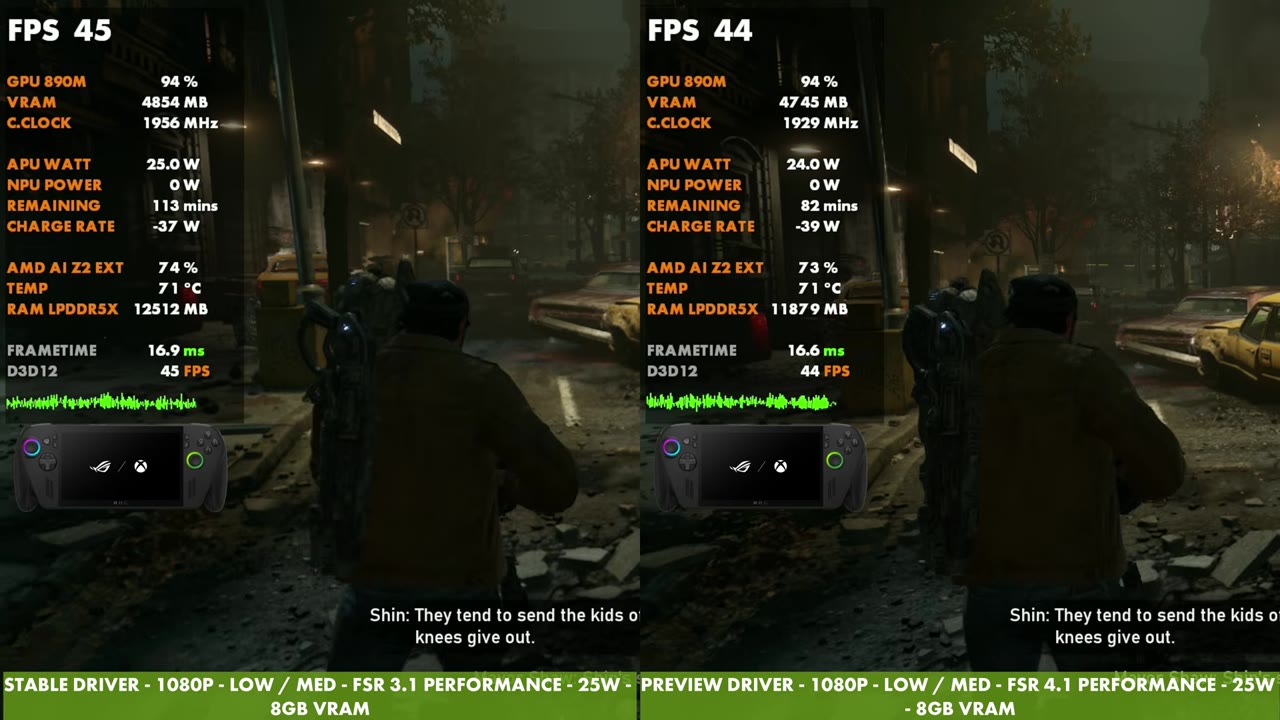
Gears is the one I also covered in the driver article, stable driver against the preview driver at 1080p low/medium, FSR Performance on both. FSR 3.1 read between 39 and 47 FPS in my samples, and FSR 4.1 read between 37 and 44 FPS. Most of the time FSR 4.1 was one to three frames behind, and now and then it was ahead.
Stellar Blade
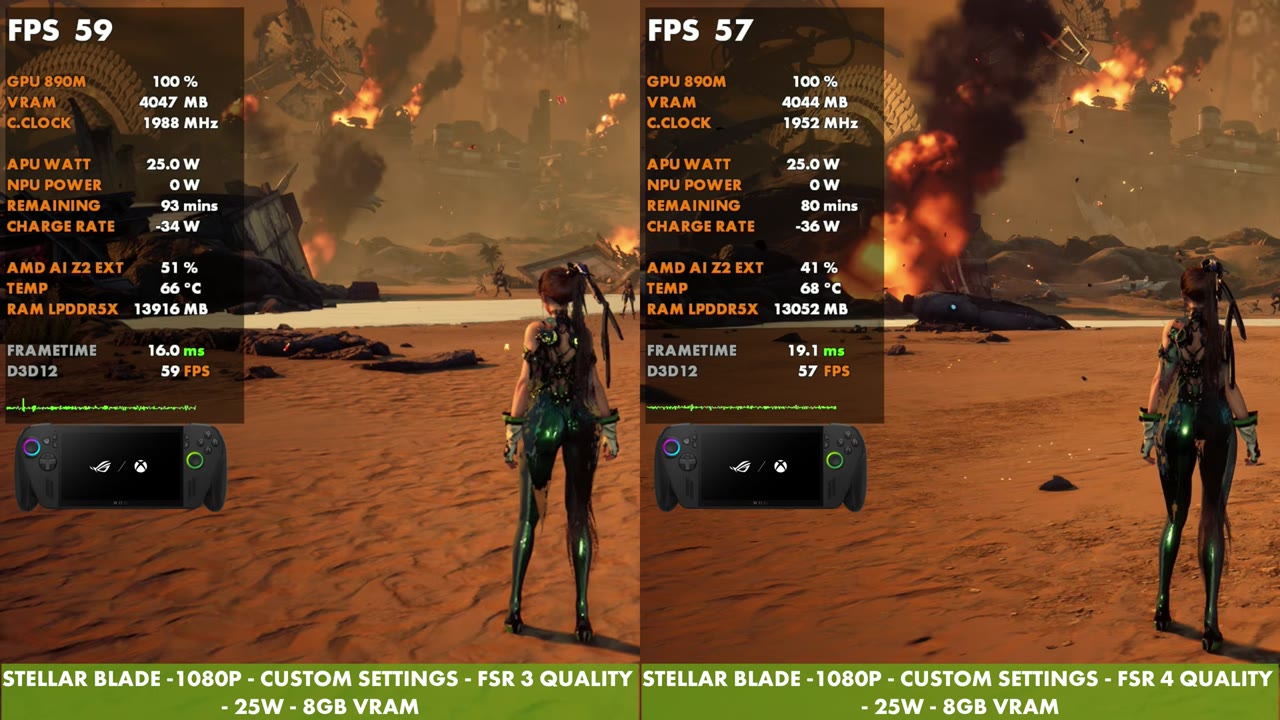
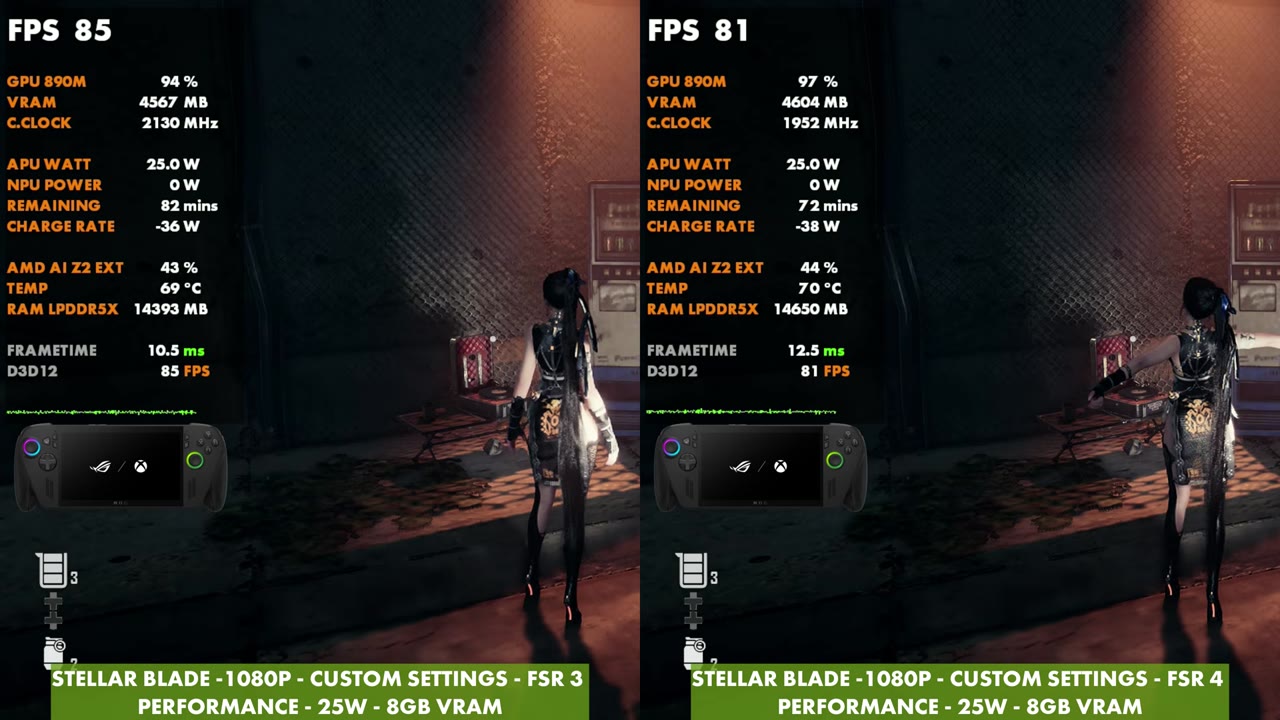
Stellar Blade ran at 1080p with custom settings and 25W. On Quality, FSR 3 read 59, 73 and 77 FPS in my samples, against 57, 70 and 71 FPS for FSR 4. On Performance, FSR 3 read between 66 and 85 FPS and FSR 4 between 66 and 81 FPS, with one sample where FSR 4 was ahead (66 vs 71) and one where they were level at 73.
Space Marine 2
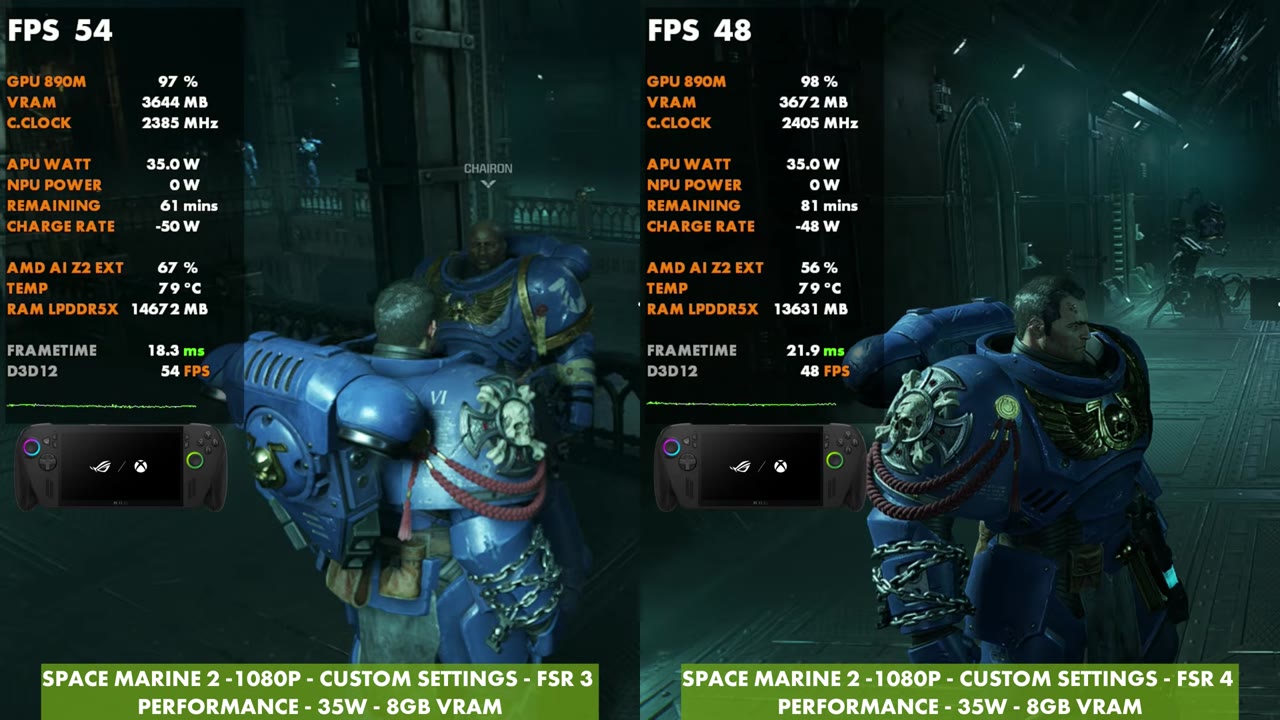
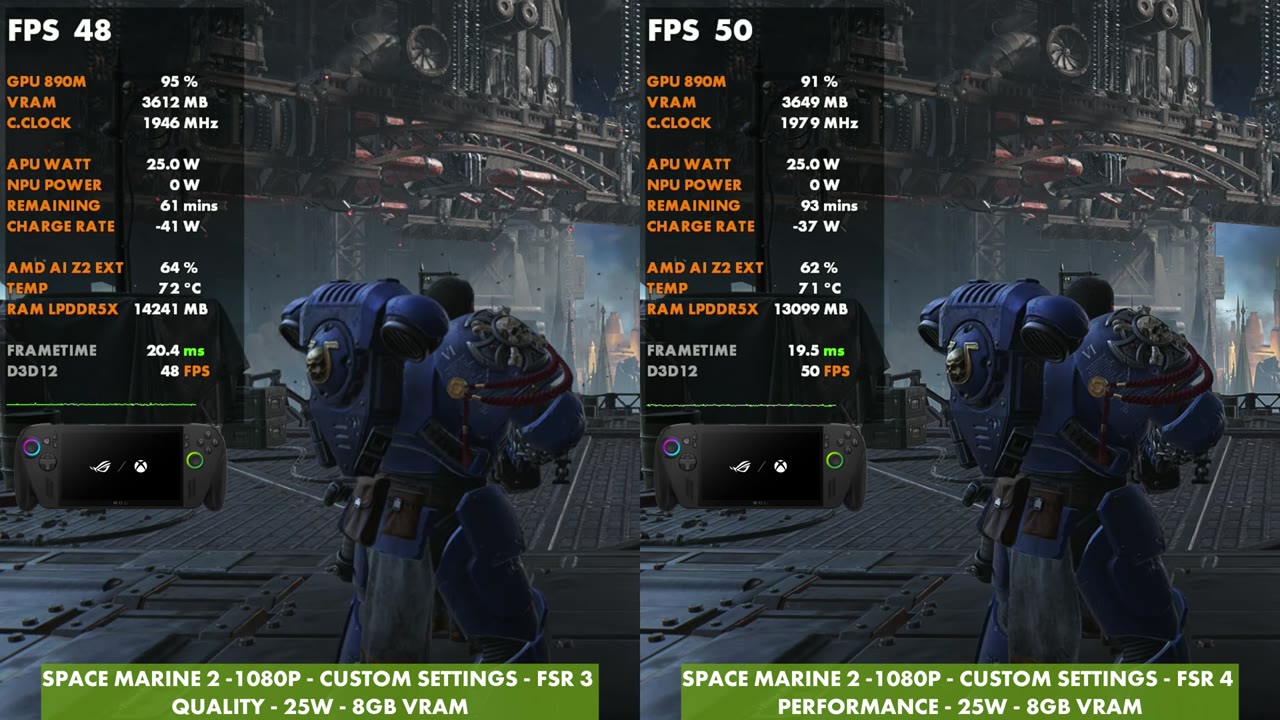
Space Marine 2 started at 35W with Performance on both sides. FSR 3 read between 47 and 62 FPS and FSR 4 between 46 and 59 FPS in my samples. At 25W I also went through Quality (48 vs 47 FPS), Balanced (50 vs 48 FPS) and Performance, where FSR 3 read between 36 and 52 FPS and FSR 4 between 33 and 49 FPS. That's the heaviest game here, and busy fights pulled both sides down into the 30s.
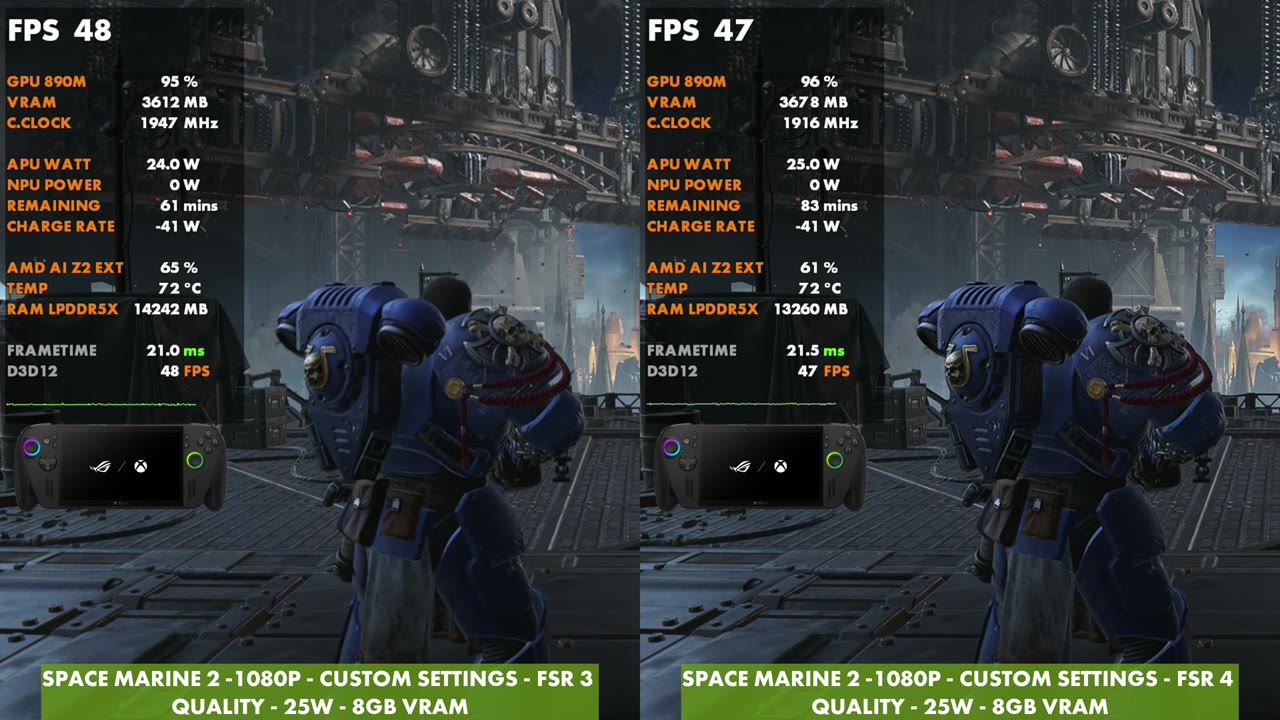
Here's the drop-a-mode comparison: FSR 3 Quality against FSR 4 Performance, and FSR 4 comes out ahead.
Cyberpunk 2077
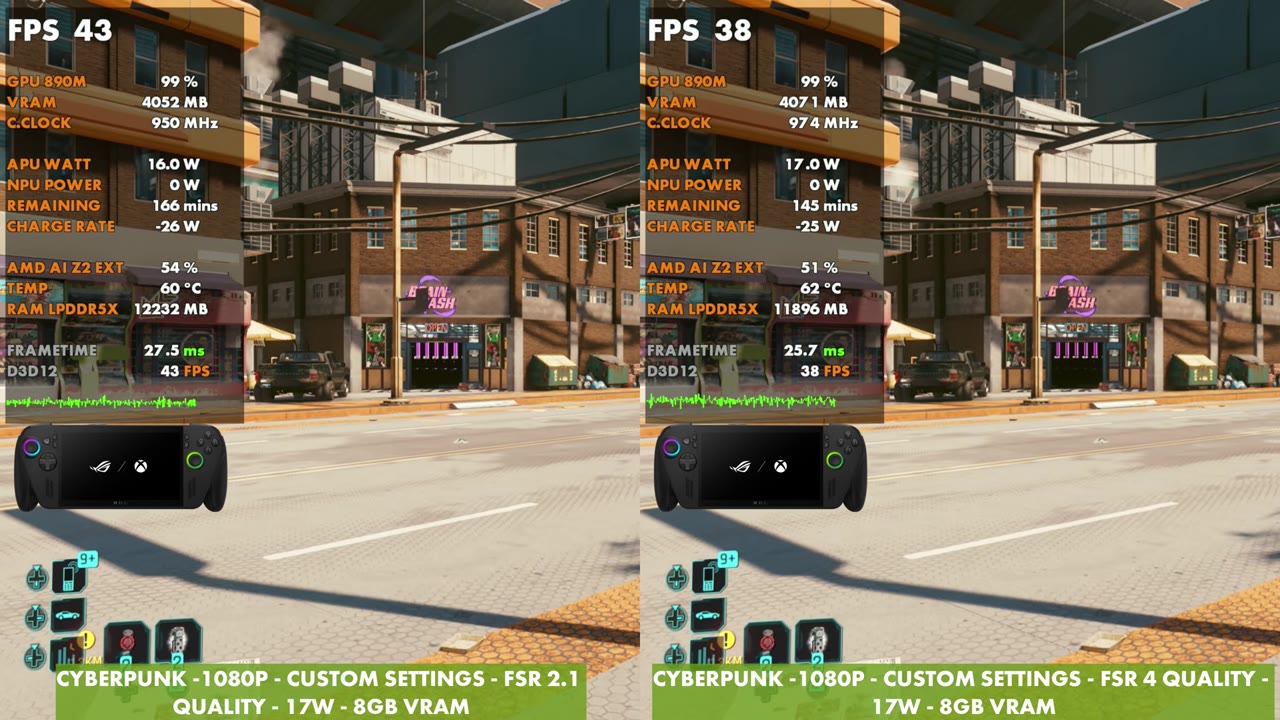
Cyberpunk is labeled FSR 2.1 against FSR 4, 1080p with custom settings at 25W. On Performance, FSR 2.1 read between 47 and 64 FPS and FSR 4 between 44 and 60 FPS in gameplay. With both on Quality, it was 52 vs 50, 52 vs 48 and 47 vs 44 FPS. One clip at 17W, both on Quality, read 43 FPS for FSR 2.1 and 38 FPS for FSR 4.
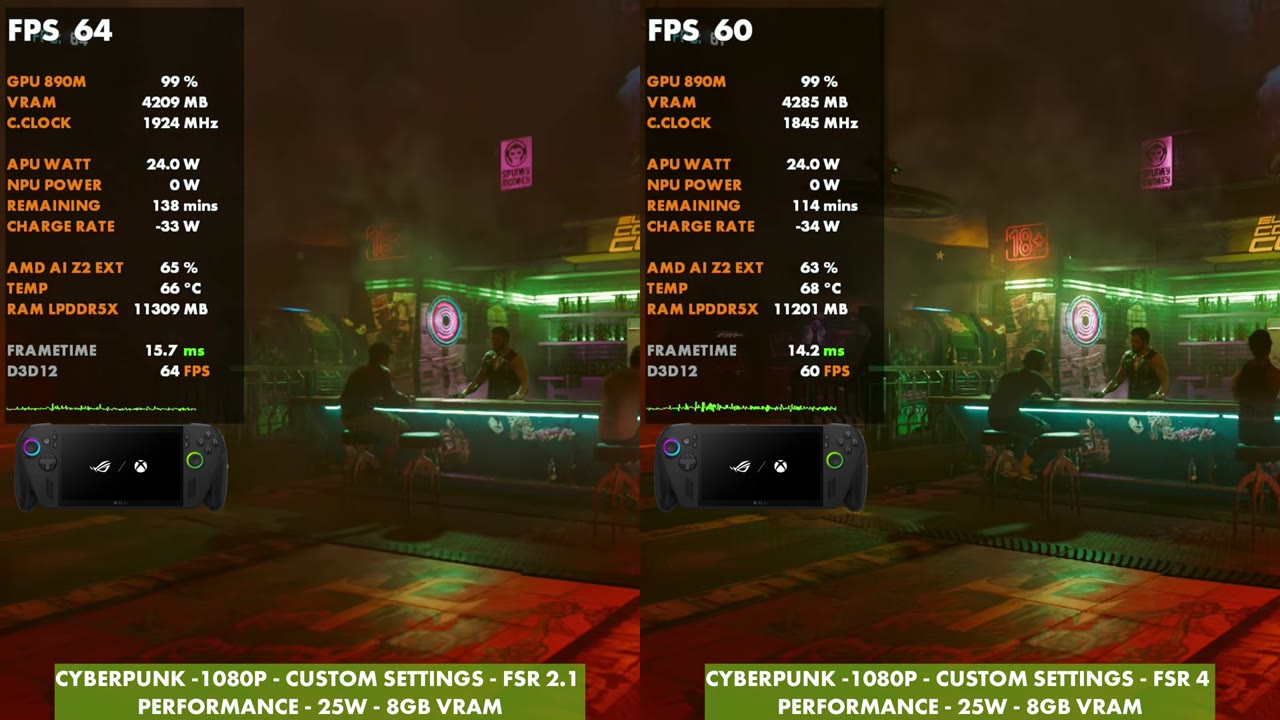
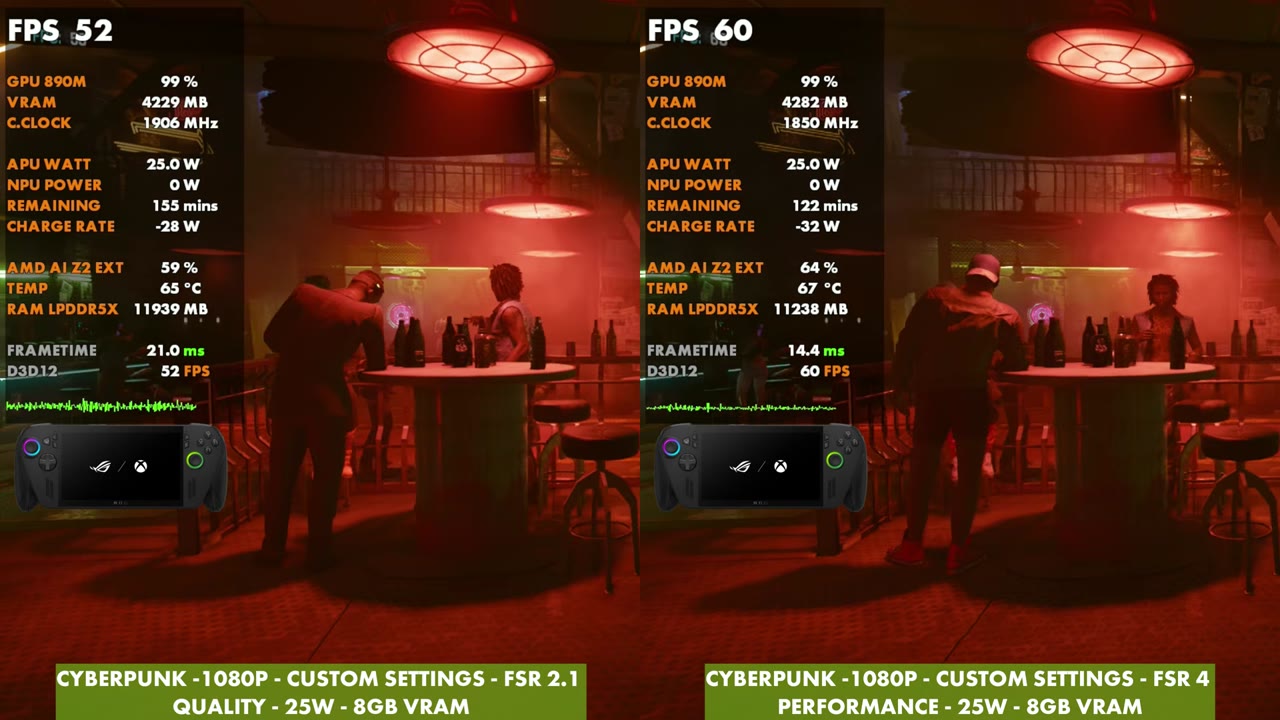
Switch FSR 4 to Performance against FSR 2.1 Quality and it flips. FSR 4 read 60, 57 and 57 FPS against 52, 50 and 55 FPS for FSR 2.1, and later the two were close (53 vs 52, 54 vs 54).
Cyberpunk 2077 benchmark
The built-in benchmark tells the same story:
| Upscaler (1080p, custom, 25W) | Average FPS | Min FPS | Max FPS |
|---|---|---|---|
| FSR 2.1 Performance | 60.95 | 49.41 | 71.96 |
| FSR 4 Performance | 59.75 | 49.71 | 69.67 |
| FSR 2.1 Quality | 55.13 | 45.48 | 66.36 |
Verdict
There's a dramatic difference in some of the visuals and the image quality with FSR 4 against FSR 3, and you can definitely tell the difference in all four of these games. You're always going to take a little bit of an FPS hit at the same mode, unless you adjust settings or go Performance over Quality. I just don't call that more performance. It's a cleaner image at every level, which lets you push the upscaling further. I love what we're seeing with FSR 4 on the Xbox Ally X, and it's been a lot of fun to play with.
FAQ
Is FSR 4 faster than FSR 3 on the Xbox Ally X?
Not at the same mode. In these tests FSR 4 usually read a few FPS lower than FSR 3 at the same mode, but with a much cleaner image.
Why do some charts show FSR 4 with more FPS?
They compare FSR 3 Quality against FSR 4 Performance. Performance renders fewer pixels, so it runs faster. In the Cyberpunk 2077 benchmark, FSR 4 Performance averaged 59.75 FPS against 55.13 for FSR 2.1 Quality.
Which games can use FSR 4 on the Xbox Ally X?
With the FSR 4.1 preview driver, games with FSR 3.1 or newer can use the FSR 4 model, as well as games with FSR 4.
Want more handheld tests?
New Steam Deck, ROG Ally, Legion Go and Steam Machine performance videos every week.