 ▶Watch on YouTube
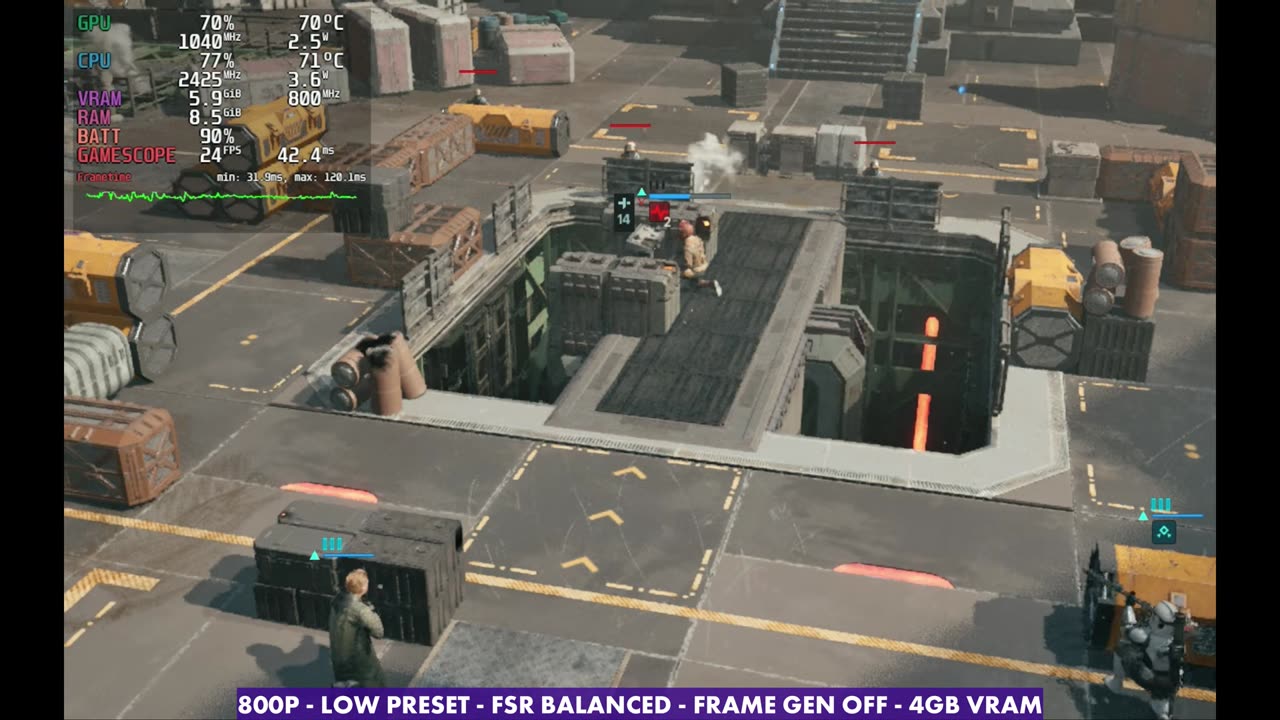
- At 800p, the Low preset and FSR Balanced with frame gen off, it sits in the teens and 20s almost all the time.
- With a manual GPU clock and the game's own frame gen, I can get it up into the 40s in some missions, or the 30s from a base of about 15 to 18 in others.
- It doesn't seem to be taxing the GPU or CPU, so updates could help. The game is unsupported on Steam Deck (not Verified).
- For a lot of people, this is one to hold off on until it gets patched.
Star Wars: Zero Company has been pretty rough going on the Steam Deck OLED, and if you've been looking at reviews for handhelds, you've probably seen that. To make it somewhat playable on low settings, I'm using a manual GPU clock and the in-game frame generation. For a lot of people that's not going to fly, and with frame gen and the manual GPU clock off, it comes down into the teens and 20s almost all the time, depending on what's going on and which mission you're in.
The game isn't Verified. It's still unsupported on Steam Deck. My understanding is it runs pretty well in SteamOS on more powerful hardware but has issues on the Deck, and it doesn't look like it's just down to the hardware. I believe there are issues with drivers, game updates or the way it works on SteamOS, because it's not taxing the GPU or CPU based on what the overlay shows. I think some updates could help.
What I tested
- 1280x800 (16:10), full screen
- Frame rate unlimited, V-Sync off
- Upscaling: AMD FSR, mostly Balanced
- Quality: Low overall (you can't go any lower)
- 4GB VRAM
- Frame gen off, then on with a manual GPU clock of 1600 MHz
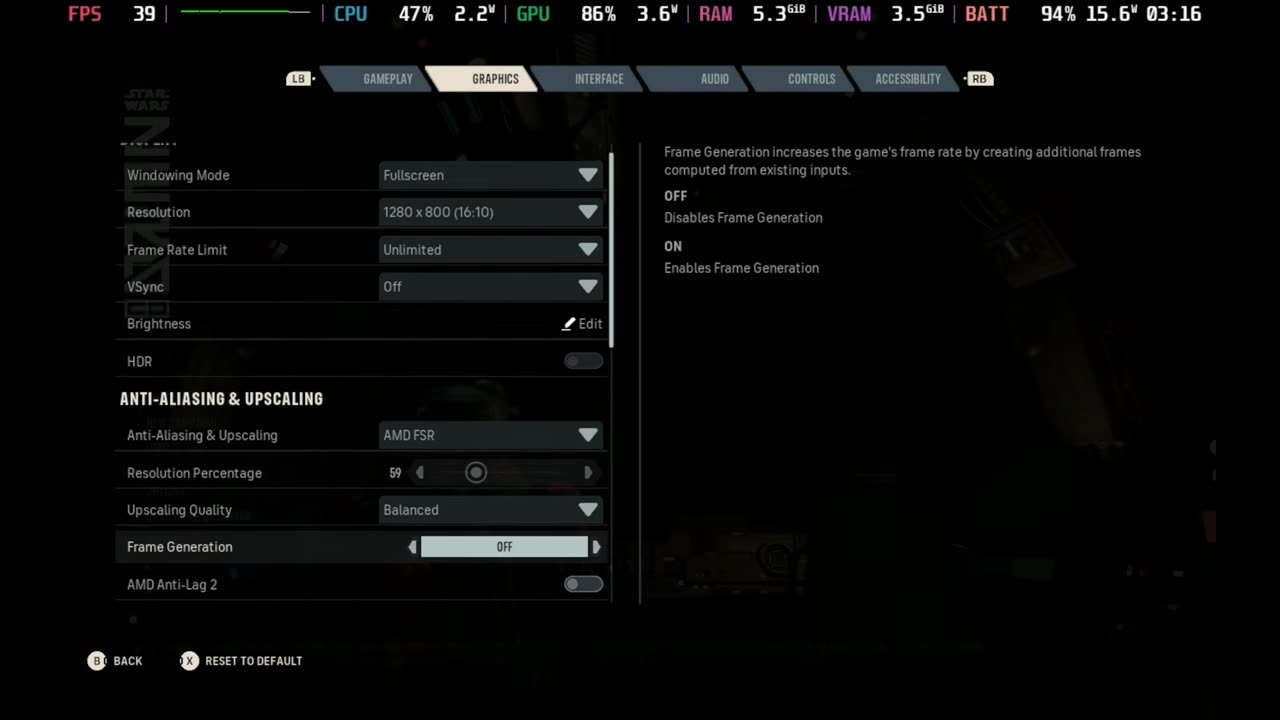
Turning settings up only makes things worse, even though it doesn't look like the GPU is being pushed. The game just isn't able to run properly yet.
Hub area, frame gen off
In the hub with these settings and frame gen off, it's in the teens and 20s for the most part while running around. It's pretty janky, and there's only so good that's going to look, even on a smaller screen. Especially when you're running around outside the top-down combat view, this is pretty much what you're dealing with.
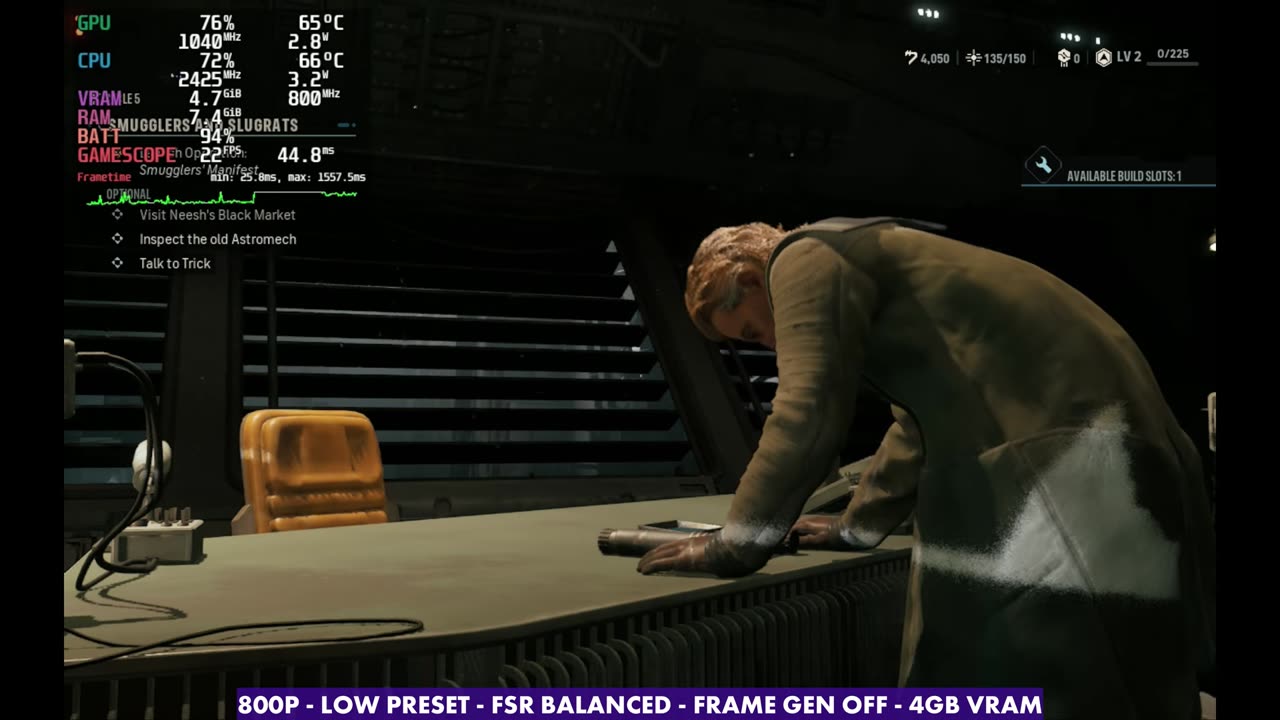
Other upscaling modes only gain one or two FPS over Balanced, and Balanced only gains about one more FPS over Quality. So I stuck with Balanced. You're not gaining anything by making the visual quality worse, because the game isn't really using the hardware to begin with.
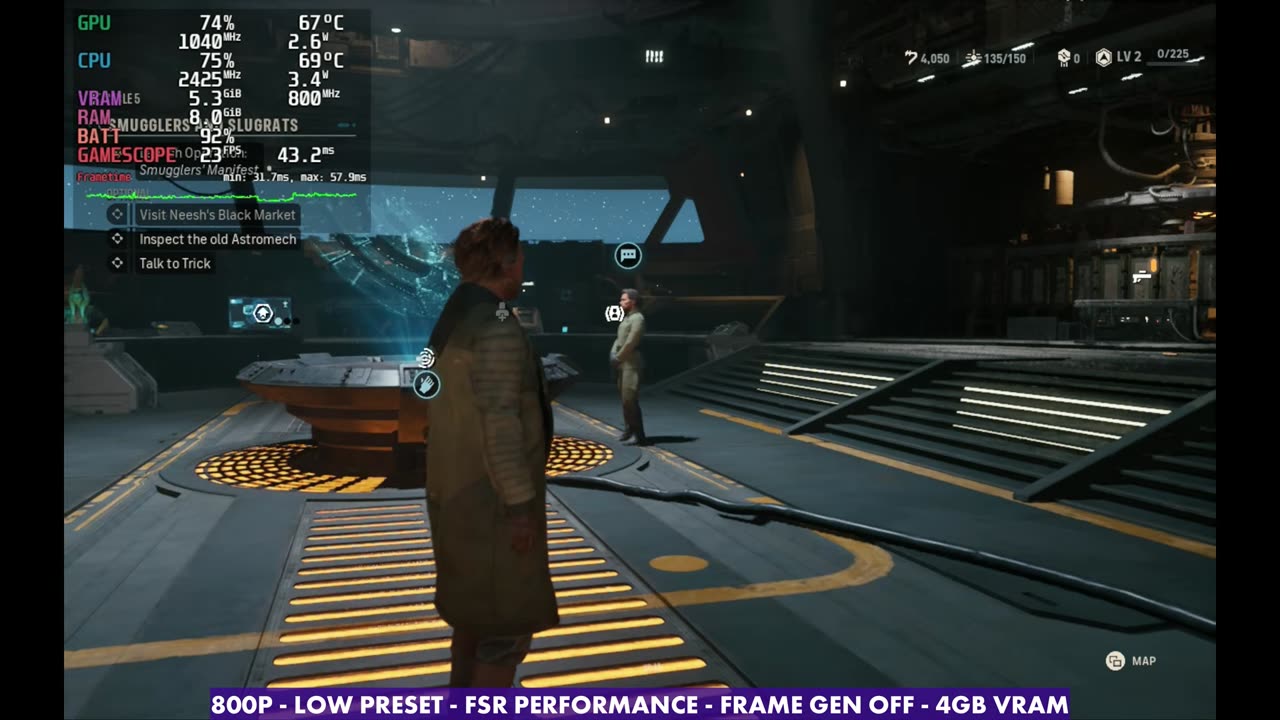
Between combat and in combat
Away from the hub, running around between combat areas and missions, it's the same idea: teens and 20s for the most part. That's not the greatest, but you're not in combat there either. It's still pretty janky and rough.
Once you get into normal combat sections, things are usually a little better, though not when it cuts to scenes or when enemies are coming in to refill the ranks. Still, for most people this frame rate and these visuals are going to be very unplayable, even though the game isn't crashing.
Manual GPU clock and frame gen
Going back to the manual GPU clock with frame gen on, I can get it up into the 40s. At least frame-rate wise, things seem a bit better, and some of you might be fine with it. When I messed around with Lossless Scaling, it used too many resources, with the game running so poorly without frame gen to begin with, so I don't think that's the way to go yet either.
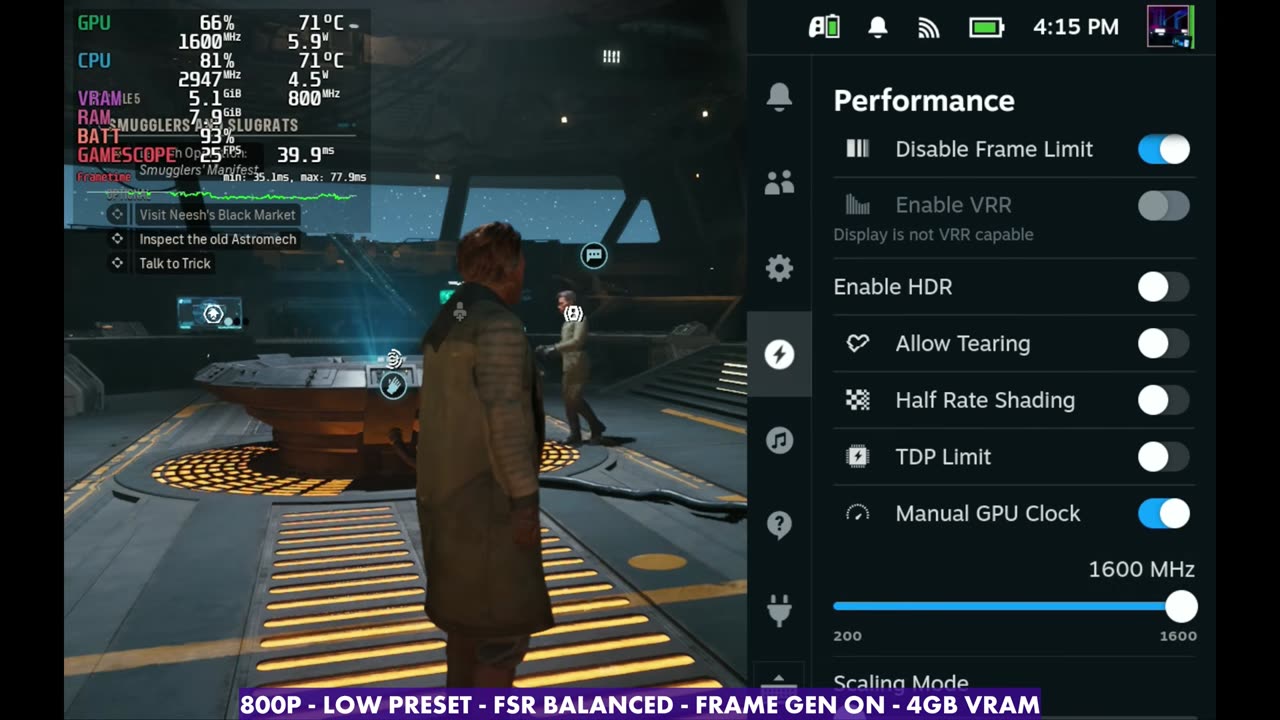
If you're trying to play this at all on the Steam Deck, the in-game frame gen with a manual GPU clock seems to be one of the only ways to get away from that really low frame rate. Frame gen works okay, considering how low the base frame rate is.
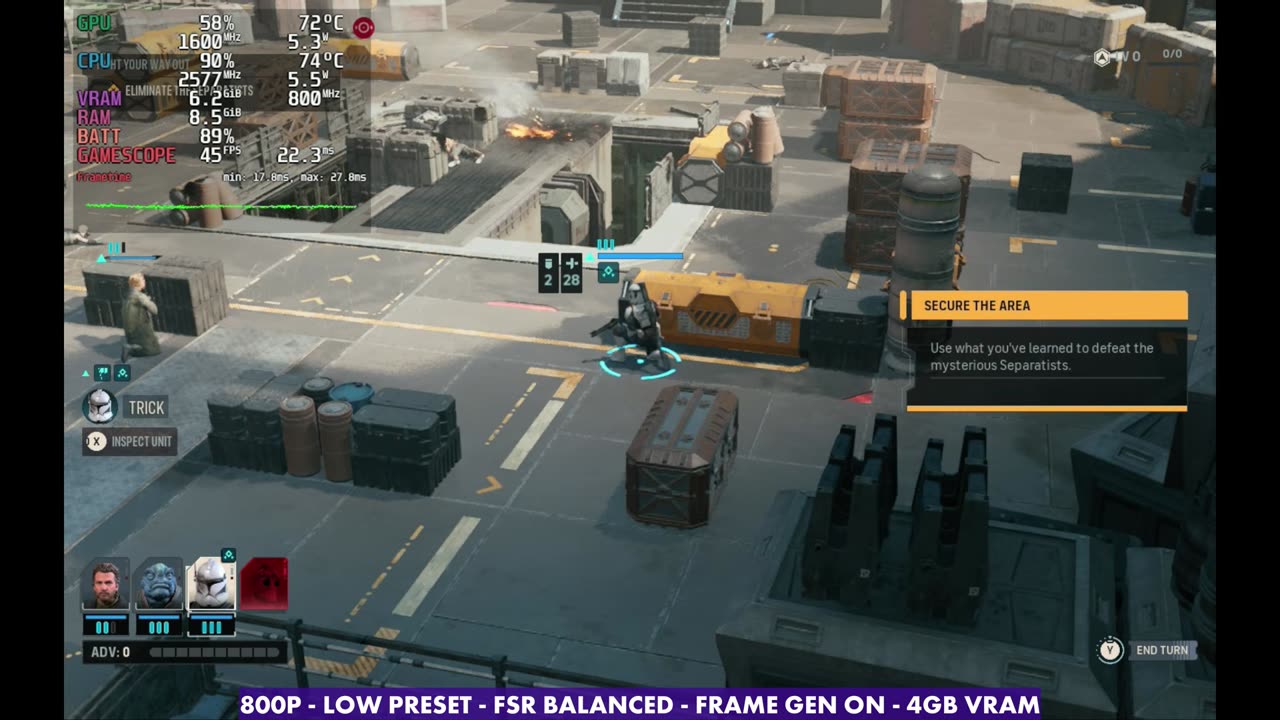
Performance varies between missions. I was getting 40s with frame gen on in one mission, but in another I was often in the 30s, from a base of about 15 to 18. How many enemies are on screen and where you set your manual GPU clock really affect the frame rate, so it's not always possible to get into the 40s, even with frame gen.
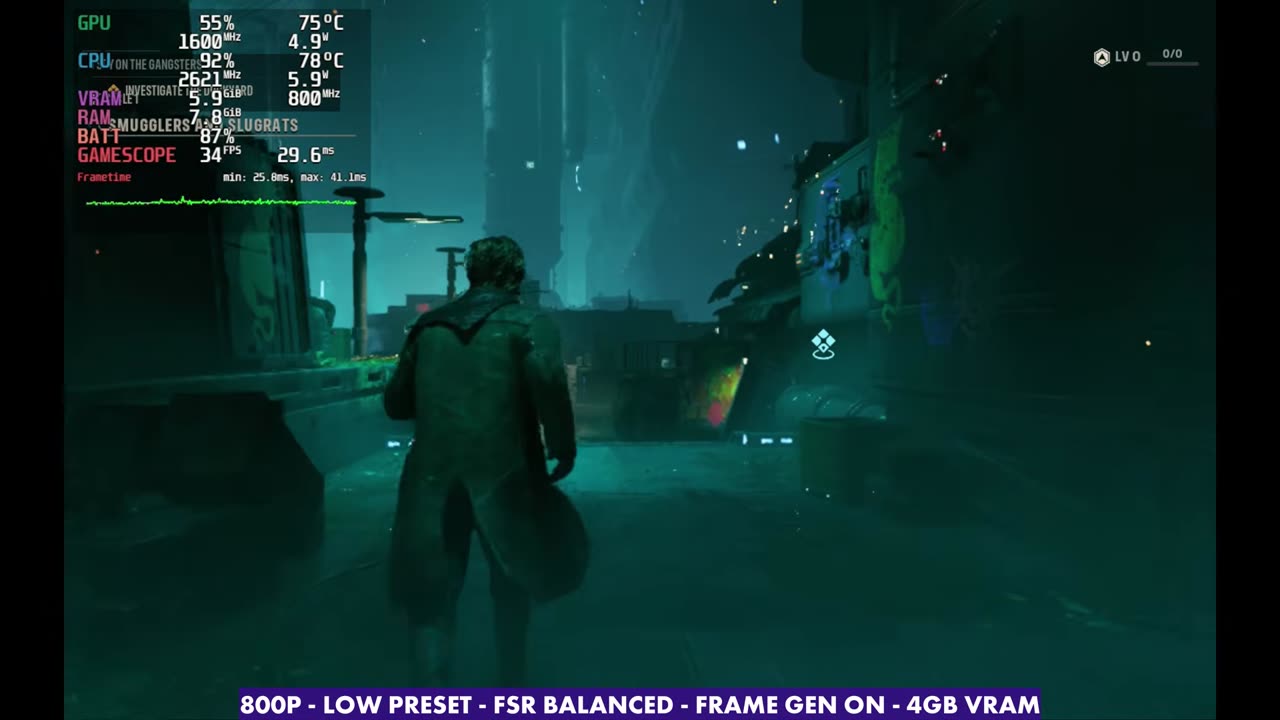
Verdict
I didn't go into a lot more settings or testing, because the game is a bit broken on the Deck right now and just doesn't run properly. I'm pretty sure updates are coming, and if things start running better, I'll take another look at settings and performance. I'm really enjoying the game on other PCs, and it's been a lot of fun. For how it runs on Windows handhelds, see my tests on the ROG Xbox Ally X, MSI Claw 8 AI+ and Legion Go Z1 Extreme.
Want more handheld tests?
New Steam Deck, ROG Ally, Legion Go and Steam Machine performance videos every week.