Quick answer: DeckyTDPTuner is a new pre-release Decky Loader plugin that searches down from 15W for the lowest TDP that holds your chosen framerate, checks frametime smoothness and saves the result per game. A live mode keeps adjusting during play.
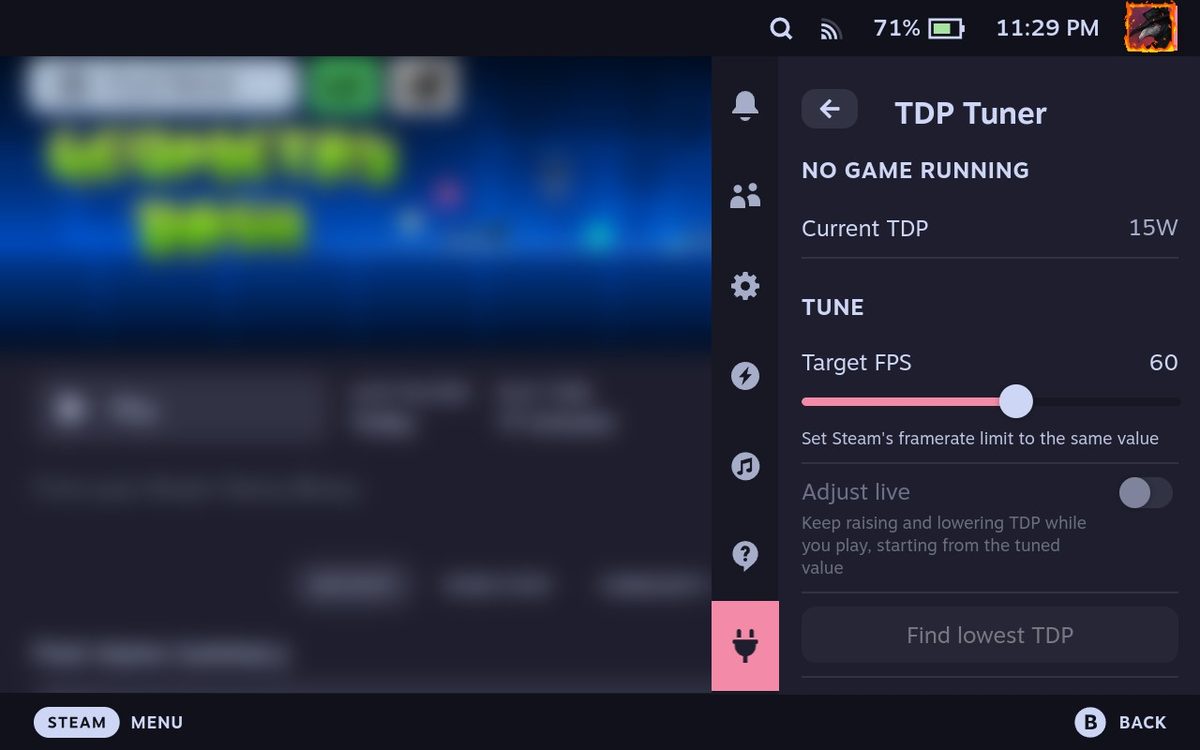
A developer shared DeckyTDPTuner on the Steam Deck subreddit, a Decky Loader plugin that looks for the lowest wattage that still holds the framerate you want.
You set Steam's framerate limit, pick the same target in the plugin and press "Find lowest TDP" somewhere busy in the game. It starts at 15W and searches down until it finds the lowest wattage that keeps both the average and the 5% lows above the target. It also checks the frametime graph, and if the lowest passing wattage is jagged, it goes back up 1W at a time while that makes things noticeably smoother. The result is saved for that game and applied every time you launch it.
An optional Adjust live mode keeps watching during play. It raises the TDP quickly when the framerate drops and only lowers it slowly after a stretch of steady frames, so heavier parts later in a game don't tank performance. A Full power on charger option pushes the TDP up while plugged in. The lowest TDP defaults to 4W, since some games crash below that. If 15W can't hold your target, the plugin tells you what it managed and offers a lower target.
A few things to know. Steam's own TDP slider has to be off, or the two will fight each other. The plugin runs as root because it writes the GPU power limits directly, and the developer says a reboot puts everything back to stock. It was written for the Steam Deck LCD and OLED. Version 0.0.1 is a pre-release that isn't in the Decky store yet, so it installs from a zip with Decky's developer mode. The source code is on GitHub under the GPL-3.0 license, and the developer plans to submit it to the official store once it matures.
Tested on the channel: How to Make SteamOS Better on the Legion Go 2 with Decky Loader (video) · full article