 ▶Watch on YouTube
LEGO Batman: Legacy of the Dark Knight has been a really fun game. About six or seven hours in, I've tested it in a bunch of different areas, and for the most part it runs okay on most devices. It definitely has its optimization and performance issues depending on where you are, and it seems like it was optimized for frame generation first. On the Legion Go 2 Z2 Extreme with 32GB of RAM, it does pretty well.
- Tested at 1000p with FSR3 Performance and custom settings, mostly at 25W, with 10GB of VRAM.
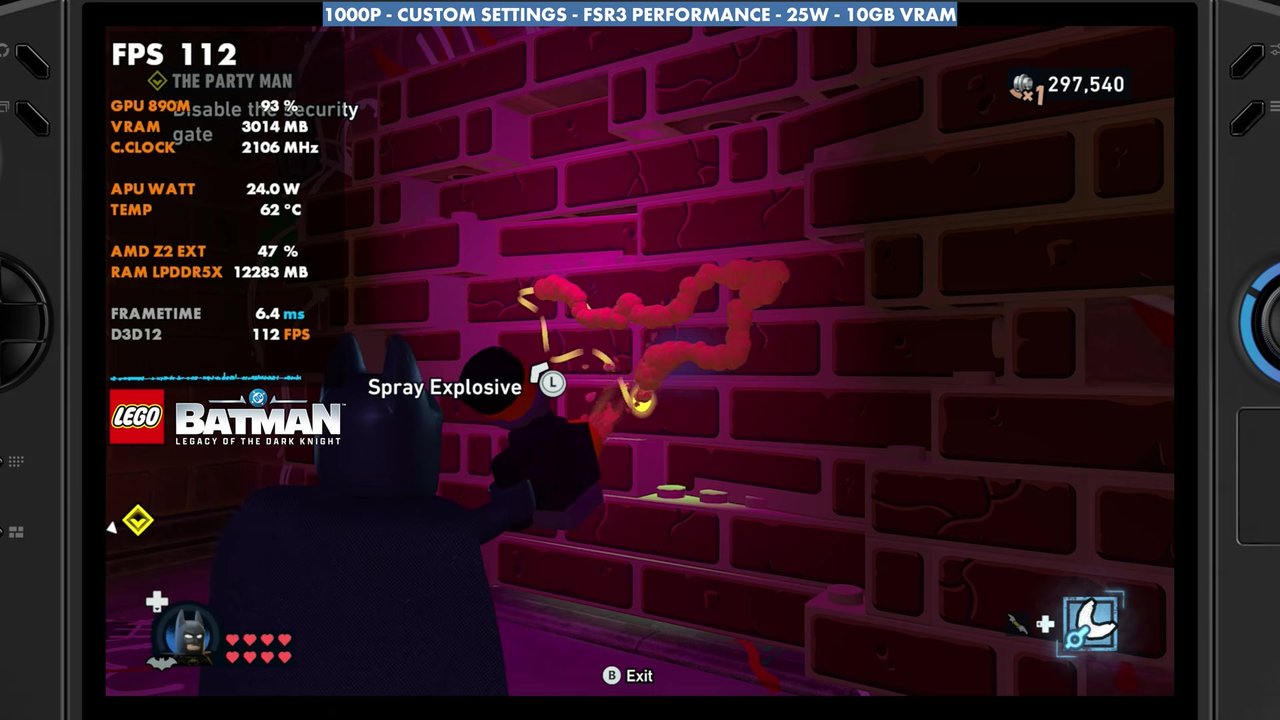
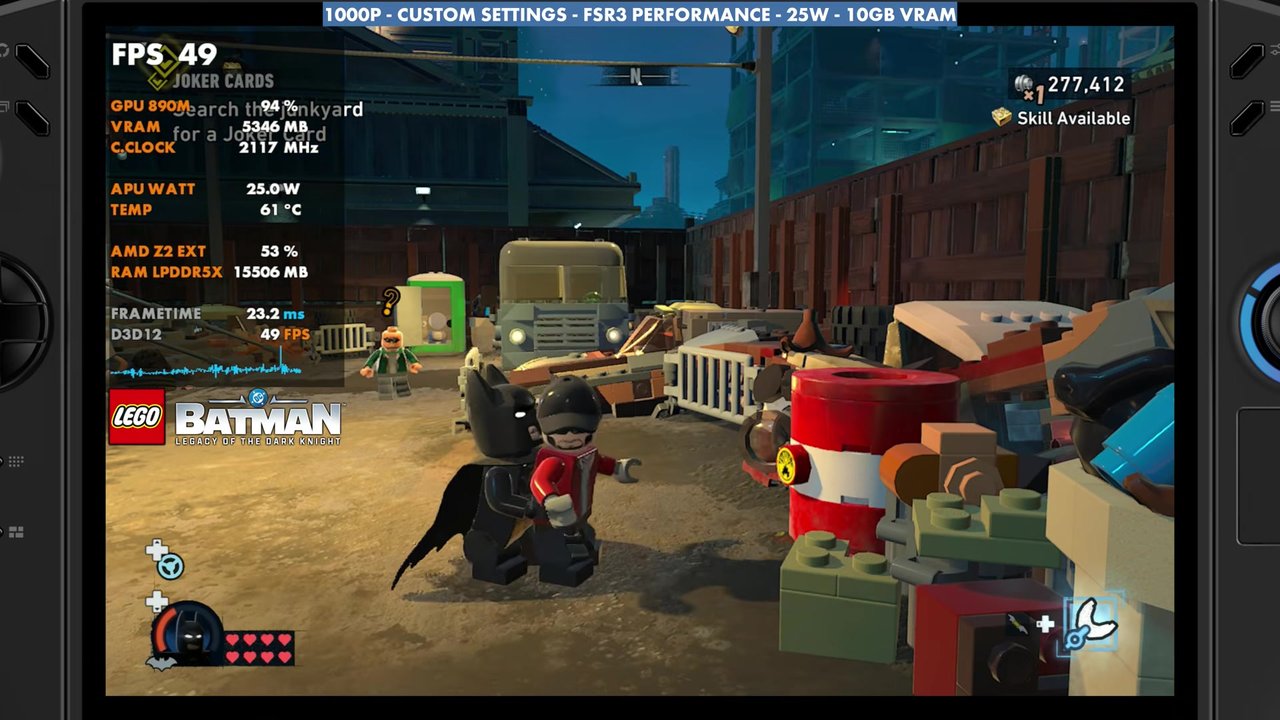
- Indoors at 25W the overlay read about 90 to 127 with no frame gen. Out in the open world it mostly read the mid 40s to 60s, about 39 to 65.
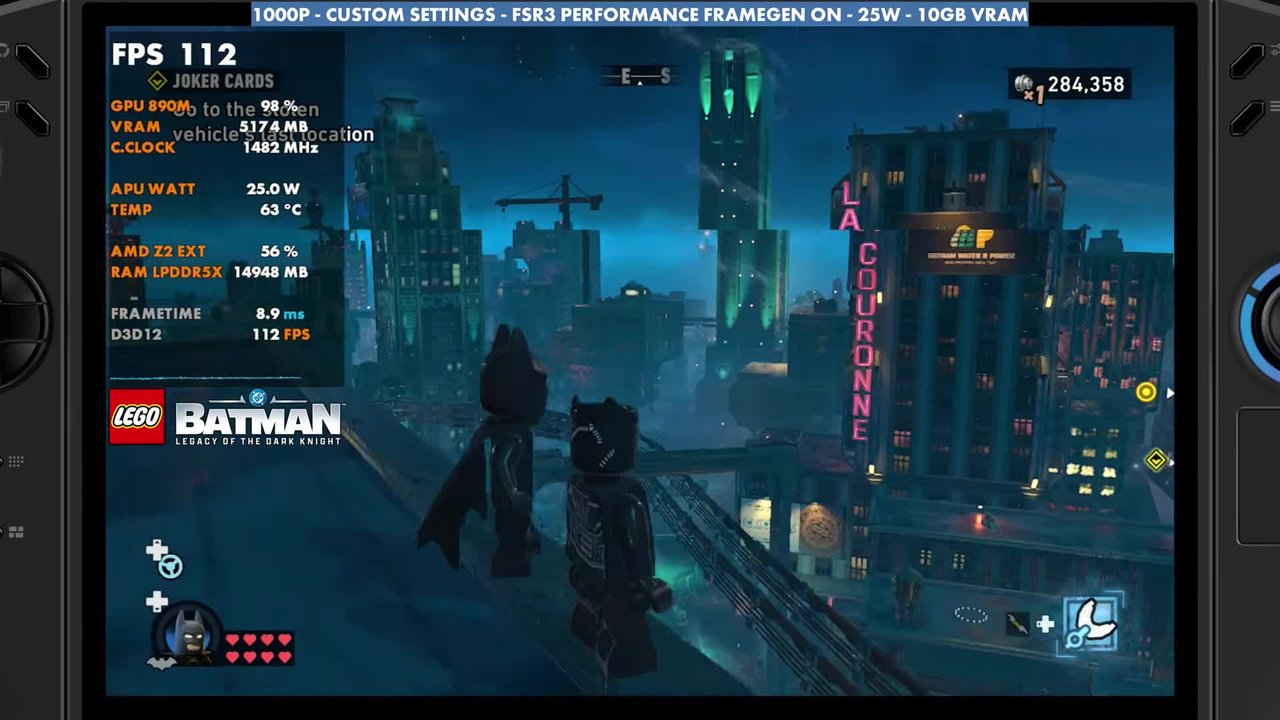
- Frame gen about doubles the frame rate and works really well in this game. In the frame gen gameplay the overlay mostly read the 80s to 140s.
- 17W works thanks to the Z2 Extreme's efficiency, but with more instability outdoors. Going up to 30W or 35W didn't make a big difference in the area I tested.
Test setup
This is a decent middle ground that looks crisp enough on the larger 8.8-inch display. You can run 1200p or 800p just fine and adjust things from there.
- Device: Legion Go 2 Z2 Extreme, 32GB RAM, on the January-dated official GPU driver that came out in April. Someone told me a newer Legion Go 2 driver landed through Windows Update on May 22, but it hadn't come through for me yet.
- Mode: Xbox mode (Xbox full screen experience), Steam version of the game. It doesn't make a huge difference, but I noticed a couple of FPS here and there and some resource changes, so I think it's worth using.
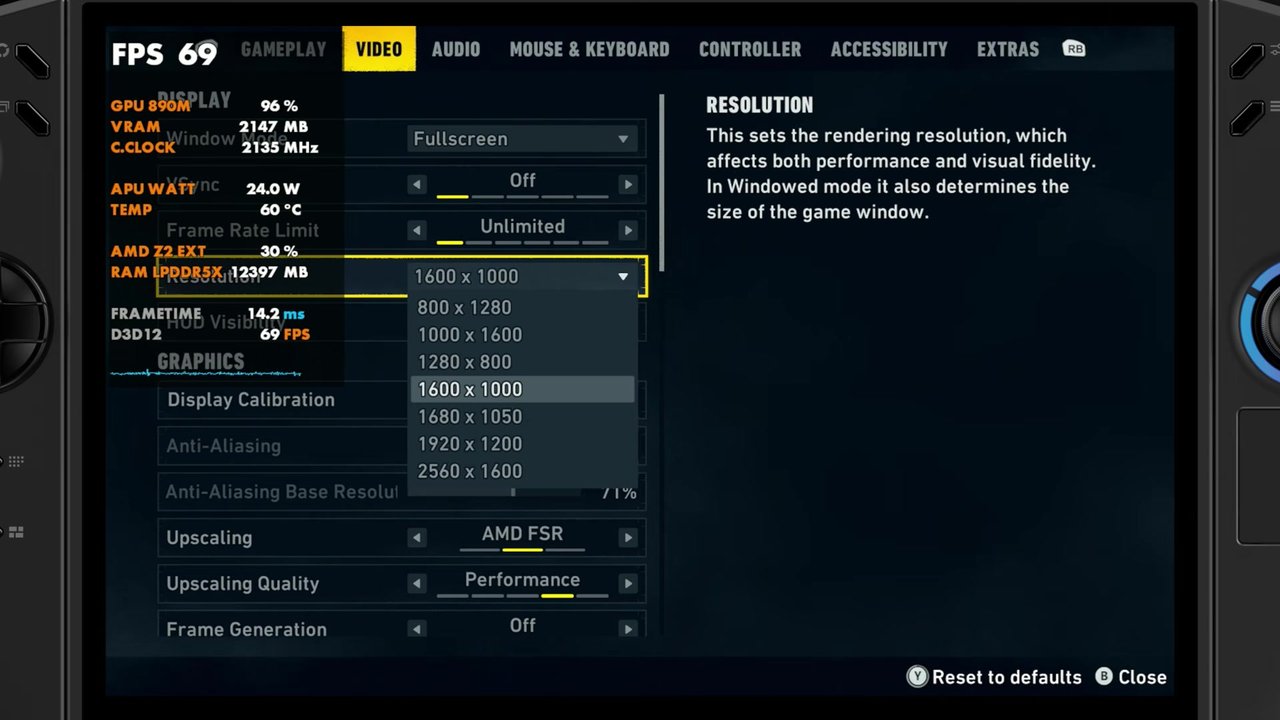
- Resolution: 1000p (1600x1000), full screen
- Upscaling: FSR3 Performance. Whether Quality, Balanced or Performance makes a difference really depends on where you are in the game.
- Settings: lighting low, shadows medium, view distance and streaming distance near, textures high (it does make the game look a bit better), texture filtering 8x, materials low, LEGO mesh low, effects low, reflections low (medium works okay too). In the full screen effects, motion blur, vignette and bloom are off, everything else on.
- TDP: 25W for most of the video, with 17W, 30W and 35W shown as well
- VRAM: 10GB
- FPS numbers are what the on-screen overlay read in the video, checked every two seconds.
17W, 25W, 30W and 35W
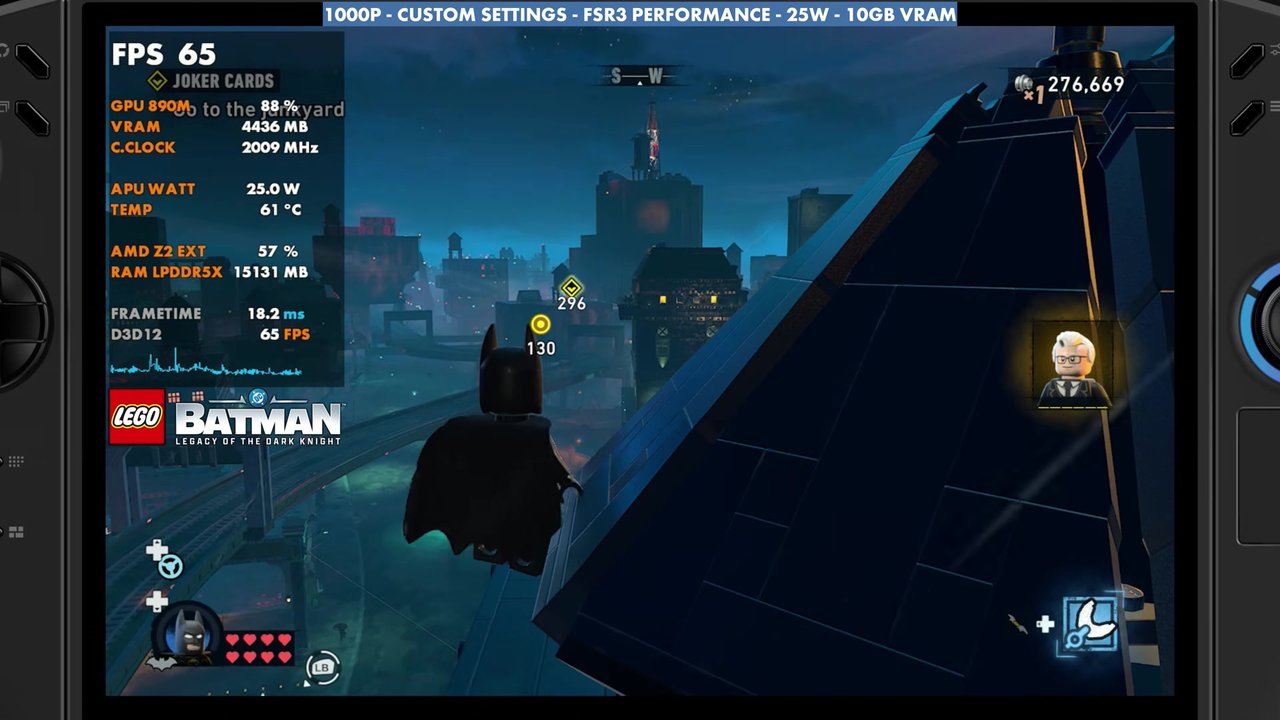
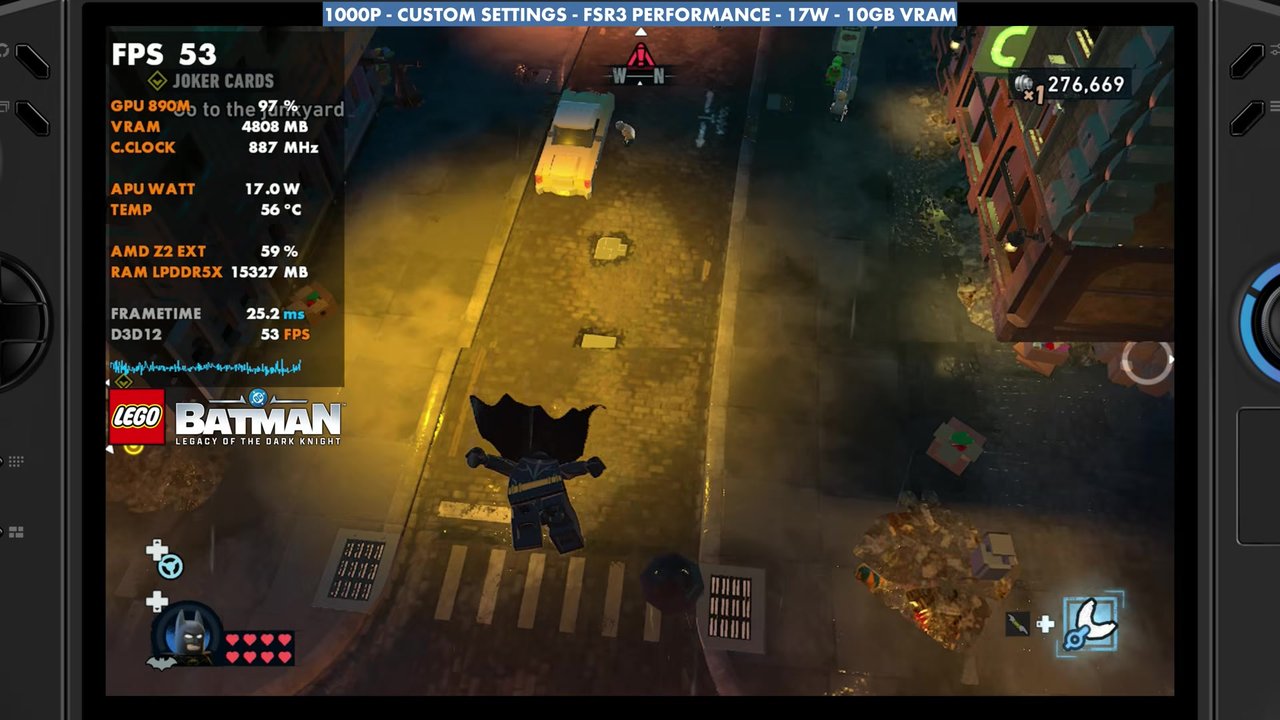
25W works pretty well, and it's what I used for most of the video. You can go down to about 17W pretty well because of how efficient the Z2 Extreme is, but you'll notice more instability in the outdoor open world areas, and it'll struggle unless you're indoors. You can also go all the way up to 35W, which boosts to around 40W, but in this area there wasn't a big difference. Out in the open world the game gets bound up on performance, and I think it probably needs some patches there.
Here's what the overlay read in the outdoor stretch at the start of the video:
- 25W: mostly the high 50s to 60s, about 46 to 86
- 17W: about 42 to 53
- 35W: about 47 to 52 in a short stretch
- 30W: about 47 to 63
Indoors vs the open world
Depending on where you are, I see anywhere from 40 FPS all the way up to 90 or 100 FPS without frame gen. Whether you're in the open world, in the Batcave, in an indoor mission or driving around, it all affects performance, so it's hard to pick one setting. In an indoor area at 25W with no frame gen, the overlay read about 90 to 127. Out in the open world at 25W, it mostly read the mid 40s to 60s, about 39 to 65.
No matter which system I'm on, there are all kinds of frame time issues anyway. It runs decent enough on the Xbox Ally X as well, while the Steam Deck struggles in the outside areas because of its CPU.
Frame gen at 25W
Turning on frame gen about doubles the frame rate or more. It's been optimized really well in this game, and input latency is good too. GPU usage goes up, things stay a bit smoother, and in my opinion it's worth turning on. I know a lot of people don't love frame gen, but in a campaign game like this it works really well. In the frame gen gameplay at 25W, the overlay mostly read the 80s to 140s, from about 70 up to about 149.
Verdict
Ultimately, LEGO Batman is very playable and runs pretty well on the Legion Go 2 Z2 Extreme. Pick what works best for you and go from there. You could lock it to 30, 40 or 60 FPS, mess around with frame gen, or even try Lossless Scaling. This should give you a good idea of which direction to go with the settings, up or down.
FAQ
What TDP did you use for LEGO Batman on the Legion Go 2?
Mostly 25W. 17W works because of the Z2 Extreme's efficiency, but with more instability outdoors, and 30W or 35W didn't make a big difference in the area I tested.
Is frame gen worth using in LEGO Batman on the Legion Go 2?
In my opinion, yes. It about doubles the frame rate, input latency is good, and the game seems to be optimized for frame gen first.
Want more handheld tests?
New Steam Deck, ROG Ally, Legion Go and Steam Machine performance videos every week.