 ▶Watch on YouTube
I've been having a lot of fun with LEGO Batman: Legacy of the Dark Knight, and I'm really impressed with how it runs on the MSI Claw 8 AI+. After testing it on all the other devices first, I was expecting more frame time issues and maybe lower FPS than I'm getting. Frame gen works great too. Part of that may be the new Intel GPU driver that supports this game.
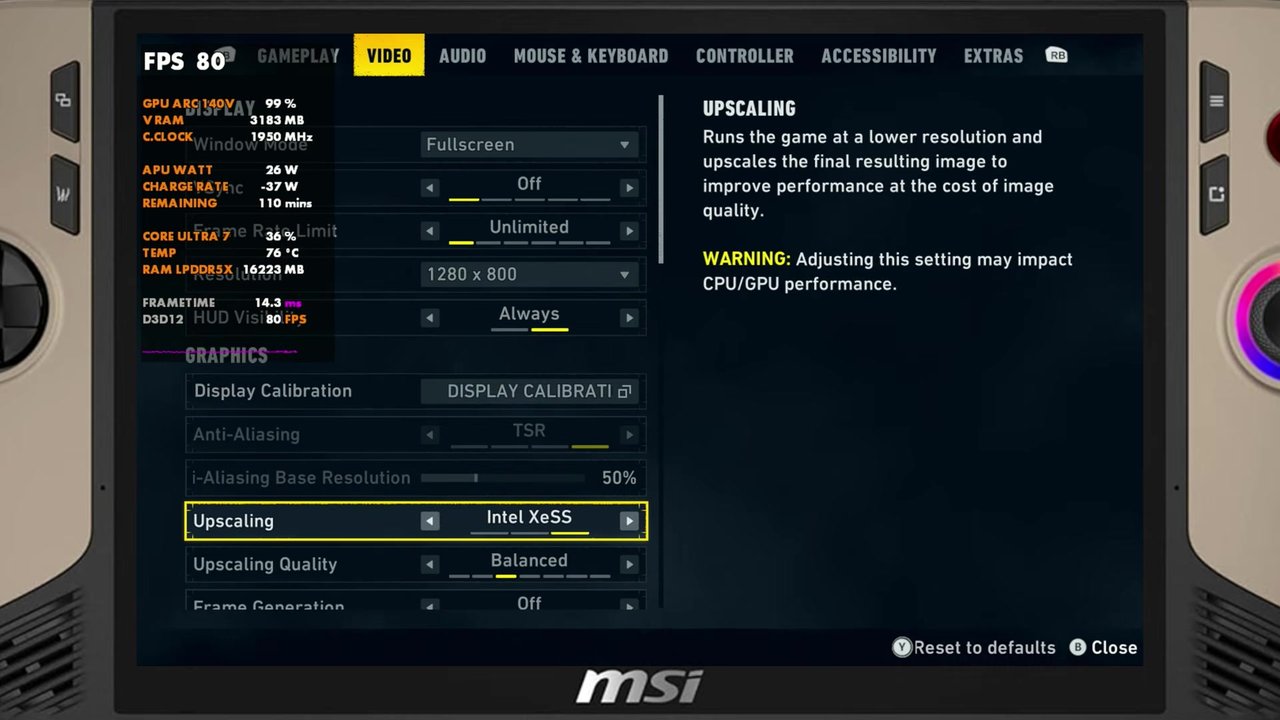
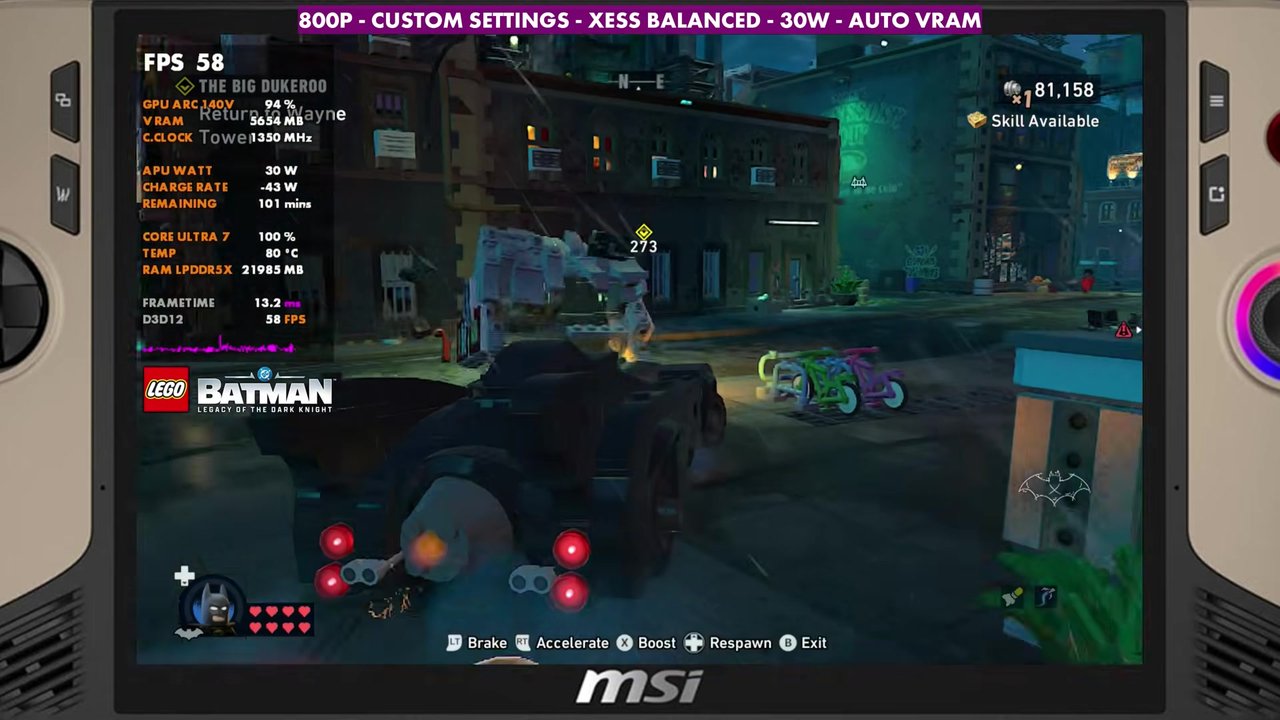
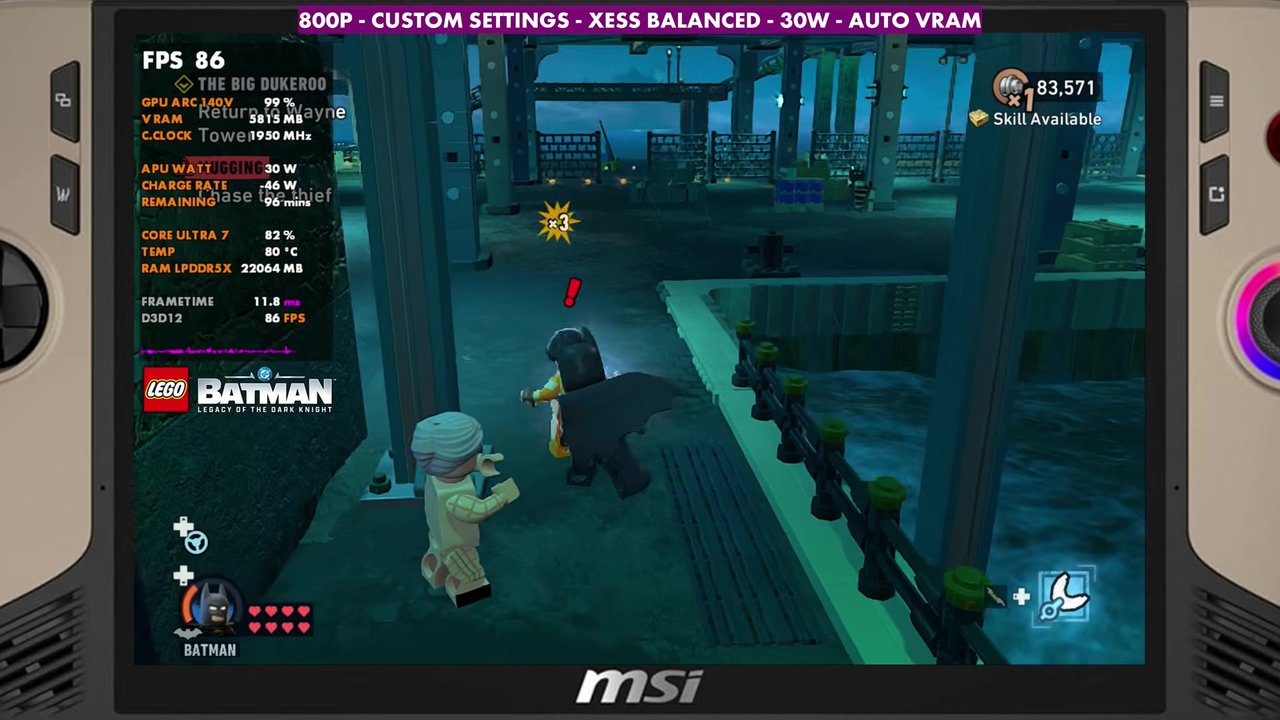
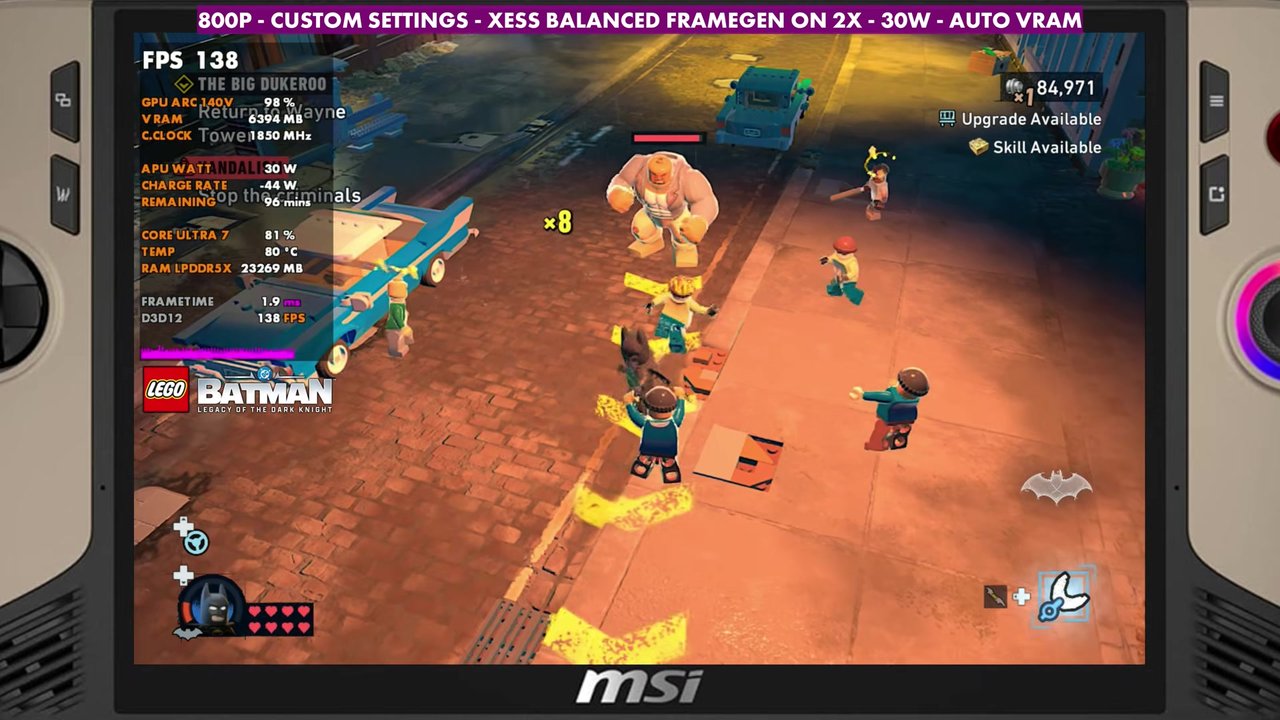
- Tested at 800p with XeSS Balanced, custom settings built on the Low preset, with the Claw running up to 30W in manual.
- With frame gen off, the overlay mostly read the 60s to 90s, dipping to the mid 40s and going over 100 depending on the area.
- Intel's frame gen at 2x almost doubles it. In the gameplay with 2x on, the overlay mostly read about 120 to 150.
- Frame gen goes up to 4x. It works, but I feel it more in the input latency and image quality. For me it's either no frame gen or 2x.
Test setup
These aren't best settings by any means. It's what I've been having fun with on the device, and you can adjust things however you like.
- Device: MSI Claw 8 AI+, Windows and drivers fully updated at the time of the video, including a new certified Intel GPU driver for LEGO Batman.
- Mode: Xbox mode (Xbox full screen experience), Steam version of the game
- TDP: 30W manual, not holding the device back at all. AI Engine or 17 to 20 watts will work, but with more frame time issues and lower FPS since it holds back the CPU.
- Resolution: 800p, full screen (windowed full screen with frame gen). You can go up to 1200p or somewhere in between, but I was purposely trying to pull more frame rate out of this one, and the higher frame rate works really well on the VRR display.
- Upscaling: XeSS Balanced
- Settings: the Low preset with shadows bumped to medium, textures to high (there's the RAM for it), and texture filtering up to 8x to clean up the image. Everything else on low or off. In the full screen effects, motion blur, vignette and bloom are off.
- VRAM: auto
- FPS numbers are what the on-screen overlay read in the video, checked every two seconds.
Frame gen off
If you don't lock the frame rate, FPS is all over the place, from about 40 up to over 100 with these settings, depending on where you are on the map and what mission you're doing. In the gameplay in the video, the overlay mostly read the 60s to 90s, with dips to about 46 to 50 in the spot I used to show frame gen and readings up to about 118. Out in the open world it varies a lot as well.
I like playing with VRR and an unlocked frame rate, but if you lock it to 60, 40 or 30, you can smooth that out. I think a lot of people will lock it to about 60 and deal with the dips here and there.
You'll still get some frame time issues and stutters. Even with the CPU running high most of the time in outdoor areas, it balances itself out well enough that it's not a mess, and the new driver may help with that too.
Intel frame gen at 2x, 3x and 4x
Turning on Intel's frame generation at 2x almost doubles the frame rate, and it works pretty well. Intel has done a really good job of knocking down the input latency and cutting down on ghosting. 3x takes the frame rate up even more and still looks and feels pretty good, especially in person on the screen. I could deal with 2x or 3x just fine.
4x works too, and you get a lot more frame rate out of it, especially if you go up to 1200p or native 800p. I do feel it more in the input latency, though, and there's more artifacting and ghosting.
In the longer gameplay section with 2x frame gen, the overlay mostly read about 120 to 150, from about 99 at the lowest up to around 160.
Verdict
It's still early, and I think we'll see performance patches and more driver updates for the game and all the devices. But I'm pretty happy with how it runs on the MSI Claw 8 AI+. I was honestly surprised after testing it on everything else first.
FAQ
Does LEGO Batman: Legacy of the Dark Knight support XeSS and frame gen on the MSI Claw 8 AI+?
Yes. I used XeSS Balanced at 800p, and Intel's frame generation works at 2x, 3x and 4x. 2x almost doubles the frame rate.
What TDP did you use for LEGO Batman on the Claw 8 AI+?
30W manual. AI Engine or 17 to 20 watts will work, but with more frame time issues and lower FPS.
Want more handheld tests?
New Steam Deck, ROG Ally, Legion Go and Steam Machine performance videos every week.