 ▶Watch on YouTube
The Steam Deck is where I started my LEGO Batman: Legacy of the Dark Knight coverage, before moving on to the other handhelds. I'm about five or six hours into the game and really enjoying it. There was a lot of concern early on about how it would perform, and while it can be hit or miss, it runs better than I thought it would and is playable on the Deck for the most part. It did get the Steam Deck Verified badge, but I'd still call it rough gameplay, even though it's playable.
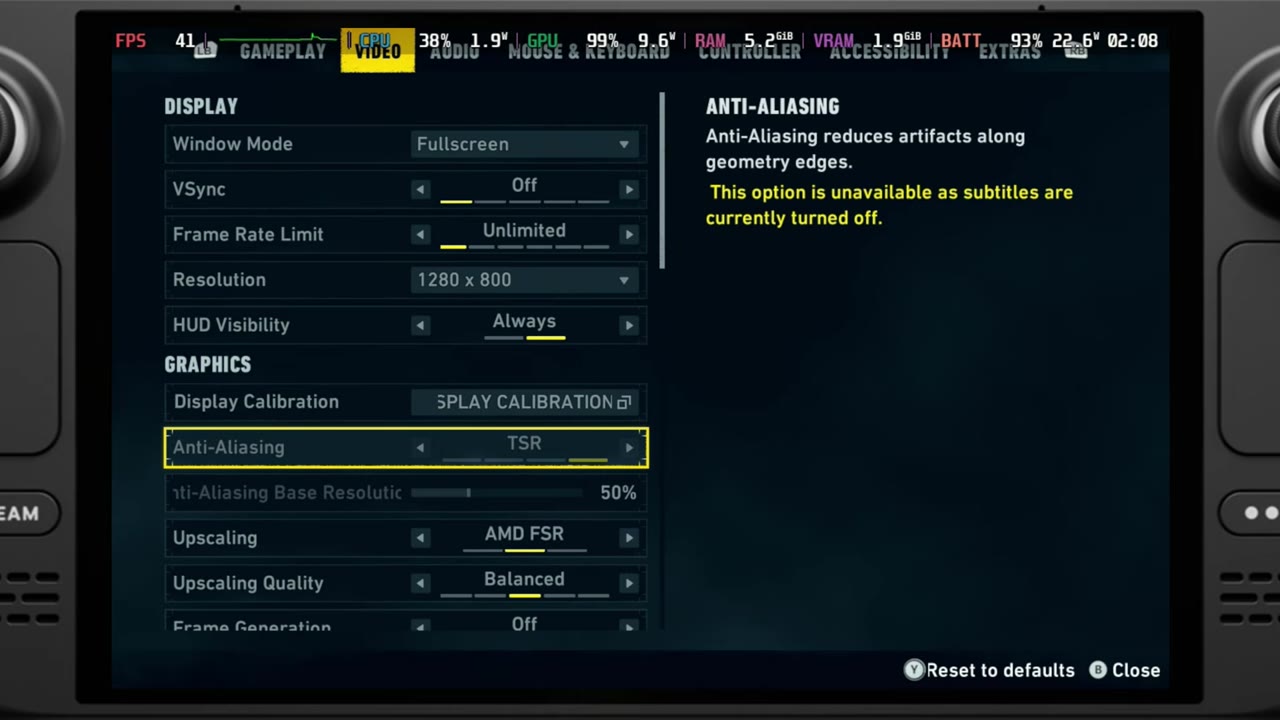
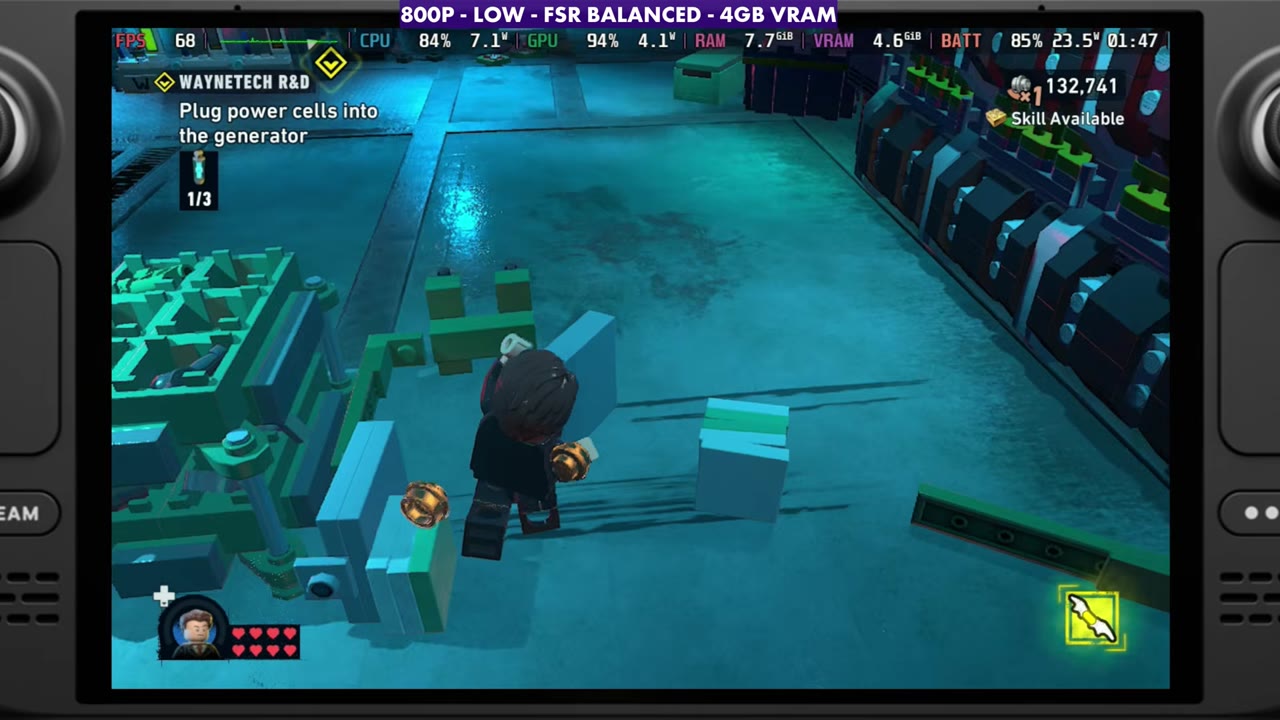
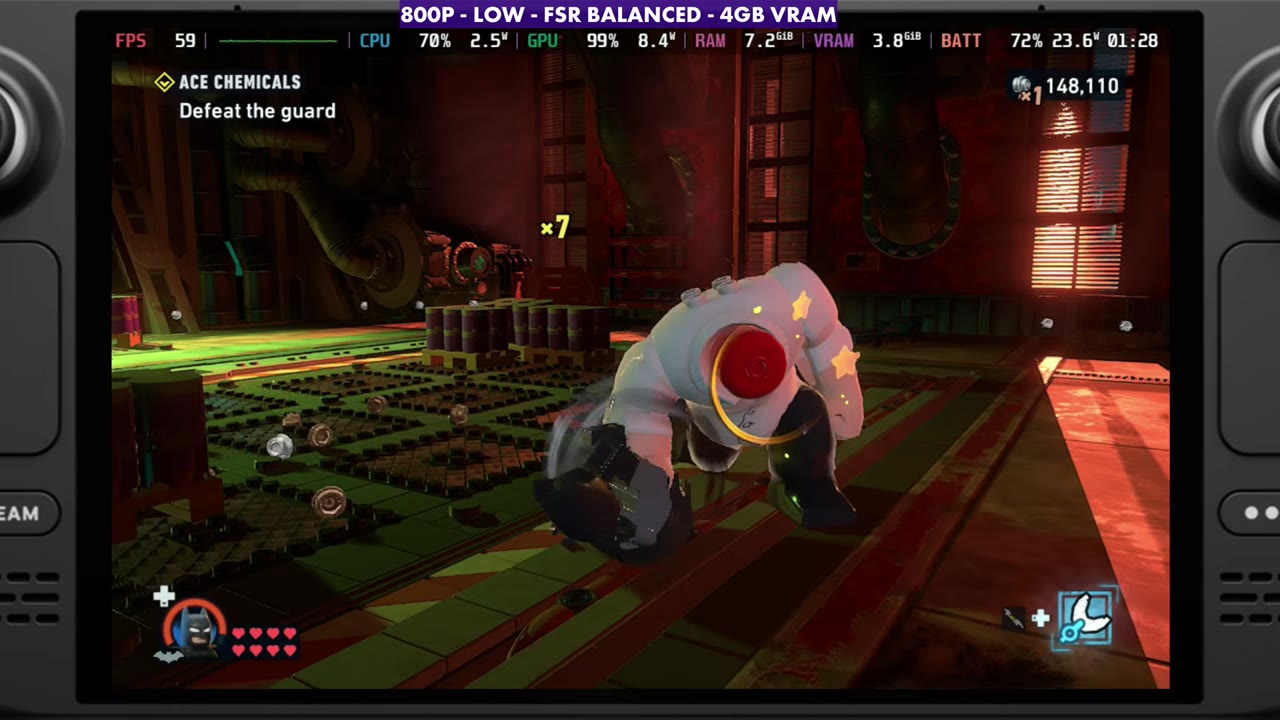
- Tested at 1280x800 with FSR Balanced, a custom version of the low preset, an unlimited frame rate and V-sync off. The Deck is at its normal max TDP, with no manual GPU clocks.
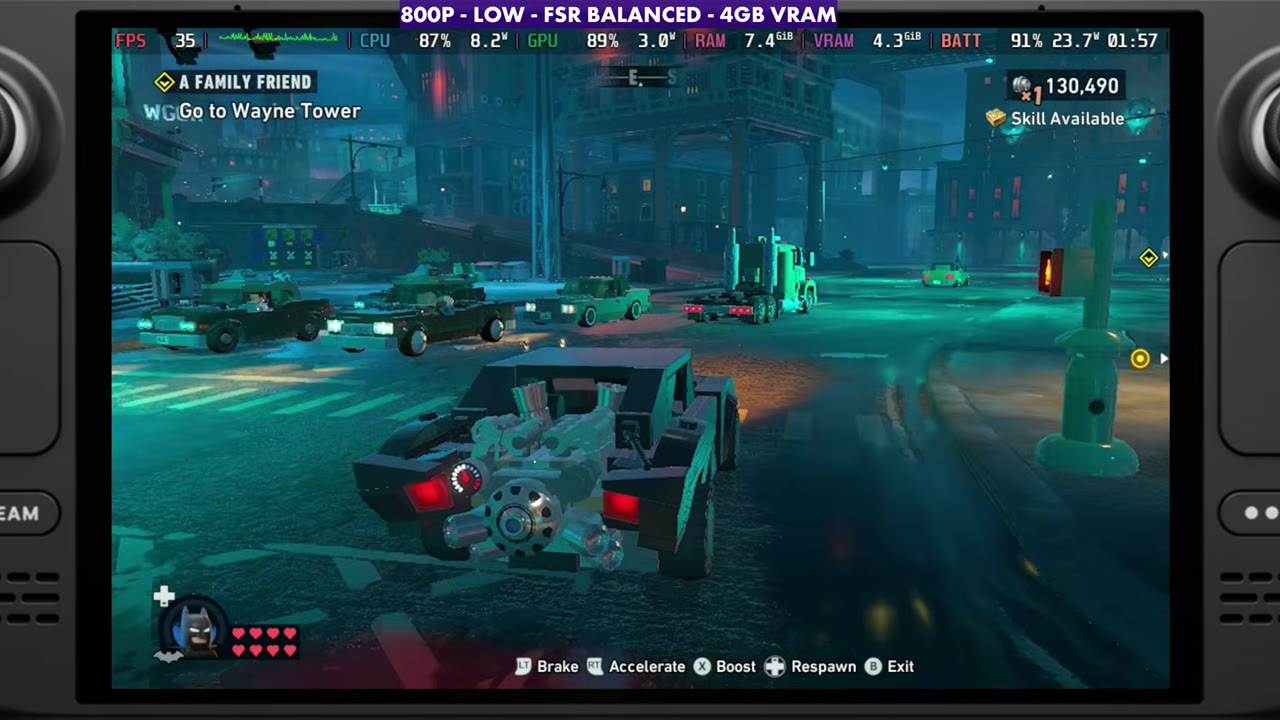
- Performance is all over the place: I've seen anywhere from 25 to 90 FPS depending on where you are, and about 25 to 45 while driving.
- The game is CPU-bound a lot of the time, so the GPU can't stay busy outdoors. Indoors, GPU usage goes to 98 or 99% and the overlay mostly read the 40s to 60s, with solid frame times.
- Frame generation isn't working too well in this game on the Deck.
Test setup
These aren't best settings, just how I've been running it so you can adjust from there.
- Device: Steam Deck, at its normal max TDP with no manual GPU clock
- Display: full screen, 1280x800, V-sync off, frame rate limit unlimited
- Upscaling: AMD FSR Balanced, with TSR anti-aliasing. XeSS also works okay and might be more stable at times, and you can go Quality or Performance if you prefer.
- Frame generation: off. It isn't working too well here. You could try Lossless Scaling, but I stayed away from that for now to look at the game's own performance.
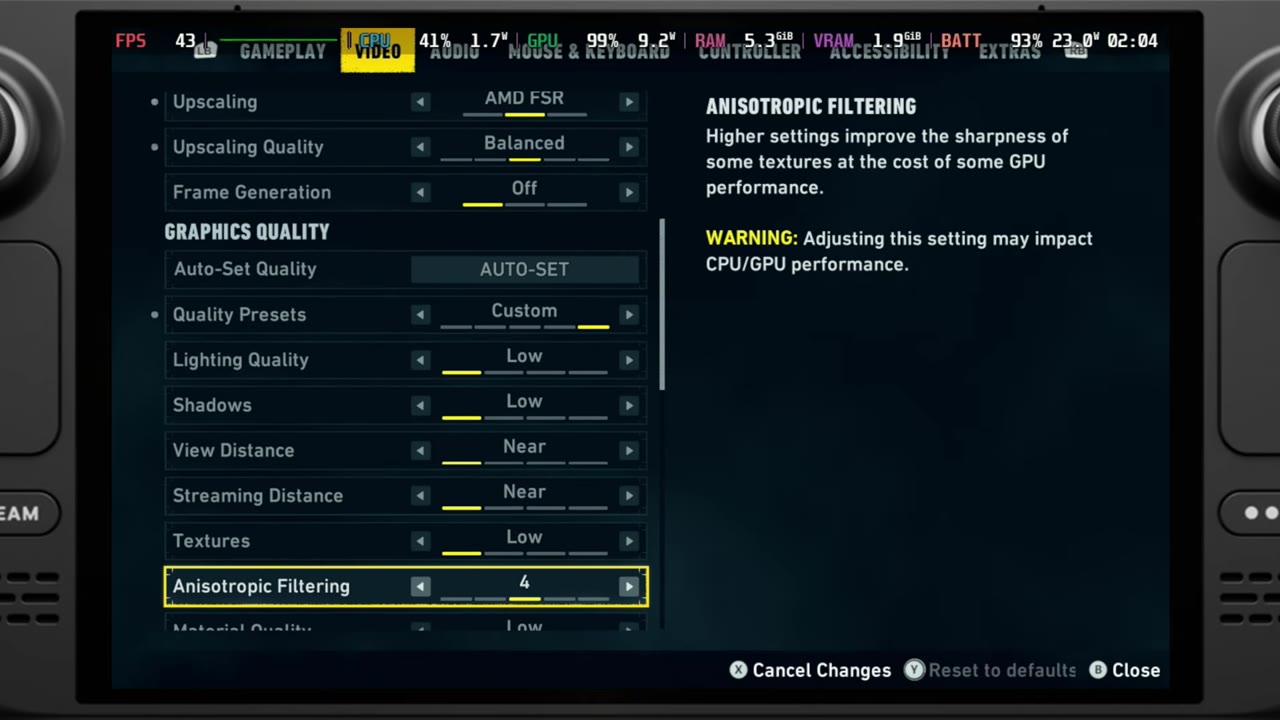
- Settings: Custom, which is really the low preset with a few changes: anisotropic filtering at 4 (4x or 8x helps the visuals a little), and motion blur and vignette turned off. You could get away with medium textures. I went back and forth between low and medium.
- VRAM: the on-screen label says 4GB VRAM.
- FPS numbers below are either what I said in the video or what the on-screen overlay read, checked every two seconds.
Open world and driving
Gliding around or using the grappling hook in the open world, and especially driving, is where the frame rate moves around the most. Like many games, driving around town or moving quickly hits FPS the hardest, and that's where I'll often see anywhere from 25 to 45 FPS depending on what's going on. On foot it isn't as bad a lot of the time. In the open world sections of the video, the overlay mostly read the 30s and 40s (about 25 at the lowest), with short jumps into the 60s and higher.
The problem is the CPU. The game is CPU-bound a lot of the time, with CPU usage in the high 80s and 90s, which makes it very difficult to keep GPU usage up and makes for rough gameplay. A lot of people will probably want to lock the frame rate, but even then it can get rough. Frame generation doesn't help much either. Even with manual GPU clocks it still doesn't work great, and because the game is already so CPU-heavy, frame generation in general, even Lossless Scaling, is difficult here.
Indoor areas
Indoors is fine, with a much higher frame rate. With a little less CPU usage there's some breathing room, the GPU goes to 98 or 99%, and you get much better performance and a solid frame time. In the indoor missions in the video, the overlay mostly read the 40s to 60s, up into the 70s at times. Unless you're indoors most of the time, though, that's not going to be the case no matter what you do with the settings or a frame rate lock.
Verdict
For the most part, at launch or early on pre-launch, LEGO Batman is playable on the Steam Deck, and I think it'll only get better with updates. This is the general idea of how it runs right now. You can bump a couple of things up, but you'll get hit harder if you go too far into medium settings.
FAQ
Is LEGO Batman: Legacy of the Dark Knight playable on the Steam Deck?
For the most part, yes. It's Steam Deck Verified and runs better than expected at 800p with FSR Balanced and low settings, but it can be rough, from about 25 to 90 FPS depending on where you are.
Does frame generation help LEGO Batman on the Steam Deck?
Not really. The in-game frame generation isn't working too well, and because the game is so CPU-bound, frame generation in general, even Lossless Scaling, is difficult.
Want more handheld tests?
New Steam Deck, ROG Ally, Legion Go and Steam Machine performance videos every week.