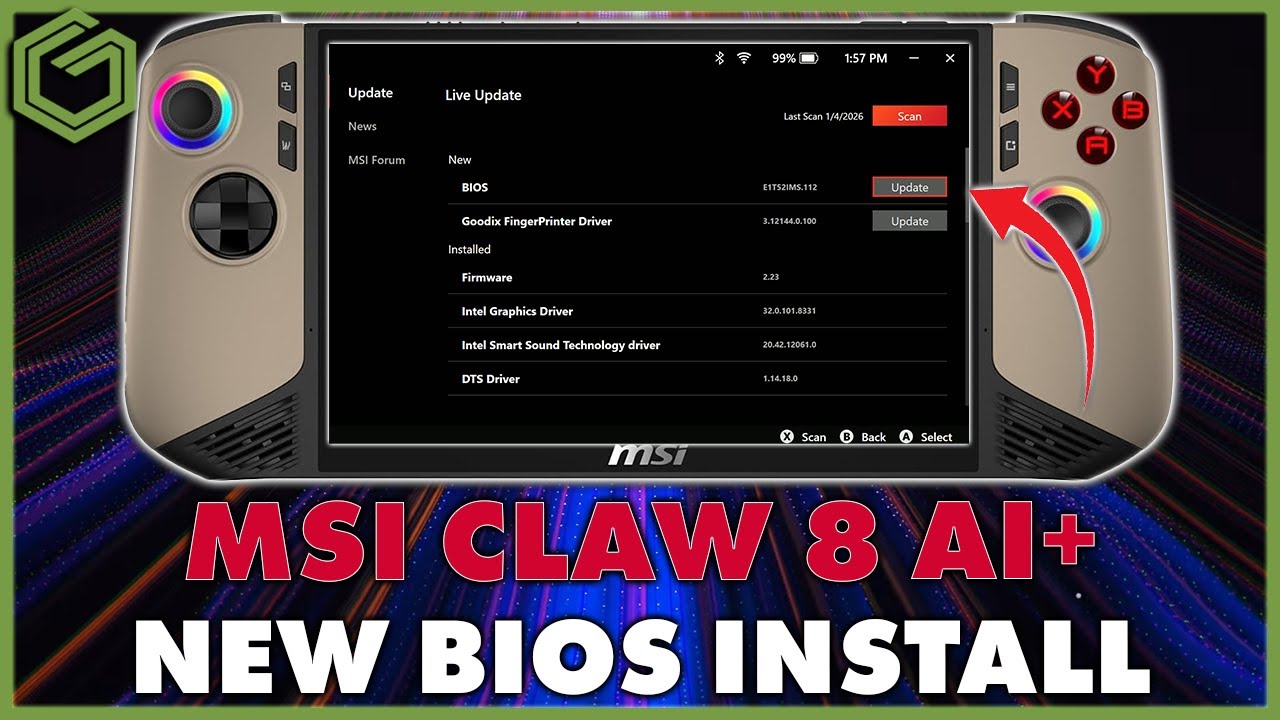
 ▶Watch on YouTube
- MSI's new BIOS for the MSI Claw 8 AI+ is E1T52IMS.112. I went straight from .110 (dated September 26, 2025) to .112. I never saw a .111.
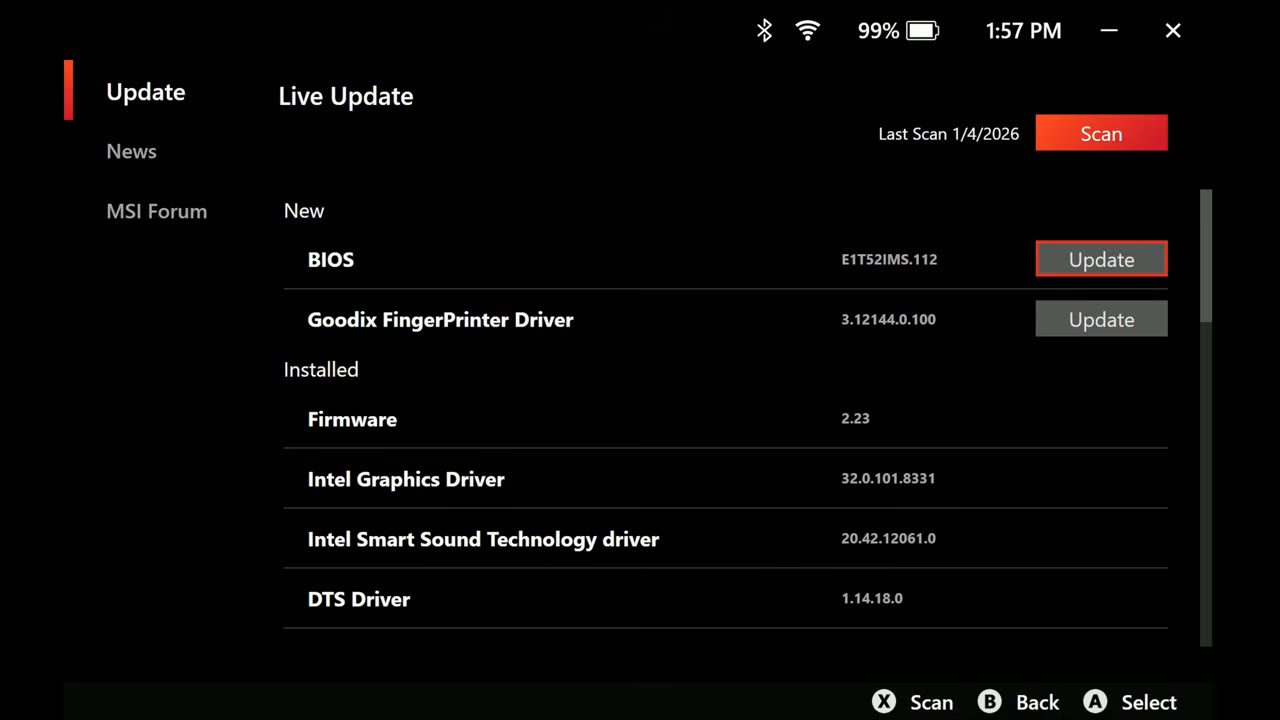
- It shows up in MSI Center M under Live Update. You can also get it from MSI's support site, but I prefer MSI Center M.
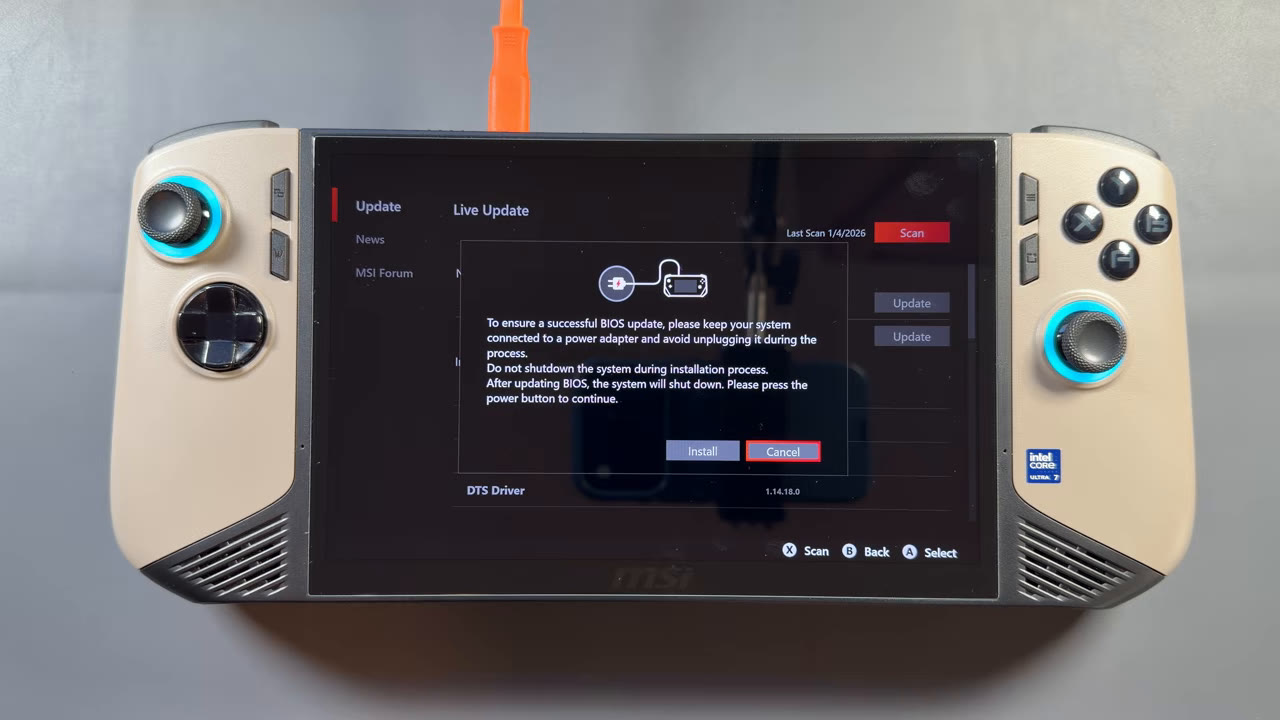
- Plug in first. The whole install takes a few minutes, with several restarts and black screens along the way.
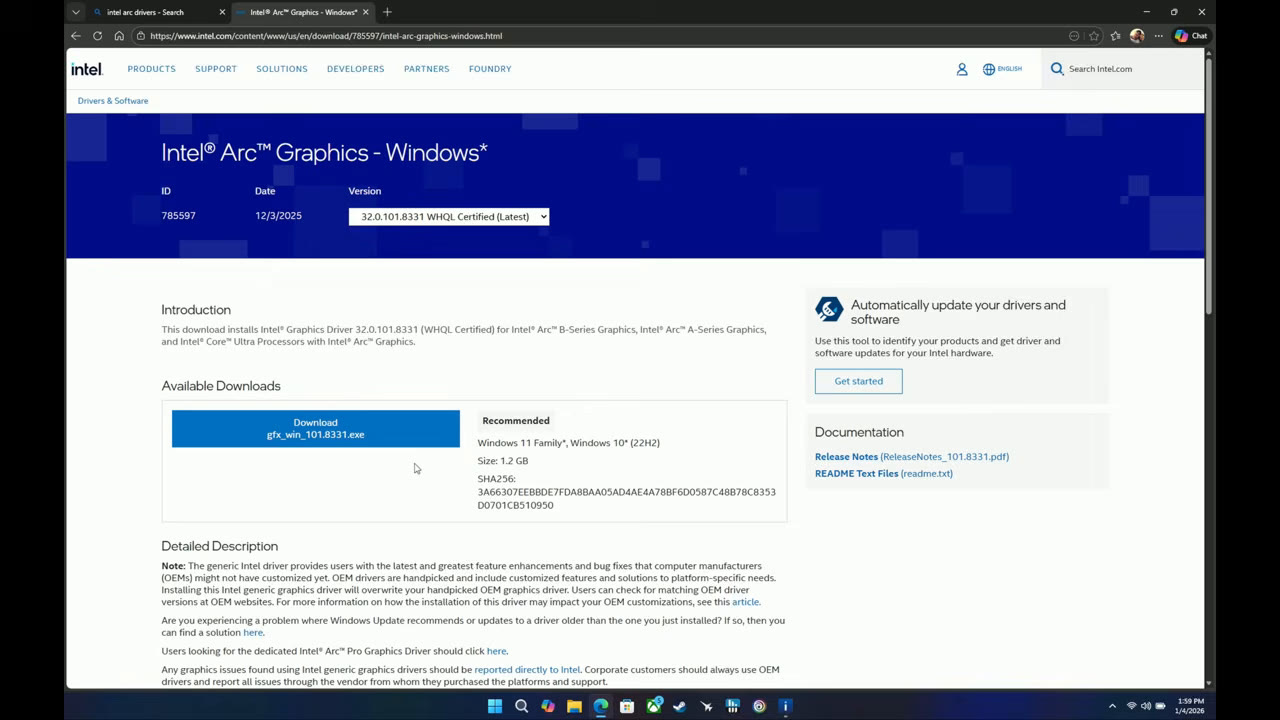
- The BIOS was the only change. I stayed on Intel's 32.0.101.8331 WHQL graphics driver (December 3, 2025).
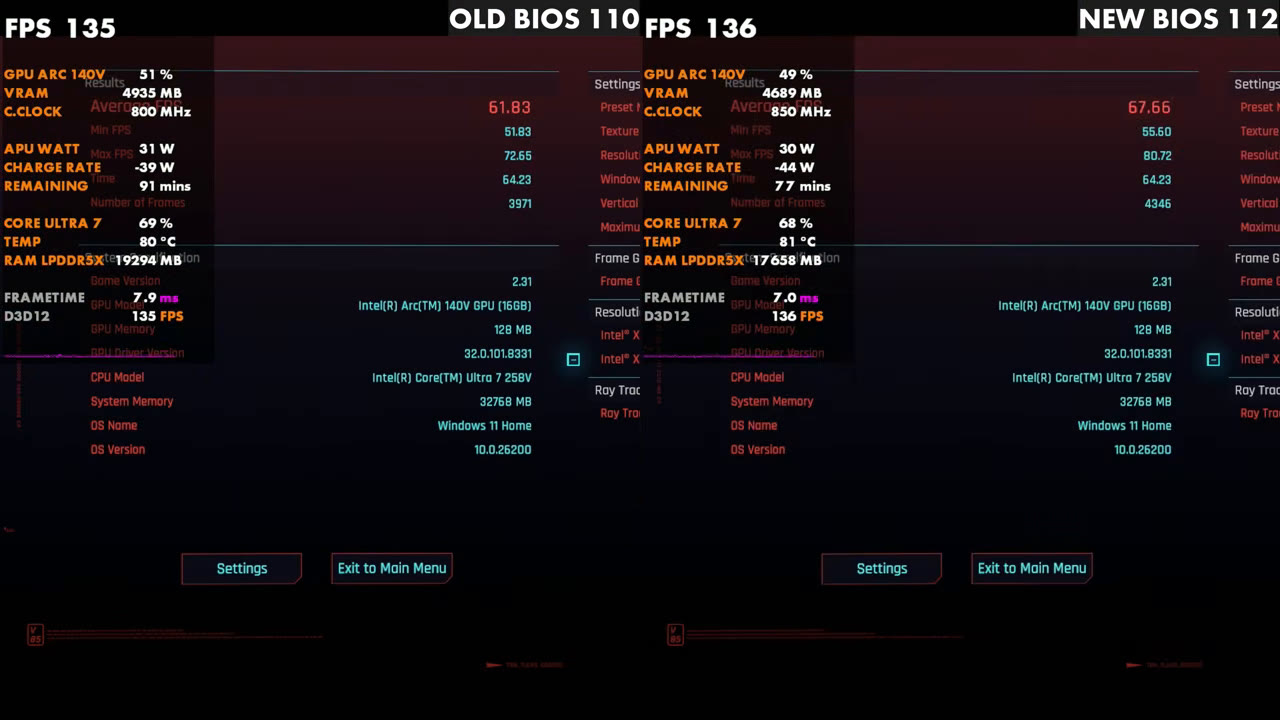
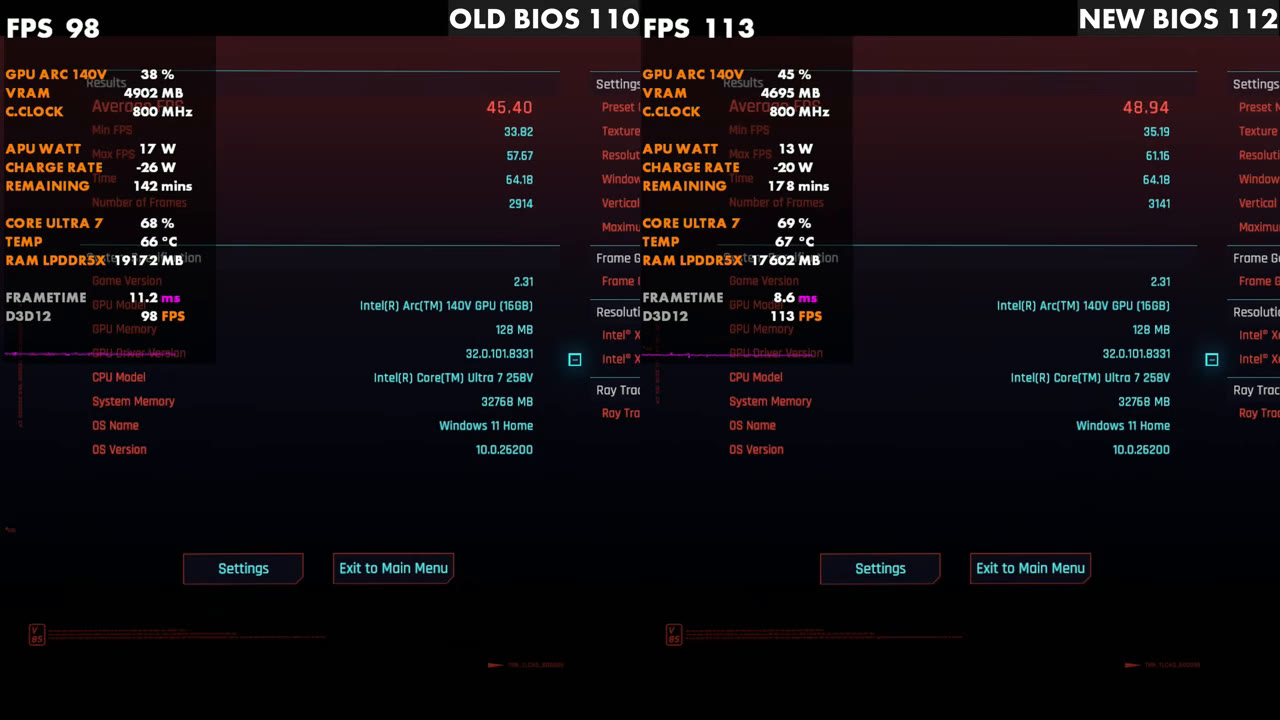
- Cyberpunk 2077 benchmark: 61.83 → 67.66 FPS at 30W and 45.40 → 48.94 at 17W.
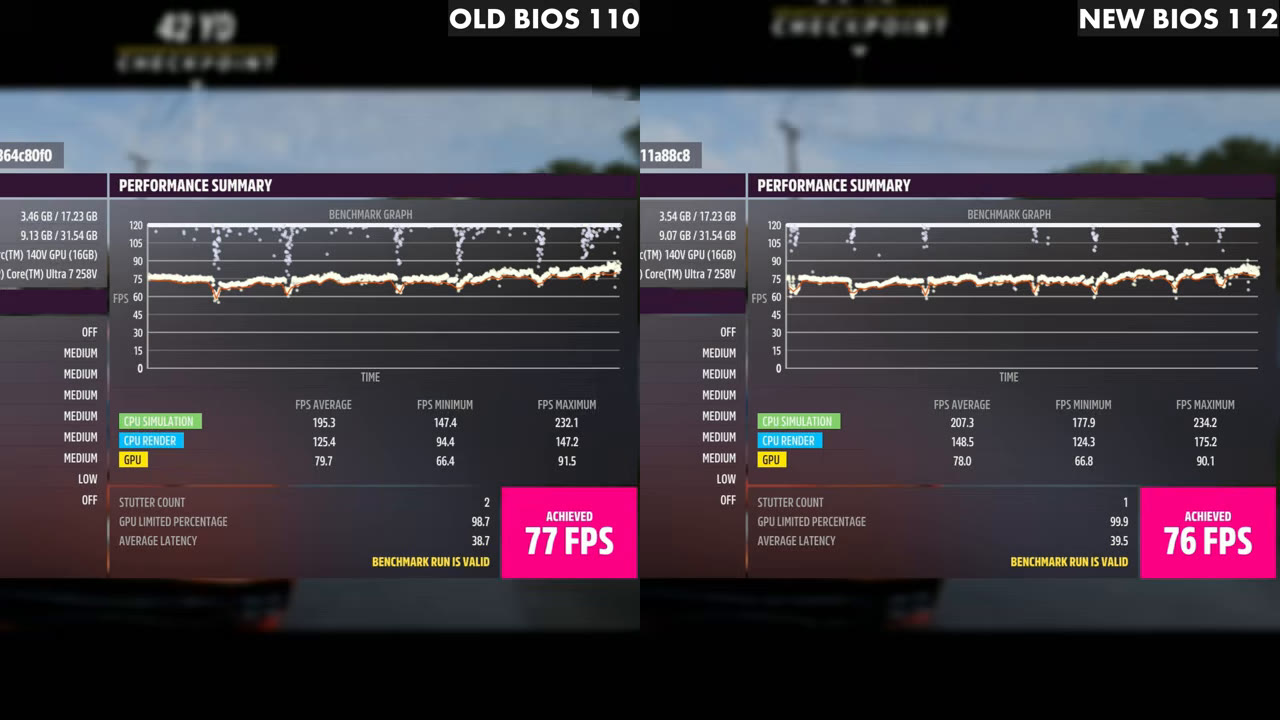
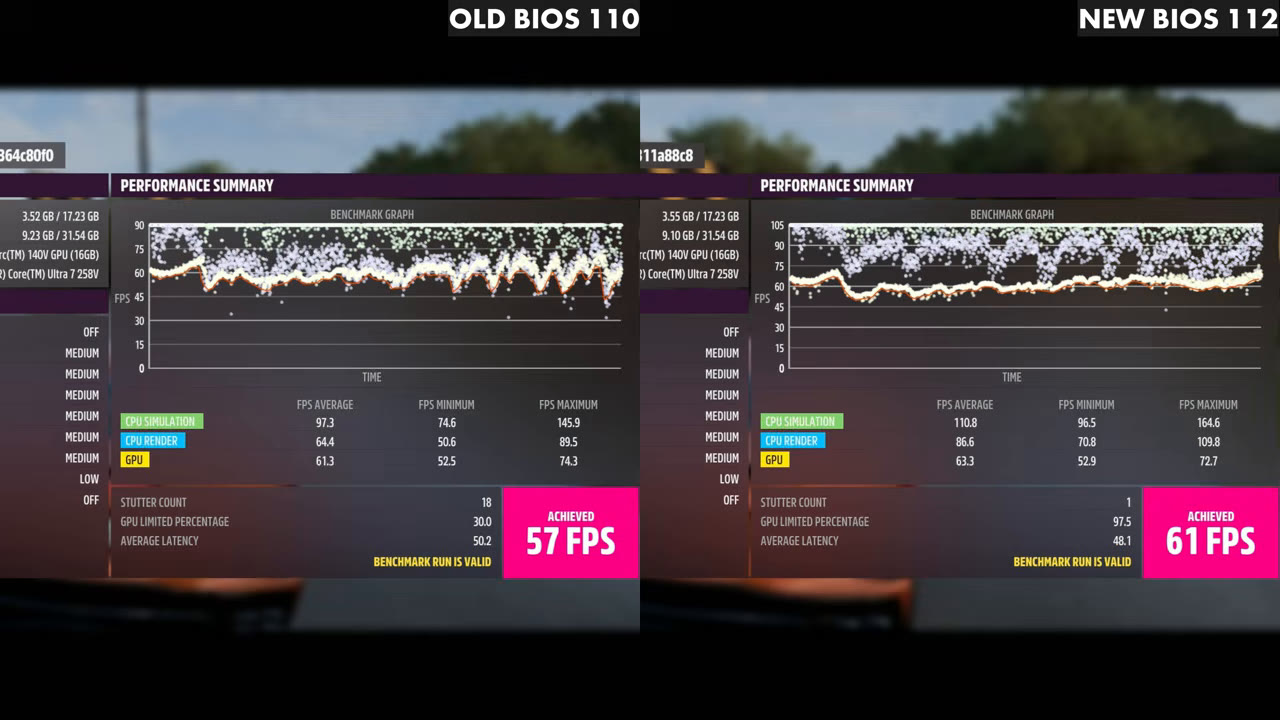
- Forza Horizon 5 benchmark: 57 → 61 FPS at 17W, and 77 vs 76 at 30W, basically the same.
It had been a few months since the MSI Claw 8 AI+ got a real BIOS update, so when MSI pushed BIOS .112 in December 2025, I installed it on my Claw and ran Cyberpunk 2077 and Forza Horizon 5 before and after at 30W and 17W. Here's the install through MSI Center M and how the two BIOS versions compared on my device.
I've had this Claw for almost a year now, and it's been pretty great outside of the price increases. Intel has done a good job with driver updates, and MSI has done a decent job working on MSI Center and the BIOS along the way. For the next big driver change on this device, see my Intel driver with XeSS 3 multi frame gen guide.
Before you start
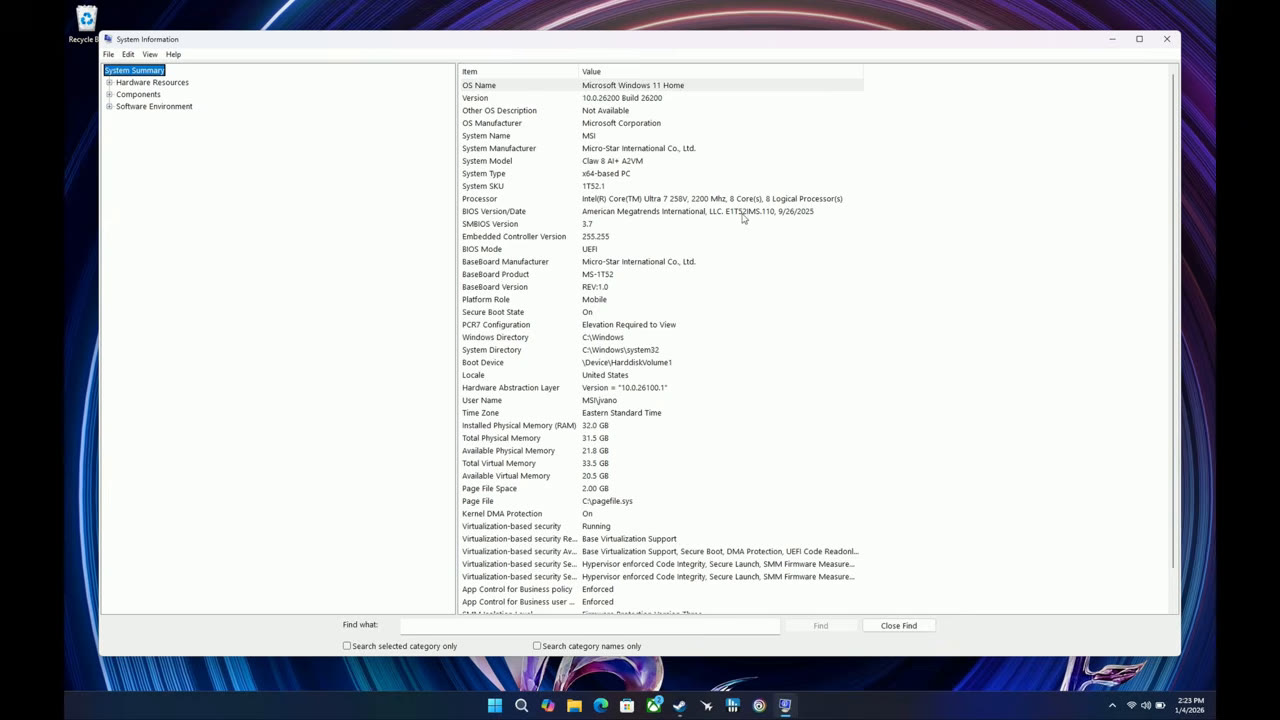
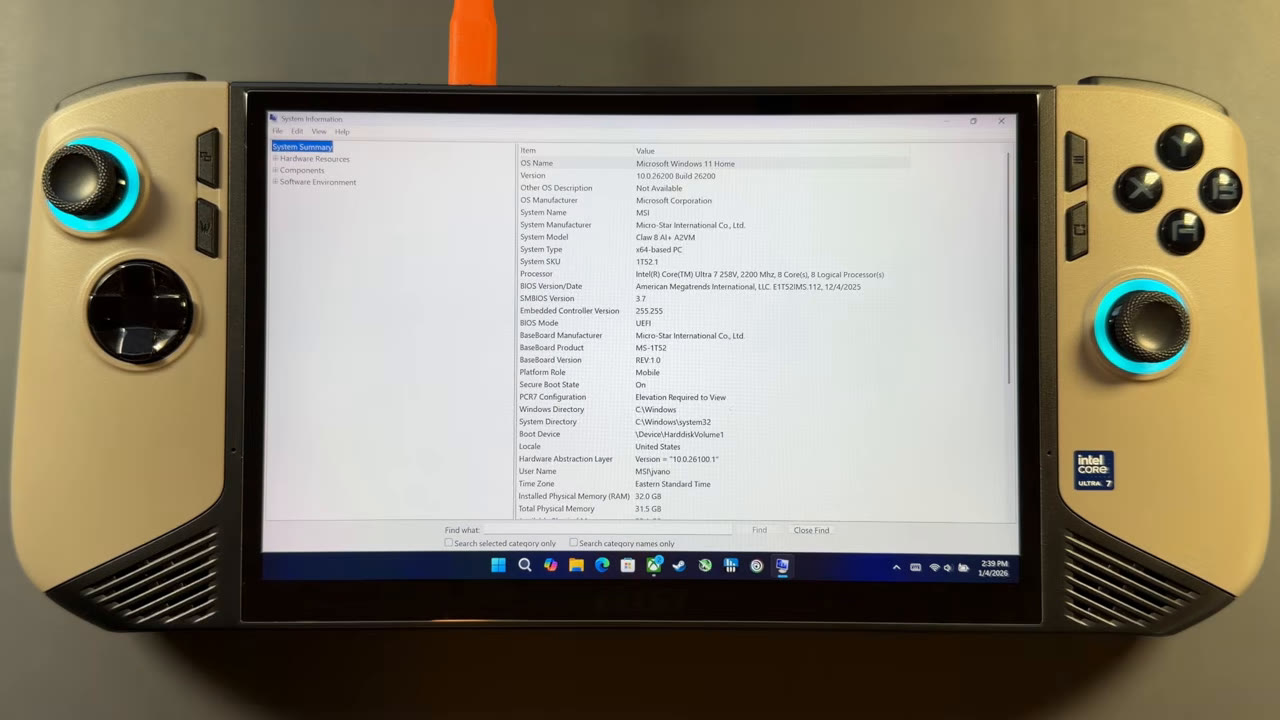
- Check your current BIOS. Search for System Information in Windows and look at BIOS Version/Date. Mine showed E1T52IMS.110, 9/26/2025.
- Graphics driver. I'd been on Intel's newest certified driver, 32.0.101.8331 WHQL (dated 12/3/2025), since it came out. The easiest place to get it is Intel's website. I didn't change it for this test, so the BIOS is the only difference.
- Desktop or Xbox full screen experience, either works. You can run the update from either one. I'm usually on the Windows desktop when I do updates.
- Plug in. You want to be plugged in anytime you update a BIOS.
How to install BIOS 112 with MSI Center M
- Plug the Claw into power.
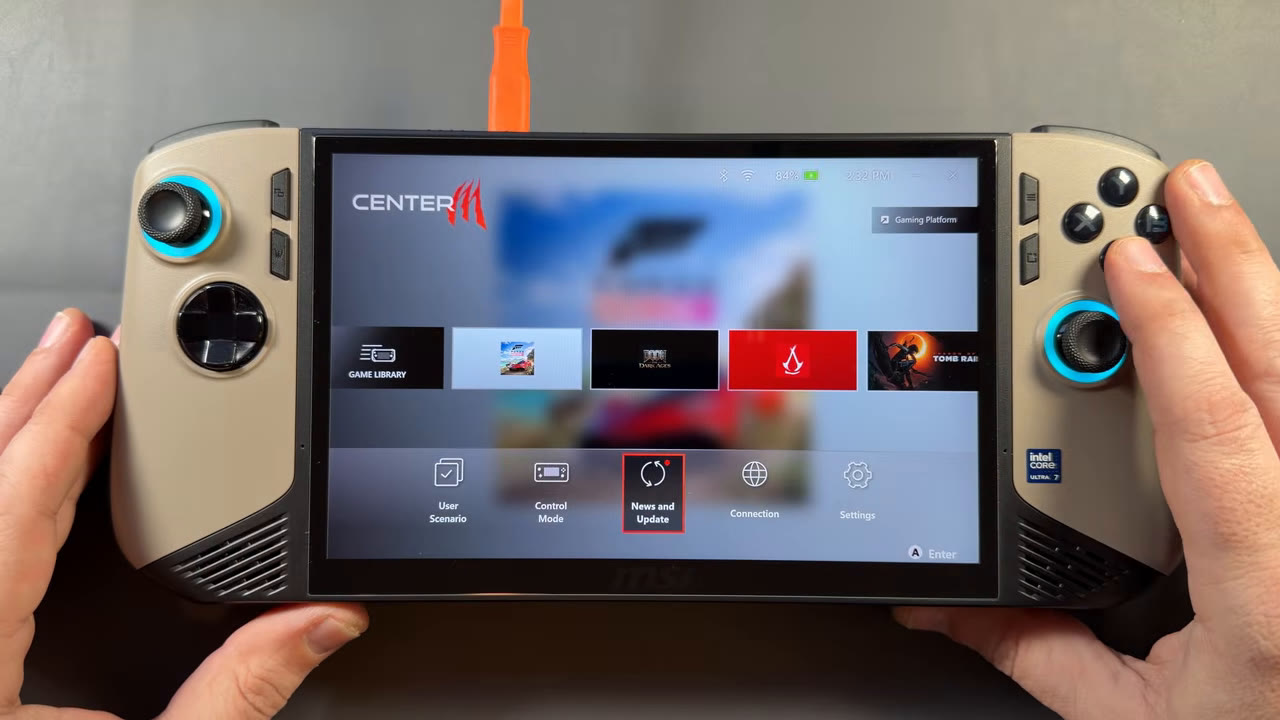
- Open MSI Center M and go to News and Updates.
- Run Scan under Live Update. The BIOS shows up under New as E1T52IMS.112.
- Select Update next to BIOS. A prompt reminds you to stay connected to a power adapter and not to shut the system down during the install. Click Install.
- It does a quick download and a short command prompt window, then restarts on its own.
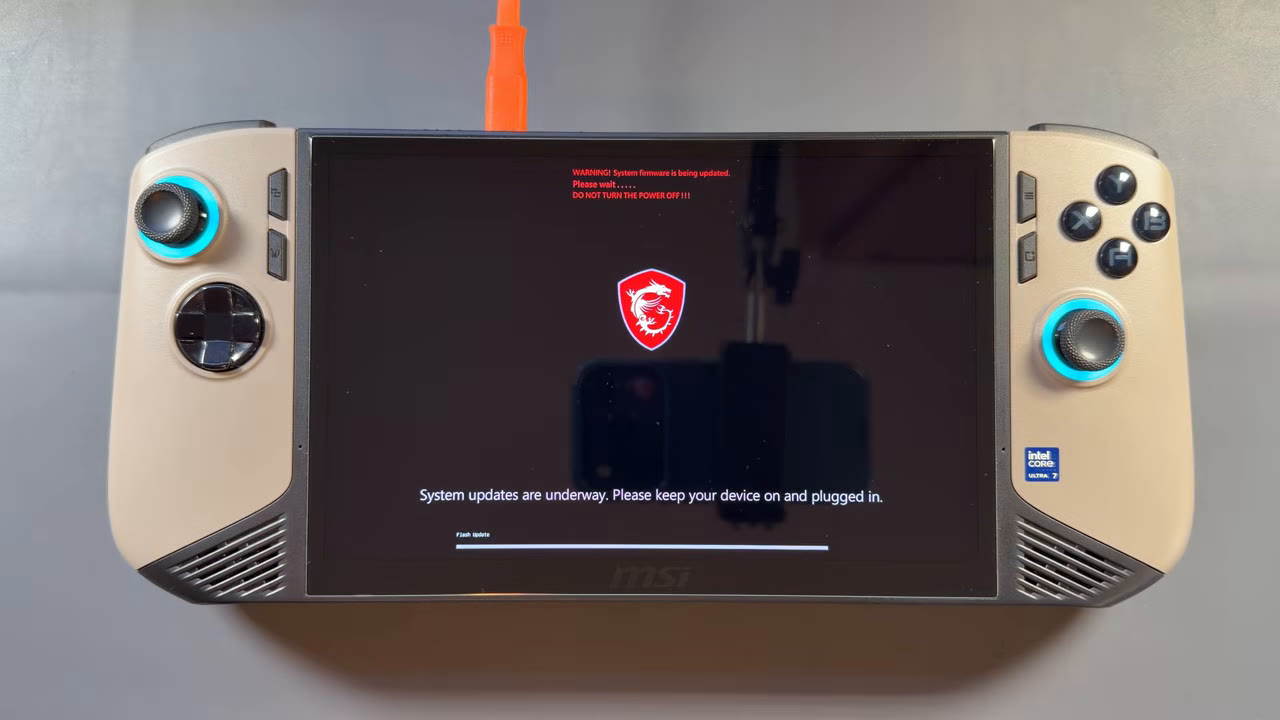
- After the restart you get the flash screen where the BIOS actually updates ("System updates are underway. Please keep your device on and plugged in.").
- Next comes a series of restarts with black screens, and the lights on the front can flash and turn on and off. That's typical for a BIOS update on pretty much any PC. Stay patient and don't touch the power button.
- After the final restart you land back in the Xbox full screen experience or on the Windows desktop, however your Claw boots. That's it.
It doesn't take long, just a few minutes for the whole process, and I haven't had any trouble with BIOS updates on the Claw so far. Back in System Information, I was on .112, dated December 4, not the 13th when it was pushed out.
Watch out: there was also a new Goodix fingerprint driver in the list. I had some trouble getting it to install and drop off the list, even after a couple of tries, so I left it for later and focused on the BIOS.
How Forza Horizon 5 ran: BIOS 110 vs 112
This was quick and dirty, but I ran each benchmark three or four times on each BIOS to check the results. Same settings on both, and the BIOS was the only change.
| TDP | BIOS 110 | BIOS 112 |
|---|---|---|
| 30W | 77 FPS | 76 FPS |
| 17W | 57 FPS | 61 FPS |
Numbers are the "Achieved" results from the in-game benchmark screens in the video. At 30W it's basically the same: similar clocks, a little better FPS on the older BIOS, but the newer BIOS seemed to run it a little cleaner (2 stutters on 110 vs 1 on 112). At 17W, the boost sometimes behaved a little differently before it settled down, and even locked at 17W it would still vary from 16 to 20 watts. For the most part, though, Forza ran better at 17W on the new BIOS, a good 4 FPS.
How Cyberpunk 2077 ran: BIOS 110 vs 112
Cyberpunk showed more of a difference. The results screens show game version 2.31 on GPU driver 32.0.101.8331, Windows 11 Home, with the same settings on both BIOS versions.
| TDP | BIOS 110 avg (min / max) | BIOS 112 avg (min / max) |
|---|---|---|
| 30W | 61.83 FPS (51.83 / 72.65) | 67.66 FPS (55.60 / 80.72) |
| 17W | 45.40 FPS (33.82 / 57.67) | 48.94 FPS (35.19 / 61.16) |
At 17W, I got about three more FPS and it seemed to run a little better, which surprised me. At 30W, unlike Forza, there's a good bit more performance at the exact same settings. I'd been getting 60 to 63 FPS here for a while on the old BIOS, and now it's back up to 67.
One caveat: I'd had some performance issues with Cyberpunk on the older BIOS for whatever reason, and I've seen people get the 66 to 68 FPS I'm getting now on the old BIOS too. So part of this difference could be my device. I can only show what mine has been doing, and I kept getting these same results across three or four runs on each BIOS.
My take
If you were having performance issues with Cyberpunk in particular like I was, and maybe some other games, this BIOS may help. I'd have to test a lot more games and dig in deeper to know if it's more than those two, but something definitely seems better on this BIOS, and it was an easy, trouble-free install through MSI Center M. These devices can be quirky and we don't always get the exact same experience, but this is what I saw on BIOS .112 for the Claw 8 AI+.
FAQ
What is the latest MSI Claw 8 AI+ BIOS in this guide?
E1T52IMS.112, which MSI pushed in December 2025. System Information shows it dated December 4. I updated from E1T52IMS.110, dated September 26, 2025.
How do I install the MSI Claw 8 AI+ BIOS 112 update?
Plug in, open MSI Center M, go to News and Updates, run Scan, select Update next to BIOS and click Install. The Claw restarts several times on its own. You can also get the BIOS from MSI's support site.
Does BIOS 112 improve performance on the MSI Claw 8 AI+?
On my Claw, Cyberpunk 2077 went from 61.83 to 67.66 FPS at 30W and from 45.40 to 48.94 at 17W. Forza Horizon 5 went from 57 to 61 FPS at 17W and was basically the same at 30W (77 vs 76).
Do I need a new GPU driver for BIOS 112?
No. I stayed on Intel's 32.0.101.8331 WHQL driver from December 3, 2025, for both BIOS versions, so the BIOS was the only change.
Want more handheld tests?
New Steam Deck, ROG Ally, Legion Go and Steam Machine performance videos every week.