 ▶Watch on YouTube
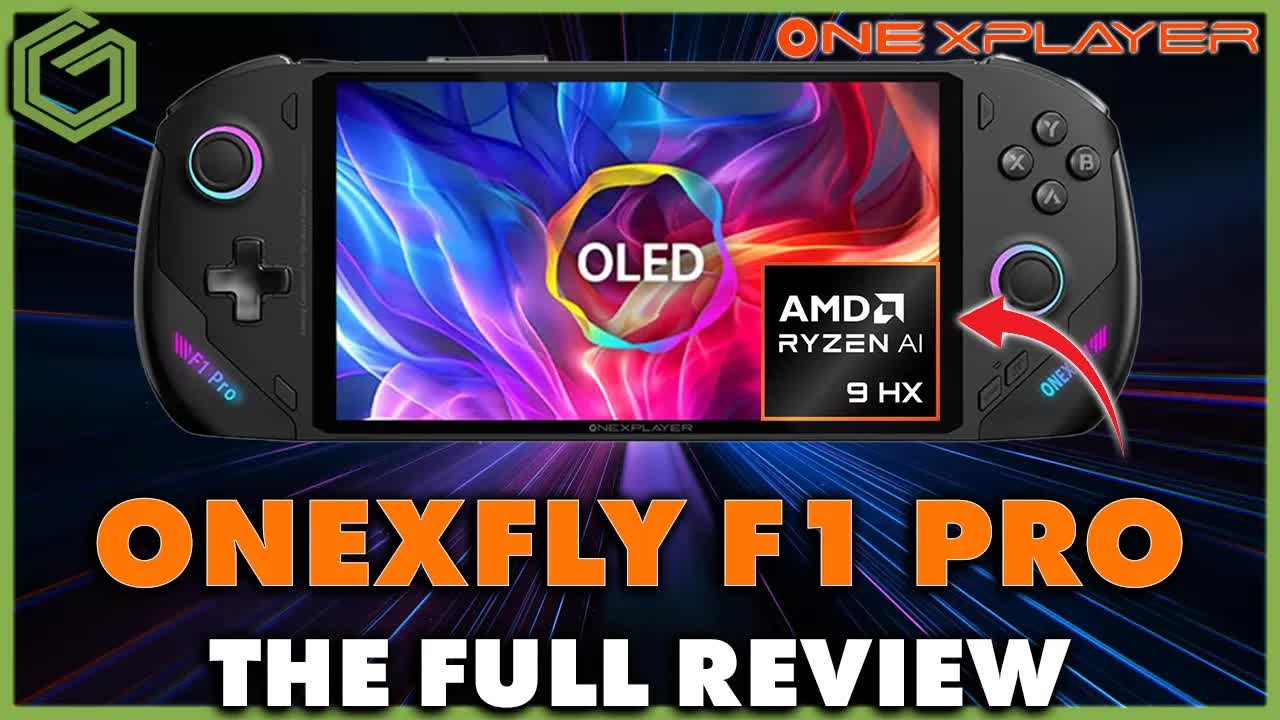
For the first time, I finally have a OneXPlayer device to check out: the OneXFly F1 Pro with the AMD Ryzen AI 9 HX 370. It's been fun to test something different that isn't just another Z-series handheld.
Disclosure: OneXPlayer sent this review unit over for me to check out. I don't get to keep it, so it won't be here for the long term, and I had it for about two weeks. I'm not being paid for the review or receiving anything else in exchange. OneXPlayer just asked for the same honest review I do for anything else, and if it were ever otherwise, I'd tell you. I'm a normal consumer, gamer and dad like everybody else, and that's who I do this for.
- $1,599 at its normal price, though I've seen it on sale for about $1,299.
- Pros: great HX 370 performance (even held back by TDP and thermals in this size), a great OLED screen, a small form factor, plenty of ports, great sounding audio, and very comfortable to hold.
- Cons: pricey and niche, battery life, no VRR, fan noise at higher TDP, some tinkering with CPU boost and fans, and online-only buying and support.
- I really enjoyed my time with it. It's comfortable, sounds good, looks good and plays games great with plenty of tinkering room.
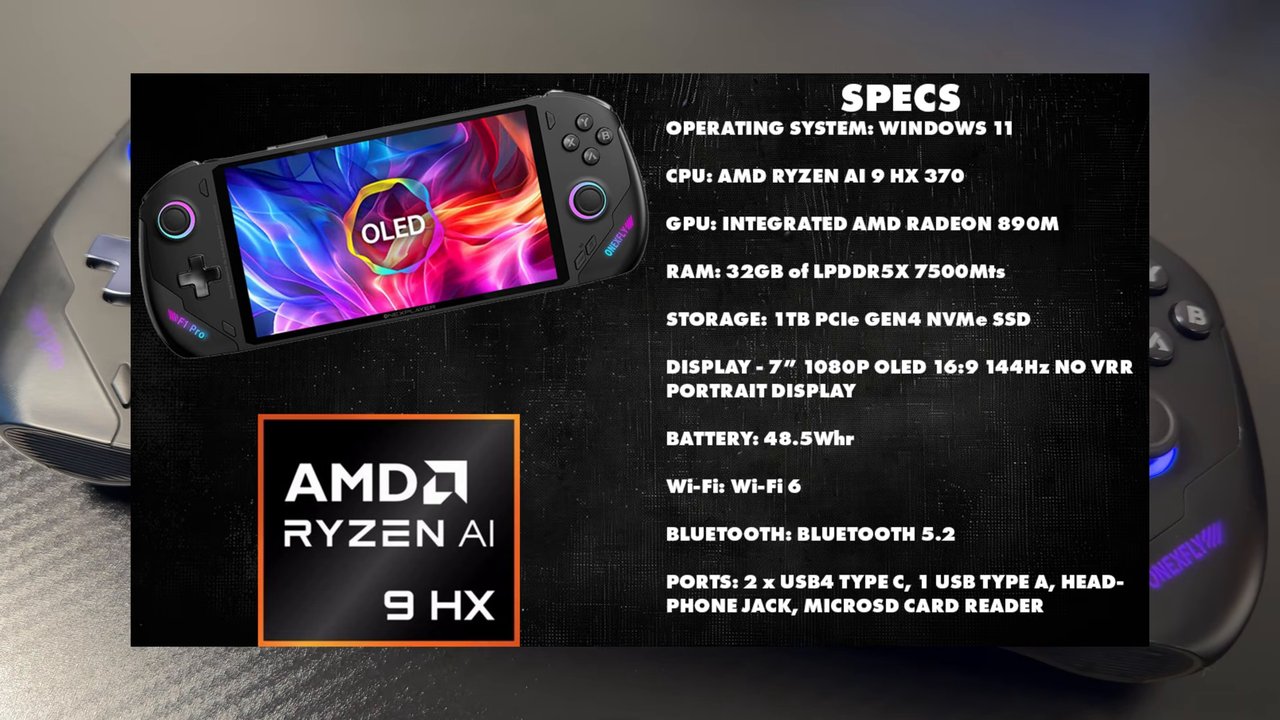
Price and specs
The OneXFly F1 Pro typically sells for $1,599 USD, though I often see it on sale, most recently for about $1,299. That makes it one of the more expensive niche handhelds, but it packs a lot of performance into a compact design.
| Spec | OneXFly F1 Pro (as reviewed) |
|---|---|
| OS | Windows 11 |
| CPU | AMD Ryzen AI 9 HX 370 (12 cores) |
| GPU | Integrated AMD Radeon 890M |
| RAM | 32GB LPDDR5X-7500 |
| Storage | 1TB PCIe NVMe SSD |
| Display | 7-inch 1080p OLED, 16:9, 144Hz, about 800 nits peak, no VRR or HDR (portrait panel) |
| Battery | 48.5Wh |
| Wireless | Wi-Fi 6, Bluetooth 5.2 |
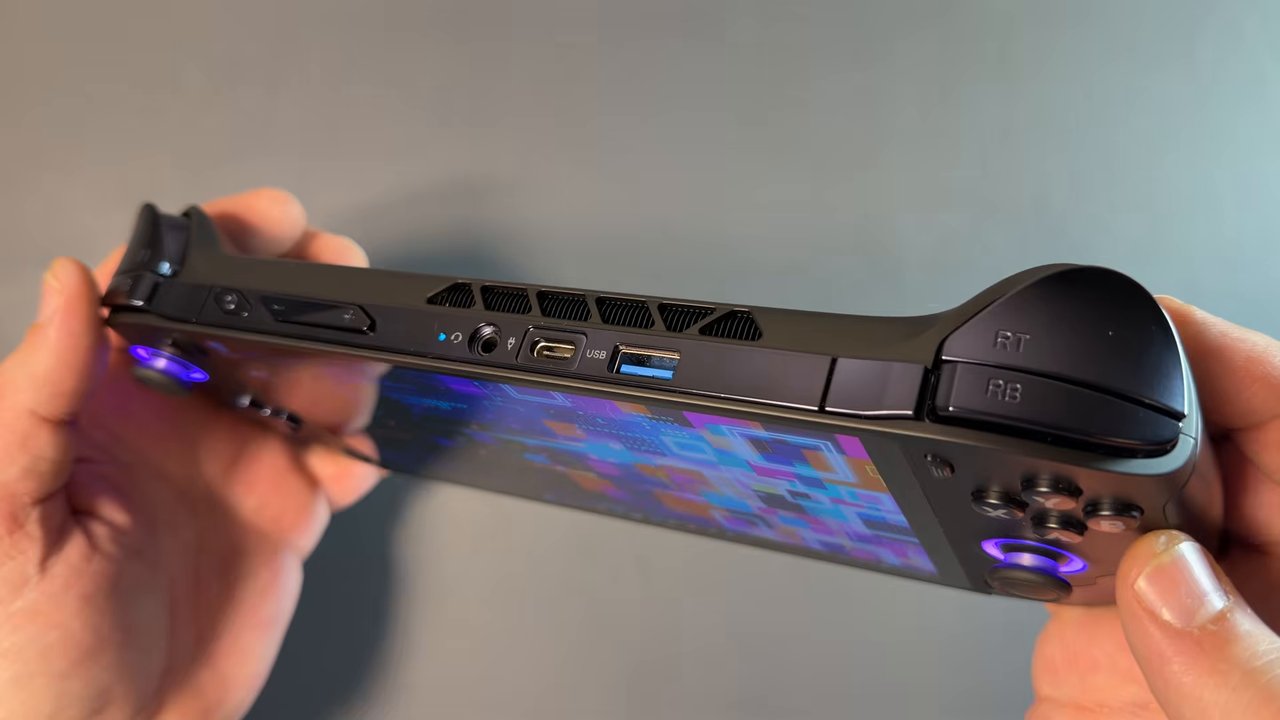
| Ports | 2x USB4 Type-C, 1x USB Type-A, microSD card reader, headphone jack |
Design and comfort
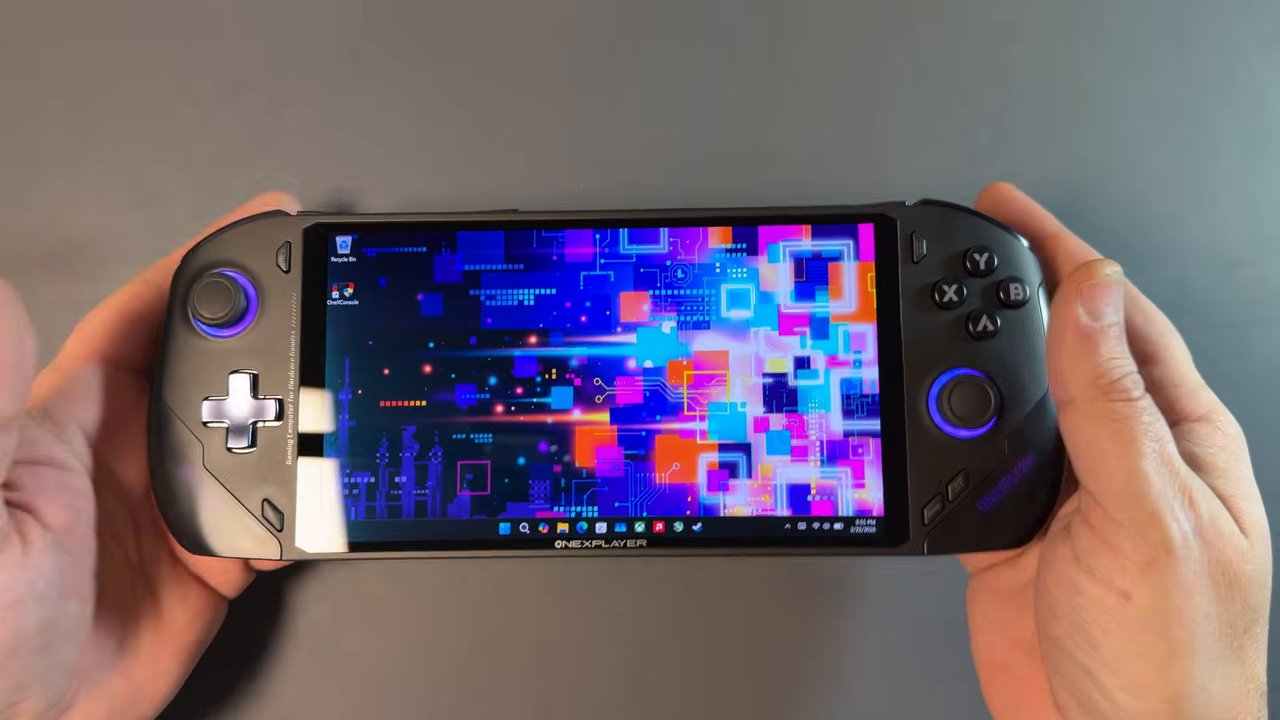
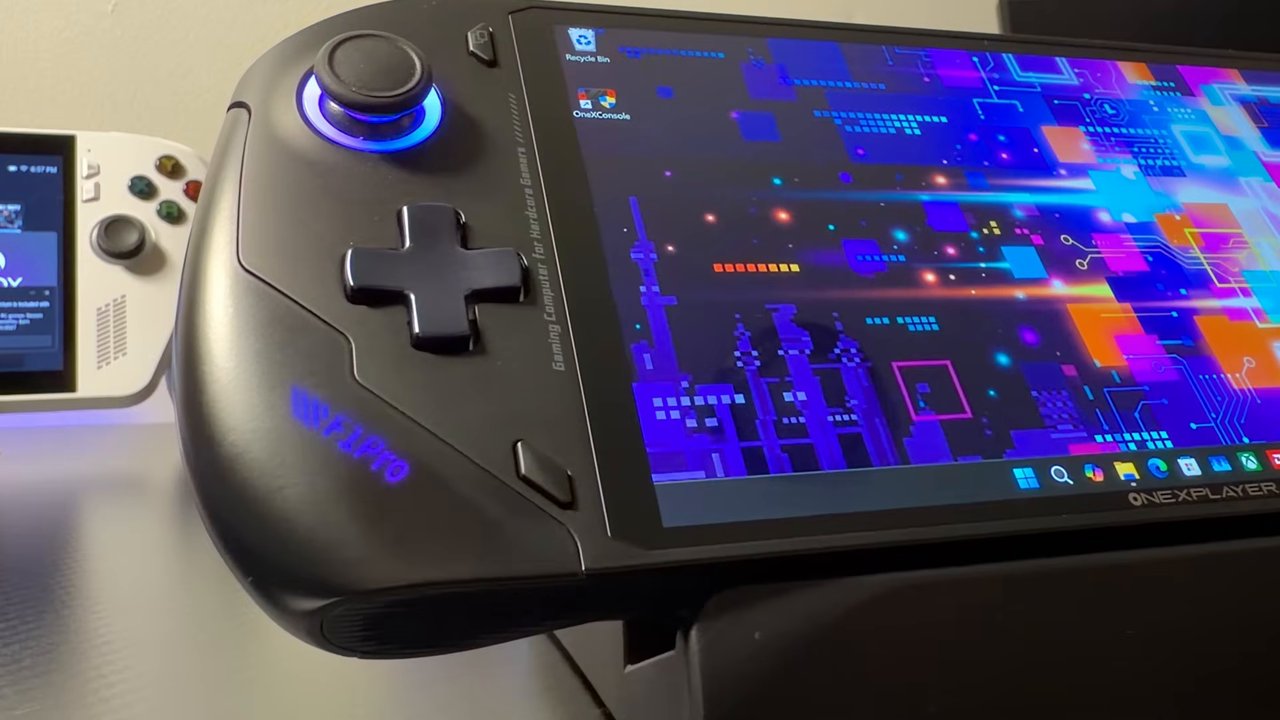
The compact, ergonomic design makes the OneXFly one of the more comfortable handhelds I've used. Smaller handhelds tend to be a bit uncomfortable for me, but this one was really nice to hold and game on, with well-balanced weight distribution. Slim bezels around the OLED screen make it look really nice, the device has a premium feel, and there's RGB lighting in the joysticks and grips.
The Hall effect joysticks feel nice and work well, but the compact design means smaller sticks, closer to the size of the original Switch, rather than normal-size ones. The D-pad has been really good during my time with it, and there's an extra configurable shoulder button for quick access to Steam, overlays or whatever you like. It's a lighter, more portable device without the bulk of something like the Legion Go 2 or the Xbox Ally X.
It's compact but full of performance, which comes with its own trade-offs. I know there's a big segment of handheld gamers who really love small devices. I hear about it all the time, and if that's you, this is going to be really appealing. I can't speak for everyone or for long-term use, but in my time with it, the F1 Pro didn't give me any hardware issues at all.
Audio
The F1 Pro has dual downward-firing speakers, officially tuned and certified by Harman, and they're surprisingly good. A tip if you get one of these or something similar: check the drivers. Out of the box, it will most likely be running the default Realtek drivers, which can sound flatter. Install the official Harman APO drivers for better sound. Overall, these are some of the best speakers I've used on a Windows handheld, and they sound great.
The display
The 7-inch OLED panel is a standout feature. I've heard so many people ask for 7-inch OLED displays on smaller handhelds instead of the typical IPS. Even though I'm personally not a fan of smaller screens, this one looks fantastic, with the pop, contrast, true blacks, viewing angles and brightness you expect from OLED. It's not as good as the larger OLED on the Legion Go 2 with full HDR and VRR, but it's certainly much better than the screens on the ROG Ally or Xbox Ally devices.
My only real complaint is the lack of VRR, which I believe is because it's a portrait display, from what I could tell. There's also no HDR, which is no big deal for me since I don't use HDR on PC much, but be aware. It's a nice panel that lacks a few features.
Battery life
The compact design comes with trade-offs, and battery size is one of them. The HX 370 is pretty efficient this generation, but a 48.5Wh battery won't last long compared to some other options. Here's what I saw, as a general idea (screen brightness and audio affect these):
| TDP setting | Total power draw | Battery life (chart) | What I said in the video |
|---|---|---|---|
| 10W | About 21W | About 2.3 hours | Just under 2.5 hours |
| 15W | About 28W | About 1.5 to 1.7 hours | A bit over 1.5 hours |
| 25W | About 43W | About 1.1 hours | Just under an hour of gaming |
| 30W | About 50W | About 0.9 hours | 45 minutes to an hour, depending on the game |
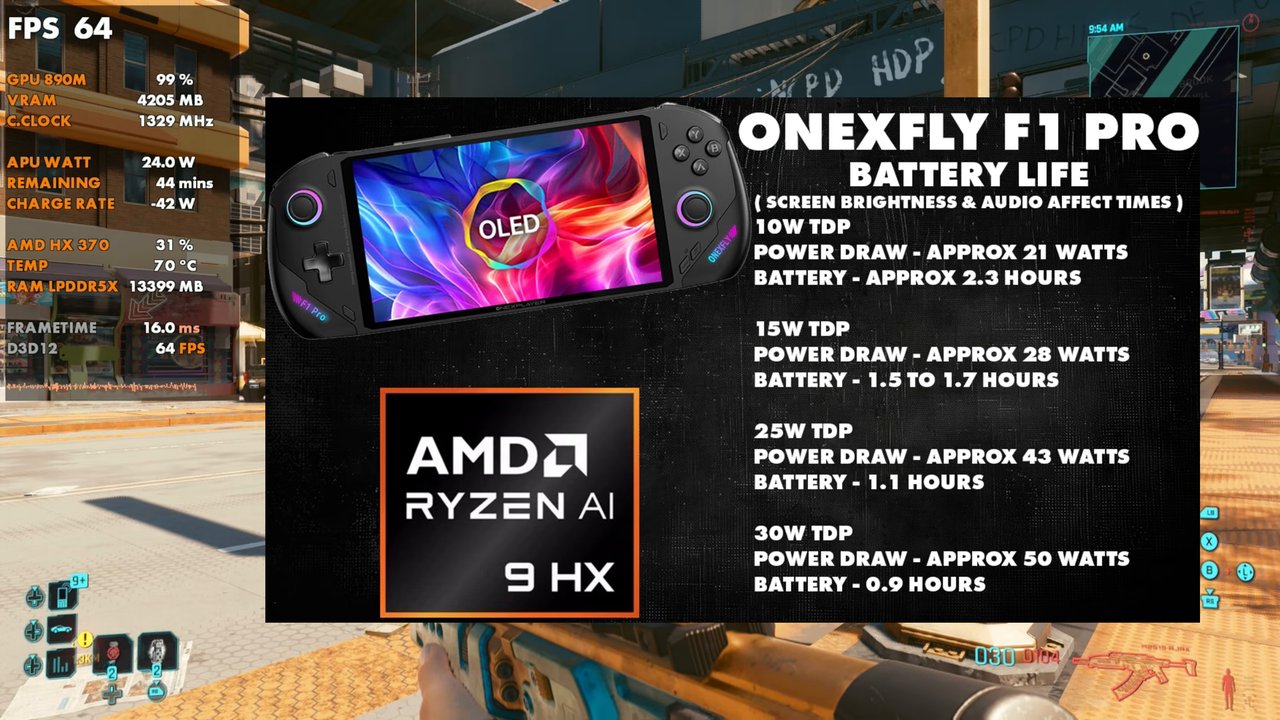
With the smaller battery, you may find yourself using a power bank or charging more often, depending on your games and TDP, and with an HX 370 you're probably playing more demanding games. I don't see it as a deal breaker, since you're getting the HX 370 in a small form factor where thermals and battery size have to come into play. It's just good to know what to expect.
OneX software
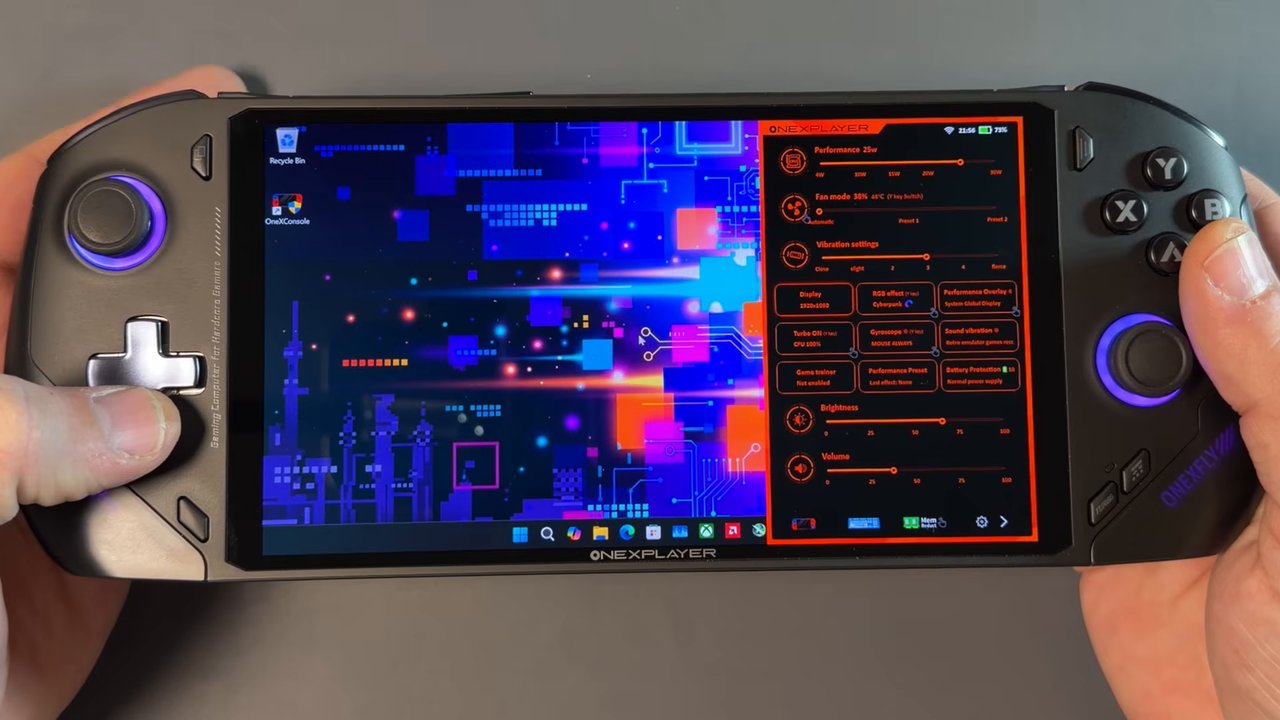
I won't spend too long on it, but the OneX software has been pretty capable and didn't give me any issues. The main settings, like TDP, CPU boost, brightness, your overlay and fans, are easy to get to. Holding the same button you click for the quick access menu opens the main software, where you can set up your library and get options like system VRAM. There's nothing fancy or loaded with options like some other software, but it worked well and gave me what I needed.
Game performance
The HX 370 is similar to the Z2 Extreme. The Z2 Extreme is essentially cut down from it: the HX 370 is a 12-core CPU with the Radeon 890M GPU, while the Z2 Extreme is an 8-core CPU with the same architecture and the same 890M. The main differences are the CPU core count and that the HX 370 can reach higher clocks, but it needs more power to do it. In a device this small, the HX 370 is held back and leaves some performance on the table, but it still performs fantastically thanks to this generation's much better efficiency.
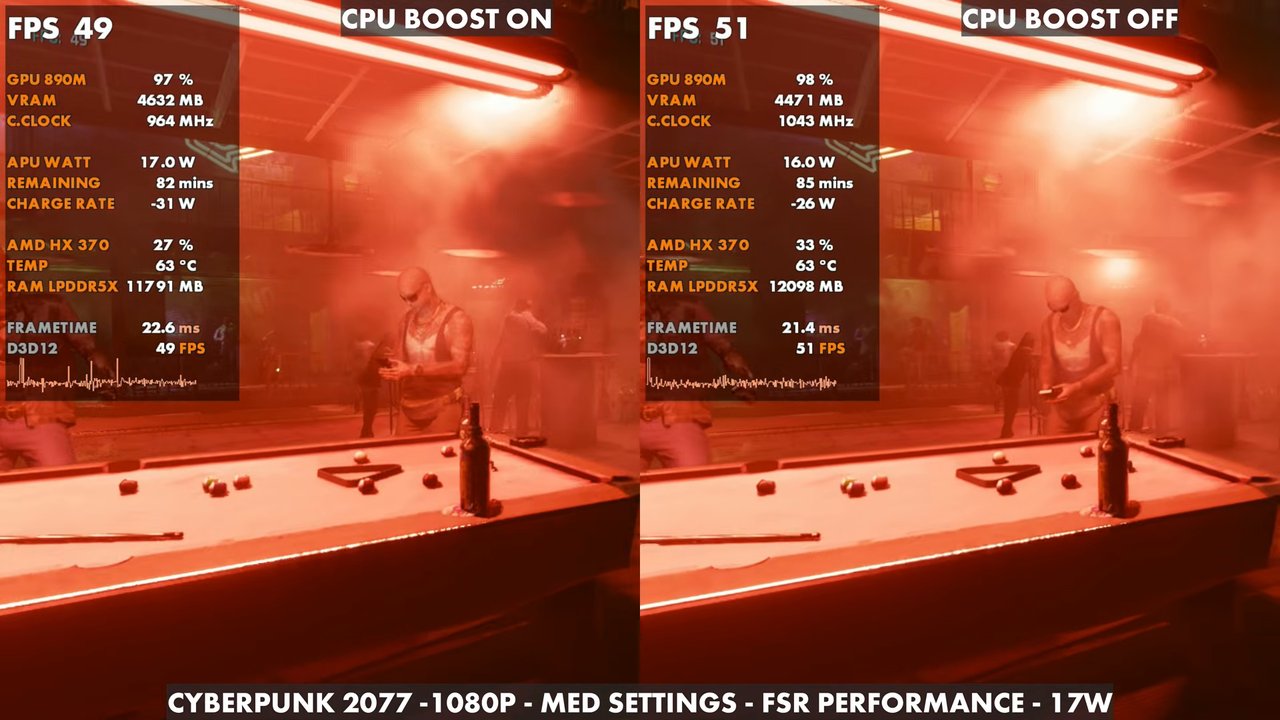
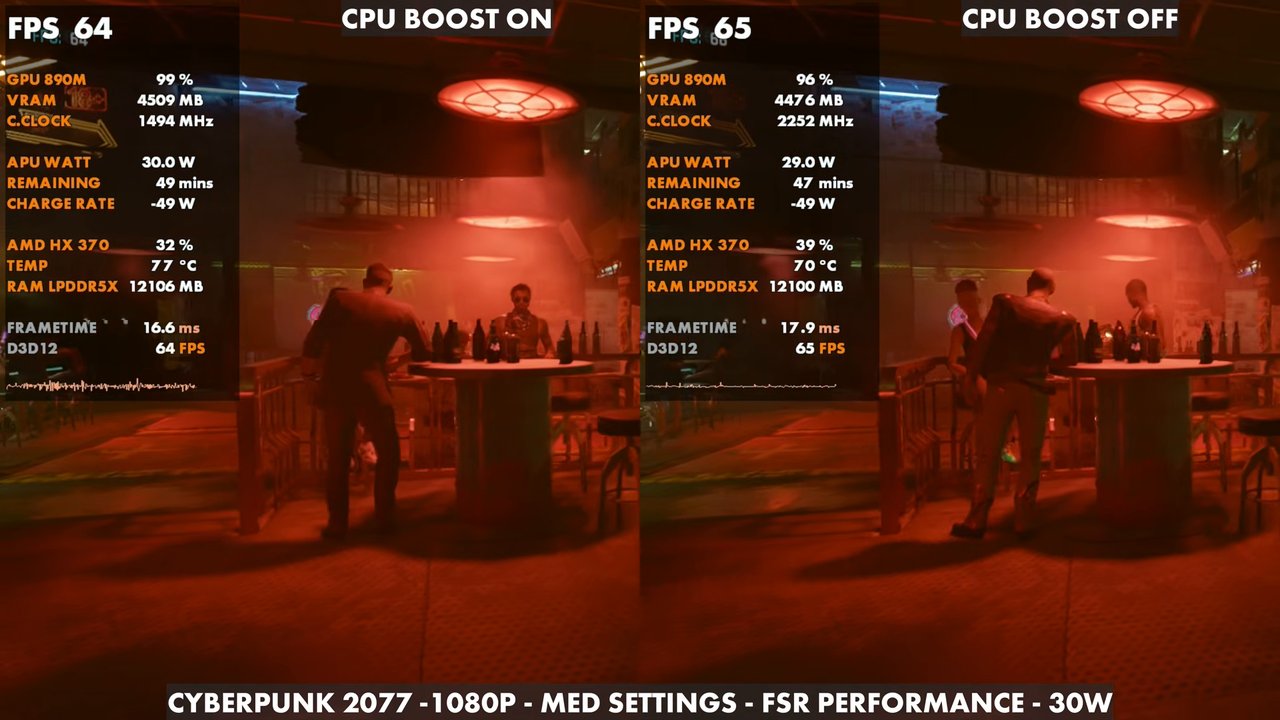
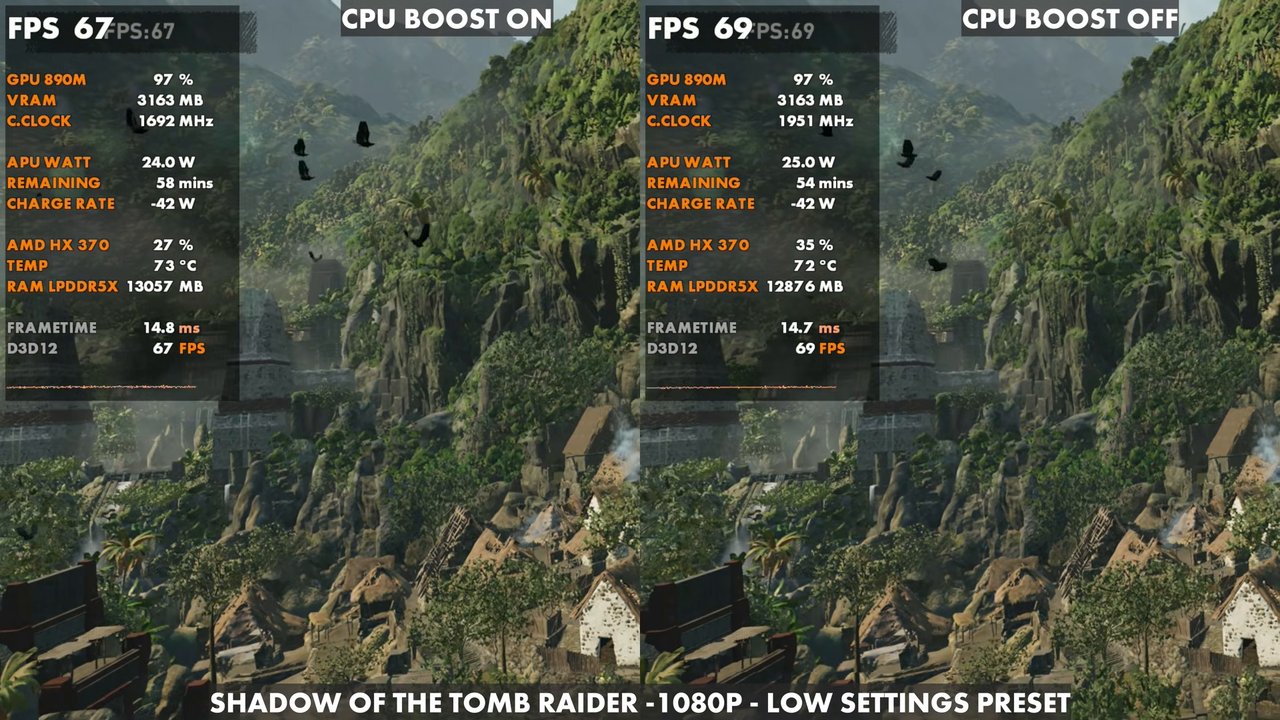
With the extra CPU cores, the HX 370 spreads its TDP out more than the cut-down Z2 Extreme. CPU boost was still typically fine for me in most games, but you'll certainly find games where you want to turn it off and give the GPU more power, which leaves the CPU at its base clock. So far, performance has been really good, usually beating my Z2 Extreme by a bit depending on the game, though I've seen times where they're more even. It depends on drivers, CPU boost and so on. With 32GB of RAM, I recommend setting 8GB or 12GB of dedicated VRAM. You can use an auto setting, but I usually don't prefer it.
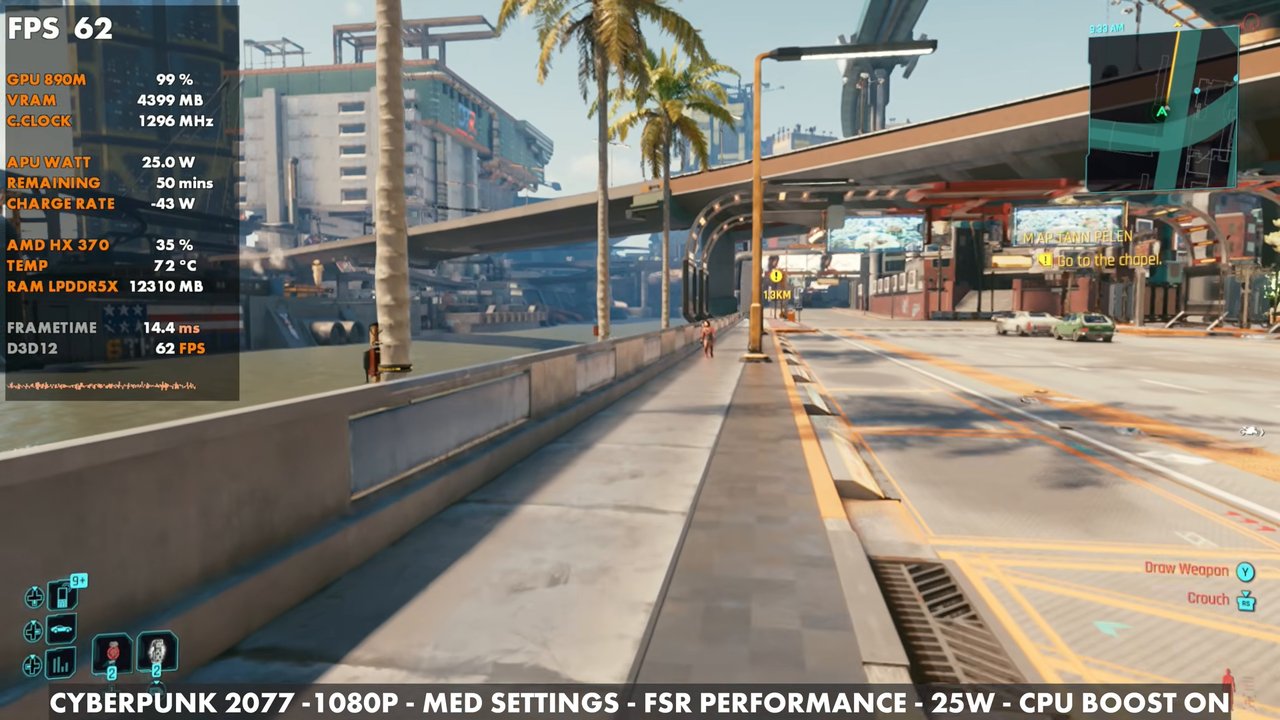
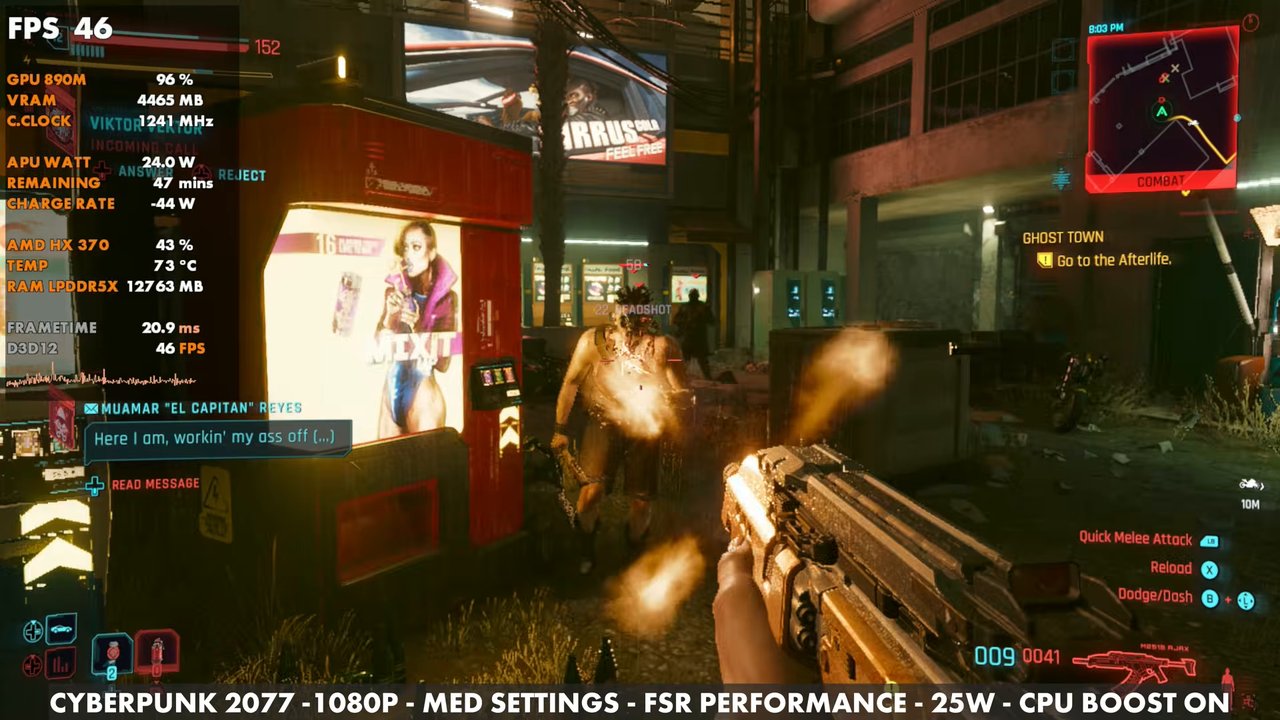
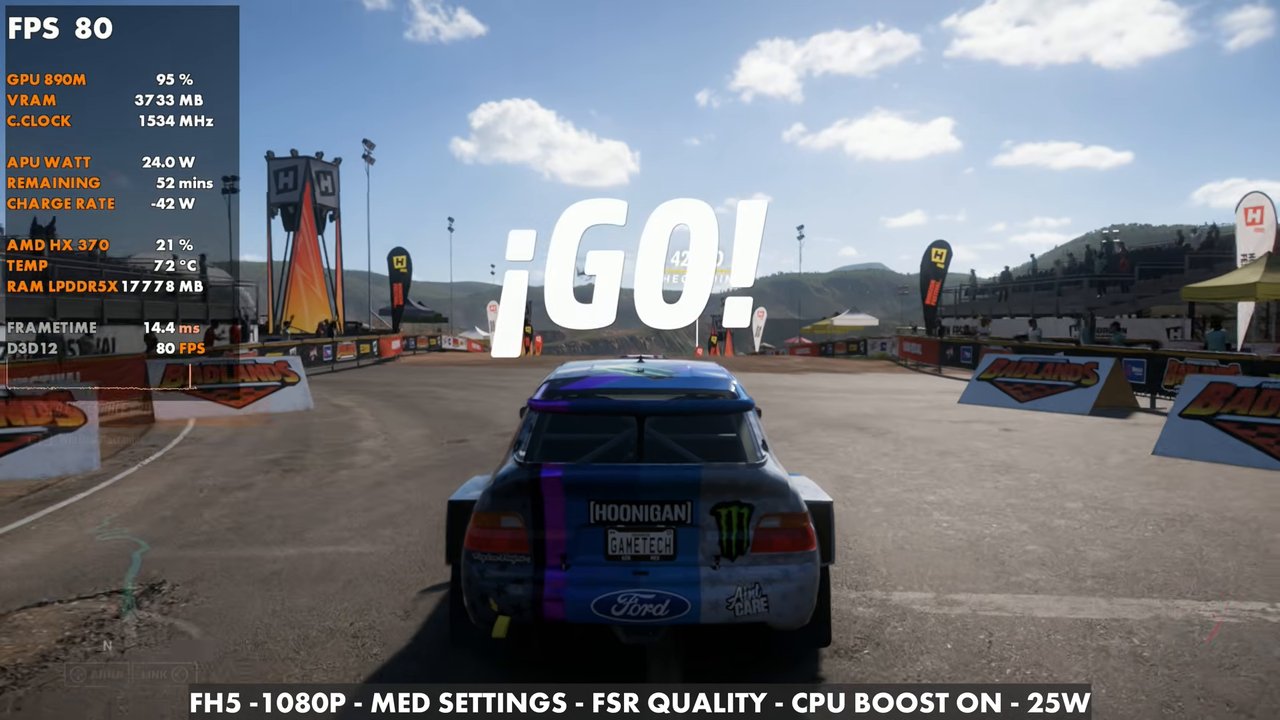
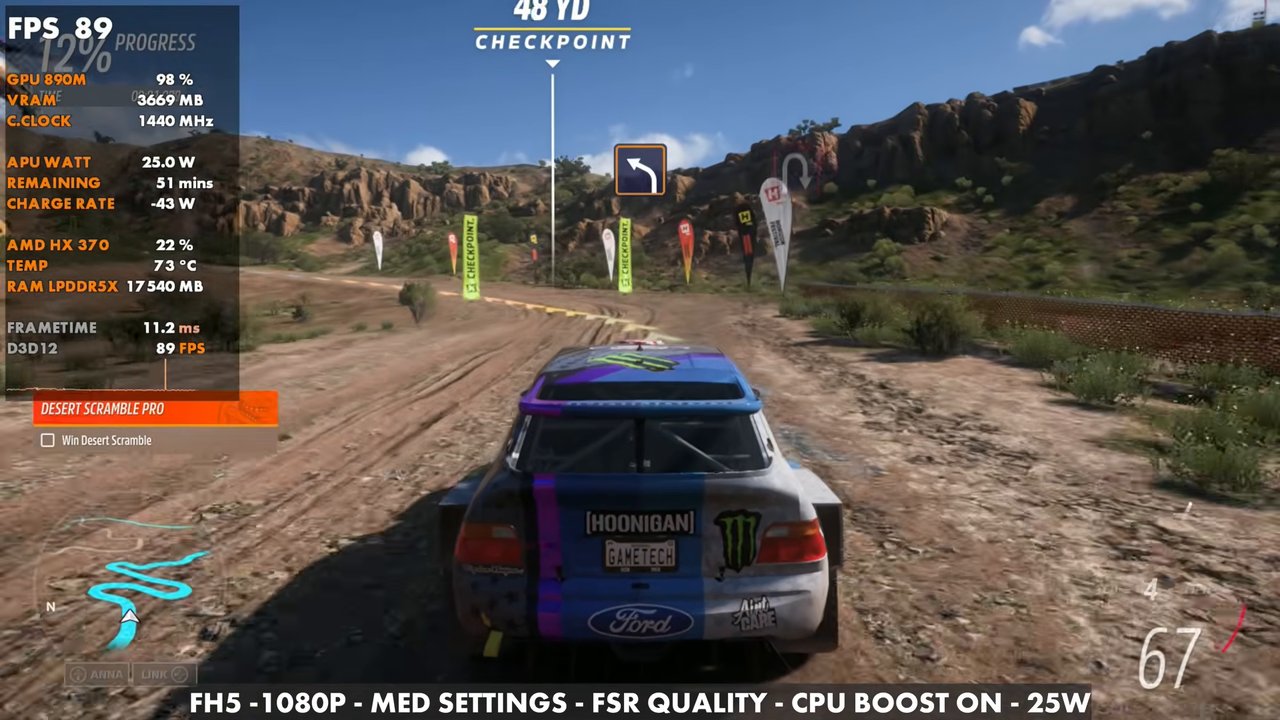
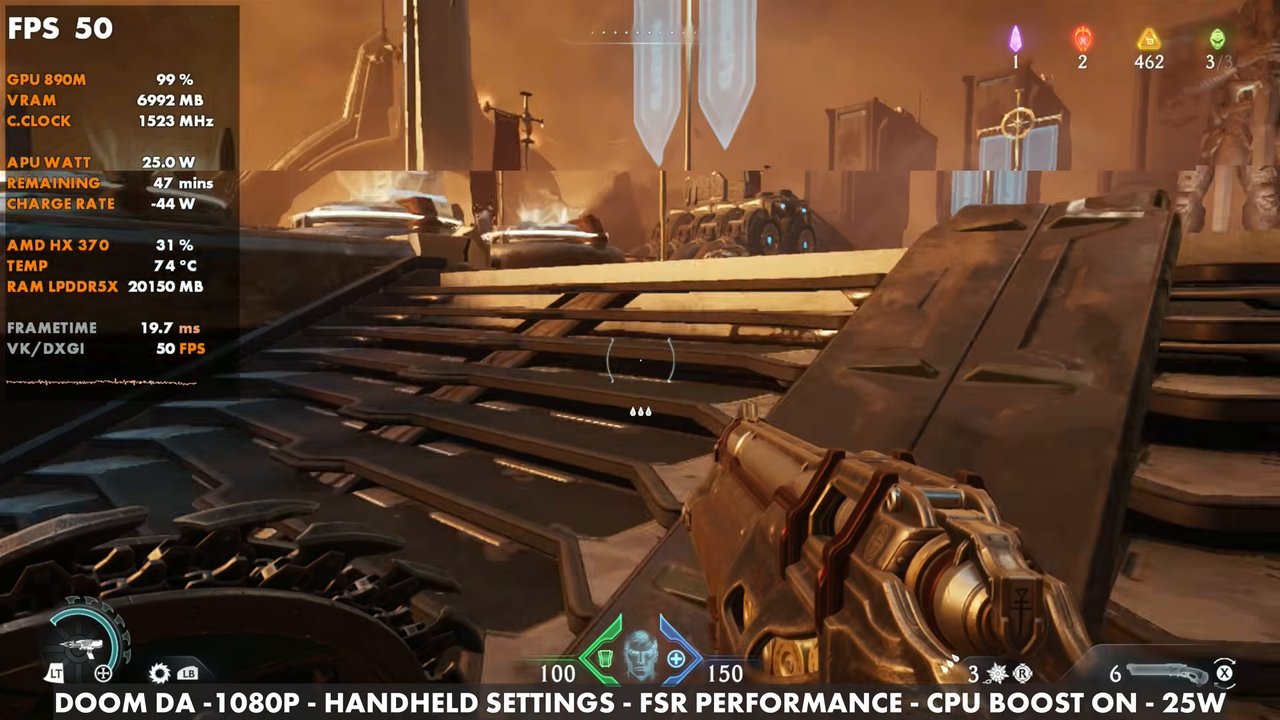
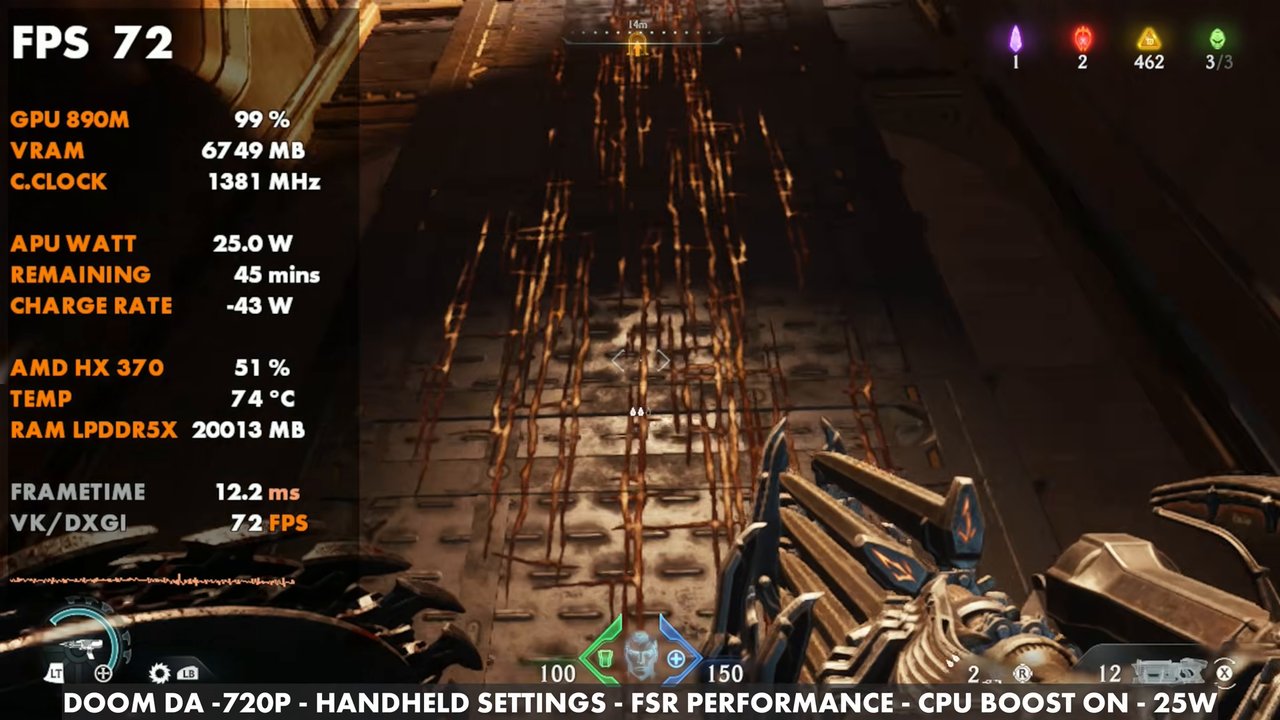
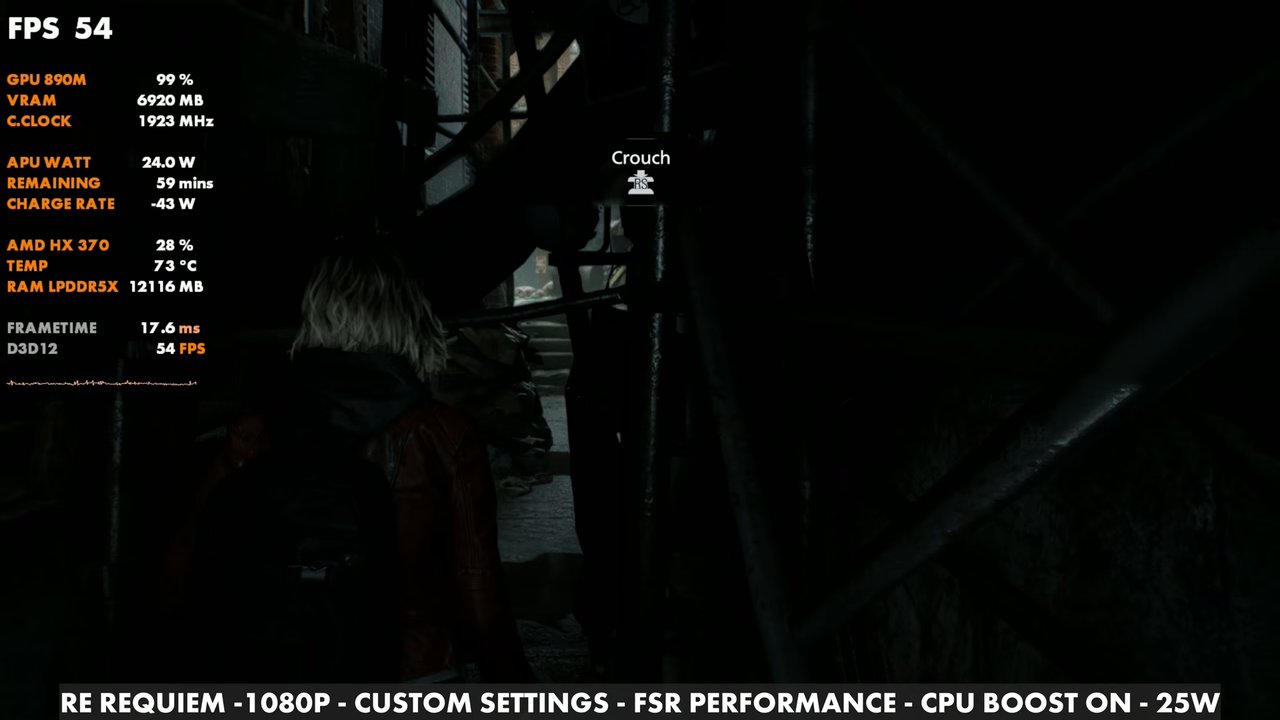
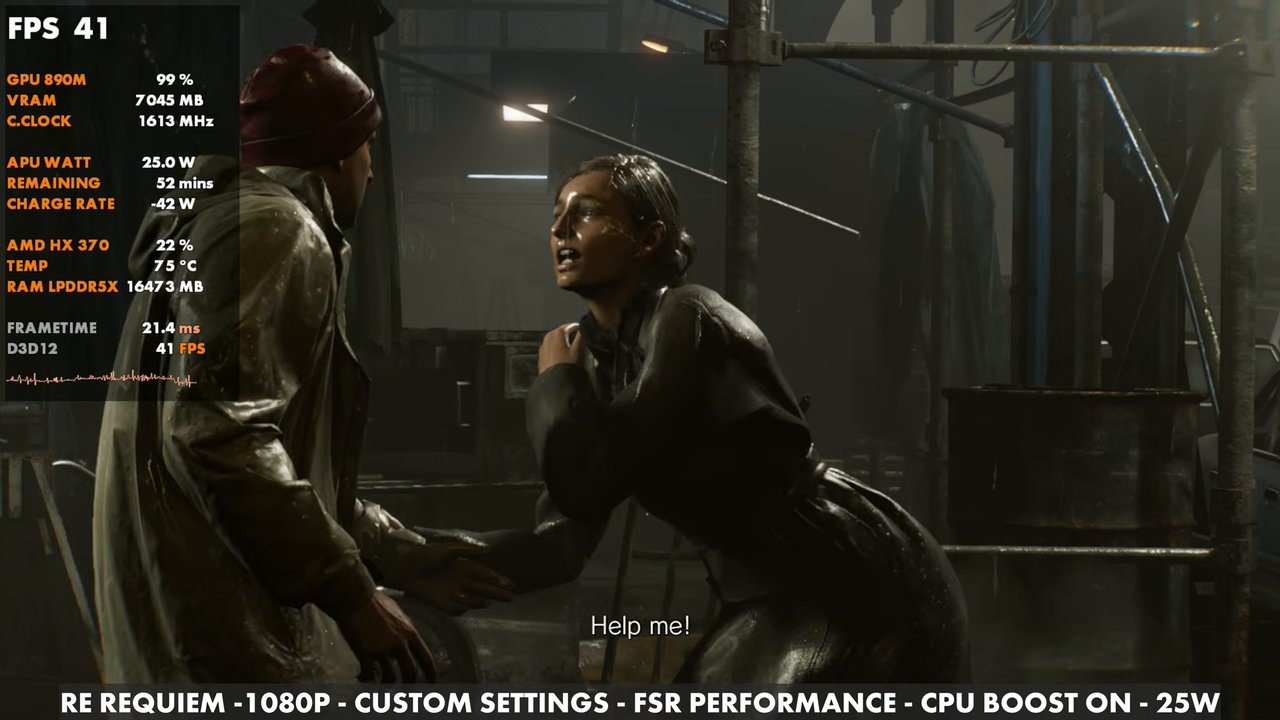
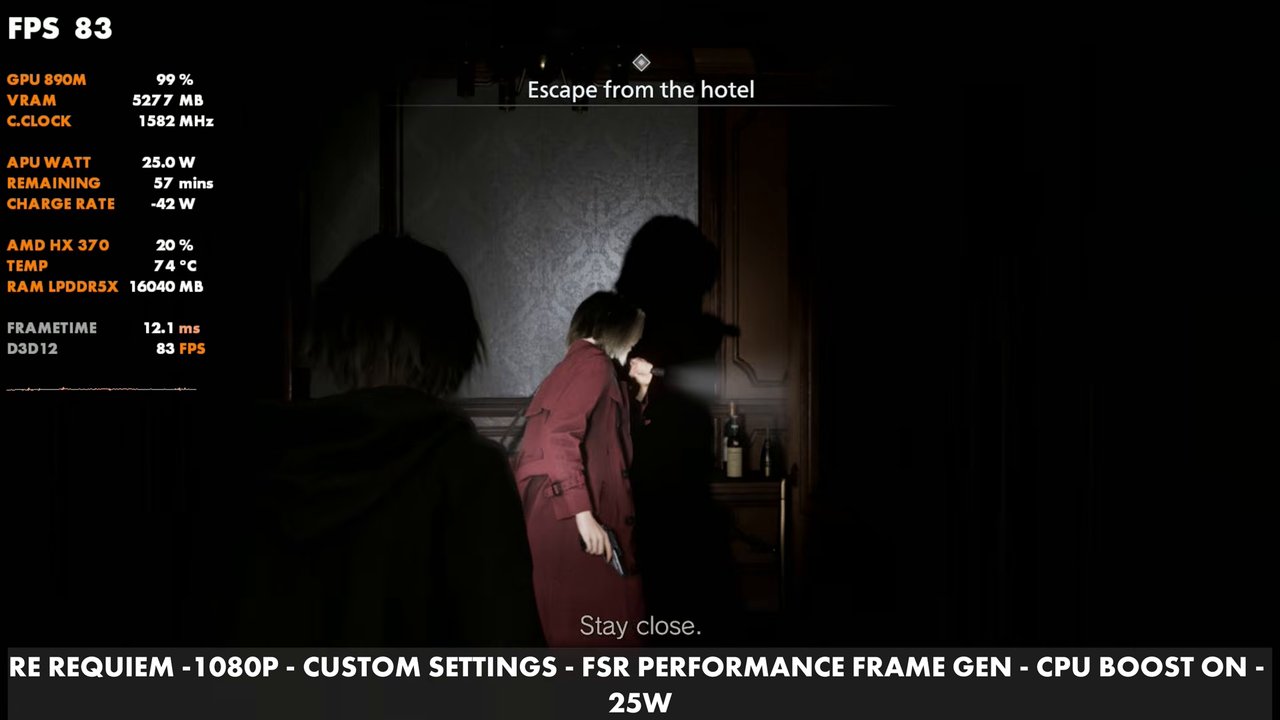
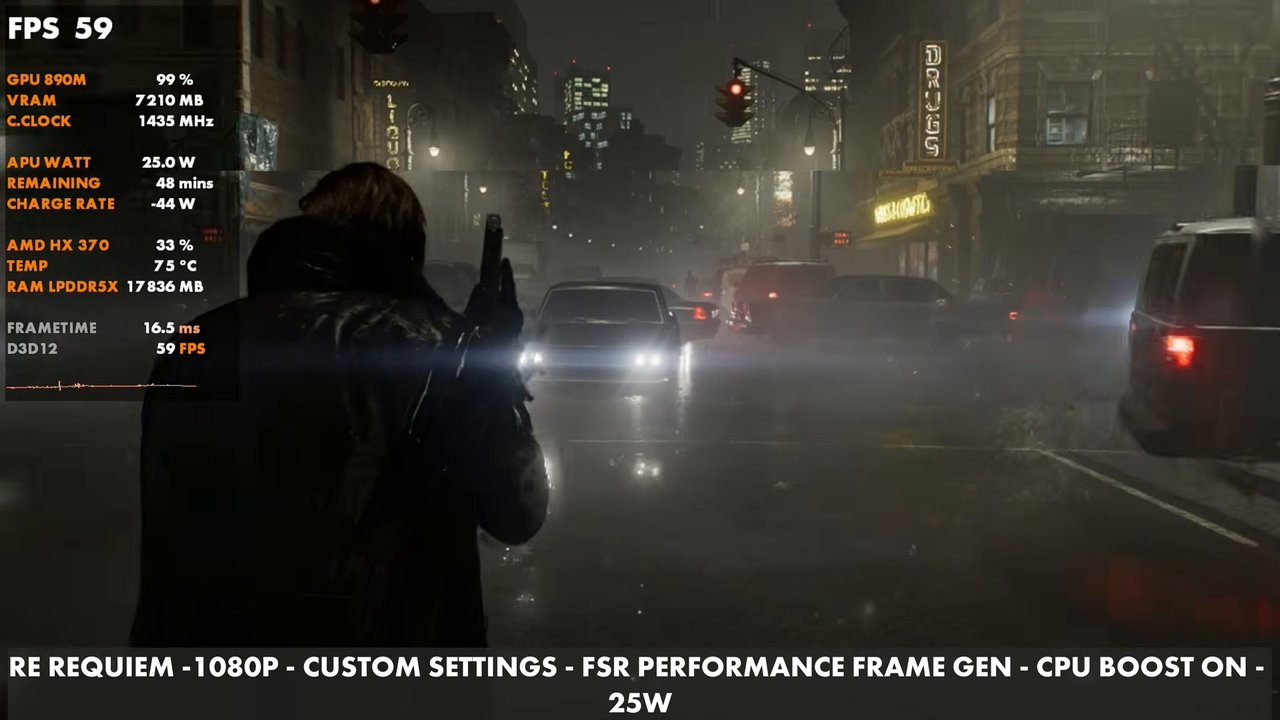
Overlay readings from the games I ran:
Cyberpunk 2077
1080p, medium settings, FSR Performance, with CPU boost on vs off at a few TDPs.
Shadow of the Tomb Raider
Forza Horizon 5
Doom: The Dark Ages
Resident Evil Requiem
Pros and cons
| Pros | Cons |
|---|---|
| Great performance from the HX 370, even held back by TDP and thermals in this size | Pricey, and probably still a niche product rather than mainstream |
| A great OLED screen and a small form factor many will love | Battery life is a real weak point |
| Plenty of ports | No VRR (I love it on handhelds) |
| Great sounding audio | Fans can get a little loud at higher TDP, though there was no whine and it wasn't a big problem for me |
| Very comfortable to hold and use | More tinkering with CPU boost, fans and so on to get the performance you want |
| Online-only buying and long-term support questions. I can't just buy or return it at my local Best Buy like the mainstream handhelds, at least here in the USA |
Every device has its good and bad points, and I think OneXPlayer did a decent job balancing them in such a small design with the HX 370 inside.
Final thoughts
This is another niche, more expensive handheld PC, like many we see these days. Even Lenovo has pushed the Legion Go 2 far from the original toward a more catered, niche experience, and that comes with higher prices and sometimes harder-to-get devices. All in all, I really enjoyed my time with the OneXFly F1 Pro. I personally prefer larger devices and larger displays, but it's comfortable, sounds good, looks good and plays games great, with plenty of tinkering room. If you're shopping for one of these or something similar, know what you're getting into, weigh the good and bad, and figure out what you personally need from a handheld PC. It was genuinely fun to review something different from the Z series, and I hope to do more of this, with more handhelds, mini PCs and other game tech, in the future.
Want more handheld tests?
New Steam Deck, ROG Ally, Legion Go and Steam Machine performance videos every week.