 ▶Watch on YouTube
- Running it natively on the Steam Deck is pretty rough right now. I've seen anywhere from 15 FPS up to the 40s or 50s, depending on what's going on.
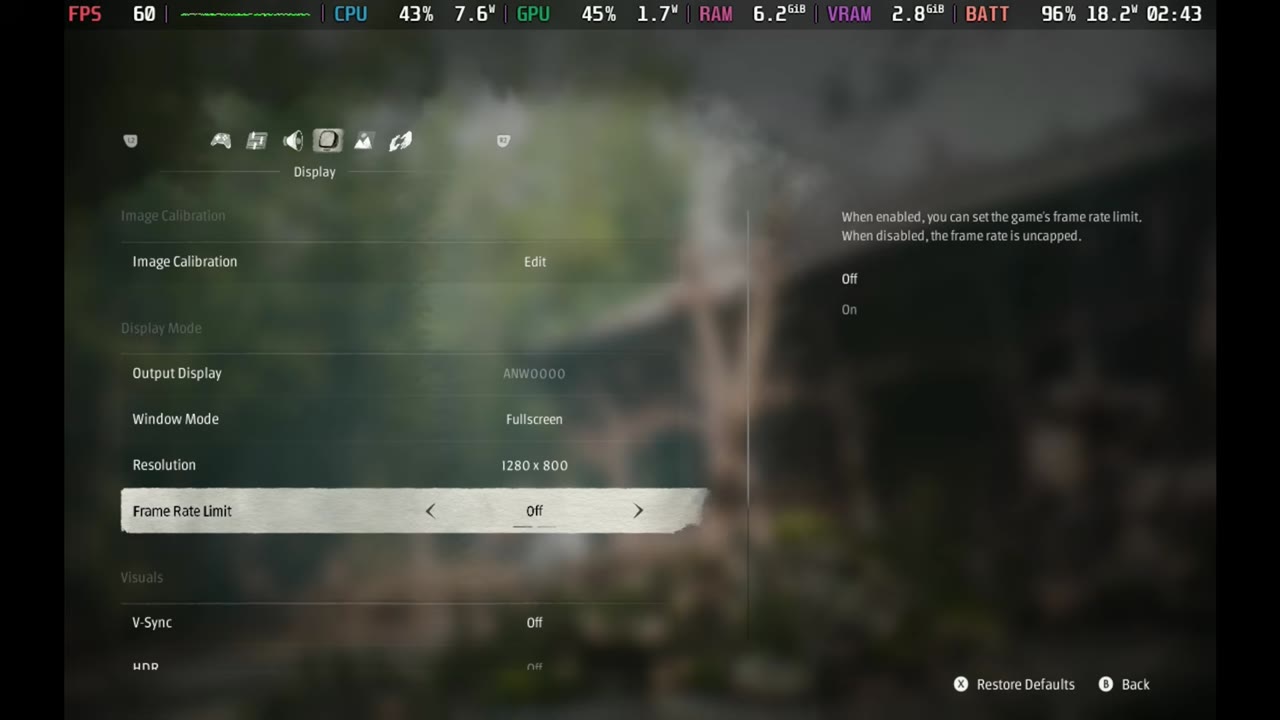
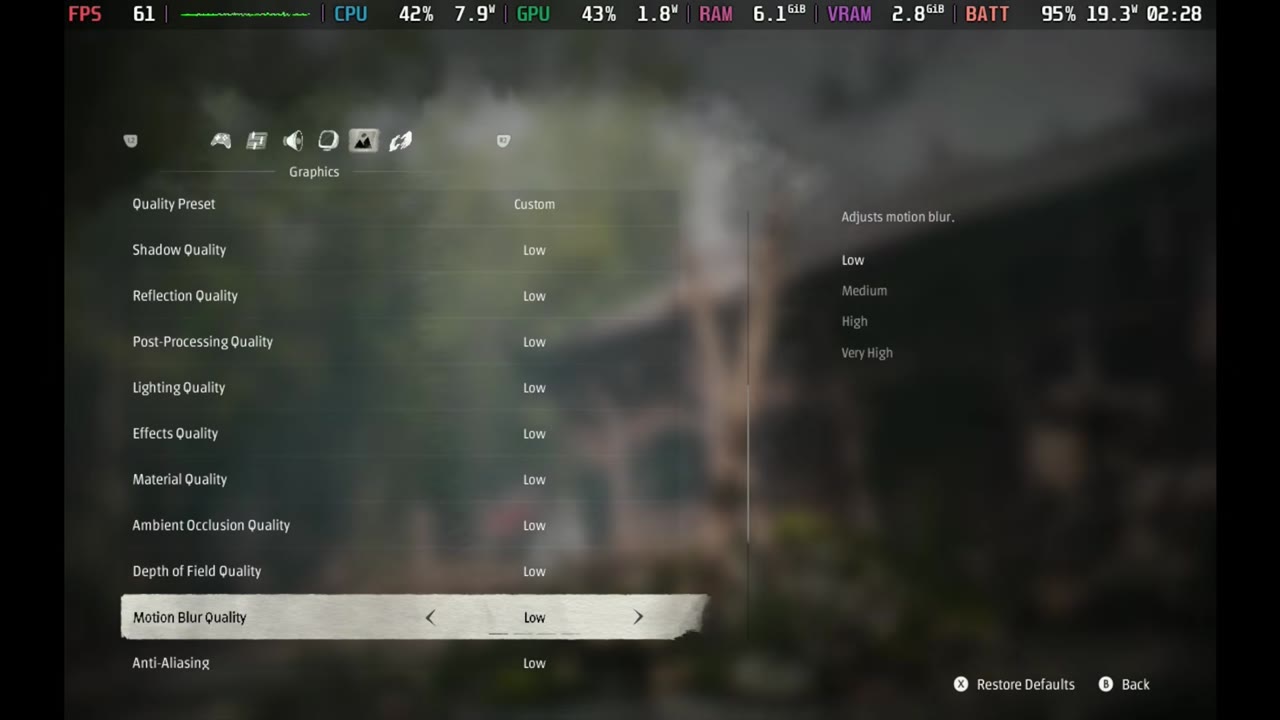
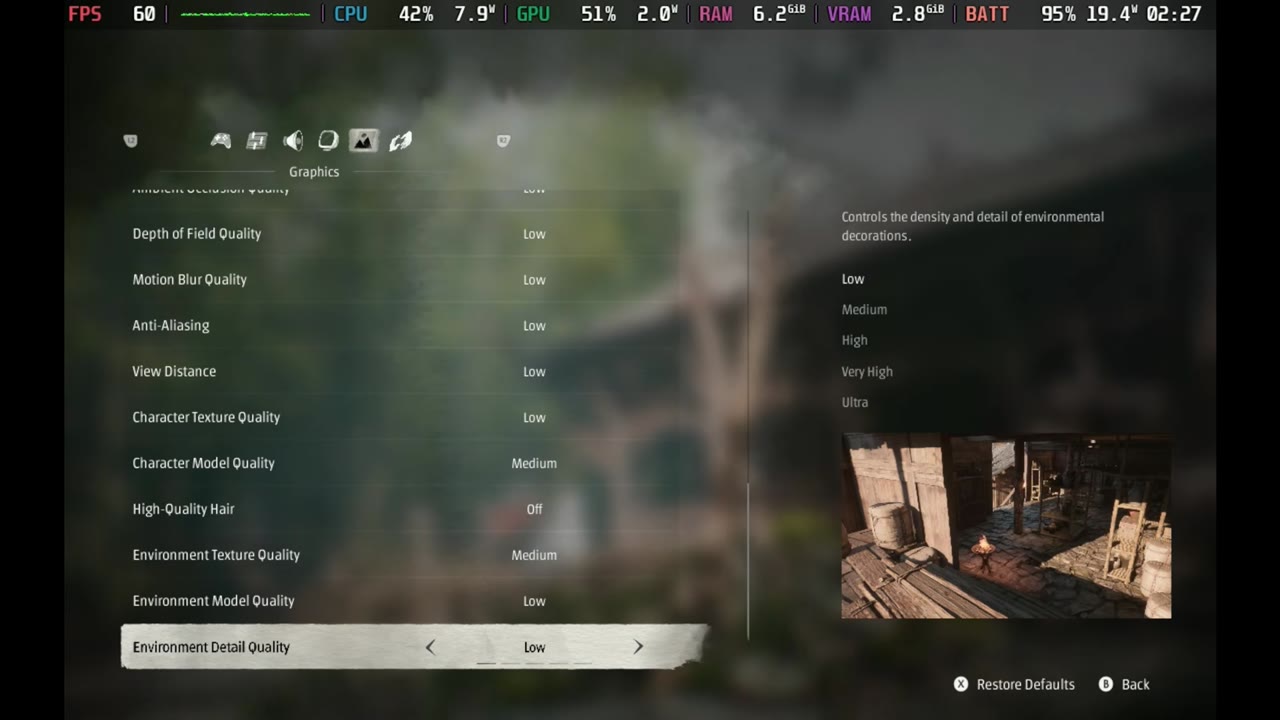
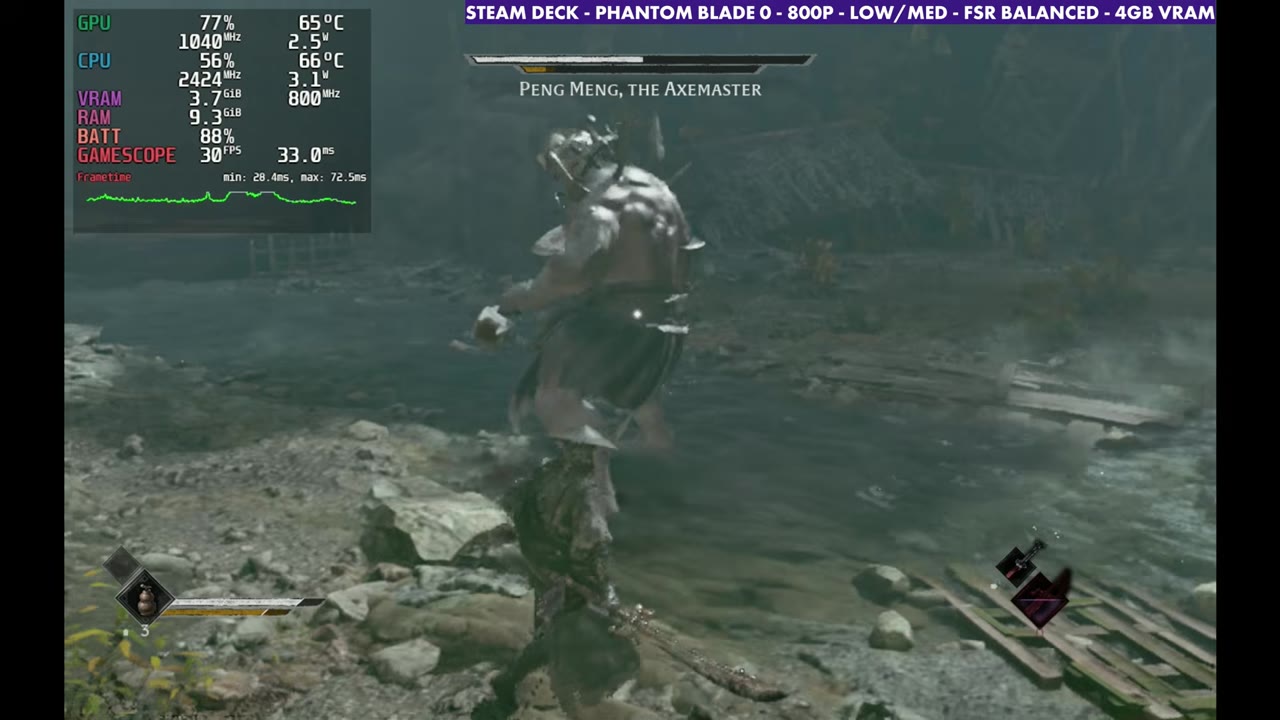
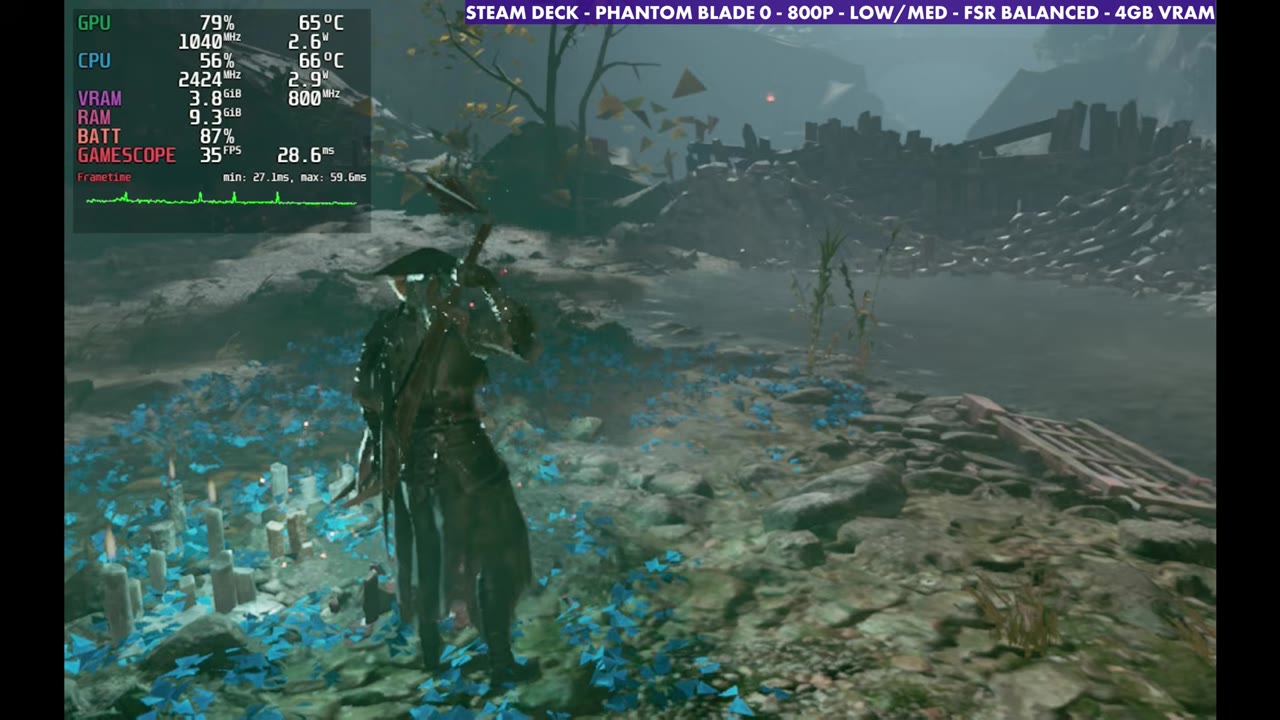
- Tested at 800p, fullscreen, low settings with character model and environment textures on medium, and FSR (mostly Balanced).
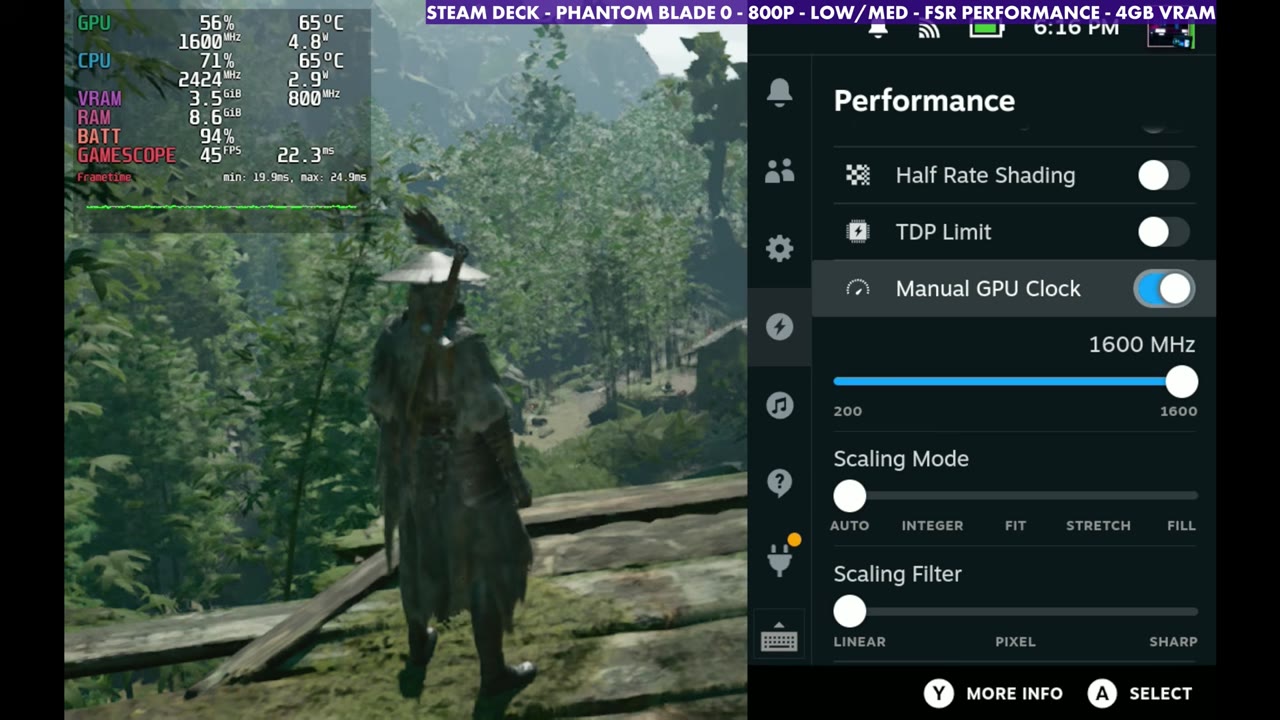
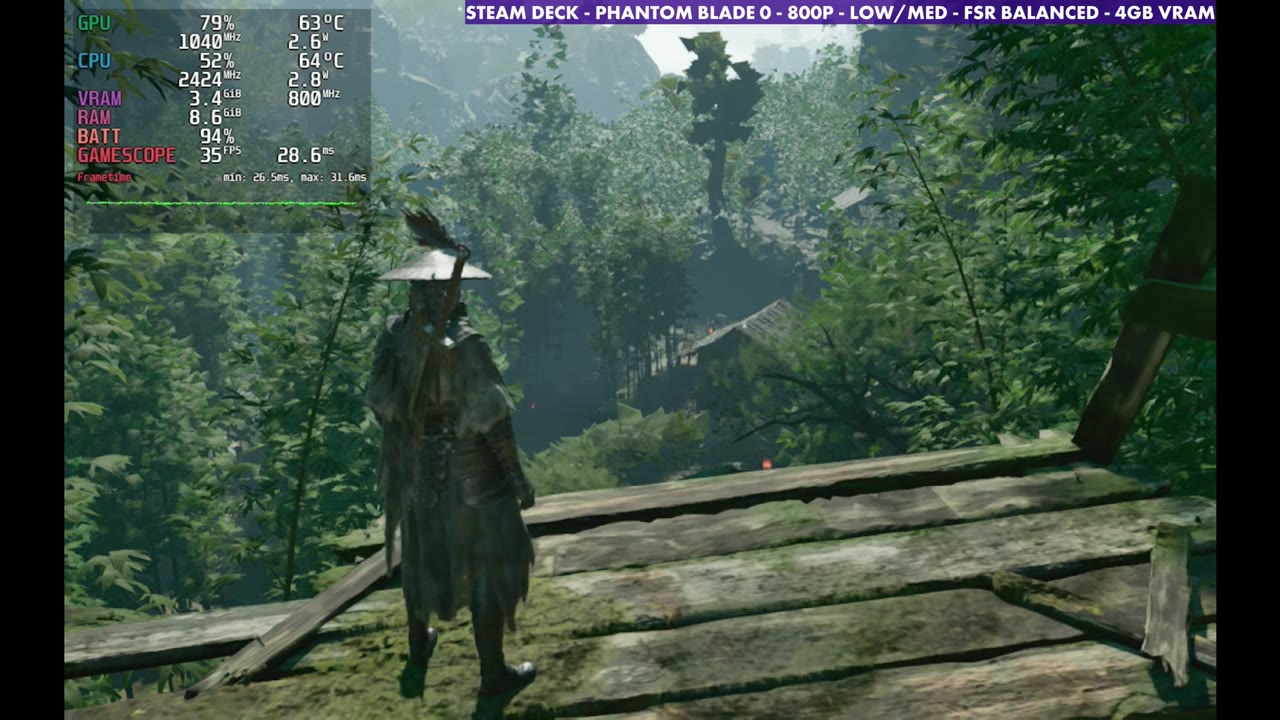
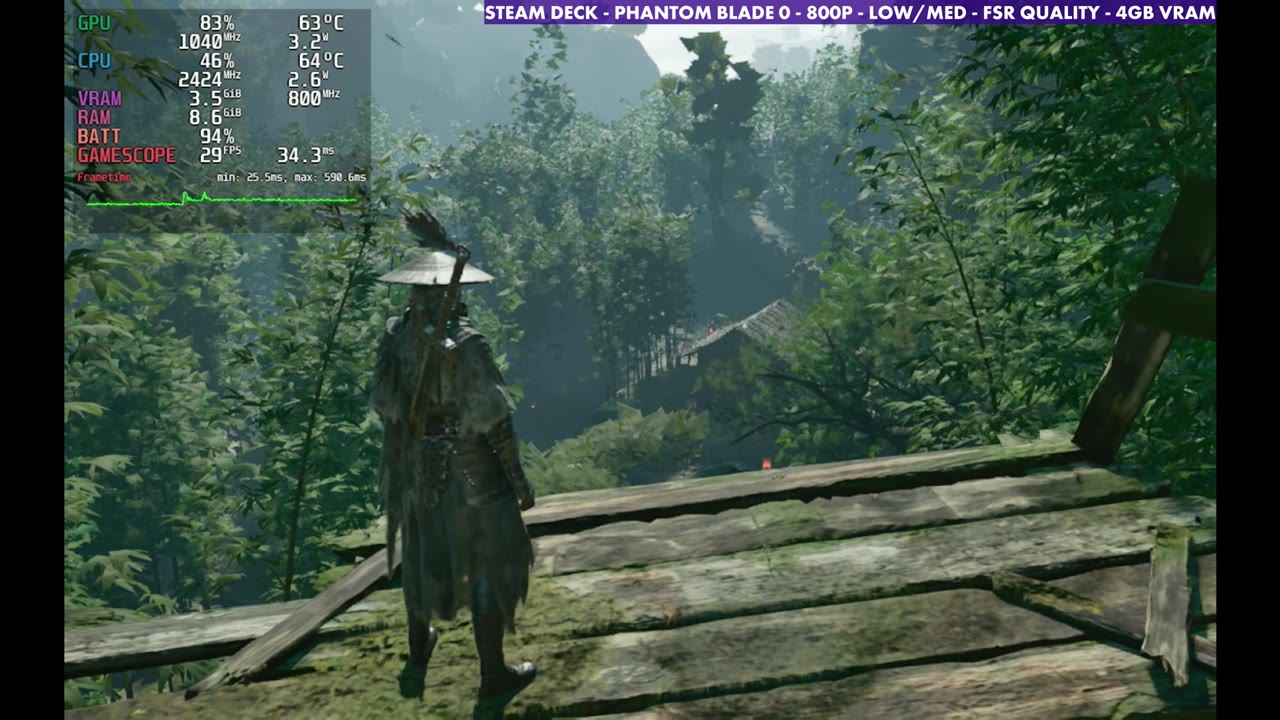
- Same spot: FSR Performance around 30-something to 40, Balanced 34–35, Quality around 28–29.
- In the first hour or two I end up in the teens and 20s a lot of the time, and combat is heavier.
Phantom Blade Zero is a game I'm really enjoying, especially on other devices and through GeForce Now on my PC. Playing it locally on the Steam Deck OLED is a different story. It's pretty rough, especially depending on where you're at, and I've seen anywhere from 15 FPS all the way up to the 40s or 50s.
The OLED doesn't really make a difference compared to the original Deck here. The game isn't Verified (Steam shows its Deck compatibility as unknown), so I wasn't necessarily expecting it to run, although the Verified system isn't always that accurate anyway. Plenty of unknown games run really well. This one doesn't, at least not yet.
What I tested
| Setting | What I used |
|---|---|
| Window mode | Fullscreen |
| Resolution | 1280 x 800 (800p) |
| Frame rate limit | Off |
| V-Sync / HDR | Off / Off |
| Motion blur | Off |
| Camera shake | Left alone |
| Film grain | Off |
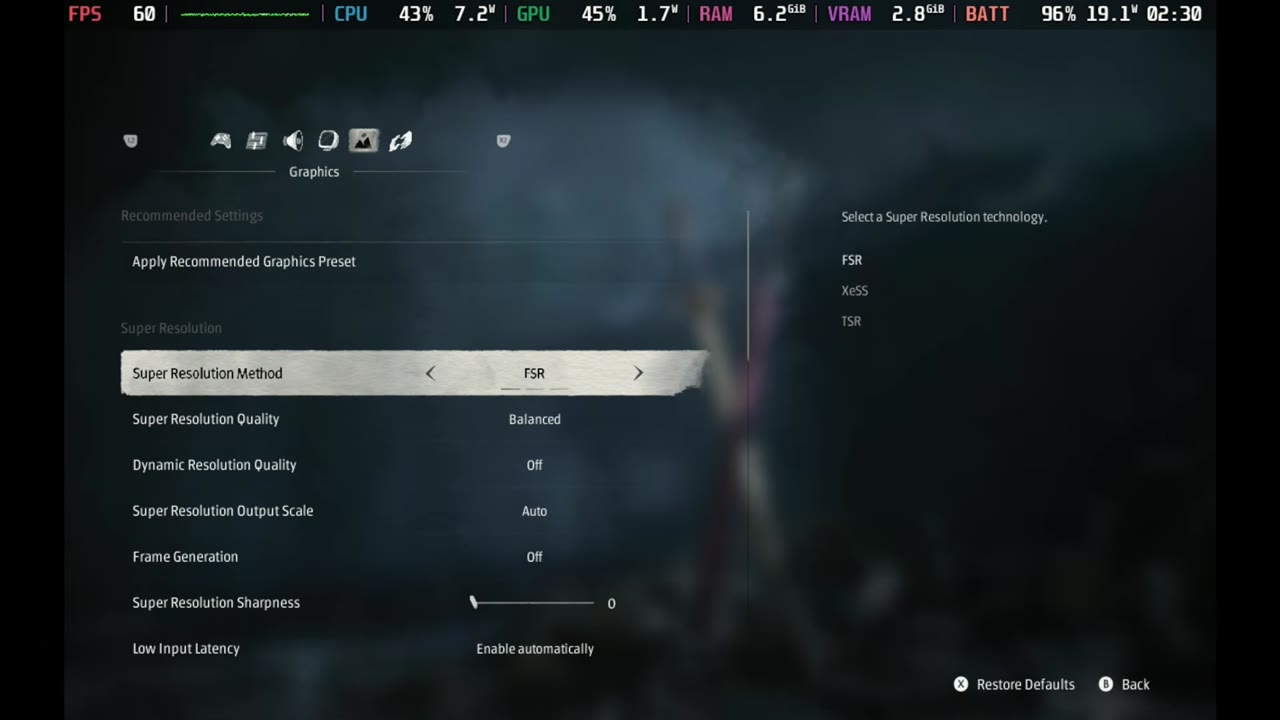
| Super resolution | FSR, mostly Balanced (also tried Performance and Quality) |
| Frame generation | Off (tested on separately) |
| Ray tracing quality | Off |
| Quality preset | Custom: Low on pretty much everything |
| Character model quality | Medium |
| Environment texture quality | Medium |
| High quality hair | Off |
The game also offers XeSS and TSR, but I pretty much stuck with FSR. Bumping the character model and environment detail to medium didn't make much of a difference to my FPS, at least from what I was seeing, and it certainly helped with some of the muddiness.
FSR modes in the same spot
Standing in one area of the forest, FSR Performance sits around 30-something to 40 FPS. Turning on a manual GPU clock gets a little more out of it. The game isn't really utilizing the GPU correctly, so it's that same thing we've seen before with games that just aren't optimized or running properly, whether it's driver related or something else.
- FSR Performance: around 30-something to 40 FPS (overlay showed 45 with the manual GPU clock at 1600 MHz, and 40 right after)
- FSR Balanced: 34–35 FPS
- FSR Quality: around 28–29 FPS, and that's without anything happening on screen
So Balanced or Performance with these low and medium settings is unfortunately pretty much what you're going to have to do.
Frame generation
Frame gen boosts things a bit, and in this spot I was already over 30 FPS, so it's not too bad. The overlay read 66 FPS with FSR Balanced and frame gen on, and 74 FPS with a manual GPU clock of 1400 MHz. A manual GPU clock around 1300 to 1600 MHz helps get a little more out of it, but there are spots later in the game where frame gen is horrendous, plus there's the input latency. This game is very finicky about timing on parries and blocks, and it still gets really messy later, especially if the CPU needs more power. So I stay away from it. You can mess with it if you want, but I'm leaving it at native performance.
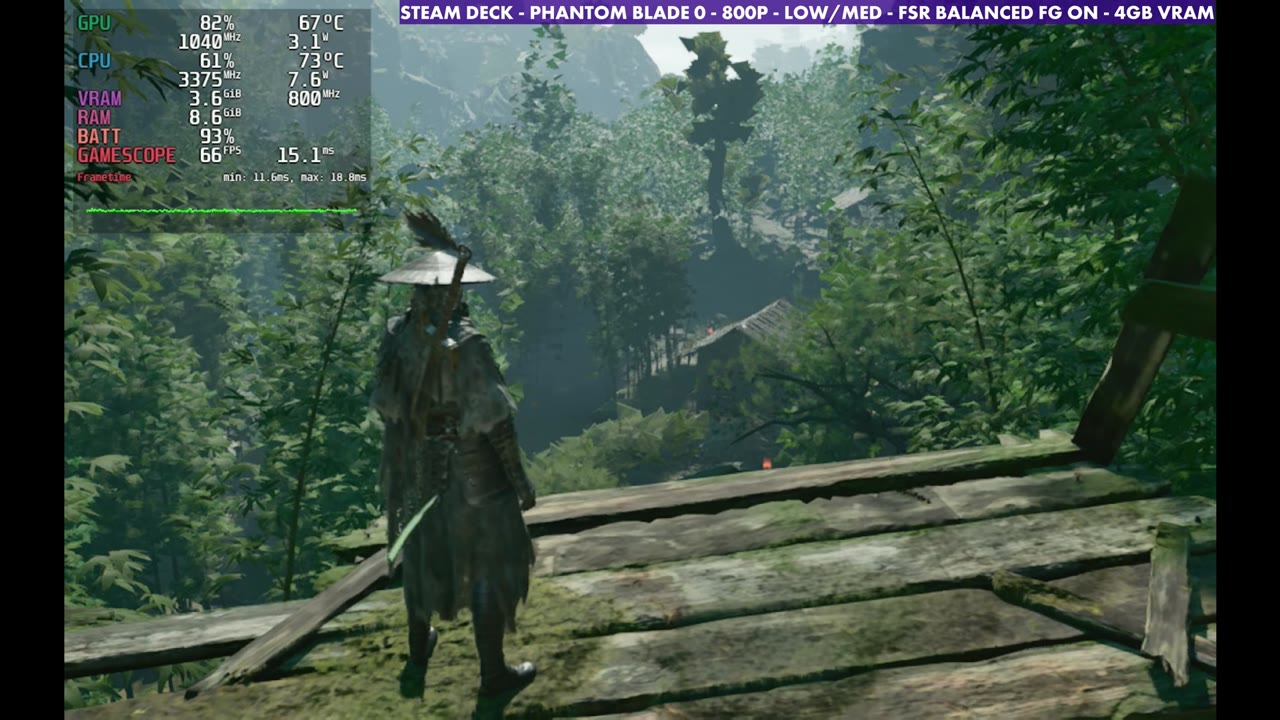
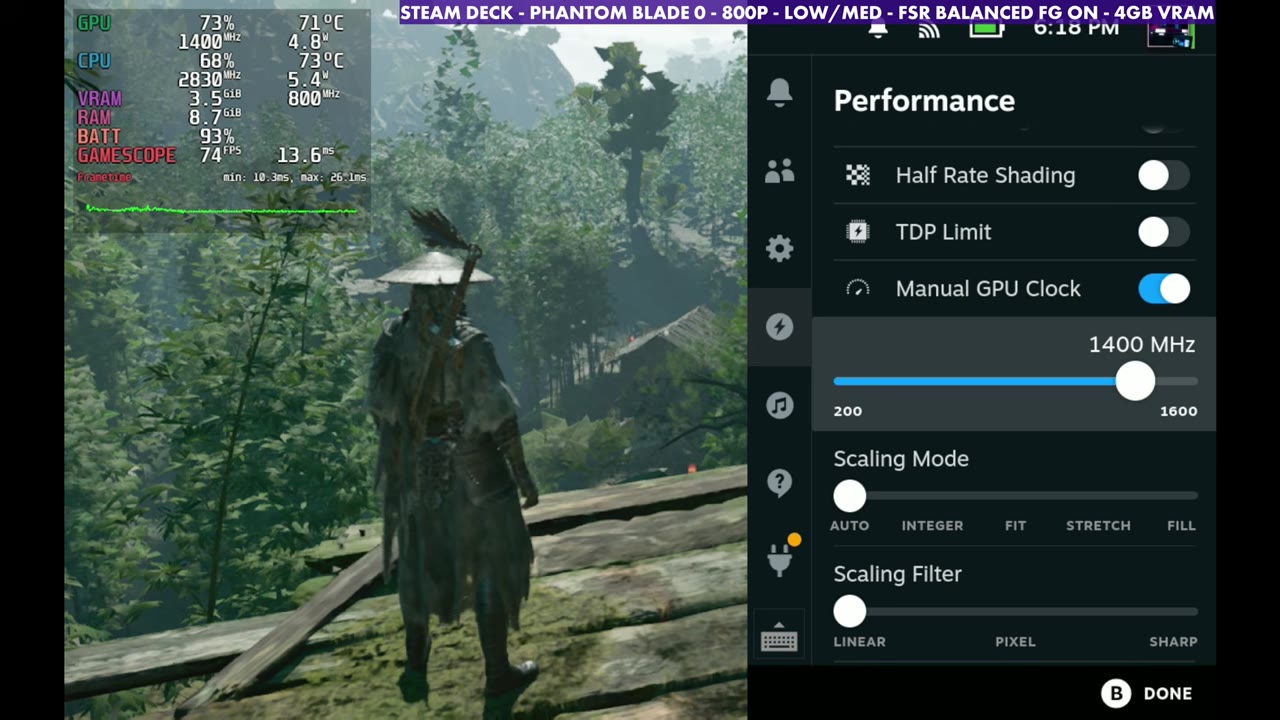
Gameplay
In actual play it depends on where you're at and whether there are enemies on screen, since combat is heavier. In the first hour or two I wind up in the teens and 20s a lot of the time. Across the gameplay at FSR Balanced, the overlay mostly reads in the mid 20s to mid 30s, including the Peng Meng, the Axemaster boss fight.
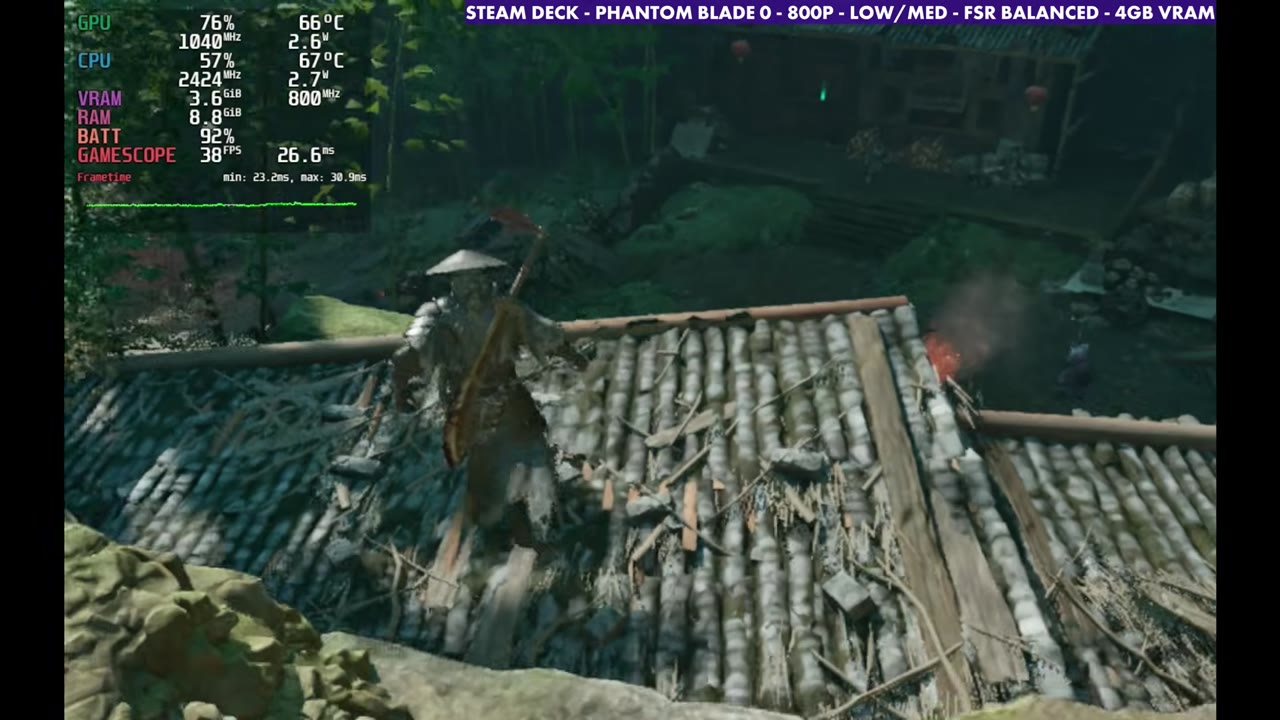
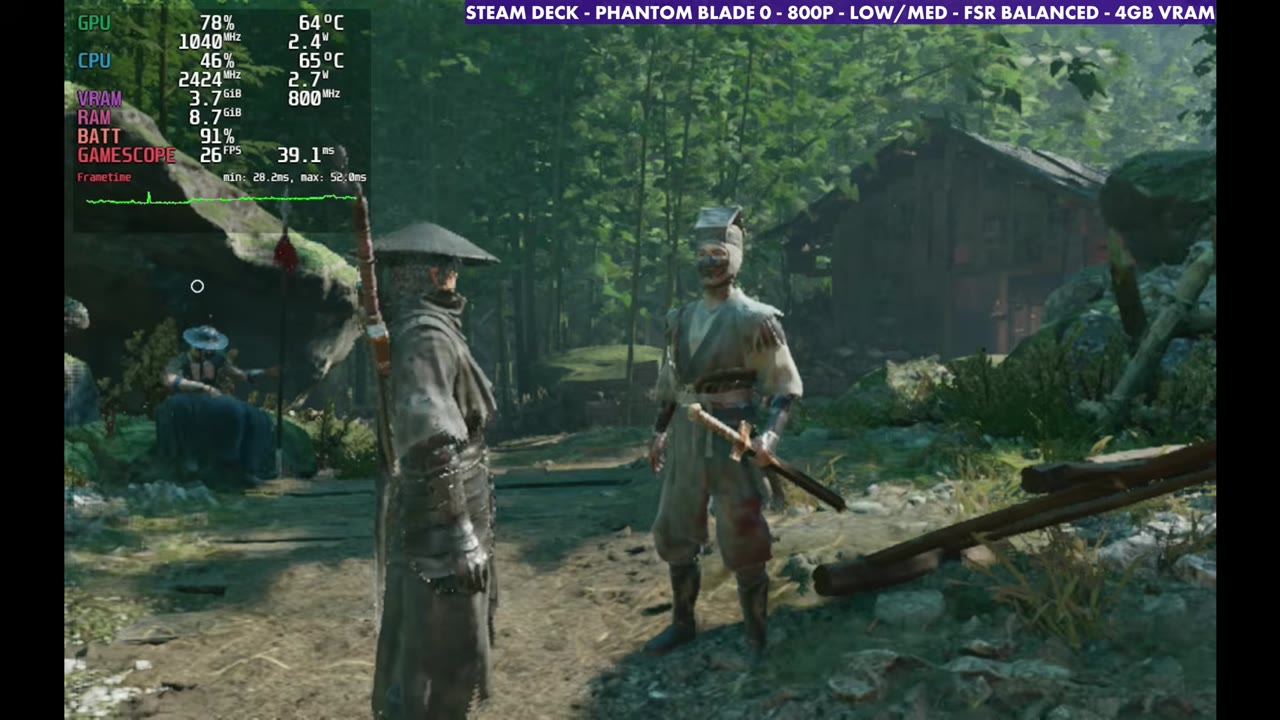
Verdict
Anybody really trying to play Phantom Blade Zero on the Steam Deck is in for a very rough experience right now. It's definitely better on the Steam Machine, other handhelds or GeForce Now. Looking at how resources are being used and how the game runs, though, I think there's plenty of room to patch and fix it between drivers and game updates, and maybe get a stable 30 out of a lot of it. SteamDeckHQ came to a similar conclusion in its review, which I covered in this news post. I'll have the other devices coming up shortly.
FAQ
Is Phantom Blade Zero playable on Steam Deck OLED?
It runs, but it's pretty rough right now. I've seen anywhere from 15 FPS up to the 40s or 50s, and the teens and 20s a lot of the time in the first hour or two.
What settings did I test?
800p fullscreen, low settings with character model and environment textures on medium, and FSR, mostly on Balanced.
Does frame gen help on Steam Deck?
It boosts the frame rate, but input latency and messy later areas make it hard in a game this finicky about parry timing, so I stay away from it.
Want more handheld tests?
New Steam Deck, ROG Ally, Legion Go and Steam Machine performance videos every week.