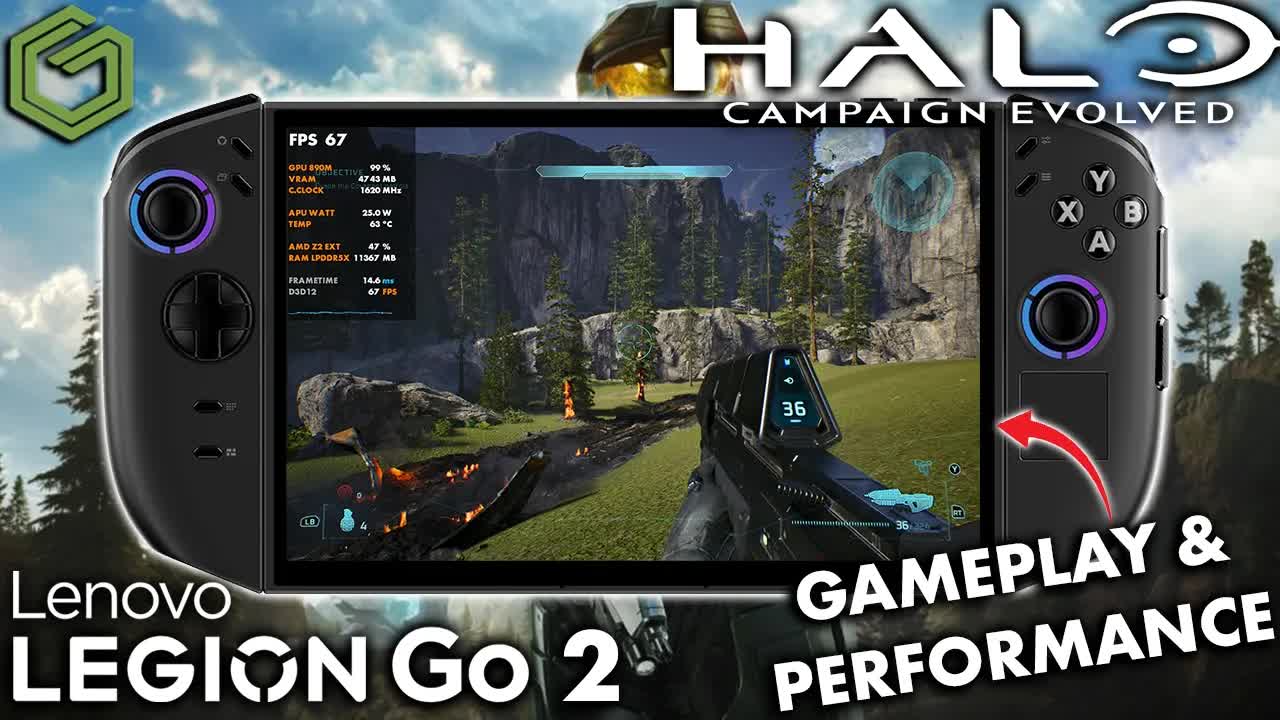
 ▶Watch on YouTube
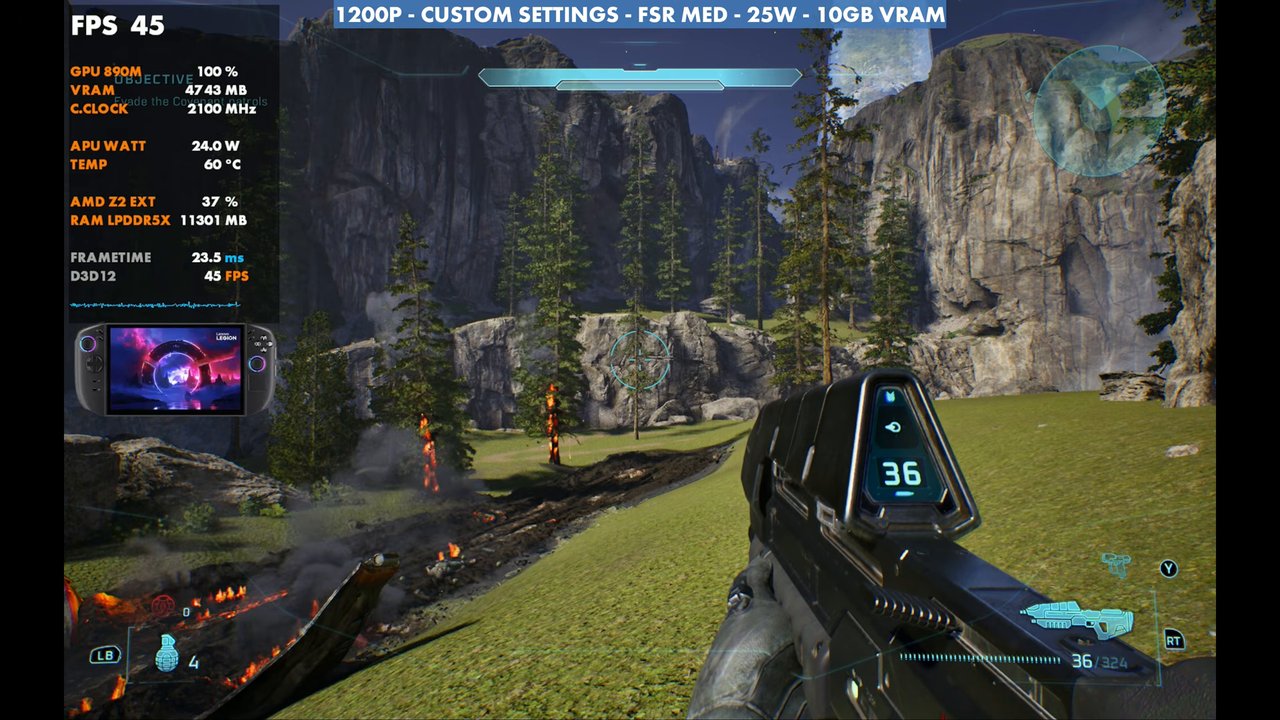
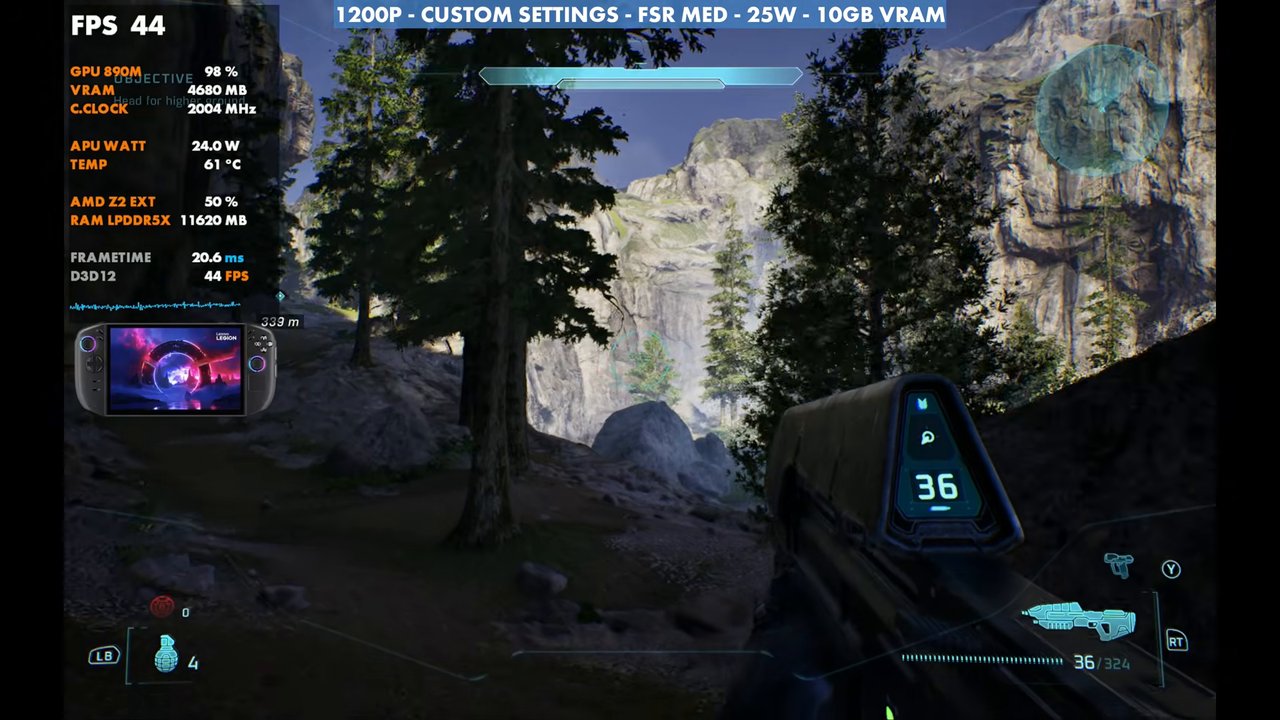
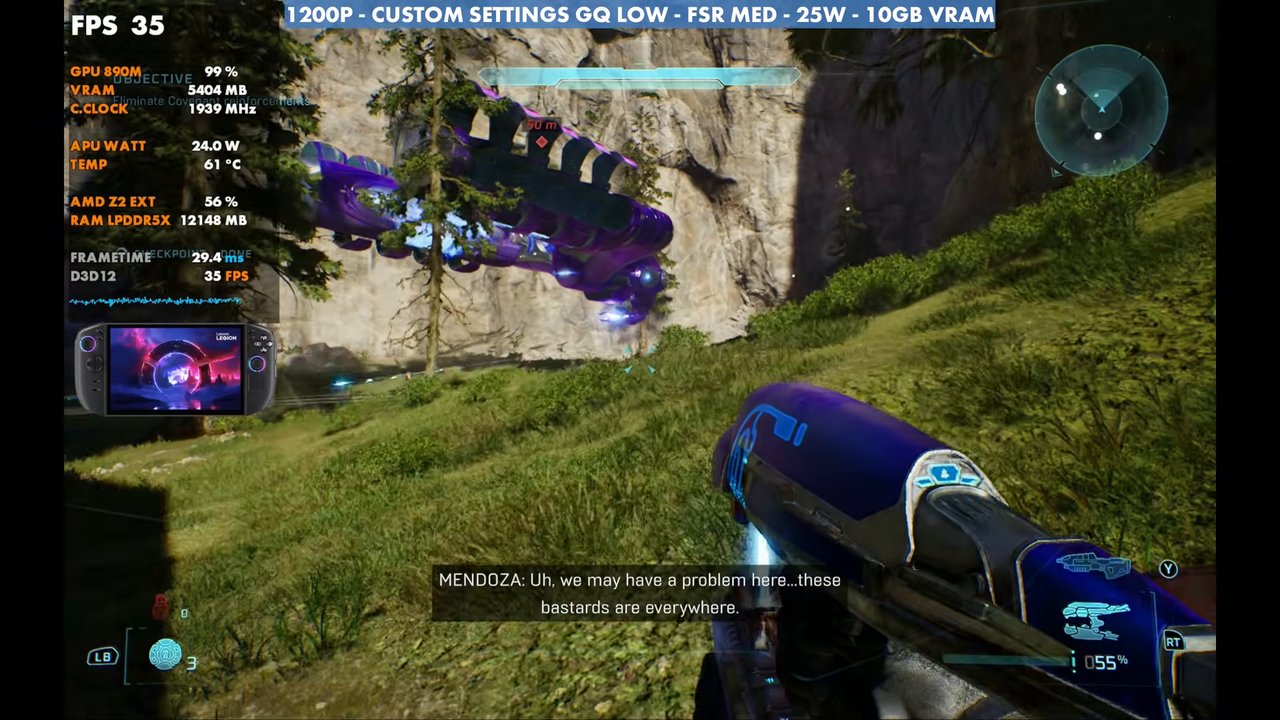
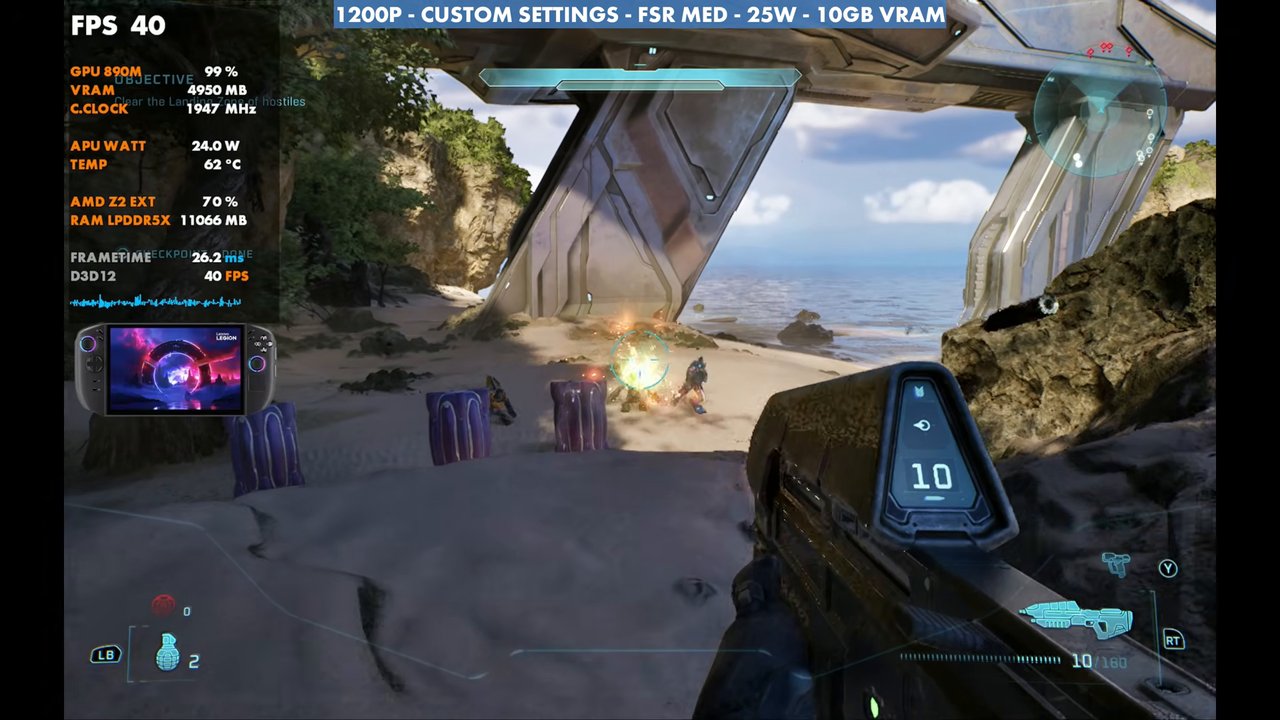
- At 1200p, custom settings, FSR Medium, 25W, my standing-still spot reads about 45 FPS, and gameplay is mostly 40 to 50, with some dips into the 30s.
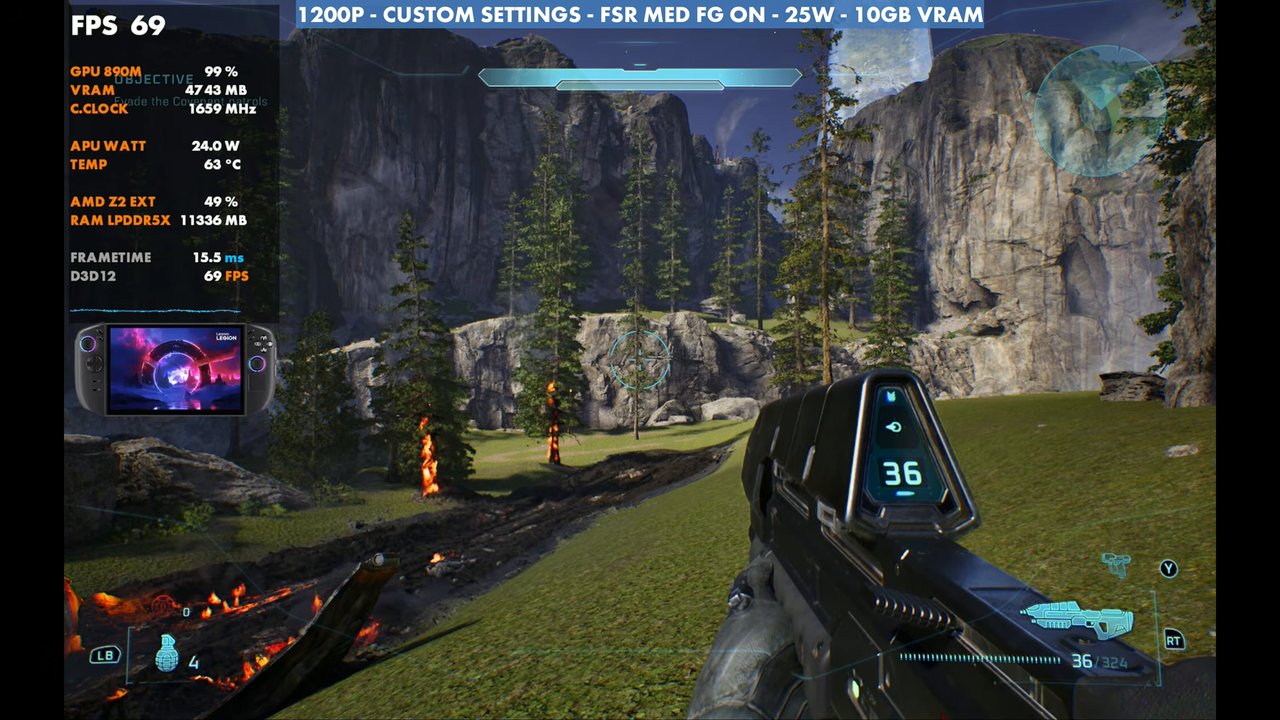
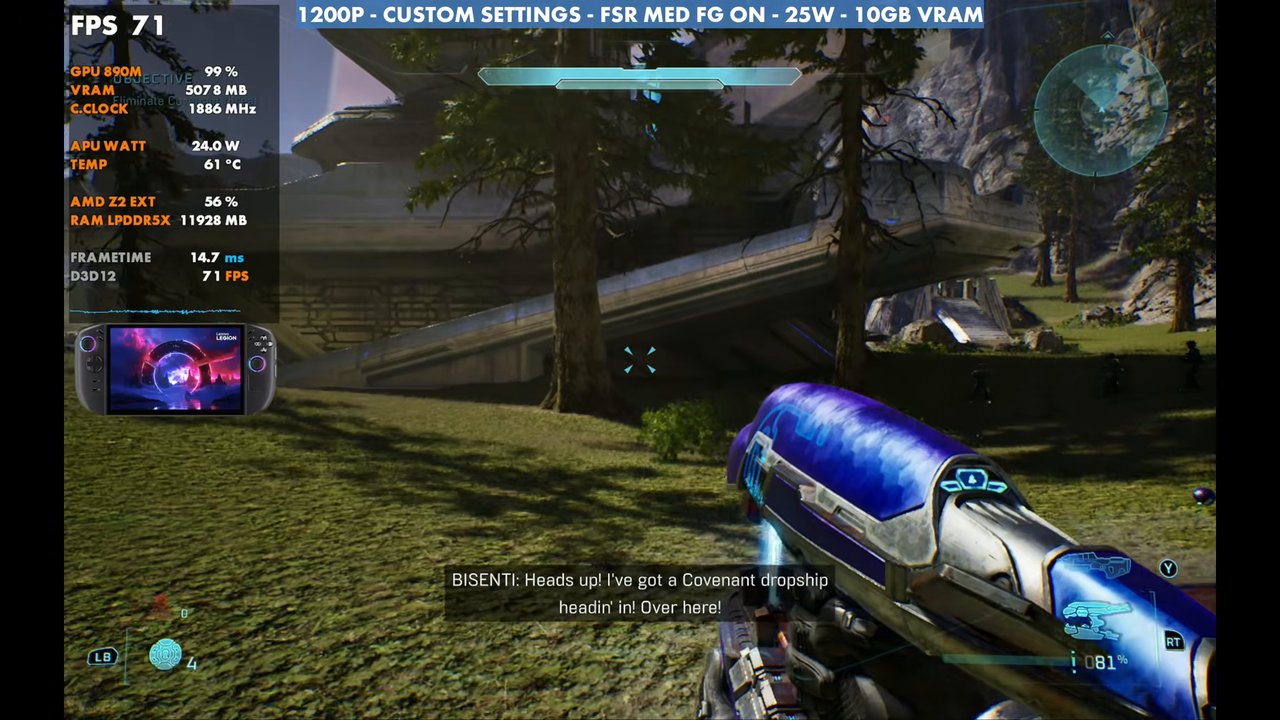
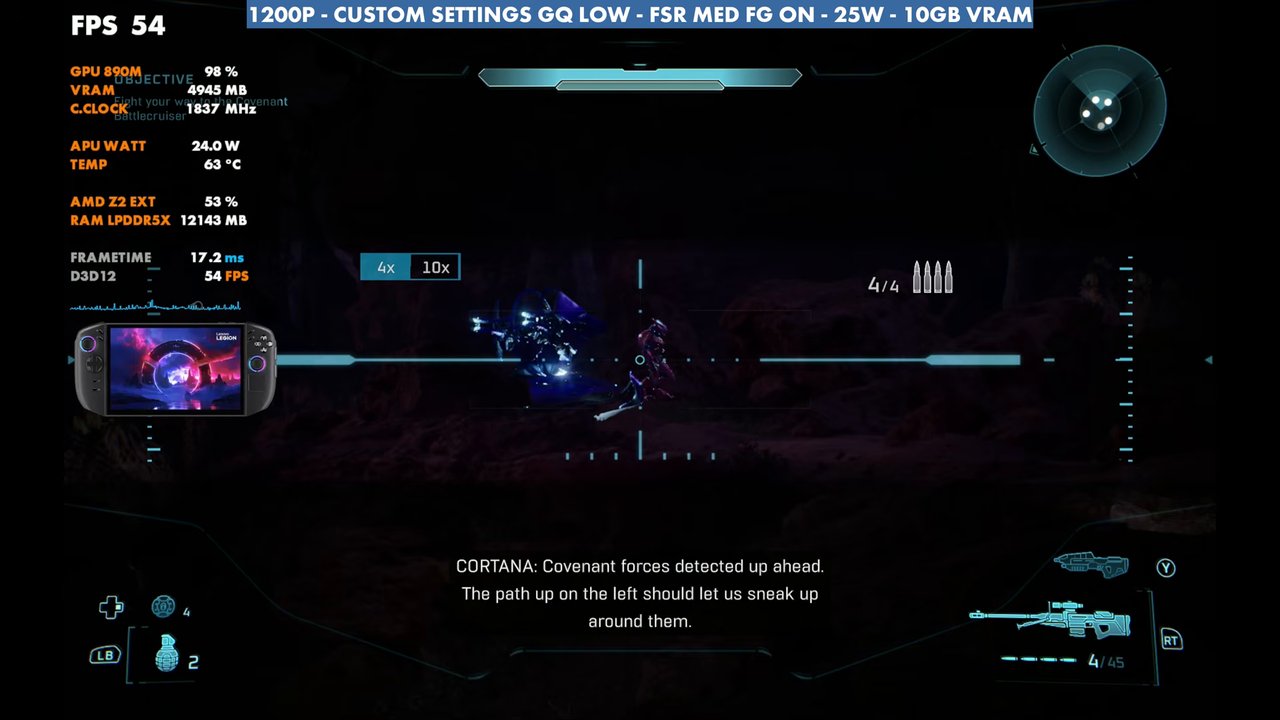
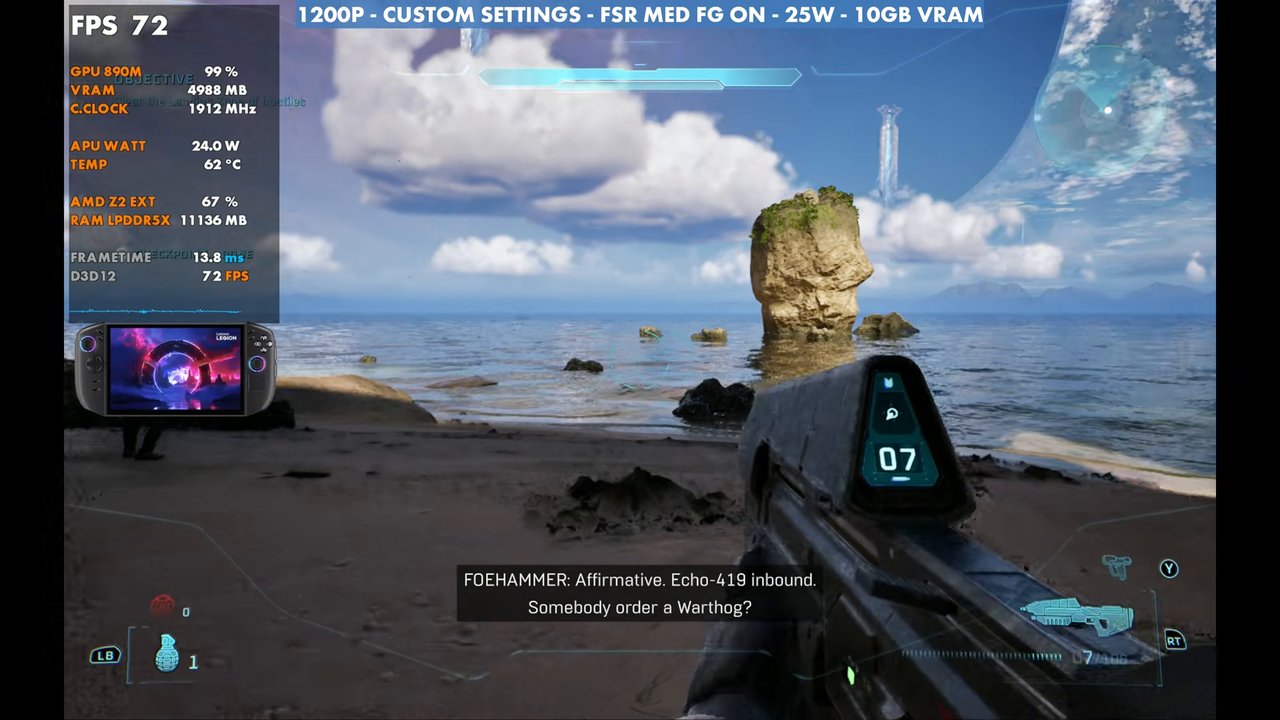
- Frame gen takes that spot to 69, and gameplay to the 70s.
- 800p with the same settings reads 59 with geometric quality on very low.
- Going from 25W to 35W gains almost nothing. 20W does fine but dips into the 30s more often.
Halo: Campaign Evolved is an Unreal Engine 5 game, so it's a bit heavy to run on handhelds. On the Legion Go 2 with the Z2 Extreme and 32GB of RAM, it performs similarly to what I saw on my Xbox Ally X. It's very playable, with room to adjust resolution and settings to land anywhere between 30 and 60 FPS, with or without frame generation.
Test setup
- Legion Go 2 (Z2 Extreme, 32GB RAM) in the Xbox full screen experience (Xbox mode). It's been working out just fine and saves some resources here and there.
- 25W. Taking it from 25W to 35W, just like on the Xbox Ally X, shows almost no difference in most areas, maybe a couple of FPS even when letting it boost. The 20W performance preset does fine too and saves a little battery, but it dips into the 30s more often than 25W. For now, 25W is the sweet spot for me.
- 1200p for most of it, with an 800p comparison
- Upscaling: FSR, mostly on Medium. Frame gen tested off and on.
- 10GB VRAM (labeled in the video)
Custom graphics settings
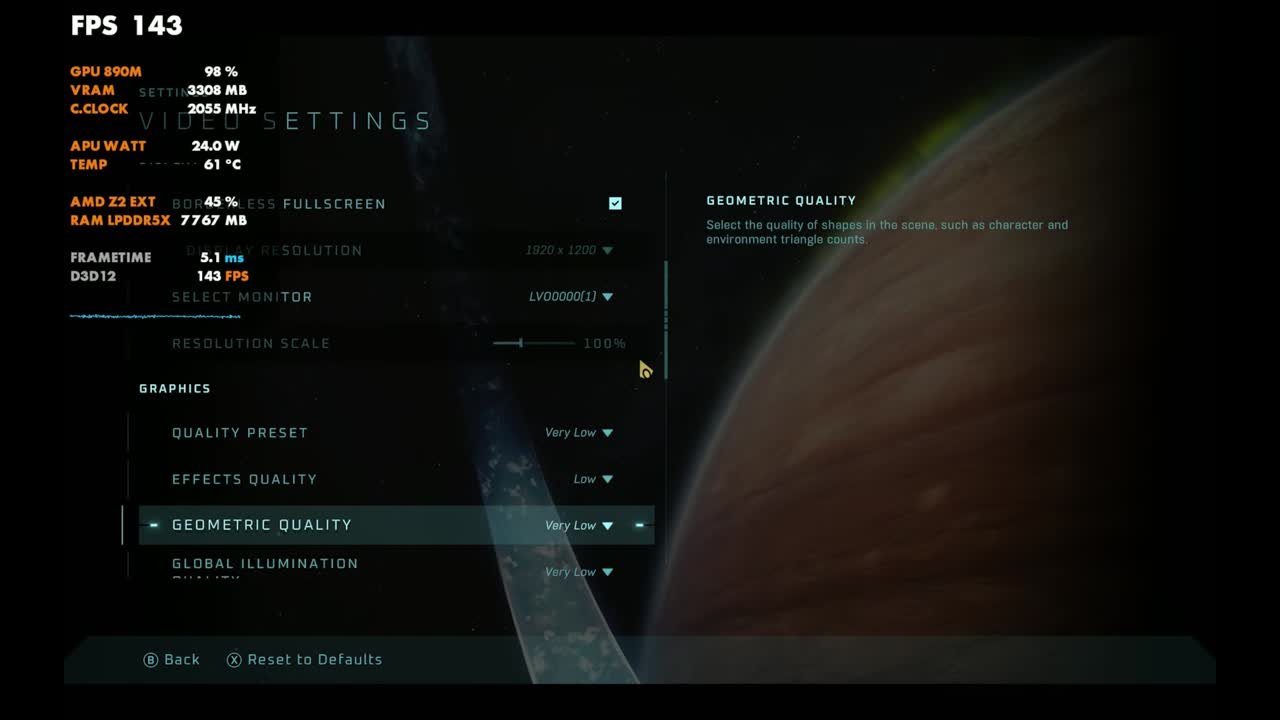
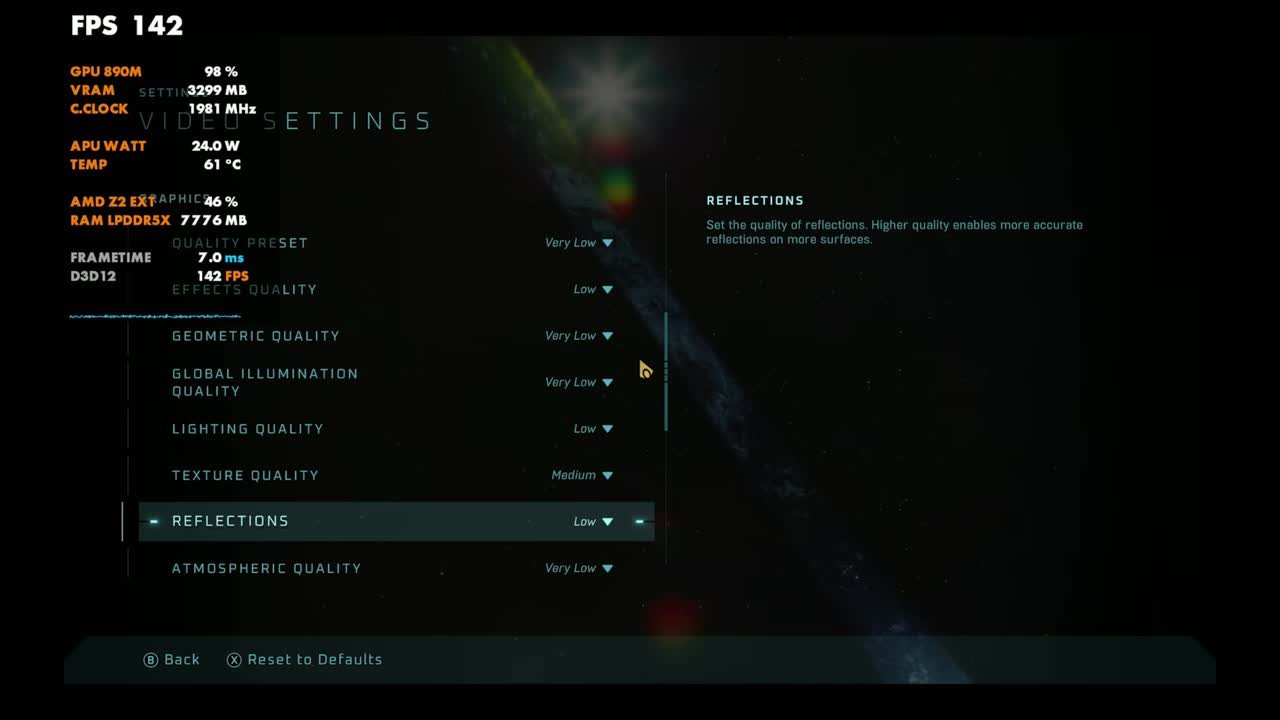
These start from the very low or low preset, with a few settings changed:
| Setting | What I used |
|---|---|
| Quality Preset | Very Low (custom) |
| Effects Quality | Low |
| Geometric Quality | Very Low (low tested too) |
| Global Illumination Quality | Very Low |
| Texture Quality | Medium |
| Reflections | Low |
| Atmospheric Quality | Very Low |
| Post-Processing Quality | Low |
| Screen Shake / Motion Blur | Off |
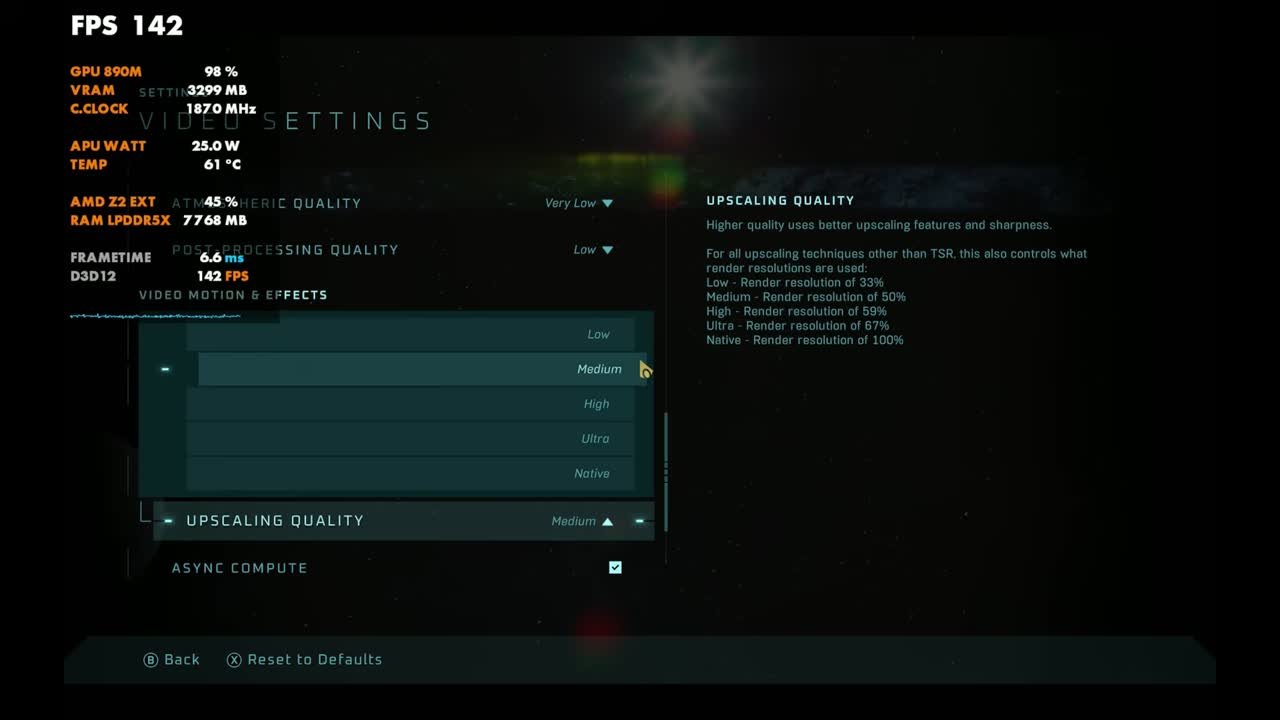
| Upscaling | FSR, Upscaling Quality mostly Medium |
| Frame Generation | Off or On (tested both) |
FSR upscaling at 1200p
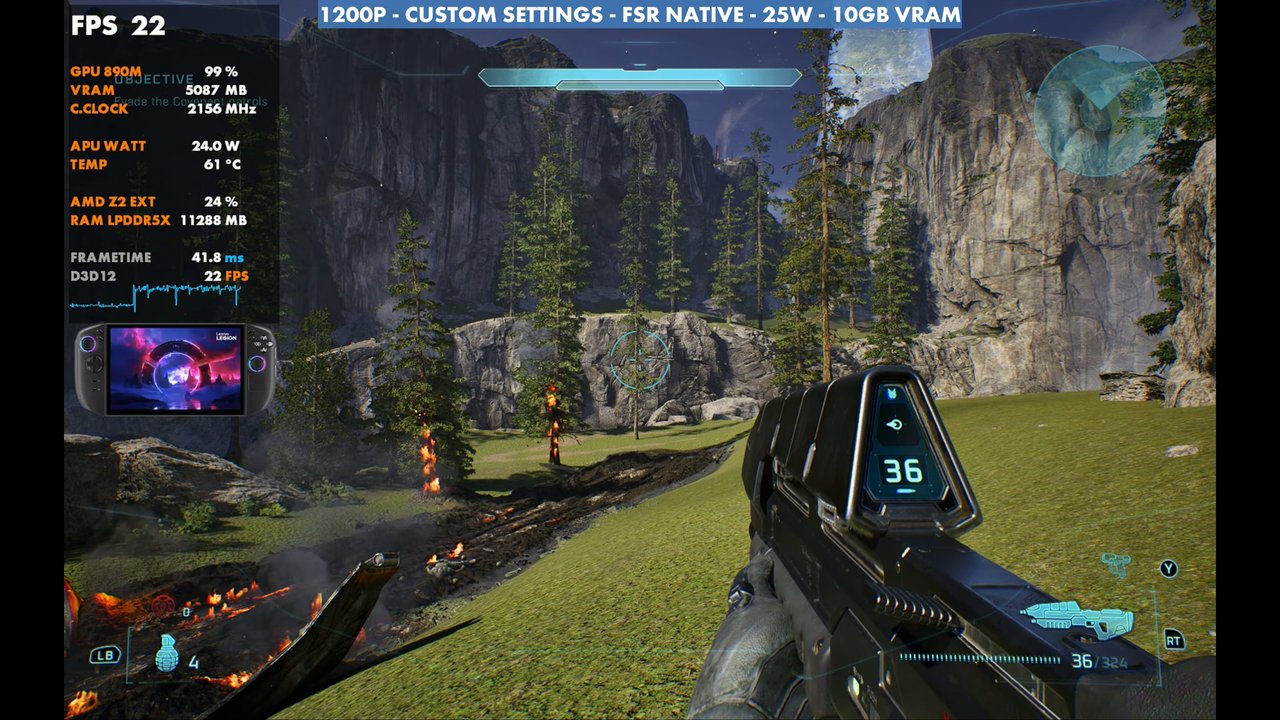
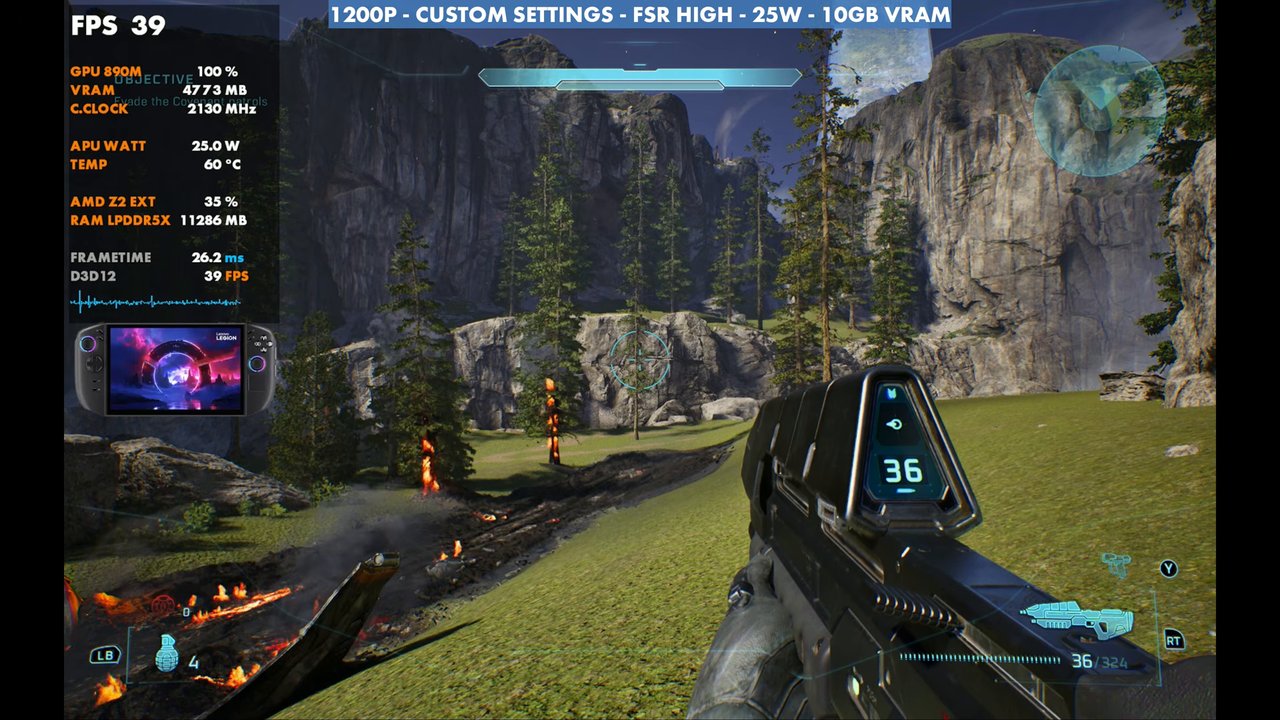
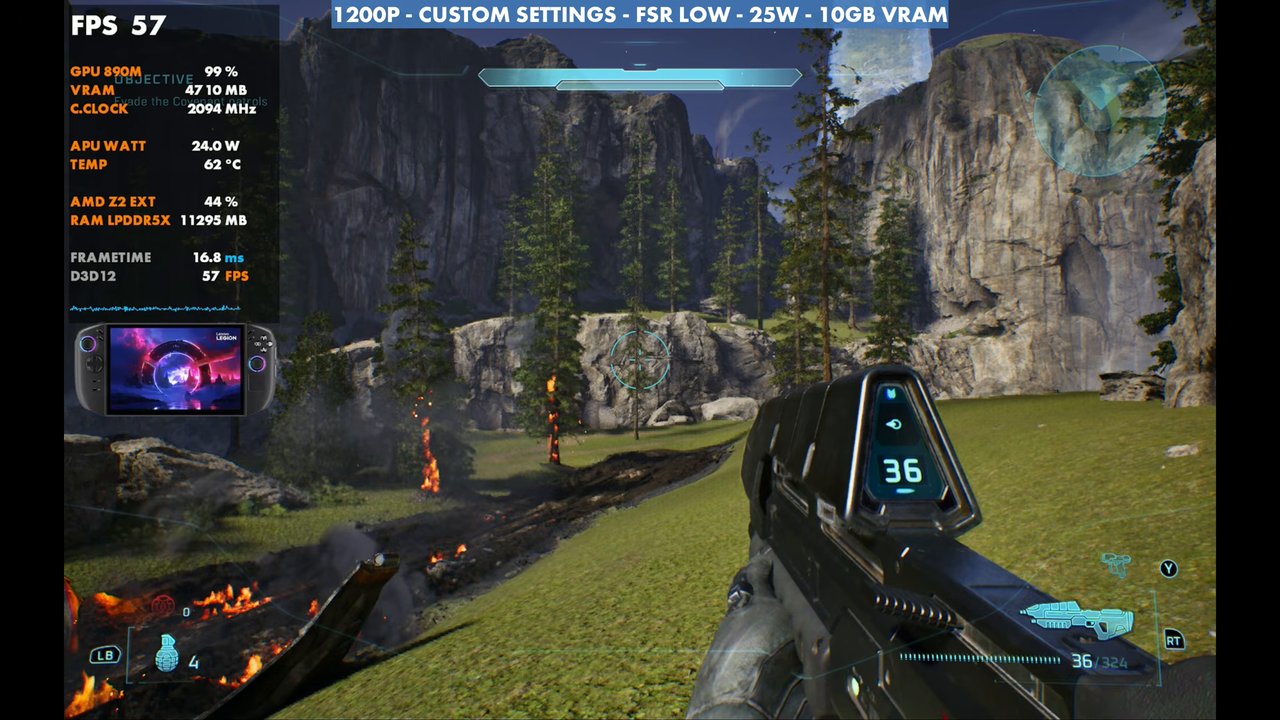
Standing still in the same spot with my custom settings at 25W. FSR Native gets only about 22 FPS, so native 1200p (or even native 800p) isn't really the way to go. Ultra gains quite a bit and takes it to about 35. High gets around 39 to 40. If you want to stay in the 40 to 50 range, you've got to get a little more aggressive, and Medium tends to work better, which you'll see in the gameplay. FSR Low renders at about 33% of the resolution and boosts it further still.
| 1200p, custom settings, 25W (overlay readings) | FPS |
|---|---|
| FSR Native | 22 |
| FSR High | 39 |
| FSR Medium | 45 |
| FSR Low | 57 |
| FSR Medium + frame gen | 69 |
Frame generation can be ticked on when you're using FSR, and with FSR back on Medium it boosts you up a lot more. A lot of people won't want to use frame gen in this game, and it does feel a little more floaty, but it works OK. Like a lot of Unreal Engine 5 games, it's been optimized for it, so it's there if you want it.
Presets and geometric quality
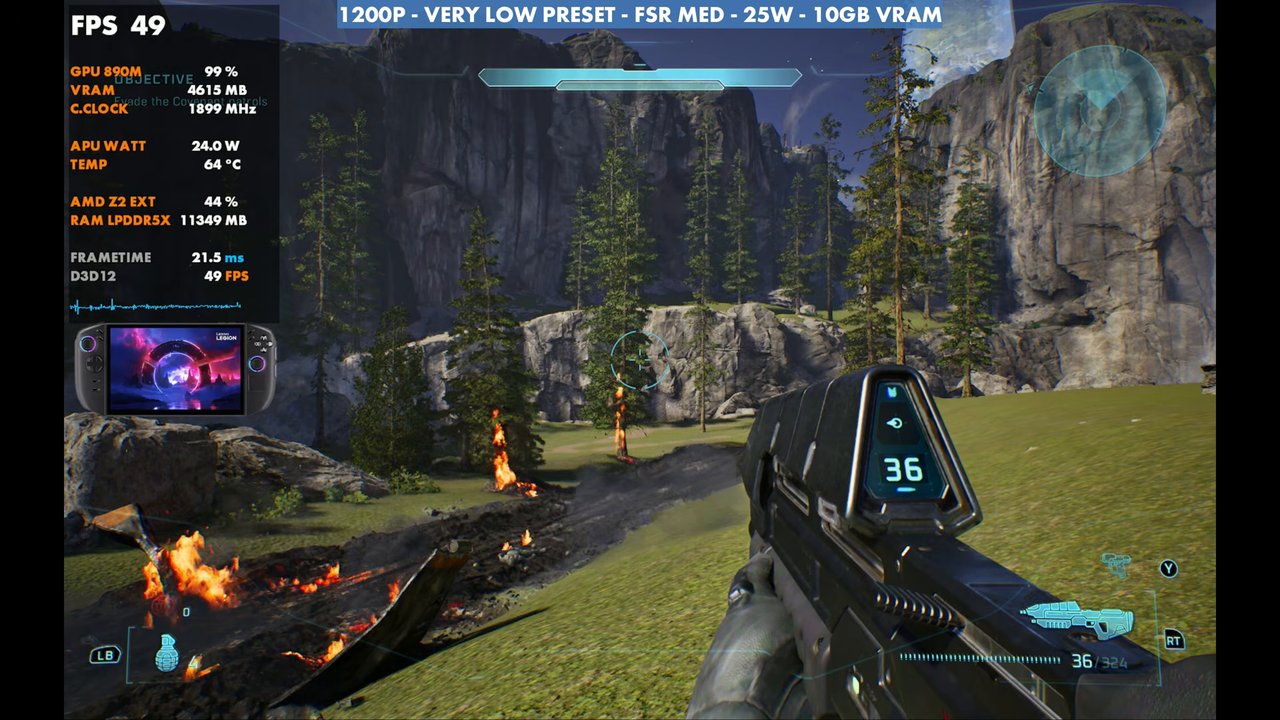
With everything on the very low preset, it's around 48 to 49 FPS, only about three or four more than my custom settings. Going up the presets, you take a big hit because of global illumination and geometric quality. So something between very low and low is where I wind up, allowing some higher textures and adjusting resolution and upscaling from there.
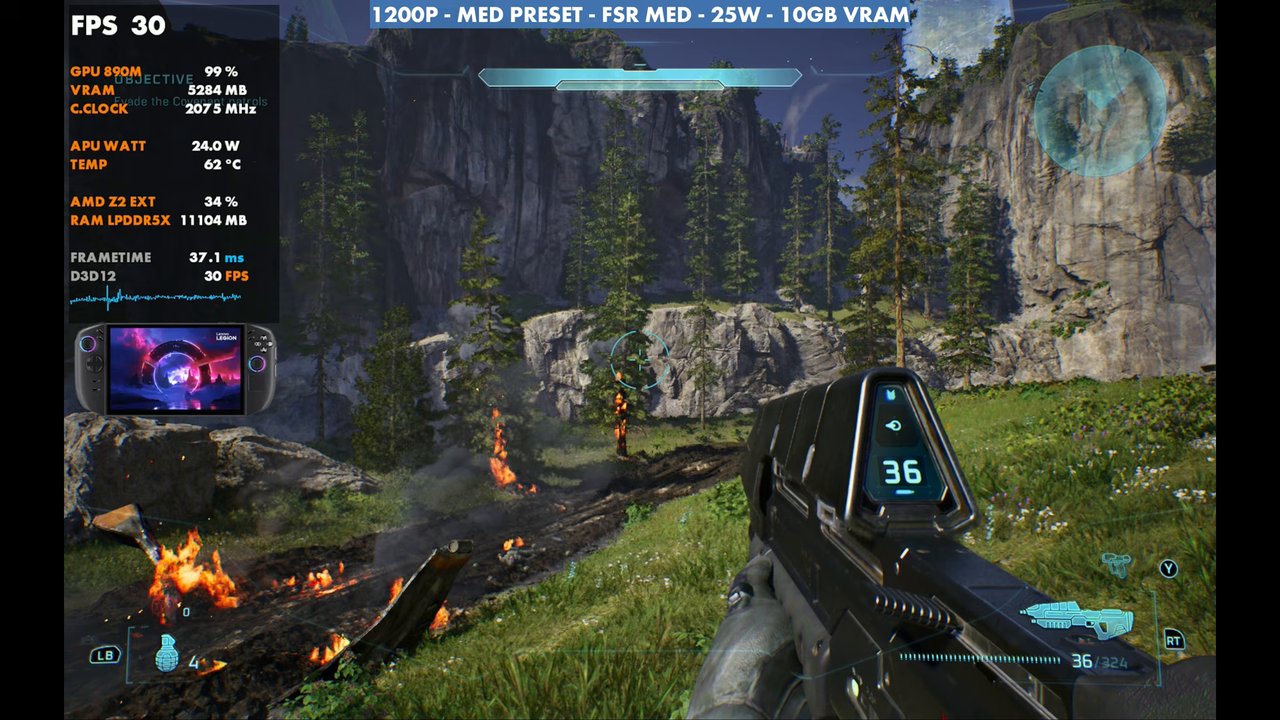
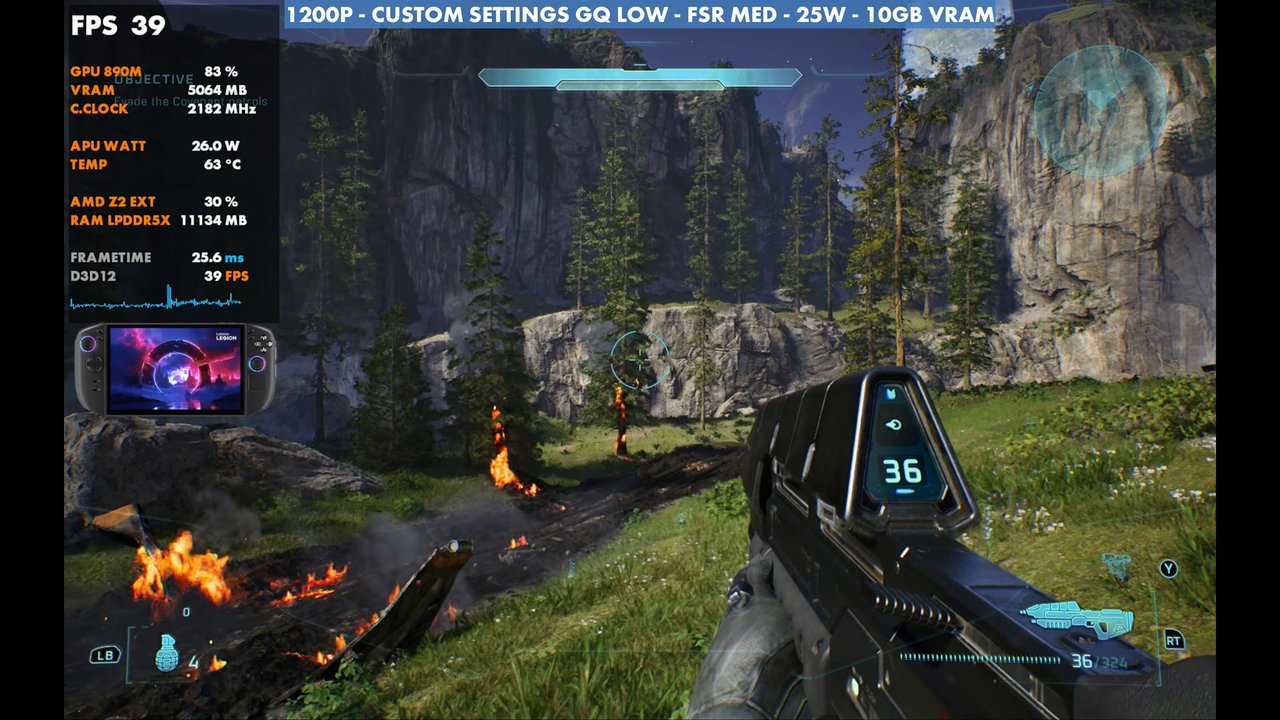
Geometric quality is where all the vegetation comes in. Going from very low to low costs a pretty good 7 to 10 FPS most of the time, even standing still. The game looks a lot better, but it's a lot more taxing to run, even upscaled with lower settings.
800p
We're very GPU bound here, so resolution makes a big difference. At 800p with the same settings and geometric quality still on very low, it's around 59 FPS, a big boost over 1200p. Bumping geometric quality to low brings all the vegetation back at around 55, and putting FSR on High to clean it up a bit more lands around 49, about four more than 1200p with FSR Medium.
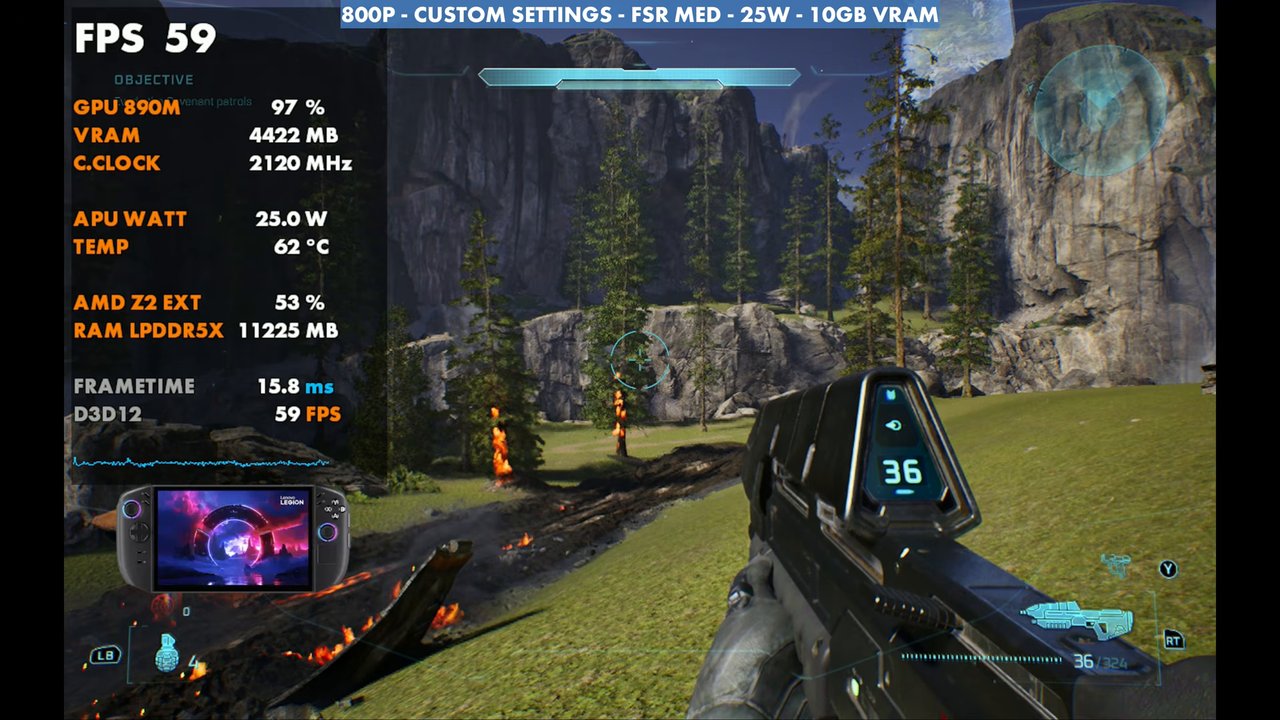
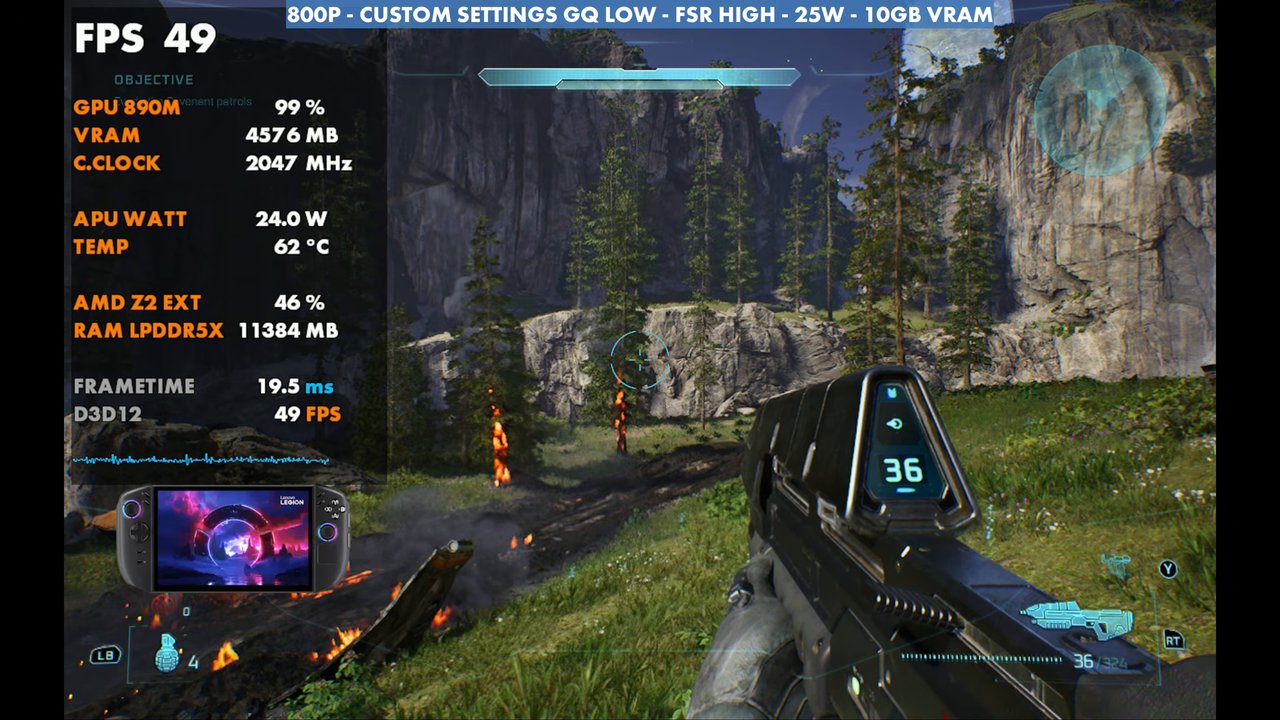
Resolution, geometric quality and global illumination are what really affect your frame rate here. If you're going for visuals, you can accept something like 30 to 45 FPS. If you want a higher frame rate, going more aggressive on resolution and upscaling gets you there. There's a lot of scaling in this game.
Gameplay at 1200p
The gameplay runs at 1200p, 25W and FSR Medium, with and without frame gen, switching geometric quality between very low and low. That rides the middle of performance. Overlay readings from a few moments:
Verdict
Halo: Campaign Evolved is very playable on the Legion Go 2 Z2 Extreme. Even with all the messing around with upscaling and settings, it ultimately works out okay. 1200p with FSR Medium lands in the 40s most of the time, and 1000p or especially 800p is the way to go if you'd rather push a higher frame rate than the visuals. I'll keep playing around with it, especially as the game gets updates.
FAQ
How well does Halo: Campaign Evolved run on the Legion Go 2?
At 1200p with custom settings, FSR Medium and 25W, it's mostly 40 to 50 FPS in gameplay with some dips into the 30s, and about 70 with frame gen. 800p reads 59 standing still with geometric quality on very low.
Does 35W help Halo: Campaign Evolved on the Legion Go 2?
Not really. Going from 25W to 35W showed almost no difference in most areas, maybe a couple of FPS. 20W does fine but dips into the 30s more often.
What setting costs the most FPS in Halo: Campaign Evolved?
Geometric quality and global illumination. Going from very low to low on geometric quality costs about 7 to 10 FPS, even standing still.
Want more handheld tests?
New Steam Deck, ROG Ally, Legion Go and Steam Machine performance videos every week.