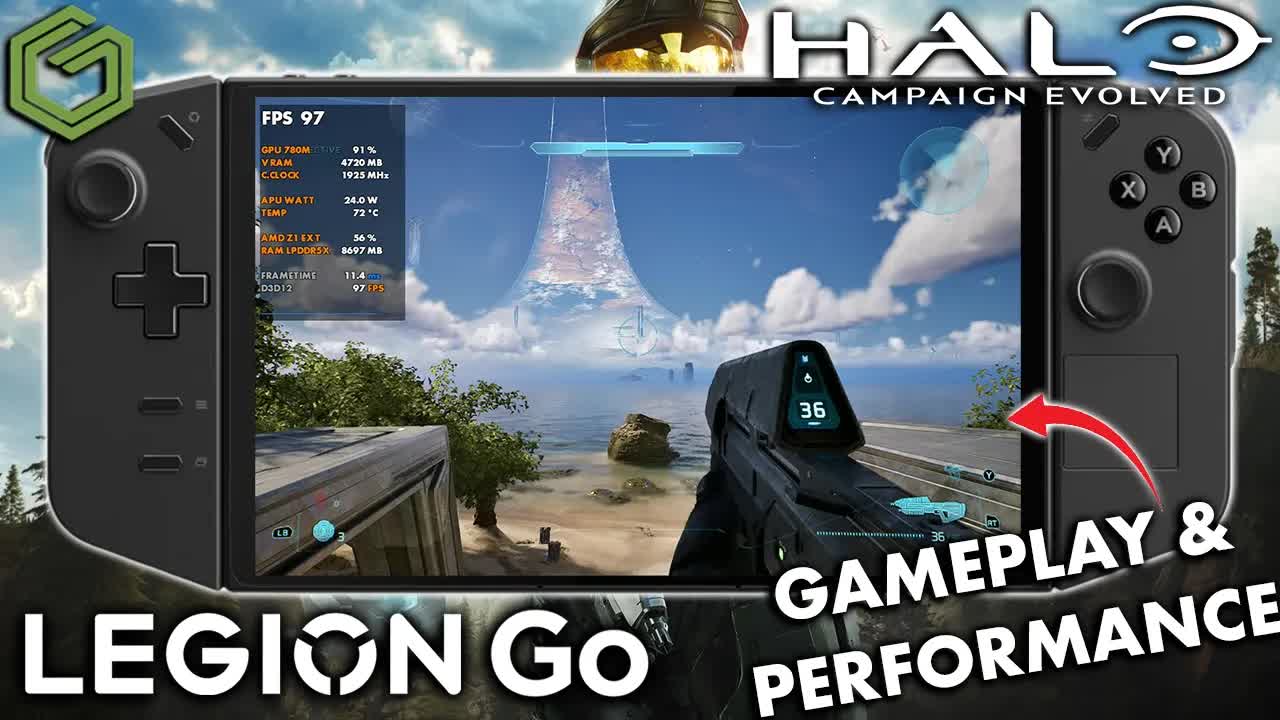
 ▶Watch on YouTube
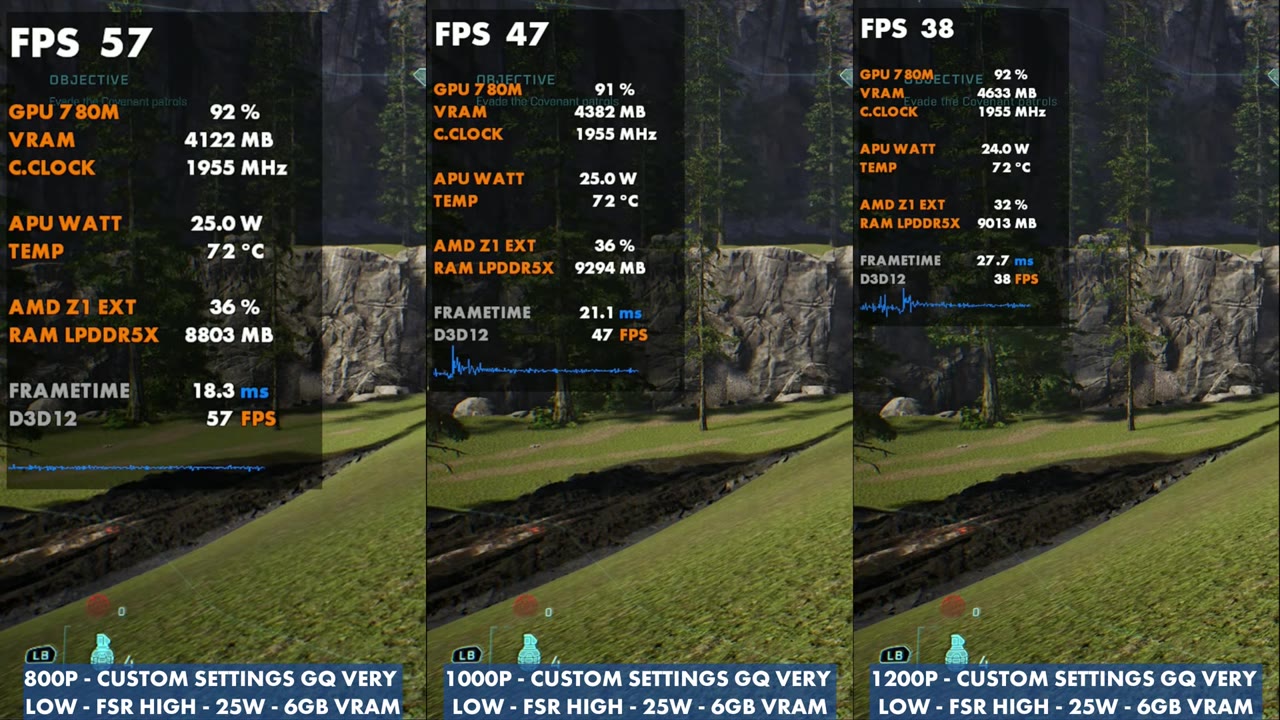
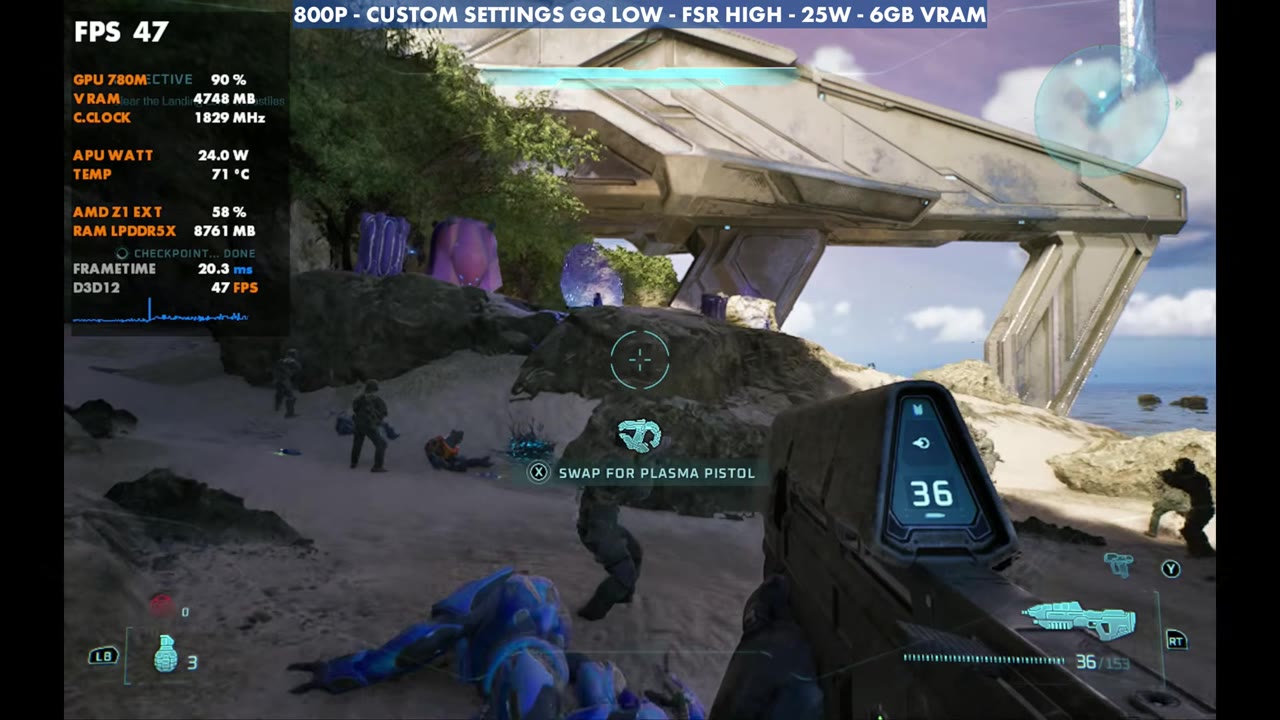
- At 800p, custom settings, FSR High, 25W, my standing-still test spot reads 57 to 58 FPS with geometric quality on very low and 47 on low.
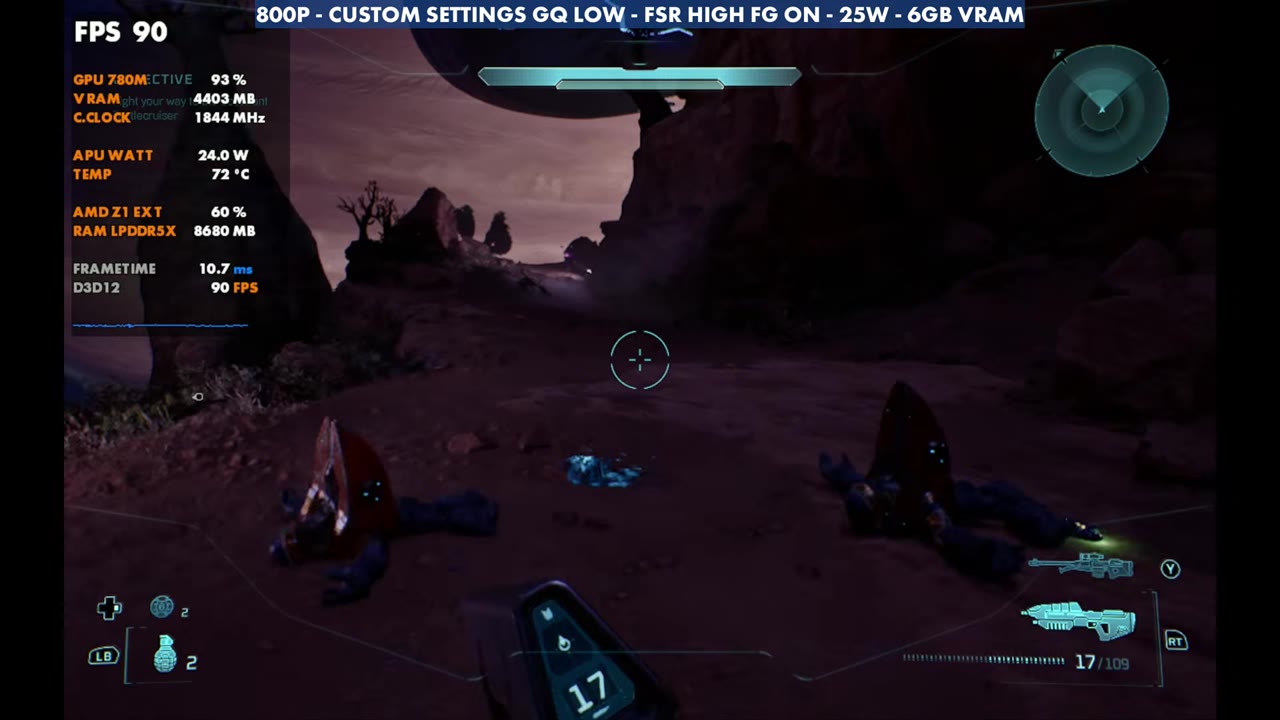
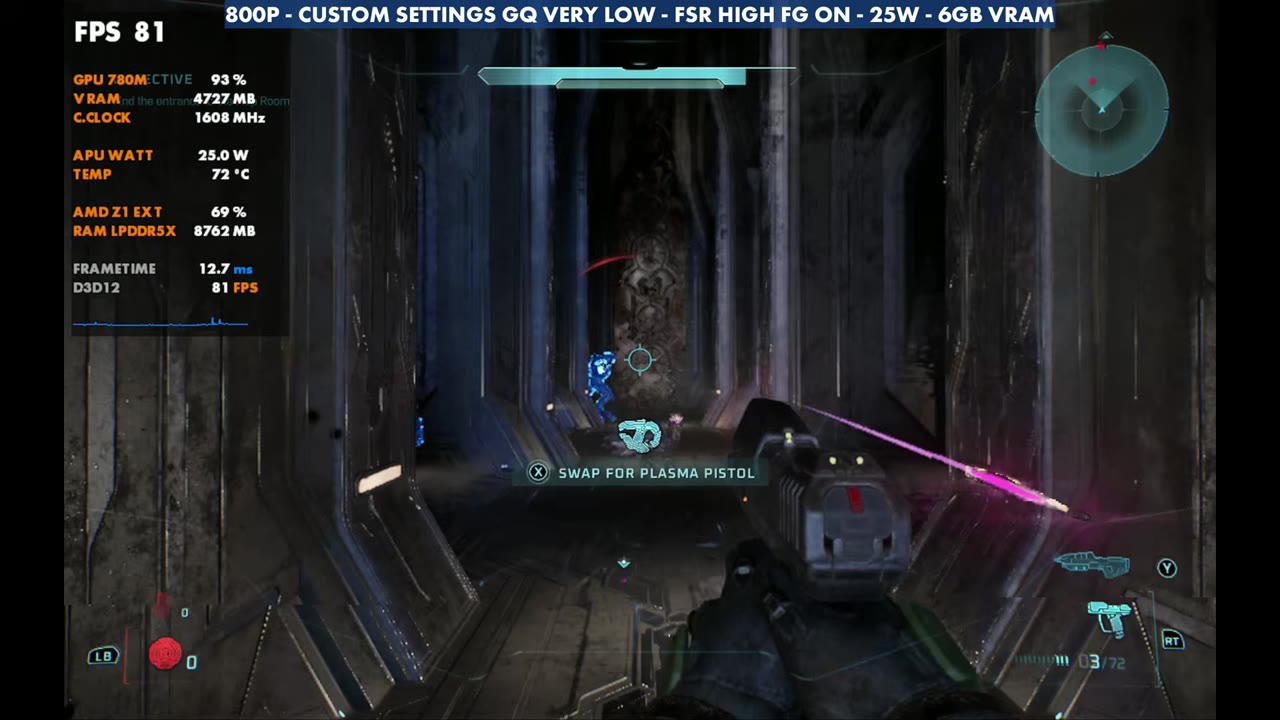
- Frame gen takes 800p to 81 (geometric low) and 96 (geometric very low).
- 1000p and 1200p land at 47 and 38 on very low without frame gen. To get 1200p to the 800p mark, you'd need FSR Low.
- It's very playable on the original Legion Go, with room to adjust either way.
The original Legion Go with the Z1 Extreme is doing pretty well in Halo: Campaign Evolved, though I do recommend coming down on the resolution. (My Xbox Ally X and Legion Go 2 videos are up too, and those two perform very similarly to each other.) This test runs custom settings, mostly at 800p, with 800p, 1000p and 1200p side by side and a look at geometric quality and frame gen.
Test setup
- Legion Go (Z1 Extreme) in Xbox full screen mode (Xbox mode). It helps a little on more RAM-constrained devices like the original Legion Go. Not by a lot, but I've seen a couple FPS here or there in testing.
- 25W. Going up to 30W just burns the battery quicker and doesn't really gain anything, and 20W does okay as well. 25W is a pretty good TDP for the Z1 Extreme.
- 800p for the most part, plus 1000p and 1200p for comparison
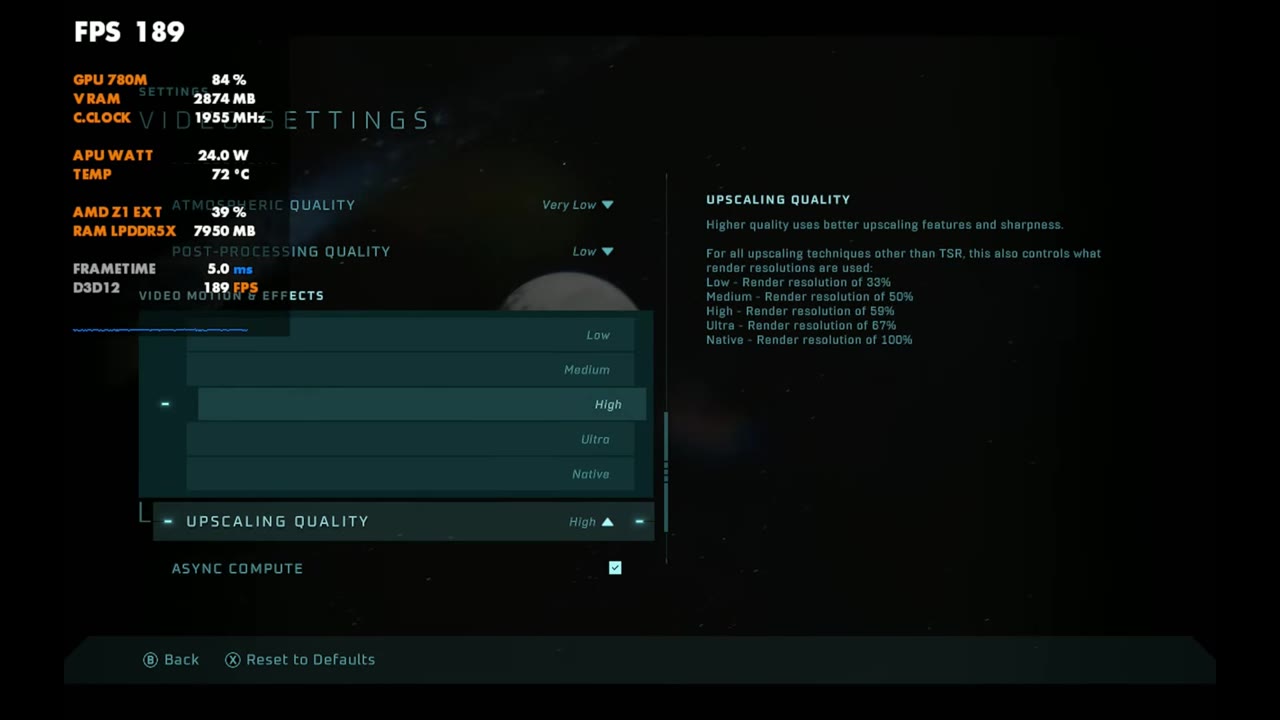
- Upscaling: FSR (not TSR), High quality. Frame gen tested off and on.
- 6GB VRAM (labeled in the video)
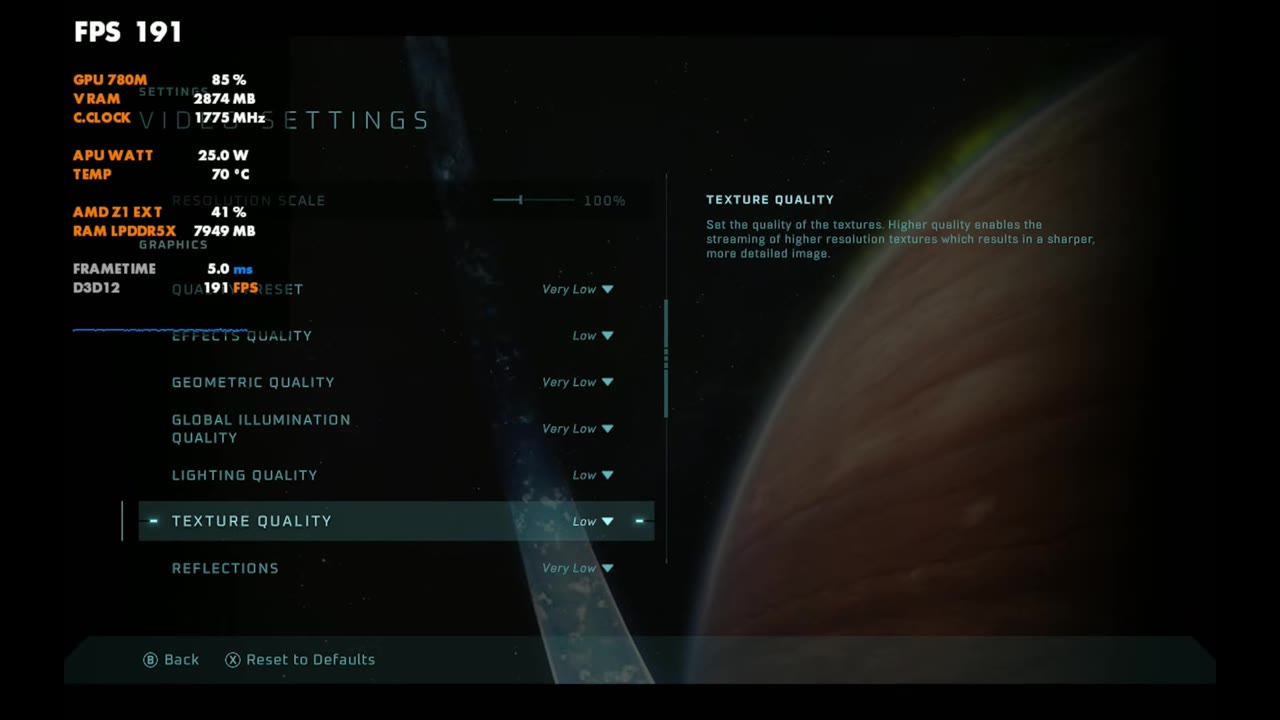
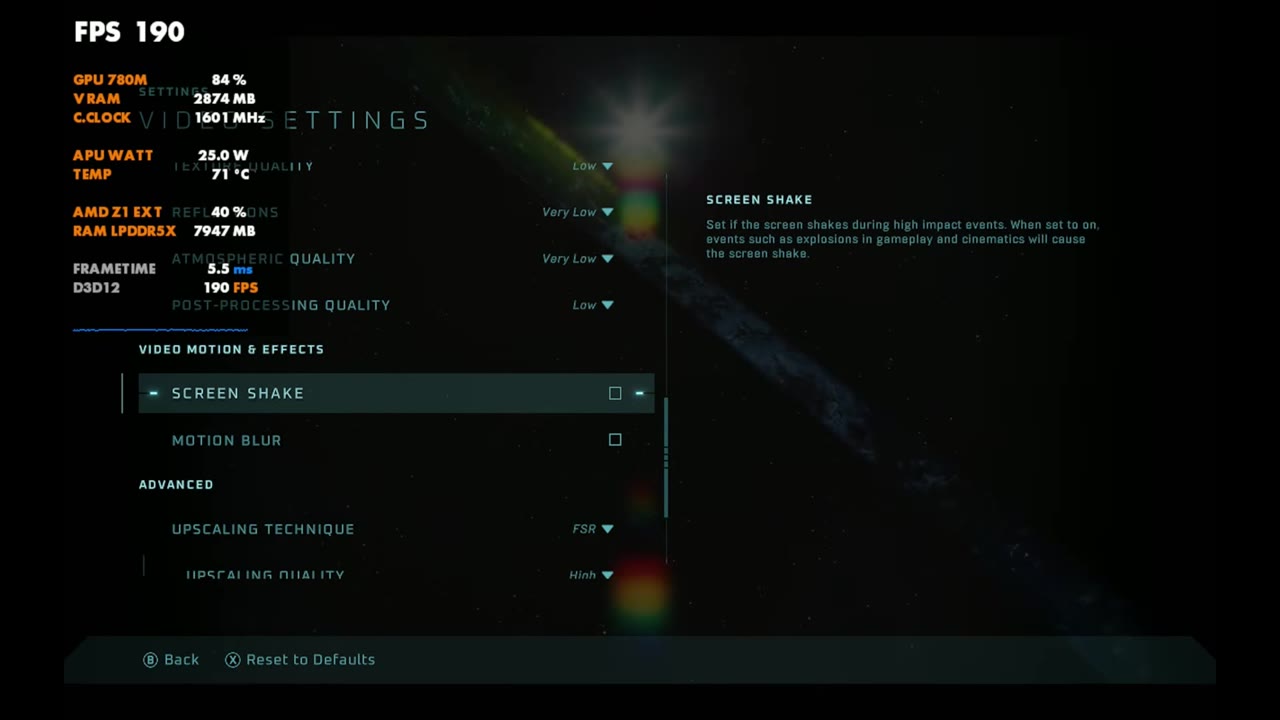
Custom graphics settings
The quality preset is very low, with a few settings bumped up. Geometric quality takes a lot of performance, so I tested it on very low and low.
| Setting | What I used |
|---|---|
| Quality Preset | Very Low |
| Effects Quality | Low |
| Geometric Quality | Very Low or Low (tested both) |
| Global Illumination Quality | Very Low |
| Lighting Quality | Low |
| Texture Quality | Low |
| Reflections | Very Low |
| Atmospheric Quality | Very Low |
| Post-Processing Quality | Low |
| Motion Blur / Screen Shake | Off |
| Upscaling | FSR, Upscaling Quality High |
| Frame Generation | Off or On (tested both) |
800p vs 1000p vs 1200p
All of these are standing still in the same spot at 25W with FSR High. I didn't resize my overlay, so it looks a little big in some of these. With geometric quality on very low the scene is a little flatter. Bump it to low and all the vegetation comes back. The game looks a lot better, but you give up some frame rate for it.
| Settings (overlay readings) | 800p | 1000p | 1200p |
|---|---|---|---|
| Geometric very low, frame gen off | 57 | 47 | 38 |
| Geometric low, frame gen off | 47 | 36 | 30 |
| Geometric low, frame gen on | 81 | 62 | 49 |
| Geometric very low, frame gen on | 96 | 73 | 59 |
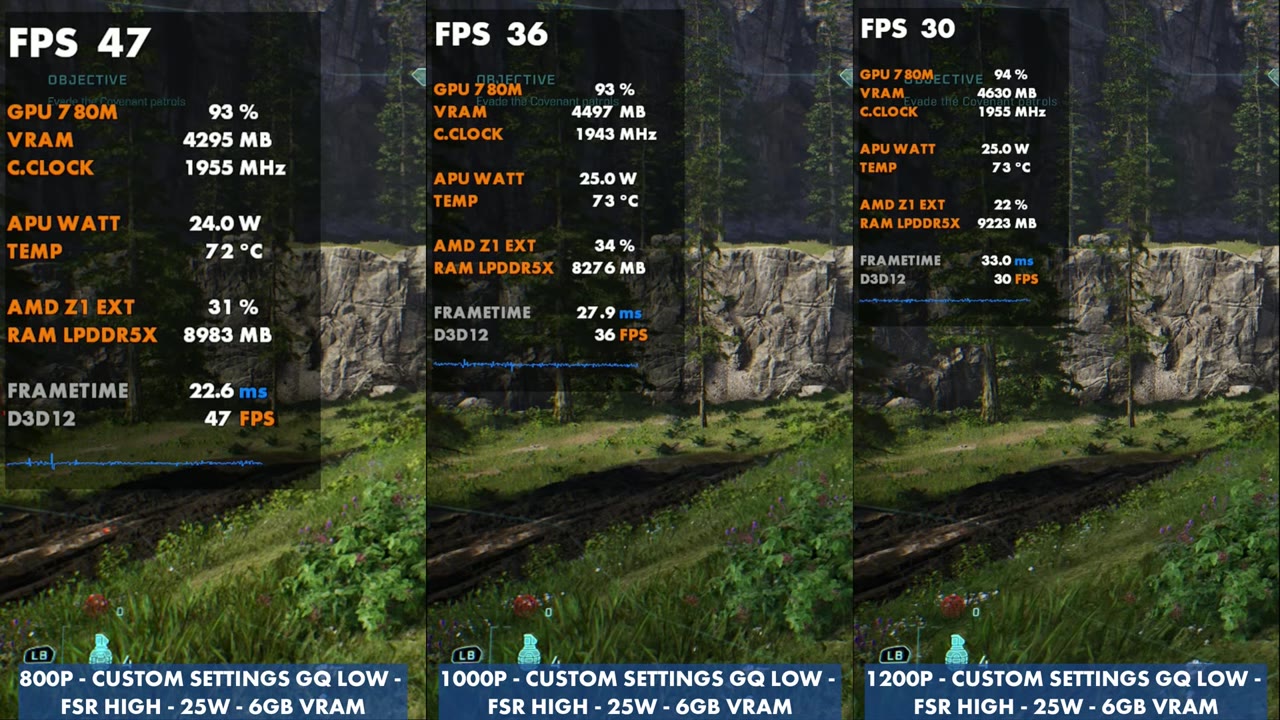
With frame gen on for all three, 800p gets around 80, 1000p around 60 and 1200p about 49. That doesn't feel great at 1200p with frame gen on, I'll tell you that. Dropping geometric quality back to very low with frame gen gets you 96, 73 and 59.
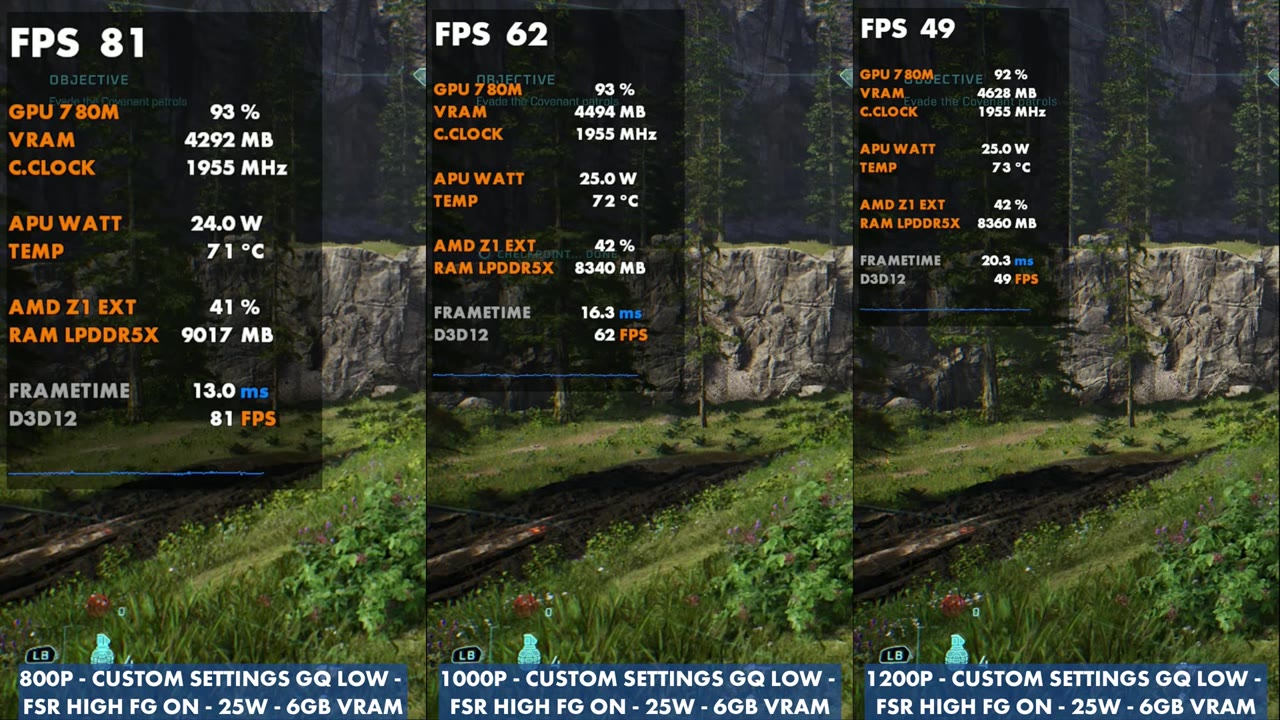
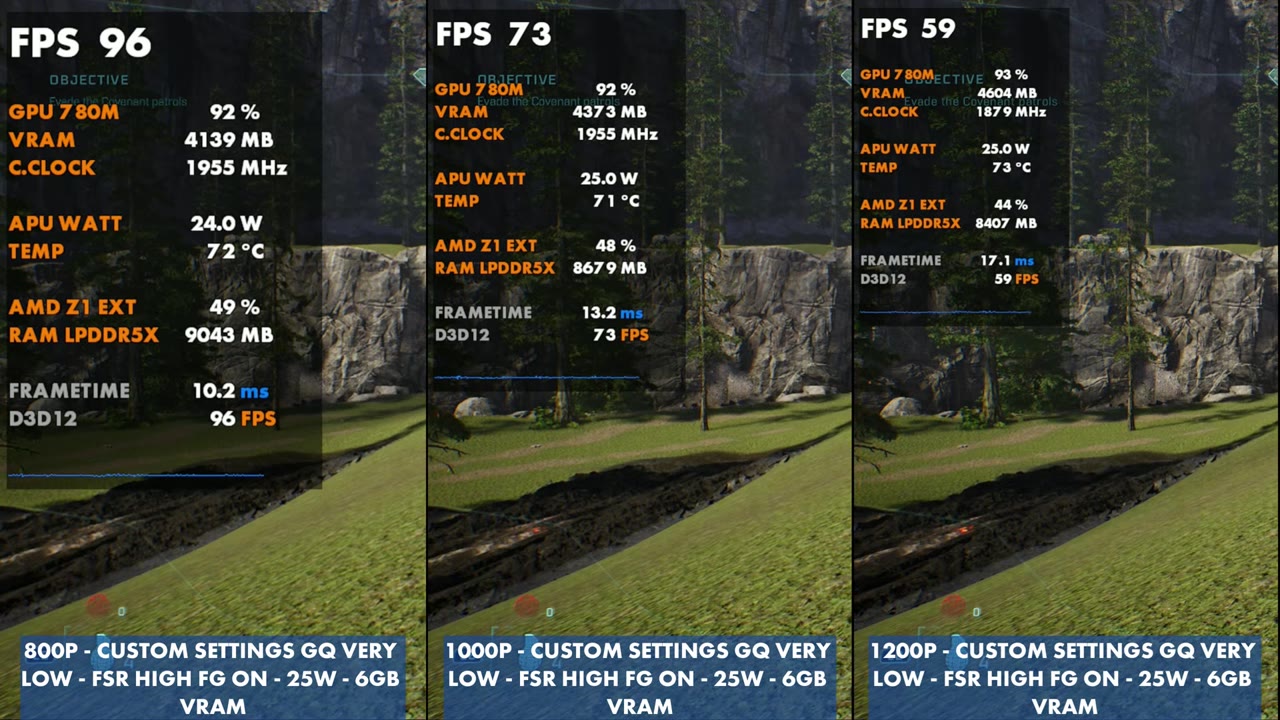
If you wanted 1200p to reach the 800p mark, you'd have to use FSR Low, which renders at 33% of the resolution, so it's not going to be a big difference. If it were me, I'd go 800p with a little less upscaling, especially on the Legion Go. Its display was always a pretty good-looking one, even though it's a portrait panel used in landscape.
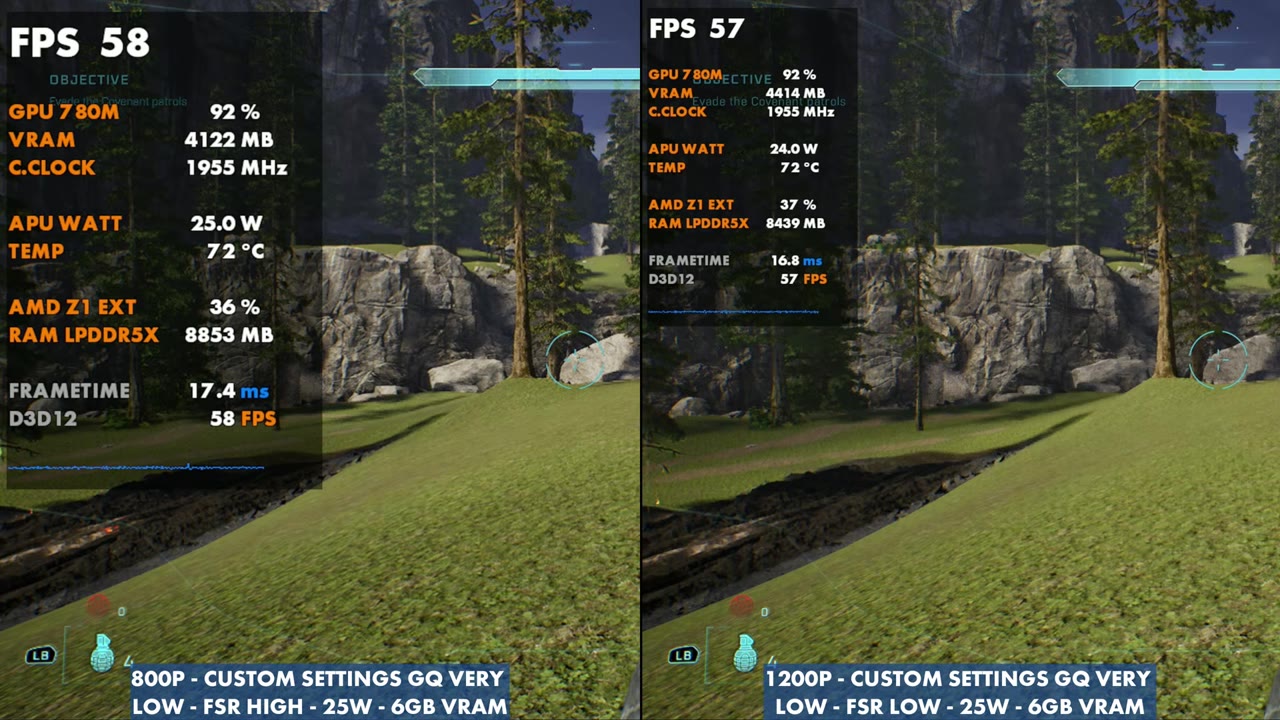
Gameplay at 800p
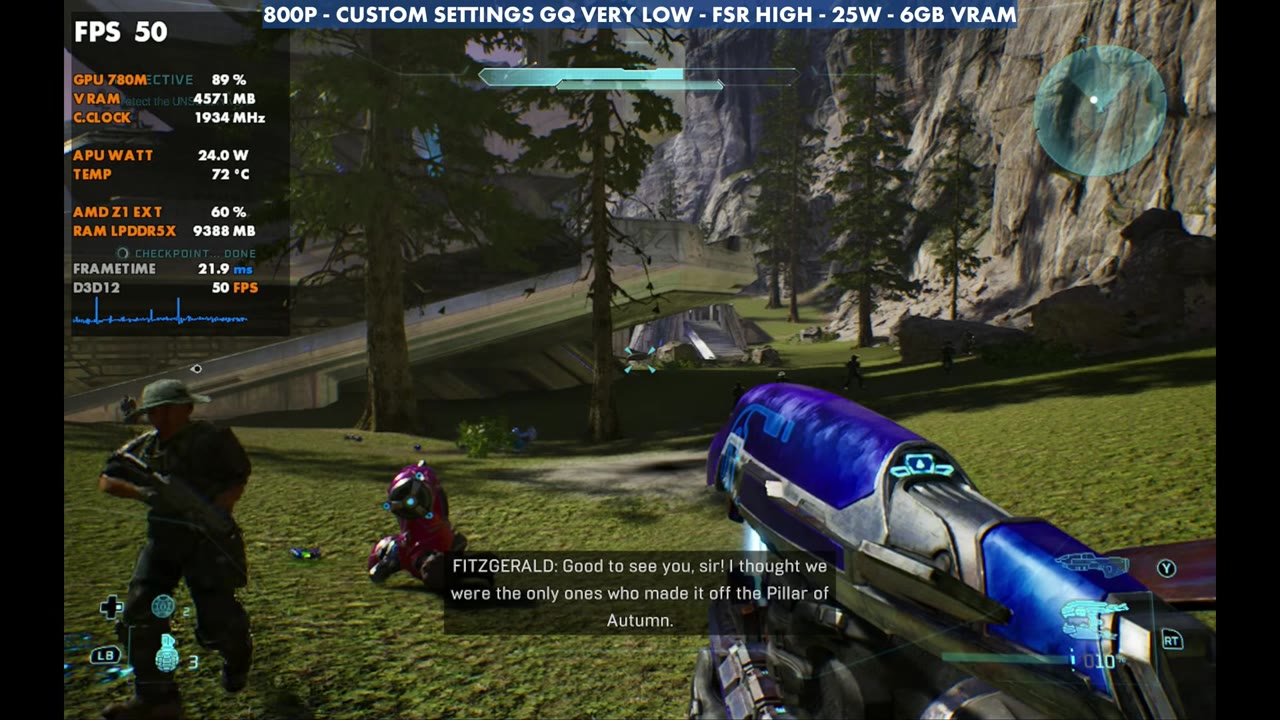
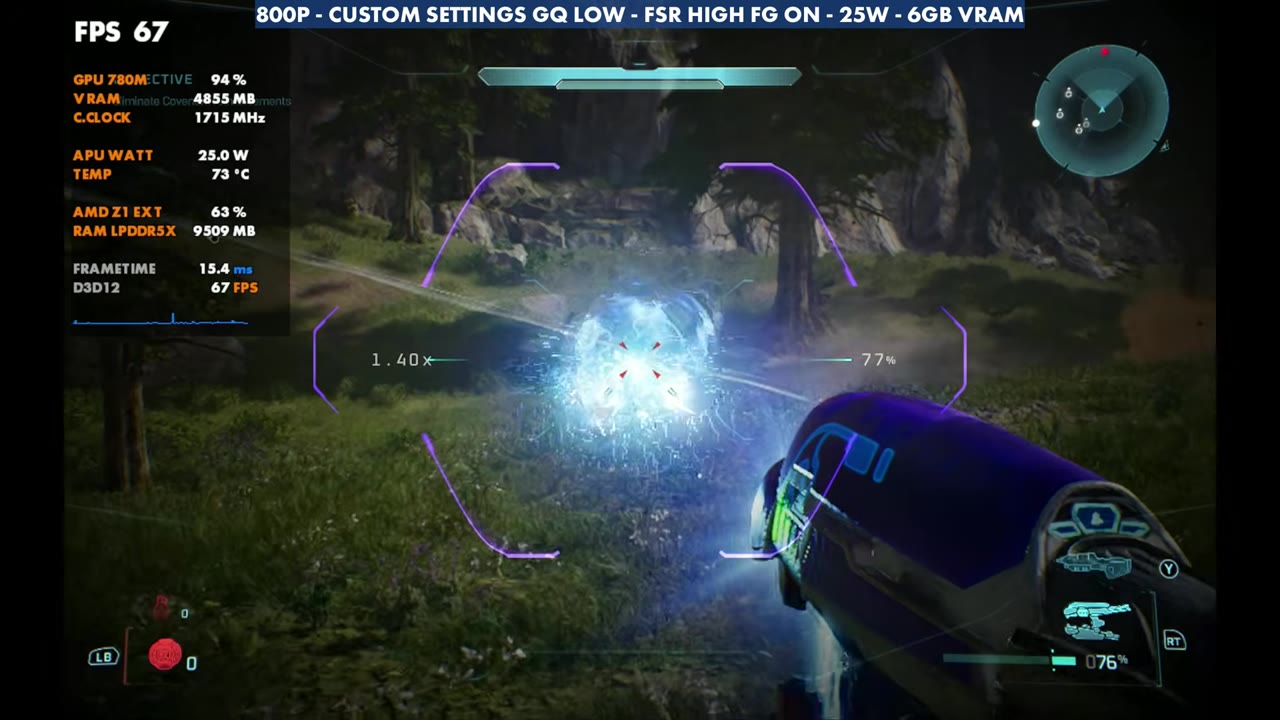
The gameplay covers the first three mission areas at 800p, FSR High and 25W, with and without frame gen and with geometric quality on very low and low. Overlay readings from a few moments:
Verdict
Halo: Campaign Evolved is very playable on the original Legion Go Z1 Extreme and running well enough, and I don't have any major complaints. It plays and feels pretty good on here. There's room to adjust for higher settings and fidelity with a lower frame rate, or to turn things down, boost the upscaling, lower the resolution and use frame gen for more FPS.
FAQ
How well does Halo: Campaign Evolved run on the Legion Go Z1 Extreme?
At 800p with custom settings, FSR High and 25W, the standing-still test spot reads 57 to 58 FPS with geometric quality on very low and 47 on low. Frame gen takes it to 81–96.
What TDP should you use for Halo: Campaign Evolved on the original Legion Go?
I used 25W. 30W burns the battery quicker without really gaining anything, and 20W does okay as well.
Is 1200p worth it in Halo: Campaign Evolved on the Legion Go?
Not really. Without frame gen, 1200p sits at 30 to 38 FPS in the test spot, and you'd need FSR Low to match 800p with FSR High.
Want more handheld tests?
New Steam Deck, ROG Ally, Legion Go and Steam Machine performance videos every week.