 ▶Watch on YouTube
- At 800p, custom settings, FSR High, 30W, my standing-still test spot reads 56 to 57 FPS with geometric quality on very low and 48 on low.
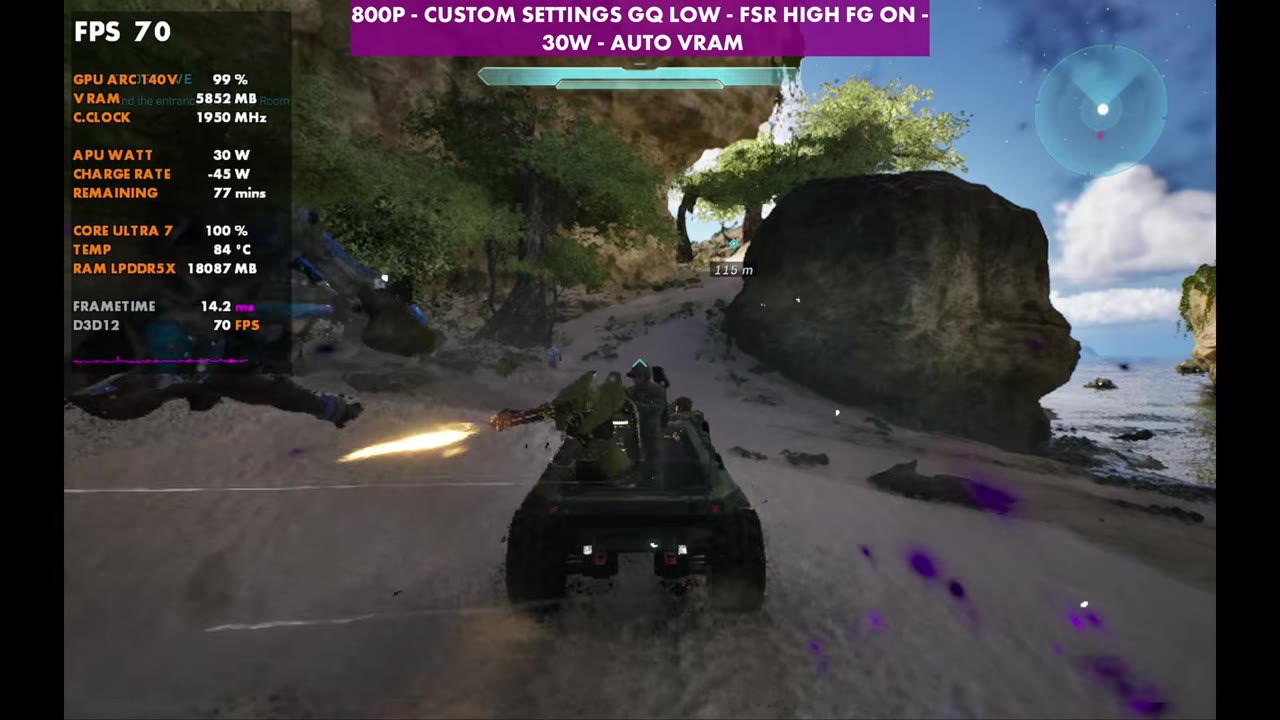
- Frame gen pushes 800p to 81–82 (geometric low) and 92 (geometric very low). At 1200p it only reaches 53 and 59.
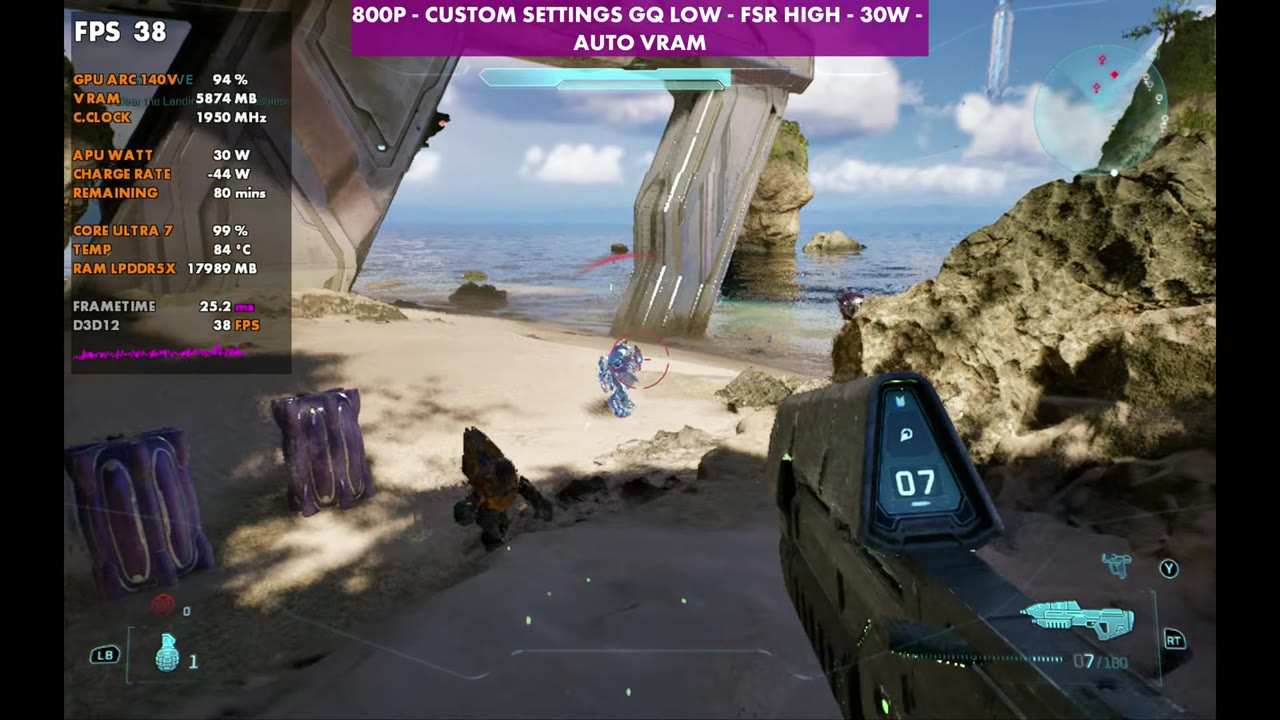
- 1200p without frame gen sits in the 30s (38–39 on very low, 33 on low), so I stick with 800p on the Claw's screen.
- It's not really Intel optimized yet, but it's tunable to get very playable.
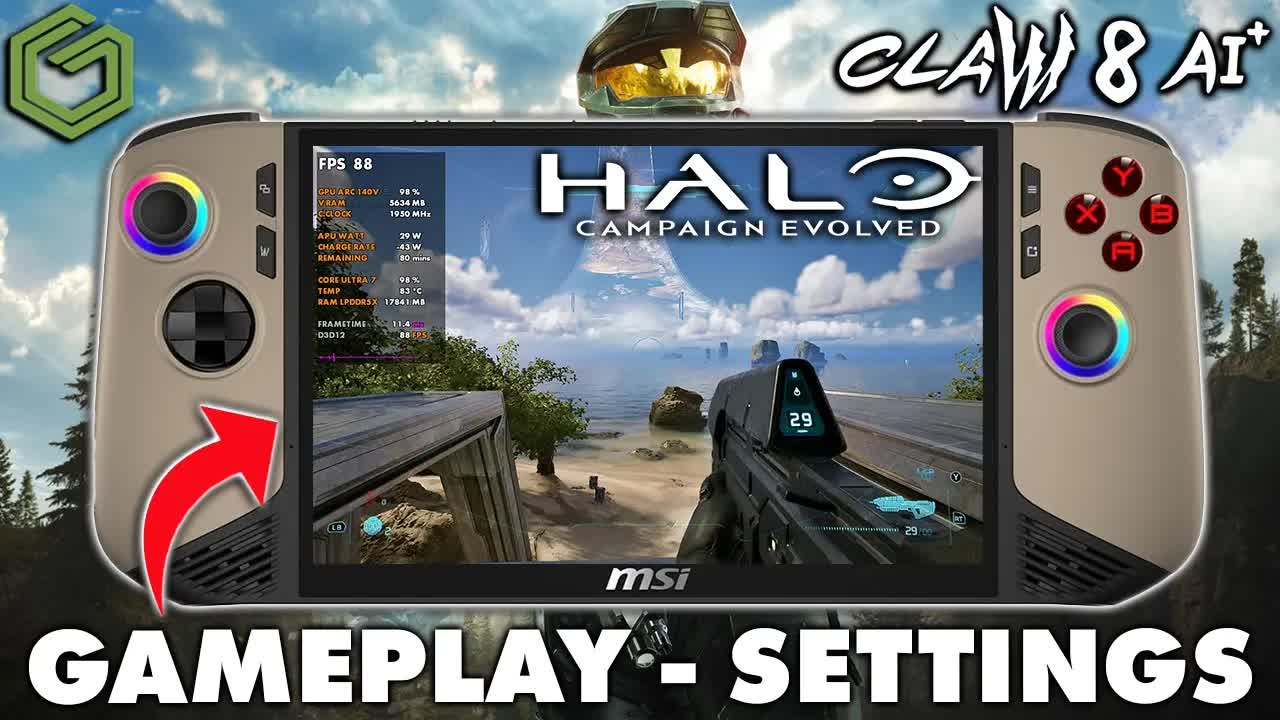
Halo: Campaign Evolved on the MSI Claw 8 AI+ takes some tuning, but you can get it pretty playable on the handheld. I ran it in Xbox full screen mode on Windows at 30W with custom settings, mostly at 800p, and put 800p and 1200p side by side so you can see where performance lands and adjust up or down from there.
Test setup
- MSI Claw 8 AI+ in Xbox full screen mode (Xbox mode on Windows). In past tests it's given small gains of about 1 to 3 FPS from the resource changes.
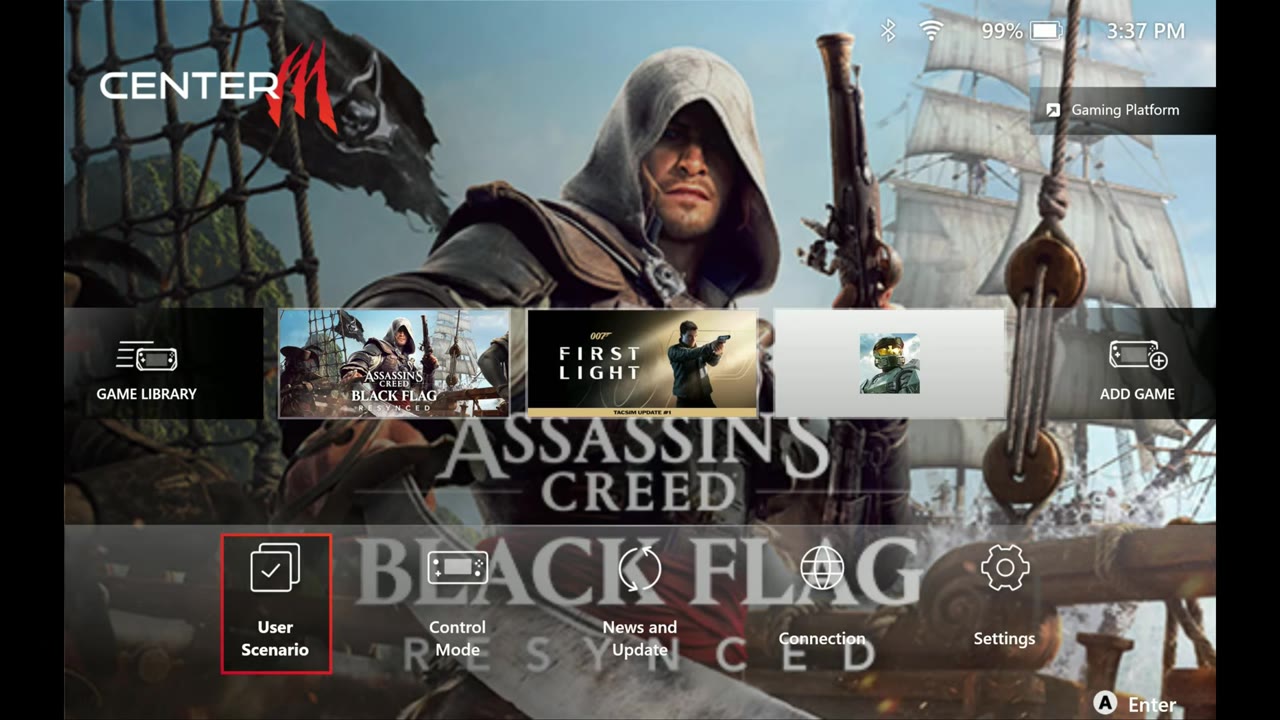
- 30W manual mode in MSI Center M. It doesn't force the chip to 30W; it still scales how it wants, which you'll see in the APU wattage on the overlay. There are also AI Engine and Endurance modes, but manual is what I usually test with.
- 800p for the most part, plus 1200p for comparison. You need to change the resolution in the Windows desktop.
- Upscaling: FSR, High quality. Frame gen tested both off and on.
- VRAM set to auto (labeled Auto VRAM in the video)
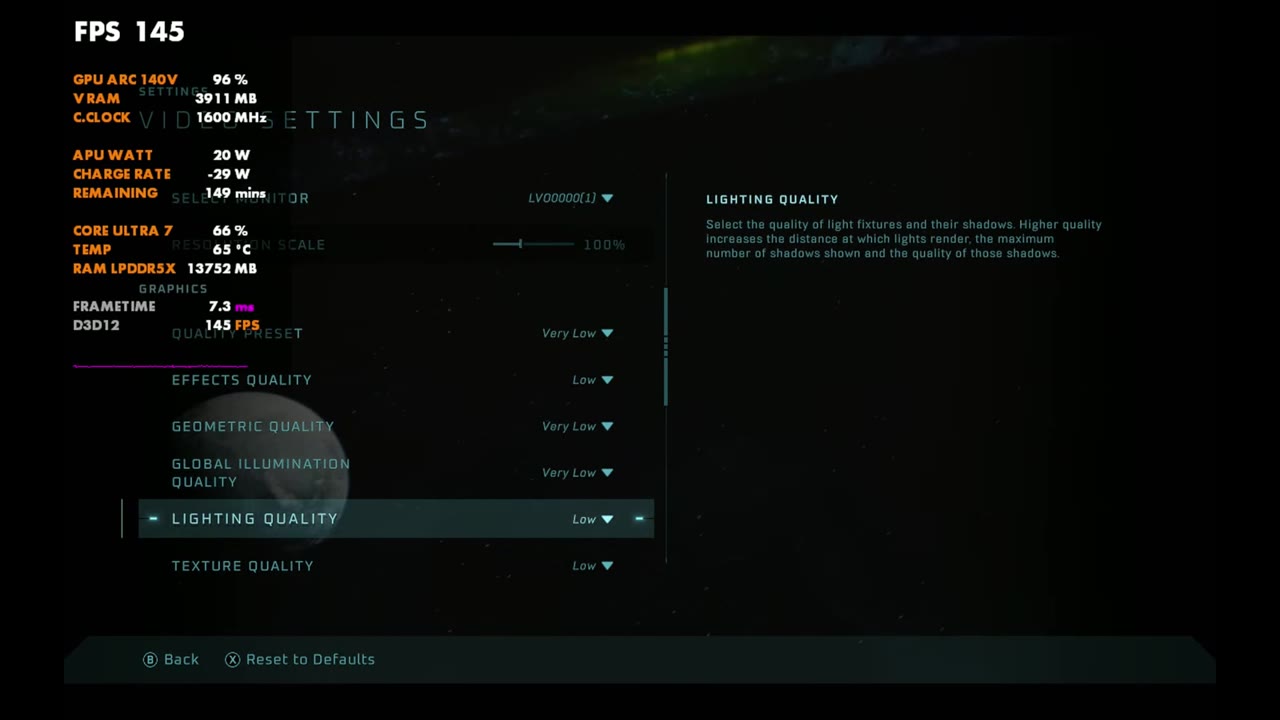
Custom graphics settings
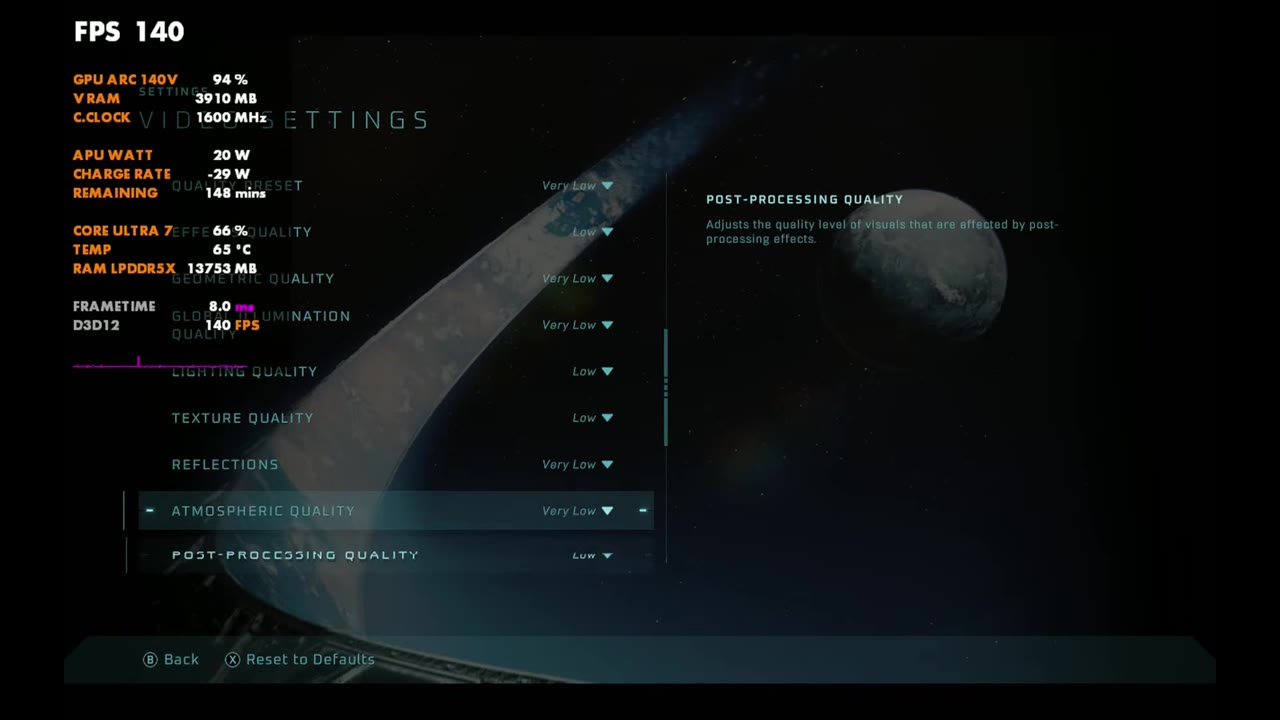
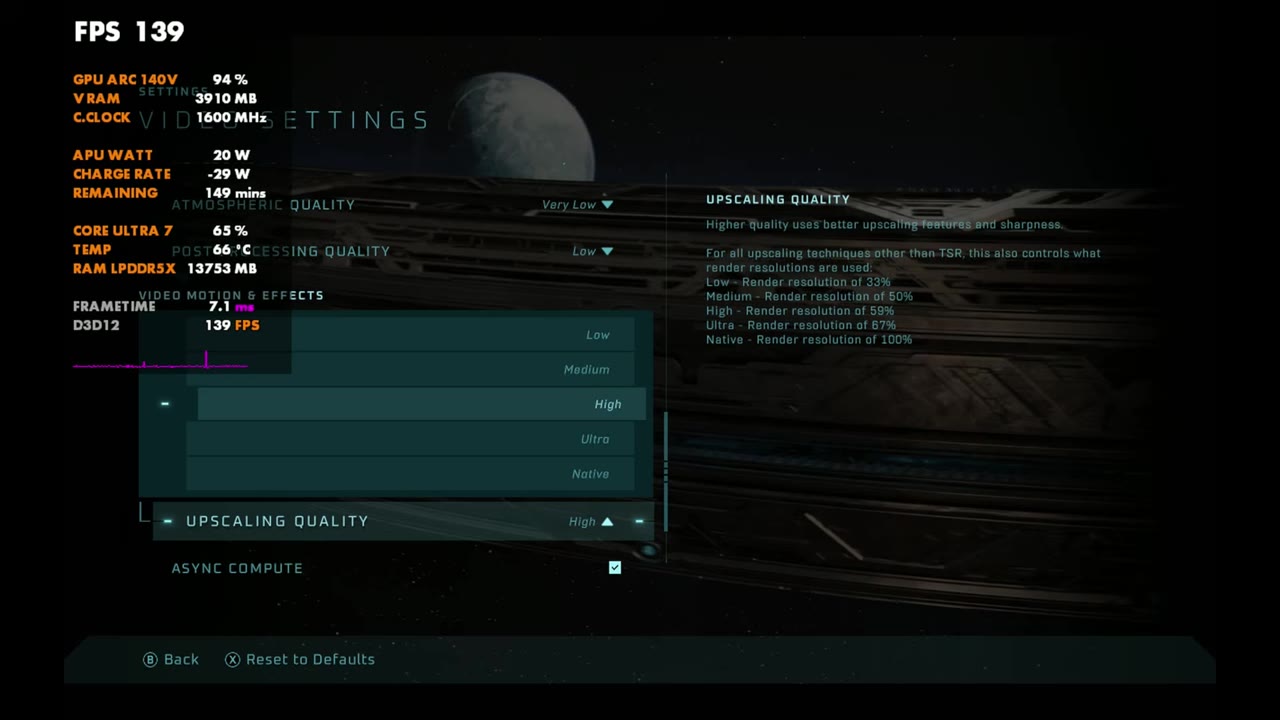
The quality preset is very low, then individual settings are raised from there. Geometric quality affects this game a lot, so I went back and forth between low and very low. Textures can go to medium and do just fine.
| Setting | What I used |
|---|---|
| Quality Preset | Very Low |
| Effects Quality | Low |
| Geometric Quality | Very Low or Low (tested both) |
| Global Illumination Quality | Very Low |
| Lighting Quality | Low |
| Texture Quality | Low (medium works fine too) |
| Reflections | Very Low |
| Atmospheric Quality | Very Low |
| Post-Processing Quality | Low |
| Motion Blur | Off |
| Screen Shake | Off |
| Upscaling | FSR, Upscaling Quality High (options: Low, Medium, High, Ultra, Native) |
| Frame Generation | Off or On (tested both) |
800p vs 1200p side by side
These are all standing still in the same spot at 30W with FSR High, 800p on the left and 1200p on the right of each frame. Overlay readings:
| Settings | 800p | 1200p |
|---|---|---|
| Geometric very low, frame gen off | 57 | 38 |
| Geometric low, frame gen off | 48 | 33 |
| Geometric low, frame gen on | 81 | 53 |
| Geometric very low, frame gen on | 92 | 59 |
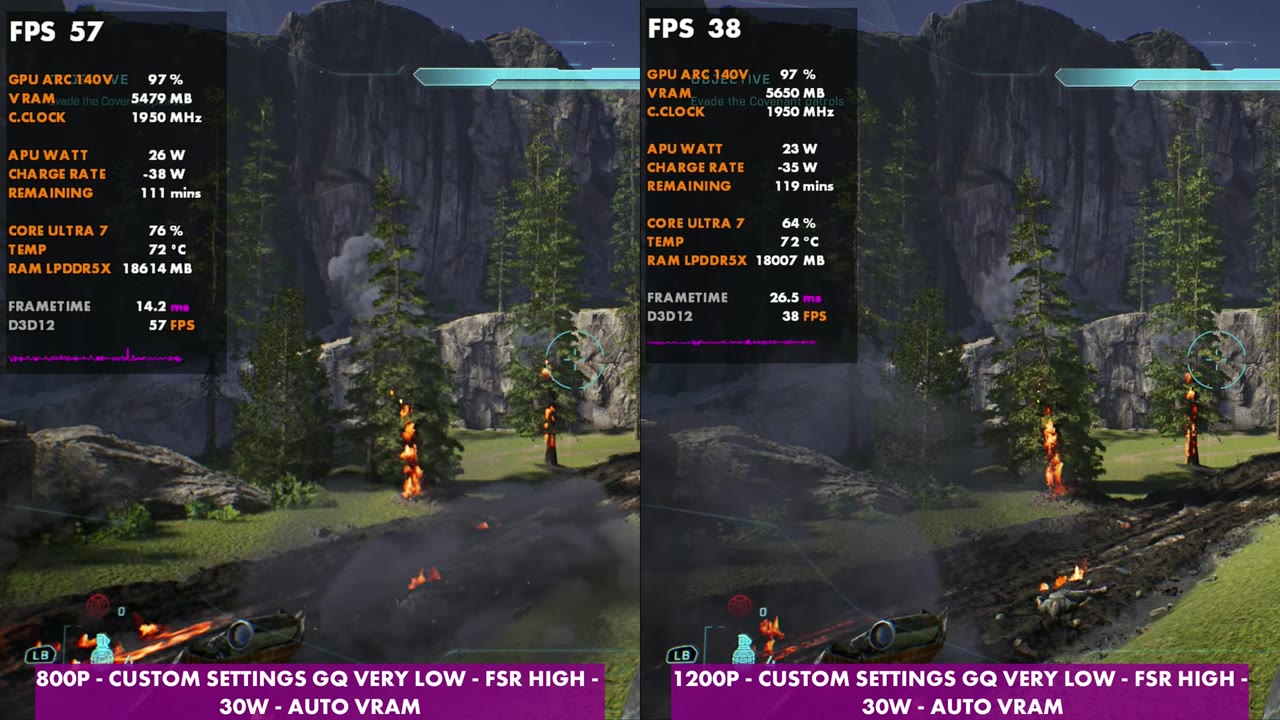
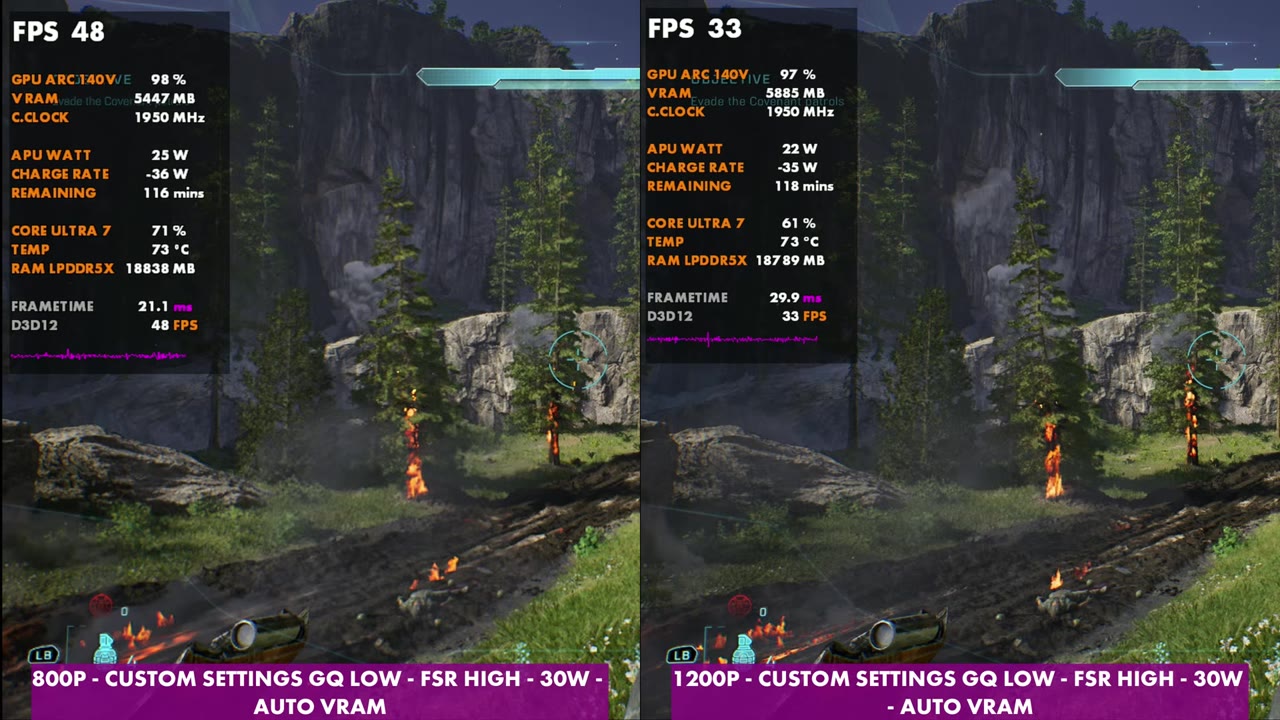
Frame gen benefits the 800p side a lot more, getting into the 80s versus only 53 at 1200p. With the added input latency from frame gen, 53 isn't exactly where I'd like to be, but it's fine at 800p and not too difficult to play that way. Dropping geometric quality to very low raises it further, to 92 standing still with frame gen on, and 59 at 1200p.
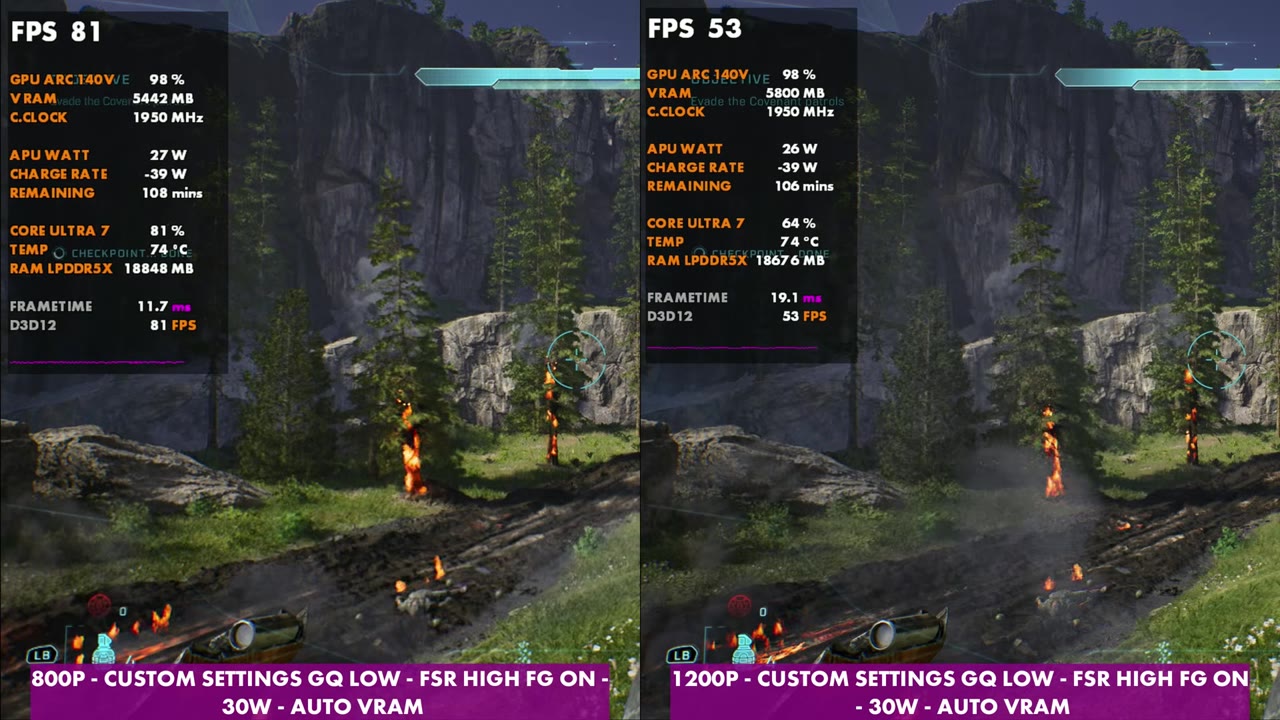
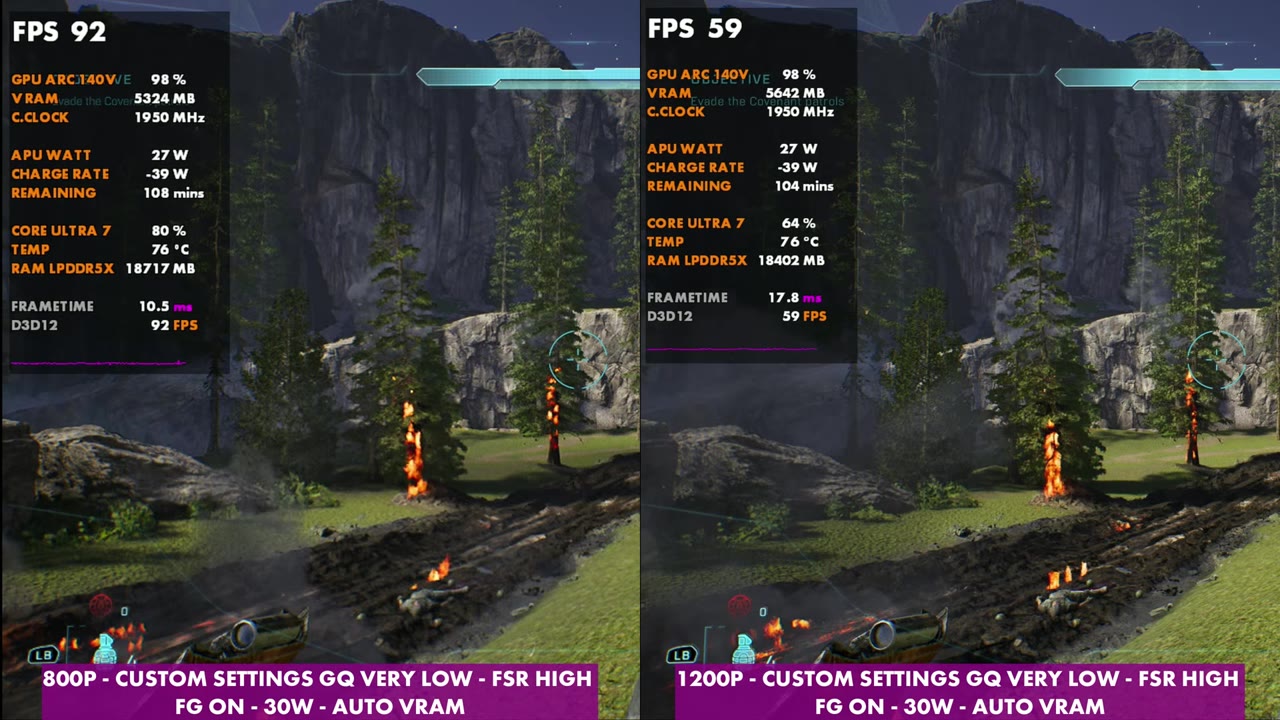
You'd have to take 1200p all the way down to low FSR to get anywhere near what 800p with FSR High gives you. On the smaller screen, I'd rather go with less upscaling, especially in motion. You can adjust things up or down depending on whether you want more frame rate or more graphical fidelity.
Gameplay at 800p
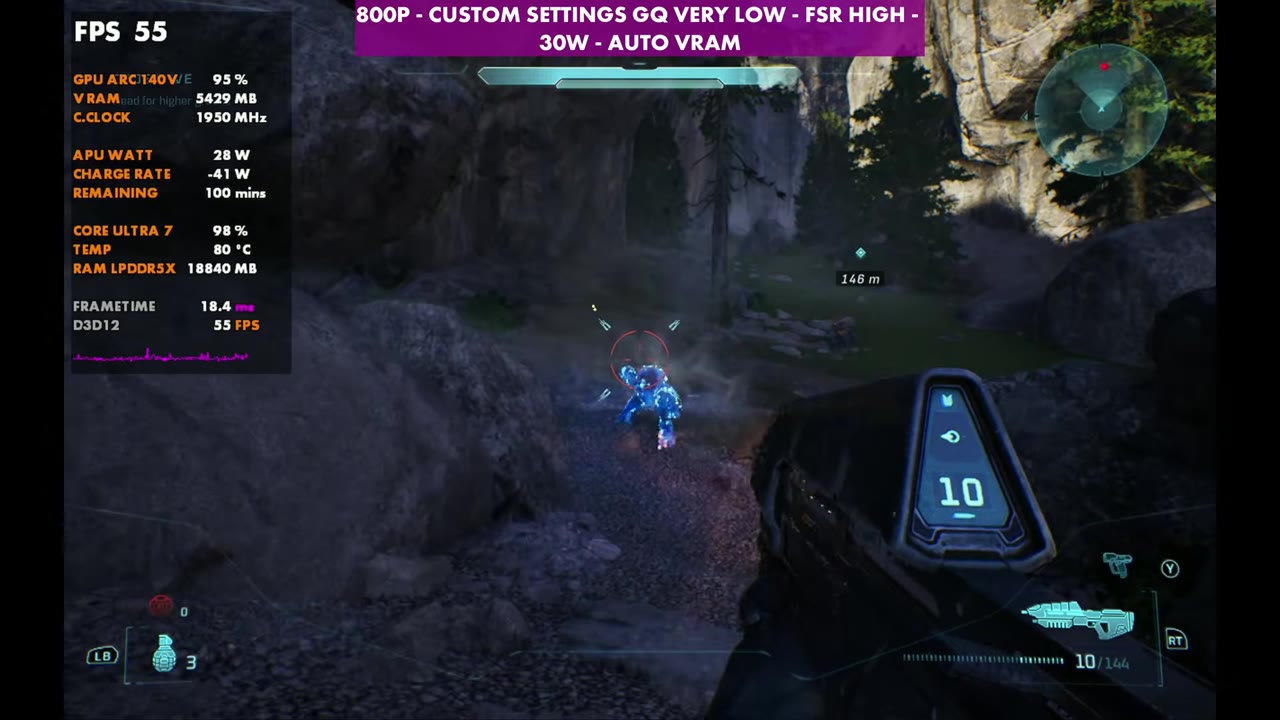
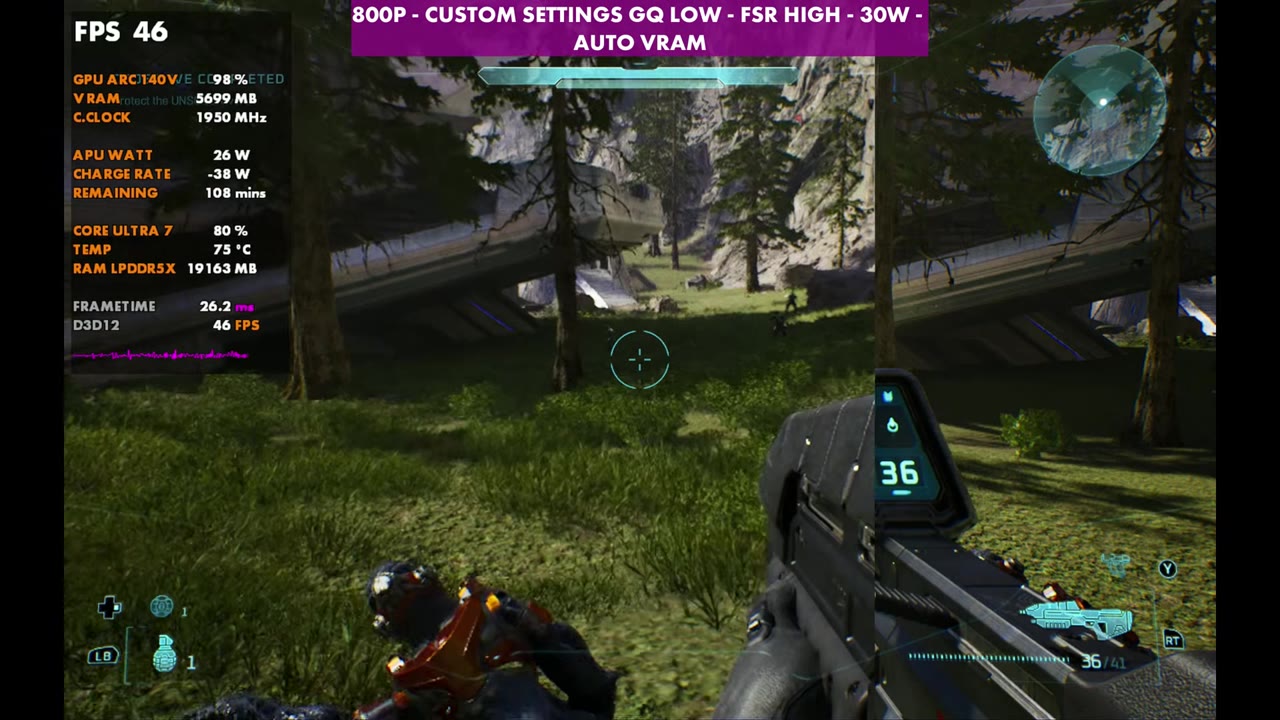
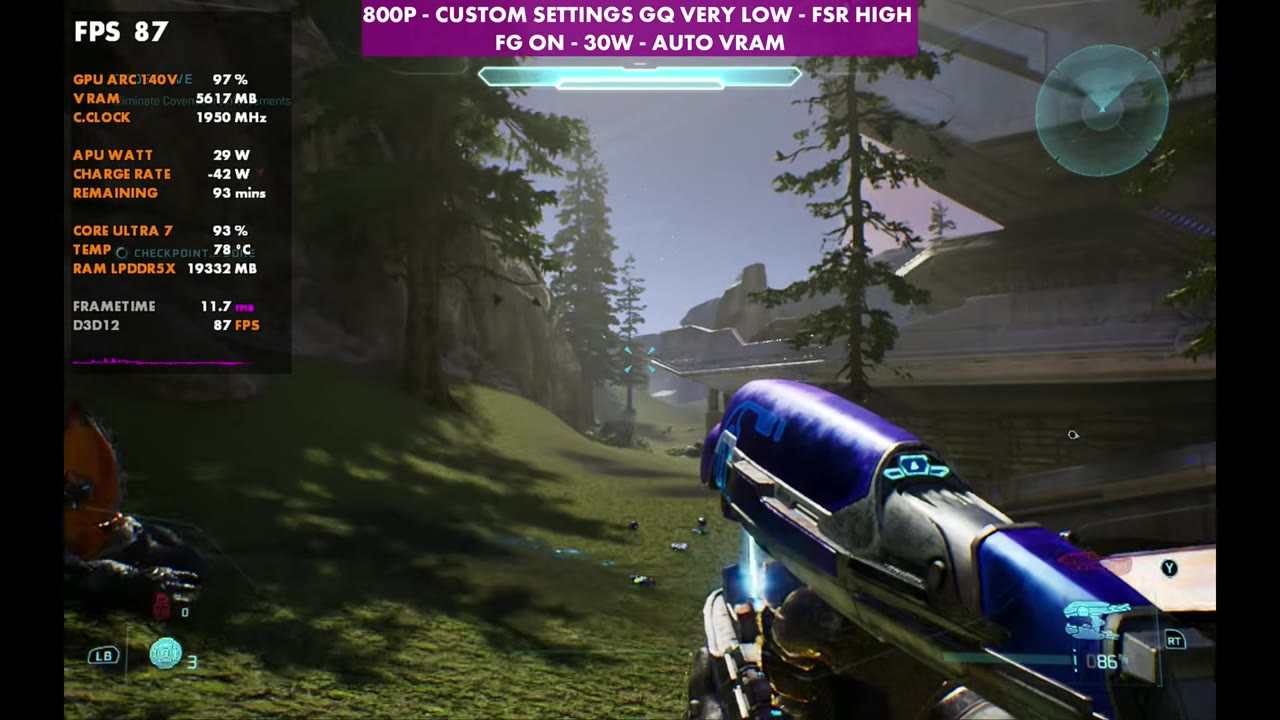
The gameplay in the video runs at 800p, FSR High and 30W, with and without frame gen and with geometric quality on low and very low. Overlay readings from a few moments:
Verdict
Halo: Campaign Evolved isn't really Intel optimized and lacks some features I hope we get in the future on Intel, but if you have an MSI Claw 8 AI+, it's tunable to get very playable. Some people may not find it the best, but I think it's actually pretty good considering the handheld. I wish the Claw was still $899 like it was when I originally got it, and I thought that was expensive. Even at $1,100 to $1,200 these days, it's not so bad. If the game gets XeSS, multi-frame gen or other big updates, I'll take a look at the difference.
FAQ
How well does Halo: Campaign Evolved run on the MSI Claw 8 AI+?
At 800p with custom settings, FSR High and 30W, the standing-still test spot reads 56 to 57 FPS with geometric quality on very low and 48 on low. Frame gen pushes it to 81–92.
Should you use 800p or 1200p for Halo: Campaign Evolved on the Claw 8 AI+?
800p. At 1200p with the same settings and no frame gen, the test spot sits at 33 to 39 FPS, and you'd have to drop FSR all the way to low to get near 800p with FSR High.
Which setting affects performance most in Halo: Campaign Evolved on the Claw?
Geometric quality. Going from low to very low took the 800p test spot from 48 to 57 FPS without frame gen, and from 81 to 92 with it.
Want more handheld tests?
New Steam Deck, ROG Ally, Legion Go and Steam Machine performance videos every week.