 ▶Watch on YouTube
Lenovo has finally put the new GPU driver for the Legion Go 2 Z2 Extreme up on its own support site. It's the same 26.1.1 driver (January dated, version 1.0.0.1) that Windows Update pushed about a week earlier, the one that broke AMD Adrenalin. This time it comes straight from Lenovo, and the install works the way it's supposed to.
- Lenovo's support site now lists the new display driver, dated April 7, 2026. It's the same 26.1.1 / 1.0.0.1 driver Windows pushed in late March.
- For me, Windows Update is no longer pushing that driver. After a DDU clean-up it put me back on the older September 2025 driver instead.
- Installing the driver from Lenovo's site, then checking for updates in the Microsoft Store, brought AMD Adrenalin up to date with no workarounds.
- Windows Update didn't try to roll it back afterward, at least for me.
- Elden Ring still didn't crash, and Crimson Desert was a bit more stable, with an FPS or two more here and there and usually better frame times.
Some background
About six days before this, I covered how to fix the new driver Windows was pushing to the Legion Go 2. That driver was newer than what we had from launch and ran some games better, including less crashing in Elden Ring, but it broke Adrenalin, and the Microsoft Store wasn't offering an Adrenalin update to match. Now Lenovo has the same 26.1.1 driver on its site, so I wanted to see what happens if you wipe the Windows driver and start over the official way.
How I installed it
- Download the driver first. On Lenovo's support site, go to the Legion Go 2's Manual Driver Update page, open Display and Video Graphics, and download the new driver dated April 7 (it's actually a January dated driver, but much newer than what we had). Have it ready in your Downloads folder.
- Clean up with DDU. I used DDU to remove the Windows-pushed driver and Adrenalin so I could see what Windows Update and the official driver would do from a clean start.
- Restart and let Windows Update run. After the restart, Windows Update didn't push the newer driver anymore. It put me back on an older Lenovo driver from September 2025 and installed Adrenalin properly for that one. No matter how many times I ran Windows Update, it wouldn't offer the 26.1.1 driver again.
- Run the Lenovo installer. From Downloads, install the driver you got from the Legion Go 2 support site like normal: agree, install, and click Next. It upgrades you from the older driver. The screen goes black and blinks on and off a few times, which is normal for a GPU driver install.
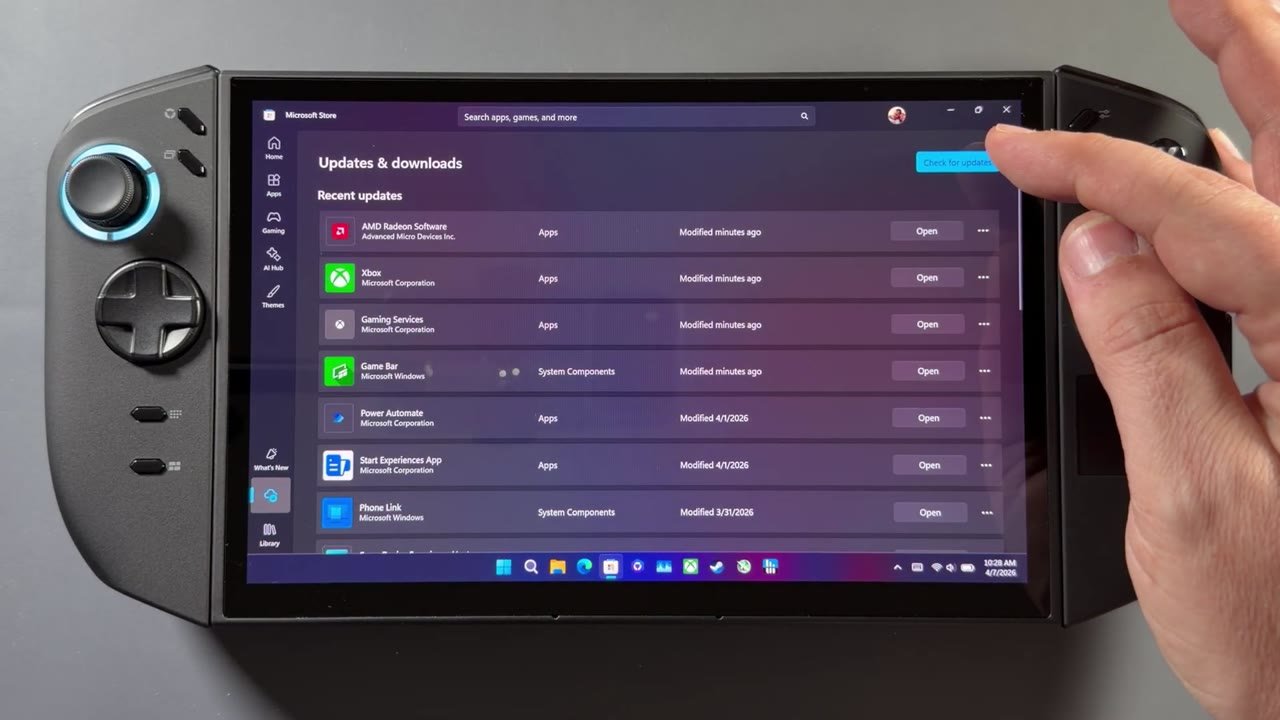
- Update Adrenalin from the Microsoft Store. Once it's done, open the Store. You'll still see the old Adrenalin at first. Go to Downloads, click Check for updates, and the AMD Adrenalin update pops up. Install it, open Adrenalin, and you're good to go.
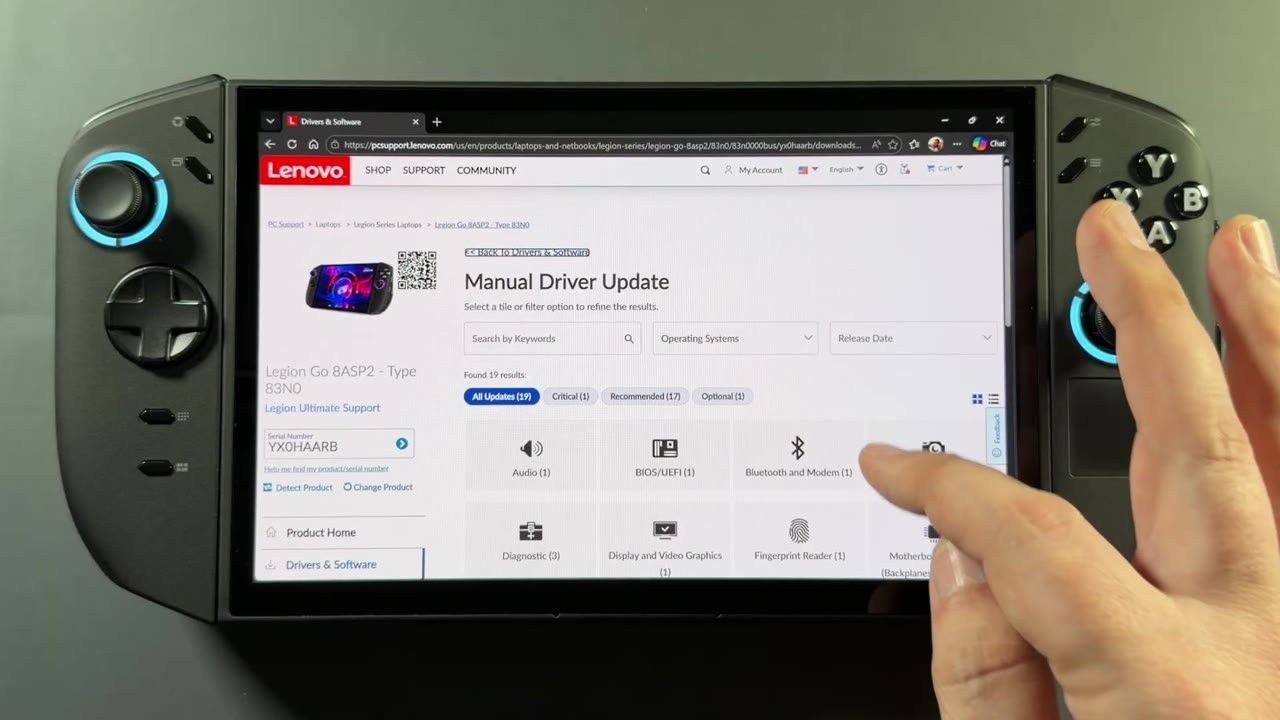
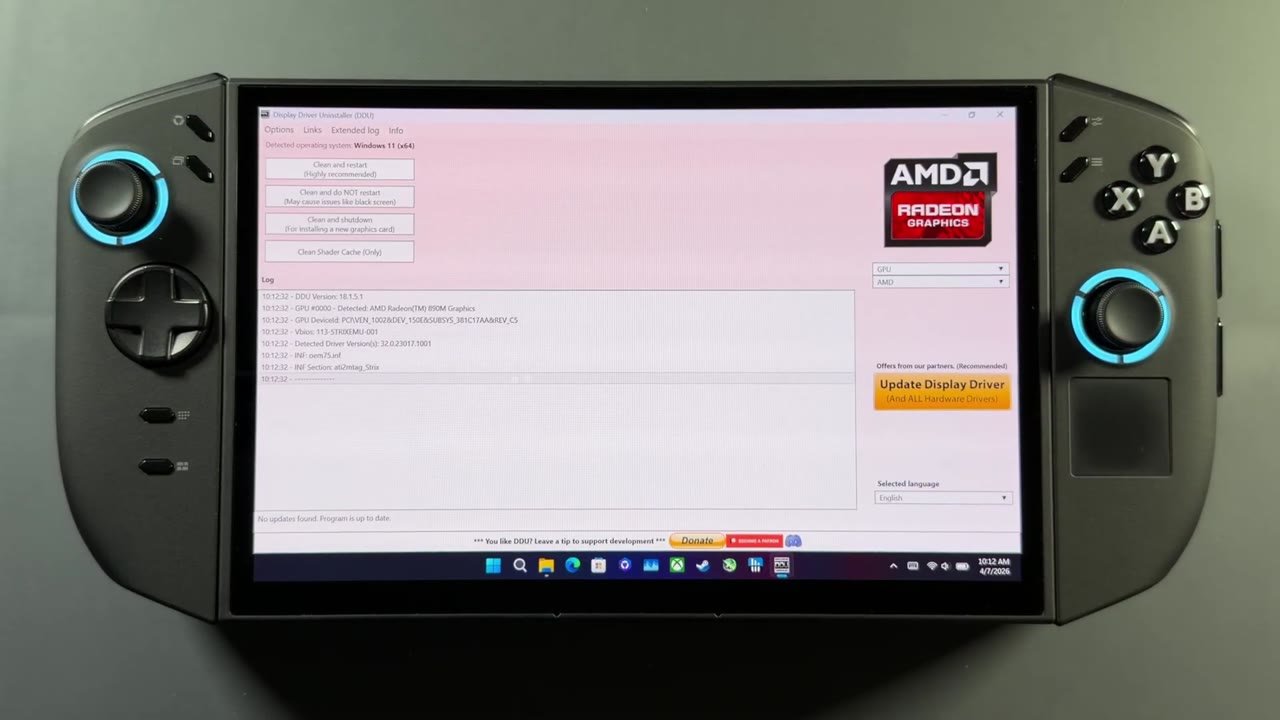
This is what should normally happen when you install a driver from Lenovo's site: install the driver, open the Store, get the matching app update, and you're done. It worked flawlessly for me. Hopefully nobody has to deal with the workarounds from a week earlier to get Adrenalin working with this driver.
After installing it, I went back into Windows Update a few times to see if it would try to override the driver or cause problems. It didn't, at least for me. Nothing tried to roll me back.
How games ran
I didn't get a lot of time with games on this install. I played Elden Ring for about 20 to 30 minutes before finishing the video, and I'd already tested it for three hours on this same driver a week earlier without a single crash. Performance is still rough and the game doesn't use the hardware properly, so there's a lot of work left to do there, but it wasn't crashing.
Crimson Desert has been improving since launch because the game keeps getting patches, but I've tested it a couple of times and the newer driver is a bit more stable with it too. It's still hard to run, but I get an FPS or two more here or there and usually better frame times. So far everything has been either an improvement or the same, and I haven't run into any problems with this driver.
Wrapping up
Getting the driver from Lenovo's site is much easier, we know it's officially from them, and Windows Update seems to be behaving with it. Whatever hiccup was in the update process a week earlier seems to be straightened out, and we're back to the normal process for updating the Go 2. Hopefully it stays that way, and hopefully Lenovo doesn't wait too long for the next update, which will probably be a few months out. A few days later Lenovo also posted a new BIOS, which I covered in the Legion Go 2 BIOS 16WW update guide.
FAQ
Where do you get the official Legion Go 2 GPU driver 26.1.1?
From Lenovo's support site, under Manual Driver Update and Display and Video Graphics. It's dated April 7, 2026.
Is it the same driver Windows Update pushed in March?
Yes. It's the same 26.1.1 (version 1.0.0.1, January dated) driver, but now it comes from Lenovo, and the Microsoft Store updates Adrenalin to match.
Does Windows Update overwrite the Lenovo driver?
Not for me. I checked Windows Update several times after installing it and it didn't try to roll the driver back.
Want more handheld tests?
New Steam Deck, ROG Ally, Legion Go and Steam Machine performance videos every week.