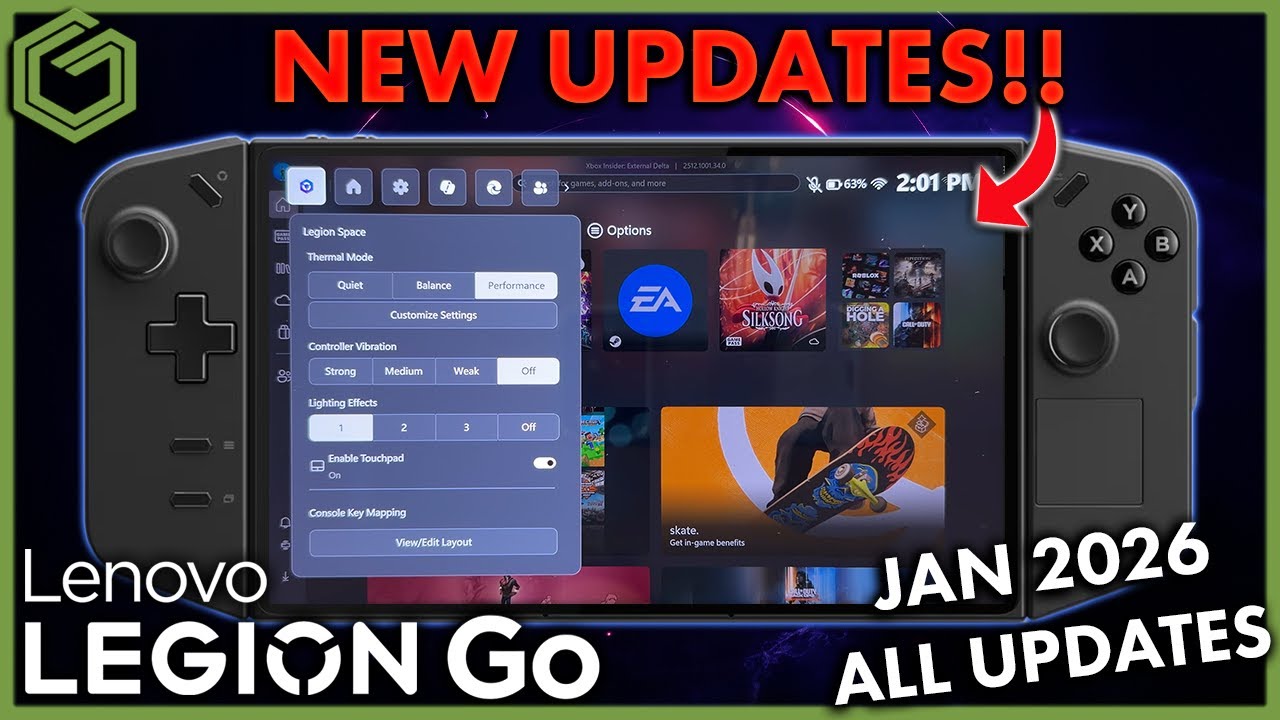
 ▶Watch on YouTube
- My original Legion Go (Z1 Extreme) was off from about October 9, 2025 until early January 2026, so I caught it up to see what had changed.
- There were a ton of Microsoft Store updates (Radeon Adrenalin, Game Bar, Xbox app and more), plus a few Windows Update items from Lenovo.
- Lenovo's automatic driver scan found nothing. The only things I grabbed from the support site were the AMD chipset driver and the critical package.
- The biggest update was Legion Space: new controller firmware, a Legion Space widget in the Xbox Game Bar and button shortcuts to open the Game Bar for the Xbox full screen experience.
- Still no new GPU driver. Lenovo's official driver for the original Go is still the September 2025 one.
- The widget only works while Legion Space is open, and the settings in it are pretty bare-bones for now.
I hadn't used my original Legion Go Z1 Extreme since around mid-October 2025, when the new Ally devices and the Legion Go 2 came out. A lot of you have been asking about updates for the Go 1 since the recent Go 2 updates, and I plan to keep covering this device for quite a while, so I caught it up in early January 2026. Here's what needed updating, in the order I did it, and what's actually new.
The Legion Go 2 has been getting most of its new updates through Windows Update over the past few weeks. On the original Go it's a little different: there are some Lenovo driver updates coming through Windows Update too, but not nearly as many, and nothing that made the kind of major changes I saw on the Go 2.
Step by step: catching up an original Legion Go
- Microsoft Store. If you haven't updated your apps through the Microsoft Store in a while, there's a lot waiting, including the Radeon Adrenalin software and things tied to the Game Bar and Xbox app. Get them all caught up first.
- Windows Update. Run it next. I'm on the preview version of Windows because I was forcing the Xbox full screen experience back then, and I didn't get any major updates, just a few that came through pretty quickly for Lenovo.
- Lenovo's automatic driver scan. After Windows and Store updates, I ran the automatic driver scan on Lenovo's support site. Nothing came up for me, even though there were a couple of items in the critical section I still hadn't done.
- Check your versions. You can compare versions in Legion Space or Device Manager. My Bluetooth and network drivers were already on the newest versions, along with most other things.
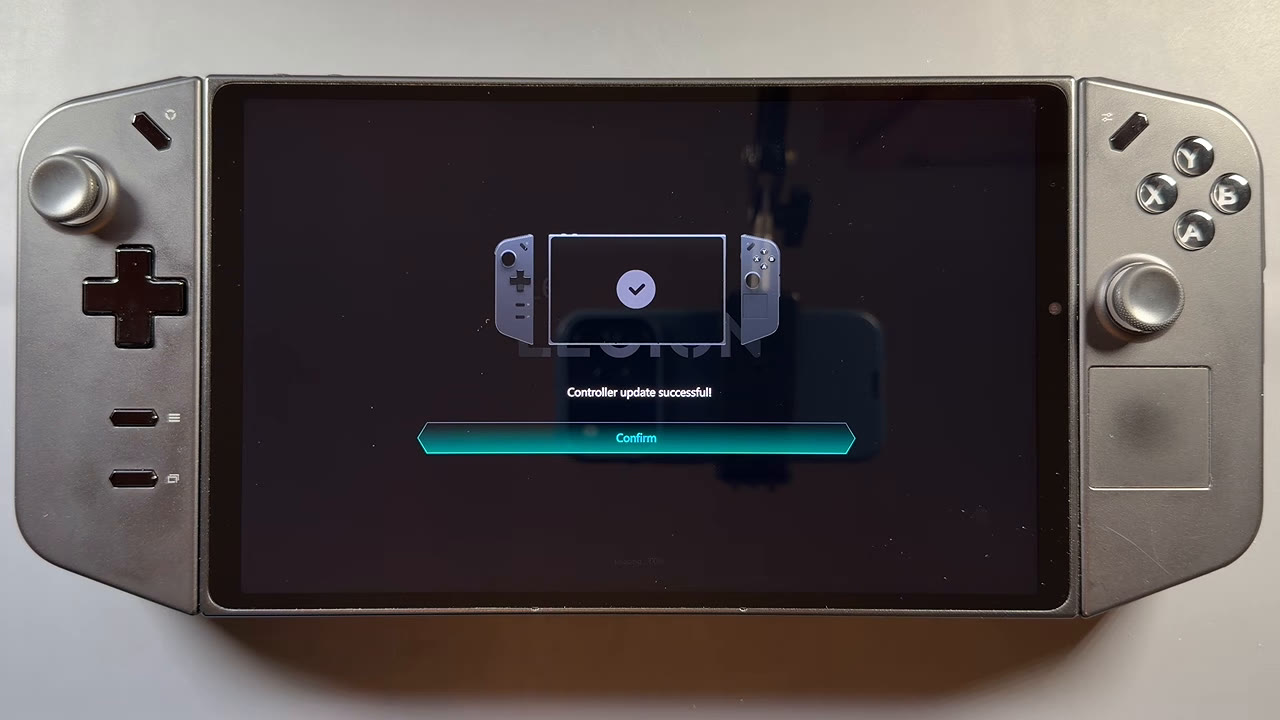
- Update Legion Space. It installs, then jumps right into a controller firmware update. Let it finish and confirm. Checking for updates in Legion Space afterward found nothing else.
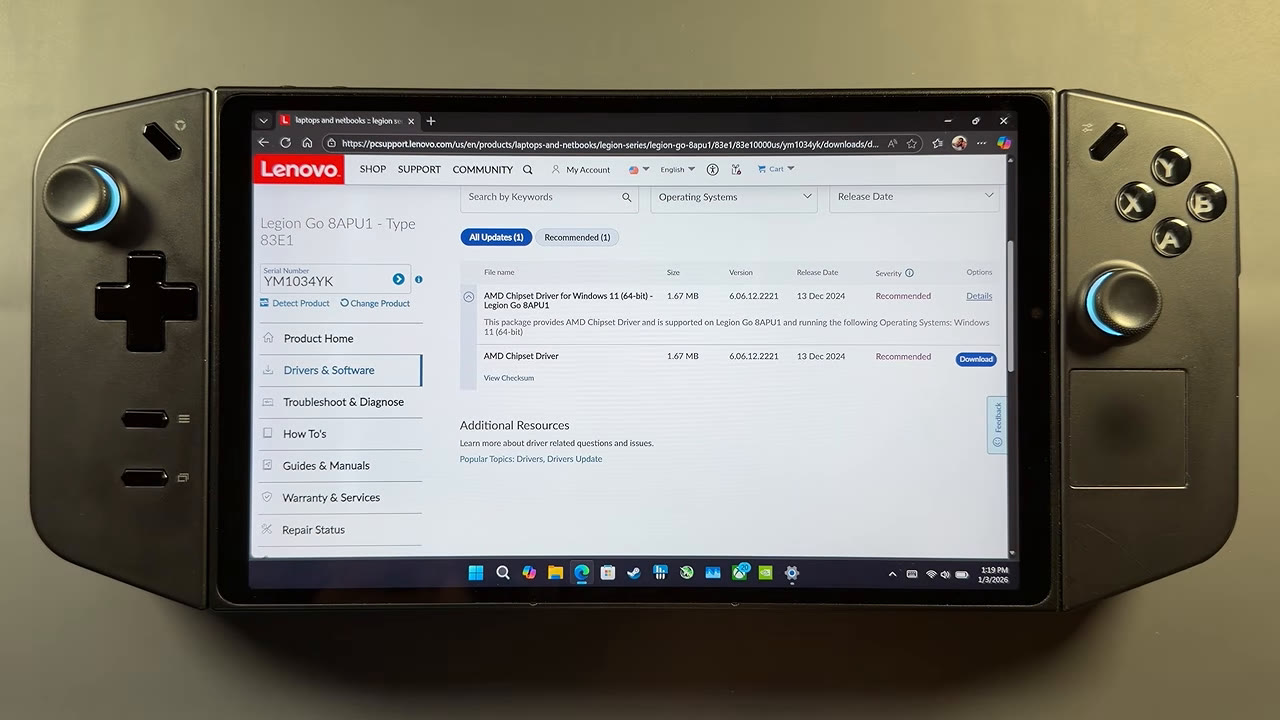
- AMD chipset driver (optional). From the support site's Manual Driver Update, I downloaded the AMD Chipset Driver 6.06.12.2221 (listed 13 Dec 2024). I had trouble confirming whether I was already on it, so I installed it anyway. It only takes a few seconds. You're probably already on it, so do this or don't.
- The critical package. Before restarting, I installed the one Critical item on the support site, the same one I did on the Go 2: Lenovo MFGSTAT Log Clean (1.0.0.0, 23 Dec 2025). Accept the agreement, click Install, Next, Install, and it's on.
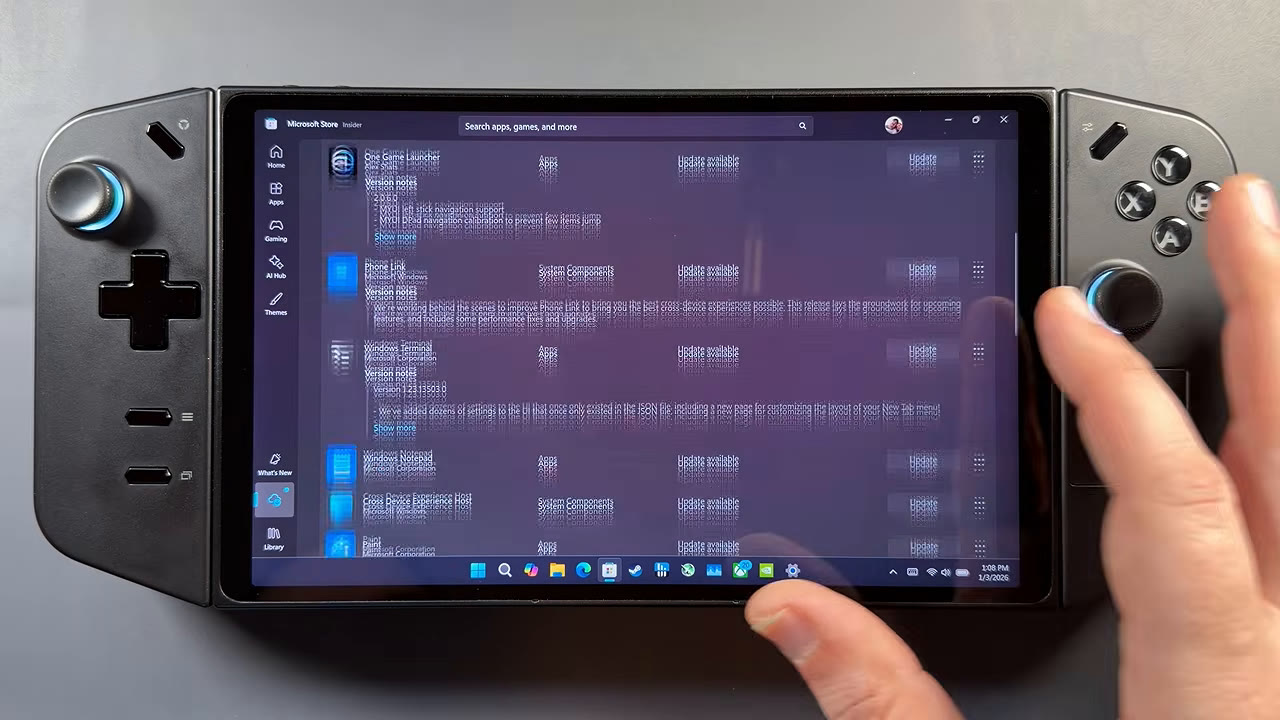
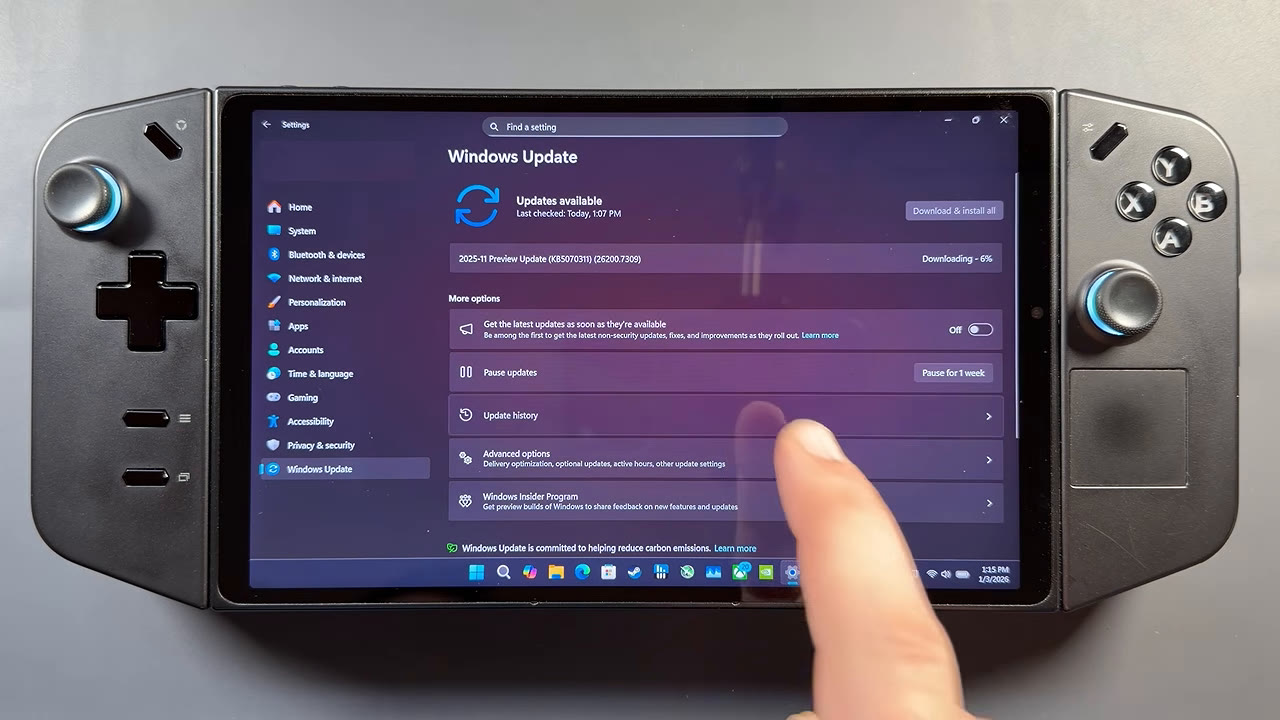
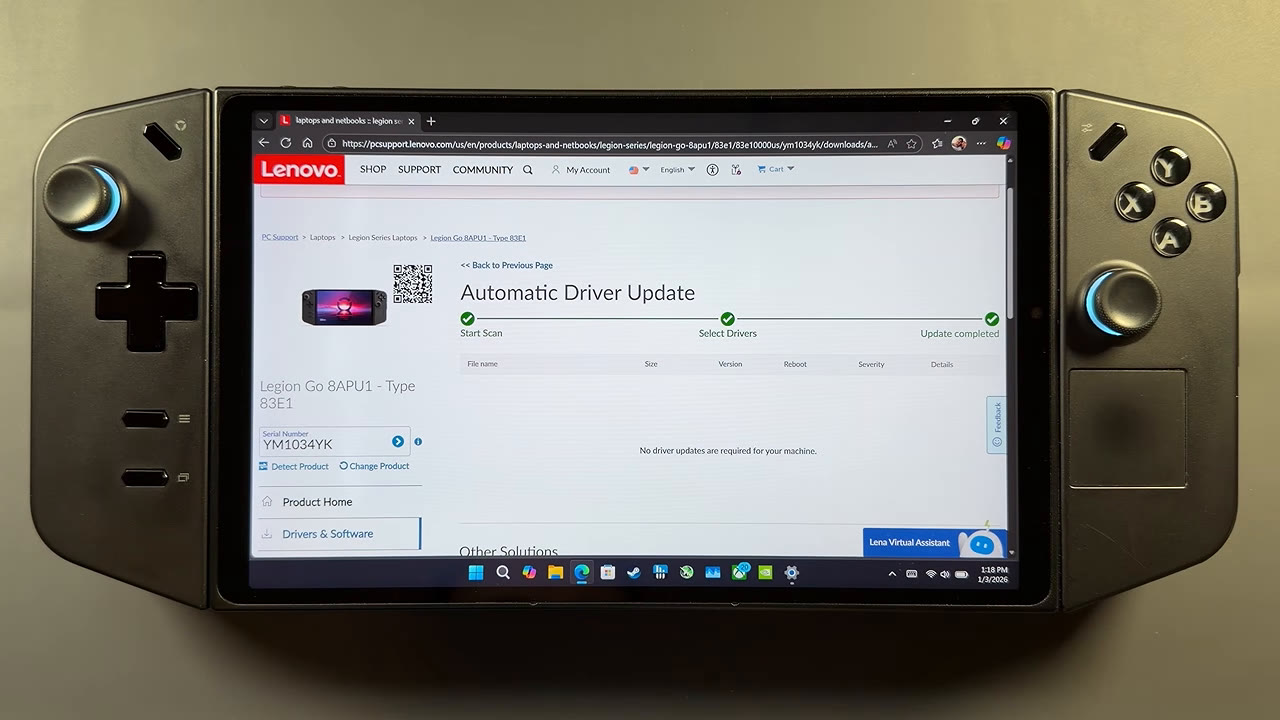
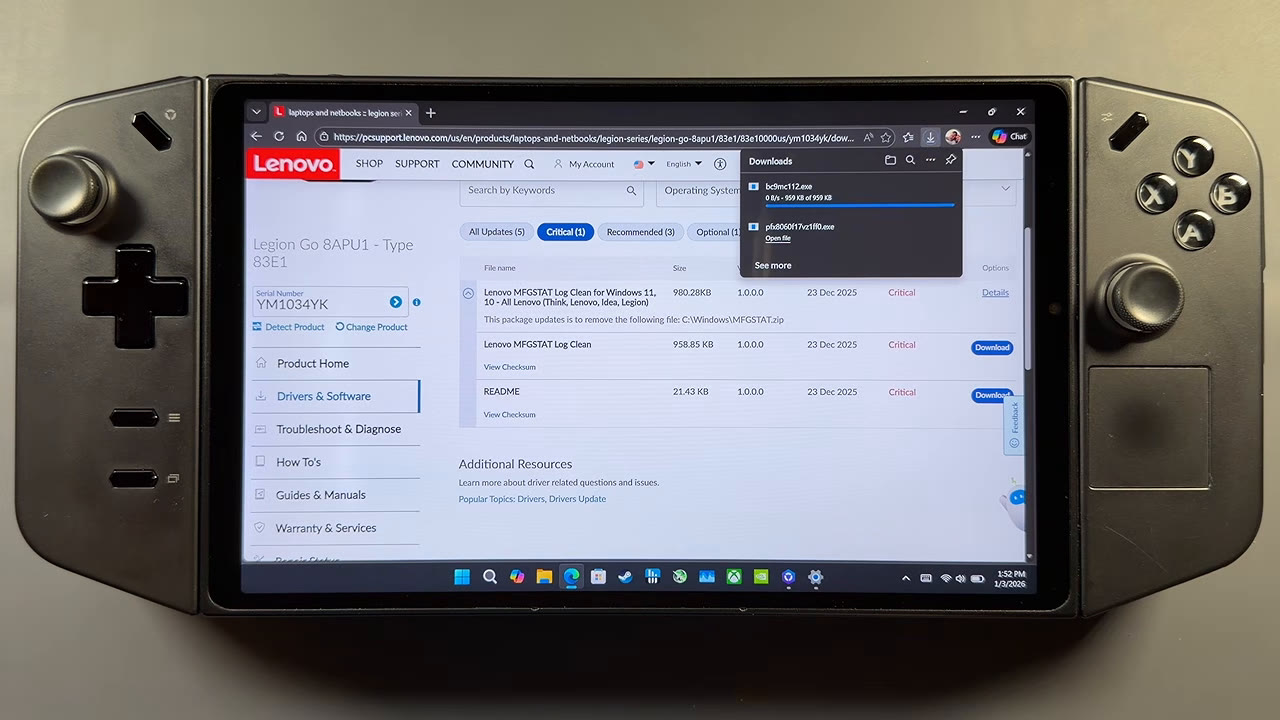
That was it from the website. After those two, nothing popped up anywhere for me in Legion Space or Windows Update.
Still no new GPU driver
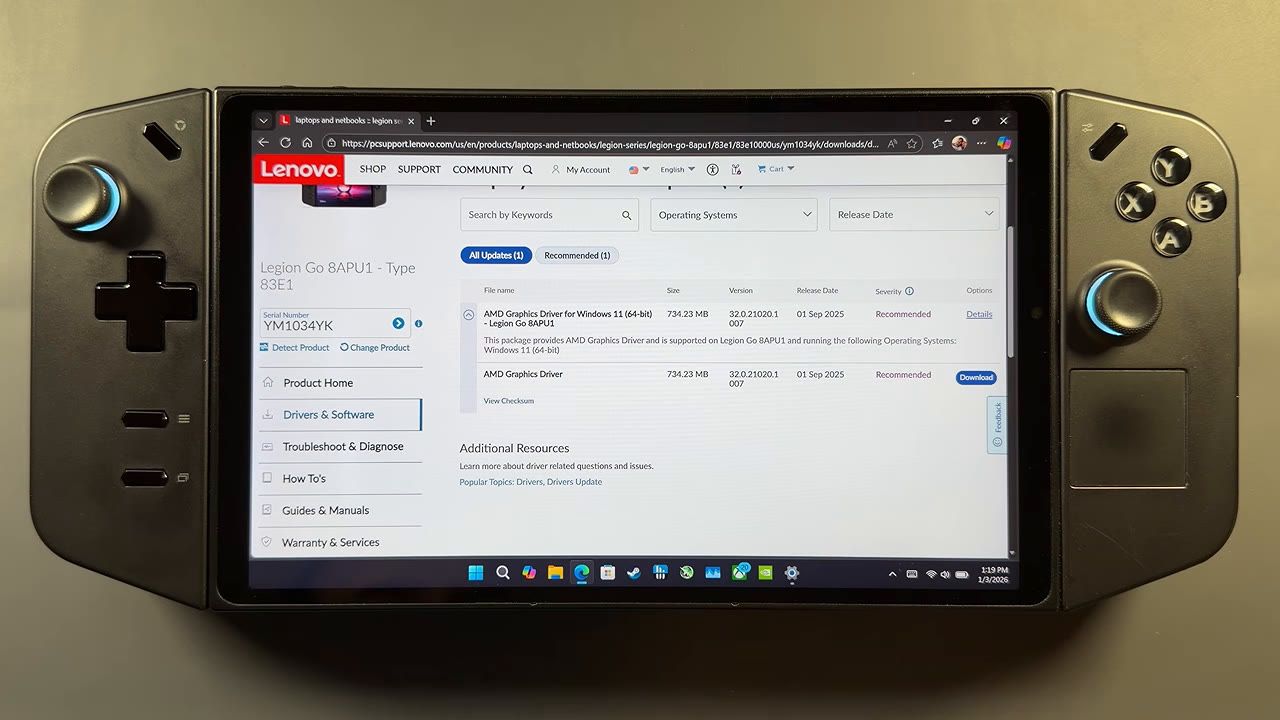
Lenovo's official GPU driver for the original Legion Go hasn't been updated. The support site still lists 32.0.21020.1007, dated 01 Sep 2025. The Go 2 is definitely on a newer GPU driver, so if you haven't side-loaded anything on the Go 1, you're still on a very old official driver. That's surprising, but not surprising if you're used to how things have gone with the original Go. If you want a newer driver now, see my guide to side-loading newer AMD GPU drivers on the Legion Go Z1 Extreme. Lenovo did post a newer official driver later, which I covered in the April 2026 drivers guide.
What's new in Legion Space
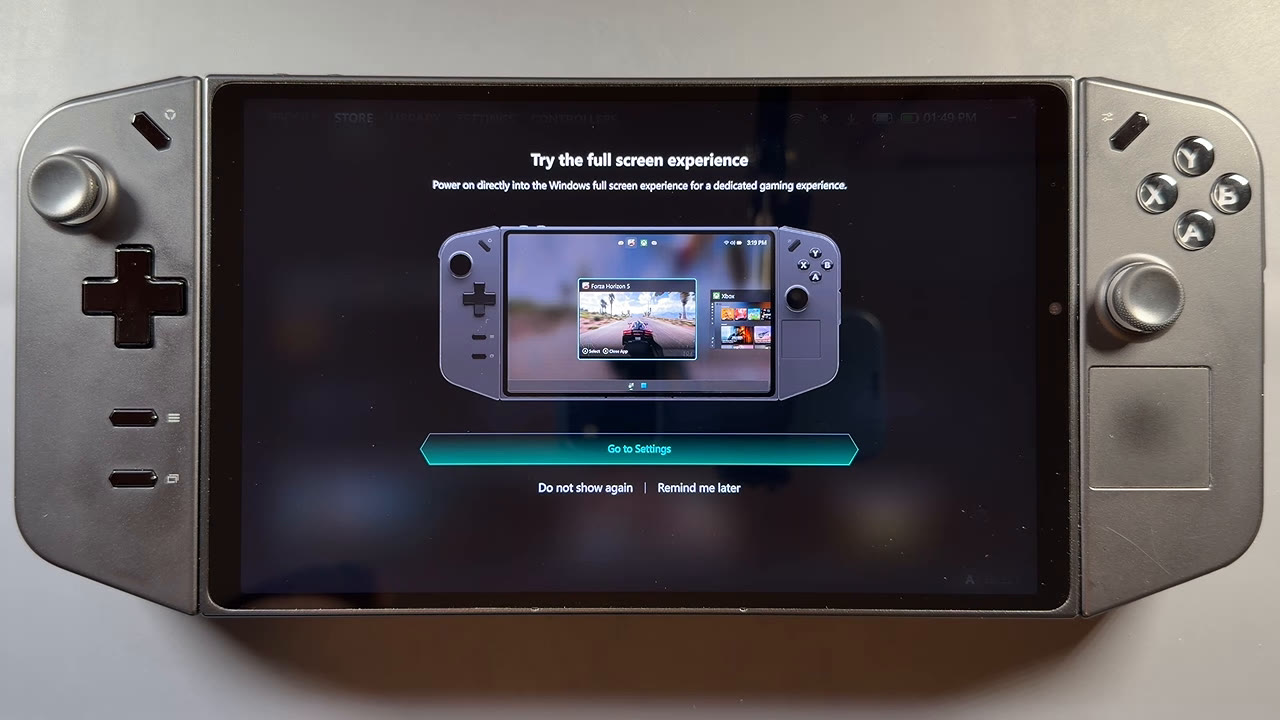
The biggest update, and it came to all the Go devices, is Legion Space. It adds a widget in the Xbox Game Bar, a little more integration and a controller firmware update, all aimed at making the Xbox full screen experience easier to use. Because I'm on preview, it also prompted me to try the full screen experience, which I'd already been using on this device. I haven't seen that prompt on my Go 2.
New Game Bar button shortcut
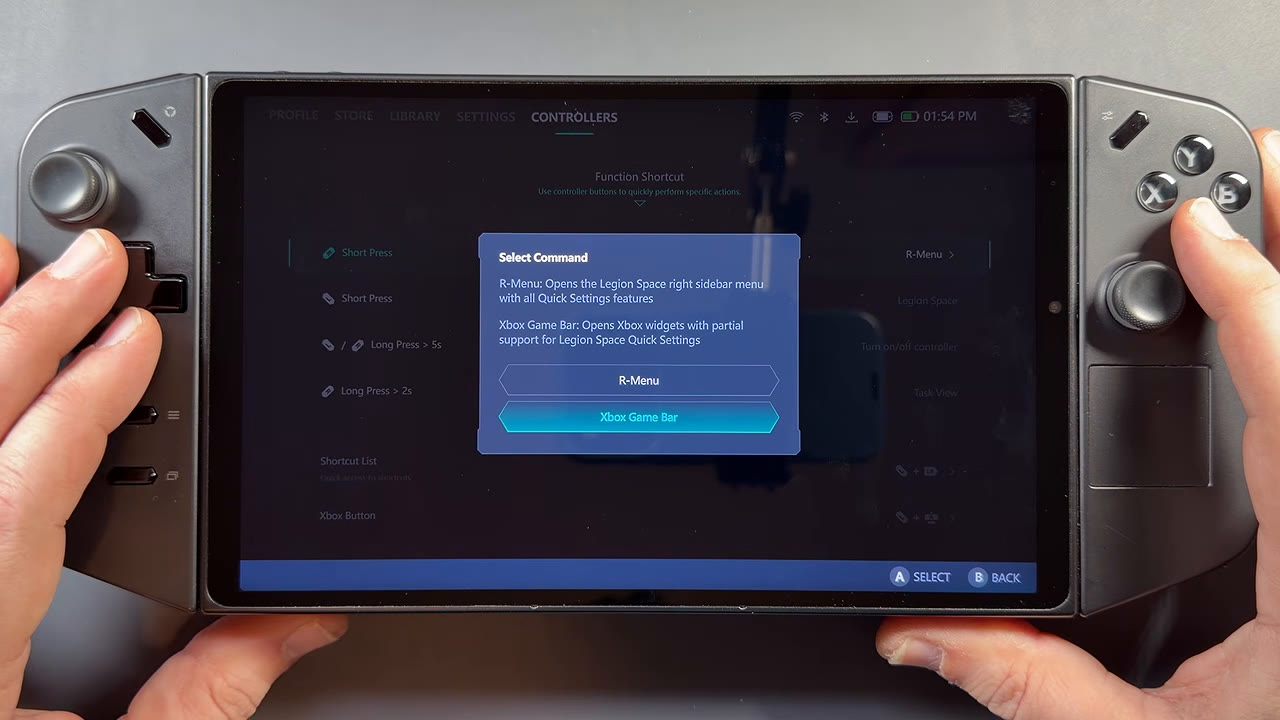
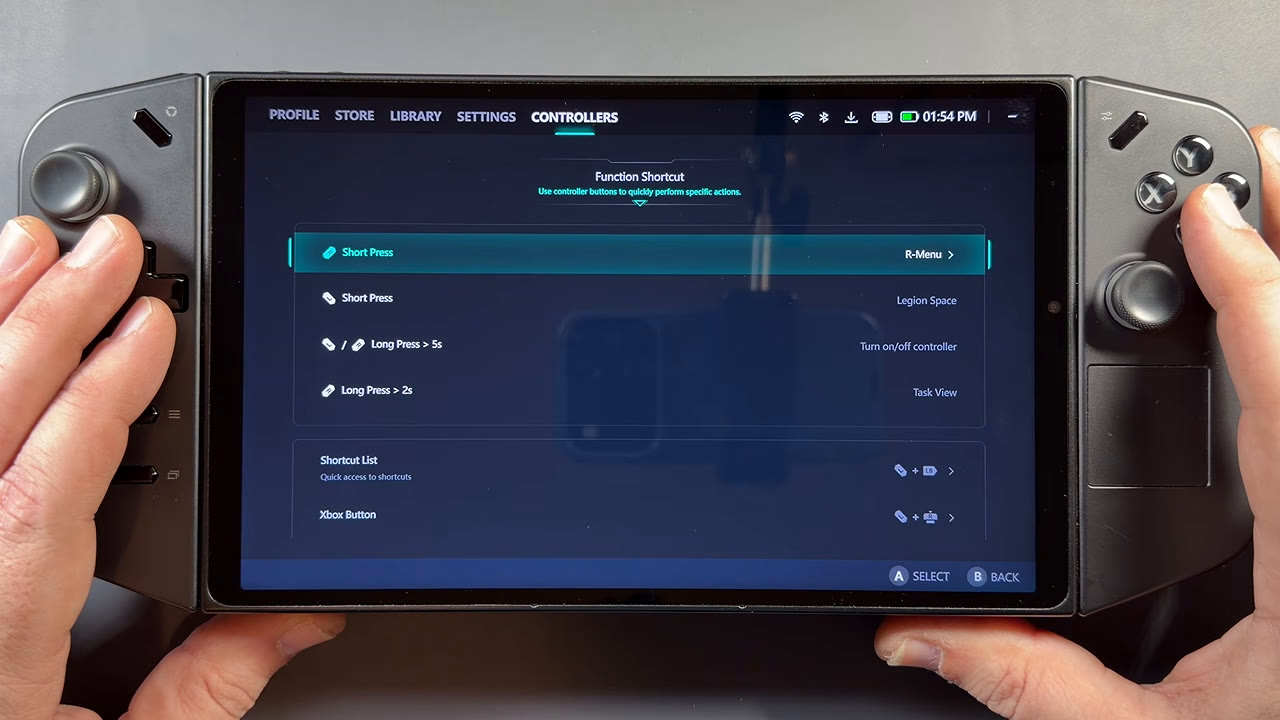
In Legion Space, go to Controllers → Function Shortcut. The short press for the quick access button (the right button up top) can now be set to Xbox Game Bar instead of R-Menu, so it just opens the Game Bar. There are a few more short-press and long-press options down through there, like Task View, to make things easier in the full screen experience, since this device, like the Go 2 and the other Go models, has no Xbox button.
I'd already set this up through hotkeys on the back buttons in the gamepad settings: Win + Tab, Win + G and a Task Manager shortcut, which is what I use in the full screen experience to bring up the Game Bar.
The Legion Space Game Bar widget
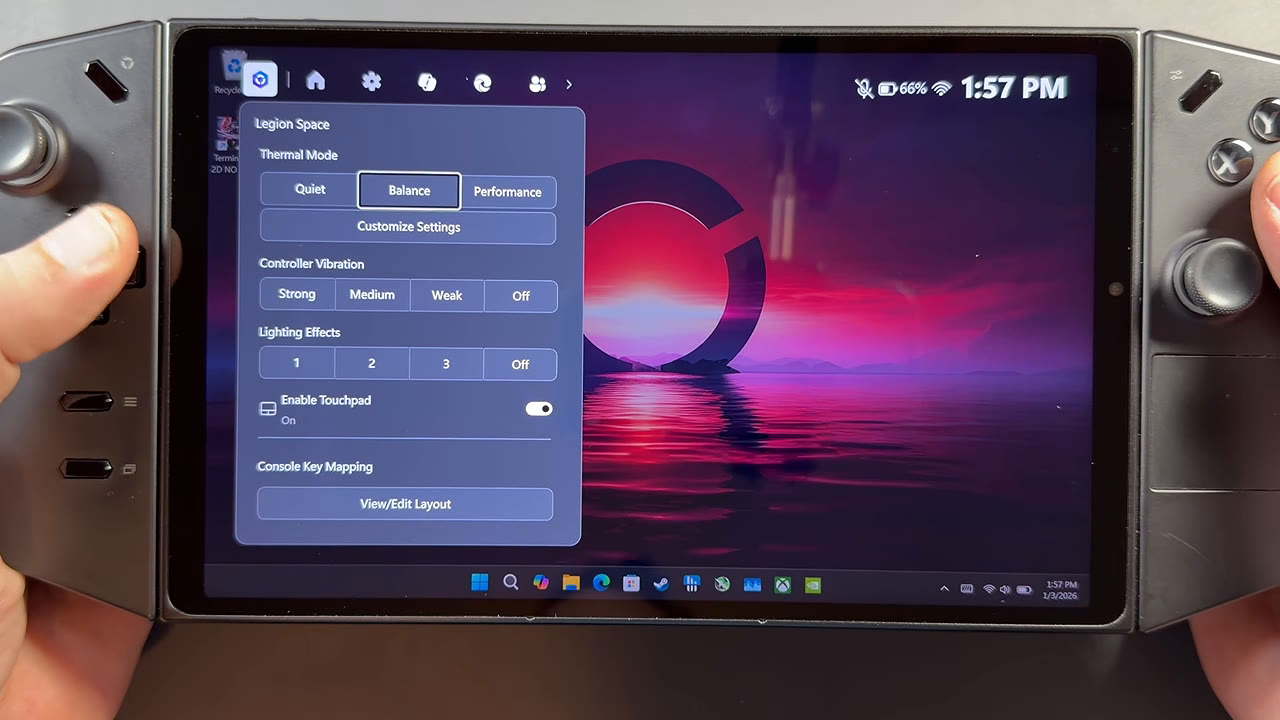
Open the Game Bar and Legion Space now shows up much like MSI Center or Armoury Crate SE do. The widget has Thermal Mode (Quiet, Balance, Performance, plus Customize Settings), Controller Vibration, Lighting Effects, an Enable Touchpad toggle and Console Key Mapping.
The catch: you can't change any of those settings unless Legion Space is open. On MSI and ASUS devices you don't need the main app open to use the widget, but with Lenovo you do, at least for now. In the full screen experience, the widget is all grayed out until you open Legion Space. I don't usually keep it open, since it's been known to affect performance depending on the game, so I'll have to set it to open automatically at boot if I want to use the widget. Even then, the settings are pretty bare-bones, and tapping Customize Settings or View/Edit Layout just opens the full Legion Space app. I do hope they add a lot more to the widget like the other companies have, because that's what makes it so useful.
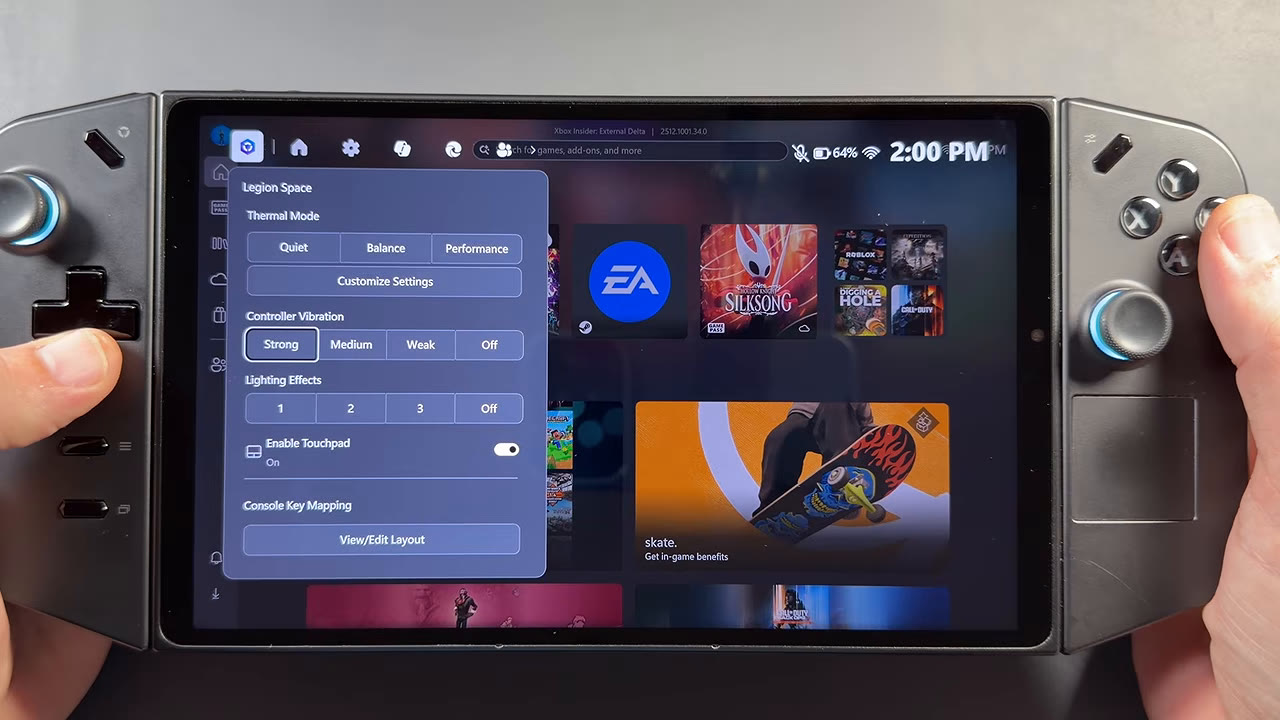
If you want more out of the Game Bar on a Legion Go today, the community GoTweaks widget goes a lot further. See my GoTweaks guide.
What about the Legion Go 2?
A couple of days earlier, Lenovo updated the Legion Go 2 Z2 Extreme support page (Legion Go 8ASP2) with 10 driver updates, all showing December 31 dates. That's the date the site was updated, not how new the drivers are. I checked all 10 (audio, Bluetooth, fingerprint, display and the rest) against my Go 2, and I already had every one installed through Windows Update. Lenovo's automatic scan found nothing for me either.
- The GPU driver on the site is the same September 23-dated driver Lenovo pushed through Windows Update on December 14, with no other tweaks. It helped with my Battlefield crashing and some Cyberpunk performance issues.
- The site lists Legion Space 1345, but my Go 2 had already updated itself to 1349. I haven't gotten a single update through Legion Space itself since launch on the Go 2.
- If you block or don't use Windows Update, the support site is now the place to download everything and get caught up.
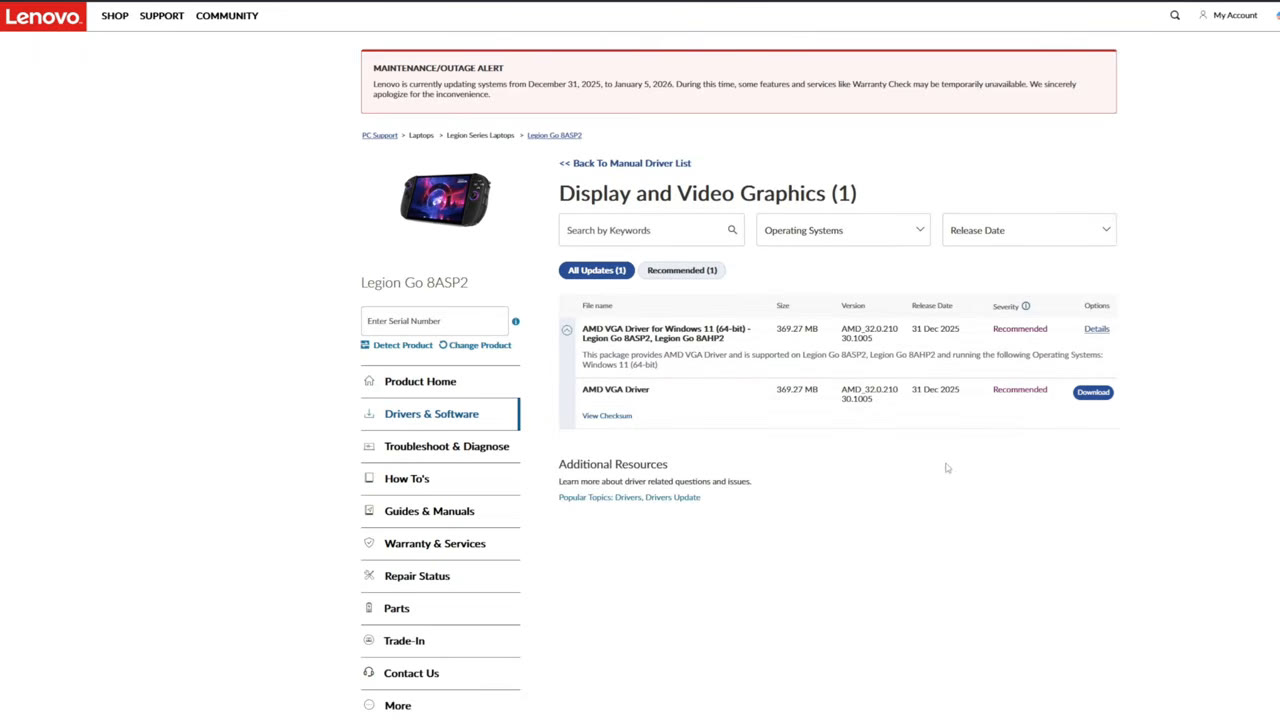
Here's that breakdown video:
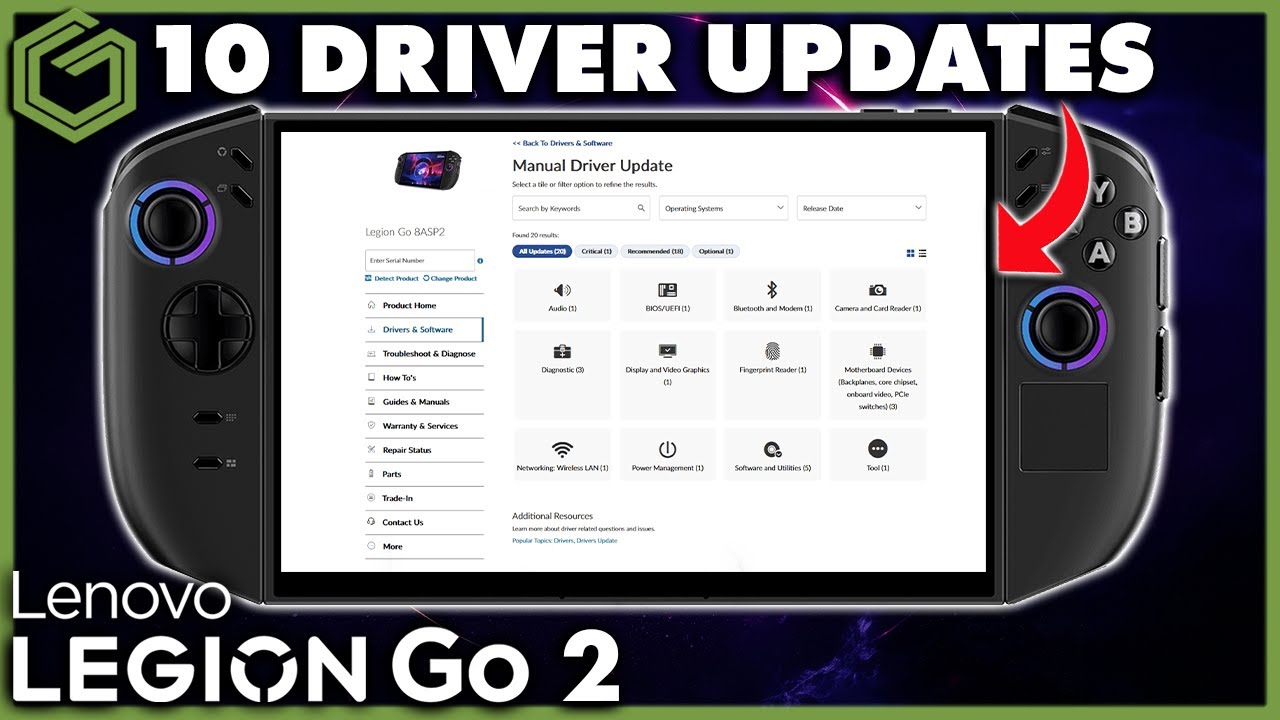 ▶Watch on YouTube
Lenovo's website is always a little behind, but this time it caught up about 2 or 3 weeks after the Windows Update push. If Windows Update is quicker for them than Legion Space or the website, I'm all for it.
My take
For about three months with the device off, that's not a lot. It came down to the critical package, maybe the AMD chipset driver, and the Legion Space update with the controller firmware and better widget integration for the Xbox full screen experience. I'd like to see a new official GPU driver for the original Go soon. I'm keeping this device for quite a while, so I'll keep testing it with newer games and comparing it to the Go 2.
FAQ
What's new for the original Legion Go in January 2026?
Mainly the Legion Space update, which adds controller firmware, a Legion Space widget in the Xbox Game Bar and a Function Shortcut option to open the Game Bar. On the support site there was also a critical package, Lenovo MFGSTAT Log Clean.
Did the original Legion Go get a new GPU driver?
Not at this point. Lenovo's support site still listed 32.0.21020.1007, dated 01 Sep 2025, as the official GPU driver for the original Legion Go.
Does the Legion Space Game Bar widget work without Legion Space open?
No. The settings are grayed out until Legion Space is open, both on the desktop and in the Xbox full screen experience.
Do I need to download drivers from Lenovo's site for the Legion Go 2?
Not if you use Windows Update. All 10 drivers Lenovo posted with December 31 dates were already on my Go 2 through Windows Update. The site is useful if you block Windows Update.
Want more handheld tests?
New Steam Deck, ROG Ally, Legion Go and Steam Machine performance videos every week.