 ▶Watch on YouTube
- Intel's April 21, 2026 GPU driver (.8725) fixed the DX12 crash that stopped Pragmata from reaching the title screen on the Claw.
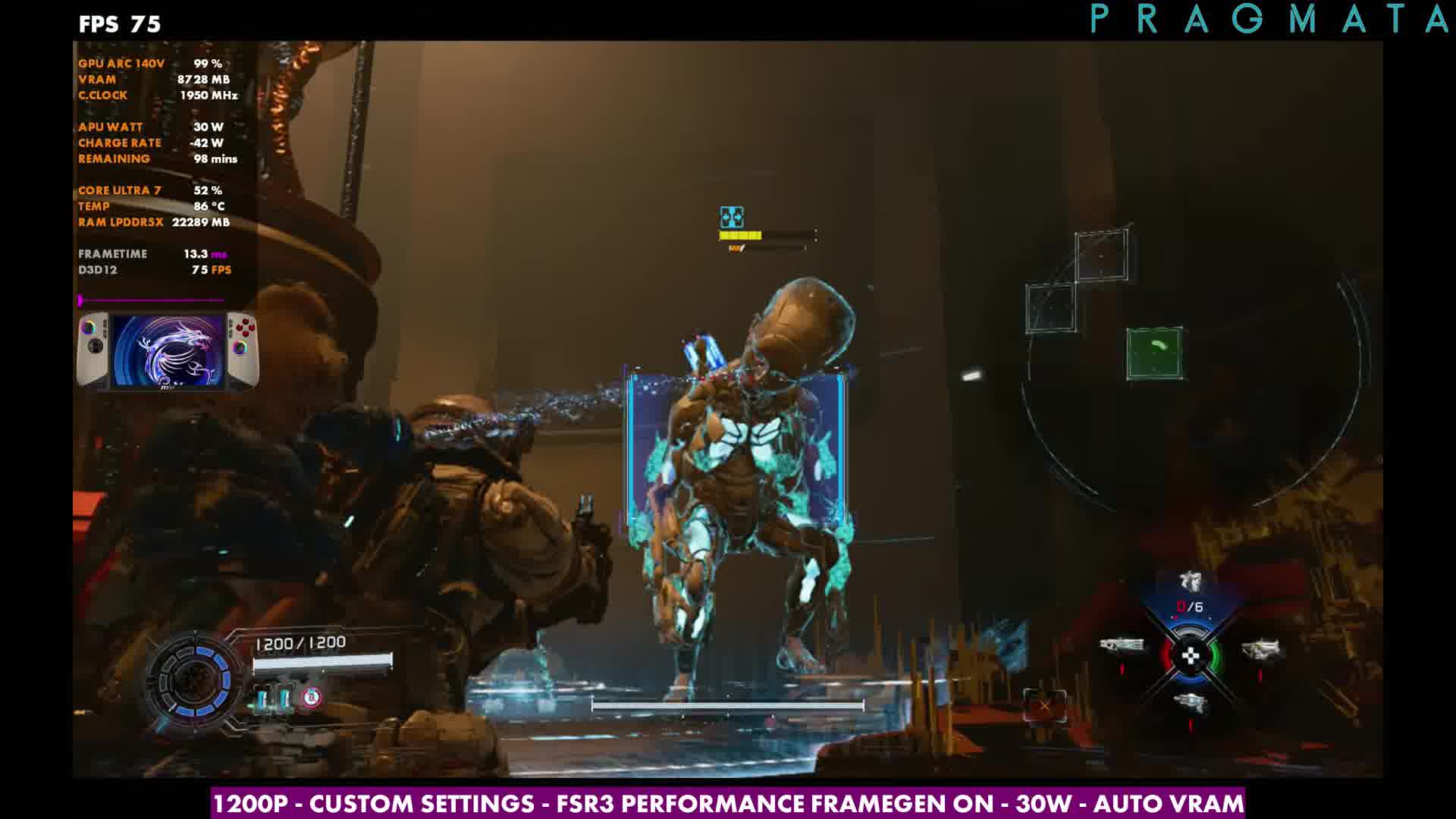
- At 1200p, custom settings, FSR3 Performance, 30W, overlays sat in the mid-50s to low 60s without frame gen — close to what I was getting on the Legion Go 2 and Xbox Ally X, with a few extra dips in places those don't hit as hard.
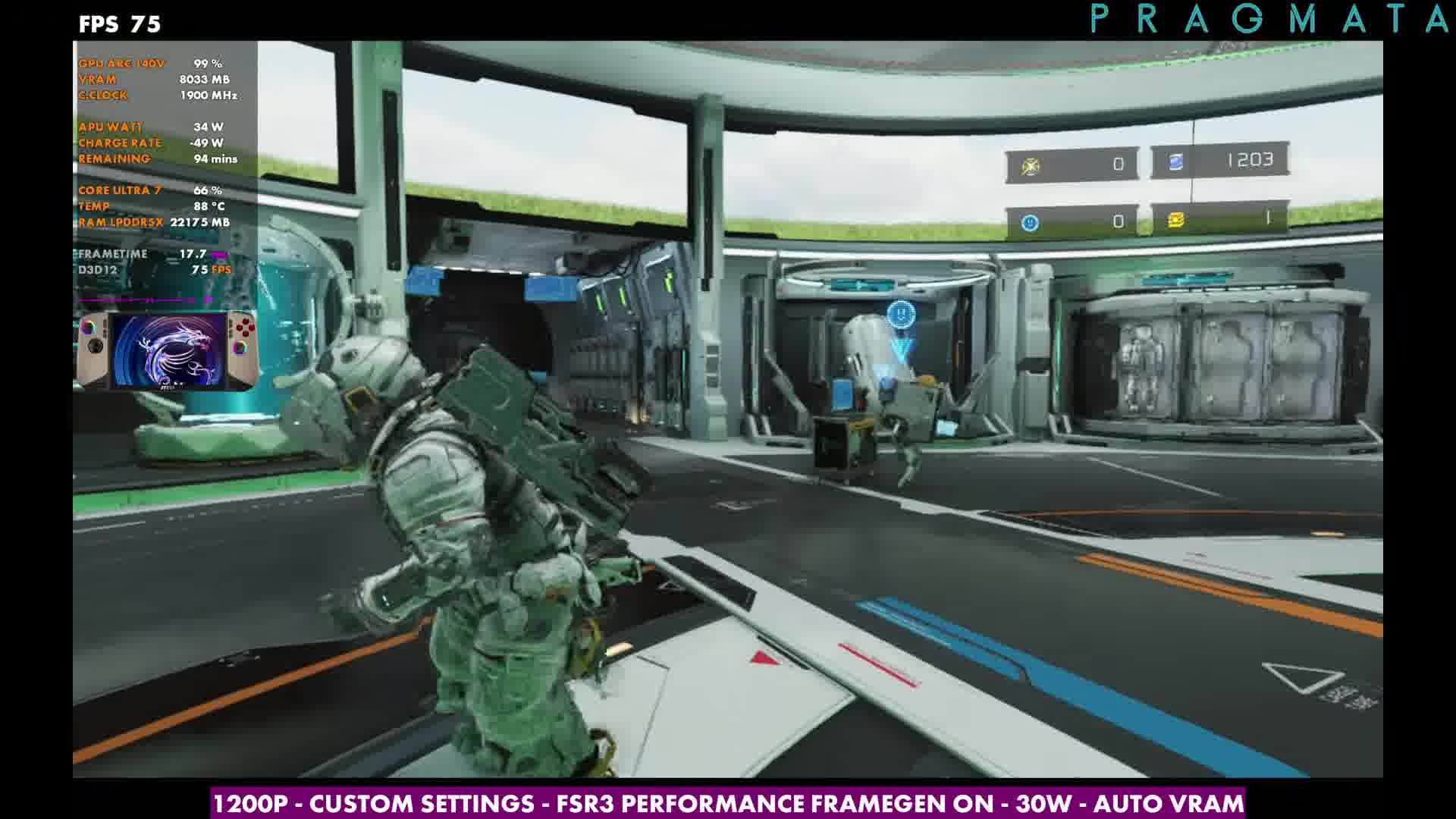
- With frame gen on at the same 1200p setup, overlays moved into the mid-70s. It helps, but it's not a clean double on Intel here, and I'd still rather have XeSS than FSR3.
- At 800p FSR3 Performance with frame gen, overlays were around the low 90s. 800p FSR3 Balanced without frame gen sat in the mid-70s to low 80s. Ray tracing at 800p FSR3 Performance held around the high 50s to high 60s in the spots I checked, but it'll sink into the 30s elsewhere.
Pragmata wouldn't even get past the title screen on the MSI Claw 8 AI+ until Intel shipped another GPU driver on April 21, 2026. That build fixed the DX12 crash, and once I installed it straight from Intel I could finally play. Here's how it ran with Windows and drivers fully updated, mostly at the Claw's native 1200p and up to 30W.
Driver fix
I usually grab Intel drivers from Intel's site rather than waiting on MSI. After installing this one, Adrenalin-equivalent reporting on the Claw showed .8725. Articles were already calling out the Pragmata / DX12 fix the same day.
What I tested
- Up to 30W (I didn't spend time sweeping other TDPs — I was mostly glad it finally launched)
- 1920x1200 (native) and 800p
- FSR3 Performance (no XeSS in the game yet)
- Custom settings aligned with what I'd been using on the Legion Go 2 Z2 Extreme and Xbox Ally X
- Frame gen off and on
- A quick look with ray tracing on at 800p
Custom settings
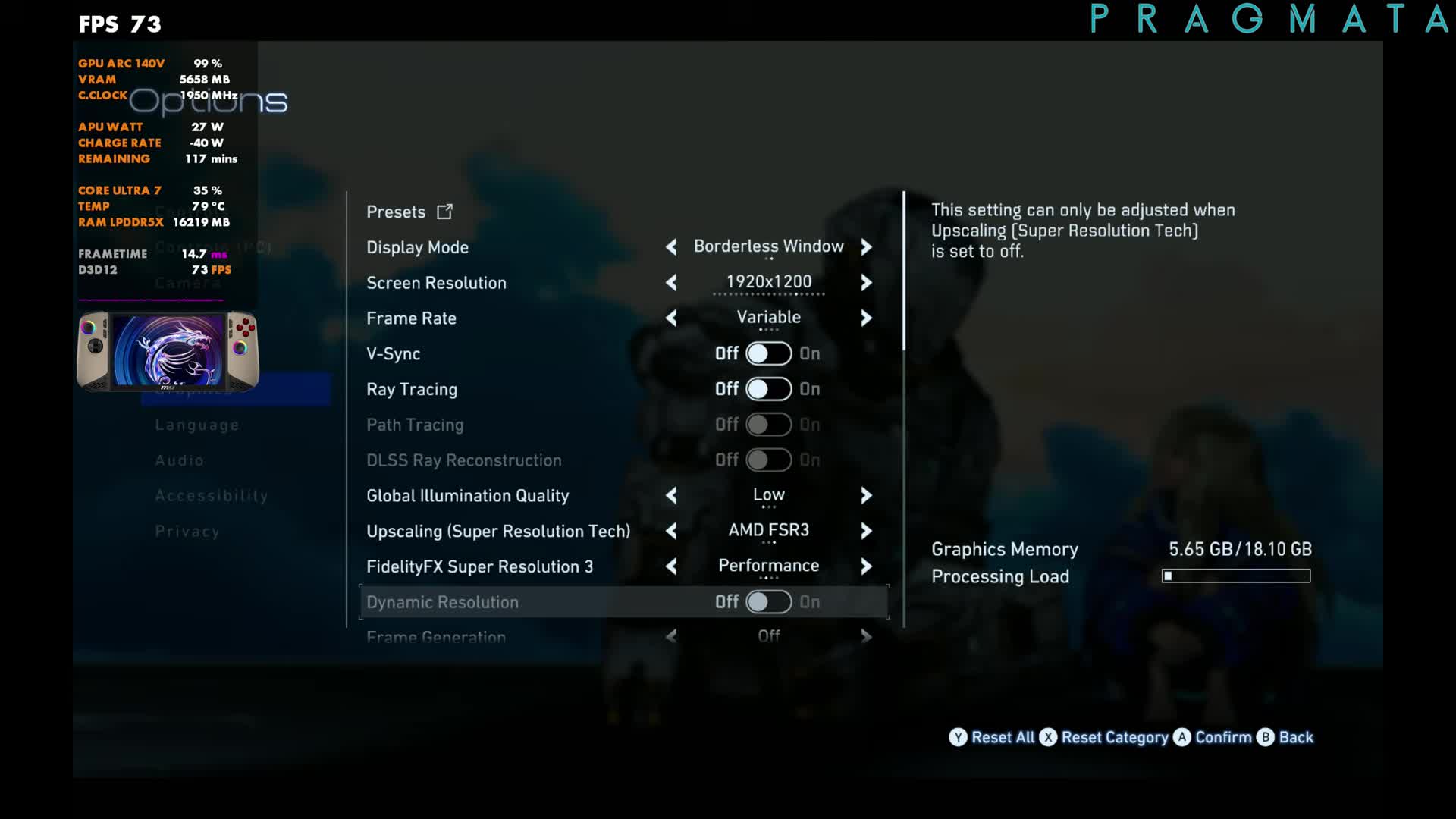
- Variable frame rate, V-Sync off, ray tracing off for the main runs
- Global illumination Low, FSR3 Performance, frame gen toggled per run
- Hair quality Low, textures High, texture filtering 8x or 16x (doesn't move much)
- Mesh quality Medium, shadows Low (shadow costs on), effects Low
- Ambient occlusion SSAO, volumetric lighting Lowest, everything under that off
The built-in Quality / Balanced / Performance / Minimum presets aren't great here — Quality and Balanced skip upscaling, and Performance/Minimum fall back to FSR1 — so I just set things myself.
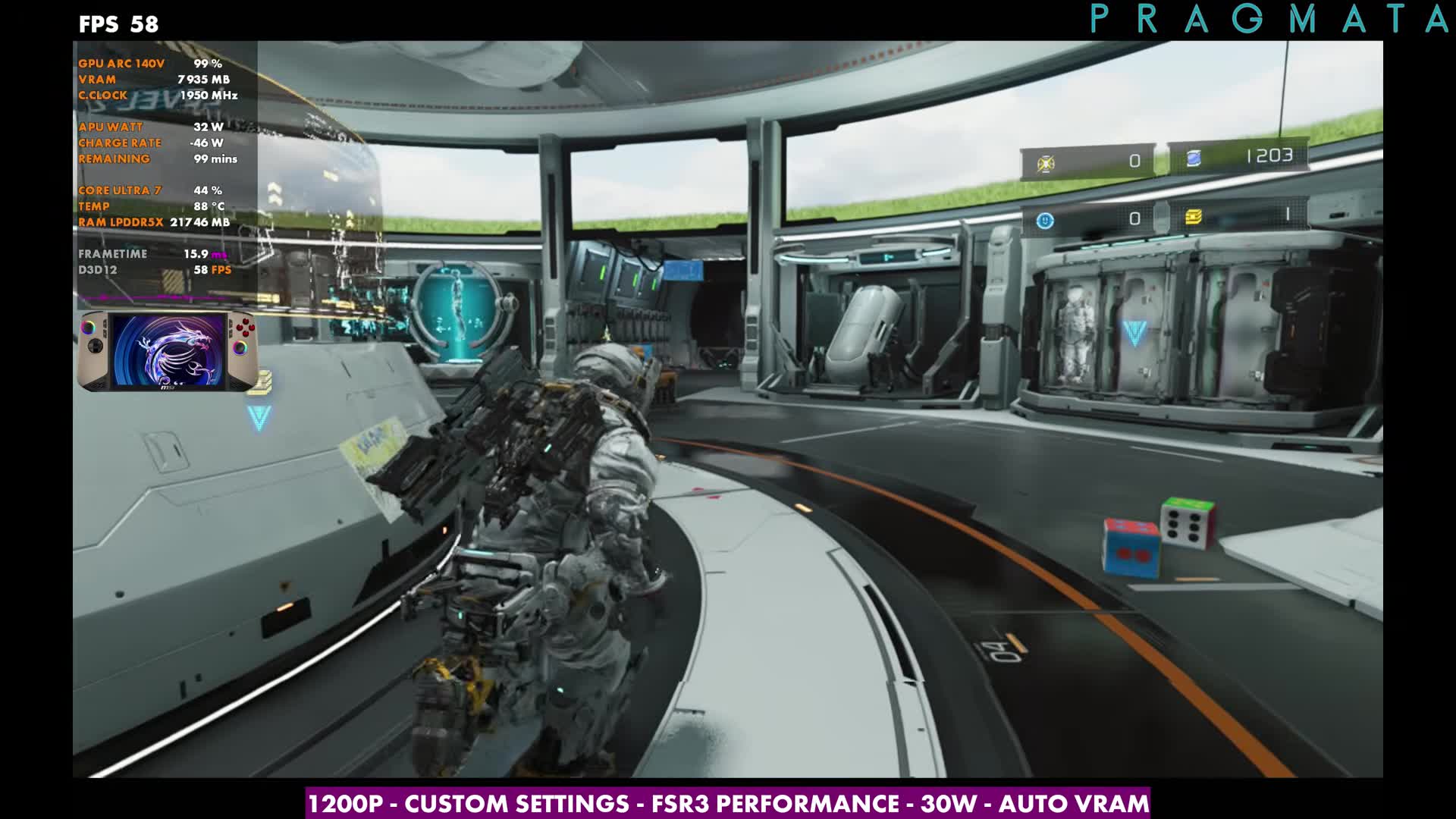
1200p, FSR3 Performance, 30W
This is the baseline I matched to the Z2 Extreme handhelds. Overlay readings in the early combat/explore stretch sat around the mid-50s to low 60s (I sampled readings like 56, 58 and 61). It's close to the Legion Go 2 and Xbox Ally X, though the Claw still dips in a few spots those don't. More driver work would help.
Frame generation
Turning frame gen on at the same 1200p setup pushed overlays into the mid-70s (readings around 74–75 in that stretch). It feels decent in this game, but on Intel it's not quite the uplift I get on AMD, and I still wish XeSS was an option.
800p and ray tracing
At 800p FSR3 Performance with frame gen, overlays climbed into the low 90s (about 90–92). Without frame gen at 800p FSR3 Balanced, I was in the mid-70s to low 80s. That's a solid place on the smaller screen if you want less aggressive upscaling.
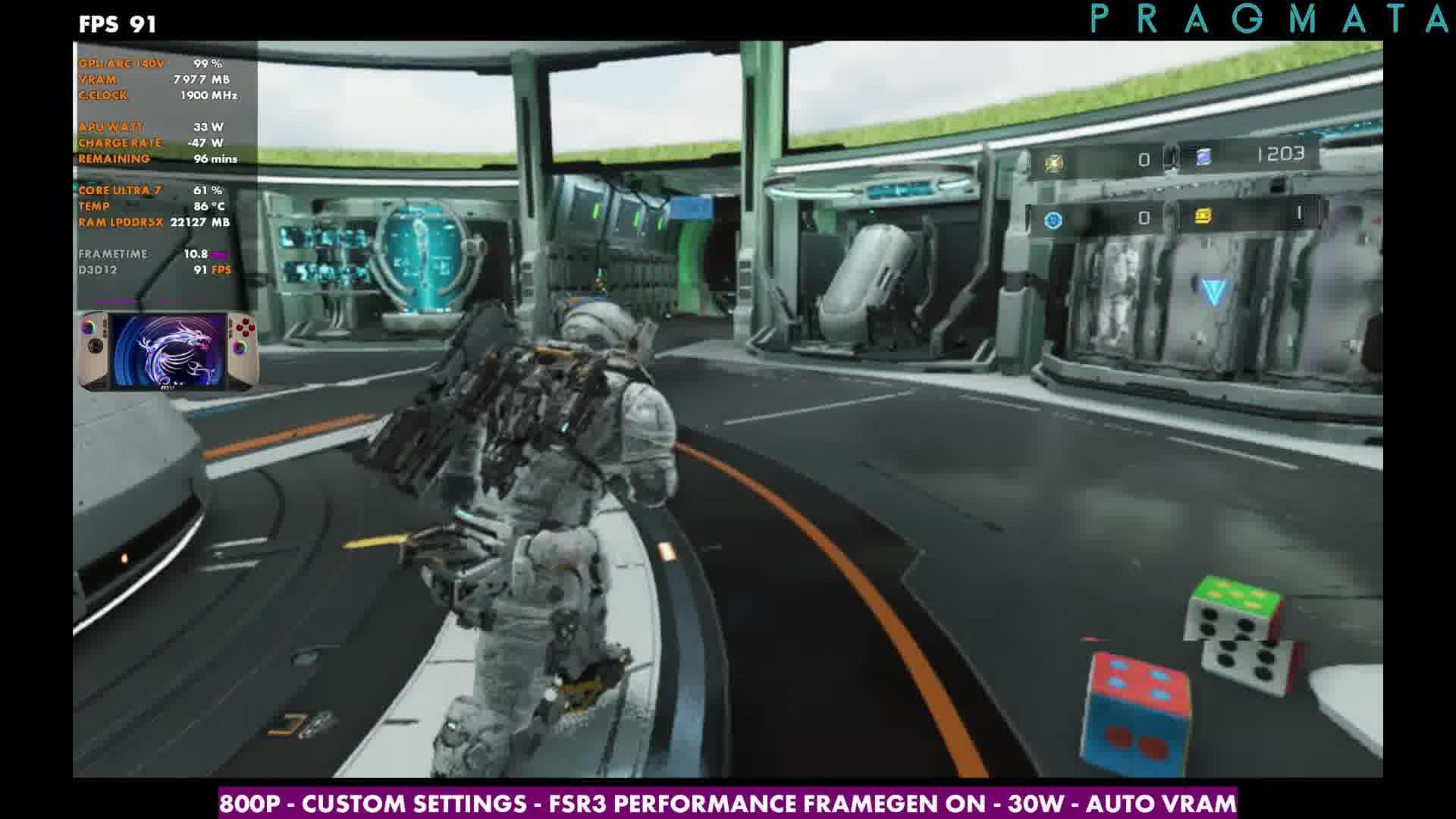
With ray tracing on at 800p FSR3 Performance, overlays in the spots I checked sat around the high 50s to high 60s. Elsewhere it'll drop into the 30s, so you may want frame gen or a leaner preset. For most of my playtime I stuck with the 1200p custom setup at 30W, FSR3 Performance, with or without frame gen.
Verdict
The important part: Pragmata finally launches on the Claw with the April 21 Intel driver. At 1200p custom and 30W it's in the same ballpark as my Z2 Extreme handhelds, with a few extra dips that more driver/game updates should smooth out. Drop to 800p or turn on frame gen when a heavier area needs it.
FAQ
What fixed Pragmata crashing on the MSI Claw 8 AI+?
Intel's April 21, 2026 GPU driver (.8725) fixed the DX12 crash that blocked the title screen.
Does Pragmata support XeSS on the Claw?
Not when I tested it. I used FSR3 Performance instead.
How does 1200p compare to the Legion Go 2 and Xbox Ally X?
Very close on the same style of custom settings, with a few extra dips on the Claw in some areas.
Want more handheld tests?
New Steam Deck, ROG Ally, Legion Go and Steam Machine performance videos every week.