 ▶Watch on YouTube
This is my unboxing and first impressions of the white ROG Xbox Ally, not the full review. I'm only about 24 hours in, and the full review and game testing are on the way. This is the Z2 A model, the little brother of the black ROG Xbox Ally X with the Ryzen AI Z2 Extreme, and I've been excited to finally compare it directly to that device and others and talk about its price to performance.
Quick note: I bought this ROG Xbox Ally myself. I got it on sale, in stock at Best Buy, for $499. Nobody sent it to me.
- The more budget model: AMD Ryzen Z2 A, 16GB of RAM and a 512GB SSD, in white. ASUS lists it at $599.99, and I got mine on sale for $499.
- Same comfortable Xbox-style design as the Xbox Ally X, with a 7" 1080p 120Hz IPS-level screen with VRR.
- Setup took me about two and a half hours with all the Windows, Armoury Crate, MyASUS, Microsoft Store and BIOS updates.
- Easier games run really well, even at 1080p. Newer games are going to need low resolutions and settings, which is what you'd expect from an entry-level device like this.
What's in the box
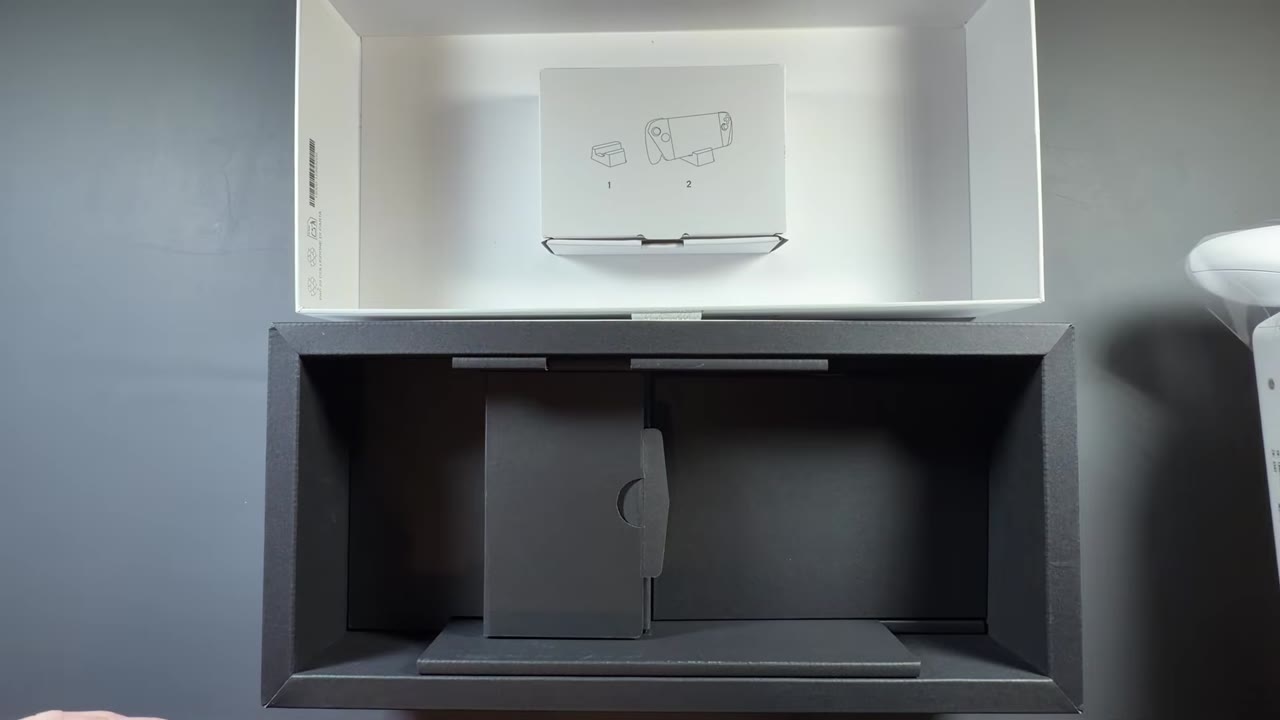
Unlike my black Xbox Ally X, this one came in a sleeve that has to come off first. I'm not sure what the difference is there. Inside:
- The white ROG Xbox Ally
- The white cardboard stand, just like with the Xbox Ally X
- Getting-started paperwork that tells you to plug it in and power it on
- A 65W ASUS charger, which you get with pretty much all their handhelds
- Warranty and getting-started paperwork
Design and feel
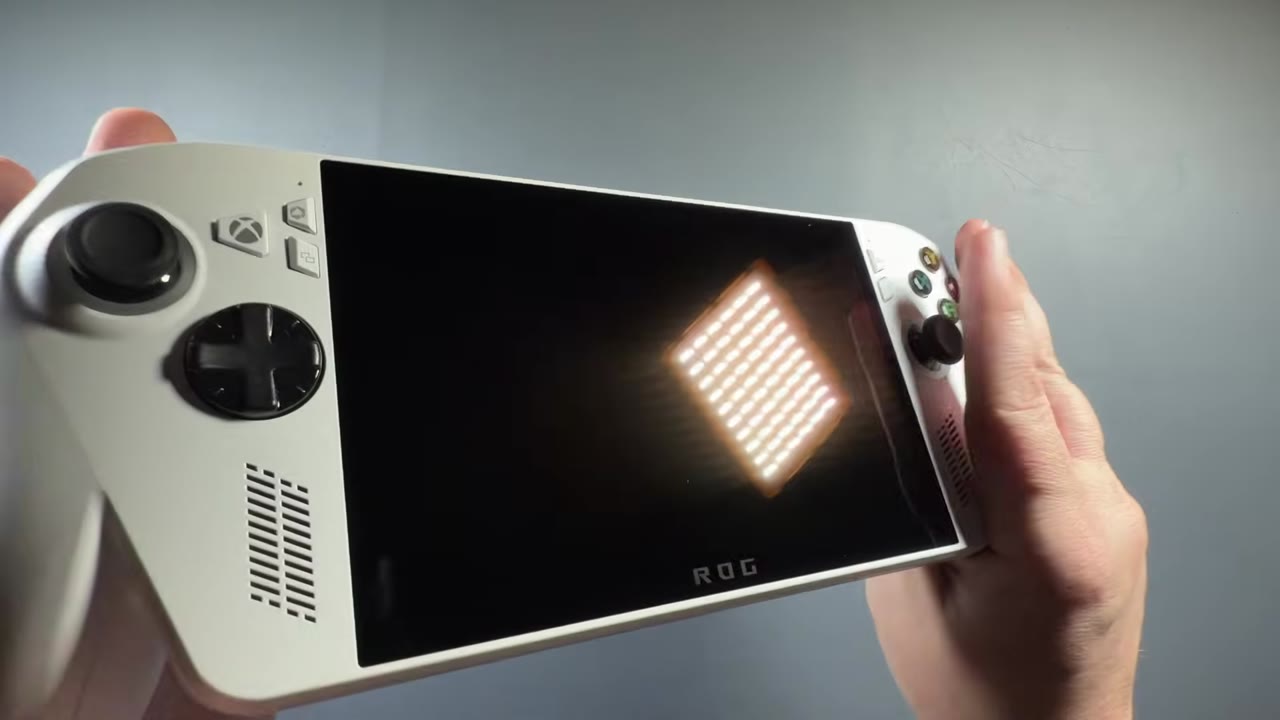
Very much like the Xbox Ally X, this is really comfortable. It can be an odd-looking device, but in white I think it's really sleek. A lot of people hate white tech, but I'm kind of a sucker for it if it's done right, and this looks really nice.
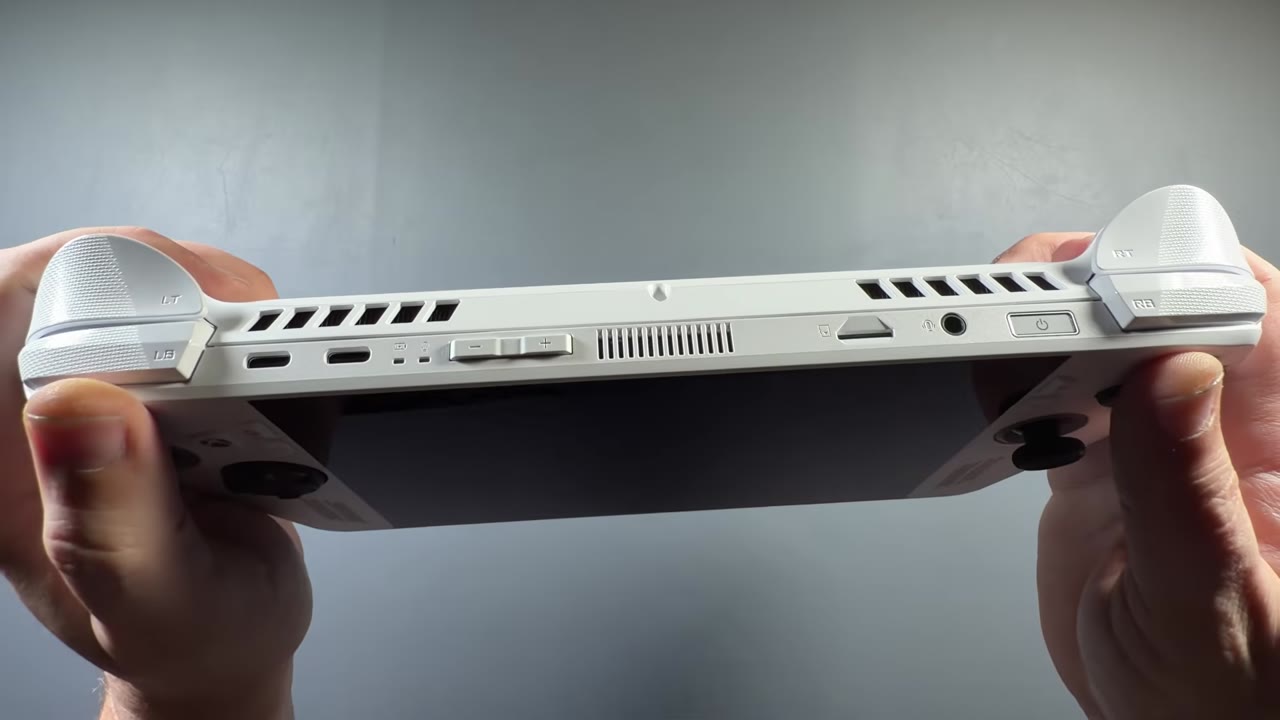
It has the same smaller 7" IPS screen as the other Ally devices and the Xbox Ally X, at 120Hz with VRR. Otherwise it looks like the black Xbox Ally X in white: the same venting, grips and etching, the same two back buttons, and the same tapered design with a little bit of an angle to it when you hold it. It's still very comfortable, very nice to hold and light.
Specs
- Processor: AMD Ryzen Z2 A (4 cores, 8 threads) with RDNA 2 graphics. It's the Van Gogh architecture, kind of like the Steam Deck's, so it's much older tech meant for a more budget machine.
- Memory and storage: 16GB LPDDR5, 512GB SSD
- Display: 7" 1080p IPS-level, 120Hz with FreeSync Premium (VRR)
- Battery: 60Wh, with the 65W charger in the box
- Price: $599.99 list from ASUS. I paid $499 on sale at Best Buy.
Specs beyond what I covered in the video are from ASUS's ROG Xbox Ally spec page.
Setup
It's still a typical Windows setup, and it takes a good bit of time, especially since there have been a lot of updates for this device. Like I said with the Xbox Ally X and other Windows handhelds, I wish there were a more streamlined setup for the Xbox full screen experience. Getting fully updated and where I needed to be took me about two to two and a half hours.
I always go to desktop mode first and get through all the updates:
- Windows Update, since there are a lot of important ones from Microsoft for these devices. I had to refresh and run it a few times.
- Armoury Crate updates, including the new BIOS.
- MyASUS. I always like to check here, because updates that don't show up elsewhere sometimes show up in here.
- Microsoft Store, where I had dozens and dozens of updates.
- The BIOS update, which I did through Armoury Crate this time. A lot of times I use MyASUS, but either way it's the same thing. Keep the device plugged in and go through all the steps.
Get all of that done so nothing's slowing you down, then remove whatever you want to remove. That's pretty typical for Windows PC handhelds, and depending on when your unit was manufactured, you can have a lot of updates to do. Maybe eventually Microsoft will come up with a faster, sleeker way to get you in and updated.
The Xbox full screen experience
I still really like the Xbox full screen experience and the direction it's headed. Once you're set up, it's really easy to navigate and use, along with the widgets and that type of thing. I still use the One Game Launcher a lot to add programs the Xbox full screen experience doesn't pick up, so it kind of bridges the gap. I really like what Microsoft is doing here to make Windows easier to use on handhelds, but the whole setup to get to the point where it feels easy is still Windows, and it still takes a long time.
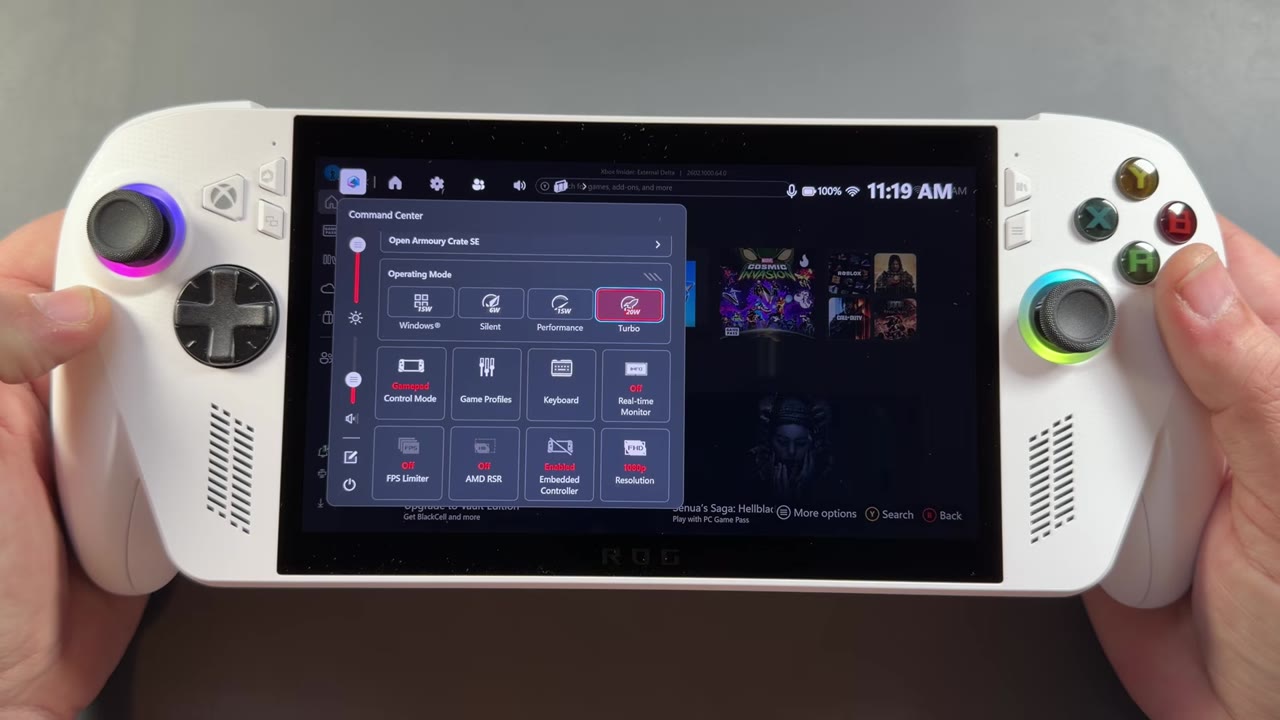
For power, there are 20W, 15W and 6W options. In Armoury Crate's performance settings, my machine defaulted to 6GB of VRAM on this 16GB system, which is fine. I don't like to use auto, and I'd recommend 4, 5 or 6GB depending on your games. You won't need more allocated for the kind of games you'll play on here and at these resolutions, and you don't want to take too much system RAM away.
Early gaming impressions
There's a ton to get into with game performance in the full review, so these are just quick first tries. FPS numbers are what I said in the video or, where marked, what the on-screen overlay read.
- Cosmic Invasion: easy-to-run titles like this run at a solid 60 FPS at around 10 or 11 watts, and that's at 1080p. Even though this machine is built as a 720p gaming machine, especially for harder stuff, there are going to be plenty of games you can still pull off at 1080p.
- Final Fantasy VII Remake at 20W, 720p and low settings: I was able to pull off 40 to 60 FPS pretty well. This game forces dynamic resolution scaling, so there's a lot going on there.
- Sonic: I can usually push 120 FPS in this one pretty easily. I was getting close at 1080p (the overlay read in the 90s), but I'd probably have to drop to 720p to really push and cap it at 120.
- Cyberpunk 2077 at 1080p medium with FSR 3 Performance: I didn't expect it to be the most playable setting, and the overlay read about 33 to 34 FPS. At 1080p low it read about 37. I'd want 720p with some upscaling, maybe FSR 3 Balanced, and lower settings. I'll spend a lot more time on this game in the review and in game tests and comparisons.
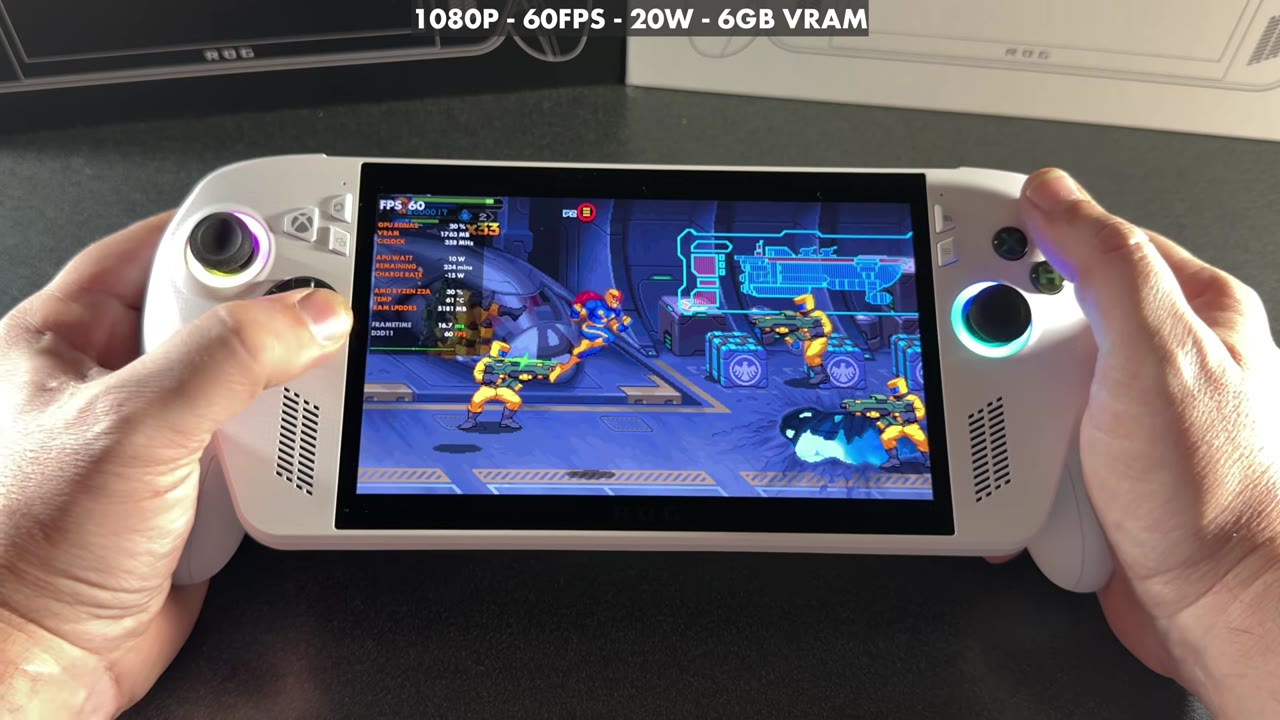
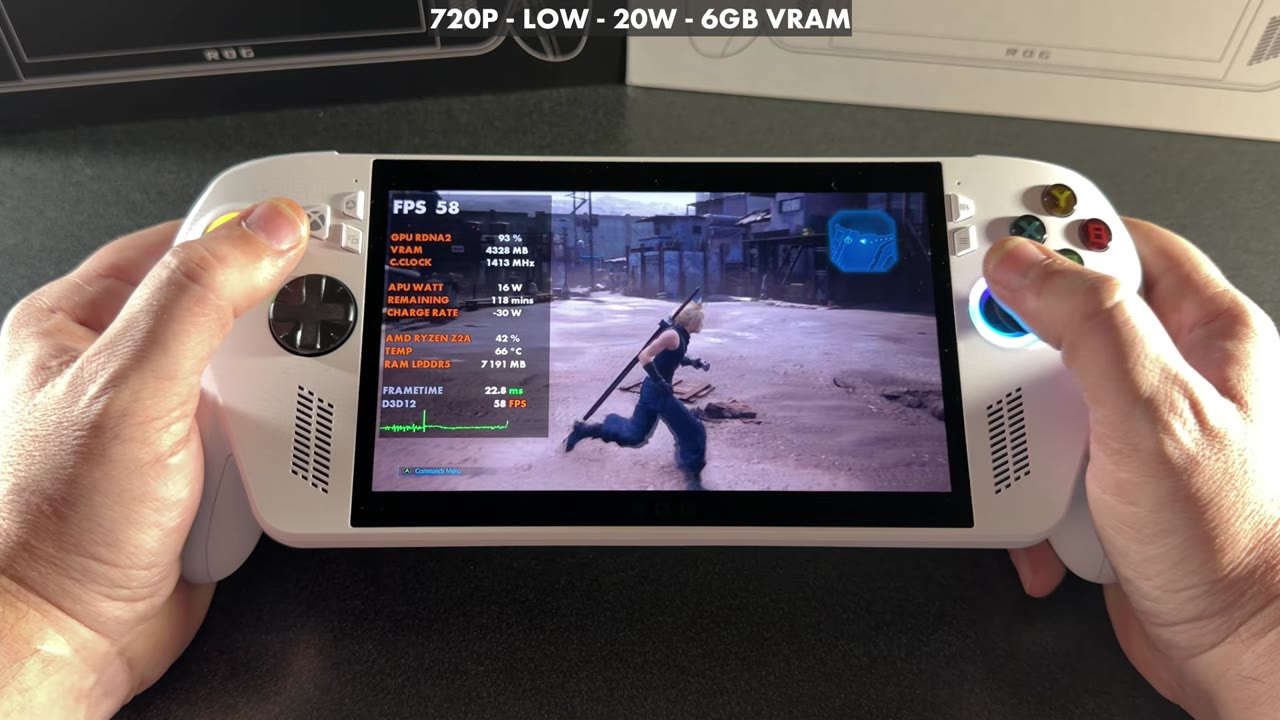
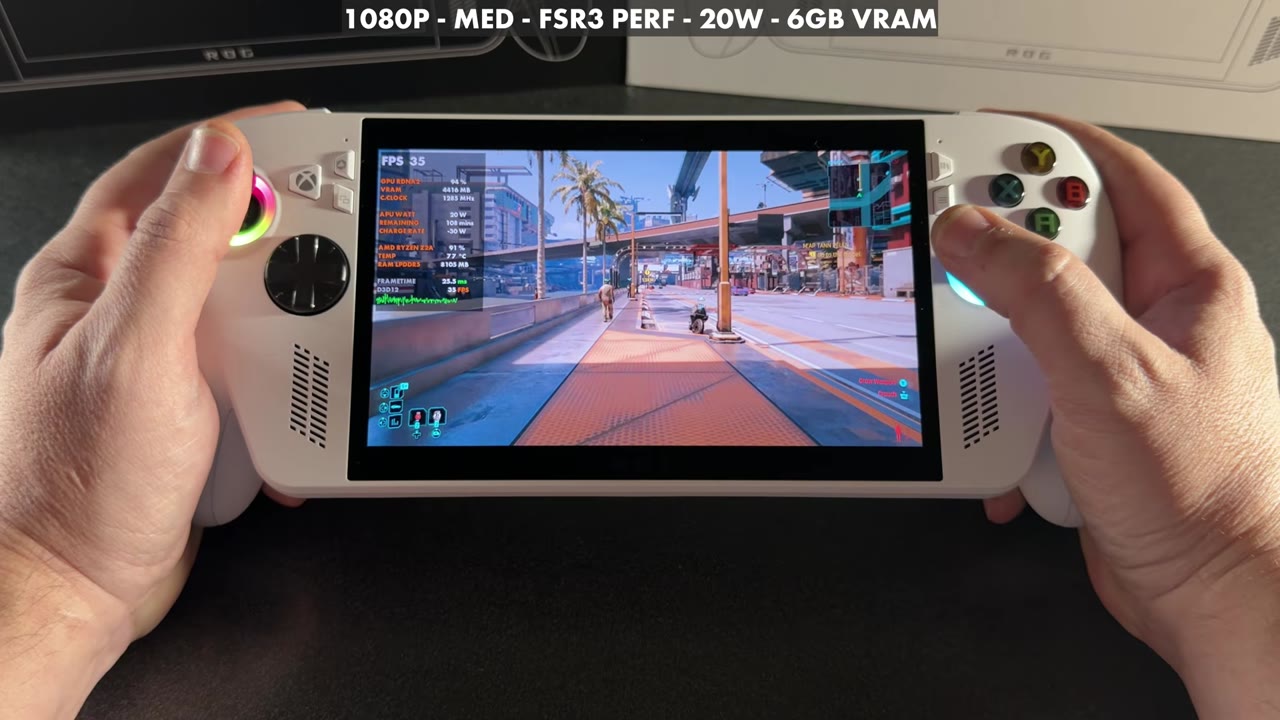
Easier-to-run and older games are going to shine on this system a lot more. Newer games are going to be very hard to run, or you might struggle with them, and they'll need pretty low resolutions and settings. That's kind of what you expect from an entry-level, more budget device like this.
First impressions
It's not nearly as powerful as the $1,000 Ryzen AI Z2 Extreme in the Xbox Ally X, so it's going to depend on what you want to play. I kind of wish there were a white Z2 Extreme version, but all in all, that's fine. It certainly isn't something that's going to appeal to everyone, or to enthusiasts. But for someone looking for a handheld that's really good at remote play and cloud gaming, with some good native gameplay that looks pretty decent and a very comfortable design, and especially at an affordable $499 to $599 in today's economy, this could be pretty appealing. I think it's going to be a pretty capable machine for its price and for what it's offering.
Again, this isn't the full review. I have a lot more to get into, and I want to compare it to the other handhelds and see whether I think it's more worth it as we go.
Want more handheld tests?
New Steam Deck, ROG Ally, Legion Go and Steam Machine performance videos every week.