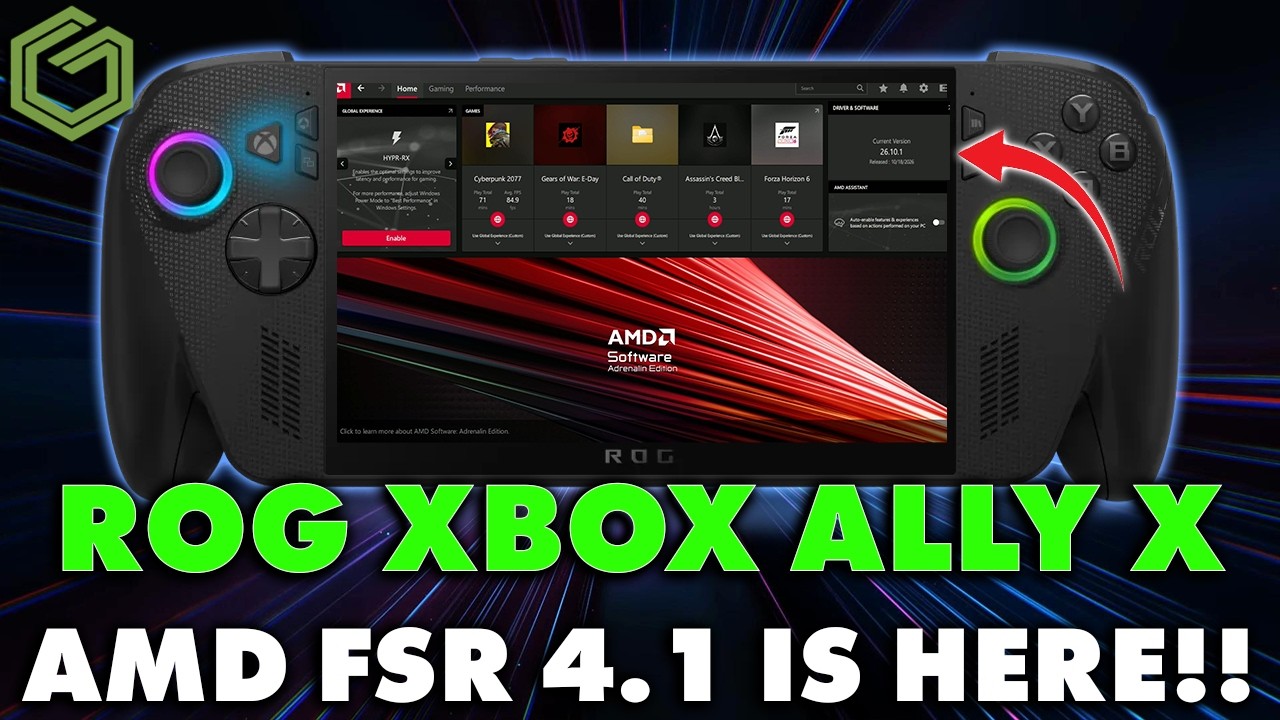
 ▶Watch on YouTube
- AMD's FSR Upscaling 4.1 is out as a preview GPU driver for the ROG Xbox Ally X and X20, released October 23.
- Install it from Armoury Crate SE → Update Center → Preview Updates, plugged into power, then add the AMD FSR Upscaling tile to Command Center and turn it on.
- Any game with FSR 3.1 or newer can use it, which ASUS puts at over 400 games.
- In Gears of War: E-Day it looked sharper and cleaner than FSR 3.1, with less shimmering, but FPS was usually a little lower.
AMD's FSR 4.1 is now officially on the ROG Xbox Ally X and Xbox Ally X20 through a preview GPU driver that landed October 23. AMD had already announced it was bringing FSR 4.1 to more devices, including Xbox and the Xbox Ally X handhelds, and now it's here to try. Here's how I set it up and how it looked and ran in a couple of games.
According to ASUS's announcement, the handhelds get a new, smaller FSR 4.1 model built for the Ryzen AI Z2 Extreme, and the regular ROG Xbox Ally gets support through a separate driver coming soon. The best part for me is that this isn't limited to FSR 4 games. Any game using FSR 3.1 or newer can take advantage of it. AMD's announcement covers the wider rollout to other Radeon GPUs, Ryzen laptops, handhelds and Xbox consoles.
Before you start
- This is a preview driver. ASUS notes preview updates may still have bugs or instability, and it will roll out to everyone once it leaves preview.
- Have your charger or a battery pack ready. The install wants you plugged in.
- I was on the October 10 Adrenalin driver before this. That one had been fine and fixed a few issues with games like The Witcher 3 remaster and Gears.
How to install the FSR 4.1 preview driver
- Open Armoury Crate SE and go to Update, then into the Update Center.
- Open the Preview Updates tab. You'll see the AMD Radeon Graphics preview driver there to download.
- Once it downloads, plug in, then update and install. The screen will flash a few times, which is typical for a GPU driver install.
- Restart when it tells you to.
- Back in Armoury Crate SE, check Preview Updates again. It should show as installed for October 23.
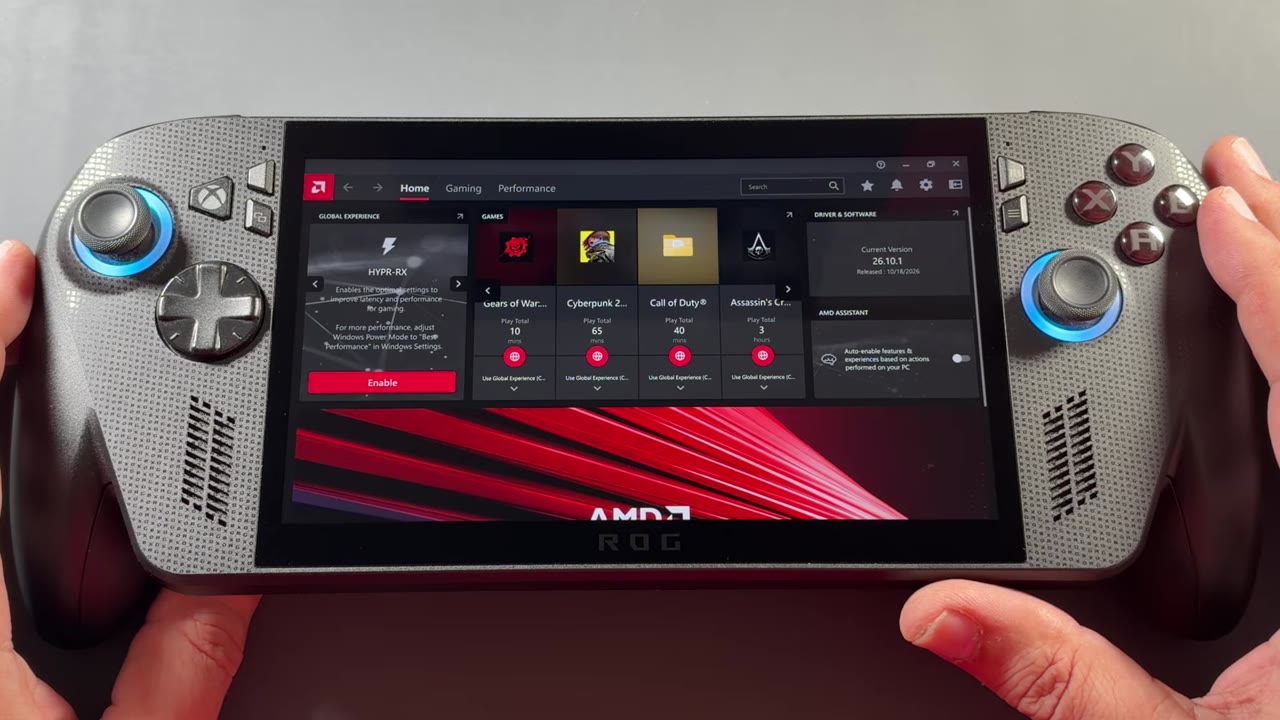
- In AMD Adrenalin, the driver now shows as 26.10.1, dated October 18. Under Gaming → Graphics there's a new FSR Upscaling toggle.
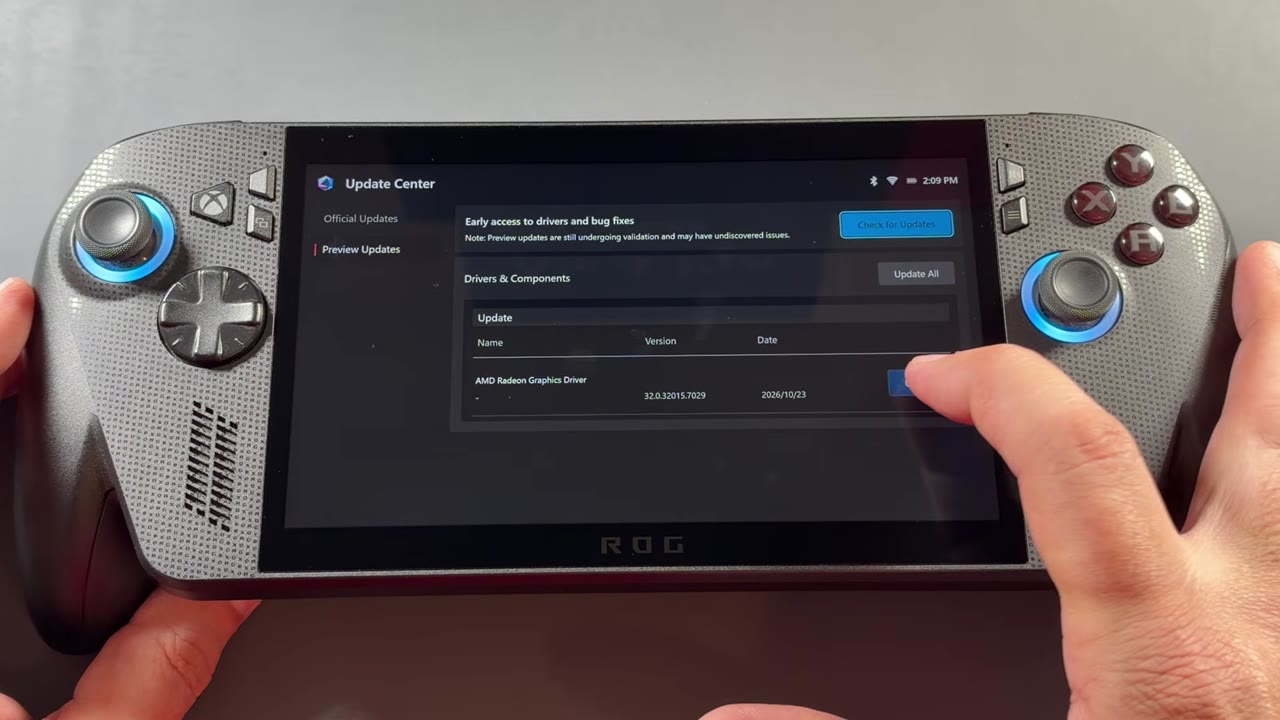
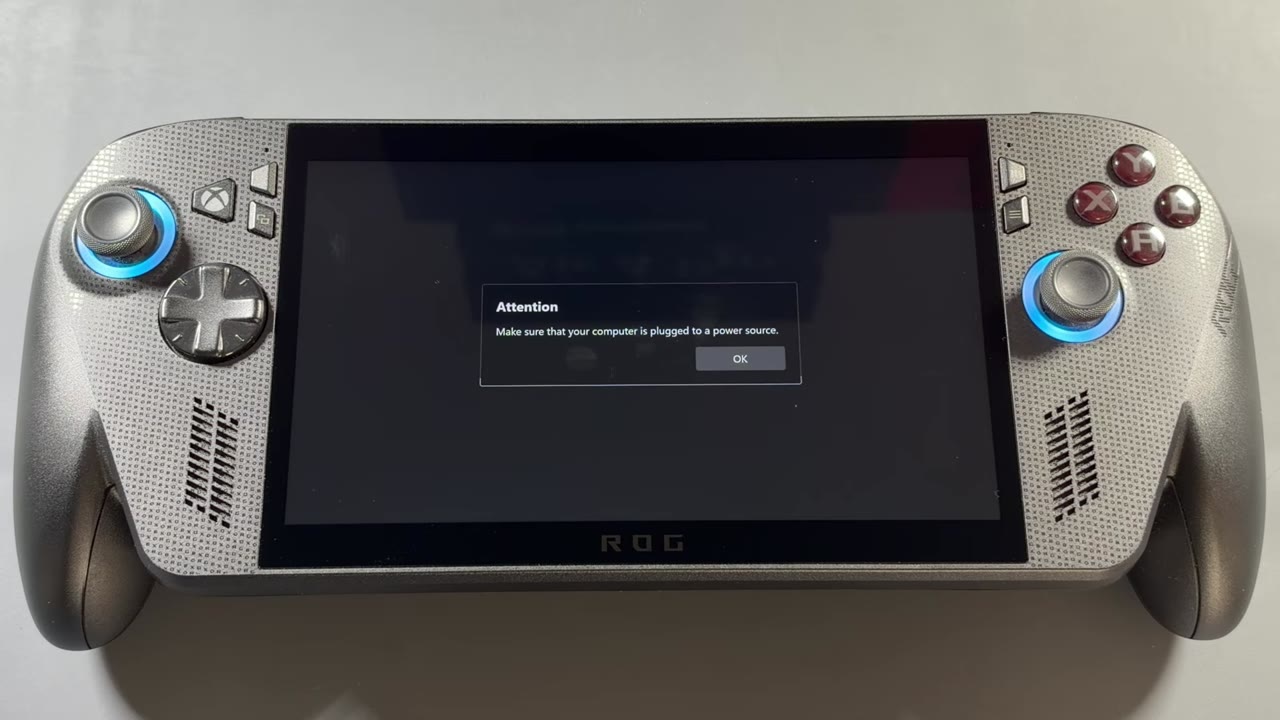
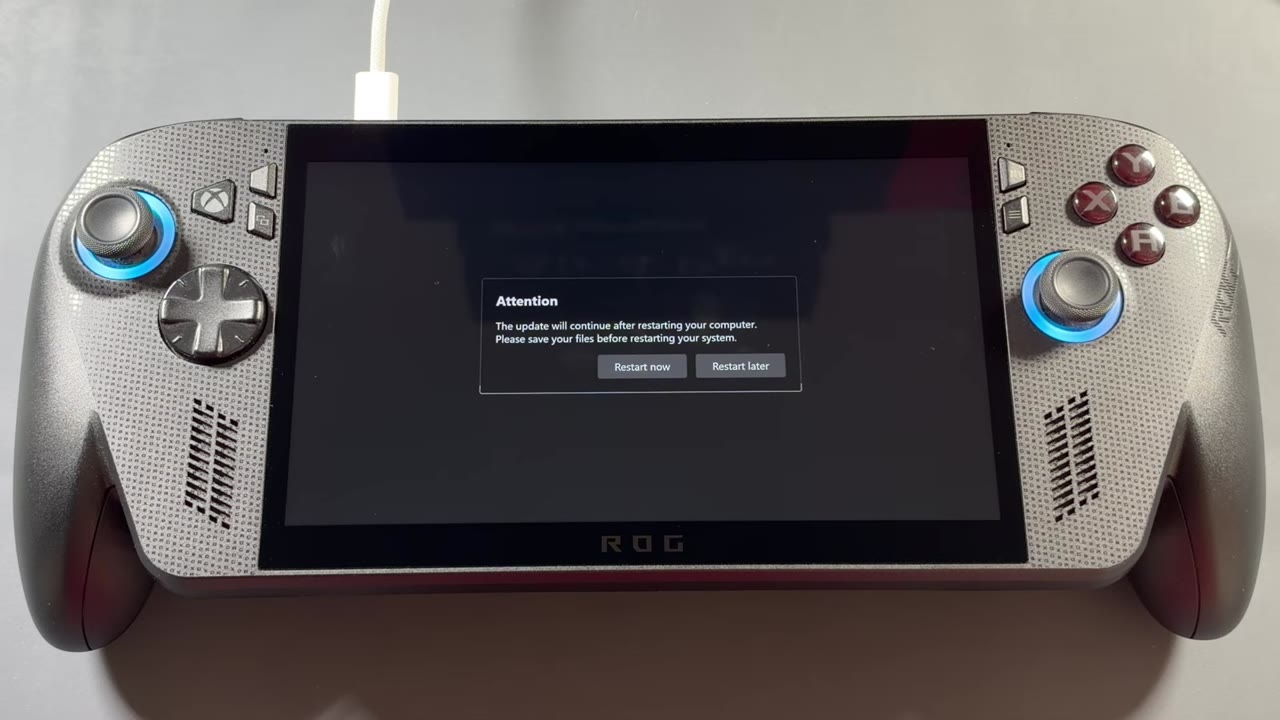
Add the FSR Upscaling tile to Command Center
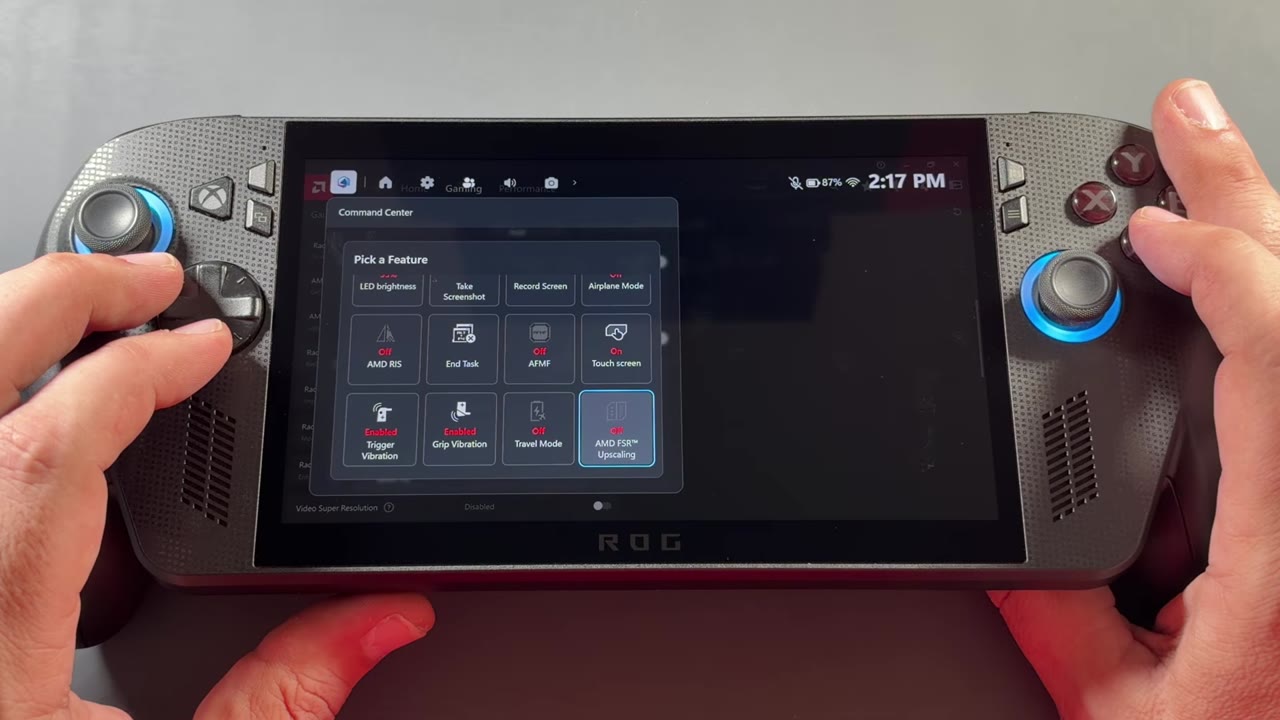
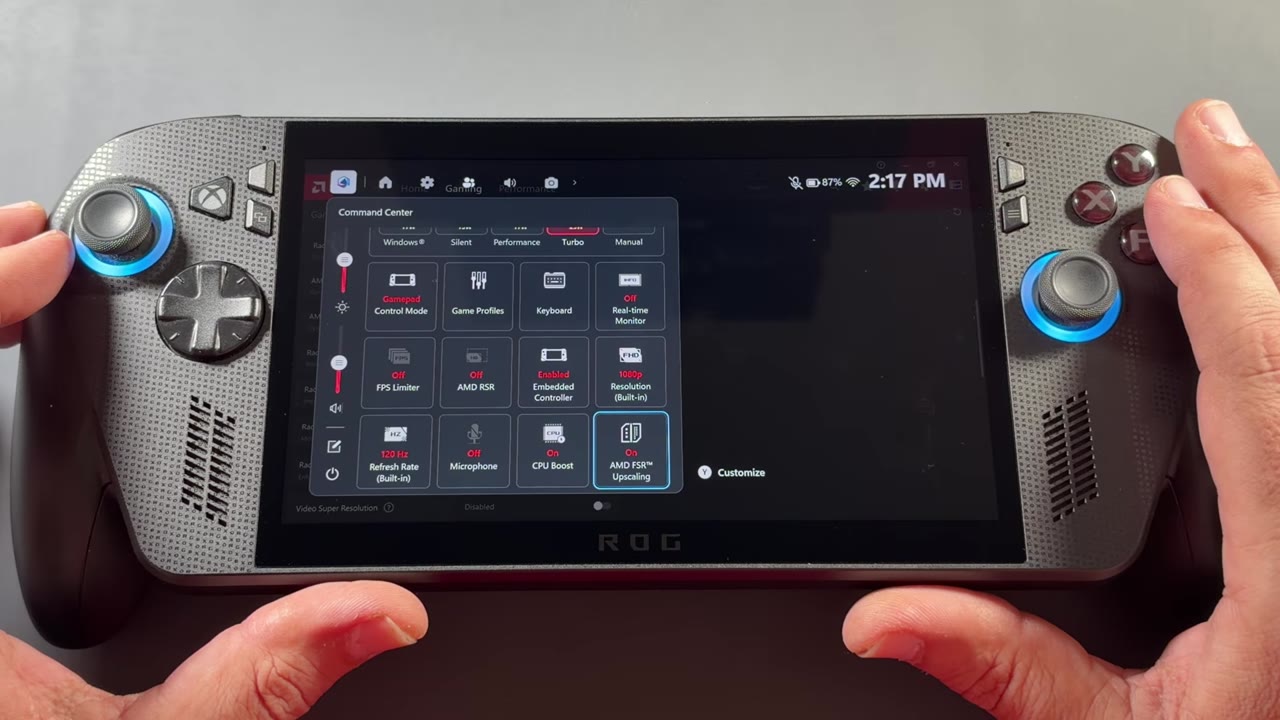
You can turn FSR Upscaling on from Adrenalin, but it's much handier in Command Center.
- Open Command Center from the Game Bar.
- Press Y to customize, scroll to the end of the list and choose Add.
- Find AMD FSR Upscaling. For me it was all the way at the bottom. Press A to add it.
- Back out, select the new AMD FSR Upscaling tile and turn it on. It flips the same toggle in Adrenalin.
- In the game, set the upscaler to FSR in its graphics settings.
What I tested
Gears of War: E-Day is the one I compared side by side, old driver against new, with the same graphics settings on both:
| Setting | Stable driver | Preview driver |
|---|---|---|
| Resolution | 1080p | 1080p |
| Graphics settings | Low / medium mix | Low / medium mix |
| Upscaler | FSR 3.1 Performance | FSR 4.1 Performance |
| TDP | 25W | 25W |
| VRAM | 8GB | 8GB |
How it looked and ran
One thing we already know is that FSR 4 is a bit heavier to run. It looks much better and helps a lot with flickering and image quality, but since it came out the rule has been that you lose anywhere from 10 to 20% of your FPS. It looks similar on the Xbox Ally X. Gears ran with FSR 4 active on Performance, and it didn't crash or have any issues.
Side by side, it can be hard to pick things out sometimes, but I do notice it, especially in lighting, hair and beards, and details on the armor. Everything is sharper and clearer with less shimmering, and I don't feel like I'm losing as much texture. Look at the shadows on his jacket: it doesn't lose as much shadowing and doesn't look as flat.
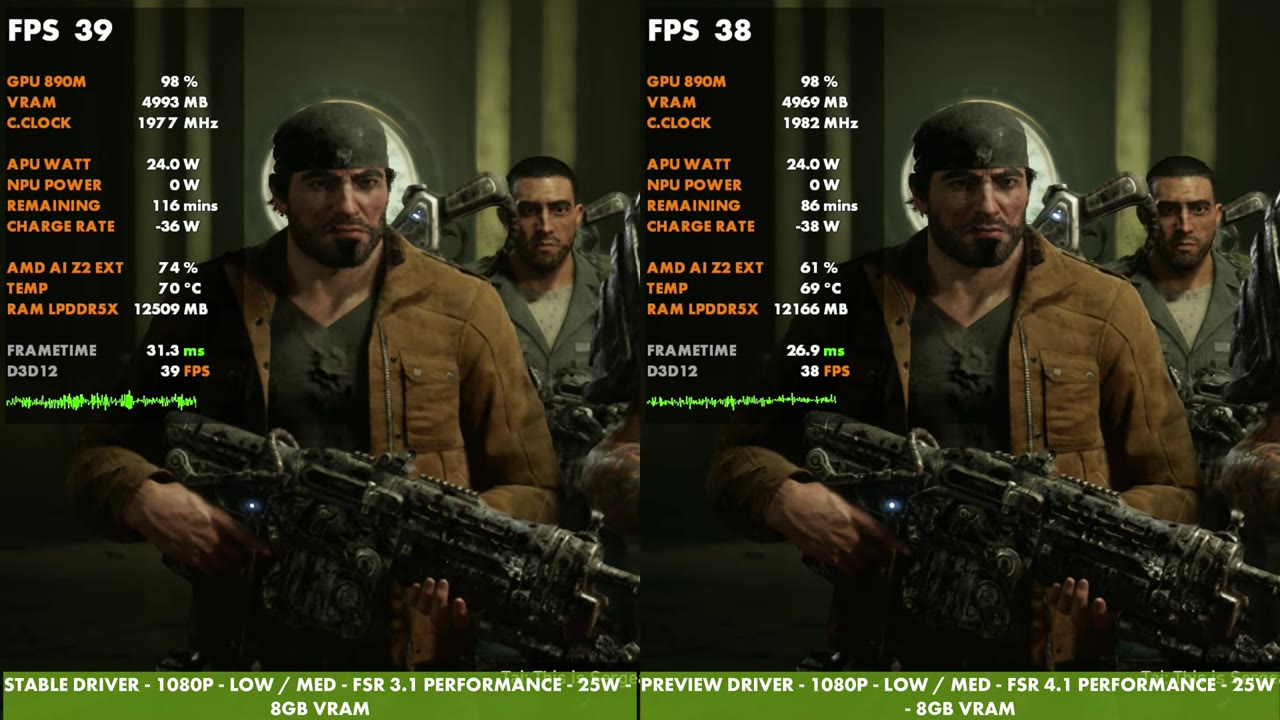
Walking outside, the lighting holds up better on the jacket too. The lights on the buildings in the distance stay on and solid when I move around, while on the older driver you can see them shimmering and flicking on and off. You have to know what you're looking for to notice some of this, but it makes a difference.
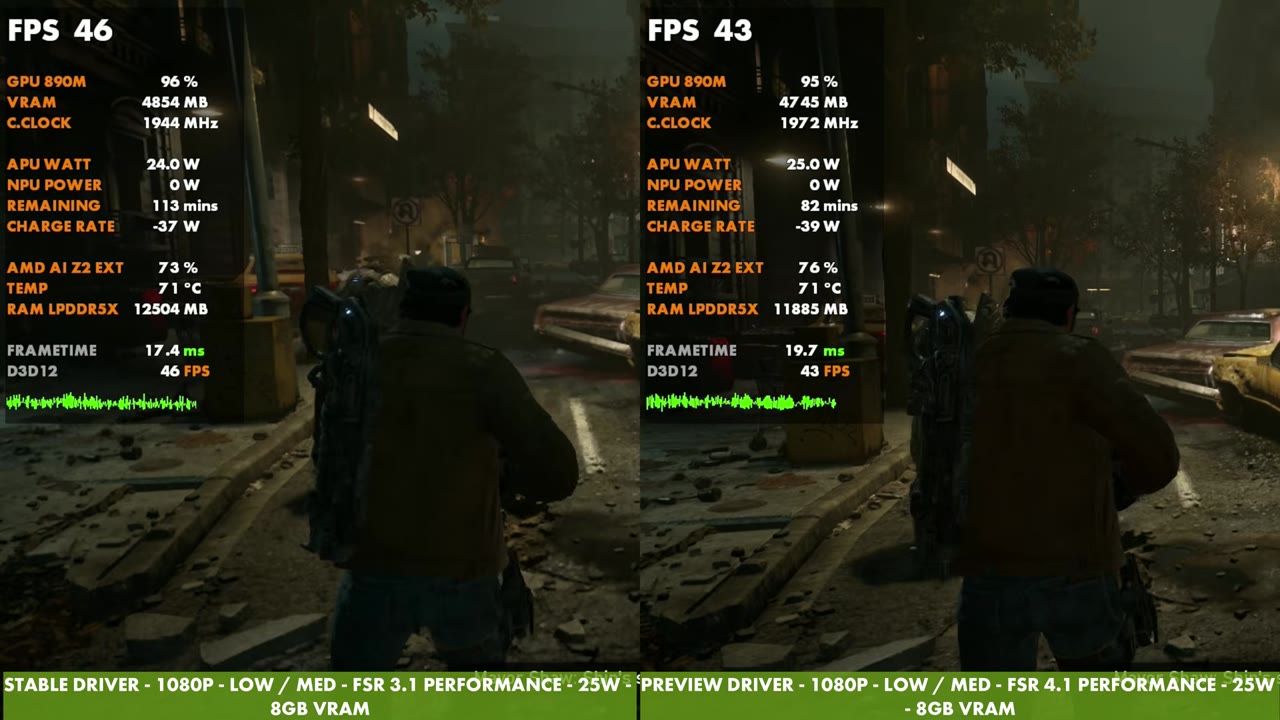
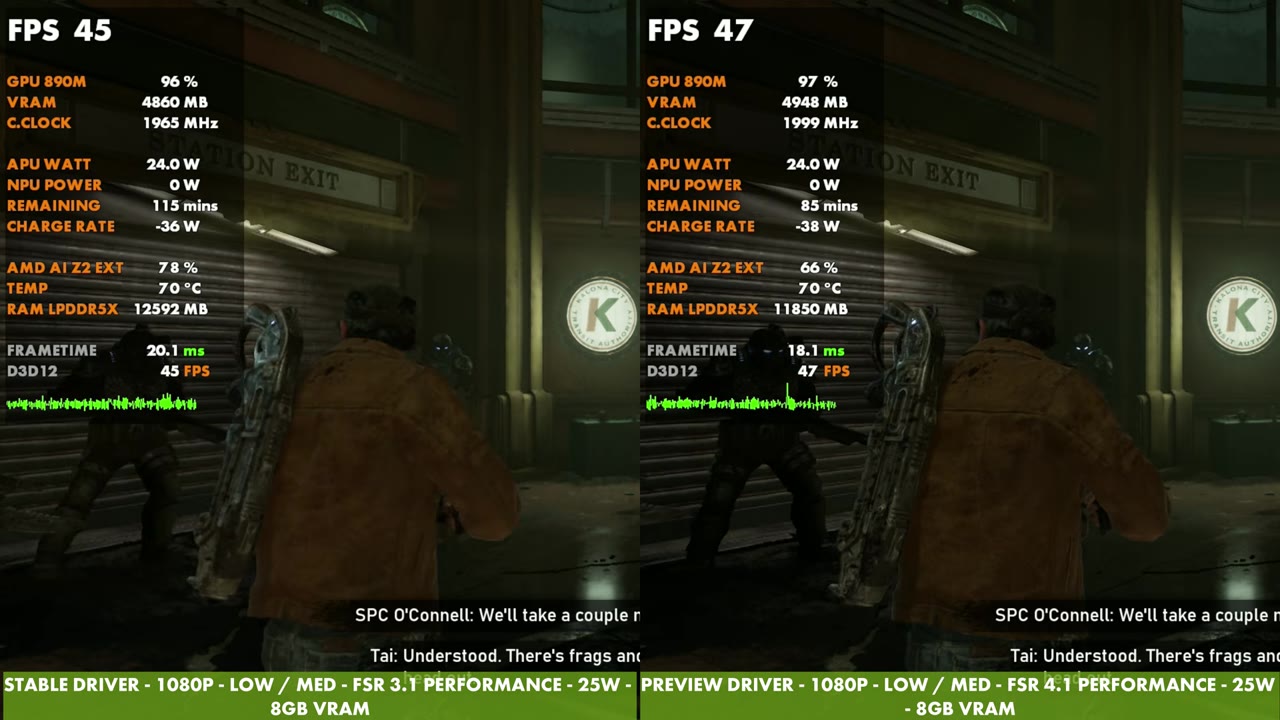
You do lose some performance. Sometimes not by much, sometimes a bit more, depending on what's going on. FSR 3 Performance against FSR 4 Performance is quite a difference in image quality in my opinion, and I do prefer it.
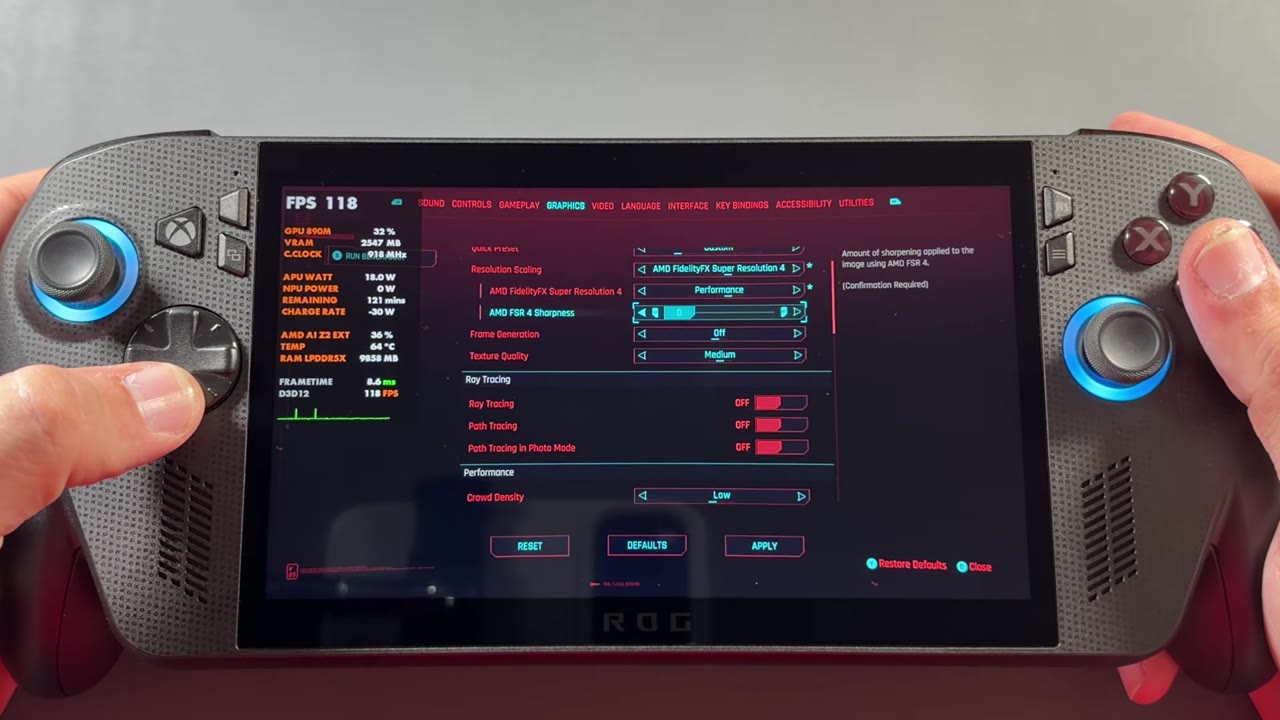
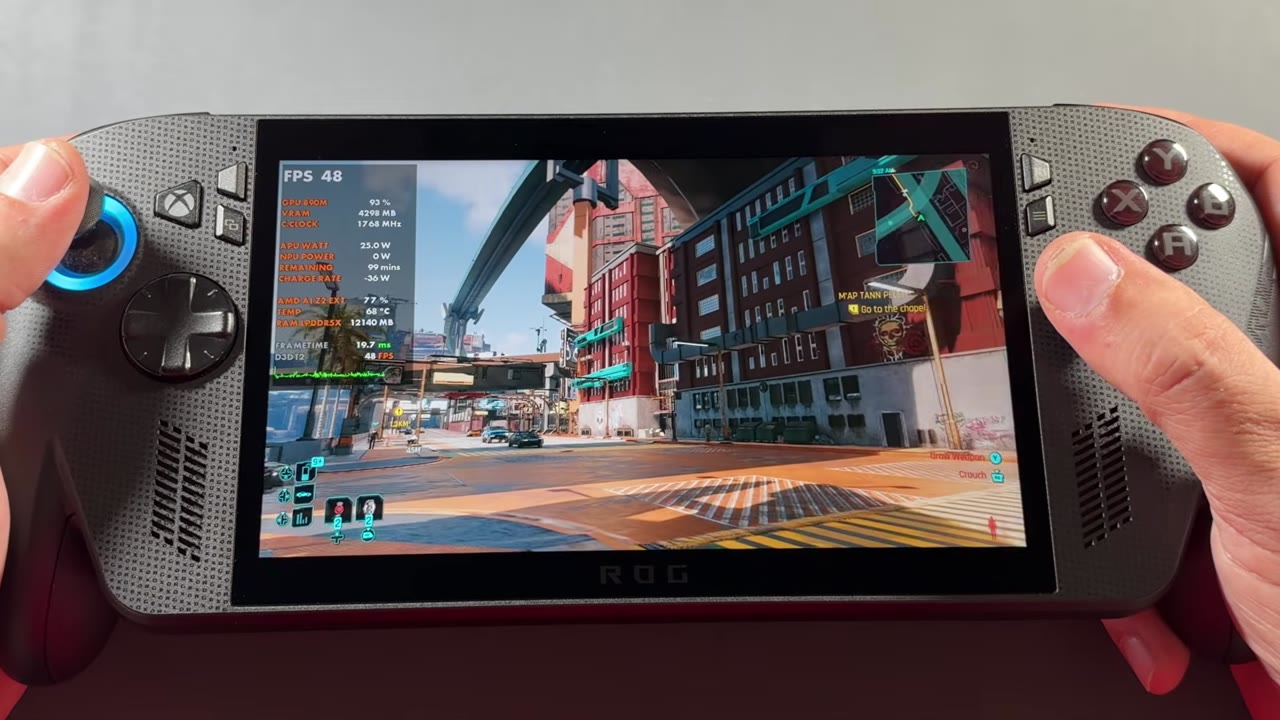
I also took a quick look at Cyberpunk 2077. After its latest update, FSR 3 was gone from the menu for me until I installed the preview driver, and then FSR 4 unlocked. Frame generation worked with it. Again, I lost some FPS compared to the 55 to 58 FPS I'd normally get with these settings in that spot, but image quality was definitely a lot better with no shimmering, on FSR Performance mode.
What's next
This is all I had time for since it just came out today. There are so many games with FSR 3.1 that I want to see how they look with 4.1 replacing it, and I still have the X20 here too, so there'll be more videos on this. So far it's a trade-off, a little less performance for a much cleaner image, and on these settings that's one I'd take.
FAQ
How do you get FSR 4.1 on the ROG Xbox Ally X?
Install the AMD Radeon graphics preview driver from Armoury Crate SE → Update Center → Preview Updates, plugged into power, restart, then add the AMD FSR Upscaling tile to Command Center and turn it on.
Which games work with FSR 4.1 on the Xbox Ally X?
Any game using FSR 3.1 or newer can use it, not just FSR 4 games. ASUS puts that at over 400 games.
Does FSR 4.1 cost performance on the Xbox Ally X?
A little. In Gears of War: E-Day the FSR 4.1 side usually read a few FPS lower than FSR 3.1 on the overlay, but the image was sharper with less shimmering.
Want more handheld tests?
New Steam Deck, ROG Ally, Legion Go and Steam Machine performance videos every week.