 ▶Watch on YouTube
Crimson Desert is really pushing the limits of what the Steam Deck OLED can pull off, and whether it's playable is definitely subjective. I tested it on launch day at 800p with the minimum preset and FSR 3 Balanced, then came back about a week later after the game's first patches with new custom settings, Lossless Scaling and the DLSS Enabler plugin's multi frame gen. Here's how all of it ran.
- Launch (game version 1.00.02): 800p, minimum preset, FSR 3 Balanced. Around 31–32 FPS in the opening area, and it looks rough.
- After the patch (1.00.03): 800p, FSR Performance, custom low settings with medium textures. It looks a lot cleaner than my launch setup and runs anywhere from 25 to 40 FPS, dipping to 22–24 in the worst spot I hit early on.
- Lossless Scaling 2x and 3x work well without manual GPU clocks. 4x needs manual GPU clocks and gets rough.
- DLSS Enabler (plugin 0.3.0 or newer) unlocks DLSS frame gen 2x/3x/4x in the game menu and injects FSR 4, which gives the cleanest picture of everything I tried.
- It's hard to recommend playing this on a Steam Deck, but if it's what you have, there are plenty of options to tinker with.
Launch day: minimum preset and FSR 3
Crimson Desert gives you a bunch of mechanics and tools, drops you into the world and says "go for it," with no hand-holding. Performance on the Steam Deck at launch wasn't as nice as I was hoping for. I started at 800p with FSR 3 on Balanced and the minimum preset, with V-sync off for testing (I'd probably turn it on to play).
- Steam Deck OLED, game version 1.00.02 (launch)
- 800p (1280x800), FSR 3 Balanced
- Minimum preset, V-sync off
- On-screen label: 4GB VRAM
It looks very rough this way, but as soon as you start ticking things up, performance gets worse, and this was only the beginning encampment, the first little town and the first couple of hours. Switching to the low preset cleans up the image and some of the flickering and graphical issues, but you lose a few FPS. Minimum with FSR 3 Quality also cleans things up a little for a couple of FPS. Back on minimum with FSR 3 Balanced, it came back up to around 31–32, and even the dynamic weather rolling in was already pulling the frame rate down.
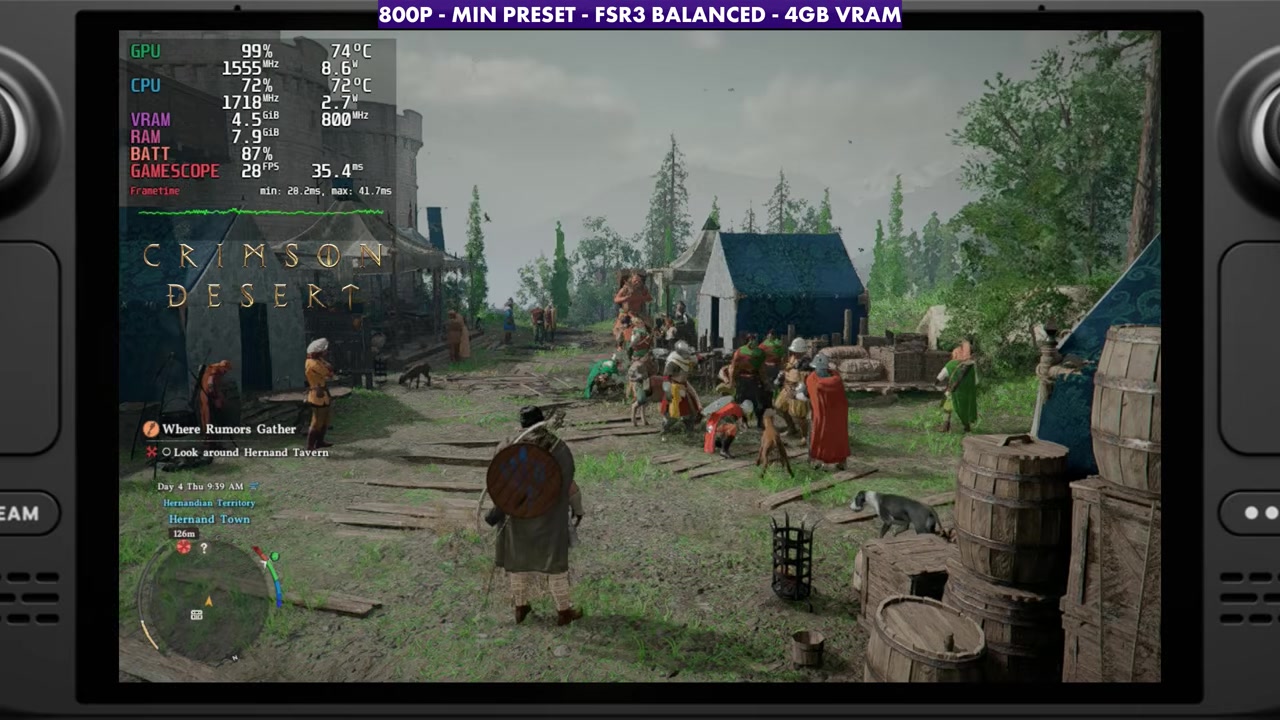
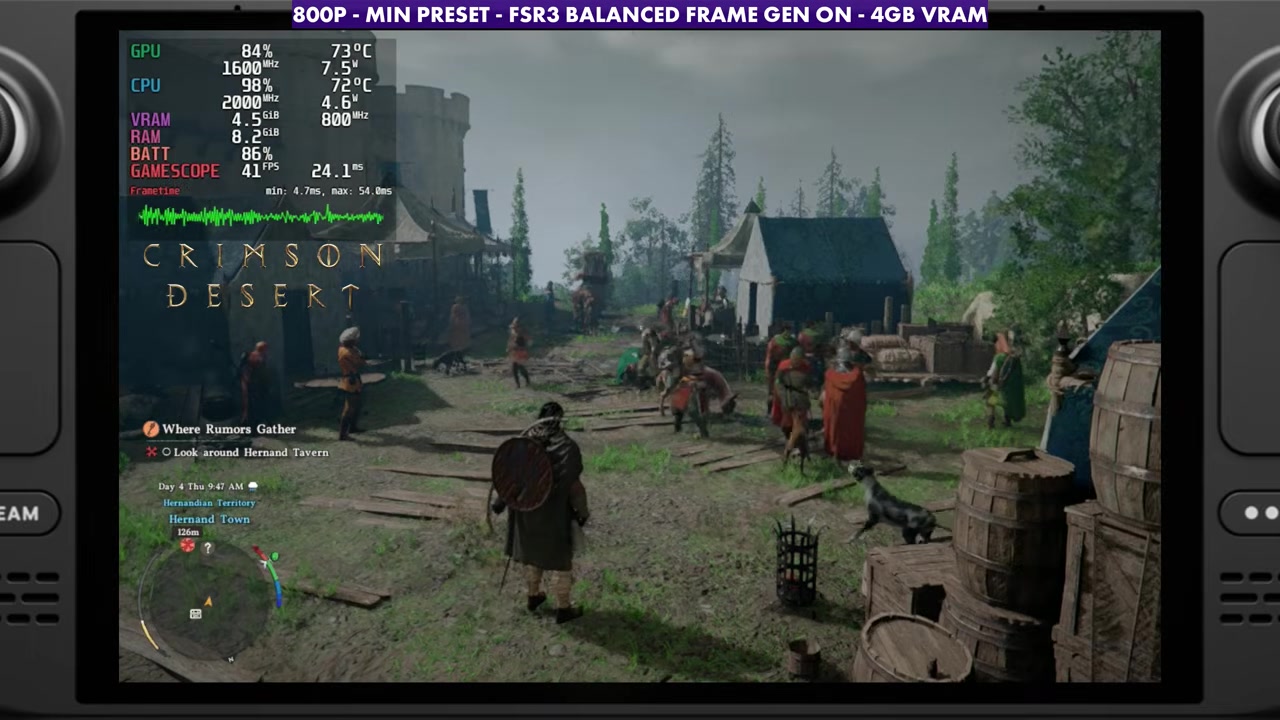
There's in-game frame gen, but at such a low frame rate I didn't recommend it, or Lossless Scaling, at launch. I didn't think the game was stable enough or had enough performance to make frame gen look or feel good, and putting the GPU at a manual 1,600 MHz really hurts the CPU, especially once enemies come into play. I stuck with minimum and FSR 3 Balanced for my first hour or two. In that gameplay, the overlay mostly read the mid 20s to low 30s (24 to 34).
Here's the launch-day video:
 ▶Watch on YouTube
After the patch: new custom settings
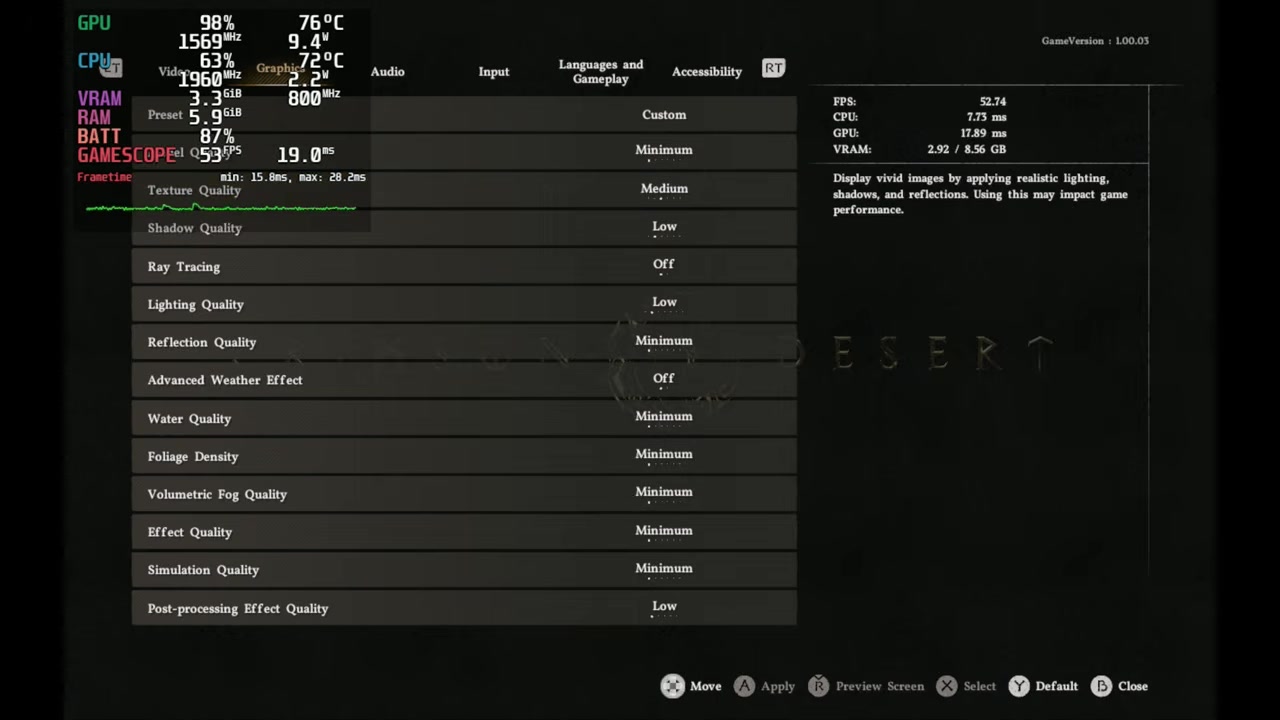
The game had some patching done by the time I came back (game version 1.00.03), and I'd played around with more settings. Without any frame gen, this is what I'm running now to get the best visuals and performance I can:
- 800p (1280x800), AMD FSR Upscaling 3.1 on Performance, frame gen off, V-sync off
- Level quality minimum, textures medium, shadows low, ray tracing off
- Lighting quality low, which helps with a lot of the flickering
- Reflections minimum, advanced weather effect off, everything else minimum
- Post-processing low
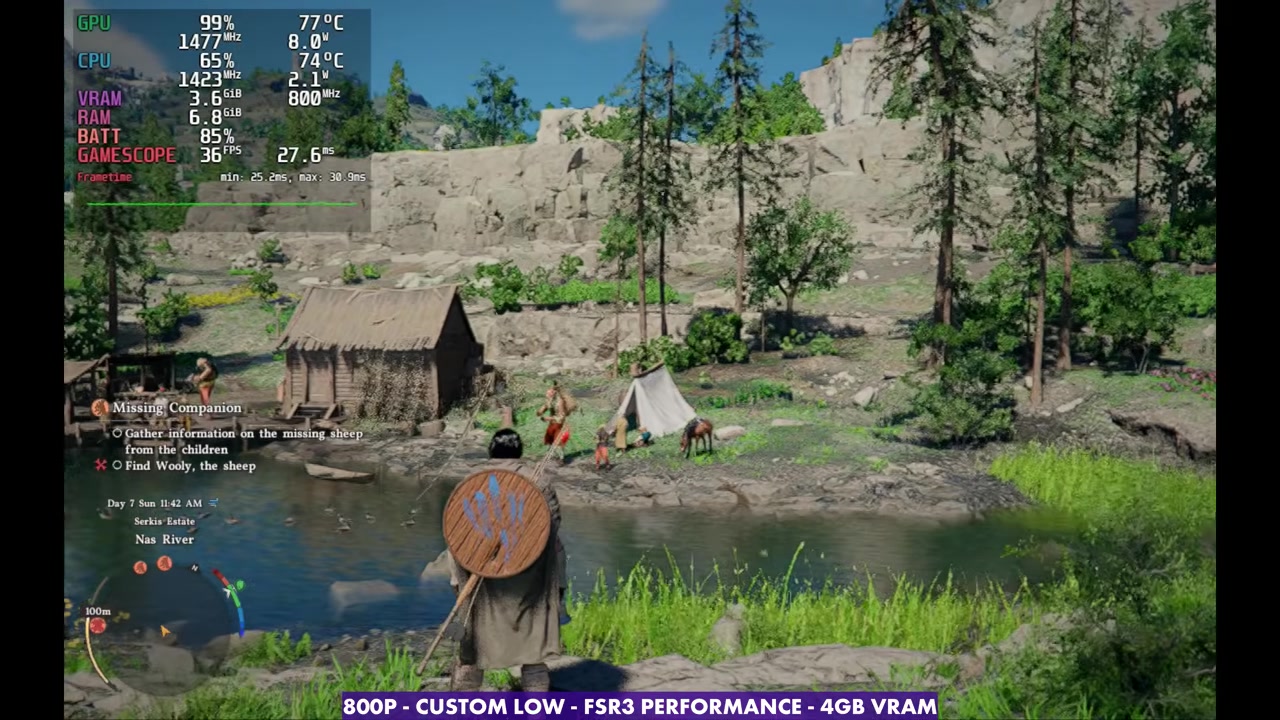
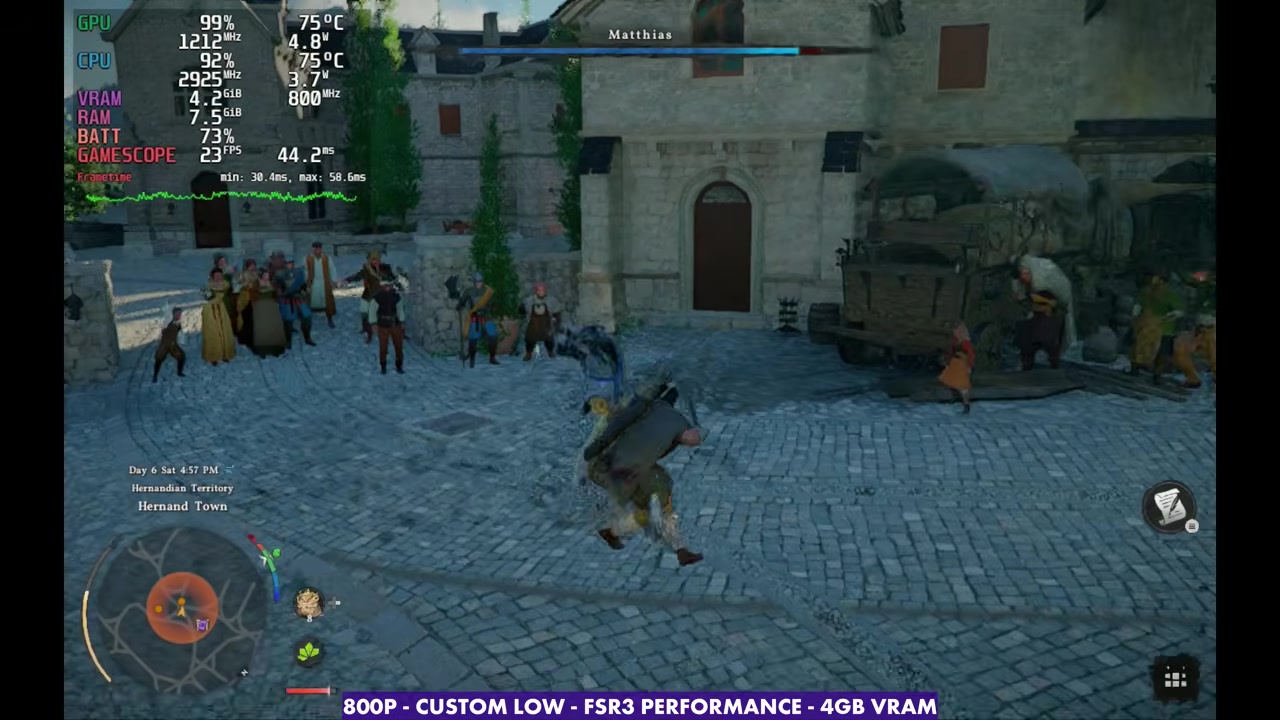
That gives me anywhere from 25 to 40 FPS depending on where I am, and for the most part it stays above 30 until the heavier areas. It looks better than the launch-day settings I originally put up. I was still in a lot of the beginning areas, so there will be places where performance gets even worse. In one town spot it got down to around 22 to 24 FPS, which was one of the worst points I ran into early on with no frame gen.
The in-game frame generation is still a bit janky. You may or may not need to set manual GPU clocks; for the most part it did fine without them, but it's not the best implementation of in-game frame gen I've seen, and we've had it work a lot better on the Steam Deck and other hardware. There are also a couple of good mods out there that I've seen gain anywhere from 5 to 10 FPS, but I haven't had time to try them, so they're not part of this test.
Lossless Scaling 2x, 3x and 4x
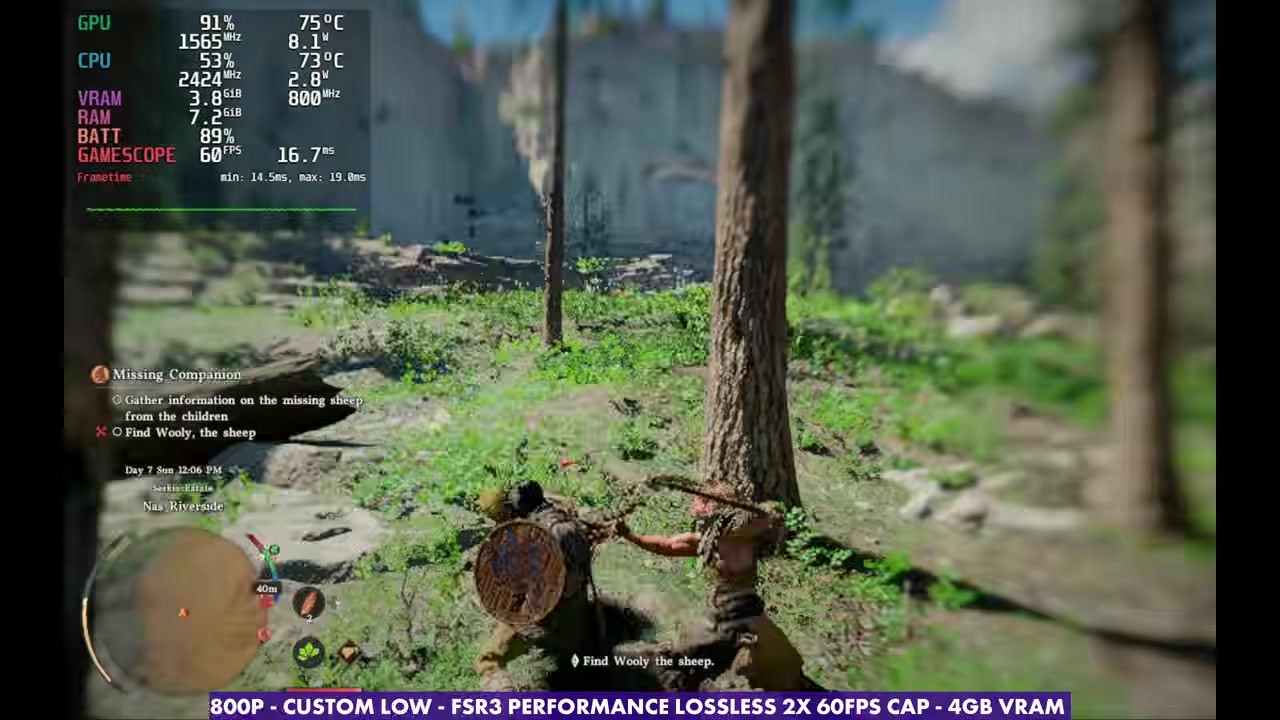
Lossless Scaling runs through Decky Loader (I have a full Lossless Scaling guide for the Steam Deck) and gives you 2x, 3x and 4x frame gen with a lot of options. At one riverside spot my base was around 37 FPS. Turning on 2x does a pretty good job. You lose some base performance with any kind of frame gen, so it's not exactly double, but it gets close.
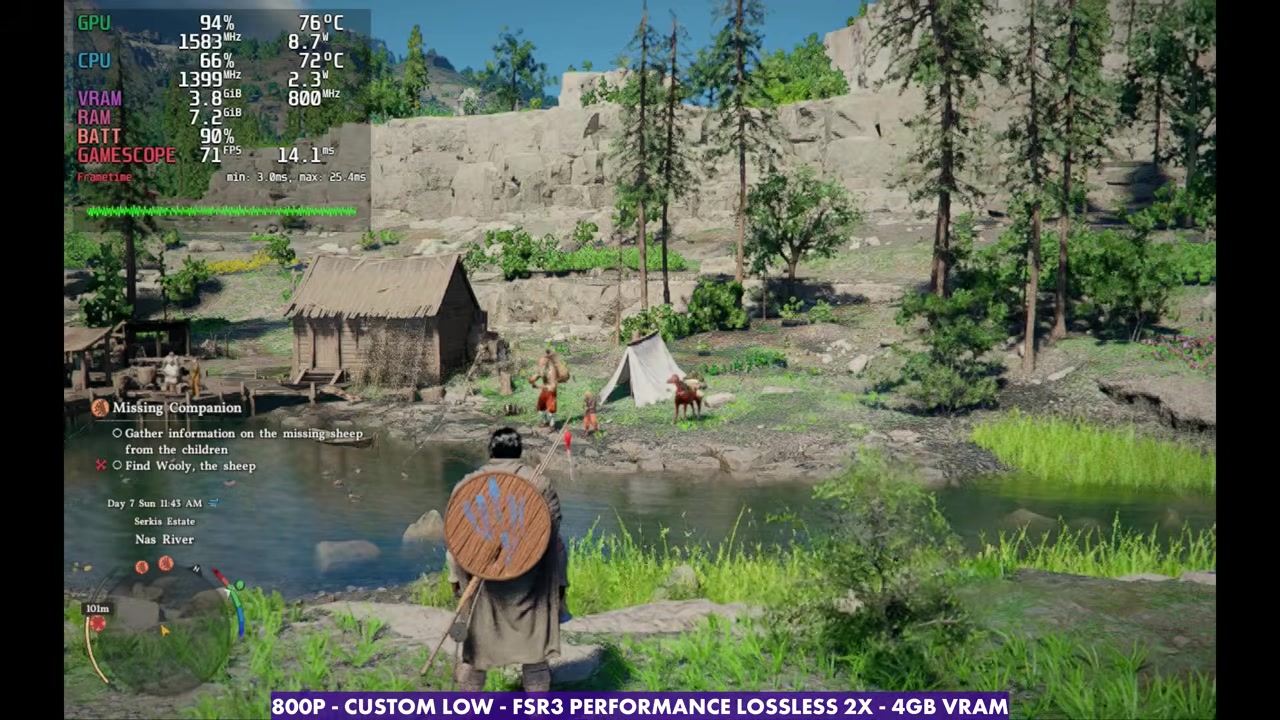
3x kicks in really well too, and both 2x and 3x work fine without turning on manual GPU clocks; in the same spot the overlay read 100 FPS at 3x. 4x, which I don't really recommend, won't boost properly because the GPU clocks don't come up, so you have to set them manually, and then you can get a lot of ghosting, more input latency, more jank and stutter (the overlay read 102 FPS there). 2x and 3x do a pretty decent job.
Setting a 60 FPS cap with 2x, or even 3x, gives a lot smoother experience with these graphics. You'll get some ghosting, but it looks and runs better than what I had a week or so earlier. Input latency isn't too bad. There will still be areas that dip below what you need for 60, so you could also try 30, 40, 45 or 50 FPS caps.
DLSS Enabler multi frame gen with FSR 4
The other option is the DLSS Enabler plugin, also through Decky Loader (full DLSS Enabler install guide here). You need the newest version, 0.3.0 or newer at the time I tested, for it to work properly with Crimson Desert.
- Choose Crimson Desert in the plugin and use the dxgi.dll injection method
- Turn on Apply game recommendations, which is needed for this to work
- Turn on the FSR 4 INT8 sidecar so FSR 4 gets injected along with it
- Install the patch. You can unpatch the game any time to put things back the way they were.
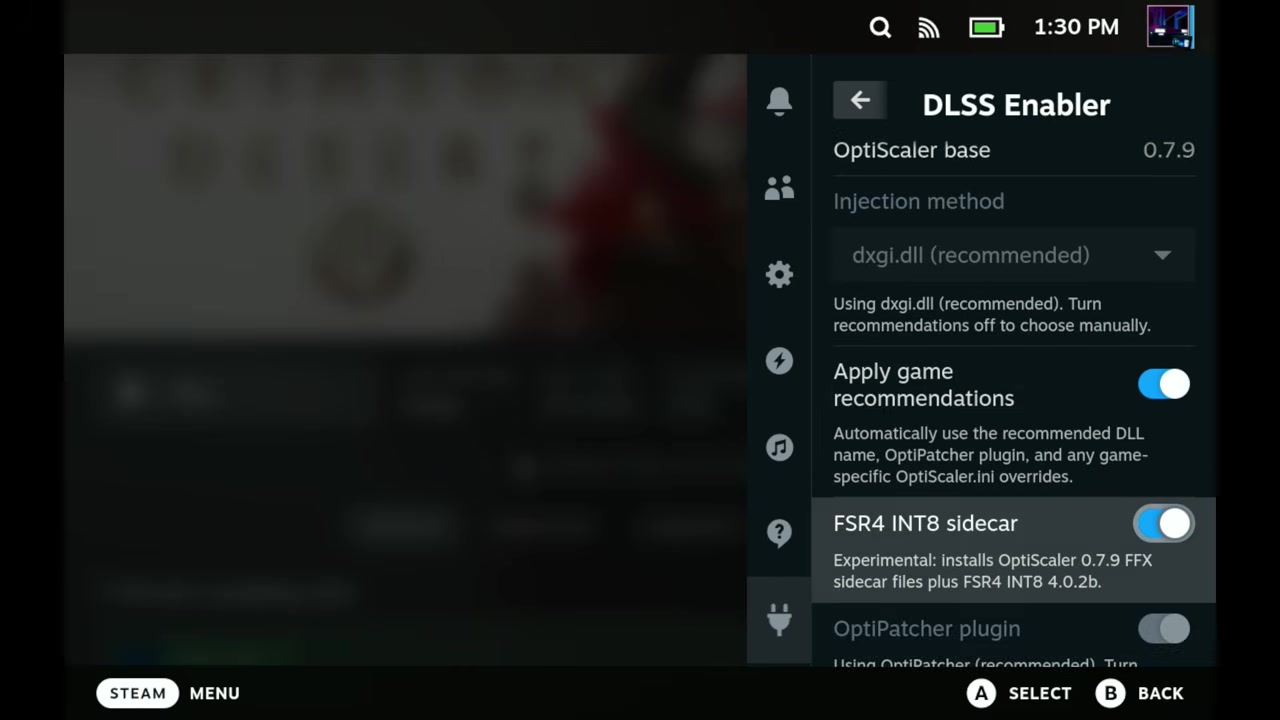
With that in place, NVIDIA DLSS shows up as the upscale mode in the game's menu. It didn't matter whether I picked DLSS 4.0 or 4.5, it all performed the same for me, and I kept it on Performance. DLSS frame generation is right there in the menu with 2, 3 or 4 frames generated, and I kept the same custom low settings with medium textures.
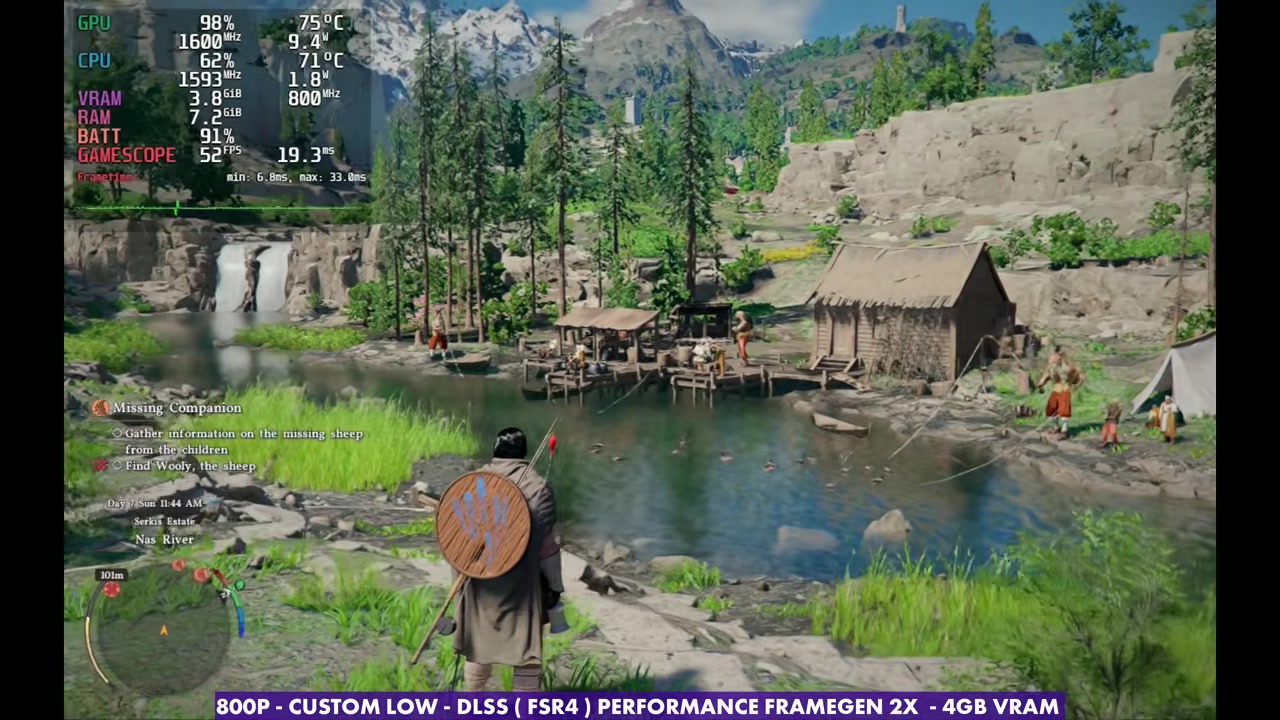
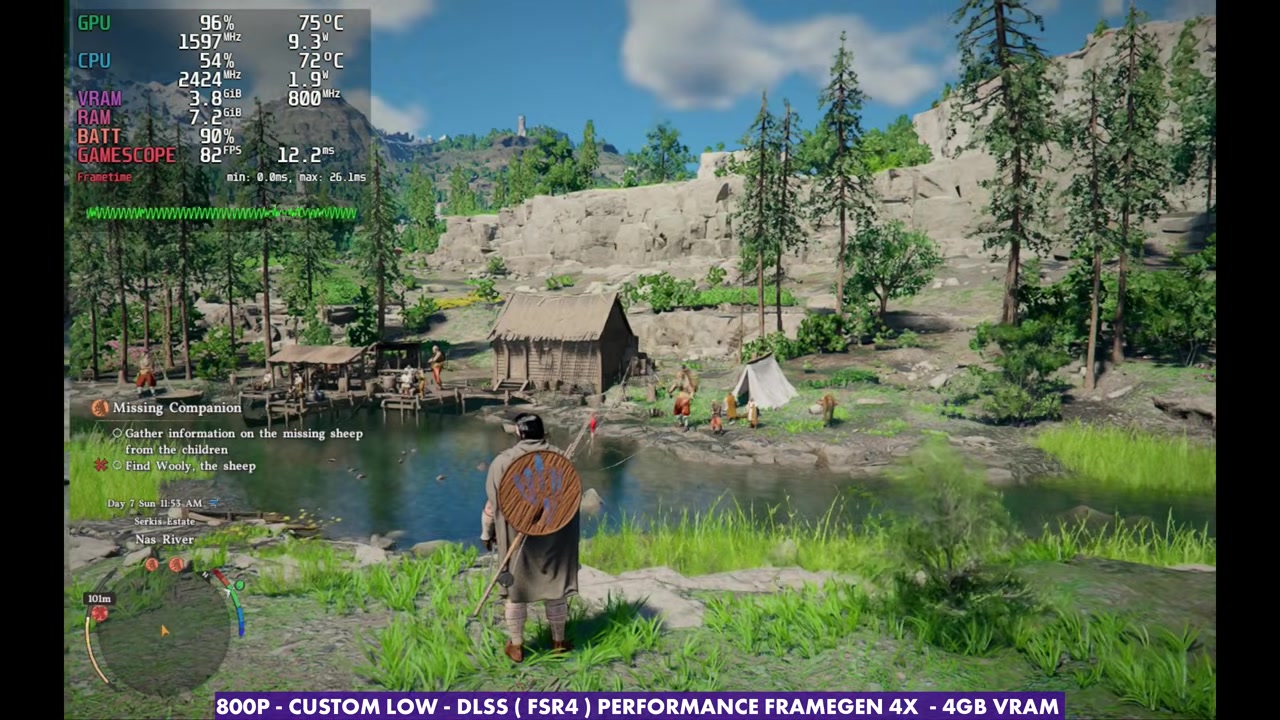
With FSR 4 part of this, the picture is much cleaner than every other option I tried, lossless or the base game. The frame generation can be a bit stuttery sometimes compared to Lossless Scaling, but the input latency, even at 3x versus 2x, is pretty good. A lot of people have said input latency is better with this than with lossless, but in my opinion Lossless Scaling does a bit better job with the overall visual quality when you're moving around. Maybe that's just me. 2x, 3x and 4x all worked here; in the same area the overlay read 68 FPS at 3x and 82 at 4x.
Verdict
With Crimson Desert we're building all of this on a very low and sometimes unstable base frame rate, so being able to pull it off at all with Lossless Scaling and DLSS Enabler on the Steam Deck is pretty incredible, and it's really fun to tinker with. I'm not saying it's the recommended way to play or the best experience. But if the Steam Deck is all you have, and I know people for whom that's pretty much what they game on, at least these options are out there to get more out of the hardware. It's four years old now. We were worried about its capabilities at launch, and four years later it's still chugging along and doing a great job with a lot of new titles.
FAQ
What settings did you use for Crimson Desert on the Steam Deck OLED?
After patch 1.00.03: 800p with FSR Performance, medium textures, low shadows, lighting and post-processing, ray tracing off and everything else on minimum. At launch I used the minimum preset with FSR 3 Balanced.
What FPS does Crimson Desert get on the Steam Deck OLED?
With the patched custom low settings, anywhere from 25 to 40 FPS early in the game, dipping to 22–24 in the heaviest town spot I hit. At launch on minimum with FSR 3 Balanced it was around 31–32 in the opening area.
Does Lossless Scaling work with Crimson Desert on the Steam Deck?
Yes. 2x and 3x work well without manual GPU clocks. 4x needs manual GPU clocks and brings more ghosting, input latency and stutter.
Does DLSS Enabler work with Crimson Desert on the Steam Deck?
Yes, with plugin version 0.3.0 or newer, the dxgi.dll method, Apply game recommendations on and the FSR 4 sidecar. It unlocks DLSS frame gen 2x, 3x and 4x in the game menu and gave the cleanest picture of anything I tried.
Want more handheld tests?
New Steam Deck, ROG Ally, Legion Go and Steam Machine performance videos every week.