 ▶Watch on YouTube
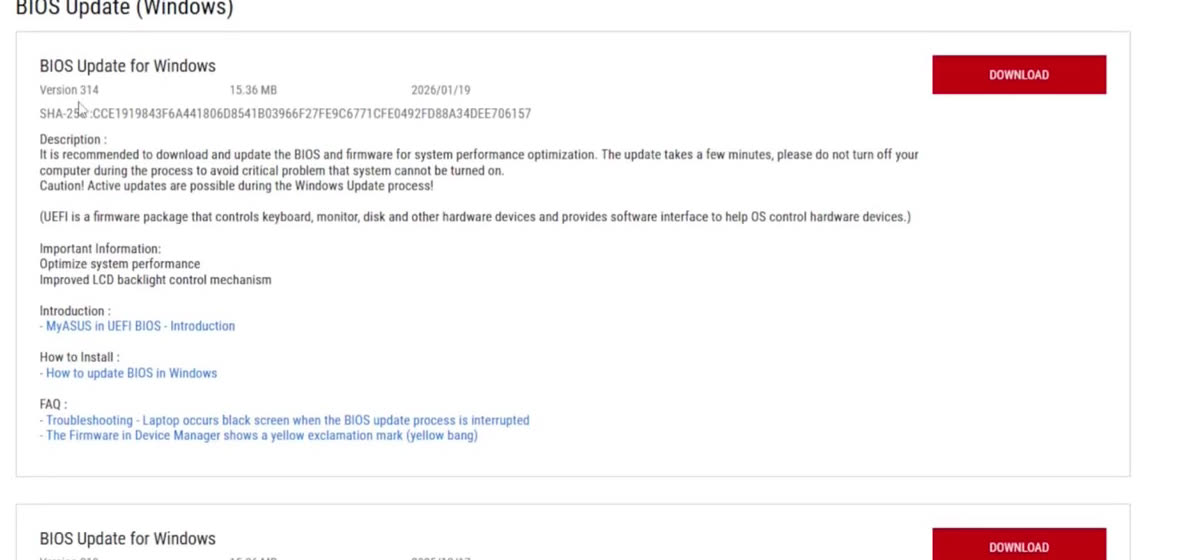
- ASUS released BIOS 314 for the ROG Xbox Ally X, dated January 19, 2026 on the support site. The BIOS was the only new item there.
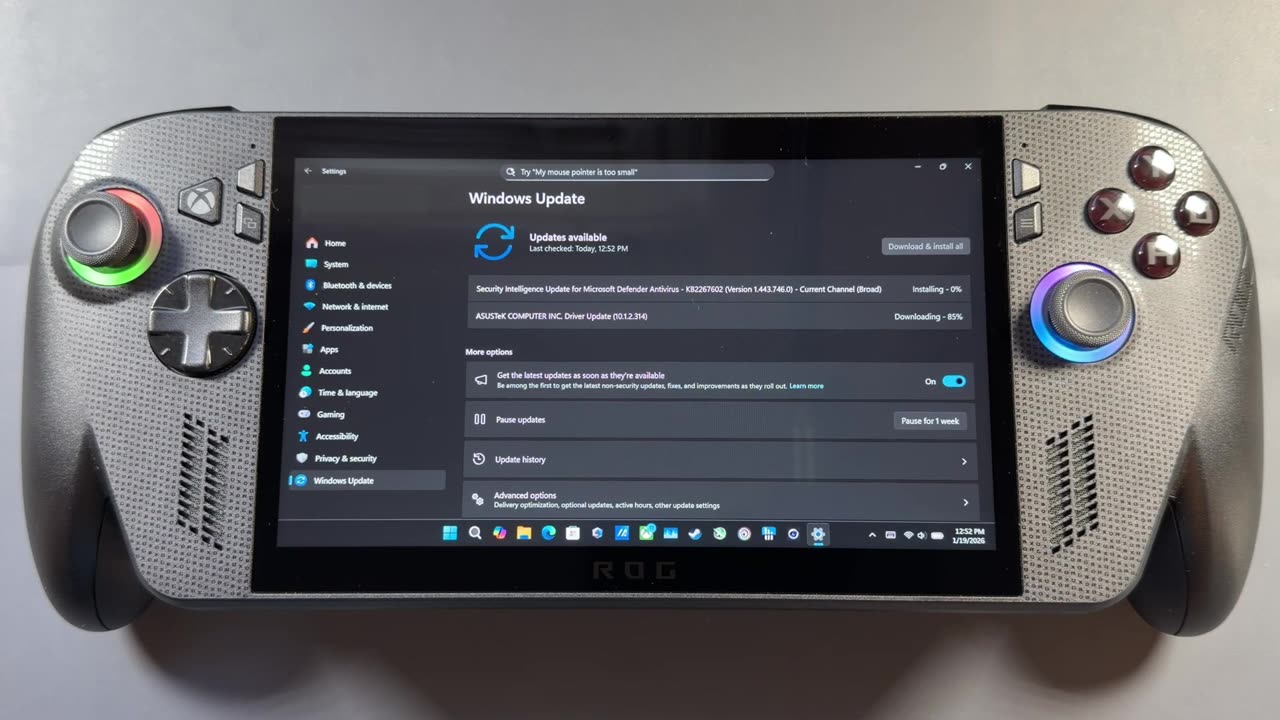
- For me it came through Windows Update, not MyASUS or Armoury Crate like before. You may still get it from either of those.
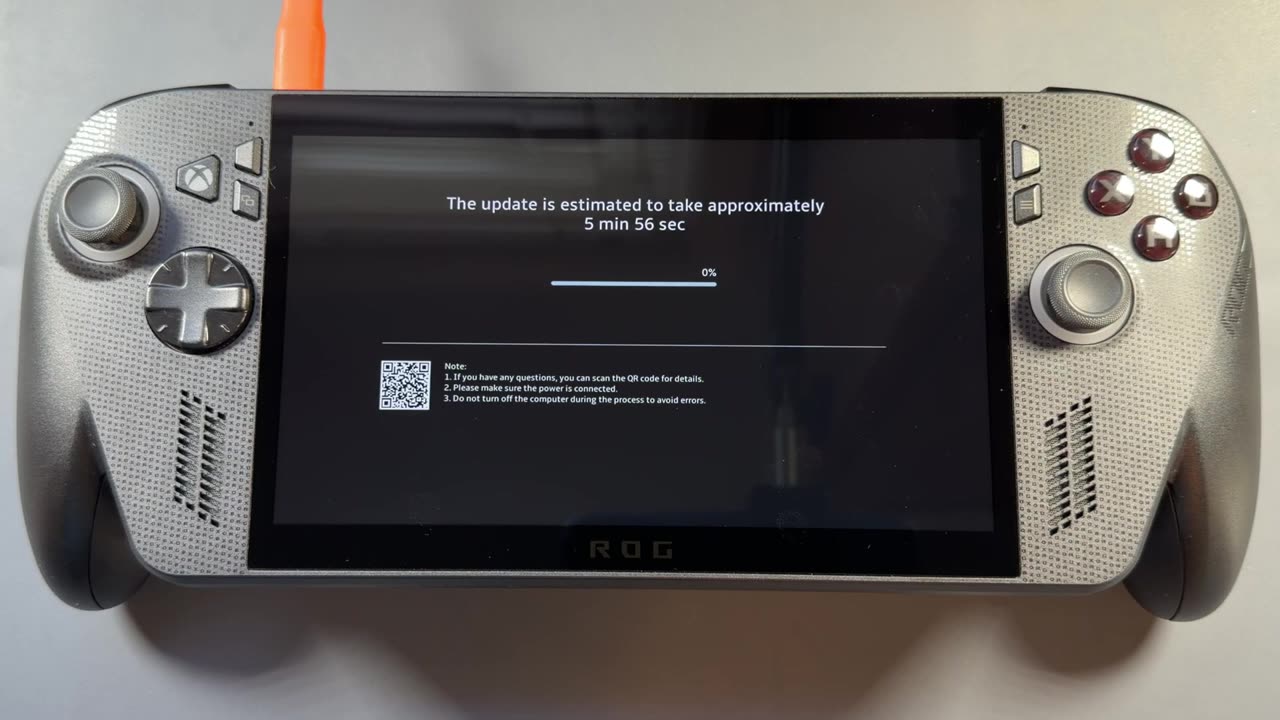
- Plug in. After the restart, the BIOS update waits for a power source. It took about 5 to 6 minutes, plus a couple of restarts.
- Run MyASUS anyway. It found a Genesys card reader driver that Windows Update and Armoury Crate missed.
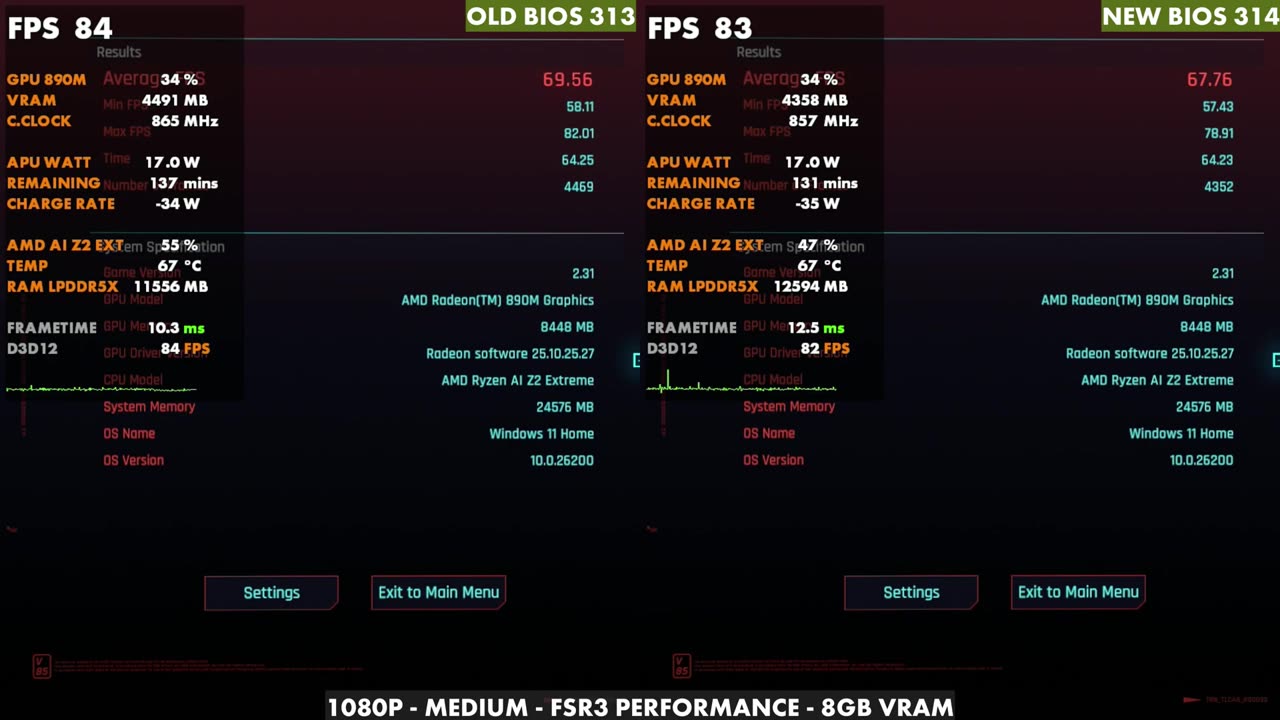
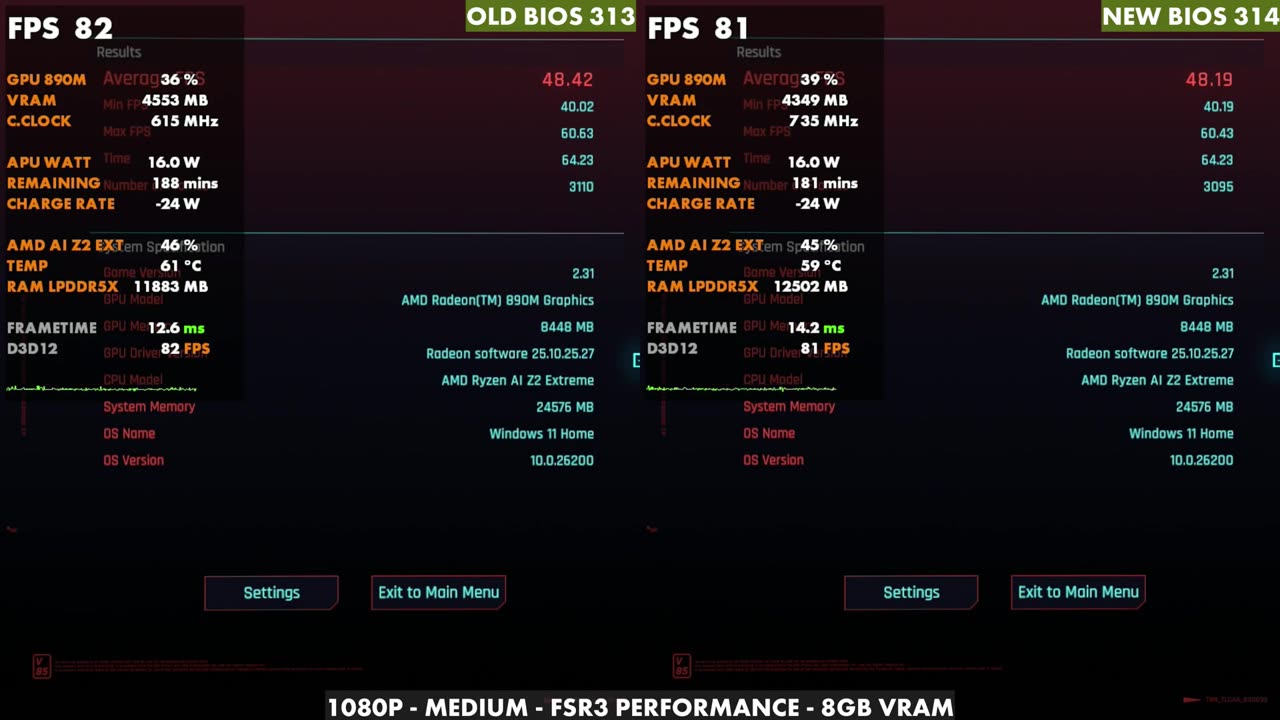
- Cyberpunk 2077 benchmark: 67.76 FPS on 314 vs 69.56 on 313 at 25W, and 48.19 vs 48.42 at 17W. Very negligible, slightly lower if anything.
- No new GPU driver this time.
About a month after BIOS 313, the ROG Xbox Ally X got another BIOS update, 314. There isn't a lot that came with it and not much difference in performance, but the install was a little different for me this time. Here's how it went, what else to check for, and how Cyberpunk 2077 and Doom: The Dark Ages ran on 313 vs 314 at 25W and 17W.
ASUS has released newer BIOS versions since then. For the next one, see my BIOS 315 guide, then BIOS 316, BIOS 317 and BIOS 319.
What's in BIOS 314
On the ASUS support site for the ROG Xbox Ally X, I looked over the driver list and didn't find anything new besides the BIOS. Under BIOS & Firmware, the BIOS Update for Windows is version 314, 15.36 MB, dated 2026/01/19. The important information lists "Optimize system performance" and "Improved LCD backlight control mechanism."
Before you start
- Switch to the Windows desktop. It's easier to go through all the updates there.
- Close the Xbox app, since it gets updated through the Microsoft Store, along with anything else you don't want open.
- Have a power source ready: a decent power brick or the wall.
How to install BIOS 314
I've always done these BIOS updates through MyASUS. This time it triggered through Windows Update, and I never ran MyASUS or Armoury Crate SE before it happened.
- Open Settings → Windows Update and get the available updates. For me, the BIOS showed up there as an ASUSTeK COMPUTER INC. Driver Update (10.1.2.314).
- Open the Microsoft Store and check for updates too. There were more updates for me, including a new Armoury Crate SE update. Get your Windows and Store updates all caught up.
- Choose Update and restart.
- On restart, the BIOS update asks for power. Plug into a power brick or the wall and it continues.
- Let it run. It took about 5 to 6 minutes, then the screen goes dark for a little while and it does a couple of restarts, just like it did on 313.
- When it's done, it boots back into the Xbox full screen experience or the Windows desktop, whichever you have set up.
Check that it worked, then run MyASUS anyway
- On the desktop, open Armoury Crate SE. The first time after the Store update, it does a quick install of its own update.
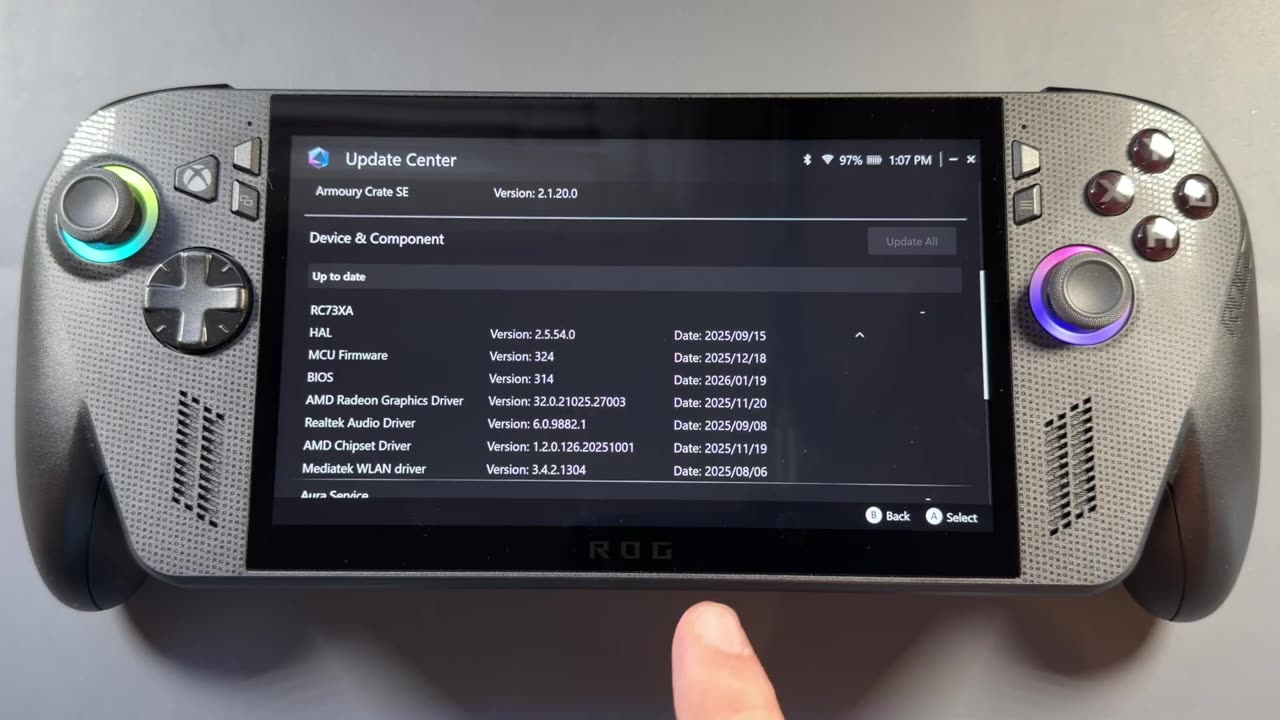
- Go to Update Center and check for updates. Nothing new came up for me, and it showed BIOS 314 installed, dated 2026/01/19.
- Open MyASUS → System Update and check there too. Windows Update and Armoury Crate will miss some things. For me, it found a Genesys Card Reader Driver update (V1.2.27.530 to V1.2.31.0) that didn't show up anywhere else.
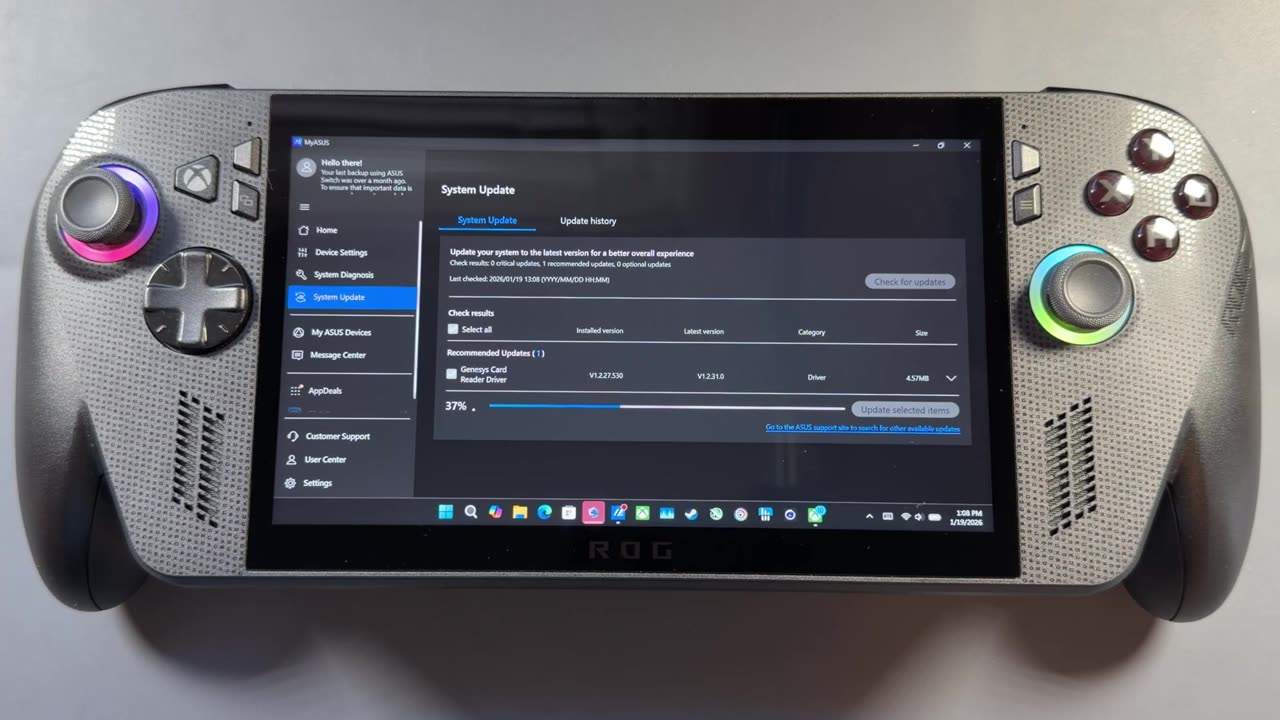
With Windows Update, the Store, MyASUS and Armoury Crate SE all done, I was fully updated. I didn't notice any changes in the BIOS settings or in Armoury Crate SE. I think it's mostly stabilization and performance work.
How Cyberpunk 2077 ran: BIOS 313 vs 314
Same way I've been running it since BIOS 312 and 313: 1080p, Medium, FSR 3 Performance and 8GB VRAM, using the benchmark because it's pretty consistent. The results screens show Cyberpunk 2.31 on Radeon Software 25.10.25.27, Windows 11 Home.
| TDP | BIOS 313 avg (min / max) | BIOS 314 avg (min / max) |
|---|---|---|
| 25W | 69.56 FPS (58.11 / 82.01) | 67.76 FPS (57.43 / 78.91) |
| 17W | 48.42 FPS (40.02 / 60.63) | 48.19 FPS (40.19 / 60.43) |
Numbers are from the in-game benchmark results screens in the video. I consistently saw a little higher GPU clocks from time to time on the new BIOS, but it didn't turn into more FPS. If anything, 314 came in 1 or 2 FPS under at 25W no matter how many times I ran it against 313, which is fairly negligible. At 17W it's extremely similar, very much like what I saw last time.
How Doom: The Dark Ages ran
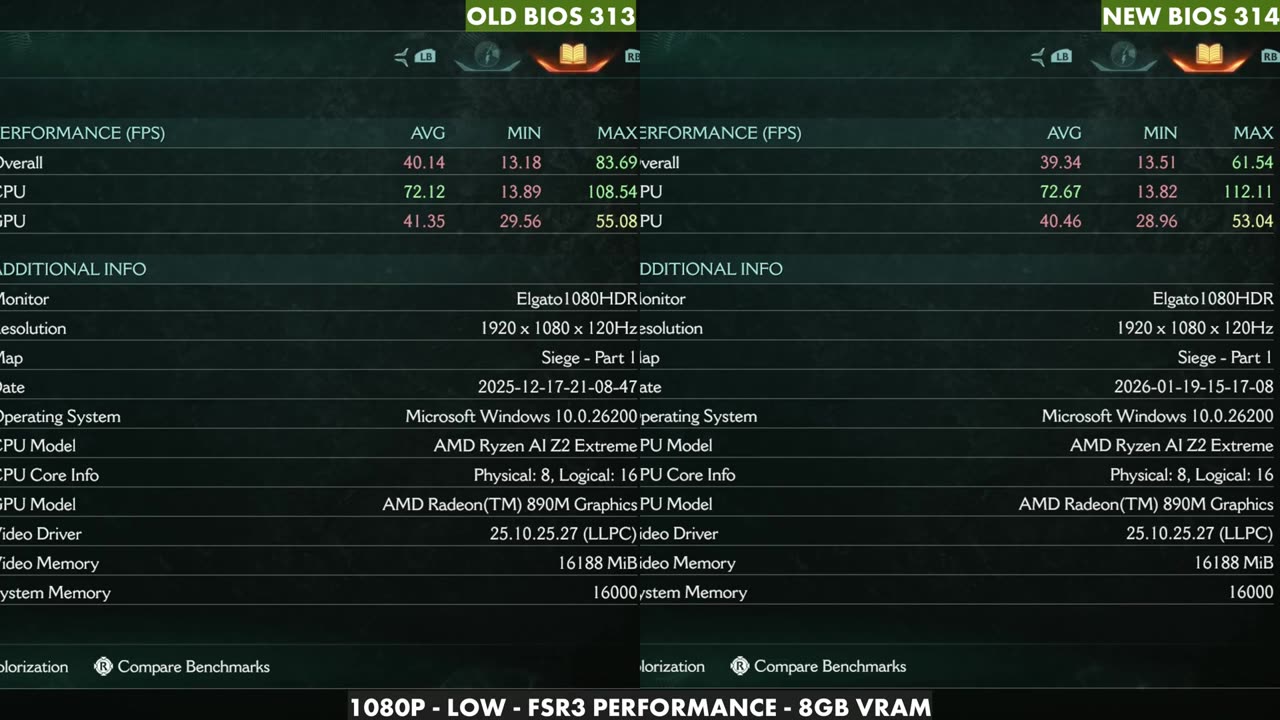
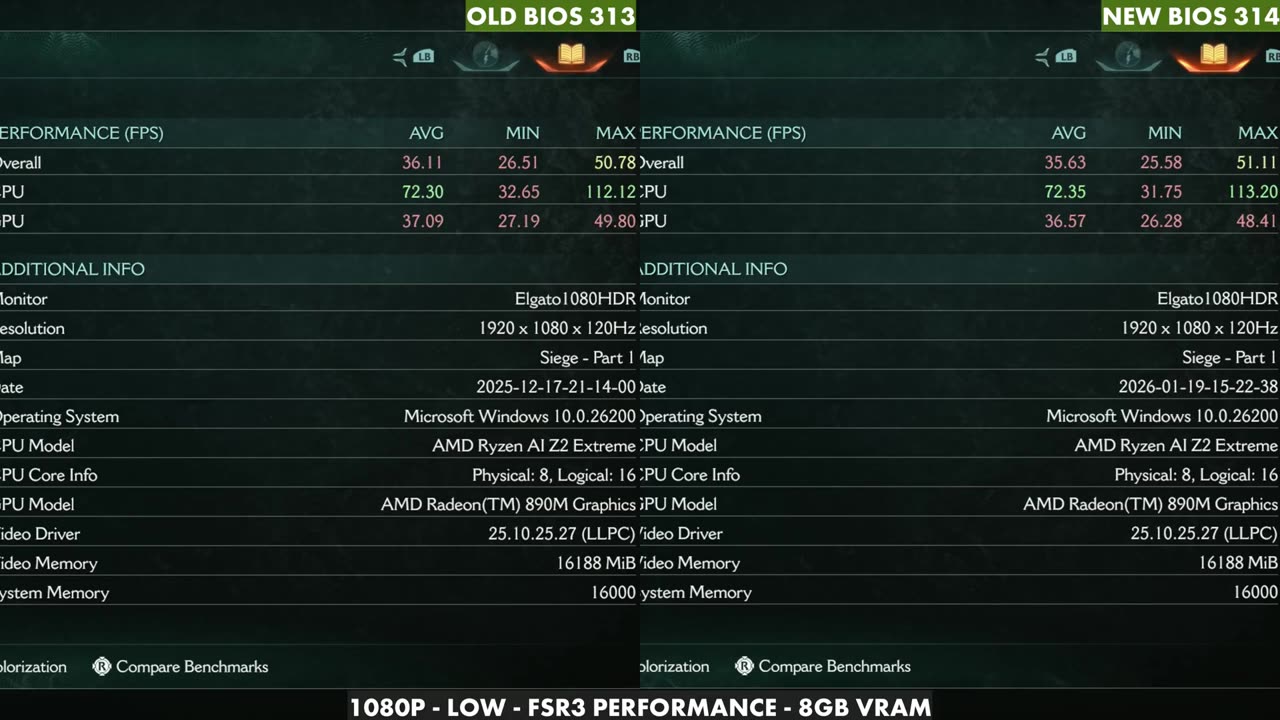
For Doom I used one of the built-in benchmarks (Siege - Part 1) for some consistency, at 1080p, Low, FSR 3 Performance and 8GB VRAM, video driver 25.10.25.27.
| TDP | BIOS 313 overall avg (min / max) | BIOS 314 overall avg (min / max) |
|---|---|---|
| 25W | 40.14 FPS (13.18 / 83.69) | 39.34 FPS (13.51 / 61.54) |
| 17W | 36.11 FPS (26.51 / 50.78) | 35.63 FPS (25.58 / 51.11) |
Numbers are from the benchmark results screens in the video. This one was even closer than Cyberpunk. Like Cyberpunk, the new BIOS came in just a little lower, but it's very negligible. The frame times did seem a little cleaner, so maybe they did some balancing to clean that up, which could cost an FPS or two. At 17W it was very similar too.
My take
Nothing major to report on performance. These two games tend to be pretty difficult to run, and they're basically the same as before, slightly lower on the newer BIOS. I haven't run into any issues, with no problems with frame times or stutters, and FPS is largely the same so far. I'm really enjoying my ROG Xbox Ally X, and I do like how many updates they keep pushing for it. I know there's a lot more coming for this device, especially the upscaling when docked and some other things they're working on.
FAQ
How do I install BIOS 314 on the ROG Xbox Ally X?
Through Windows Update, MyASUS or Armoury Crate SE. For me it came through Windows Update and installed after an update and restart. Plug into a power source when it asks.
Does BIOS 314 improve performance?
No. In Cyberpunk 2077 at 1080p Medium with FSR 3 Performance, I got 67.76 FPS vs 69.56 on BIOS 313 at 25W, and 48.19 vs 48.42 at 17W. Doom: The Dark Ages was also slightly lower.
Should I still check MyASUS after the update?
Yes. MyASUS found a Genesys card reader driver update for me that didn't show up in Windows Update or Armoury Crate.
Did BIOS 314 come with a new GPU driver?
No. The only new item on the support site was the BIOS.
Want more handheld tests?
New Steam Deck, ROG Ally, Legion Go and Steam Machine performance videos every week.